No matter how fast we learn to type, it’s never going to catch up to how fast we can speak. Luckily for us, technology might mean it doesn’t have to. Voice-to-text technology is entering more and more industries, and has the potential to make recording, dictating and communicating a whole lot faster.
Take ShoutOUT, a new iPhone messaging app released to the App Store last week. It’s taking advantage of huge improvements in voice to text technologies to make SMS on the iPhone a much easier prospect, especially for those on the go. What ShoutOUT wants to do is take over the SMS capabilities of your iPhone. It allows users to speak a text message, and then ShoutOUT’s computers transcribe the message and send it to whoever you specify.
 But what’s potentially interesting about ShoutOUT is the same thing that’s on the minds of companies like Jott, Dial2Do, and even Google –- using your voice to make tasks that require typing, go a whole lot faster. Whether it’s reading news, taking notes, or even sending email, it can all be done faster with your voice. Not to mention all the upsides of an alternative to texting while driving, or even walking—you get run into by a texter on the street, you start to wish for better voice-to-text technology. Text, by virtue of being readable, is also easier to see at a glance, search through, and organize for later reference.
The knock on all these services, from Dragon Dictation to Jott to Google Voice, is that there’s a huge learning curve to get to know the app, train it to your voice, and use it properly– and often the apps just don’t work. Some apps don’t understand punctuation, so you have to say things like “I went to work this morning comma had three meetings comma one of which went for three hours exclamation point”. It’s not exactly a natural way of speaking. But some people swear by them.
There are a lot of apps out there trying to take advantage of your voice and improvements in speech recognition, and the possibilities are undeniably huge. But the question is, do any of the applications actually work?
To find out, I signed up for several of the biggest players in the voice-to-text field, and gave them all a simple test: “Hello everyone, I’m David Pierce. I have three legs, two arms, fifty-one toes, and am more fun than a barrel of monkeys. I love to skydive, run around in circles, and wear my New York Giants shirt.” It’s got proper names, numbers, and some odd words, so it should be a decent comparative measure of how they do. Here’s a look at a few of the results:
Made by: Nuance Companies
Cost: $3.95/month and up, depending on how you use it
Use it for: Sending reminders to yourself, managing task lists, transcribing voicemail
Message Transcription: “Hello everyone, I’m David Pearce. I have 3 legs, 2 arms, 51 toes and a more fun than a barrel of monkeys. I love to sky dive, run around in circles and wear my near giant shirt.”
Made By: Dial2Do
Cost: Limited Free version, $3.99/month for unlimited use
Use it for: Reading news, sending and receiving emails, sending reminders to other apps
Message Transcription: “Hello everyone. I’m David Peirce. I have 3 legs 2 arms. 51 toes and more fun at the (?) of monkeys. I love the sky dust run around the tickles and run my near time shirt.”
Made By: Google
Cost: Free (ad-supported)
Use it for: Transcribing voicemail, managing SMS and voicemail online and by email
Message Transcription: “Hello everyone, I did pierce. I have 3 lakes to Arms 51 toes and in more fun than available. Peace. I love to Scott, I’ve run around in circles and where my New York Giants shirt.”
Made by: Nuance Companies
Cost: Free App Store app, paid versions of Dragon Dictation desktop software.
Use it for: Anything! Copy and paste to most other apps, on iPhone or computer.
Message Transcription: “Hello everyone and it appears I have three legs to arms 51 times and more fun than dial up monkeys I love to skydive run around in circles and where my New York Giants shirt”
Made by: Promptu Systems
Cost: $.99 app in App Store, pay-per-message approach for transcribed message
Use it for: Replacing the SMS feature on your iPhone, texting while driving
Message Transcription: “Hello everyone I’m David Pierce I do you like to to arms to see one toes in a more fun the girl monkeys I love to start I run around in circles and where my New York giants right”
As is made all too clear, this technology is far from perfect. People speak too differently, in everything from speed to accent to pronunciation of certain letters, and creating a technology that works for all of them is an incredibly tall order.
But the potential is great—Dial2Do and Jott let you do things like hear news, send tasks to yourself, and even update a blog; ShoutOUT might be able to make texting a little faster, and a whole lot less dangerous. There have been great improvements, but there’s still a long way to go before your voice can really replace your keyboard.
My fingers are sure crossed.


Buy This Item: [Click here to buy this item]
 Mophie plans credit-card reader for the iPhone — It looks cool, but this
  New TiVO on the way? —


 This post is part of the IT Innovation series, sponsored by Sun & Intel. Read more at


 Every week we pose a simple, focused question to the Lifehacker readership about a specific topic: Which is best? From netbooks and malware removal to home servers and wallpaper, here’s a look back at the most popular Hive Five topics of 2009.
 Some months have elapsed since we asked you which netbook was best, but the newer models of the winner and runners up in that Hive Five are still the forerunners in the netbook market.


 Nobody likes staring at a boring desktop when they fire up their computer every morning. Keep your wallpaper fresh with the five most popular sites Lifehacker readers use to satisfy their wallpaper needs.


 A well tagged MP3 collection makes everything from organization to playback easier. Keep reading for a closer look at your fellow readers’ favorite tools for cleaning up their MP3 tags in this Hive Five.
 Computer viruses are increasingly sophisticated and pervasive. If you can’t afford to run your computer without some sort of antivirus software installed, check out these five popular options to protect your PC.
 Your computer is a busy beaver, rapidly accessing and utilizing files all in the name of bringing you what you want, when you want it. Sometimes it needs a little help tidying up, and that’s where these five disk defragmenters come in.
 Whether you got a shiny new flash drive over the holidays or your old thumb drive is looking for a new lease on life, pack it full of goodness with these five killer portable applications.
 Instant messaging has become so ubiquitous, an entire generation of internet users is probably unaware there was ever life without it. Check out the following five most popular instant messengers to to help you communicate across networks and the world.
 Backing up data is a great way to minimize losses after a computing catastrophe. But what about restoring your actual system right away? Here are the five most popular reader choices.
 Need to do a little online detective work? Track down anyone from long lost schoolmates to the new friend whose number you’ve lost with this assortment of powerful people-search engines.


 It’s almost January 1st, 2010 and we’ve been mulling over our favorites of 2009 – and the previous decade. Here we present another installment in our “Of the Decade” lists.


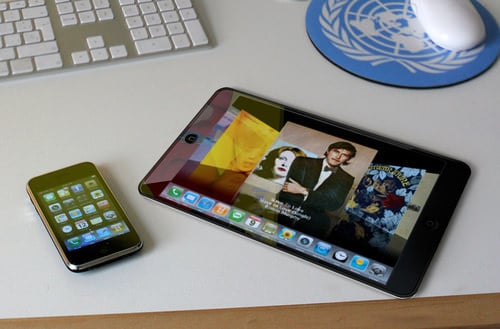
 Our friends over at Engadget have
 The
The