Author: Drew Olanoff

  • Google Glass Year In Review

    glassphoto

    It’s been a little over a year since Google started teasing something it called “Project Glass.” The futuristic, wearable computer that would change the way that you interact with the world was nothing more than a series of rumors for months before it was “formally introduced” in April 2012. Not known for hardware and not having a current bonafide physical device that was popular among consumers, many opined that this was Google’s way of begging for attention. It might have been, and it definitely worked.

    In thirteen months, Glass has gone from Star Trek fantasy to reality. It’s been quite the whirlwind of activity.

    The “wearable computing” age is upon us, and it’s been widely reported that Apple was working on a watch, therefore many assumed that Google was working on a similar device to keep up. This was clearly not the case and Google’s co-founder Sergey Brin took special interest in the Glass project and has been leading the charge going back to when prototype weighed around eight pounds in August 2011.

    Let’s take a stroll down memory lane, as a lot has happened over the past year in Glassland.

    It’s real(ish)

    The video from Google itself got sent people’s imaginations into overdrive. It was called “One day…” and gave us a glimpse into the life of a daily user of what Google had up its sleeve. We now know that the “One day…” reference had more to do with what the product could become, not what it would be in its first iteration:

    The user experience in this video is aspirational, at best, as the current iteration of Glass is more of a compliment and utility to your day, rather than the augmented reality “enhancer” as this video demonstrates. Still, the elements that make Glass handy are all there, taking calls, getting directions and taking pictures from a new point of view.

    Immediately after the video, and public admonishment that the project was real, the press wondered out loud if Apple should compete and that other companies should stand up and take notice. We also now know that the rumored final name for the device, Google Eye, isn’t likely. Good thing, because it sounds way creepier than Glass. We’ll get to more “creepiness” later.

    It was clear that Glass was getting a lot of attention, both positive and negative, from the start. Even Jon Stewart did a parody about them.

    OK, now they’re really real(ish)

    Before Google’s I/O developer conference in 2012, Sergey Brin started showing Glass off to folks like Gavin Newsom. This is the first time that we found out that Glass had a trackpad that would let you scroll through its UI, even though we didn’t know what that UI looked like yet.

    Even Google CEO Larry Page got into the act, wearing his pair at the Google Zeitgeist event in London. Was Page making important company decisions without us knowing, using his futuristic eyewear? Probably not, but it was cool to think about.

    Holy crap, they’re really really real(ish)

    At Google I/O 2012, developers sat in the Moscone Center not knowing what to expect from the company that has been using its advertising business to fund all types of cool projects. After all, who would have thought that a search and advertising company could actually pull off something like Gmail? Or a web browser? And now a driving car? A pair of glasses? Crazy talk. Well, on June 27th, 2012, Google fed into that crazy talk with…a crazy stunt.

    The man at the helm of Google X and Project Glass, Sergey Brin, pulled off a stunt so memorable, that many of us in attendance still don’t fully understand what we saw.

    Brin jumped out of a zeppelin wearing Glass, and participated in a live video Hangout the entire time:

    After that, a bunch of people hopped onto bikes and drove into the keynote auditorium. The audience looked at one another, as if to say, “Did this just really happen?”

    It was indeed Google’s “Apple moment.”

    After Brin took the stage, we were left to wonder if he would then go into full Oprah mode and tell us all to check under our seats for a pair of Glass that would be our very own. Nope. At I/O 2012, the “Glass Explorer Program” was announced, and the first 2,000 attendees that wanted to pledge to pay $1,500 for the opportunity to develop apps for the Glass platform, could.

    There was no date given for when the device would be shipped, but nobody cared. These things were real(er). Think about it, developers signed up to pay $1,500 for a device that they had never even touched. I was one of them, and even I felt silly. There was something about the cadence that Google had been marching to up to I/O that year that felt right.

    Bloggers got to try Glass on for a few seconds, but didn’t get to do anything with them. The hypefest was on. Our founder, Michael Arrington, had a fun, and grounded, thought after the announcement:

    “I can imagine in a couple of years we’ll all be wearing these at events. Then a couple of years after that maybe we’ll look back and think we all looked like idiots.”

    Perhaps.

    They’re real(er)(ish)

    After I/O, Google started communicating with its Glass “Explorers” about all of the device happens, introducing its skunkworks team along the way. Those who joined the program at the conference would get to participate in Hangouts, attend conferences and get exclusive news on Glass. In retrospect, Google set itself up for people to start making fun of those clamoring for the device, whom are affectionately/unaffectionately referred to as “Glassholes.” You see, whenever something is only available to a select group of people, those not inside of that group tend to lash out a bit. Sure, there are those who think that Glass will never amount to anything, but those on the fence had no choice but to attack. It’s kind of like high-school.

    As the months went on, the press flirted with Glass, as more and more Googlers starting wearing them on campus. Stories about Microsoft’s “Glass” plans and a reminder of Apple’s wearable tech patents were peppered in, too.

    In late 2012 and early 2013, Hackathons were announced, Brin rode the subway wearing Glass and its API, dubbed Mirror, was introduced at SXSW.

    OK, Glass. You’re real.

    In April, a group of heavyweights in Silicon Valley announced a partnership called “The Glass Collective.” Developers who wanted to build things for Glass, without ads or any means to make actual money, could visit either Google Ventures, Andreessen Horowitz or Kleiner Perkins, and if their project was interesting enough, they could get funding from all three.

    It was at that event that Google Glass team member, Steve Lee, let it slip that developers would soon be receiving invitations to pick their pair of Glass up from Mountain View, Los Angeles or New York City. They could have them shipped, but that’s no fun. Glass was officially real.

    In just a few days after that Collective event, the first pairs of Glass for developers were coming off of the production line, the Mirror API guidelines were posted, its companion app for Android was released and full specs were released for the first time.

    This “moonshot” that Google had been cooking up in its super-secret X Labs were going to see the light of day, outside of Google’s campus’. People just then started to realize that certain folks would be meandering around town with cameras on their face, and focused solely on how the device would affect them…the ones not wearing the device. The ones not in the “club.” A quick search for the term “Google Glass privacy” shows the same story written by hundreds of reporters, most of them never having worn the device.

    I was able to pick up my pair of Glass on April 17th, and it’s interesting to see what the device really is in its current state, as opposed to what we saw in the video released last year. We did a “day in the life” video, showing what I was seeing on the display:

    While it’s not as “pretty” as Google’s first teaser video, the elements are all there. In its current state, Glass is a utility that allows you to do some of the things that your smartphone does now. The difference with Glass is that you can do these things hands-free, quicker than before and in a less socially disrupting way.

    What’s next for Glass?

    For a period of time, we’ll see the same types of stories about how creepy Glass is. At this year’s I/O, none of Google’s executives wore the device on stage or while walking around the Moscone Center. It was its way of turning the “lens” onto developers and saying “It’s time to make this yours.” Still, we heard about people wearing Glass in the bathroom, as if to remind us that not everyone is ready to feed into the hype of the device.

    It’s hard to argue with the point that the Glass platform is the most interesting one for developers to iterate upon since Apple’s introduction of the App Store. For the first time in years, these developers are getting a chance to re-imagine their existing services, or build new ones, for a brand new device. Glass isn’t perfect, and will only be as good as the apps that are developed for it.

    During this year’s I/O, Twitter, Facebook and a slew of others announced their own Glass apps. The Facebook app is great, while the Twitter app will need more work. As I’ve continued to wear the device while I’m not at the computer, I’m finding myself trying to get away from all of the crazy and unnecessary notifications that I get on my phone and desktop. The Twitter app, for example, sends me mobile updates that I’ve subscribed to, @ replies and direct messages. This simply won’t fly, and Glass users are going to need more granular controls for what pops up on their display. It’s early though, and these are good learning experiences.

    No matter what you think about Glass, you have to admit that the past year has been a good one for Google and its fancy, futuristic device. From a secret pet-project to developer-only playground, it will be fascinating to see what happens next in Glassland. There’s no telling when the device will be available for everyday consumers, but I can guarantee that it won’t be until developers have had ample time to explore the possibilities. I do know one thing: If you’re really worried about being spied on by someone wearing Glass, don’t be. You’re not that interesting.
  • Google Says All 2,000 Glass Explorers Have Been Invited To Pick Up Their Device

    google glass

    Today, Steve Lee of the Google X and Glass Team, announced that as of last week, all 2,000 developers who signed up for the Glass Explorer program at last year’s I/O conference have now been invited to pick up their devices from Google’s offices in Mountain View, New York City or Los Angeles.

    Of course, not everyone has to actually pay the $1,500 to get them if they don’t want to, but it’s safe to say that most of these developers will be picking them up and dropping down the cash.

    Lee also noted that the 8,000 #ifihadglass “winners” who still have to pay their way will start getting theirs soon. The importance of having the device in the hands of those who will be building apps, the only way that we’ll ever know what the device is capable of, was not an easy thing to do. You can’t really seed a device that sits on your face quietly, thus the need for an Explorer program that was announced last year. Lee said: “This isn’t something that we could have worked on in some secret lab; it had to be out in the real world.”

    Lee also noted that Glass will receive monthly software updates with bug fixes and new features, which means that we can expect another one to come sometime in early June, similar to the one on May 8th. The experience wasn’t completely overhauled with the last update; the introduction of a “long press” for search was handy.

    As we’ve walked around the I/O conference, it’s been commonplace to find someone stopping to take a picture or slide through the timeline in front of their place. There are still a lot of questions to be answered as to whether this is a device that will catch on for consumers, but watching its evolution in the earliest days is fun.

    Something that’s interesting to note is that Google executives, like Larry Page and Vic Gundotra, haven’t been sporting their Glass, specifically on stage yesterday for the keynote. Some feel like this was a way to tone down the hype about the product, letting developers take over the “spokesperson” role for Glass.

  • At I/O, Google Will Be Tracking Things Like Noise Level And Air Quality With Hundreds Of Arduino-Based Sensors

    motes

    If you’re attending Google I/O this week, you will be a part of an experiment from the Google Cloud Platform Developer Relations team. On its blog today, the team outlined its plan to gather a bunch of environmental information happening around you as you meander around the Moscone Center.

    In the blog post, Michael Manoochehri, Developer Programs Engineer, outlines his team’s plan to place hundreds of Arduino-based environmental sensors around the conference space to track things like temperature, noise levels, humidity and air quality in real-time. This was spawned due to a fascination with wanting to know which areas of the conference were the most popular, so it will be interesting to see what the information the team gathers actually tells us.

    At first glance, this seems a little bit creepy, but it’s no different than a venue adjusting the cooling system based on the temperature inside at any given moment. As with anything that Google does, this could have implications for tracking indoor events or businesses in the future, as Manoochehri shared:

    Networked sensor technology is in the early stages of revolutionizing business logistics, city planning, and consumer products. We are looking forward to sharing the Data Sensing Lab with Google I/O attendees, because we want to show how using open hardware together with the Google Cloud Platform can make this technology accessible to anyone.

    Notice the wrap-up of wanting to show people how open hardware combined with Google’s Cloud Platform benefits everyone. Ok, sure. What could data like this mean for businesses, though? Well, a clothing store would be able to track how many people came in and browsed, which areas of the store were hot-spots for interest and then figure out how their displays converted. It’s like real-world ad-tracking. It makes sense, but still seems a long way off.

    What will be interesting is not each dataset that is collected, but what all of them tied together tell us about our surroundings:

    Our motes will be able to detect fluctuations in noise level, and some will be attached to footstep counters, to understand collective movement around the conference floor.

    Of course, none of this information is personally identifiable, but the thought of our collective steps, movements and other ambient output being turned into something usable by Google is intriguing to say the least…and yes, kind of creepy.

    If this particular team can share all of the data it collects in an easy to digest way, then businesses will be clamoring to toss sensors all over their stores and drop the data on whatever cloud platform that will host it the cheapest. Google would like to be that platform.

    During the event, the team will hold a workshop on what it calls the “Data Sensing Lab,” so if you’re interested on learning more about what the team is gathering as you walk around, this would be the place to go. You’ll also be able to see some of the real-time visualizations on screens set up throughout the conference floor.

    We’ll be covering all of the action as we’re being covered by Google.

  • Through The Looking Glass: What You’ll See Through Google’s Lens

    Screenshot_5_10_13_1_34_PM

    I’ve spent a little over three weeks with Google Glass, and I’ve noted that the utility aspect of the device is strong, but the fun isn’t there yet. It feels a lot like the original iPhone did, before it had the App Store.

    In this video, we discuss some of the quick assumptions about Glass, warranted or otherwise, and give you a look through the eyes of the device in action. Stepping outside, pulling up an address, replying to an email and listening to the latest NYTimes headlines is a pretty seamless experience. Google calls the technology “calm,” since it doesn’t require you to pull a device out of your pocket, unlock a screen or tap any buttons.

    The power of Glass will be unleashed once developers start building apps that consumers will love. Until then, have a look at some of the things I’ve been doing since I got the device. For those following along, I hope to have my recipe app available soon. It’s been a fun learning experience for me.

  • There Was A ‘Glass’ Before Google Came Along, And It Was Used In Antarctica In 2001

    antarctica8-1

    Whether or not you think that Google Glass is something that you’d wind up using one day, you have to admit that the technology is impressive. Packed inside of the pair of specs is a computer running android, camera and all of the wireless capabilities you’d need. The idea of wearable computers is nothing new, and a team that explored Antarctica actually had their own pair of “Glass” long before it was en vogue.

    In a blog post chronicling the team’s experience, Tina Sjogren fondly remembers what it was like to pull together a wearable computer running Windows 98, paired with a “finger” mouse for controls and a glass screen as its display. It sounds a lot like an early version of Google Glass, but this was truly a technological marvel, considering that it was built and used at the South Pole in 2001.

    The specs of the device, which was called “South Pole Wearable,” are nothing short of amazing, including custom built software to share information and post photos. It was also solar powered, something that Google Glass could really use. It didn’t use 3G, 4G or WiFi, relying on satellites:

    Finger Mouse
    Wrist Keyboard
    HUD (VGA Heads Up Display, Eye-trek Glasses by Olympus)
    Wearable Windows 98 computers
    Daylight flat panel display
    Customized Technology vests
    Shoulder Mounted Web Camera
    Bluetooth near person network
    Iridium data over satellite
    Power converters
    Solar cells
    Control and Command voice software
    CONTACT blogging software
    Image editing, word processing

    The entire kit weighed 15 pounds, which is almost double what the original Google Glass prototype weighed, about 8 pounds. It now weighs about as much as an average pair of sunglasses.

    Tina and Tom Sjogren set forth to build something that allowed them to transfer all types of information as they skied through the snowy South Pole. Sharing this type of information in real-time was not something that many could wrap their brains around, therefore the pair didn’t get the type of attention for their device that Google is getting for Glass today. Tina says:

    We wore a computer on our hips, a mouse in our pocket, and the glass was our screen. We did it not to show off but because we had no other choice.

    She also sees a future for Google Glass and regular consumers: “New technology often needs time to catch on and I can see a future for Google glass today. It will come down to how sleek and useful they are. A stylish design paired with all the wonders of augmented reality – what’s not to love?”

    “Cool, maybe the time has come for this tech”

    Wearing Google Glass wasn’t the experience that Tina and Tom had back in 2001, as Tina refers to their display as “too bulky to wear all of the time.” The eye piece on their device had greenish text which, much like Google Glass, didn’t obstruct your view. It even had voice commands. The two even slept in their gear at nights, to keep it warm and protect it from the elements. In 2002, they became the first to broadcast live photos and sounds from the Antarctic ice cap.

    The trekkers counted on Ericcson as their sponsor during the mission, and here’s a drawing they made of a “future explorer” wearing their device:

    I spoke with Tina Sjogren today and she told me that the reason for building the device was based on their love of exploration: “Our specialty is to find and marry software and hardware for unique situations such as extreme expeditions, military, security and other.” The purpose of building the device was simple, yet profound: “We had a story to tell. There had never been live dispatches done from a skiing expedition on the continent before. We also helped General Dynamics with feedback on how this could work on aircraft carriers.”

    Twelve years after the Sjogren team set out on their adventure, Google is trying to make the world around us equally as interesting with Glass. It’s too soon to know whether it will catch on with consumers once they’re made available to people other than developers.

    If we’ve learned anything from Tina and Tom Sjogren, it’s that good ideas have this way of coming back year after year, getting better and more polished each time:

    As Google Glass has gotten more publicity, Tina summarized her feelings about it succinctly, capturing the true mentality of someone who loves to see new things, explore new places and share experiences: “Cool, maybe the time has come for this tech.”

  • Amazon In Your Living Room: Company Is Reportedly Launching Its Own TV Set-Top Box This Fall

    2707799655_1f187be6da_z

    According to a report from Bloomberg Businessweek, e-commerce behemoth Amazon is preparing to launch a set-top box this fall, in hopes that you’ll consume all of your content through its spin on the now-common device. The company is already working hard to push its Kindle line to consumers, and this box would be for people who don’t want to deal with the fanciness of Apple products, the gaming nature of Microsoft’s XBox, the half-baked Google TV or the little engine that could, Roku.

    Yes, this is a crowded market, but Amazon has something that these other companies don’t have, which is warehouses full of things to sell to people while they watch TV. I imagine that you’ll be able to shop as you would online or on your mobile device, right on your TV set. That means that the temptation to pick up that new TV, while you’re watching your old crappy one, could overcome you during a show. One button click and a new TV could be on the way.

    Think of it as Home Shopping 2.0. With some interesting programming to watch, of course.

    Instead of acquiring a smaller company that already has its own product in the wild, Amazon has decided to build this in-house, under its Lab126 umbrella in Cupertino.

    Amazon has been building up its content viewers by bundling it with Amazon Prime shipping for free, trying to entice anyone who is already spending regular money with them to try other things out. What shipping has to do with free movies and TV, I don’t know, but customers seem to be happy with it thus far.

    Reasons for doing a set-top box are obvious, with its original content being the most popular on the platform since it launched. As Amazon finds its way to more niche shows that it can present exclusively, the reasons to grab an Amazon-branded device for your TV makes more sense. In the same way that Apple leverages each of its devices to sell new ones, Amazon is learning how it’s done. It also doesn’t help that it has millions of shoppers visiting its site daily looking for new things.

    Some could say that Amazon is late to the game, but I see Jeff Bezos and company taking smart, calculated steps to capitalize on mistakes made by others, much like it did with the Kindle, staying close to a purer paperback-esque reading experience.

    [Photo credit: Flickr]

  • A Day With Glass: First Impressions Of The Early Days Of Google’s Latest Moonshot

    glasscloseup

    As we shared yesterday, the process to actually pay for the Glass Explorer Edition was quite simple. The next step in the process is picking up your device at either the Mountain View, Los Angeles or New York City Google Campus. Of course, you can opt to have them shipped to you if you’re not in one of those areas, but what’s the fun in that?

    I picked up my Google Glass today in Mountain View and was told only that I would receive a bit of a walkthrough and proper fitting. I want to warn you, this isn’t a review, there won’t be any unboxing videos, you can find the technical specs here and there will be no pass or fail grade on this first iteration of Google Glass. If you buy into the potential for the device, and, more importantly the platform, then you know that this will be a true exploration into what Google has come up with here.

    Some will see this device as a fad, something that isn’t really “necessary” in today’s world, and others will see this as the beginning of an adventure for users, developers and Google, of course. I tend to lean towards the adventure side, as it’s not fully known what impact Glass will have on society, your day-to-day activities, or the future of technology and hardware.

    The setup

    I arrived at the Googleplex and a few members of the Glass team greeted me. It’s been almost a year since Google’s last I/O conference where 2,000 developers signed up to be a part of the Glass Explorer program, and this is naturally the day that they’ve been waiting for.

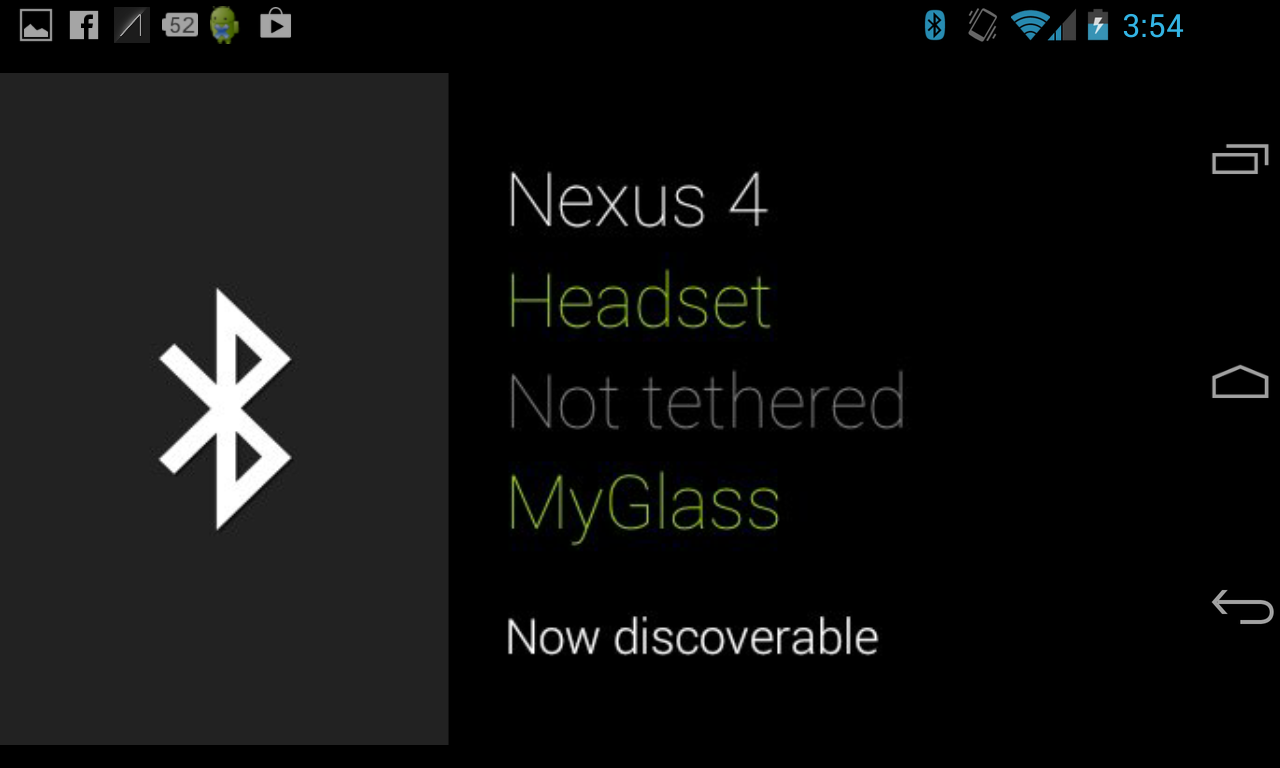
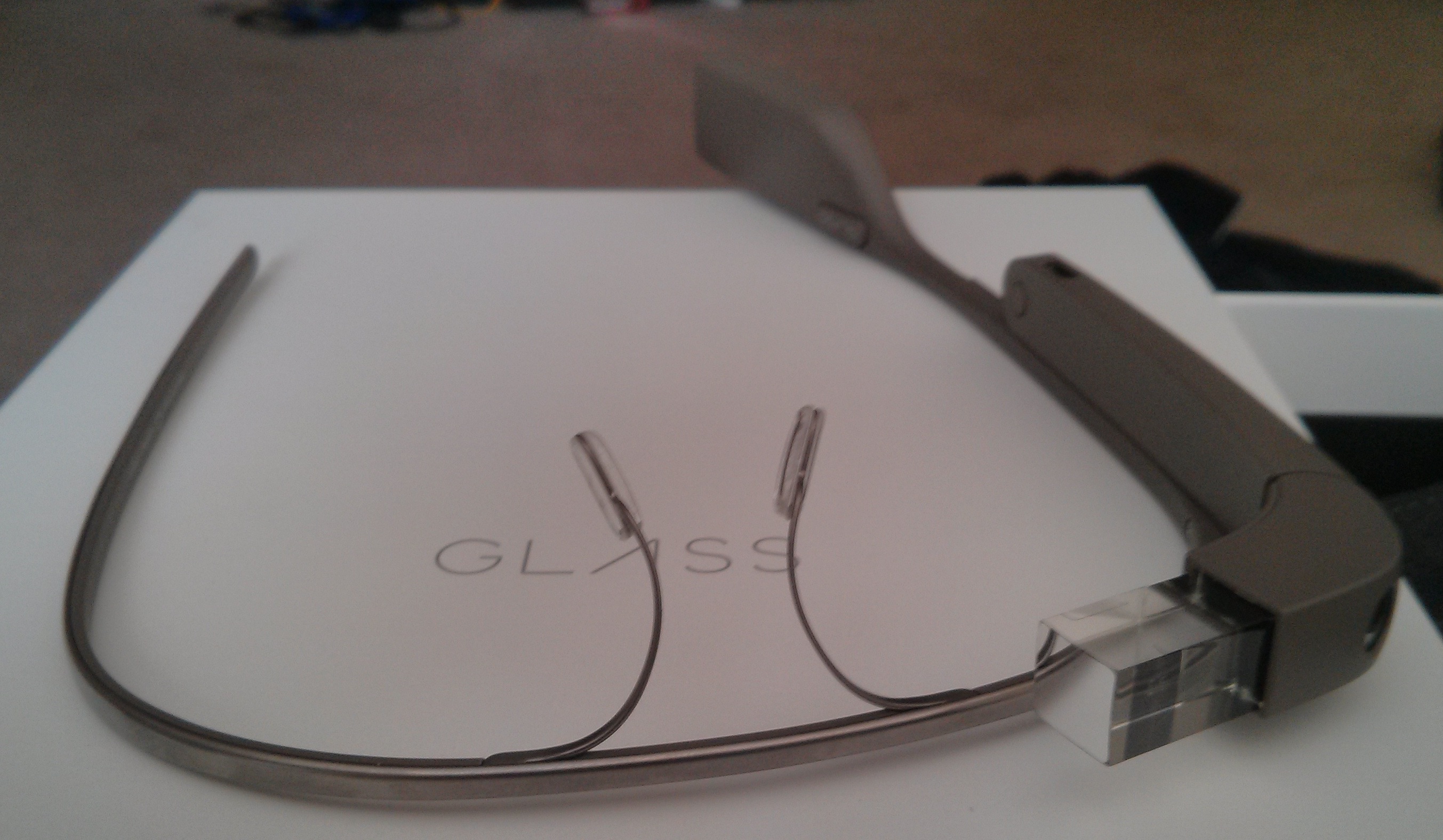
    When I sat down to unbox my Glass, I was shown the proper way that they should sit on my face. The glass itself, where the screen is projected, should sit above your right eye and not in front of it. It’s easy to mess around with the nose pads to get the right fit. The second step is to pair your Glass with your device, using the MyGlass app that recently shipped. Since Glass pairs to your phone through Bluetooth, the device is pretty much useless until that’s done.

    You log into the app using your consumer, not business, Gmail account, and then you’re off to the races once you’ve paired:

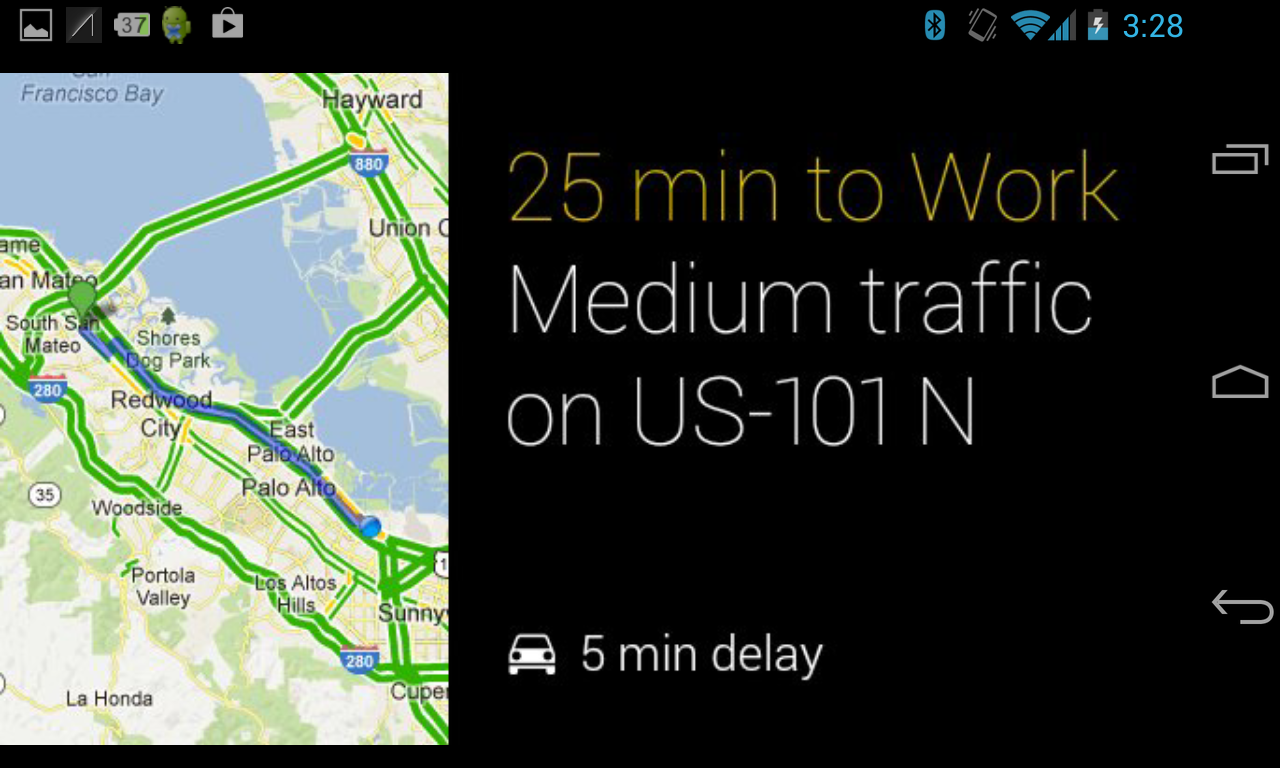
    Something to note, all of these screenshots are coming from the handy “screencast” tool within the MyGlass app. It shows everything that you’re seeing on Glass. You’re paired, account is connected, Wi-Fi or mobile network is chosen, and you’re ready to use Glass.

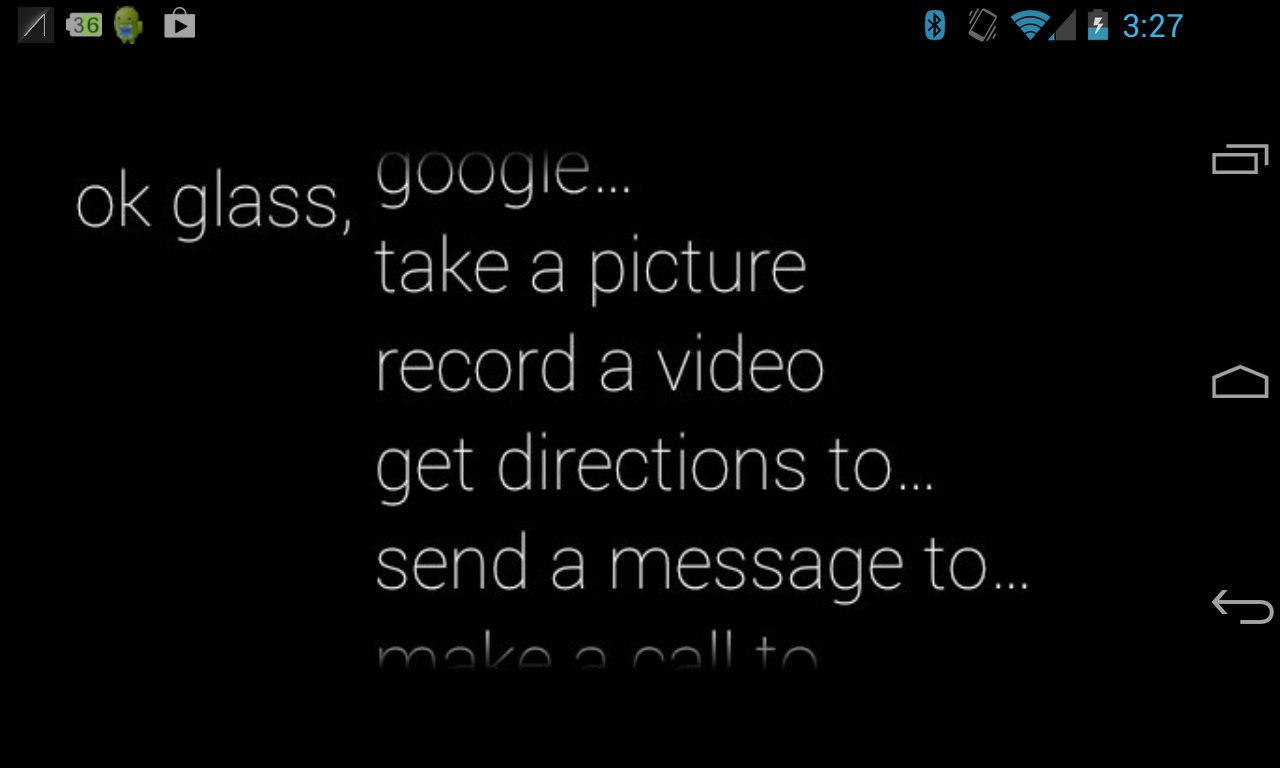
    As you swipe your way through some of the screens on the touchpad with your finger, you’ll notice Google Now cards (if you choose to turn them on), a settings screen, and of course, the all-important command screen that pops up after you say the magic phrase “Ok Glass.”

    With these voice commands, you can Google things, find directions, send someone a message shoot a video or take a picture. There’s also a button on the top of Glass that lets you snap photos and shoot video as well. The audio, which comes out right by your ear, is crisp and not too loud.

    The Glass team tells me that looking at the screen takes some time to get used to. Some of the folks who work at Google say it took them up to a week to be able to focus on the screen properly. Let’s be honest, looking up and to the right isn’t a natural movement for our eyes. I’ve found that as I’ve worn them longer, I can glance up pretty quickly and see what I need to see and go back to what I was doing.

    One trick is to use the screencast function of the app so that you can understand fully where each screen goes and what it does.

    What Glass is and isn’t

    Let’s start with what Glass isn’t. Glass isn’t a replacement for your cell phone, since you have to pair the device with the one you have for cellular or Wi-Fi coverage. It’s not a device for watching movies or YouTube videos and it’s not going to replace your computer. You won’t be able to read full search results on the tiny screen, but you’ll be able to get to really relevant information quickly.

    What Glass seems to be, in the few hours that I’ve spent with it, is a device that picks up some of the things you do throughout your day and makes that information more easily accessible. Currently, the only built-in integration for a third-party service is Path.

    For example, how many times a day do you pick up your phone to check the time or to see if you have any missed calls or text messages? I couldn’t count the times that I’ve wasted that arm motion. Furthermore, every single time you take your phone out, you’re telling the people that are around you that you have no interest in interacting with them for at least 30 seconds while you dive into your phone. Now, am I saying that having a screen above your eye is any less socially awkward? No. But it lets you access the same information quicker without having to stop what you’re doing.

    If you look at Glass in its existing state, it’s quite impressive that all of this was fit into a tiny package that sits on your face. Will I get weird stares for a while when I’m out wearing them? Probably. Do I care? Not really. But I do care how it affects others, and that’s something that nobody will be able to talk about for sure until these things are in the wild for a few weeks.

    Now mind you, this is the Explorer Edition of Glass, and it comes with the barest bones of “apps.” The real magic is going to be what developers start building on the platform.

    What Glass could be

    This is where things get really interesting. As we covered last week, there are already investors that are chomping at the bit to put money into developers who are building apps on top of Glass. The possibilities are actually quite endless, starting from potential uses in hospitals for doctors to a new way for teachers to interact with their students.
    As far as how we interact with the world around us, being able to take pictures from our own vantage point, without setting up a shot for perfect light or shade, is something that has yet to be uncovered. Glass can do that. Being able to join a Google+ Hangout and talk to your friends with nothing more than a device that sits on your nose is pretty cool, too.

    It all goes back to the developers, though. They have the minds to push Glass forward as not just a geeky novelty, but as a platform to enhance our lives. I’m not going to sugarcoat it — this product has a lot of bumpy roads ahead of it. We have to assume that there are developers who can come up with big ideas, that consumers are ready for it and whether it can be at a price point that middle-America can afford. In its current developer-only state, it’s not that hard to grasp how to use it once you get past having something new on your face.

    This is only a first step, and it’s going to be an interesting ride. Not only can I not wait to build my hands-free recipe app, I’m looking forward to speaking with developers who are forward-thinking enough to see Glass for what it is — not a futuristic gadget, but something that can help us explore the world in a new way. It’s going to take time, though. I mean, even my dog thinks it’s weird:

    If you’re a developer who is working on, thinking about or are interested in building Glass apps, feel free to reach out to me, as we tell the story of the platform together.

  • If You Pre-Ordered Google Glass, Here’s What To Expect Once Your Number Is Called

    puppy-glasses

    If you were one of the people who signed up last year at Google’s I/O conference to be a part of the “Glass Explorer” program, you might be getting your instructions on how to actually…purchase the thing and get it into your geeky little hands.

    In case you weren’t sure, Google Glass is real, and they’re shipping as we speak.

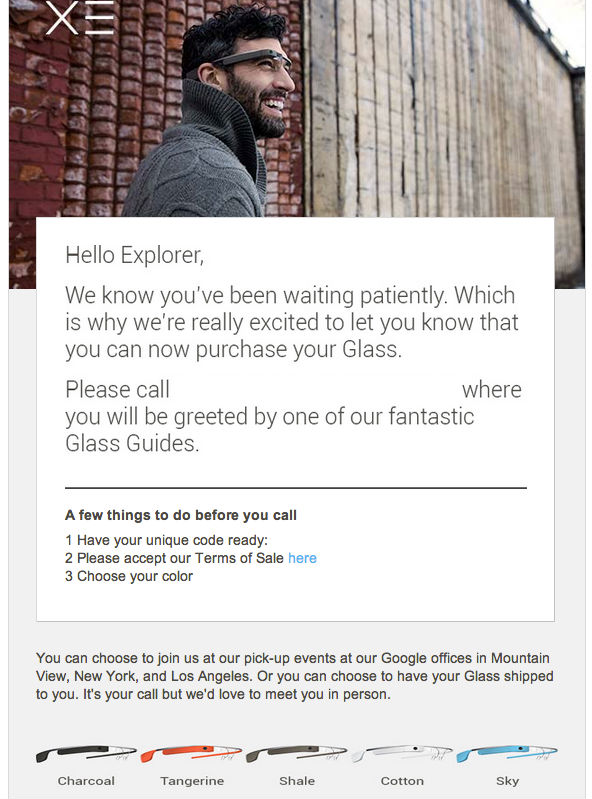
    Today, my number was called and I received the following email, which comes along with a phone number to call, a unique code and a link to a “Glass Safety Notices and Terms of Sale” that you must accept before you place your order:

    Google said in its previous email to Glass Explorers that 2,000 were pre-ordered, and I was number 933. That means that the company is filling out requests for units pretty quickly, if they’re going in order. (UPDATE: We’re told by other Glass Explorers that the fulfillment is not going in order.) Sure, some people might not follow through once they actually face dropping over $1,500 for them, but it’s safe to venture a guess that most will opt to purchase them.

    When you call the number, which I’ve blanked out from the email, you’re asked for your unique code. The process is pretty quick and you can decide on whether you’d like to pick your Glass up or have it shipped to you. Sadly, the tangerine and sky colors were already out of stock, so I opted to pick up the “shale” flavor of grey.

    I set up an appointment to pick them up in Mountain View tomorrow. I’m told that if you pick them up in person, in either Mountain View, New York or Los Angeles, you’ll meet with a member of the Glass team to have them fitted properly and then get a basic walk-through of the device and operating system. You’re also encouraged to “bring a friend.”

    The person on the phone was extremely nice, congratulating me on getting the device along the way. After all, to try these things out, and be on the cutting edge of technology, you’re dropping some serious cash.

    Since the Glass Mirror API developer guide documentation is out, along with the API itself, more developers will start creating applications on top of the Glass platform once they get their hands on them. It certainly doesn’t hurt that some of the biggests VCs in Silicon Valley are lining up to fund these projects, too. I’m personally looking forward to creating a recipe application that will let me flip through ingredients and directions, hands-free, while I cook. Amazing, huh?

    Plenty of questions remain about Google Glass, especially as to whether mainstream consumers will actually want them, how often people will actually wear them and how awkward things will be when you’re sitting across the table from someone who has a camera connected to the Internet in front of their eyeball. Having said that, Glass has gotten people excited, and you’re going to start seeing at least 2,000 more of them in the wild very soon.

  • Track The Progress Of This 3D-Printed OpenRC Truggy, A Remote Control Car Enthusiast’s Dream

    13 - 1 (2)

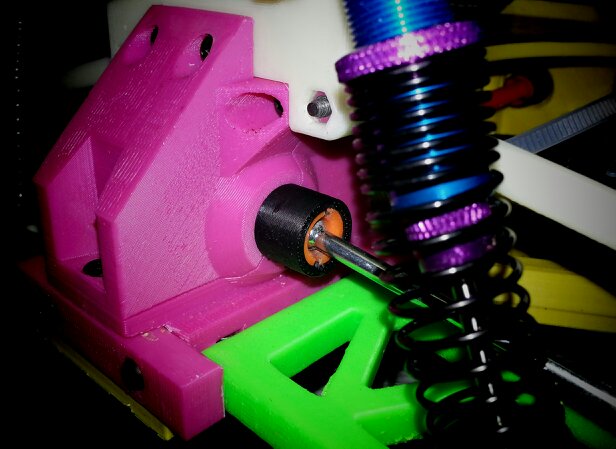
    If you’re into 3D printable stuff, or into remote control cars, then the OpenRC Project is for you. A gentleman in Sweden named Daniel Norée is sharing his progress on a 3D-printed Truggy, as well as sharing the recipe with the OpenRC Project group that he created. A truggy is an off-road vehicle, in case you weren’t sure.

    The cost of 3D printers are dropping both for at-home use and enterprise, so it’s a very real possibility that consumers all over the world could soon have these devices in their living rooms. Crazier things have happened. We’ve seen 3D printed iPhone docks, violins, pottery and even a robotic hand for a child.

    If you can print out your very own customized remote control car with one, count me in. While not all of the parts are printable, such as the wheels, for really die-hard remote control car fans, those are parts that they probably have sitting around in the garage already.

    Here’s a video that Norée uploaded today that showssome of the schematics behind the parts, and the actual 3D printing process using one of those fancy MakerBot Replicators:

    The project has come a long way in the past few months, as here’s a video of an earlier model breaking down:

    I want one.

    While this isn’t the only 3D-printed remote control car out there, the advantage here is that you can follow the progress of the project on Google+ and join the discussion. If you’re ready to print one out, go here.

  • Mycestro Is A 3D Mouse For Your Fingertips That You’ll Look Funny Using, But Who Cares?

    Screenshot_2_18_13_12_10_PM

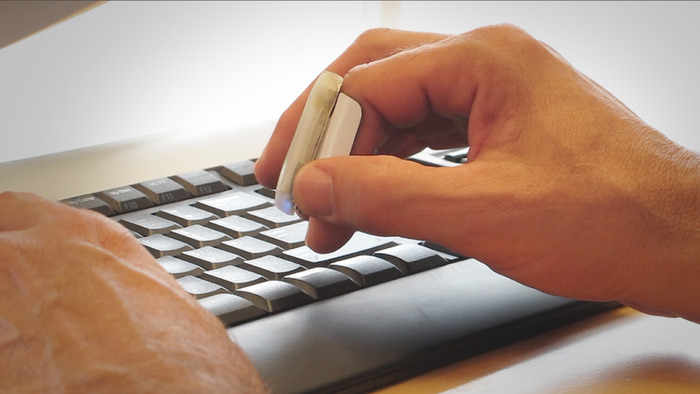
    We all go through phases where we feel like we’ve seen every possible Kickstarter project that we’d ever want. And then one like Mycestro comes along and reminds us that this is just the tip of the iceberg. It’s a 3D mouse that you strap to one of your fingers and it looks like it could become a huge asset for multi-tasking.

    If you think about how you use your computer, be it a desktop or laptop, you know that your hands move from the keyboard to the trackpad or mouse constantly, over and over again. It’s wasted movement for the most part, especially when you see the possibilities that Mycestro unlocks. The only thing left is for it to get funded, because it looks like all of the prototypes work perfectly.

    Its founder and creator, Nick Mastandrea, has been tinkering on this project for quite a while, having been featured in Engadget a few years ago, but it looks like it’s ready for primetime. You’ll be able to pick one up for a $79 pledge in white, or $99 with your choice of color. The estimated shipping date is sometime in October of this year, if all goes well.

    Have a look at some of its features, which include touch buttons that allow you to navigate your computer without the need for moving your entire hand to a dedicated area on a computer, thanks to 3D technology and space recognition:


    Here are the specs for the 3D Mouse:

    – Size of a wireless earpiece.
    – Light, weighing next to nothing.
    – Internal battery can be charged via USB.
    – Battery life is estimated to be eight hours depending on usage.
    – Two different replaceable clip sizes.

    This isn’t a completely perfect situation though, as you’ll have to re-learn how to use a mouse. The other thing is that if you’re in a coffee shop or somewhere in public, people are going to look at you like you have some issues. The thing is called the Mycestro for a reason; it looks like you’re conducting your own private orchestra. In other words, you’re going to look weird. If you’re okay with that, then the benefits outweigh the public shame and looks you might receive.

    The device works from 30 feet away from your computer, thanks to Bluetooth, so you could use this for presentations at work. The touch technology it has reminds me of Google’s Project Glass, which allows you to tap a panel on the side of the wearable device to make things happen, like a mouse or trackpad. The other plus is that it’ll work with any iPad or iPhone, with Android support coming by the end of the year. This could be a nice way to have a lean-back experience with a tablet, or do the driving while someone else holds it.

    Check out this demo using it with an Internet-enabled TV:

    It reminds me of the Xbox Kinect a little bit, but it’s in your hand and requires no setup.

    With 38 days left to go on its Kickstarter campaign, Nick Mastandrea and his team has raised $39,735 out of $100,000. I think if people can look past the Mycestro as a curious oddity and understand how this could make them more efficient on the computer, this thing will get funded, and then some. The team says that a version for lefties will come a bit after the original model. Personally, I use the trackpad and mouse with my right hand, even though I’m a lefty.

    So who cares if people think you’re making hand gestures into thin air to nobody in particular. Aren’t people who use Bluetooth headsets already weird? Exactly.