Author: El Di Pablo

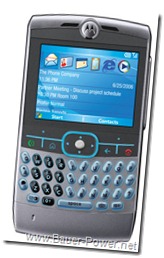
  • Get a Motorola Q to Sync With Exchange 2007 Using a GoDaddy SSL Certificate.

    I recently performed a migration of my parent company’s Exchange server from 2003 to 2007. The process was fairly smooth with the exception of certain mobile devices. For any device using ActiveSync we had to walk our users through updating the server settings, and everything was kosher. Well, that is except user using the original Motorola Q.

    You see, the problem was although we were using an ECC SSL Certificate, the certificate was from GoDaddy. So what’s the problem? The problem is that when the God forsaken Motorola Q was made, GoDaddy wasn’t a trusted root authority. So although every other ActiveSync, iPhone, Blackberry using BIS, etc was working fine, this outdate piece of crap kept spitting out the following error when trying to sync:

    The security certificate on the server is invalid. Contact your system administrator or ISP to install a valid certificate on the server and try again.
    Support Code: 0x80072F0D

    I Googled the above error, and I found a forum saying I needed to manually install GoDaddy’s root certificate on the device. However when I did I received the following error:

    Security permission was insufficient to update your device

    So what I had to do was to perform a little registry hack on the Motorola Q. To Install the GoDaddy root certificate on the Motorola Q do the following:

    1. Download a Windows Mobile registry editor called regeditSTGMotorola Q
    2. Copy regeditSTG over to the mobile device.
    3. Using the File Explorer on the device, locate regeditSTG and open it
    4. Browse to HKLM\Security\Policies\Policies\
    5. Select Values
    6. Click on 00001001 and change the value from 2 to 1
    7. Click on 00001005 and change the value from 16 to 40
    8. Click on 00001017 and change the value from 128 to 144
    9. Close out of regeditSTG
    10. Download the DER version of GoDaddy’s root certificate from here: (GoDaddy Repository)
    11. Copy the gd-class2-root.cer file to your Motorola Q
    12. Using the File Explorer, double click on the file and accept the prompt to install the certificate on your device.

    Once the GoDaddy root certificate is installed, your ActiveSync should begin working again normally. Please note that this probably will not work if you are attempting to use a wildcard cert for Exchange 2007. Windows Mobile 5 does not recognize wildcard SSL certificates (LAME!)

    Know of any other hacks to get Exchange 2007, SSL, ETC working with Windows Mobile 5 and/or the Motorola Q? Let us know in the comments.

  • Five Favorite Digg Tools

    I am a pretty active Digg user. I like to keep up to date on the latest and greatest, and I like to see some funny stuff too. Digg is a great place to keep up with current events and to get a good chuckle in. It is also a great place for traffic as everyone well knows. The key to getting traffic on Digg though is to make it to the front page. If you simply submit your story, 9 times out of ten it will never reach the front page. People try very, very hard to get to the front page, and never succeed. That’s a the cold hard truth.

    There are some tools available on the internet though that can give you a little bit of an edge, and all of these are 100% kosher with Kevin Rose and his cronies. Here are my five favorite Digg tools:

    1. BiggBoardThis one is really handy because it allows you to track your submitted stories on one page to see how it is going. The idea is to watch your story move from the left of the board all the way to the right through the various “Hot” categories until you reach the front page. Another cool feature is you can see if your story got buried if it doesn’t reach the front page.

      BiggBoard

    2. Friend StatisticsThis site will let you know who the deadbeats are. By that, I mean it will let you know who is digging your posts, and who isn’t so you can drop the dead weight. The only way to reach the front page is to have people Digg your stuff right? So this tool can help you figure out who is, so you can trim the fat in your friend’s list.

      friendstatistics

    3. Digg WatcherThis tool is kind of cool to set alarms for your story submissions. You can configure it to notify you when it goes popular, when your story reaches a certain number of Diggs, when their is a comment, or when someone simply Diggs your article.

      diggwatcher

    4. Digg Comments ViewerBy the same guys that gave us Digg Watcher above, we have a nice tool that lets us track our comments on Digg to see how our comments are doing. It shows you how many up votes you got and how many down votes you got, and will computer your average.

      diggcommentsviewer

    5. Sub Digger PlusFinally we come to my new favorite. Since Digg got rid of their shout feature, I have found it rather difficult to see what my Digg friends are doing, and for them to see what I am submitting. This tool sort of works like Stumbleupon and takes you through all of your friend’s Digg submissions using the Digg toolbar at the top, and their toolbar at the bottom. It really makes digging your friend’s stuff easier, and lets them Digg yours in return. It also has a really cool list view that will show you all of your friends submissions in one spot so you can see what you have already read, and what you haven’t.

      subdiggerplus

    Of course all of these sites are just tools. A means to and end. The truth is that if whatever you are submitting doesn’t have good enough content it will never reach the front page. So don’t start using these tools, and think that this is all you need. Get your content in order, then start using these tools. That is how things work.

    Know of any other cool Digg tools that I missed? What’s your favorite? Let us know in the comments.

  • Changed Comments From IntenseDebate to Disqus

    I decided to move away from IntenseDebate for my comments, and move over to Disqus. It wasn’t because I was unhappy with IntenseDebate, I just like the features of Disqus better. Some of the cool things you may notice with it is the ability to login to Disqus with your Facebook, Twitter or Yahoo accounts!

    Another thing I like about it is it seems more customizable to me. For instance, for guest commenter’s, I was able to change the generic avatar picture. So now if you leave a guest comment, you have the pleasant image of Bauer-Power Tux!

    Another thing I like about Disqus is that it seems more and more big names are using it. Ping.fm uses it for Media comments, SignOnSanDiego.com uses it as well for article comments!

    Moving over to Disqus is really easy too. They can import all of your Blogger, IntenseDebate, JS-Kit, Movable Type, and WordPress comments!

    Need more reasons to move to Disqus? Here is a list of reasons from the Disqus site:

    Connect Your Conversations disqus

    Sometimes the conversation happens away from your site. That’s OK. Now you can link up with the social web using Reactions, our feature that hooks into results from uberVU and BackType. Seek out social comments and mentions from places such as Twitter, FriendFeed, Digg, and YouTube, then display them with your comments.

    Say Hello to Millions of Commenters

    That’s right — millions of active commenters are already by recognized by the system. Disqus Comments also lets your readers choose their identity, with Facebook Connect, OpenID, or Twitter Sign-in, when they leave a comment.

    Experience Real-time Discussions

    Bring lively, real-time chatter onto your page with real-time posting and updating. With rich interactive features such as threaded replies and comment replies, your discussions never feel dull.

    Spread the Chatter

    Allow your commenters to easily spread the discussion all across the social web, driving new traffic back to your site in the process. Every time someone leaves a comment, they can easily share the discussion happening on your site to friends and followers. Accelerate the distribution of your content by observing how effectively word travels across the Facebook Newsfeed and Twitter stream!

    The Very Best Tools

    Generic content management systems just aren’t built for handling discussions effectively. Our sleek and powerful moderation panel was designed for comments. Features such as multi-site moderation, multiple moderators, bulk actions, and automated decisions make Disqus Comments the most efficient tool for managing a large (or getting-there-large) community.

    Comments Don’t Have to Be Painful

    We’ve all been bitten before. As valuable as comments can be, dealing with them can be a chore. Disqus Comments lets you enjoy the benefits without the need to babysit your site. We use our own proprietary anti-spam that was built and trained to handle the junk some people try to pass off as comments. Disqus VIP also features cutting-edge semantic technology that helps you automatically recognize offensive posts and keep the discussion civilized.

    Know Your Audience, Love Your Audience

    Built-in compatibility with Disqus Profile means that you can encourage verified commenter profiles — real comments from real people. And with global reputation across all sites, you can track influential commenters on and off your site.

    Do you have a blog? Are you using the generic comment system? Have you tried IntenseDebate or Disqus? What do you like best? Hit us up in the comments.

  • TechPunch shows us the REAL CES

    A friend of mine from my previous company named Enrique has joined forces with the folks at TechZulu as a part of of their TechPunch crew. One of the first things they decided to do was to head to the recent CES electronic conference in Las Vegas. When they got there, according to Enrique, CES was all hype, but wasn’t at all what he expected.

    While CES is going on, you see countless internet shows like Tekzilla, G4’s AOTS, and others swarm to CES to show us the latest and greatest in new toys and gadgets. On those shows it looks wild, but according to my friend it is more like a glorified Best Buy. Because of their disappointment they decided to satire their experience.

    From Enrique on TechZulu:

    Simply put, this was the first time Jacob and I had ever been to CES, and honestly – I was expecting a little more than a glorified Best Buy and Radio Shack, sans cash registers. By the middle of the first day, after my awe of “holy moly – that’s a big booth!” wore off, there really wasn’t much else to see… aside from blurry televisions.

    Yes, I understand, 3D is the wave of the future… circa 1950. I get that, and think it’s really neat.

    Here are their videos from CES:


    The Real CES Day 1


    The Real CES Day 2


    If you liked what you saw above, you can keep up with all of their antics over at http://techzulu.com/techpunch. You can also follow them on Twitter @techpunch.

  • Episode 17 – Spy Watch (CVSL-I21) Review

    Yes, it is time for another installment of my video series! In this episode I decided to review a spy watch with a hidden digital video camera in it. i first mentioned it last month in my Top 10 Geeky Christmas Wish List post. Back then it was going got about $75 on Amazon, now they have it listed for about $199.

    The watch is called the CVSL-I21 DVR watch. I wanted it because I am a huge James Bond fan and I love gadgets that are similar to stuff Bond might use. I thought this watch would be just like that. It looked nice in the pictures, and it had some cool features like 8 GB of USB storage, 640 x 480 AVI video at 20FPS, and it even tells time! But alas, it wasn’t exactly the best watch. In fact, I will go ahead and say it is a piece of complete junk!

    I wore it for only a week, and not only did the glass face crack, but a day or two after that my watch band broke too! What a piece of crap! Take a look at my video review:


    Know of a similar watch with better quality? Perhaps something in HD and has a working microphone! If you know of a better Spy Watch, hit me up in the comments!

    Catch all the previous Bauer-Power videos on our Blip.TV Channel!

  • Re-install All Of Your Favorite Freeware Apps At Once!

    We all have our favorite go-to freeware applications we use all the time. I blog about mine all the time! Stuff like Firefox, CCleaner, 7Zip etc. Every time we load up a new computer, we always load these favorite programs as a part of our base install.

    The problem? It sometimes takes all friggin’ day to download these apps and manually install them. You have to manually go out to all sites, check for the latest version, click to download, go through the install process. Click next, next, next a few hundred times, then after four or five hours you finally have all the apps you want… and you are tired as hell.

    Well, those days are over! Say hello to Ninite!

    ninite

    From their page:

    1. Pick your favorite software.
    2. Start your customized installer.
    3. You’re done!

    Ninite installs software fast with default settings and
    says “no” to browser toolbars and other junk.

    Ninite checks your PC’s language and 64-bit support
    to install the latest, best version of each program.

    Ninite runs on Windows XP/Vista/7 and works in the
    background unattended and 100% hands-free.

    All Ninite does is automatically download and install
    the apps you select. Not even Ninite is installed.

    Two words = Friggin’ Awesome!

    Now re-installing my netbook for the millionth time won’t take so epically long! If they have missed an application, they have a suggestion form at the bottom of their site.

    What tools in their list (http://ninite.com) do you always have installed on your Windows machines? Any they missed? Let us know in the comments.

  • Best Microsoft Commercial Of All Time!

    I was browsing through my Digg Friend’s recent submissions when I found this little gem! It is a Microsoft commercial for Office 2010, but in movie trailer format!

    For you power Office users, some of the new features in office 2010 are, built-in screen capture,  background removal tool for images, protected mode, new smart art templates, author permissions, more options, new printer control panel, Jumplists in Outlook, and a snazzy new splash screen just to name a few.

    *Spoiler Alert* Best part of the clip? Clippy dies! Check it out:


    Technorati Tags: ,,

  • A New Look For A New Year!

    Once again Bauer-Power has undergone some corrective surgery, not entirely unlike Joan Rivers. If you remember, I posted a poll up yesterday asking if I should change the layout once again. Out of the few people responding, 99% of them said YES!

    I kind of liked the old layout, but I do agree it needed to change. It looked rather out-of-date, and it took forever to load! Sure, not all of the ads and stuff load lightning fast now, but at least the content loads right away, and that is what you are here for anyway!

    If you noticed, I inserted the Wibya toolbar in the bottom of the blog. I hope you like it. It is designed to make things more interactive. In-fact, you can chat with each other on it, and it integrates with Twitter. Not too shabby!

    I want to know what you think though. Let me know if you like the new layout, or hate it. Let me know if you have some suggestions. I want you guys to want to come back, so I am really want to know your thoughts in the comments!

    Thanks,

    El Di Pablo

    Technorati Tags: ,,

  • Find Out Who is Unfollowing You on Twitter

    You ever have a conversation with someone, or perhaps stood in front of a group of people and in the middle of whatever you are talking about, someone gets up and walks out. It hurts a little, and is rather rude. Well, unfollowing people is sort of like that.

    Granted, sometimes it is warranted. I mean, I have posted about tools to do mass unfollows to keeps your Twitter stream nice and fresh, but you don’t want people unfollowing you right? I mean, you are not a spam bot, so people should stick around to hear what you have to say right? Double standard much? That is besides the point.

    Well, here are two tools that will snitch when someone unfollows you so you know who the jerks are:

    • Goodbyebuddy: Goodbyebuddy will DM you when someone unfollows you. So far they claim to have busted over 2759413 unfollowers. To use this service, all you have to do is follow @GoodByeBuddy.
    • Twitterless.com: Twitterless tells you who stops following you and graphs your follower history over time, making this info available in a variety of useful views. Once again, all you have to do is follow them to get started. @tless.

    Know of any other Twitter tools to give you the goods on those walking out on you? Let us know in the comments!

  • How To Change The Wallpaper in Windows 7 Starter Edition

    When I first decided to try out Windows 7 on my Dell Mini, I made the big mistake of putting Windows 7 ultimate on it. Boy did that run like molasses! It was so painful, I promptly went right back to running Bauer-Puntu (Which runs like a well oiled machine on netbooks by the way).

    A little while later my friend asked me why I didn’t put Windows 7 Starter on my netbook, after all, that is the version that is designed for netbooks. If you haven’t heard of Windows 7 Starter Edition, here is the description from Wikipedia:

    [Windows 7 Starter is] the least-featured edition of Windows 7; the Windows Aero theme is not included, and it isn’t available in a 64-bit variant. The desktop wallpaper, and Visual Style (Windows 7 Basic) is also not user-changeable, although third party software such as Stardock MyColors can allow these changes to be made. This edition is available pre-installed on computers through system integrators or computer manufacturers.

    Stardock MyColors? Yes, you can change your wallpaper with it, as well as the entire theme. What if you want to keep your netbook running light? Then you probably don’t want to change the theme, you just want to change the wallpaper. I found a free utility that does simply that! It is called Starter Wallpaper Changer. To use it, find a jpg wallpaper you like, then run Starter Wallpaper Changer as administrator. Select your jpg file, and change. Then log off, and log back in. Simple!

    wallpaper_windows_7_starter

    I first tried changing the registry, but it kept reverting back. I also tried replacing the wallpaper image Microsoft uses, but that just made my wallpaper black. That is what led me to Starter Wallpaper Changer.

    Do you have Windows 7 Starter edition? Did you figure out a different way to change the wallpaper? Know of any other tricks on Windows 7? Let us know in the comments!

  • How To Create A Hackintosh Install USB Flash Drive On the Easy

    Last year some time I first got my Dell Mini 9, and proceeded to hack it with Mac OSX. Not because I like OSX per se, but because I heard I could do it, and wanted to try it out.

    When I first installed it I followed the instructions from Gizmodo on installing OSX on my Dell mini. The instructions were fairly straight forward, but still kind of a pain in the butt.

    The other day a friend of mine showed me a utility that will take all of the real work out of turning your netbook into an ultimate Hackintosh bad boy toy!

    There is a Google code tool called Netbook Bootmaker. You use it to make a bootable OSX install USB Thumb Drive! It currently works with both OSX Leopard (10.5.6 – 10.5.8) and OSX Snow Leopard (10.5.6 -10.6.x)! Currently, here are the supported netbooks:

    • Acer Aspire One D150
    • Dell Mini 9 / Vostro A90
    • Dell Mini 10v
    • Lenovo S10 2 
    • HP Mini 110
    • Samsung NC-10

    The cool thing about the Netbook Bootmaker is that once you create your install DVD it will work on any of the above netbooks! No muss, no fuss!

    What you will need:

    • Retail DVD of OSX
    • A USB Thumb drive with at least 8GB of storage
    • A Mac/Hackintosh already running OSX

    That last bullet point kind of sucks, but the Netbook Bootmaker is an OSX application, and will not run on Windows. Once you have what you need, do the following on the computer already running OSX:

    • Download the Netbook BootmakerHackintosh_by_3LgoRdo
    • Insert your retail OSX DVD
    • Insert your USB Thumb Drive
    • In Finder, click on Go > Utilities > Disk Utility
    • Click on your Thumb Drive and select Restore
    • Drag and drop your DVD to the source
    • Drag and drop your USB to the destination
    • Check the box to erase, then click restore
    • Go make some coffee, because this will take a while
    • Once complete, open up Netbook Bookmaker
    • Select your Thumb drive from the drop down
    • Click Prepare Boot Drive
    • Done!

    Now when you are ready to install OSX on your netbook, just boot up to your thumb drive, and go through a typical install! After everything is installed on your new Hackintosh, go into your utilities and run the Netbook installer app to make sure everything is working right. It literally couldn’t be any easier!

    Do you know if a similar utility to create an easy bootable USB for Hackintosh that will run on Windows? Let us know in the comments!

  • How To Enable God Mode in Windows 7

    I grabbed this from Karl over at AskTheAdmin. I thought it was pretty interesting. With just a quick renaming of a folder in Windows 7 you can make fancy folders. One of them being a “God Mode” folder. Check it out:

    So it turns out there are a list of folder “Codes” that you can add to the end of a folder name to create all sorts of special folders. Check out the list of codes here:


    {00C6D95F-329C-409a-81D7-C46C66EA7F33}
    {0142e4d0-fb7a-11dc-ba4a-000ffe7ab428}
    {025A5937-A6BE-4686-A844-36FE4BEC8B6D}
    {05d7b0f4-2121-4eff-bf6b-ed3f69b894d9}
    {1206F5F1-0569-412C-8FEC-3204630DFB70}
    {15eae92e-f17a-4431-9f28-805e482dafd4}
    {17cd9488-1228-4b2f-88ce-4298e93e0966}
    {1D2680C9-0E2A-469d-B787-065558BC7D43}
    {1FA9085F-25A2-489B-85D4-86326EEDCD87}
    {208D2C60-3AEA-1069-A2D7-08002B30309D}
    {20D04FE0-3AEA-1069-A2D8-08002B30309D}
    {2227A280-3AEA-1069-A2DE-08002B30309D}
    {241D7C96-F8BF-4F85-B01F-E2B043341A4B}
    {4026492F-2F69-46B8-B9BF-5654FC07E423}
    {62D8ED13-C9D0-4CE8-A914-47DD628FB1B0}
    {78F3955E-3B90-4184-BD14-5397C15F1EFC}

    And, as a reminder, to create the God mode folder itself, use this string:

    {ED7BA470-8E54-465E-825C-99712043E01C}

    All you need to do is create a new folder with any name, then a period, then one of the text strings above. For example, the first one could be a folder named “AskTheAdmin.{00C6D95F-329C-409a-81D7-C46C66EA7F33}” (use everything inside quotes–but not the quotes themselves).

    This should make customizing your Windows 7 machine a lot easier!

    By Karl Gechlik of AskTheAdmin.com

    Technorati Tags: ,,,

  • Another Twitter Cleaner FTW!

    Periodically when using Twitter you tend to get a lot of junk in your Twitter stream. Also, Twitter is overrun by spammers galore, and people who don’t have anything relevant to say. Plus, there are those who sign up for Twitter once say something, then drop off the face of the planet.

    A while back I introduced some of you to a pretty cool tool called Mutuality. It did three following three things for you in bulk:

    • Un-follow all who do not follow you back
    • Un-follow all
    • Follow all who follow you

    The other day I was introduced to an even better tool for un-following spam bots and time wasters. It is called TheTwitCleaner. This tool does the following according to their page:

    • Analyses all the people you follow
    • Finds time wasters, spammers, the boring, bots etc
    • Creates a detailed report of everyone you’re following
    • Increases the integrity & authenticity of your brand or personal image
    • Clears up the ‘background noise’ of Twitter
    • Enables you to focus your time & energy (whether you’re on Twitter for friendship, business, or both)
    • Un-follow people & blame it on us! *wink*

    the twit cleaner

    I ran the tool, and true to form they sent me a DM with a link to my detailed report. It showed me the spammers I was following, those who post nothing but links, people who haven’t been active for months, and a few others. I did a bulk clean-up with just a click on the button. It also un-follows people a little at a time so as not to trigger the mass un-follow alarm on Twitter’s end. All-in-all, not too shabby.

    What tools do you like to use to keep your Twitter stream flowing smoothly and garbage free? Let us know in the comments!

  • New Years Resolution to Quit Social Networking? We Have a Tool for You!

    Driving in my car on the way home from work last night I heard a local D.J. talk about a site on the internet that sound pretty cool, and yet oh so very drastic. The idea is that for those who wish to unplug, and fully quit the social networking seen, they can be assisted in committing suicide. Well, suicide of their online personas of course (I mean, really, don’t go commit suicide if you are sick of Twitter!)

    This site is called The Web 2.0 Suicide Machine. This is from their site:

    Liberate your newbie friends with a Web2.0 suicide! This machine lets you delete all your energy sucking social-networking profiles, kill your fake virtual friends, and completely do away with your Web2.0 alterego. The machine is just a metaphor for the website which moddr_ is hosting; the belly of the beast where the web2.0 suicide scripts are maintained. Our service currently runs with Facebook, Myspace, Twitter and LinkedIn! Commit NOW!

    web_2.0_suicide_machine

    I just checked out their site today, and BAM! Already Facebook is blocking them. They are looking for ways to get around Facebook’s IP blocking so they may carry out their virtual Kevorkian duties. If you go to their site today, you will see the following message:

    After more than 50,000 friends being unfriended and more than 500 forever "signed-out" users, Facebook started to block our suicide machine from their servers without any comment! We are currently looking in ways to circumvent this ungrounded restriction imposed on our service!

    I am thinking that this might be good for people like my buddy Sundance who likes to re-invent his online self approximately every six months or so. I think it might also be a nasty little tool if you find out someone’s login information, and want to wipe out all of their accounts in one fell swoop. Other than that, I don’t think I have any personal use for it.

    What about you? Have any interest in committing Web 2.0 suicide and reconnecting with the real world? Let us know in the comments!

  • Keep The Feds Out With Decaf

    Have you ever wondered what the authorities use to gather data from your computer? One of the big tools they use is call COFFEE, or Computer Online Forensic Evidence Extractor. It is a tool that runs on a USB stick that the Feds can plug into your laptop to automatically gathers a whole boat load of data that could potentially land you in the slammer. I mean, I am sure you are all just downloading free Open Source applications, and Creative Commons music from Bit Torrent right? Ha!

    According to Microsoft’s COFFEE page, Coffee allows you the Feds:

    … to run more than 150 commands on a live computer system. It also provides reports in a simple format for later interpretation by experts or as supportive evidence for subsequent investigation and prosecution. And the COFEE framework can be tailored to effectively meet the needs of your particular investigation.

    To combat this tool, a group of Hackers put together their own counter-tool called DECAF! I first heard it mentioned on HAK5, and when I Googled it I found an article on Wired saying this about DECAF:

    decaf logo [Decaf] deletes temporary files or processes associated with COFEE, erases all COFEE logs, disables USB drives, and contaminates or spoofs a variety of MAC addresses to muddy forensic tracks.

    I fairly certain that using this tool to hinder an investigation is probably illegal. You know, obstruction of justice and all that jazz, but if your privacy is a concern to you, and you don’t want Uncle Sam’s minions digging through your laundry, then perhaps DECAF is right for you!

    What is your favorite anti-authority program? Know of other programs like COFFEE and DECAF? Hit us up in the comments!

  • Happy New Year – I’m On A Mac Parody

    I wanted to wish all of you loyal readers a very happy New Year. I hope you are all not too hung over to read this. Anyway, 2009 was a pretty good year for Bauer-Power. We have steadily increased our RSS Subscribers, and we steadily have about 50-60,000 visitors per month. Not bad for something I try to do in my spare time!

    We hope to bring you even more techy goodness in 2010. In the mean-time, I thought I would show you a funny video my buddy sent me. It is a spoof on Andy Samberg’sI’m on a Boat” video. It is called, I’m on a Mac! Check it out:

    What did you think? Hilarious right? How many of you are switching to Mac for the new year? I’m not, but want to know if any of you are. Hit me up in the comments. Let me know why you are making the switch or not.

  • Where Has All My Drive Space Gone?

    Many moons ago I wrote about a really powerful tool called Glary Utilities that can do a boat load of stuff, one of them being analyze hard disks to see what is hogging all of your available drive space. The only problem with that tool is that it is only free for personal use. If you want to use it legally in the office to find out where your drive space is going on your company servers, you have to purchase their pro version.

    My boss told me about another little tool that can do the same thing. By same thing, I mean the drive space analysis part. This tool is called TreeSize Free. Here is a description from their website:

    Every hard disk is too small if you just wait long enough. TreeSize Free tells you where precious space has gone to. TreeSize Free can be started from the context menu of a folder or drive and shows you the size of this folder, including its subfolders. You can expand this folder in Explorer-like style and you will see the size of every subfolder. Scanning is done in a thread, so you can already see results while TreeSize Free is working. The space, which is wasted by the file system, can be displayed and the results can be printed in a report.

    Here is a screen shot from their website as well:

    TreeSize Free Disk Analysis

    What tools do you use for disk space analysis/cleanup? Is it free? Is it payware? Let us know in the comments.

  • Dwight Schrute ASCII Art

    Do you love The Office on NBC? I certainly do. I remember the first season kind of sucked because they tried too hard to copy the British version. NBC tried to do the same thing with Coupling, and it failed miserably. When they decided to break from their British counter parts, and make it their own then it really started to shine!

    Arguably the best character on the American version is Dwight Schrute. Dwight is such an over-the-top, arrogant, ass kisser, and we love him for it! If you are not familiar with Dwight, here is a brief description from Wikipedia:

    [Dwight] is a physically imposing man at 6 feet 2 inches (1.88 m) with little sense of humor, a hunger for authority (however meager it may be), and a gullible nature that often makes him the target of pranks, primarily at the hands of Jim Halpert. Despite his severe naivety, he is very knowledgeable on a wide range of topics including bears, beets, and Battlestar Galactica.

    If you remember correctly in the opener for the fall 2008 season, Pam showed us what she had been working on in Art school. It was an ASCII version of Dwight!

    dwight_schrute_Ascii

    NBC has the PDF version available for download here: (Dwight Schrute ASCII Art Download)

    Dwight has some great lines. If you are a Dwight fan, I want to hear your favorite Dwight quotes. Lets hear them in the comments!

  • RemoteWipe – Autoit Tool To Wipe a Drive Remotely!

    My buddy Karl over at AskTheAdmin.com once wrote an article about running a script from Outlook when a particular email comes in. It got me to thinking if there was a way to remotely wipe a hard drive when an email comes in. I couldn’t find a program that could be scripted to remotely wipe a drive, but I once wrote about a program called HDD Wipe that can at least wipe a drive while Windows was running.

    So all that was left was a way to automate HDD Wipe. Well, HDD Wipe is GUI only, so that got me thinking about another program I wrote about called Autoit that lets you automate GUI programs. I decided to write my own program that automates HDD Wipe to wipe out a hard drive remotely. Here is a teaser video of me wiping a drive using an email. I will get more into that in Episode 18, but in the meantime here is a teaser, and below is the link to my Autoit program RemoteWipe!

    Download RemoteWipe here: (RemoteWipe.exe)

    To use it drop it in the HDDGURU FreeWipe Tool programs file directory, and run it via script, double click, PSExec or however you feel you need to run it!

    Do you know of a better way to remotely wipe a drive in windows? If so, let me know. Preferably a scriptable program please. If you have something better, I will use it in Episode 18 of Bauer-Power and I will give you full credit for the tip!

  • A Suite of Free Tools To Boost Your PC’s Performance

    I loves me some freeware! I guess that is the biggest reason I started this blog. Well I just found another freebie that is really cool, and I would say is a must have for anyone in the business that gets stuck on the phone with those users complaining that their computer is slow.

    You know the type. The dreaded call saying simply in a whiny voice, “My computer is sooooooo slooooowwww. Can you help?”

    Luckily I don’t do phone support anymore, but I did do it for quite a while so I feel your pain!

    There are lots of spyware cleaners, registry cleaners, defrag utilities etc out there. Many of which have already been reviewed here on Bauer-Power. This particular utility though is an all-in-one suite that does almost everything in a one stop shop.

    I am talking about Glary Utilities. Here is a brief rundown of what it does from their website:

    • Optimize, clean and boost the speed of your Windows.
    • Protect your privacy and security.
    • Block spyware, trojans, adware, etc.
    • Fix certain application errors.
    • Simple, fast and User friendly interface

    Here is a screenshot of Glary Utilities running a 1-click maintenance scan on my PC:

    Glary Utilities ScanningOh and looky here…. It found some problems:

    Glary Utilities Problems Found
    I am seriously loving the tracks eraser which erases many things from your internet browsing history and last ran programs history. It will even clear out your Start > Run history.

    Along with the one click maintenance, you also have different modules built in. One of my favorites is the Uninstall Manager which is like Add/Remove Programs on steroids! It allows you to select multiple program at once and perform one big batch uninstall!

    Now Glary Utilities is free for private use. If you want to incorporate it into your company’s IT arsenal, then you will have to purchase the Pro version for a nominal fee of $39.95.

    Have you used Glary Utilities? What are some of your favorite features?