Author: Jordan Crook

  • The Double Robotics iPad-Equipped Teleconferencing Robot Is Shipping

    doubleshipping

    It’s impossible to be in two places at once. But Double Robotics, a wheel-equipped robot with an iPad for a face, has finally made that possible.

    The company has begun shipping units of the Double to customers who pre-ordered and coughed up the $2,000 to get one. In fact, the first hundred are already safely in the homes and lives of their new owners.

    By September, the company will have shipped another 1,000 units, showing that even with a high price tag, hardware startups can still rake in the cash and run a sustainable business. But of course, this has to do with the fact that the Double has all kinds of valuable use-case scenarios that span across various industries.

    For example, we used the Double at CES to usher in a new kind of remote reporting. And we aren’t the only ones.

    The $2,000 price tag, which was a special pre-order price, will remain in place until June 6, for those who feel that they’d like to get in on the robotic goodness. After that, the price will go up to $2,499.

  • This Week On The TechCrunch Gadgets Podcast: So Many Laptops, But Only One Xbox

    podcastlaptopxboxone

    Thank the old gods and the new that it’s Friday, AMIRITE? You know what that means right? Friday is Gadgets Podcast day, and boy do we have a show for you!

    In this episode, John Biggs, Matt Burns and Darrell Etherington discuss Microsoft’s just-announced Xbox One, complete with voice commands, a brand new Kinect, a slew of new entertainment/social features, and the best specs yet.

    Plus, Laptop Week is coming to a close, so the fellas discuss some of their faves, like the Dell XPS 13 Developer’s Edition with Ubuntu and the 13-inch MacBook Pro with Retina.

    We invite you to enjoy our weekly podcasts every Friday at 3pm Eastern and noon Pacific.

    Click here to download an MP3 of this show.
    You can subscribe to the show via RSS.
    Subscribe in iTunes

    Intro Music by Rick Barr.

  • A Vibrator Called Limon

    20130501155409-L2_with_lemons_pink

    No longer just an oddly flavored potato chip, the Limon is also a new sexy-time vibrator from a startup called Minna. The company is looking for backers for its “couples’ vibrator”, which just so happens to look like a pink lime-lemon hybrid.

    However, the Limon is no lemon or lime. It’s an ultra-powerful bullet vibrator that is controlled by how hard you squeeze it. That is, the harder you squeeze the lime part of the Limon, the harder the lemon-style tip will vibrate.

    Minna claims that it’s the strongest vibrator of its type in the world, thanks to the fact that they squeezed a motor made for larger toys into a lime-sized bullet vibrator. Of course, I’m sure the Jimmyjane Form 6 or the Hitachi Magic Wand beg to differ.

    The Limon also has a customizable memory, meaning that you can record and playback the vibration levels exactly how you did before.

    Interesting, right?

    Consider the scenario: Two lovers are chilling with their Limon and one has to go away for a week on some business trip. They can use the Limon the night before, and the lonesome lady will then have a recording of her partner giving her the good stuff. Sexy.

    Minna Life – Limon Couples Vibrator from BENT LENS Productions on Vimeo.

    The Limon battery will last anywhere between 90 minutes and three hours, depending on how aggressive you are. It’s waterproof, charges by USB cable and comes in both teal and pink.

    Of course, we’ll have to conduct a complete review, lest we shamefully leave these claims unverified. But for now, the Limon is looking for backers so that it can be made into a reality. It’s expected to go for $120, but donations start at $25.

    Want in?


  • Xbox One Instant Switching Turns The Console Into A Voice-Powered Set Top Box With Live TV Integration

    14

    Now leading the pack in gaming consoles, Microsoft’s future growth lies outside the gaming sphere. We’ll surely see tons of games at E3 in a few weeks, but at the big reveal of the Xbox One, the company chose to focus on non-gaming features, such as media streaming and Skype conversations.

    But what makes streaming and entertainment a true upgrade on the Xbox One, which already has access to almost all streaming platforms? Instant Switching. It allows you to switch between inputs, games, menus, internet explorer, and almost anything else almost instantly. And what’s more, it lets you layer the power of Microsoft partnerships and information across live TV.

    The Xbox responds to the voice; saying “Xbox On” turns on the console to the homescreen. The UI is familiar, and lets you see what you were doing last, along with trending content from friends, and other panels like games, tv, etc. But then you say “Xbox watch TV”, and live TV pops on. “Xbox show Guide”, and the guide pops up letting you see what’s available on Live TV. “Xbox watch ESPN”, and bloop, ESPN is on. Instant Switching at its best.

    And here’s where it gets interesting:

    “Xbox show Fantasy,” and instantly, along the right side of the screen showing a Knicks vs Celtics game you’ll see a run-down on your fantasy league, letting you access further information and even make alterations in real-time, right alongside the game itself.

    The company also announced a new partnership with NFL which will offer exclusive content and access to Fantasy leagues in Snapmode in real-time.

    This is thanks to a feature called Snapmode, which will offer new interactive experiences for Live TV. This includes social, applications, and more.

    Because Xbox is now tapping into your live TV, it offers a more targeted and complete entertainment UI, with favorites showing all of your favorite content in a single destination.

    And it’s all powered by your voice, should you like. What’s that? Is that the voice of Microsoft telling the hundreds of thousands of Xbox 360 owners out there, who proudly revel in their ownership of what’s considered the most popular gaming console out there, that they should maybe think about upgrading?

    Of course, Microsoft wouldn’t upgrade software without hardware (which you can read more about here), and that includes the addition of a Blu-ray player.

    Alongside announcing the Xbox One, Microsoft also announced a partnership with 343 Industries and Steven Spielberg to develop a live action TV show about Halo. They didn’t go into much detail, but how much you want to bet there’s some awesome Snapmode features and Xbox SmartGlass features?


  • Neverware Raises $1M To Keep Schools’ Computers Quick Like Lightning

    neverware_logo

    There is no sadder moment than the one where you realize it’s time to upgrade your computer. The load times are too slow, the battery no longer holds a charge, and it’s just too damn heavy. Now, imagine a school with dozens of outdated computers, and think just how bad that moment of realization can really be.

    Neverware, a company based out of NY, is aiming to change all that with a turnkey solution that automatically boosts performance of old computers for a low monthly fee. Obviously, demand for this type of service is high, especially in the education industry, which is why Neverware has just closed a $1 million round from investors that include Thrive Capital, Khosla Ventures, General Catalyst, Collaborative Fund, and Nihal Mehta.

    Founder Jonathan Hefter started Neverware back in 2011 and launched in January 2013 with around $600K in seed funding. Since then, the company has been working to evangelize the product to NYC schools, and the response has been great. According to Hefter, Neverware’s latest seed round is somewhat of an emergency raise, considering that the demand from schools is much higher than expected.

    Hefter explained that they expected to sign on with between five and seven schools for the first semester, starting in January. However, they’ve blown way past that number and seen around 3x the customer sign-ups. According to Neverware, most of the new seed round will go toward smart engineering hires, as Hefter looks to double the seven-man team with more employees who care about what Neverware is doing.

    Neverware works by setting up a Juicebox 100 in the schools. That piece of hardware integrates with the school’s network to bring automation and intelligence to the system. The Neverware virtualization technology then boosts performance to each computer, giving kids the access they need to actually get things done.

    Schools pay an adjustable fee per month, per computer, and the Juicebox comes free.

    “There is a huge challenge in deploying software on appliances across a wide variety of networks that we do not control,” said Hefter. “In order to be a reliable solution, we engineer an incredible amount of intelligence and automation into our system that allows it to function in many types of network environments that schools might have and recover from a wide range of network-related issues, without any associated downtime. These are engineering challenges that you simply don’t face when you’re running a website on uniform Amazon instances in the cloud.”

    For now, Neverware is focused on expanding within the greater New York area, and will eventually expand beyond that into new regions.

  • This Week On The TechCrunch Gadgets Podcast: All Google I/O, All The Time

    gadgets130517

    Google’s major developer conference, Google I/O, went down this week. Was it a bit of a letdown? Probably. Did cool stuff still come out of the event? Eh? Maybe? We discuss these topics and more this week on the TC Gadgets podcast. In fact, we even had Frederic Lardinois join as a guest, along with John Biggs, Matt Burns, Jordan Crook (that’s me!), Romain Dillet, and Darrell Etherington as Bob McKenzie.

    Enjoy!

    We invite you to enjoy our weekly podcasts every Friday at 3pm Eastern and noon Pacific.

    Click here to download an MP3 of this show.
    You can subscribe to the show via RSS.
    Subscribe in iTunes

    Intro Music by Rick Barr.

  • The Google Glass Wink Feature Is Real

    tumblr_mg1dulayER1rjsbhwo1_400

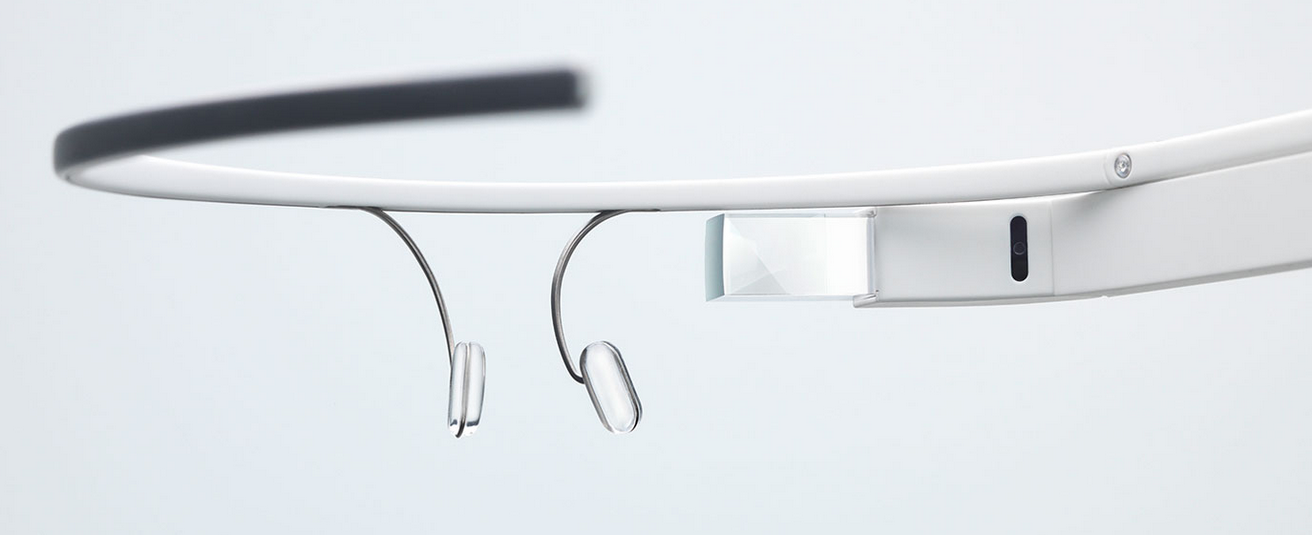
    Rumors have been circulating that Google Glass may have a feature that lets you wink to take a picture. Within the kernel source code, developers have discovered that the feature does exist deep in the code, but for most users of Google Glass, this feature is not an option on the front-end.

    However, TechCrunch has confirmed with multiple sources, who wish to remain anonymous for obvious reasons, that the wink feature is indeed real and being used by a small number of engineers who were seeded with the original developer units of Google Glass. In other words, those who are developing for Glass as a part of the second wave of units (#ifihadglass) are not privy to the feature, as far as we know.

    In fact, one source told us that Google actually came to a location to physically install an updated version of the software to unlock this feature, which appears in settings. Developers have already started building applications that employ the wink feature, but Google can also offer the command on an OS level.

    Here’s how it works: At any time while Google Glass is on your head and turned on, the user may perform an extended wink (much like the one Lucille Bluth does repeatedly in Arrested Development*) to snap a picture instantly.

    A second source explained to us that Glass actually trains itself to recognize your wink. In other words, you calibrate the tool so that Glass recognizes what your particular “wink” looks like. Without calibrating the length of a purposeful, command-giving wink, Glass would pick up each and every blink as a photo op. Obviously.

    Multiple sources confirmed that the wink feature is available as an option in settings, once Google has updated the unit with the proper version of the software. The kernel also confirms this, as the code has options for “ENABLED” and “DISABLED” as well as information on “CALIBRATION,” just like one of our sources mentioned.

    Sensors

    Google has not clarified the exact number or names of the sensors within Google Glass, though many believe that there is both an infrared sensor on the inner portion of the headset, as well as a proximity sensor baked inside. The proximity sensor is there to handle the “waking” and “sleeping” states of your device, according to Google’s official statement.

    Just like a smartphone, Google Glass will go to sleep when you put it down, halting incoming calls and messages and turning off the display (though keeping the camera button alert in case there’s a Kodak moment afoot). When you pick it up and place it on your head, it instantly wakes back up and starts receiving notifications, etc.

    The infrared sensor, on the other hand, is far more mysterious. Google hasn’t really spoken up about it much, though sources around the web tend to believe that the unidentified little sensor on the inner rim of the headset is indeed an infrared camera. This would allow Glass to track eye movements to some degree. As our sources have clearly confirmed, the IR camera can at the very least detect a blink and a wink, and the possibilities beyond that are deep and wide. Just take a look at these Google patents.

    Patents

    The first is a patent that names Adrian Wong, Google Glass engineer, Ryan Geiss, a senior software engineer at Google, and Hayes Raffie, an interactions researcher on the Special Projects team at Google.

    The title? “Unlocking a screen using eye tracking information”.

    The patent broadly describes a method by which a user could unlock a display (most often referenced as a Heads-up-display on a wearable computing device) through various forms of eye-tracking. Sure, unlocking a device and snapping a picture are different, and so is the method by which this patent describes unlocking and our information concerning the Google Glass wink command for pictures.

    However, be well aware that there are 26 mentions of the term infrared, and more than 100 mentions of the term HMD (head-mounted display). There also seems to be a passage within the patent that confirms the ability to decipher blinks (if only to disregard them, in this instance, but still).

    To unlock a screen coupled to the HMD after a period of inactivity that may have caused the screen to be locked, a processor coupled to the wearable computing system may generate a display of a moving object and detect through an eye tracking system if an eye of the wearer may be tracking the moving object. The processor may determine that a path associated with the movement of the eye of the wearer matches or substantially matches a path of the moving object and may unlock the display. The path of the moving object may be randomly generated and may be different every time the wearer attempts to unlock the screen. Tracking a slowly moving object may reduce a probability of eye blinks, or rapid eye movements (i.e., saccades) disrupting the eye tracking system. The processor may generate the display of the moving object such that a speed associated with motion of the moving object on the HMD may be less than a predetermined threshold speed. Onset of rapid eye pupil movements may occur if a speed of a moving object tracked by the eye of the wearer is equal to or greater than the predetermined threshold speed. Alternatively, the speed associated with the moving object may be independent of correlation to eye blinks or rapid eye movements. The speed associated with the motion of the moving object may change, i.e., the moving object may accelerate or decelerate. The processor may track the eye movement of the eye of the wearer to detect if the eye movement may indicate that the eye movement may be correlated with changes in the speed associated with the motion of the moving object and may unlock the screen accordingly.

    Now, take a look at this patent.

    Though it doesn’t go into any detail on eye-tracking, it does reaffirm Google’s intentions to use infrared sensors within their head-mounted, wearable computing devices. A year later, that device is called Google Glass.

    Next Steps

    Whether Google intends to roll out this feature more broadly is still unknown.

    Since Google is allowing a small number of developers to use “wink,” the company is clearly staying true to its tradition of beta testing services thoroughly before a huge roll out. In fact, anyone wearing Glass right now is undoubtedly a beta tester of the whole operation.

    But wink will almost certainly raise questions of privacy. If you feel like a simple, spoken “Ok glass, take a picture” is already too much of an invasion of your privacy, imagine how you’ll feel when some Glasshole can take your picture without you ever being the wiser.

    On the other hand, the wink also brings up all kinds of interesting use-cases, like the ability to determine when someone is having a seizure, for instance. People were afraid of the geolocation, and CCTV, and online banking, too, at one point in the past. And look how that turned out.

    It’s too soon to tell whether Glass will fly or die, but it can sure as hell wink.

    *Who’s excited for May 26?

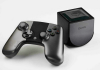
  • OUYA Closes $15 Million In Funding Led By Kleiner Perkins, Boasts 12,000 Game Developer Sign-Ups

    Screen Shot 2013-05-09 at 5.54.53 AM

    Today, gaming console and software company OUYA announced that they have closed a $15 million round led by Kleiner Perkins, and with participation from the Mayfield Fund, NVIDIA, Shasta Ventures and Ocean Partners. This marks one of the largest institutional investments to go to a project that had its humble beginnings on Kickstarter.

    OUYA is a company that launched back in 2012 on Kickstarter under the guiding hands of Julie Uhrman, a video game industry veteran who believes that gaming should be affordable and enjoyable for everyone. She and the team developed a $99 Android gaming console, which hooks into the TV and comes with automatic access to free-to-try games. It launched on the crowdfunding site to much fanfare, scoring $8.6 million in funding, which ends up being around 9x more than OUYA asked.

    Along with the $15 million round, which brings OUYA’s total amount of funding to $23.5 million, the company will also be bringing KPCB General Partner Bing Gordon on to the board of directors. Gordon brings with him years of experience from Electronic Arts.

    Here’s what he had to say about the funding:

    OUYA’s open source platform creates a new world of opportunity for established and emerging independent game creators and gamers alike. There are some types of games that can only be experienced on a TV, and OUYA is squarely focused on bringing back the living room gaming experience. OUYA will allow game developers to unleash their most creative ideas and satisfy gamers craving a new kind of experience.

    The OUYA hardware has proven its spot in the market with the successful Kickstarter project, followed by an institutional investment led by a firm such as KPCB. “The message is clear: people want OUYA,” said Uhrman.

    But the same story rings true for software, as the company has seen over 12,000 developers sign up for the platform to build games and monetize them in any way they’d like. This is up from 8,000 developer signups in March.

    And if that weren’t enough, OUYA has been picked up by major retailers like GameStop, Best Buy and Amazon, with availability originally intended to begin June 4. OUYA is pushing that back to June 25, however, announcing the delay today as a result of a desire to be able to meet initial demand.

    Clearly, the affordable gaming console speaks to people. But is it enough to make OUYA profitable? In an interview with TechCrunch, Uhrman explained that OUYA essentially breaks even on the hardware from the $99 gaming console, and that all games will be free-to-try. Curious if that was sustainable, we asked Uhrman if free-to-try would always be the case with OUYA games.

    “Free to try is a core tenant of OUYA,” said Uhrman. “We wanted a gaming experience for the television that’s inexpensive to get into. Developers monetize however they’d like to, which is why we have games with unlockable demoes inside a fully paid version, or micro-transactions, and even a donation based game. I’m looking forward to the first episodic, subscription-based game,” she said.

    According to Uhrman, the latest round from KPCB and friends will go toward further supporting game developers and development, bringing in exclusive and unique OUYA content, and meeting the demand seen from all parts of the world, including Japan, Brazil, Germany, Spain, and Italy.

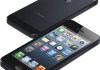
  • Apple Sells 37.4M iPhones And 19.5M iPads In Q2, Tablet Business Shows 65% YOY Growth

    iphone5

    Apple has just released its Q2 2013 earnings report, announcing sales of 37.4 million iPhones in the quarter ending March. Apple also reported 19.5 million iPad units sold, which shows incredibly strong growth for Apple’s tablet business.

    This is a slight decrease from last quarter, which included a holiday sales spike and being the first full quarter in which the iPhone 5 was available.

    In terms of iPhones, this quarter’s 37.4 million represents 7 percent YOY growth; however it’s down 22 percent from last quarter. Where iPads are concerned, we’re seeing an 18 percent decline from last quarter, yet the segment remains strong. It’s grown 65 percent from last year’s 11.8 million from the same quarter.

    Moreover, this is the iPad’s second-best quarter ever, losing out only to last quarter. It’s also the best non-holiday quarter the iPad has ever seen.

    The iPhone numbers here aren’t all that surprising. Tim Cook has said before (and Steve Jobs before him) that expectations for the next-gen iPhone always tend to slow sales of the current model ahead of launch. Since we expect to see the next iPhone in June, it would make sense for sales to slow a bit.

    Last quarter, Apple sold a whopping 47.8 million iPhones and 22.9 million iPads, both of which broke previous records. In other words, this latest report shows continued growth for the iDevice segment.

    Apple doesn’t break out specific device numbers, so it’s hard to tell which models perform best. However, it seems that the introduction of the iPad mini has most certainly boosted sales for Apple’s tablet division, as many have been holding out for a smaller tablet from Apple since the iPad first launched.

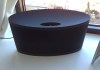
  • Review: The Bowers & Wilkins Z2 Airplay Speaker Is Bowm-Chicka-Wow-Wow

    Photo Apr 21, 4 40 25 PM

    Short Version:

    The Z2 wireless Airplay speaker from Bowers & Wilkins is a perfectly suitable option for those of us looking for a sightly, powerful, and compact speaker system. Anyone who’s already invested in Bowers & Wilkins systems before, like the Zeppelin Air or the A line should be especially considerate of the sexy little Z2, as it will fit in seamlessly with your current set-up in a relatively quieter room or space like a bedroom or bathroom.

    Features:

    • Airplay
    • Flexible Lightning Dock
    • Black and White options
    • 2x 3.5-inch full range drivers
    • 20 watt-per-channel stereo amplifier
    • Price: $399
    • Availability: April for black, June for white

    Pros:

    • Flexible dock keeps iPhone safe
    • Sleek, minimalist design
    • Powerful, crisp audio
    • Easy peasy setup

    Cons:

    • Only plays wirelessly, despite having the dock
    • Same remote as older generation B&W models
    • Doesn’t have the same recognizable design as the Zeppelin, if that’s what you’re into

    Long Version:

    The B&W Z2 is as easy on the eyes as it is on the ears. The dock sinks below the upper ridge of the round, compact speaker making it somewhat invisible from most angles. The rounded shape turns both drivers out to fill up the room, and it surprisingly fits a lot of power into a very smal package.

    The whole thing is no more than about 7-inches tall, a foot wide, and four inches deep, and the only thing you might notice is a small LED light on the bottom right of the device to signify pairing, on and off, etc.

    The Lightning dock is built onto a hinge so it bends as you insert and remove your iPhone 5. Of course, this excludes anyone without an iPhone 5 or new generation iPods from docking, since the 30-pin isn’t compatible and iPads are too wide.

    Setup is a breeze. Just download the Bowers & Wilkins Airplay Setup app and follow the handful of easy steps. Just be ready to have your wifi network info at the ready.


    When you’re done, you’ll be able to throw music from your phone to the Z2 (or from Z2 bedroom to Z2 kitchen or Zeppelin Air Living room or A5 bathroom or whatever combination you can afford) and achieve a much richer, fuller experience that follows you around your house and not the other way around.

    Of course, not everything is perfect. If you’re putting extra strain on your Wifi network while streaming to the Z2, especially if that extra strain is coming from the same device that’s streaming, there are bound to be a few drops or off moments. However, I’ve found the Z2 to be more reliable than the A7 I tested a few months ago, so there’s progress being made.

    On a brighter note, the Z2 offers a surprisingly excellent listening experience given its size. Whether it was to entertain at a loud party or have something pleasing on in the background, the Z2 always sounded great and had a deep but clear bass. It’s the cheapest offering to date from a company that’s been a pack leader in the wireless iOS audio world. And it lives up to its brand name.

    The remote isn’t changed at all from the A7 or original Zeppelin systems, which is annoying if only because it seems stagnant for a company that always seems to be cognizant of the maxim: “Iterate, iterate, iterate.”

    All in all, it’s a solid little speaker for a fair price, and worth some serious consideration from audiophile iPhone 5 owners and B&W loyalists.

    To learn more about the Z2 and it’s companion the Zeppelin Air, check out the video below, or feel free to read up the all-wireless A7 from B&W in our review right here.


  • Durex’s New Long-Distance Sexy Time Fundawear Is Exactly That

    Screen Shot 2013-04-18 at 6.27.55 PM

    The thought of buying underwear from the same company that makes your condoms might sound shocking at first. But don’t be so quick to judge, especially where sex is concerned, as Durex has just announced its latest innovation. Fundawear.

    Fundawear represents the condom company’s first foray into the land of connected devices, and the name explains quite well how it works. You put on special (read: vibrating) underwear that connect to a smartphone app. You can control the vibrations yourself with a smartphone as a remote, or pair the panties with your partner’s smartphone, so they can control the fun.

    Of course, this isn’t the first time that long-distance sexy time has been explored by the tech community. There are a whole host of startups, as well as established sex toy brands, that are working to connect people digitally and physically at the same time.

    There’s the LovePalz duo kit, which seems to be the most intense of all, with parts for both the male and female to simulate sex across long distances and still feel each other’s movements in real time. Vibease, along with various offerings from Ohmibod, come to mind, as well.

    However, this is the first time we’ve seen a condom company throw their hat in the ring, which means that a lot of R&D and resources went into the Fundawear. You know, along with careful consideration over the name.

    Fundawear comes in both male and female versions, so you fellas don’t have to be worried about a one-size-fits-all kind of situation.

    The Fundawear undies and app companion aren’t available just yet, but frisky explorers interested in joining the testing program can head over to Durex’s Australian Facebook page.

    Warning: The following video is kind of sort of NSFW.

    [via BetaBeat]

  • Nintendo Amazingly Gets Worse At Marketing Just In Time For Plummeting Wii U Sales

    wiiuvswii

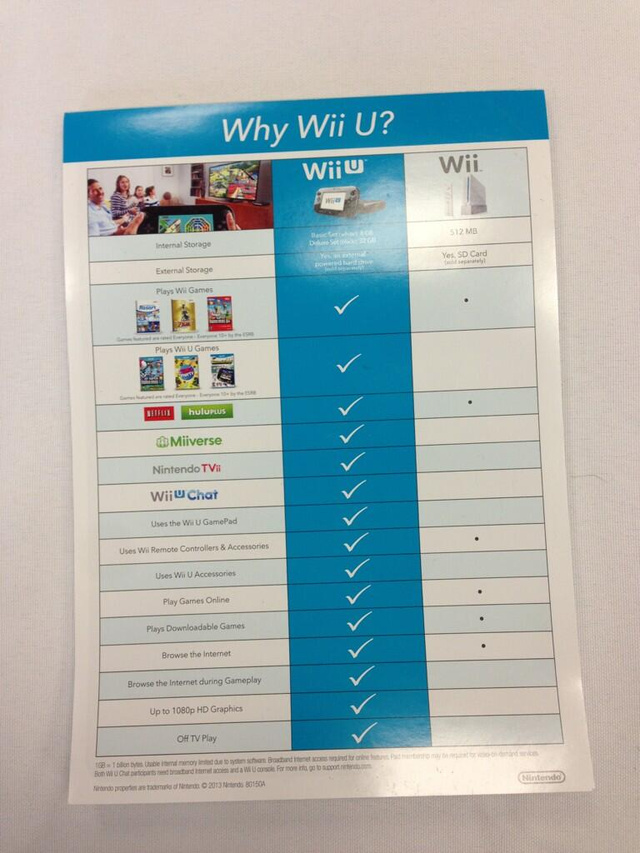
    Perhaps poor marketing is holding back Wii U sales for Nintendo. As Spike TV’s GTTV host Geoff Keighley noted on Twitter, a new campaign from Nintendo is using flyers to show just how awesome the Wii U is.

    Except, instead of going after console rivals Nintendo decided to aim its attack at its own, older-generation console the Wii. To be fair, the Wii is probably the strongest competitor to the Wii U, yet the consoles treat gaming very differently. The Wii is a family, group console, bringing people together, while the Wii U essentially lets you take your single-player game where ever you want, even if a family member wants to watch a movie with you.

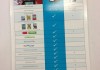
    To display the Wii U’s strengths against the many shortcomings of the Wii, Nintendo’s flyer shows a side-by-side comparison. Though the two consoles do share a few features, the Wii’s dots are clearly less awesome than the Wii U’s check marks. As we all learned in elementary school, dots < check marks. Obvi.

    Luckily, Nintendo has made it so you can rip one of these flyers right off the wall and take it home with you. Maybe you can post it up in your bedroom, just over your Wii, to remind yourself that you should probably (not*) upgrade. Perhaps you can just store it away in your desk for later reference when someone asks, “What the fuck is a Wii U?”

    Because, to be honest, not many people know about the dual-screened Wii U console, despite the fact that it was announced at E3 last year. Again, Nintendo marketing hasn’t really been killing it.

    For instance, let’s take a look at this Wii U commercial.

    To start, I’ve never actually seen this commercial air on TV. Secondly, a good deal of this ad is dedicated to non-gaming activities, such as drawing, watching TV, weighing yourself, browsing the web, and video chatting. Because, you know, that’s why people buy gaming consoles. It has nothing to do with Netflix, Hulu+ and a complete gaming experience.

    But let’s not forget, Nintendo’s awful marketing isn’t a new thing. Remember the Nintendo 3DS commercials, with that girl from Glee and Selena Gomez, I think? If you haven’t seen it, it’s essentially a famous blonde girl sitting in a diner like a hipster trying to draw a piece of pie. Again, Nintendo clearly knows its market: girls who draw pie.

    Again, if you find yourself forgetting that the Wii U is better than the Wii, or if you find yourself forgetting that the Wii U exists, march on over to your nearest airport or mall and grab yourself a flyer.

    *Here’s our review of the Wii U.

    [via Kotaku]

  • Google Rumored To Be Making A Smartwatch, Too

    Screen Shot 2013-03-22 at 9.20.39 AM

    Amidst Apple iWatch rumors and Google Glass sightings, it would appear that Google is actually working on its own smartwatch to be paired alongside connected Android devices. According to the Financial Times, Google’s Android arm will be the team working on the device, as opposed to the X Lab division, which handled Google Glass development.

    The wearable computer market is heating up quite rapidly. Alongside Google’s Glass project, a number of smaller OEMs have launched Bluetooth-connected smart watches to work as a companion to the smartphone.

    Fossil has a well-crafted MetaWatch, InPulse has the hot-selling Pebble smartwatch, and there are even a handful of quantified self devices that measure your daily activity. There’s the Nike FuelBand, the Jawbone UP, and the Basis to name a few. Add to that an Apple competitor in the iWatch, and a Samsung smartwatch to boot, and it only makes sense that Google has a watch in the works.

    Google Glass takes wearable computing a step beyond the basic wrist watch. However, the rate of adoption will almost certainly be lower than that of a watch or a smartphone since the experience is such a huge change in the way we interact with digital content and our world. A smart watch, on the other hand, would feel a lot more like using a really small smartphone, and that familiarity makes the watch a great bridge between smartphones and computational headsets.

    Google didn’t comment on the speculation.

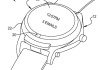
    However, there’s a patent owned by Google and filed in 2011 for a “smart watch” with a “flip-up display.” It would appear that the patent also provides for a touchscreen experience.

    The question isn’t really if Google will build a smart watch. As small OEMs and big competitors around it flood the market with wearable smartwatches, Google will likely need to join the fight. However, it’s unclear what exactly that will look like? Does a flip-up display look like a flip phone?

    From the patent filing, the “flip-up display” seems to work like a digital pocket watch, showing two displays when open and a single display on top when closed.

    However, just because Google filed this patent, it doesn’t mean that Google’s Android smartwatch will look anything like it.

    On the software side, Google has already proven that it can develop for new forms of computing, such as Google Glass. Even some of its already-released apps like Google Now and Field Trip seem like they would fit in swimmingly with a smart watch. Plus, we can’t forget that the acquisition of Motorola has left Google with a rather sizable hardware team.

  • Bowers & Wilkins Intros The Zeppelin Air And Z2 Wireless Speakers With iPhone 5 Owners In Mind

    BowersWilkins-Zeppelin-Air-iPhone5-plinth

    Bowers & Wilkin’s Zeppelin speaker is one of its best products, but as times evolve, so does the company and its products. That’s why the British Speaker manufacturer is introducing the Zeppelin Air wireless speaker and the brand new Z2. Not too long ago, B&W released the A5 and A7 speakers, for consumers who are truly wireless. Neither speaker has a dock of any kind, but rather stream music wirelessly through Apple’s AirPlay. But with the A line, B&W realized that, regardless of wireless play or not, people enjoy having a dock on their speaker. “When you walk into your home, the speaker is always in the same place, and we’ve heard from customers that they like slapping their phone down on the dock and letting it charge,” said Brian Devlin. “That way they always know where it is.” Both the Zeppelin Air and Z2 have both wireless functionality as well as iPhone 5 docks.

    Zeppelin Air

    To start, the Zeppelin Air hasn’t seen much of an update in the design department. And perhaps rightfully so, considering the speaker has one of the more iconic designs in its class among competitors. The Air has been updated with a Lightning dock, and the company even made that dock flexible. Because it bends, you’ll never have to worry about damaging the Lightning port on your iOs device or the dock of the speaker. The Zeppelin Air is available in May for $599.99.

    Z2

    The Z2 is instantly reminiscent of the Zeppelin Mini, B&W’s shot at a Zeppelin spin-off. Bowers & Wilkins insists the Z2 is not a next-generation Mini, but a brand new product line. Just like the Zeppelin Air, the Z2 offers Airplay streaming, a lightning dock, and B&W’s flexible dock technology. The Z2 comes in a considerably smaller package than the Air, and the dock almost seems invisible until you’re hovering over the speaker. The Z2 is available in April in both black and June in white for $399. Both products are made for the high-end listener, but if you can pick up an A5 or A7 along the way, Bowers & Wilkins will have truly completed its goal. The focus with all new products out of the company is that the music should follow you, and not the other way around.

  • Samsung Galaxy S 4 Beats The Best With 5-inch, 1080p Display, 1.9GHz Processor, Gesture Controls And A Q2 2013 Release

    gsIV

    As if it could be any other way, the just-announced Samsung Galaxy S 4 is Samsung’s, and perhaps even Android’s, best phone yet. In fact, it very well may be the best smartphone on the market, period.

    We’ve been through months of speculation, hype, rumors, and leaks, but the truth is out, and the Galaxy S 4 still has much more up its sleeve than the leaks suggested. More than any other Galaxy before it, the Galaxy S 4 is proof that the company can build a central brand the way Apple has with the iPhone. Both the Galaxy Note and Galaxy S series have been selling in the millions, and the Galaxy S 4 looks like it will hold up that trend.

    Even with loads of new software, like an enhanced camera application, hover-style gesture features, and a slew of baked-in apps and services from Samsung, the Galaxy S 4 still brings the heat in the hardware/spec department. Here are the specifics:

    The Galaxy S 4 clearly has a small ring of competition in the spec department. The only phones that are on this level are the Xperia Z (1080p 5-inch display, 13mp camera, quad-core Snapdragon S4 Pro CPU) and the HTC One (4.7-inch 1080p display, 1.7GHz Snapdragon 600 quad-core CPU, and an “Ultrapixel” camera) and LG’s Optimus G Pro (1080p 5.5-inch display, quad-core Snapdragon 600, 13-megapixel camera).

    Of course, they each have their own pros and cons, but the Galaxy S 4 seems to be the most compact, lightest, and fastest among them. Samsung hasn’t been clear about the exact brand of the processor for the U.S. version, but it did say that it was a quad-core Snapdragon CPU clocked at 1.9GHz, which we believe may be the Snapdragon 600.

    However, “processors vary by region,” says Samsung, and the Asian and European version will sport the long-awaited Samsung Exynos 5 Octa eight-core processor.


    The Galaxy S 4 design manages to both fit in with the Galaxy S family and stand on its own as a unique breed. For one, Samsung packed a bigger display (5-inches diagonal) into a package that’s actually smaller than before. The GS4 is the same width, slightly shorter, and .7mm thinner than its predecessor.

    As such, the bezels on the Galaxy S 4 are slightly thinner on all four sides, which means it’s all screen, all the time. And what a screen it is. The Galaxy S 4 display is 5 inches of unadulterated Super AMOLED 1080p brilliance. Surrounding it, the Galaxy S 4 takes a hybrid shape, something between the straight lines of the Galaxy Note and Galaxy S II with the curved tops, bottoms, and corners of the Galaxy S III. The elongated home button is unmistakably GSIII-style.

    The Galaxy S 4 also sticks with familiar materials, and unfortunately that still means a whole lot of plastic. Both the front panel and back panel (which is removable) are made of brushed plastic, but with a textured pattern of tiny circles laid over it. It gives the phone an industrial, textured look, but in reality all you feel is smooth plastic.

    Around the edge, you’ll notice a new embellishment to the S series: a metallic bar that runs along the edge of the device. Though it looks a lot like metal, it’s actually polycarbonate and meant to protect the sensitive corners of the device.

    It would be nice to see some more premium materials in this generation of the Galaxy S, but the plastic and polycarbonate construction let Samsung fit many components into a very compact, light package, according to Director of Product Planning Drew Blackard.


    The Galaxy S 4 uses a new 13-megapixel rear-facing camera, bumped up from the 8-megapixel shooter on the Galaxy S III. It’s still centrally placed on the upper back half of the device, complete with LED flash, autofocus, and 1080p video recording. On the front, the Galaxy S 4 sports a 2-megapixel camera.

    The higher megapixel sensor is nice, and will surely make a slight difference, but where the Galaxy S 4 camera really evolves from past generations is in the software.

    For one thing, the camera app now uses the same UI as the Galaxy Camera, with a brushed silver finish to the buttons and much simpler navigation. Clicking the mode button along the bottom will bring up a simple scroll wheel full of various modes. When one is highlighted, the menu gives the name as well as a description. More sophisticated users can also see these mode options in a grid view for quick changes.

    Along with some of the same modes we’ve seen on both the Galaxy Camera and newer Galaxy smartphones like Beauty Shot, Samsung has added way more modes into the mix. One is called Eraser, and it lets you remove unwanted people from a shot. Samsung says it comes in handy for shots that have been photo-bombed, or tourist shots at busy places. The camera senses any motion that goes through the frame and lets you choose to remove it, as if that person had never walked through your shot of the Eiffel Tower.

    The Galaxy S 4 also has a dual-shot mode, which is just a button press away from the main camera interface. This lets you use both the front-facing camera and the rear-facing camera at the same time, for both recording and still captures. There are various filters, such as Oval Blur, Postage Stamp, Cubism, and Split, which give you different options for the theme of your dual-shot creation. You can resize the pop-up picture, and move it around the screen using simple drag and drop tools. It’s pretty amazing.

    Some other modes include Drama Shot, which lets you take a succession of photos of some action (like someone skiing down a mountain) and turn them into a composite of the entire sequence, and Sound and Shot, which lets you record up to 9 seconds of audio to pair along with a picture.

    Samsung even jumped on the GIF train with the likes of Cinemagraph and Vine to create a gif-making mode, called Cinema Shot. It lets you take a short recording, and then determine which parts of the shot stay still and which parts remain animated. In fact, it’s almost exactly like Cinemagraph.

    But Samsung took one step past capture and even built an app called Story Album which lets you create photo albums of special events or trips through templates, and use TripAdvisor to add extra location data to your story. You can even print your album through a partnership with Blurb’s print distribution network.

    There’s a lot going on here, so try to keep up. We had recently heard that the GS4′s “wow” factor would be all in the software, and that’s exactly right. Most of TouchWiz is the same, though it seems to get lighter and lighter as the phones get faster. The one very noticeable edition was a set of extra toggle buttons available in the pull-down notifications menu.

    Other than those particulars, let’s start with the gesture-based head-tracking stuff.

    The most useful new feature of the Galaxy S 4 is Air View. It lets you hover over something on the screen to get an extended pop-up view of what’s inside. For example, if you hover over an email in your inbox, Air View will bring up the first few sentences of that email’s contents. If you hover over an album within the photo gallery, you’ll see nine thumbnails of the contents of that gallery. In fact, if you hover over an image while inside the folder, that particular thumbnail will expand to give you a better view of the particular picture. It’s all very reminiscent of what can be done with recent entries in the Galaxy Note line, except without requiring users to keep track of an S-Pen.

    Air View is embedded in the email client, photo gallery, calendar, and a Galaxy S 4-edition of Flipboard, which lets you view and select headlines by hovering over a single tile.

    Samsung also added an Air Gesture feature, which lets you control the phone without having to hold it — I could see this being used while driving. You can swipe left and right to switch between web pages, songs, photos in the gallery, etc. and swipe up and down to scroll. You can even accept calls by waving at the phone.

    Rumors suggested that Samsung had developed some sort of magic-scroll eye-tracking technology, when in reality the Galaxy S 4 can actually only track your head, very much like the Galaxy S III’s Smart stay feature. The front-facing camera can detect that your head is facing the phone directly, which stops the display from dimming.

    In the Galaxy S 4, that technology evolves to automatically pause videos when you turn away from the phone with Smart Pause. As far as scrolling is concerned, if you’re on a page that requires reading or scrolling, the Galaxy S 4 will let you tip the phone forward or backward to scroll (as long as the ff-camera senses that you’re paying attention).

    Samsung said that using tilt-gestures as well as “head-tracking” technology to streamline browsing a page was “the most intuitive and natural to the end-consumer.”

    As far as NFC is concerned, the GS4 includes S Beam and TecTile integration, but Samsung also lets you pair with up to eight other NFC-devices to run a feature called GroupPlay, which lets you play the same song across eight different devices… to create a party on the go.

    Samsung also included an IR blaster on the Galaxy S 4 so that you can use it as a remote for just about any modern television. Called WatchON, it also includes rich information proved by an electronic programming guide.

    Along with an updated camera and Story Album, the Galaxy S 4 brings a handful of brand new applications to the Galaxy S family. The first, and possibly most important, is S Translator. S Translator is available in nine languages at launch, including Chinese, English U.S., English British, French, German, Italian, Japanese, Korean and Portuguese.

    It is a standalone app that automatically translates information that is typed or copy/pasted into it. S Translator is also embedded in ChatOn, Messaging, and email.

    The Galaxy S 4 also has an optical reader which turns analog information into digital, by reading business cards and turning them into address book contacts. S Translator is also embedded into the optical reader, which scans QR codes as well.

    ChatOn, Samsung’s own-branded VoIP application, has been updated to include three-way video calls, screen share, and annotations. You can even use the new dual-camera mode to enjoy ChatOn calls.

    Samsung has been making a big push in the health department with the new Galaxy S 4, and has thus preloaded the S Health app on the device. The app originally made its debut last July and seemed to focus mainly on linking up with existing health gadgets like fancy scales and blood glucose monitors. This time around, using the Galaxy S 4′s built-in pedometer, S Health tracks your activity throughout the day and knows when you’re running, walking or climbing stairs. The S Health app also lets you input your consumption activities to track caloric intake and get suggestions.

    Speaking of S Health, Samsung is selling a few health-related accessories to tackle the ever-growing quantified self products like the Jawbone Up, Nike Fuelband, and FitBit. That said, Samsung has introduced the wrist-worn S Band that tracks activity, temperature and humidity.

    Samsung is even going so far as to sell a heart-rate monitor which you can strap on for your daily workouts, and a body scale. All of the accessories come with Bluetooth so they can pair back to your device and be recorded by the S Health app.

    And since Samsung loves making special cases for its big-name phones, the Galaxy S 4 had to go big even with its case. It’s called the S View cover, and it has a little screen on the front that reads information from the phone. That way, even though the phone is locked, you can still see the time, SMS notifications, battery status, and choose to accept or ignore incoming calls.

    Samsung didn’t specify which technology they used for the cover’s display, or whether or not it needs a charge or takes battery from the S 4, but it wouldn’t surprise me to hear they took a page out of the YotaPhone playbook and are using low-power e-ink here.

    Samsung didn’t clarify exact pricing, but said it would go for the same price as a “Samsung premium smartphone”. The Galaxy S III launched in the US at $199 with a 2 year contact.

    In terms of availability, they didn’t give a specific release date but did say it would be on store shelves in 2013Q2, at AT&T, Verizon, T-Mobile, Sprint, Cricket and U.S. Cellular.

    Samsung is riding high on the success of the Galaxy S III and from what I’ve seen, the Galaxy S 4 is a worthy successor with innovative features packed into a familiar housing. It’s a bit of a shame that Samsung announced the phone without giving a price or release date, but at this point, with Samsung the global sales and innovation leader in smartphones, it can do pretty much whatever it wants.




  • Samsung’s Galaxy Note 8.0 With 3G Hits The FCC

    note8-2

    Though we still haven’t gotten a peek of the LTE-capable Galaxy Note 8.0, it would appear that the 3G version is currently making its way through the Federal Communications Commission for final approval before retail availability.

    The Galaxy Note 8.0 was announced back at MWC, and Samsung mentioned that the tablet would be available in the second quarter of this year. The WiFi-enabled version already passed through the FCC a couple of months ago.

    Unfortunately, we still don’t have word from Samsung or carrier partners on retail availability, but seeing as the FCC is a crucial part of the certification process, we’re at least a step closer to the GalNote 8.0.

    In terms of specs, the smaller Galaxy Note tablet is meant to compete directly with the iPad mini, sporting an Exynos 4 Quad processor clocked at 1.6GHz, Android 4.1.2 Jelly Bean, and TouchWiz of course.

    You’ll also see an 8-inch 1280×800 TFT LCD display, 2GB of RAM, and support for 3G, as well as an S-Pen stylus. However, it would appear that the 3G version doesn’t come with a 32GB option, although you can always make up for the lost storage with the expandable microSD card slot.

    We went hands-on with the Galaxy Note 8.0 back in February, and though we find the portrait orientation slightly odd, we’re mostly pleased with the performance we’ve seen out of the tablet.

  • Fly Or Die: Skullcandy Crushers

    Screen Shot 2013-03-11 at 10.27.18 AM

    Skullcandy’s Crusher headphones may not be John’s favorite, but I must applaud the headphone maker for stepping outside the box and doing something different with the Crusher headphones.

    The Crushers don’t try to fake a bunch of bass with digital signal processing, but rather use two Sensation55 drivers (one in each ear cup) to trigger a vibration system that gives the sensation of head-rattling bass. Plus, there are two REX40 drivers built in to deliver highs and mids.

    I was wrong in the video when I said there was a sub in each ear cup, and John was wrong when he said these are awful headphones, so there are our admissions.

    Sure, the Crushers use a gimmick to get their message across, but once you strap in that battery and get to listening, you’re sure to enjoy the same reaction that we had at CES.

    To be clear, the Crushers wouldn’t get the same kind of endorsement for me if it wasn’t for the $100 price tag slapped on to these bad boys.

    For less than you pay for Beats, Sennhesier, or Bose, you can have the sensation of true, club-style bass direct to your ear, with that same Skullcandy style the company has become known for.

    These aren’t meant for the audiophile, musician, or DJ. However, anyone who enjoys over-the-ear audio at an affordable price should check these out. They’ll make you feel like your stroll down the street is a part of a Nicki Minaj music video, and who can put a price on that?

    The Crushers come in a number of colors and are available in April for $100 at various retailers and Skullcandy.com.

  • Fly Or Die: Google Chromebook Pixel

    Screen Shot 2013-03-07 at 4.35.58 PM

    Google’s new Chromebook Pixel is a curious device. While its beautiful, seamless hardware nearly justifies its $1,299 price tag, the Chrome OS (which only offers access to a limited pool of third-party apps and Google products, plus the Internet) does not.

    In the specs department, both John and I are impressed. The Pixel has a 12.85-inch 2560 x 1700 touchscreen. To be exact, that’s 4.3 million pixels (not 4.1 billion, like I mentioned in the video). As MG points out in his review, the touchscreen is truly beautiful. I find myself longing for it at this very moment, while I type this out on my MacBook Air.

    The Pixel powered by an Intel Core i5 processor, and comes with 1 terabyte of free storage on Google Drive over three years. If you prefer, Google is also coming out with an LTE-capable version of the Pixel soon, which will come with 100MB/month for two years courtesy of Verizon.

    And boy is the Pixel a beauty! It’s possible that the Pixel is one of the best looking laptops I’ve ever set eyes on, and John seems to agree (albeit less enthusiastically).

    The main obstacle between the Pixel and two flies is how caged-in the user will eventually be. If you use all Google services, exclusively, then please don’t hesitate to pick up the Pixel. However, if you’re fond of Skype or Microsoft Office or TweetDeck, you’ll find yourself quite displeased the moment you realize you can’t download any of that.

    Of course, Google has its own answers for those services with Docs, Hangouts, Drive, etc. But we all have our preferences, and no one likes to feel restricted while at the computer.

    As we move toward life entirely in the cloud, the Pixel will become increasingly relevant. For now, however, you either need to adore Google products exclusively or be ready to install Linux.

  • Fly Or Die: Smart Watch Edition

    Screen Shot 2013-03-03 at 9.21.25 PM

    As the race toward mainstream wearable computing heats up, watches are hot and smart watches are hotter.

    In fact, word on the street is that Apple is working on a new smart watch that would integrate with its iCloud and iOS devices. But as it stands now, the majority of great “smart watches” available are coming from smaller companies.

    We took a look at the Pebble, the Metawatch, and the Basis smart watches for an episode of Fly Or Die, to help you get a handle on which is best for you, if any at all.

    To start, John and I both believe that the whole idea of a smart watch isn’t everything it’s cracked up to be. Sure, it’s nice to have a second channel for incoming information like texts and calls, but unfortunately the watch isn’t all that conducive to action (replies, answering calls, etc.).

    Plus, watches are meant to be every day devices, and with the battery requirements of a smart watch (even a whole week, which is promised from the Pebble), remembering to plug in your wrist watch on a regular basis can grow tiring.

    However, it’s hard to argue with the cool factor brought along with a smart watch. If, to you, that outweighs being not-quite-satisfied with the end-product, then we should move on to the compare and contrast section of this smart watch PSA.

    The Pebble was a Kickstarter phenomena, thanks to its E-Paper display which gives the watch face a crisp, readable look at all times, even in direct sunlight. The Pebble also hooks into iOS and Android for email, text, and call notifications, and has customizable watch faces. If you find yourself focusing on the design aspect of a smart watch, you’re probably looking for the $150 Pebble.

    The Metawatch comes out of Fossil, so it looks much more like a standard watch than either of the other options. It’s got a leather band and a metal/glass face. It feels heavier than the Pebble, but doesn’t have as crisp of a display. However, the Metawatch has an API that will let you send almost anything to the watch. This one’s for someone ready to get into the smart watch world but not ready to let go of the solid, classic build of a watch.

    The Basis can’t really compete with the Pebble or the Metawatch, as it’s more of a quantified self device with a built-in clock. It measures motion, skin temperature, heart rate, calories burned, sleep patterns, and other physiological indicators, and connects to your phone via Bluetooth and dedicated apps. All in all, it’s a fine looking $200 device that’s much more suited to the fitness guru than the timepiece snob or the tech geek.

    As for smart watches in general, John and I both believe they will have their time. We’re just not sure that time is today.

  • Barnes & Noble Misses With $2.2B In Revenue, Loss Of $0.18 Per Share, Nook Revenue Down 26% YOY

    nook

    Barnes & Noble has reported Q3 2013 earnings for the fiscal three-month period ending January 31, with a loss of $0.18 per share on quarterly revenues of $2.2 billion. That’s down 8.8 percent from the same period last year, when B&N reported gains of $0.71 per share.

    Net losses in Q3 totaled $6.1 million, a clear drop from net earnings of $52 million a year ago.

    Analysts predicted revenues of $2.4 billion, and an EPS of $.54. Last quarter saw revenues of $1.9 billion and losses of $0.04 per share.

    Q3 has been a messy one for the retailer, which started out as a college text book store. The holiday period, which is usually a sure spike for retailers, left Barnes & Noble with a 10.9 percent sales decrease on B&N retail and BN.com from the same time last year. B&N blames this on declining Nook hardware sales at its retail locations.

    Reports are floating around that Barnes & Noble may spin out its Nook hardware business, or perhaps focus its OEM vision on partnerships with Microsoft.

    Barnes & Noble denies the reports, with CEO William Lynch stating today that the company is adjusting the Nook strategy and righting the segment’s cost structure. But based on the widening losses compared to Barnes & Noble’s glory days, a drastic change could be needed.

    The Nook segment had revenues of $311 million during the nine-week period ending December 29, which was a 12.6 percent decrease from last year’s holiday Nook sales. All in all, Q3 saw a 26 percent YOY drop in Nook retail.

    Barnes & Noble announced on January 28 that it would shutter nearly 1/3 of its retail stores, bringing its total number of locations from 689 to between 450 and 500 over the next decade.

    Luckily, digital content sales rose 13.1 percent over that same nine-week holiday period, indicating that a departure from hardware and a focus on digital products could be the saving grace for the company.

    The company also said on Valentine’s Day that it expected the Nook business to post an increased full-year loss, exceeding the $262 million loss seen in fiscal 2012. Though, B&N also expected losses to be less than $3 billion.