Check out this video on YouTube:
Author: Rev Mentor
-
The difference between UI and UX
Redesigning the Bloomberg Terminal would be any interface designer’s dream. There’s obviously much room for improvement since the interface hasn’t changed for a long time, and the personas using it are quite easy to define.But the complexity and richness of the displayed data, the necessity to fully understand how traders use the tool, and the immediate impact on the work efficiency of more than 156,000 users around the world make it tremendously challenging to make any changes.
Here is a picture of the Bloomberg Terminal as it stands today (2010). As most users say, “it’s hideous.”

Here is the Bloomberg keyboard:

IDEO has submitted a redesign proposal back in 2007 after a 3-week study. Here’s how it looks:

A widget allows you to zoom in on some detailed part of IDEO’s design and have some explanation on the choices they’ve made. You can also read a short description of the project on their website…
Read the rest of the article here: uxmag.com
This project reminds me of two that MJ and I had back in the 90’s where we had to redesign the terminal software for airline booking agents at travel agencies. We had TWO projects from two different companies where this was the task.
They LIKE their complex text-based, keyboard based UI. It gives them status.
In the end, we made a very cool terminal that automated some of their text manipulation. We respected the user experience rather then our own ideas about good user interface.
The article is a good read and wake-up call for consultant who cling to their HIG guidelines like the Bible.
-
Design Science in action
Principle 1: A system is more than the sum of its parts. If you take the system apart these properties are lost, and every part of the system affects every other part. Nothing is outside the system.
Action: Internalize the concept of the system. Using this simple diagram by Bruce Mau, it’s easy to see how you can understand matter as a long piece of string with two fixed points. Where you pull one bit, others have to give. You can map your projects, your resources and your impact this way.

Principle 2. Delayed feedback results in “design traps.” The time-lag that obfuscates what really needs to change, combined with the bounded rationality that comes from operating from what you immediately know, can cause designers to make bad decisions.
Action: Stop designing for the symptom. A lot of design work focuses on making the problem easier to stomach, rather than tackling its problematic source. Something like Recycle Bank rewards people for recycling without encouraging them to buy less or buy local. The numbers don’t lie: For every $100 spent locally, about $68 stays in the community, if you buy from a chain store, it’s only $14.Read the rest of the article here: fastcompany.comValerie Casey gave a great presentation last week at SXSW. Here she lays out seven basic, powerful principles of sustainable design applied to social change and movements.
You may think that as a software developer you are bound by your OS, tools, clients or markets—but you’re really not. Reading this may set you free.
-
Why I love industrial design: carbon fiber vs steel
via fastcompany.comOver the last forty years my software designs have been most influenced by industrial designers. Luckily, a WAY of thinking can be contagious.
-
Using every day objects!
 via crunchgear.com
Binder clips apparently work great as cable organizers. Is there something right in front of your nose that you’re not using? A command, a function, an object…some old code?
-
Here’s how to promote a book…
via 37signals.comLOVE this ad. Watch it, bearing in mind the following:
WARNING: do not watch this if you have any degree of fondness for Karl Rove.
-
Important Powerpoint alert…

Crap. I just made a Powerpoint (Keynote, actually) last week.
For those who don’t know, Edward Tufte is THE MAN when it comes to visual literacy. He’s written some great stuff on it, actually. Yes, he takes serious issue with stupid Powerpoint presentations.
I somehow doubt he kills kittens, however. But then, I don’t know for sure.
-
Purposeful Mentorship
 via shawnblanc.net
Personally, as tribute to the late Frank Herbert (Dune), I prefer “mentats” over “mentorees.”
-
Ubuntu’s new look – shades of OS X

Maybe it’s been there all along and never noticed, but I see here a menu bar of sorts; close/minimize window at top-left. Nice colors, too. Me likey.
-
37Signals’ 13 Simple Rules for Success
 via fastcompany.comNice little review of Rework by Jason Fried and David Heinemeier at the business end of that link.
I read Getting Real also by 37signals. Read it three times, in fact. I just got my Kindle sample of Rework for my iPhone. It’s by the same folks. I’ll be checking this one out tonight.
Get your own copy of Rework via our Amazon store.
If you’ve read it, post a comment letting the rest of us know what you think about it.
-
New Combo Box
Watch me walk through the functionality of and code for a new type of combo box we are creating for a client:
Here is the Revolution stack shown in the video:NOTE: this is a beta version, there may be bugs! Act accordingly if you choose to use this code.
Enjoy!
-
YCombinator’s push for iPad dev projects
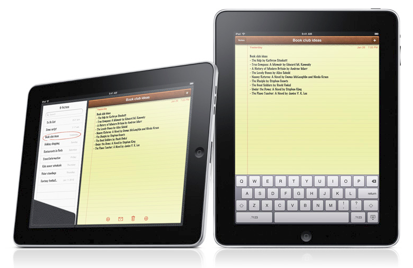

RFS 6: iPad Applications
Most people think the important thing about the iPad is its form factor: that it’s fundamentally a tablet computer. We think Apple has bigger ambitions. We think the iPad is meant to be a Windows killer. Or more precisely, a Windows transcender. We think Apple foresees a future in which the iPad is the default way people do what they now do with computers (and some other new things).
Programmers may never want a computer they don’t control, but ordinary people just want something cheap that works. And that’s how the iPad will seem to them. Many will never make a conscious decision to switch. They’ll get an iPad as well, then find they use their Windows machine less and less. When it dies they won’t replace it.
Will this future happen? It could. And if it does it will bring big changes. There will need to be iPad alternatives for all the things people now do on PCs. That could mean more than just replacing all the desktop software, because there may be things PC users now do with web apps that might be better done with native iPad apps.
Plus like any new platform the iPad will allow new types of applications that don’t have any present day analogues. And no one knows now what most of them will be. Only people who become iPad developers will even think of these ideas, just as only microcomputer developers were in a position to think of the spreadsheet. Education and games may be areas where there are a lot of new ideas.
One particularly interesting subproblem is how to introduce iPads into big companies. This will probably have to be done by stealth initially, as happened with microcomputers. They’ll have to be introduced as something individuals use, and which doesn’t really count as a computer and thus can’t be vetoed by the IT department. Don’t worry about this; it’s just a little tablet computer.
See also: RFS 5: Development on Handhelds
via ycombinator.com
Someone is actually putting their money where their mouth is: a respected funding group who wants to back iPad projects.
Rev developers who got an alpha of revMobile that creates now-dead Windows Mobile apps will want to pay attention to this. The question is: what is Runtime Revolution doing about it? My ear is to the ground, yours probably is as well.
Should we be getting familiar with Cocoa Touch and brushing up on our Objective-C?
-
Today, 02.27.10: Design Observer

Love this site’s Today posts of images. Click the link to see the entire collection of Today images with the curator comments at the end.
-
Personality Traits Designers Share
 via fastcompany.com
This article in full (not all that long) is worth a click. Bringing forward your different traits (working on them) could give you an edge in creating great Revolution stacks for yourself, co-workers, clients or market place.
-
Scary but good: profs rewrite text books
Readers can modify content on the Web, so why not in books?

A psychology book as seen on DynamicBooks. Macmillan plans to start selling 100 titles in this fashion in August.
In a kind of Wikipedia of textbooks, Macmillan, one of the five largest publishers of trade books and textbooks, is introducing software called DynamicBooks, which will allow college instructors to edit digital editions of textbooks and customize them for their individual classes.
Professors will be able to reorganize or delete chapters; upload course syllabuses, notes, videos, pictures and graphs; and perhaps most notably, rewrite or delete individual paragraphs, equations or illustrations.
While many publishers have offered customized print textbooks for years — allowing instructors to reorder chapters or insert third-party content from other publications or their own writing — DynamicBooks gives instructors the power to alter individual sentences and paragraphs without consulting the original authors or publisher.
“Basically they will go online, log on to the authoring tool, have the content right there and make whatever changes they want,” said Brian Napack, president of Macmillan. “And we don’t even look at it.”
In August, Macmillan plans to start selling 100 titles through DynamicBooks. Students will be able to buy the e-books at dynamicbooks.com, in college bookstores and through CourseSmart, a joint venture among five textbook publishers that sells electronic textbooks. The DynamicBooks editions — which can be reached online or downloaded — can be read on laptops and the iPhone from Apple. Clancy Marshall, general manager of DynamicBooks, said the company planned to negotiate agreements with Apple so the electronic books could be read on the iPad.
The modifiable e-book editions will be much cheaper than traditional print textbooks. Psychology, for example, which has a list price of $134.29 (available on Barnes & Noble‘s Web site for $122.73), will sell for $48.76 in the DynamicBooks version. Macmillan is also offering print-on-demand versions of the customized books, which will be priced closer to traditional textbooks.
Fritz Foy, senior vice president for digital content at Macmillan, said the company expected e-book sales to replace the sales of used books. Part of the reason publishers charge high prices for traditional textbooks is that students usually resell them in the used market for several years before a new edition is released. DynamicBooks, Mr. Foy said, will be “semester and classroom specific,” and the lower price, he said, should attract students who might otherwise look for used or even pirated editions.
Instructors who have tested the DynamicBooks software say they like the idea of being able to fine-tune a textbook. “There’s almost always some piece here or some piece there that a faculty person would have rather done differently,” said Todd Ruskell, senior lecturer in physics at the Colorado School of Mines, who tested an electronic edition of Physics for Scientists and Engineers by Paul A. Tipler and Gene Mosca.
Frank Lyman, executive vice president of CourseSmart, said he expected that some professors would embrace the opportunity to customize e-books but that most would continue to rely on traditional textbooks.
“For many instructors, that’s very helpful to know it’s been through a process and represents a best practice in terms of a particular curriculum,” he said.
Even other publishers that allow instructors some level of customization hesitate about permitting changes at the sentence and paragraph level.
“There is a flow to books, and there’s voice to them,” said Don Kilburn, chief executive of Pearson Learning Solutions, which does allow instructors to change chapter orders and insert material from other sources. Mr. Kilburn said he had not been briefed on Macmillan’s plans.
Mr. Ruskell said he did not change much in the physics textbook he tested with DynamicBooks. “You don’t just want to say, ‘Oh, I don’t like this, I’m going to do this instead,’ ” he said. “You really want to think about it.”
Mr. Comins, an author of Discovering the Universe, a popular astronomy textbook, said the new e-book program was a way to speed up the process for incorporating suggestions that he often receives while revising new print editions. “I’ve learned as an author over the years that I am not perfect,%” he said. “So if somebody in Iowa sees something in my book that they perceive is wrong, I am absolutely willing to give them the benefit of the doubt.”
On the other hand, if an instructor decided to rewrite paragraphs about the origins of the universe from a religious rather than an evolutionary perspective, he said, “I would absolutely, positively be livid.”
Ms. Clancy of Macmillan said the publisher reserved the right to “remove anything that is considered offensive or plagiarism,” and would rely on students, parents and other instructors to help monitor changes.
via nytimes.comThere was (or is) a Revolution wiki development group. If folks have plans for doing a wiki or ebooks in Revolution, this article is good food for thought.
As an author, it’s very challenging to think of strangers editing your work, but maybe it’s time to embrace the change? The times, they are a-changin’.
-
Design Observer – a great site!

One of my favorite design sites. Great layout (of course), perfect mixture of books, links, and stories. A wonderful resource for all Revolution developers.
-
What iPad Apps Are Going to Feel Like

Want to know what freshly developed apps for the iPad are going to feel like? Looking through Apple’s iPad User Experience Guidelines is surprisingly revealing.
Some of the key points Apple’s pushing on app developers for the iPad, and how Apple thinks their apps should behave:
• They want apps to work no matter how you hold the iPad: “Your application should encourage people to interact with iPad from any side by providing a great experience in all orientations.”
• They don’t want applications to just be bigger: “The best iPad applications give people innovative ways to interact with content while they perform a clearly defined, finite task. Resist the temptation to fill the large screen with features that are not directly related to the main task. In particular, you should not view the large iPad screen as an invitation to bring back all the functionality you pruned from your iPhone application.” That’s some straight talk.
• They’re super into the sharing thing: “Think of ways people might want to use your application with others. Expand your thinking to include both the physical sharing of a single device and the virtual sharing of data.”
• The oddly “realistic” bookshelf in iBooks isn’t a fluke: “Consider a more real-world vision of your application. For example, on iPhone, Contacts is a streamlined list, but on iPad, Contacts is an address book with a beautifully tangible look and feel.”
• Multi-finger gestures will abound: “The large iPad screen provides great scope for multifinger gestures, including gestures made by more than one person.”
• It shouldn’t feel like a computer, even if the iPad lets you do computer-y things with files now: “Although iPad applications can allow people to create and manipulate files and share them with a computer (when the device is docked), this does not mean that people should have a sense of the file system on iPad.”
Starting to get a sense of things, and how apps are going to feel vs. their iPhone counterparts? There’s more guidelines, like on how to use popovers, over at UX Mag. [Apple, UXMag]
via gizmodo.comThe concepts here are good for any software development effort, including Revolution-based. Holding on to old models like deep file system interaction really is a form of admitting defeat.
-
Tablet computing: the book of Jobs
It has revolutionised one industry after another. Now Apple hopes to transform three at once Illustration by Jon Berkeley
APPLE is regularly voted the most innovative company in the world, but its inventiveness takes a particular form. Rather than developing entirely new product categories, it excels at taking existing, half-baked ideas and showing the rest of the world how to do them properly. Under its mercurial and visionary boss, Steve Jobs, it has already done this three times. In 1984 Apple launched the Macintosh. It was not the first graphical, mouse-driven computer, but it employed these concepts in a useful product. Then, in 2001, came the iPod. It was not the first digital-music player, but it was simple and elegant, and carried digital music into the mainstream. In 2007 Apple went on to launch the iPhone. It was not the first smart-phone, but Apple succeeded where other handset-makers had failed, making mobile internet access and software downloads a mass-market phenomenon.
As rivals rushed to copy Apple’s approach, the computer, music and telecoms industries were transformed. Now Mr Jobs hopes to pull off the same trick for a fourth time. On January 27th he unveiled his company’s latest product, the iPad—a thin, tablet-shaped device with a ten-inch touch-screen which will go on sale in late March for $499-829 (see article). Years in the making, it has been the subject of hysterical online speculation in recent months, verging at times on religious hysteria: sceptics in the blogosphere jokingly call it the Jesus Tablet.
The enthusiasm of the Apple faithful may be overdone, but Mr Jobs’s record suggests that when he blesses a market, it takes off. And tablet computing promises to transform not just one industry, but three—computing, telecoms and media.
Companies in the first two businesses view the iPad’s arrival with trepidation, for Apple’s history makes it a fearsome competitor. The media industry, by contrast, welcomes it wholeheartedly. Piracy, free content and the dispersal of advertising around the web have made the internet a difficult environment for media companies. They are not much keener on the Kindle, an e-reader made by Amazon, which has driven down book prices and cannot carry advertising. They hope this new device will give them a new lease of life, by encouraging people to read digital versions of books, newspapers and magazines while on the move. True, there are worries that Apple could end up wielding a lot of power in these new markets, as it already does in digital music. But a new market opened up and dominated by Apple is better than a shrinking market, or no market at all.
Keep taking the tablets
Tablet computers aimed at business people have not worked. Microsoft has been pushing them for years, with little success. Apple itself launched a pen-based tablet computer, the Newton, in 1993, but it was a flop. The Kindle has done reasonably well, and has spawned a host of similar devices with equally silly names, including the Nook, the Skiff and the Que. Meanwhile, Apple’s pocket-sized touch-screen devices, the iPhone and iPod Touch, have taken off as music and video players and hand-held games consoles.
The iPad is, in essence, a giant iPhone on steroids. Its large screen will make it an attractive e-reader and video player, but it will also inherit a vast array of games and other software from the iPhone. Apple hopes that many people will also use it instead of a laptop. If the company is right, it could open up a new market for devices that are larger than phones, smaller than laptops, and also double as e-readers, music and video players and games consoles. Different industries are already converging on this market: mobile-phone makers are launching small laptops, known as netbooks, and computer-makers are moving into smart-phones. Newcomers such as Google, which is moving into mobile phones and laptops, and Amazon, with the Kindle, are also entering the fray: Amazon has just announced plans for an iPhone-style “app store” for the Kindle, which will enable it to be more than just an e-reader.
If the past is any guide, Apple’s entry into the field will not just unleash fierce competition among device-makers, but also prompt consumers and publishers who had previously been wary of e-books to take the plunge, accelerating the adoption of this nascent technology. Sales of e-readers are expected to reach 12m this year, up from 5m in 2009 and 1m in 2008, according to iSuppli, a market-research firm.
Hold the front pixels
Will the spread of tablets save struggling media companies? Sadly not. Some outfits—metropolitan newspapers, for instance—are probably doomed by their reliance on classified advertising, which is migrating to dedicated websites. Others are too far gone already. Tablets are expensive, and it will be some years before they are widespread enough to fulfil their promise. In theory a newspaper could ask its readers to sign up for a two-year electronic subscription, say, and subsidise the cost of a tablet. But such a subsidy would be hugely pricey, and expensive printing presses will have to be kept running for readers who want to stick with paper.
Still, even though tablets will not save weak media companies, they are likely to give strong ones a boost. Charging for content, which has proved difficult on the web, may get easier. Already, people are prepared to pay to receive newspapers and magazines (including The Economist) on the Kindle. The iPad, with its colour screen and integration with Apple’s online stores, could make downloading books, newspapers and magazines as easy and popular as downloading music. Most important, it will allow for advertising, on which American magazines, in particular, depend. Tablets could eventually lead to a wholesale switch to digital delivery, which would allow newspapers and book publishers to cut costs by closing down printing presses.
If Mr Jobs manages to pull off another amazing trick with another brilliant device, then the benefits of the digital revolution to media companies with genuinely popular products may soon start to outweigh the costs. But some media companies are dying, and a new gadget will not resurrect them. Even the Jesus Tablet cannot perform miracles.
Want more? Subscribe to The Economist and get the week’s most relevant news and analysis.
via economist.comMuch debate these days over innovation and open systems. Apple is a semi-closed system and I think that’s good. What’s closed? The mechanism’s integrity. What’s open? Anything you want to create within that. The results speak for themselves.


