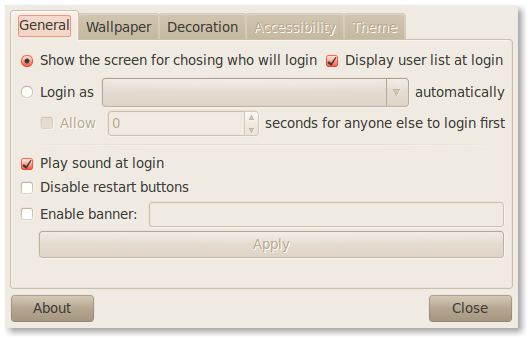
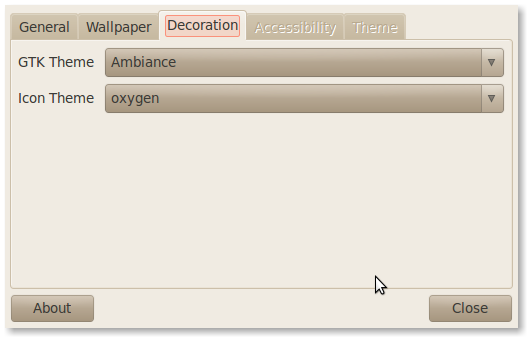
I wrote about one way to change the look of your login page back when 9.10 came out. It basically consisted of a command to run as root so you could change your wallpaper, icons, and theme. What was the big change? Well, they did away with the GDM login and went with a faster loading X11 login. Their goal was to decrease boot times at the expense of being pretty.
The way I did it before was okay, but it is sometimes hard to remember funky terminal commands that you don’t use very often. I mean, I only used the command I mentioned when I first setup Bauer-Puntu, then after that I just used Bauer-Puntu for new installs. Well, now I don’t have to remember that command. I can simply install the new GDM2Setup tool! To install it, run the following commands:
 sudo add-apt-repository ppa:gdm2setup/gdm2setup
- sudo apt-get update
- sudo apt-get install python-gdm2setup
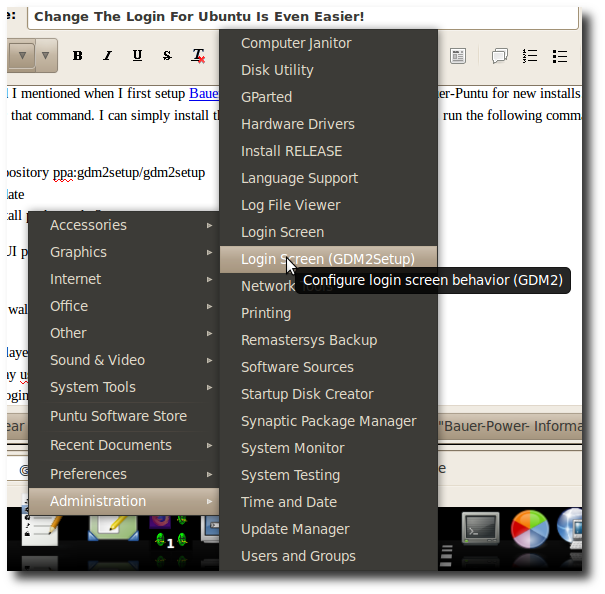
After installing the program, you will find it under the Administration menu. This will give you a GUI program that easily lets you:
- Set login screen wallpaper, theme & icon set
- Blur wallpaper
- Set autologin/delayed login
- Choose to display userlist
- Enable/disable login sounds
- Set login banner message
Here is a screen shot of what the program looks like after it is installed: