Author: Serkadis

  • The internet of weird things at SXSW: smart porta potties, light books and a robot zen gardener

    Sometimes the internet of things is just there to mess with you. At the official opening night party for the SXSW Interactive Festival on Friday, design firm Frog Design created a party space where objects embedded with computing and wireless networks made party-goers think, laugh, and maybe even feel a little uncomfortable.

    Frog, which has hosted the kick-off party for many years, called the series of interactive displays “The Other Singularity,” and Frog Principal Technologist Jared Ficklin said they were meant to show tech in “unexpected places.” Ficklin said Frog was expecting between 4,000 and 7,000 people to pass through the party and play with the displays.

    Augmented Reality Porta Potty

    Frog Design

    After you enter the porta potty, a video display is projected onto the door and it can show whether you’re standing or sitting and how long you’ve been in the biffy. While the installation wasn’t working for part of the party, this is the one that I thought would make party-goers the most uncomfortable. No one wants to come out of a porta potty that’s displaying how you’ve been sitting on the toilet for 10 minutes.

    Paintbrush LEDs

    Frog Design

    This 8-by-32-foot display was filled with different color individual LED lights. Viewers could use wand devices to wireless change the color of the individual LEDs, making the display kind of like a huge Lite Brite. Ficklin said someday when the LEDs and technology get cheaper and smaller, this type of display could be used for a wall in a home or office, and the occupant could change the colors of the wall using a remote.

    Light books

    Frog Design

    The premise of this installation was: “someday light will be cheaper thank ink.” These machines projected light and images into books, and stylized it to look like light books. And I learned a new word, “skeoumorphic,” which means digital objects that have been stylized to look real.

    The Gutenberg Bible-version

    SONY DSC

    The Robotic Zen Gardener

    Frog Design

    Think of this one like the Roomba meets a Japanese zen gardener. The robot traverses the sand path and rakes it with its embedded metal rakes. Cool? Or pointless? We’ll let you meditate on that one.

    The crowdsourced DJ

    Frog Design

    Frog Design worked with TouchTunes, a company that makes digital jukeboxes, to build an installation of dozens of screens that enabled party-goers to vote on and choose the music being played at the party. Frog and TouchTunes execs said they were interested to see if the early-adopter hipsters at SXSW would stick to Top 40 or being more creative and choosy with their tunes. For the short time I was there, Top 40 ruled the airwaves (and my multiple selections of Bob Seger’s Night Moves alas didn’t play).

    Rattlesnake light bike

    Frog Design

    It’s not connected, but it was cool. A huge rattle snake moved by bicyclists and glowing with lights.

    Related research and analysis from GigaOM Pro:
    Subscriber content. Sign up for a free trial.

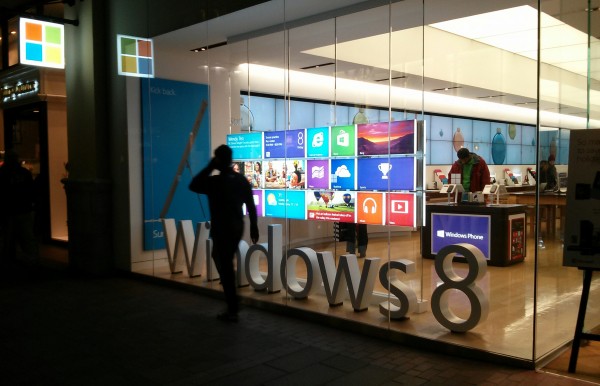
  • Is Windows 8 as bad as Vista, or even worse?

    That’s the question on my mind today, as an executive from yet another PC manufacturer disses the operating system. Yesterday, Jun Dong-soo, who heads Samsung’s memory chip operation, told Korea Times: “Windows 8 system is no better than the previous Windows Vista platform”. Remember, Microsoft gave developers Samsung slates in autumn 2008 to test Windows 8. Samsung shipped touchscreen models for the previous operating system, when few other OEMs did. So the slap is no small one, and worse: “MS’s rollout of its Windows Surface tablet is seeing lackluster demand”, Dong-soo asserts.

    I don’t agree with him, by the way. On Monday I explained: “How I came to love Windows again“. Two words: Surface Pro. I find Windows 8 to be remarkably efficient and fun to use on the touchscreen tablet convertible. Modern UI really is modern, trendsetting. But I’ll be first to concede that users won’t get the same kind of experience using just mouse and keyboard. Touch changes everything.

    Unquestionably, Windows 8 did nothing to lift fourth-quarter PC shipments. IDC research analyst Rajani Singh says a “lack of momentum for Windows 8” contributed to U.S. units falling 6.5 percent during fourth quarter and 7.6 percent for all 2012. IDC also identifies another problem, which is more about PC manufacturers than Microsoft or the new operating system: “limited supply of touch-enabled Windows 8 models — being out of step with the touch focus of Windows 8”.

    Microsoft designed Windows 8 with emphasis on touch for a reason. Most major analysts now acknowledge that tablets pull away sales from PCs. Consumers aren’t so much replacing personal computers with slates as displacing activity and using their Windows machines longer. Because of size, portability and other obvious attributes, tablets compete more closely with laptops than desktops. Notebook shipments fell 8.1 percent during fourth quarter in mature markets, which lead for slate sales. Can you really blame Windows 8 if OEMs don’t ship compelling touchscreen models, and then diss one of the more compelling choices — Microsoft Surface?

    That’s really my question for you today. I’ve got two polls and solicit your feedback in comments about Windows 8. But there already is good feedback to my post from five days ago. Let’s start with some specific to Surface, because they highlight the benefits of touch, which I again assert makes Windows 8 useful and dramatically raises the experience from Vista or Windows 7.

    Readers React

    Matt Marx: “I thought win8 was going to be a disaster after I installed it for two friends on non-touchscreen laptops. It was incredibly confusing for them to navigate the Metro/modern/tile UI with a mouse, and one of them is backing off to win7. But I picked up a Surface Pro and am enamored with the UX”.

    “We’ve started adopting it as both PC and tablet here at my company”, anon82059 comments. “We’ve deployed Pro tablets to three users and have given them the accessories to just plug it in at their desktop — one DisplayPort cable, one USB cable (to a hub/video adapter), and one power cable. Voila! The thing transforms from a fully portable tablet to a fully useful triple monitor workstation. Great for our users to grab and go to a meeting or take home or take on a business trip. Then just plug it back in for the productivity”.


    Ryne Smith calls Surface Pro “capable of being a tablet and a very nice ultrabook PC. As a college student, I am able to play games and take notes in class (and yes, I use OneNote with the stylus along with the stylus). As a software developer and intelligence analyst, I am able to code and do research as well all on the same device. This hugely simplifies my life instead of having the info fragmented across devices. I constantly hear my coworkers complain about toting around their laptops and iPad and making it all work. With the touch UI, it is so much easier to share and present data than before”.

    Barry S. disagrees: I was replacing an iPad 1 and thought the MacBook Air 13 or Surface Pro would let me go mobile with my insurance business and have near iPad functionality to boot. The SP won out because I like a touchscreen and iOS is getting boring. One can’t deny the SP is a nice machine but, unlike the author, I feel the problem is Windows…If I do not set networking to be powered full time when I sleep my SP at home and go to the WiFi at the office, I have to reboot to get on. If I open a PDF bank statement beside Quicken it’s impossible to see enough to do a reconcile, Quicken doesn’t scale to its window size. Our company’s Outlook Web Access email is not touch enabled so I can’t check my work email without a mouse/touchpad”.

    “I am currently using a Samsung ATIV Smart PC hybrid and I couldn’t agree more with the above review”, Myclevername comments. “I have been there all along with Windows 8 thru all of the release candidates and have always used it on a touch screen/hybrid. If you can’t engage touch on your current PC then there is no reason to ascend to Windows 8”.

    “To each his own”, Dave Nullstein writes. “I have a Lenovo Twist with a touch screen and similar specs as a Surface Pro. I absolutely hate it and I fail to see how different hardware could significantly improve the Windows 8 experience. Every attempt to do something productive on this thing has resulted in frustration”.

    So what do you think about Windows 8. Is it from a sales potential or feature perspective another Vista? If you have used Windows 8, please also share on what hardware when you comment — and remember the two polls above.

    Photo Credit: Joe Wilcox

  • Android this week: Nexus 7 dock stock; Galaxy S 4 ‘spec-tations; how to speed up Chrome

    This week finally saw a long-awaited dock launch for Google’s Nexus 7 tablet. The $29.99 accessory holds the Nexus 7 in landscape mode, propping it an angle that’s good for watching video or other online content. A micro-USB port and 3.5 millimeter headphone jack are the only interfaces, keeping the dock simple, but limited, to use. Also limited is actual stock of the dock.

    Nexus7+dockIn under 24 hours in the U.S., the product page went from “in stock” to “temporarily out of stock” to “ships soon”. Google is also selling the dock in the U.K., Australia, Canada, Germany and Japan, and readers in those countries have told me there is still available stock outside of the U.S. While its good that as of this writing, Google’s Play Store says it should have stock in less than one week, the company needs to get a better handle on its product supply to become a viable hardware retailer.

    On the software side of Android, Google has no such problems. This week it added data compression support to its Chrome Beta for Android. By typing chrome://flags in the address bar in Chrome’s beta, you can find and enable the experimental compression. Doing so sends all non-secure HTTP requests through Google’s servers. Where possible, Google will further compress images to its WebP format and remove any unneeded data during the web session; this speeds up the browser experience while reducing the amount of wireless data needed.

    Chrome net-internalsAfter you enable this function the Chrome Beta for Android app, you can even see how much of a data reduction is taking place. Type chrome://net-internals in your Chrome address bar and tap the Bandwidth tag. A real-time table of the data compression savings will appear, both for your current session and for all time, starting when you turned on the experimental feature.

    This coming week is a big one for Android users as Samsung is holding a big press event on Thursday. There’s not much of a surprise factor involved as the company is widely expected to introduce the Galaxy S 4 smartphone. I’ll be on hand at the launch event for the news but I don’t anticipate a big departure for the company’s flagship phone. Based on rumors, leaked screenshots, and my own thoughts, here’s what I expect:

    • A 5-inch 1920 x 1080 display but no active digitizer or S-Pen
    • Android 4.2 will ship with the device which will still be largely created with plastic
    • 2 GB of memory and a minimum of 32 GB of internal capacity, along with micro-SD expansion
    • A U.S. model that uses Qualcomm’s newest silicon — due to LTE integration — and an international edition with Samsung’s newest Exynos chip
    • Various new Samsung-specific software features such as scrolling based on eye-tracking and hover touch tech
    • A battery with at least 2300 mAh capacity, which should last a full day
    • An outside chance the Galaxy S 4 will support the new 802.11 a/c Wi-Fi standard

    Related research and analysis from GigaOM Pro:
    Subscriber content. Sign up for a free trial.

  • Mozilla Firefox 19 – Review

    Back in the day, Mozilla Firefox was the only contender to Internet Explorer, by bringing to the table, among others, features such as tabbed browsing and a cool download manager that kept all tasks organized in a single window.

    Its release spurred the interest of computer techies and enthusiasts but, despite this success, it never managed to surpass IE in popularity… (read more)

  • Top 5 Data Center Stories, Week of March 9th

    DSE-dashboard

    For your weekend reading, here’s a recap of five noteworthy stories that appeared on Data Center Knowledge this past week. Enjoy!

    eBay’s DSE: One Dashboard to Rule Them All? – Has eBay developed one dashboard to rule them all? The company took a big step closer to the holy grail of a unified data center productivity metric, unveiling a methodology called Digital Service Efficiency (DSE) at The Green Grid Forum 2013 in Santa Clara, Calif. In the conference keynote, eBay’s Dean Nelson outlined a system of metrics to tie data center performance to business and transactional metrics. DSE provides a “miles per gallon” measurement for technical infrastructure. In drawing direct connections between data center performance and cost, the dashboard provides eBay with insights that go directly to its bottom line.

    Interxion Uses Sea Water to Cool Stockholm Data Centers – European data center provider Interxion is no stranger to innovation. Over the years, the company has been a pioneer in modular design and cold aisle containment, and is now using seawater to cool a Stockholm data center, generating some serious efficiency benefits. Energy costs have been reduced by 80 percent, the company said, slashing enough IT load to allow additional customers to colocate in the facility.

    SeaMicro Powers Massive LAN Party on Wheels – Call it the world’s most advanced LAN party on wheels. The Firefall Mobile Gaming Unit (MGU) is a 48-foot bus packed with 20 high-end AMD gaming stations, which can support LANs of up to 3,000 people and connect gamers from any location to millions of others around the world. It’s an achievement that requires packing a lot of server power into a small space. The solutions was the AMD SeaMicro M10000-XE Server, which packs 256 CPU cores into a 10U chassis.

    Houston is Hottest Hosting Hub, Pingdom Says – Houston, Texas is the favorite hosting location for the world’s most popular web sites, according to Pingdom, which has mapped the hosting universe using the top 1 million sites. The Pingdom survey found Houston was the clear winner, hosting 50,598 of those top million sites, followed by Mountain View, Calif. (29,594 sites), Dallas (24,822) and Scottsdale, Arizona (23,210).

    The Iceotope Liquid Cooling System in Action – UK cooling company Iceotope has developed a liquid cooling system that encapsulates servers in heat pipe modules containing 3M’s Novec fluid as its heat removal medium. The company now has a system running in the lab at the University of Leeds.

    Stay current on Data Center Knowledge’s data center news by subscribing to our RSS feed and daily e-mail updates, or by following us on Twitter or Facebook or join our LinkedIn Group – Data Center Knowledge.

  • Whole Foods announces mandatory GMO labeling by 2018; here’s how it happened

    In a huge victory for the alternative media and grassroots activism, Whole Foods announced on Friday that it would require GMO labels on all products by 2018. (Click here for the press release.) This announcement deals a significant blow to Monsanto, DuPont and all the…
  • Rand Paul victory for human rights as President Obama backs away from his desire to kill Americans with drones

    Americans concerned about President Obama’s sustained assault on the Constitution have Sen. Rand Paul, Kentucky Republican, to thank for beating back administration tyranny – at least for the time being. As most Natural News readers already know, Paul took to the…
  • School now offering counseling to kids upset by strawberry-tart gun

    (NaturalNews)It’s called doubling down. First, a teacher at the Park Elementary School in Baltimore flips out, because 7-year-old Josh Welch bites his strawberry tart, trying to make it look like a mountain—but it ends up looking (sort of) like a gun. The teacher reports Josh…

  • Organic Consumer’s Association Political Director arrested outside White House over GMO labeling

    Alexis Badden Mayer of the Organic Consumers Association was arrested March 2 outside the White House, when she attempted to deliver a DVD petition including over 200,000 names. The petition asked Michelle Obama to ask her husband to fulfill a campaign promise to label…
  • What I really think about Google Chromebook Pixel

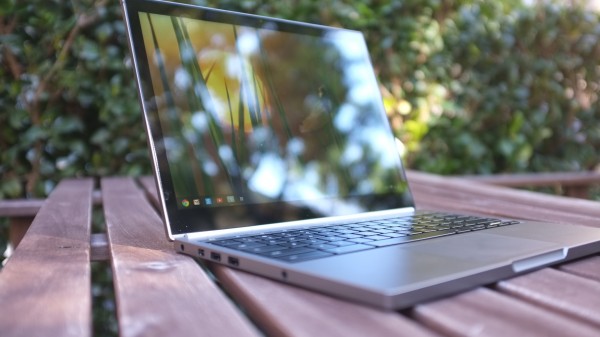
    Second in a series. Fourteen days using Google’s first computer, my decision is made: I would buy one and will someday (taxes are brutal, so my options are limited short-term). I firmly believe that most buyers willing to spend $1,299 (32GB WiFi) or $1,449 (64GB 4G LTE) will be satisfied with Chromebook Pixel. That’s because I presume they wouldn’t dole out that much without really examining how the computer would fit their lifestyle; also, Google seeks the same people coming from Windows who might buy MacBook Pro 13-inch.

    Seven days ago, in my first-impressions review, I looked at the overall experience and price benefits from the perspective of hardware. Here, I start to answer larger question: Can Pixel be your main and only machine? For most people, the answer is an unequivocal “No”. But “most people” isn’t Google’s target market.

    Pay to Play

    I’m amused by the mixed reactions to Chromebook Pixel. Price is a barrier for many reviewers, but clearly not for the brave geeks who buy one.

    People perplexed by Pixel pricing (say that three times fast) need to understand something. The $1,200-plus draws a line that leaves behind the majority of computer buyers. By pricing high but packing in hardware that justifies the cost, Google assures that a smaller, more-enthusiast crowd will buy Chromebook Pixel — and a group more likely to be passionate and vocal about their experiences. These are people willing to be different — to live another computing lifestyle — and don’t mind paying to field test a new platform.

    Chrome OS at $249 on Samsung’s ARM Chromebook is one platform. Chrome OS for $1,050 more, with high-resolution touchscreen, is an altogether different platform. Touch and 2560 x 1700 resolution change everything. A $199 Acer Chromebook could replace a primary PC but most people won’t use it that way. Pixel is meant to replace, rather than displace, the computer you’ve already got. The usage scenarios are different.

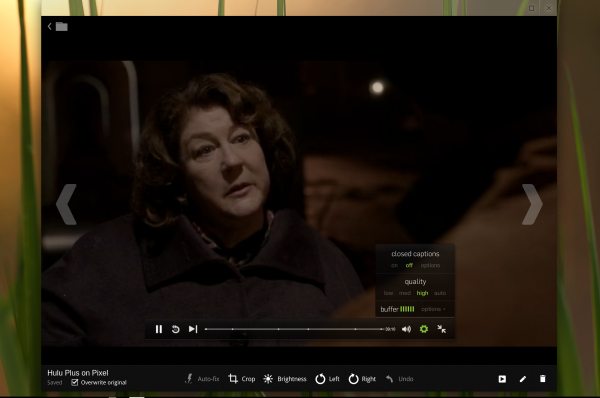
    But there’s more: High-resolution and touch change the overall usage experience and how people interact with Chrome OS. But that’s all a work in progress. Not all the touch-enabled apps are there — actually very few that take full advantage of the screen’s capabilities. Chromebook Pixel is really only ready for people willing to take the challenge — living in the cloud and adapting to change. Google makes them pay for the privilege.

    That’s one reason I call them field testers rather than beta testers. There’s nothing beta about Chromebook Pixel and Chrome OS 25. Hardware and software experience is rock-solid. Simply, the usage scenarios will expand as more apps support the resolution and touch capabilities. Google should want a vocal, enthusiast crowd buying the machine before the apps ecosystem is mature.
    Chromebook Pixel owners pay to play. Some people will balk and accuse Google of exploiting customers, but I assume most who do wouldn’t spend $1,200-plus for a laptop anyway. So don’t gripe, if you wouldn’t buy one. But the approach makes sense. Think about it. Who is more likely to show off a new car and boast about it? The guy or gal buying a $3,000 used clunker or someone plunking down six figures for a finicky euro sports car? Chromebook Pixel is that pretty machine with somewhat eccentric character, like the euro car.

    Juxtaposed Opinions

    From reading reviews over the past week, clearly many professional reviewers don’t get the Pixel concept, so they don’t recommend the computer. The tone from one to the next is similar: The hardware is great kit, but there’s no software. By stark contrast, I see nothing short of praise from the people who buy the laptop. Satisfaction runs high and from some unexpected adopters.

    Users. Uglydoll creator David Horvath gives one of the best responses to naysayers: “I run our company on Pixel now”. So much for creatives-and-Mac stereotypes. He is living proof of what I’ve expressed repeatedly for the past two weeks — here and on Google+, about the target market. Google sees would-be MacBook Pro 13-inch buyers as potential pixel purchasers (that’s easier to say three times). Best candidates are moving from Windows.

    Another Pixel user makes similar observation. Don MacAskill, SmugMug CEO:

    Wow. Blown away by how much I’m liking my Chromebook Pixel. I even had momentary frustration when I went back to my MacBook Pro Retina. That’s a first. Summary: Screen gorgeous. Touch awesome (finally!). Great trackpad (a first on a Chromebook!). Very fast. Solid & well-machined.

    There are things I won’t be able to do on it (my IDE comes to mind, as does git) but this is a major leap in the right direction. This is the single Apple competitive laptop on the market. I wonder what the gang over in Cupertino thinks about it?

    You need to understand the context. SmugMug is a huge shop of Mac users, and its apps support Apple platforms before any other. Google doesn’t want to sell Chromebook Pixel to the masses, but people like Horvath and MacAskill, creatives who either use or are predisposed to Macs.
    Linux creator Linus Torvalds also extols the computer’s benefits:

    I’ve joined all the cool kids in having one of the new Google ‘Pixel’ laptops (aka Chromebooks) — and it is a beautiful screen, to the point where I suspect I’ll make this my primary laptop. I tend to like my laptops slightly smaller, but I think I can lug around this 1.5 kg monster despite feeling fairly strongly that a laptop should weigh 1 kg or less. Because the screen really is that nice.

    Not surprisingly, Torvalds sees Linux in his Pixel’s future.

    Software developer Jerry Daniels received his Chromebook Pixel yesterday: “OK, been using my Pixel out of the box for over three hours on a 50 percent charge. I just now plugged in the power supply. Two things happened: 1) The power plug went into that socket on the side of the unit in a very sexual way (not kidding)…2) The screen just went to a whole other level of operation (brighter, clearer, wow). This whole thing’s getting like 2001 a Space Odyssey. Did Kubrick design this thing?”

    Reviewers. Professional reviewers don’t share these buyers’ enthusiasm. Writing for ArsTechnica, Andrew Cunningham quips: “Hardware is worth $1,299, but Chrome OS isn’t”. I disagree but do agree that the “Pixel seems better positioned as a means to an end rather than as a product that is itself intended to reach a mass-market audience”. Which is my main point in this post and its predecessor.

    For Mashable, writing about the “agony and the ecstasy of the Chromebook Pixel“, Chris Taylor concludes: “As lovely as the device is, I’m not quite ready to recommend it”. Bloomberg columnist Rich Jaroslovsky calls Pixel “upscale overkill“.

    I could go on, but most of the reviews are similar ilk and strongly contrast to people paying for Chromebook Pixel rather than using a Google loaner. There’s a big difference between someone choosing to spend money on something versus someone who doesn’t.

    The Big Question

    Who is Chromebook Pixel for? Probably not you, if you’re most people.

    Scenarios. Originally, I planned to make this second part about usage scenarios, but I changed my plan. That’s now more for part three, and primarily intended for people strongly considering Chromebook Pixel and wondering what apps they can use. I’ve given many usage scenarios related to Chrome OS in previous posts and want to spend more time working with the best apps. Usage scenarios for Pixel aren’t yet that different from lower-cost Chromebooks, but that will change as more apps are fine-tuned to take full advantage of the gorgeous touchscreen.
    Some posts for reference:

    Touch. Before continuing, little has changed in my second week with Chromebook Pixel, other than I like the computer all the more and use it as my primary PC without reservation or hesitation. I love this computer. Because I started using a Chrome OS computer as my main machine starting in May, the transition is easy for me. I already live in the cloud, which experience is remarkably better because of the high-res touchscreen. But that lifestyle isn’t typical, which is one reason part three will look at Pixel as daily machine and what limitations or opportunities cloud apps present on the gorgeous touchscreen.

    Then there is sense the touchscreen is too far ahead of the operating system and apps, which is one reason I regard Pixel for field testers who love change and the bleeding edge or creative-types who see potential that others don’t readily.

    I recently reviewed Surface Pro, which also features a high-resolution touchscreen, although lower than Pixel. The usability experience between the two user interfaces is shockingly different. Google presents Chrome as the major motif. Windows 8’s Modern UI is a full-screen motif that licks the display’s edges and presents big, bold elements that are easy to touch.

    For example, I find the experience using Internet Explorer 10 to be visually and tactfully more satisfying on Surface Pro than Chrome on Google’s laptop. Microsoft smartly places the navigation controls at the bottom of the screen, which diminishes Gorilla arm and puts them closer to the fingers for when people use keyboard and touch — which is the idea for Surface Pro. Additionally, going back or forward to webpages is easier. Just swipe your finger left or right. Somebody really thought-out this user interface.

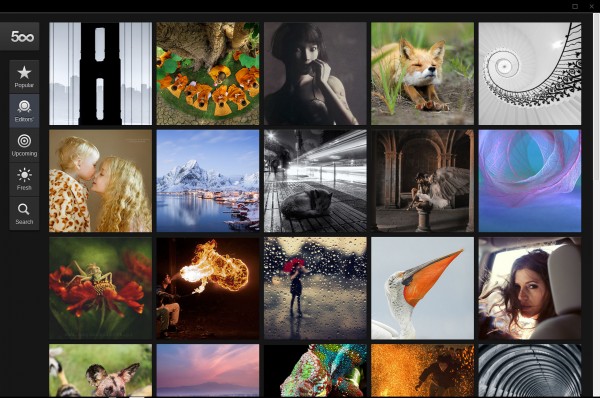
    Chrome OS responds to touch but doesn’t love the finger. That matters less if the apps are. The 500px photo-sharing app is fully-tuned to Pixel and foreshadows just how transforming and exciting the user experience could be.

    Legacy. Related, I must agree with Cunningham, who writes:

    The problem with Chrome OS isn’t that you can’t do most of your day-to-day tasks in a web browser, but if you’ve spent any time getting used to a certain set of tools, you’ll probably need to trade them in for web-based ones. And the real sticking points are those applications that have no easy web-based replacements. If you rely on even one piece of desktop software to get your work done, the absence of that client in Chrome OS will make the Pixel that much less plausible as a primary computing device.

    I’ve found nearly all needed web apps and had no major software dependency before using Chromebook Pixel. Actually, because of the Core i5 processor and high resolution, I have better choices on Pixel than other Chromebooks, and my general productivity is hugely improved. More importantly, I enjoy working on this computer. It’s the joy factor missing among the reviewers compared to the users above.
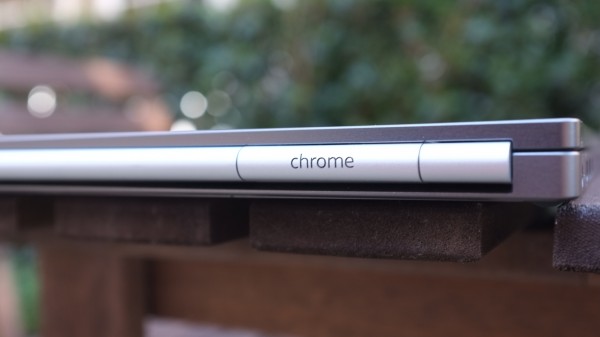
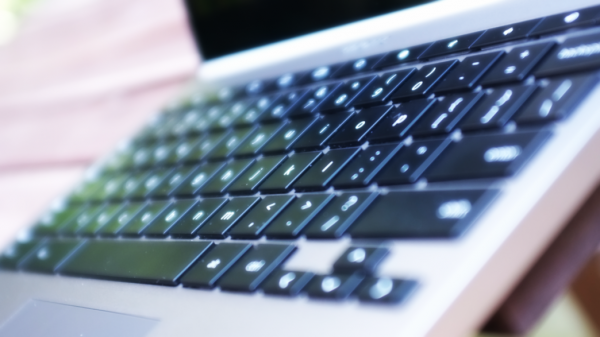
    Specs. This is a good place to recap specs: 12.85-inch touchscreen, 2560 x 1700 resolution, 239 pixels per inch; 1.8GHz Core i5 processor; Intel HD graphics 4000; 4GB DDR3 RAM; 32GB or 64GB of storage; HD WebCam; backlit keyboard; dual-band WiFi 802.11 a/b/g/n 2×2; 4G LTE (on one model); Bluetooth 3.0; mini-display port; two USB ports; Chrome OS. Measures: 297.7 x 224.6 x 16.2 mm. Weighs: 1.52 kg (3.35 pounds). Cost: $1,299 (32GB WiFi); $1,449 (64GB WiFi/4G LTE). 1TB Google Drive storage is included free, for three years.

    Storage. “The three-year terabyte was a major factor in my going for the Pixel”, Daniels says. “The Pixel might be the perfect laptop for CIOs or CTOs who may well find themselves under circumstances not unlike my own. I’m speaking purely from the storage point of view. The great OS and device are candy”.

    Security. I feel safe using Chromebook, and I’m not alone. “The thing I think I’m most excited about Chrome OS as a platform is security”, MacAskill says. “No real OS or storage to worry about, cloud-managed auto-updates, cloud monitoring for exploits, etc”. Remember, a Mac user says this, and Apple’s OS is considered to be much freer from malware than Windows.

    The Answer

    Chromebook Pixel isn’t for most people, with price being major reason and inertia another. For example, if:

    • You never under any circumstances would spend more than $1,200 on a personal computer.
    • You are attached to using some desktop application, or recently purchased expensive software.
    • You depend on macros, templates or other customizations that are directly tied to an application.

    Chromebook Pixel is for anyone willing to spend $1,200 or more on a computer and who:

    • Primarily writes
    • Is truly creative
    • Lives the Google lifestyle
    • Wants a touchscreen laptop
    • Primarily uses Chrome for everything
    • Wants to run Linux alongside Chrome OS
    • Loves being on the cutting edge of computing
    • Considers buying MacBook Pro 13-inch with Retina Display

    To emphasize:

    1. I am absolutely convinced that creative types will love Chromebook Pixel, and those, who like Horvath or MacAskill, give it a chance will discover in the Chrome Web Store apps they can use to make magic.

    2. Google enthusiasts will find that Pixel is the Chromebook they waited for. The computer is superbly handsome and feels fast in all the right ways. Everything syncs with their existing lifestyle.

    3. Geeks like Torvalds will delight in the high-resolution touchscreen and possibilities, which include dual-booting some other operating systems (can you say Linux). They can have the cloud and legacy apps, too, with touch and beautiful bod.

    That’s a wrap, until part three.

    Photo Credits: Joe Wilcox

  • The King of 3D printing kicks off a SXSW focused on the physical world

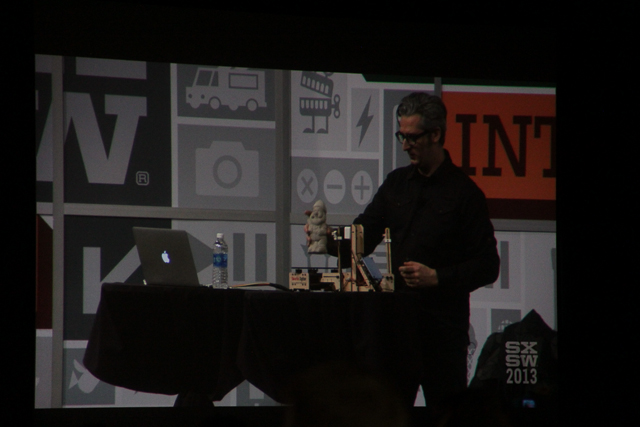
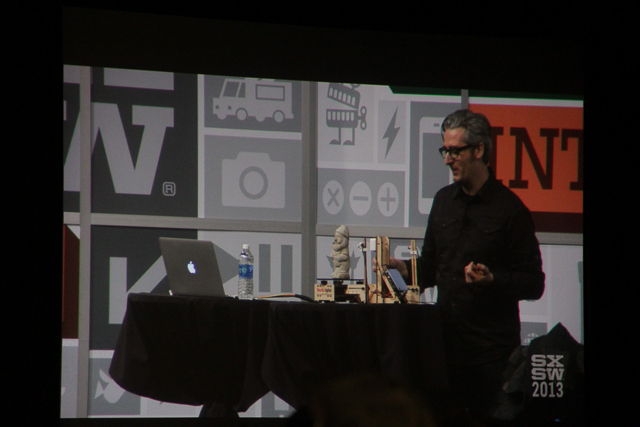
    Austin, Texas — Wearing a textured black jacket from cyberpunk-designer Sruli Recht, and repeating the word “awesome” throughout his hour-long talk, the CEO of 3D printing company MakerBot, Bre Pettis, told an audience of thousands of geeks at the annual SXSW Interactive Festival on Friday afternoon that “It is the best time to get into hardware.”

    For the past few years, SXSW — which is like the tech industry’s Spring Break fueled by BBQ, beer and the latest startups — has acted as a platform for a variety of social media and mobile apps to launch and gain mind share. Twitter famously broke out in SXSW in 2007. But at SXSW this year, as the New York Times noted this week, it looks like it’s hardware’s turn in the spot light.

    Hot hardware

    The Replicator 2, 3D printer, by MakerBot

    The Replicator 2, 3D printer, by MakerBot

    As rain drizzled down outside the Austin convention center and marketers handed out logo-laden bright ponchos to conference-goers, Pettis used the opportunity of his opening remarks at the show to unveil his company’s new 3D scanner called the MakerBot Digitizer. He referred to the Digitizer as the “washer and dryer” partner to MakerBot’s 3D printer the Replicator 2, and described the Digitizer’s 3D scanning process as “like what happens in Tron when Flynn gets digitized.”

    The device, which is supposed to be out in the Fall, will give creators and makers another tool to move designs from the physical world, to the digital world, and back again. While professional designers and artists have high-end machines that do this, the Digitizer is meant to bring this capability to the DIY movement. The Digitizer uses a camera to scan the device as it rotates, the digital design of the 3D object is captured, and the Replicator 2 can replicate the object, or a tweaked version of the object.

    A monster created by the MakerBot

    A monster created by the MakerBot

    Pettis also used his talk to announce that design giant Autodesk is now selling MakerBot’s 3D printers, giving the startup access to Autodesk’s large customer network, and adding some heft to the 3D printer movement. Pettis, who was introduced before his talk as the “King of the 3D printing revolution,” launched MakerBot as a company at SXSW in 2009. (To read more about 3D printing check out our research report on GigaOM Pro, subscription required).

    Makers, creators and devices

    As Stacey Higgenbotham predicted earlier this week, SXSW Interactive 2013 is all about the DIY maker movement and 3D printing. Across the street from the convention center, Autodesk is hosting a large “Create” space that’s highlighting inventors, and tinkerers and the devices that they’ve developed.

    Of course under the Create tent, Autodesk and MakerBot are showing off the Replicator 2, and Autodesk’s 3D printer software and applications, and they’ve even got a vending machine that’s selling 3D-printed monsters. Autodesk has an app called 123D Creatures that lets you make, and print out, monsters on your iPad; Autodesk can use these types of consumer-focused apps as both marketing, as well as to boost sales for its 3D printer software ecosystem.

    Vending machine dispensing 3D printed monsters, by MakerBot, Autodesk.

    Vending machine dispensing 3D printed monsters, by MakerBot, Autodesk.

    Other devices under the Create tent include social good gadgets like the BioLite Stove, invented by Alexander Drummond and Jonathan Cedar, the “See Better to Learn Better” low cost eye glasses from Fuseproject’s Yves Behar, and the Embrace Nest baby warmer. Lytro was showing off a camera that was launched at SXSW 2012, and which captures the light field of photos, enabling users to focus on and interact with different parts of the picture.

    The Lytro camera

    The Lytro camera

    In fact, in the few hours that the show has been open on Friday, I have yet to see a demo of or hear about a super hot social media or mobile app that’s blowing up at the show. But I have heard about 3D printable rocketships, new wearables from unusual players, and I got a brief demo this morning of the Misfit Shine from Misfit CEO Sonny Vu. I’m sure the digital-only apps and services are here at the show, but hardware and the physical world seem to be overshadowing them.

    In a way, that makes sense. The Internet of Things is officially here, and super cheap sensors are enabling gadgets to use data to help us in our daily lives. At the same time, wearable technology like Google Glass is making the computing industry think in an entirely new way. A physical component is almost necessary to move the computing paradigm forward beyond tablets, smart phones, and laptops. And for the early-adopters at the SXSW show this year, that means they get the first change to play with these devices.

    Related research and analysis from GigaOM Pro:
    Subscriber content. Sign up for a free trial.

  • My impressions of Facebook’s news feed Redesign & what it means

    My skepticism about Facebook is pretty well known. I have found them to be a company that plays loose and easy with people and makes decisions that are not always in their users’ best interest. So yesterday when they announced the news feed redesign, I was a little bemused. My initial reaction: while Google is trying to make the physical world searchable, Facebook is adding a “category menu” to its feed.

    Then a friend emailed and said that I was being too harsh because they are, after all, catering to a billion people, are a publicly traded company and are under attack from all sides by more nimble, smarter startups that are taking attention away from them. Fair enough: I decided that I would give them a fair shake whenever I got access to the redesigned news feed.

    Facebook News Feed Redesign March 2013

    Given the planet-long wait list, I didn’t sign up and didn’t email Facebook PR. But sometime last night, the new feed update showed up. I have had a few hours to play around with it, and here are my impressions and thoughts on the business implications of the redesign. So here we go:

    Four things I like:

    • Overall design: Facebook has been stockpiling design talent like the U.S. used to stockpile nuclear weapons. And the result of all that design IQ is finally bearing fruit. The new news feed is actually what Facebook says it is — clean, simple and beautiful. The white space (or gray space) is put to effective use. You can see the iOS and Apple influence on the redesign in small smallest of the elements such as menu items, icons and message status buttons. They also get full marks for creating a unified experience (including the left hand navigation menu — which includes links to apps, messenger, events and what not) that spans elegantly across devices. They get a A- on this (for reasons stated below.)
    • Responsive Design: In my test, it worked well on iPad, iPad Mini, desktop, Nexus 7, Nexus 4 and iPhone5. It is very consistent and I wouldn’t change a thing. An A+ on this.
    • Photos: Mark Zuckerberg and his coterie might like to think of themselves as rivals to Twitter (not) or a newspaper, but in the end, Facebook is and will always be a giant photo service. And to that end, increasing the size of the photos and being able to create photos collages (collections, as Evan Williams would say) is a great move and actually makes scrolling through photos easier, faster and more enjoyable. I do believe that with this redesign, Facebook has give its core functionality a nice boost. I would give this an A+, though Facebook should consider giving us the ability to make it our default feed.
    • Music: Remember that Facebook Music service we talked about back in June 2011? Two years later, the new “music” feed that is showing up a sub-category of their feed is reminiscent of that design. It also aggregates music events in my calendar and also shows me the bands liked by my friends. I like the suggestions that are offered to me but I am still not sure what to do with that information. Why? Because when someone recommends me a or an artist, I want to be able to listen to the song (or the artist’s work) and if I like it, I add to a playlist for future consumption. That flow is still not there. All in all, decent offering which gets a solid B+ from me, because I am still not sure why I care if Kevin Tofel likes Dido.

    Two things I don’t:

    • Facebook did a nice facelift of the news feed, but rest of the service looks a little out of touch. The Messaging app looks old school and could actually use a quick dusting.
    • The Search bar on the top is actually quite worthless and comes in the way of what could be a pretty seamless experience. It is a case of when a hasty business decision gets layered on top of good design decisions — the end result is like a great pair of leather shoes with a plastic sole.

    And five burning questions

    :

    • I have spent a lot of time with the redesign and I am not clear how this solves Facebook’s two major challenges: retention and engagement. Yes, it is lovely, and the notifications are sort of nicer, but it still does nothing to make me come back more often and actually if anything I will spend less time. I can skim photos and bounce much faster.
    • The younger demographic, who is leaving the service (though they are still part of the zombie mob), are not going to come back because of the changes.
    • The actual news feed, despite the attractive photos and bigger visuals, is still messy and much less useful that it used to be.
    • The biggest question that arises from this cosmetic facelift: what happened to Facebook’s ability to actually learn, adapt and become more human with the feed? In other words, has their ability to sift and make sense of data hit a glass ceiling? My guess is yes.

    What it means from a business/money perspective?

    • Facebook is and will always be news feed centric. And it is one of the main reasons why its early attempts at search and other experiments have not really succeeded. The news feed has to become more context oriented and if they screw up the news feed, they start to lose overall value. So, that is why this aesthetic facelift is much needed.
    • Just like I said earlier, Facebook will struggle beyond the news feed and that is why they need to make the feed the focus of all monetization efforts including a more traditional form of advertising. Bigger photos will condition people to bigger ads — something marketers want and like. So expect to see a lot more ads in your feed. I suspect, as the desire to reinvent advertising takes a backseat to realities of the public market.
    • Here is the problem with the scenario. So far, you and I don’t much care about the ads that appear on the right hand column. I don’t much care if Zoosk or some crappy ad shows up — I have programmed my brain to ignore it. Others feel that way — though many people are still spending money on those right-column ads.
    • Because despite all their posturing, Facebook is terrible at providing context and surfacing ads that make sense. But if they start surfacing similar pointless and terrible ads in the main feed (like all those stupid paid-shares by my friends) then this grand experiment to make more money is going to backfire.

    To sum it up

    This was a great job to clean up the news feed, make it easier for folks to consume Facebook on all sorts of devices and find ways for easy consumption and create advertising opportunities that are easier advertising agencies and their traditional skills to manage. It is also a tactical admission (though a silent one) about their limitations in providing context and creating a new advertising model.

    Screenshot Facebook newsfeed

    Related research and analysis from GigaOM Pro:
    Subscriber content. Sign up for a free trial.

  • Look out Nike Fuel band, UnderArmour’s fitness strap measures WILLPower!

    Even at this early stage of the wearable device market, companies are already trying to differentiate their products while also capitalizing on brand loyalty. For example, Nike’s Fuel band tracks activities and calories burned, turning those data points into “fuel” points. UnderArmour is joining the game with its own gadget called the Armour39 Fitness Strap, but it can’t measure fuel, since Nike already does. So instead, the Armour39 calculates your “WILLPower.”

    The $149.99 chest strap is available now for pre-order with delivery this spring. A module in the strap tracks and stores up to 16 hours of heart rate and caloric information. The data can transfer to an optional $199.99 watch or to a mobile phone app on handsets that are Bluetooth Smart capable. The product page explains WILLPower as the combination of ”how long you workout, what you did, profile info like gender and weight, and key heart rate measures to give you a single score.”

    armor39 app

    If I don’t sound enamored by artificial scores for basic fitness data, it’s because I’m not. These numbers only hide the real data that people should know about: caloric expenditure, heart rate training zones, etc. I’m all for simplifying such information if it helps people work out with fewer complications, don’t misunderstand. But as each new health gadget comes to market, it appears as though the real difference is the fake scoring system that’s easiest to market. It just seems silly to me.

    I don’t doubt you can get healthier with a Fuel band, Armour39 or other similar device. However, I’ll stick with the basics: A Bluetooth 4.0 heart monitor strap that works with basic apps and a smart watch or phone to actually tell me my heart rate and calories burned.

    Related research and analysis from GigaOM Pro:
    Subscriber content. Sign up for a free trial.

  • Facebook acquires Storylane, a story-telling platform

    Facebook is buying Palo Alto, Calif.-based startup Storylane in what is a talent-oriented acquisition. Storylane wanted to become a new kind of story-telling platform much like Evan Williams’s Medium and Rebel Mouse. “We’re trying to build this library of human experience,” said founder Jonathan Gheller in an interview with my colleague Eliza Kern, when the service launched in October 2012.

    It caught the eye of Internet giants and entered acquisitions talks with the likes of Yahoo and Facebook. Facebook clearly values the team and founder Gheller who is known for his ability to correlate data, identity and growth. The company had raised $2.8 million dollars from the likes of Balderton Capital, Sigma Partners, Ariel Poler, Mark Goines and bunch of other angel investors.

    On his Storylane page, founder Gheller shared this note:

    After a lot of discussions with Facebook about how our teams might work together to have even greater impact, we are announcing today that the Storylane team will be joining Facebook.

    This is an exciting opportunity. Facebook’s mission of connecting the world has always been at the center of our work, and like our friends at Facebook, meaningful connections are what our team is most passionate about.

    The beautiful stories you have decided to share with us are yours to keep and share in however way you want. We are building tools that will help you migrate the content to other services if you so desire. I will be in touch with you about those specific tools later, but I can confirm that Facebook is not acquiring any of your data; and we’re working to make sure you can migrate your content in a manageable way.

    I want to thank our users. Your passion, sincerity and willingness to share, has made Storylane the incredible experience that exists today. We have learned so much from you. Your ideas and creativity will stay with us and inspire us on the next stage of our journey.

    Related research and analysis from GigaOM Pro:
    Subscriber content. Sign up for a free trial.

  • Friday Funny: Pot of Gold at the End of the Cold Aisle?

    Happy Friday! The weekend is nearly here, so it’s time for data center levity.

    Each Friday, Data Center Knowledge features a cartoon drawn by Diane Alber, our favorite data center cartoonist, and our readers suggest funny captions. Please visit Diane’s website Kip and Gary for more of her data center humor.

    The caption contest works like this: We provide the cartoon and you, our readers, submit the captions. We then choose finalists and the readers vote for their favorite funniest suggestion.

    Congratulations to reader Steve Swanberg, who submitted the winning caption for last week’s “Shaking in the Data Center” cartoon: “Kip, I think you may have misunderstood when they told us to shake out the new tape management system . . . .”

    This week Diane writes, “Since the last ‘gold’ comic was so much fun I thought because of the spirit of St. Patrick’s Day another one was in order.”

    running-gold-470

    For the previous cartoons on DCK, see our Humor Channel.

  • MakerBot Announces Its First Easy-To-Use Desktop 3D Scanner, The Digitizer

    scaled-1851

    Bre Pettis, founder of 3D-printer manufacturer MakerBot, announced their first desktop 3D scanner, the Digitizer, at a SXSWi keynote today. Pettis was coy about availability or final design but instead was focused on making a splash at the event.

    “We’re excited to put ourselves out there with the announcement. I have a tradition of announcing things at SXSW. I don’t think there are many actual physical products announced at SXSW, so it’s special,” he said.

    Officially called the MakerBot Digitizer Desktop 3D Scanner, the device will work in concert with the MakerBot printer to complete the constellation of services MakerBot offers. For example, you will be able to scan an object and print it immediately on a MakerBot printer.

    According to today’s release, the design shown at SXSW is a prototype and there is no launch date slated although Pettis said it would be available “this Fall.”

    Pettis, for one, is excited.

    “It’s a natural progression for us to create a product that makes 3D printing even easier. With the MakerBot Digitizer, now everyone will be able to scan a physical item, digitize it, and print it in 3D – with little or no design experience.”

    “It’s going to be another pathway for people to make 3D models,” he said.

    UPDATE – I’ll be posting live photos from the event. The scanner uses two lasers to map small, breadbox-sized objects and a webcam to create a digital model of any object.

  • Liftoff! Your design plus a 3-D printer could power the next rockets in space

    As more people and companies use 3-D printers, there’s a growing number of uses for the devices, which turn designs into actual things. I’ve seen printed skull implants, coffee mugs and even 3-D printed replacement parts for 3-D printers — how meta! But I have yet to see this: A 3-D printed rocket engine. That’s likely to change as the result of a contest kicking off Friday at SXSW.

    DIYROCKETS, a global space company, and Sunglass, which offers a collaborative design service, are partnering for the event, which offers $10,000 in prize money. Shapeways, a company that prints out designs for people without 3-D printers will also provide $500 in printing costs to the top two entries. To get an idea of how 3-D printing works, here’s a short video from Shapeways to explain:

    For the 3-D rocket engine contest, teams will work together in order to foster collaboration and to advance designs for private space efforts. Judges include inventor Dean Kamen, as well as individuals from MIT, NASA and TED. Per the announcement:

    “Although several companies have recently made strides in showcasing the power of the private sector in space exploration, DIYROCKETS is taking this a step further by creating the first of many competitions that encourages the fusion of creativity, technology and collaboration by people across the globe. Utilizing Sunglass’s cloud-based platform to visualize, collaborate, manage versions and exchange feedback on each design with team members and the public from anywhere on the globe, the contest aims to dramatically drive down design costs, while creating innovative technology for all types of space hardware and parts, ranging from space propulsion to space medical sensors.”

    While I don’t have the science chops to participate, I like the idea of this contest. As government funding for space projects has been cut over time, private efforts have thankfully expanded. Even better is that many have succeeded and picked up where government programs left off: Last week’s SpaceX Falcon launch and docking with the International Space Station is a great example.

    The contest also brings more awareness to what I think is game-changing technology: We’re in the early stages of consumer-based 3D-printing, but the technology is getting cheaper so that more homes and businesses can eventually afford these devices. And as that happens, a design revolution should follow.

    Think of the many products and design ideas that will come from millions of 3D-printer owners. Rocket engines aren’t one I’d normally envision, but why not if they can get us beyond our planet at lower design costs?

    Related research and analysis from GigaOM Pro:
    Subscriber content. Sign up for a free trial.

  • The Sonos Playbar Brings Wireless Surround Sound Without The Fuss

    scaled-26

    Sonos is a wireless audio company that makes solid – albeit comparatively expensive – audio hardware. Setup is drop dead simple – to add a component you simply press one or two buttons on the new device and everything “just works” and the remote control UI, refined over most of the past decade, has a cult-like following. You can create different audio zones around your room and play different music in each one or enter party mode and turn your house into a massive disco. In short, Sonos makes whole-home audio easy.

    So what of this new Playbar, a long sound bar that sits above or below your television and connects to your system via a single optical cable? This new device has nine speakers built-in, six midrange and three tweeters, and works with Sonos’ SUB subwoofer and Play:3 mini speakers that can act as satellite surround sound speakers.

    To use the Playbar you need at least a Sonos Bridge – the central device that talks to all Sonos devices – and an iOS or Android device. Setup requires you to connect the Playbar to your TV (or receiver) via a single optical cable. You then plug in the power and you’re set. It also has an Ethernet port, but Sonos has excellent QOS control via wireless and I’ve never had a problem with streaming.

    The $699 Playbar can be mounted above or below your TV – a built-in accelerometer senses the direction – or you can put it on a TV stand.

    Unfortunately, this reliance on a single optical cable is both good and bad. If you don’t have a receiver and connect all of your devices directly to your TV, you’re golden. If you have a receiver, however, setup is a bit more difficult. I set my receiver to output HDMI audio as well as video and turned it down all the way. The TV, then, does all of the audio output via optical and your receiver becomes little more than a switch. You can control the Playbar’s volume with your TV remote or the Sonos app.

    The app also bears some discussion. The Sonos app breaks your sound system into different rooms and nearly everything is managed through the app, including the addition of more speakers to the system. You can add music services and grab multiple songs from multiple services – an album from your own collection, a few songs from a shared drive on your network, and maybe a playlist from Rdio – and play it as a queue. You can save queues (playlists, really) and all of the audio manipulation, including control of bass and treble, are done in the app. With the addition of the the Playbar, the app adds a “TV” input that allows you to control the volume of the Playbar remotely.

    How is the audio quality? A single Playbar will make your TV sound better (although that’s usually not hard). I was able to turn up the sound on action movies and get a few solid whomps out of the soundtrack as well as hear clear and distinct dialog, which was actually an improvement over my current 5.1 setup. Your results may vary, but I didn’t get much out of the “simulated” surround sound these speakers advertised but I was pleased with the sound overall.

    Music playback over this speaker – because, using the Sonos app, you can beam services like Pandora and Rdio as well as your own collection through the Playbar – was clean and nuanced and these were an excellent replacement for the pair of stereo speakers I usually used to listen to music.

    Current Sonos users will be pleased to note that this system does replace the Play:5 or Play:3 speakers, whether you have paired them in stereo or are simply using a single unit. You could, for example, remove a pair of Play speakers and simply use this to play TV audio as well as your music. The Playbar is that good. I saw no discernible difference in using this vs. the two Sonos speakers I already had in the room I was testing this gear in.

    The Playbar also answers another home audio prayer – the promise of true wireless 5.1 sound. While the Playbar technically isn’t a center-front right-front left setup, by pairing this with two Play:3 satellites (Play:5 units don’t work) and a sub-woofer, you’ve got a very nice wireless 5.1 system.

    The Playbar really shines in this setup, which, in the end, will cost you $1,996 to set up, including the Playbar. The Playbar paired with the sub-woofer, for example, really opens up the audio considerably while the satellite speakers – which require all of five minutes to setup – are almost magical in their simplicity. For folks who have pulled wire under or across walls and floors, this setup is a godsend. At the bare minimum I’d recommend the Playbar and the Sub. If you want to spring for the Play:3s in the back, you won’t be disappointed.

    Better (or at least more bass-heavy) soundbars can be had for about as much as the Sonos system. However, if you’re already familiar with the Sonos system, this is probably your best bet. It completely replaces any Play speakers you already have (allowing you to stick them in another room) and paired with other Sonos gear it really sounds great.

    If you’re new to Sonos, you may not want to start here. Sonos truly shines in music playback and there’s nothing like setting all of your speakers on party mode and creating a soundscape that would normally take you hours of setup and wire management to pull off. The Playbar, then, seems like a device for folks who want to Sonosify their whole home and it’s understandable why they created it. However, it’s not a good introductory device unless you’re in the market for a solid sound bar with a few very cool features. If you’re only looking for music playback, a few Play:5 speakers and maybe a SUB are a good place to start.

    Can you get better sound out of equally or more expensive speakers? Potentially. However, the added value of complete control of your music and TV audio is a huge plus. The Sonos system shines when there are a few speakers going at once and if you’re looking for a true wireless surround sound system, look no further. If you’re simply trying to replace the wonky speakers built into your TV, however, the Playbar faces tougher competition but stands firm against similarly-priced soundbars. It is well worth a look when considering living room/TV audio systems.


  • SimCity Review (PC)

    I loved SimCity when I was young and, at least in part, the game might be blamed for my interest in administration and politics.


    I remember playing it alongside other city management titles like Pharaoh or Caesar, trying to create the best settlements I could, looking out for the happiness of my citizens, while also trying to balance making a profit with causing a… (read more)