Author: Jonathan I Ezor

  • webOS Doctor for 1.3.5 Now Available for Sprint Users

    Hot on the heels of the OTA push of the webOS 1.3.5 update on Monday, Palm has just posted a webOS Doctor version containing this latest version, at least for Sprint Pre and Pixi users (the Bell and O2 versions for Palm Pre users are currently still at 1.3.1.).

    If you aren’t familiar with webOS Doctor, it is a Java-based program that will restore your Palm webOS smartphone to its factory settings. The user downloads a small Java program that downloads the full webOS Doctor, connects the Pre or Pixi via USB, and runs webOS Doctor to restore the device to factory-fresh status. While it will overwrite any personal information and the operating system changes you have made, it does not (as of version 1.3.1 at least) delete the USB drive portion, so photos, music and other files remain in place. Unlike the OTA update process, though, you do not have to delete elements like themes or patches, since webOS Doctor will overwrite them with the original system files. After running webOS Doctor, the user must reactivate the phone on its carrier’s network, and then either log into an existing profile to download contacts, App Catalog apps and (some) other profile data or create a new profile. webOS Doctor is also used by third party tools such as Jason Robitaille’s webOS Repair Utility to verify and repair individual elements within webOS.

    A few additional notes. First, if you are going to run webOS Doctor, be sure that you have the version that matches your operating system. Otherwise, you may be unintentionally downgrading, which can lead to problems reactivating or accessing your profile. Second, assuming you’re running webOS Doctor by choice rather than by necessity, it can be helpful to do a manual backup just prior to the Doctoring, to ensure that once you reload your profile, it has your most recent account settings and app purchases. Finally, if your computer fails to recognize that your Pre or Pixi is plugged in and therefore webOS Doctor won’t run, you may be able to force the device into recovery mode to make the connection.

    For more information on webOS Doctor generally, you can see Palm’s support pages (like this one for US customers).

    Thanks to Eject_Porkins for the tip!
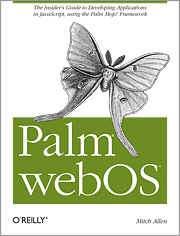
  • Palm webOS by Mitch Allen: A Real (Book) Review

    Palm webOS by Mitch Allen

    As a wanna-be developer, I rejoiced in the announcement in February of O’Reilly Books’ Palm webOS by Mitch Allen, read the free first chapter and even purchased the online preview version, in the hopes that it could turn me into a webOS developer. Now that I have read a review copy of the final print version, though, I am sad to say that it did not magically do so. On the other hand, experienced developers and those beginners who already know the basics of HTML and Javascript will find the book a hugely useful resource, and even those who are not yet at that level (but may be considering giving it a try, especially with the recent release of Palm’s Web-based Project Ares online development environment) will benefit from its clear discussion, code examples, best practices and identification of pitfalls. Even for the non-developer, Palm webOS provides insight into how applications work and interact on the Pre and Pixi.

    read more

  • Six Months with the Pre: Real Review

    This week marks six months since I received my Palm Pre as one of Palm’s 10 Real Reviewers. Since then, I’ve been writing about the Pre on Twitter (where I tweet as PalmPreLawyer), on Facebook, in person and (thanks to an invitation from Dieter Bohn) here on PreCentral. While I’ve published some shorter Real Reviews over the past months, I thought it might be useful to provide a more complete story of my experiences with the Pre and webOS.

    read more

  • Chapura’s PocketMirror Now Version 2.0, Syncs Tasks

    Tasks Screen of Chapura PocketMirror Version 2

    In my earlier review of Chapura’s PocketMirror program, I noted that while memos had been added to the data types that the program could synchronize between the Pre/Pixi and Microsoft Outlook, tasks were still only a promised upgrade. There were also some performance issues I noted.

    Recently, version 2.0.0 of PocketMirror hit the App Catalog and, along with the latest version of the Windows desktop portion (which can be downloaded here), the program now syncs tasks as well as memos, calendar events and contacts. As with memos/notes, PocketMirror’s syncing maintains categories across the two platforms, and can also support timed notifications (which work on the Pre even when the program’s card is not open). Also as with memos, though, Chapura provides/requires its own standalone application for tasks, which is understandable, given the limits of the Pre’s own native Tasks and Memos programs.

    In my brief look at the new version, it appears that the memo application has been improved as well. The noticeable delay between the app launching and the memos being displayed is essentially gone, and the synchronization of memos seems speedier. The program still lacks sorting capabilities beyond categories (I would like to be able to sort by date created, not just alphabetically), but hopefully that will appear in a future release. There is also still no way to put a separate icon for Chapura Memos and Tasks on the launcher screen, but the Preferences menu does allow you to choose which element (Memos, Tasks or Sync) will appear when the program is first launched, with the others easily accessible via icons at the bottom of the screen.

    Unfortunately, with the new tasks feature set comes an increase in price, from the former $29.95 to $39.95 (although the upgrade is free for purchasers of the earlier versions.) While it is certainly pricier than most standalone Pre apps, it is comparable to other desktop utility software, or to similar synchronization packages such as Mark/Space’s The Missing Sync, and likely reflects the greater complexity and support burden of a desktop/smartphone combination software product.

    Even at its higher new price, PocketMirror remains an extremely useful addition to webOS for users of notes (and now tasks) in Microsoft Outlook, as it adds the synchronization features for those elements that Palm failed to provide for the Pre and Pixi. For previous purchasers, the upgrade is both free and quite welcome.

  • Quick App Review: Mezzoman Brings People Together…Literally

    Mezzoman Search Box

    I just tested a review copy of Mezzoman (available in the App Catalog), which is designed to help two (or three) people "meet in the middle."On the whole, it seems to be a simple and useful app, although it has some limitations that are worth knowing about.

    The essence of Mezzoman is very simple: the user puts in his own address (or uses current GPS coordinates, requiring location services to be turned on), and one or two (for the paid version) other addresses, enters a search term (I tried two searches, "kosher" and "bowling," since the program is not limited to food genres), selects a search results radius (apparently in miles, although it does not specify units), chooses from either review site Yelp or Google as a search tool, and hits the big "Mezzoman Go!" button at the bottom of the screen. The Mezzoman client will search for businesses meeting the search criteria in the radius around the midpoint between the two addresses.

    read more