Category: News

  • TED Weekends: Understanding evil

    Phil-ZimbardoPhilip Zimbardo knows evil inside and out. Philip Zimbardo: The psychology of evilPhilip Zimbardo: The psychology of evilHe led the infamous Stanford Prison Experiment of 1971 and was an expert witness at Abu Ghraib, privy to graphic unseen images. At TED2008, Zimbardo explains how easy it is for the good to turn evil, and on the flip side, for inspiration to lead people to heroism.

    Today’s TED Weekends on the Huffington Post features a selection of essays surrounding the ideas brought up in Zimbardo’s talk. Here, three essays to pique your interest.

    Philip Zimbardo: Journeying From Evil to Heroism

    EVIL: How and why do good people turn evil?

    VERSUS

    GOOD: How can ordinary people be inspired to act heroically?

    These two questions have been challenging me since I was a kid, and finally after many decades, I have discovered answers that I need to share with everyone who might care about these fundamental issues of human nature.

    Growing up in poverty in the inner city of the South Bronx, New York City, means that I — like all such kids similarly situated everywhere in the world — was surrounded by evil. There were and are always hustlers, guys who make a living by getting good kids to do bad things for a little money — like steal, run drugs, sell their bodies, and worse. Why did some kids give in and start down that slippery slope of evil, while others resisted and stayed on the right side of that line separating good from evil? Read the full essay »

    Marina Nemat: The Many Faces of Evil

    In 1977, a 21-year-old political prisoner, Ali Moosavi, was tortured in Evin Prison in Tehran, Iran, by SAVAK, the Shah’s secret police. Ali was a devout follower of Ayatollah Khomeini, whom the vast majority of Iranians — including Marxists, Islamists, liberals, seculars, etc. — came to support during the revolution as the only leader who could unite everyone against the monarchy. Ali was hung from a ceiling in a torture room in Evin. He was beaten for hours and then repeatedly electrocuted. He believed in his cause, which, according to him, had to do with bringing justice and democracy to Iran. To many people, he was a hero.

    In 1982, it had been about three years since Iran had become an Islamic republic, but the country was neither free nor democratic. On a daily basis, thousands of young people protested on the streets against the antidemocratic policies of the new regime. Hundreds of protestors were arrested and then tortured in Evin. It was supposed to be shut down with the success of the revolution in 1979, but it wasn’t. In 1980, Ali Moosavi became an interrogator in Evin and tortured teenagers. Read the full essay »

    Sam Sommers: Life, Oversimplified

    Personality is overrated.

    One of our biggest misconceptions about human nature is that the people around us are of consistent, predictable character. When thinking about one another we tend to oversimplify, categorizing each individual as either a good or an evil person, a hero or a coward, and so forth.

    But the reality of our social universe is far more nuanced. People are complicated and compellingly contradictory. Human nature is surprisingly context-dependent.

    Zimbardo makes this case using graphic visual evidence to show us the darkest capabilities of otherwise ordinary individuals. But our tendency to explain away bad behavior as the result of “a few bad apples” isn’t limited to egregious atrocities. In fact, I rely on the very same principles when speaking to corporations and other organizations about, say, the psychology of fraud and unethical behavior. Read the full essay »

  • Apple’s Siri Patent Lawsuit Vs Samsung Not Suspended Rules Judge

    Apple vs Samsung

    Apple continues to fight Samsung even after being awarded $599 million, and U.S District Judge Lucy Koh has refused to suspend a lawsuit against Samsung involving several patents relating to Siri. The case is scheduled for March 2014 and both companies have declined to comment. To make matters worse, Apple has also appealed Judge Lucy Koh’s decision to not implement a permanent sales ban on infringing Samsung devices. A ruling for that is not expected to be reached until September at the earliest.

    Source: Reuters

    Come comment on this article: Apple’s Siri Patent Lawsuit Vs Samsung Not Suspended Rules Judge

  • Android this week: Nexus 7 dock stock; Galaxy S 4 ‘spec-tations; how to speed up Chrome

    This week finally saw a long-awaited dock launch for Google’s Nexus 7 tablet. The $29.99 accessory holds the Nexus 7 in landscape mode, propping it an angle that’s good for watching video or other online content. A micro-USB port and 3.5 millimeter headphone jack are the only interfaces, keeping the dock simple, but limited, to use. Also limited is actual stock of the dock.

    Nexus7+dockIn under 24 hours in the U.S., the product page went from “in stock” to “temporarily out of stock” to “ships soon”. Google is also selling the dock in the U.K., Australia, Canada, Germany and Japan, and readers in those countries have told me there is still available stock outside of the U.S. While its good that as of this writing, Google’s Play Store says it should have stock in less than one week, the company needs to get a better handle on its product supply to become a viable hardware retailer.

    On the software side of Android, Google has no such problems. This week it added data compression support to its Chrome Beta for Android. By typing chrome://flags in the address bar in Chrome’s beta, you can find and enable the experimental compression. Doing so sends all non-secure HTTP requests through Google’s servers. Where possible, Google will further compress images to its WebP format and remove any unneeded data during the web session; this speeds up the browser experience while reducing the amount of wireless data needed.

    Chrome net-internalsAfter you enable this function the Chrome Beta for Android app, you can even see how much of a data reduction is taking place. Type chrome://net-internals in your Chrome address bar and tap the Bandwidth tag. A real-time table of the data compression savings will appear, both for your current session and for all time, starting when you turned on the experimental feature.

    This coming week is a big one for Android users as Samsung is holding a big press event on Thursday. There’s not much of a surprise factor involved as the company is widely expected to introduce the Galaxy S 4 smartphone. I’ll be on hand at the launch event for the news but I don’t anticipate a big departure for the company’s flagship phone. Based on rumors, leaked screenshots, and my own thoughts, here’s what I expect:

    • A 5-inch 1920 x 1080 display but no active digitizer or S-Pen
    • Android 4.2 will ship with the device which will still be largely created with plastic
    • 2 GB of memory and a minimum of 32 GB of internal capacity, along with micro-SD expansion
    • A U.S. model that uses Qualcomm’s newest silicon — due to LTE integration — and an international edition with Samsung’s newest Exynos chip
    • Various new Samsung-specific software features such as scrolling based on eye-tracking and hover touch tech
    • A battery with at least 2300 mAh capacity, which should last a full day
    • An outside chance the Galaxy S 4 will support the new 802.11 a/c Wi-Fi standard

    Related research and analysis from GigaOM Pro:
    Subscriber content. Sign up for a free trial.

  • The world’s most advanced hot-rod?

    Multimatic 1932 Ford

    The 1932 Ford is said to be the quintessential hot-rod and a favorite amongst customizers. They’ve been transformed into everything from light-to-light drag and open road cars, to streamlined speed machines that have run flat-out at places like the Bonneville Salt Flats. The one you are about to see however has been transformed into something that I don’t even think Henry Ford could’ve imagined. Multimatic-designed, a company that specializes in advanced suspension systems, has recently developed an in-wheel suspension system that is one of the trickest things we’ve ever seen. Everything hides inside the wheel hub with the goal of making everything compact and lightweight. Click through and check it out after the jump.

    Source: chromjuwelen.com

  • Mozilla Firefox 19 – Review

    Back in the day, Mozilla Firefox was the only contender to Internet Explorer, by bringing to the table, among others, features such as tabbed browsing and a cool download manager that kept all tasks organized in a single window.

    Its release spurred the interest of computer techies and enthusiasts but, despite this success, it never managed to surpass IE in popularity… (read more)

  • Top 5 Data Center Stories, Week of March 9th

    DSE-dashboard

    For your weekend reading, here’s a recap of five noteworthy stories that appeared on Data Center Knowledge this past week. Enjoy!

    eBay’s DSE: One Dashboard to Rule Them All? – Has eBay developed one dashboard to rule them all? The company took a big step closer to the holy grail of a unified data center productivity metric, unveiling a methodology called Digital Service Efficiency (DSE) at The Green Grid Forum 2013 in Santa Clara, Calif. In the conference keynote, eBay’s Dean Nelson outlined a system of metrics to tie data center performance to business and transactional metrics. DSE provides a “miles per gallon” measurement for technical infrastructure. In drawing direct connections between data center performance and cost, the dashboard provides eBay with insights that go directly to its bottom line.

    Interxion Uses Sea Water to Cool Stockholm Data Centers – European data center provider Interxion is no stranger to innovation. Over the years, the company has been a pioneer in modular design and cold aisle containment, and is now using seawater to cool a Stockholm data center, generating some serious efficiency benefits. Energy costs have been reduced by 80 percent, the company said, slashing enough IT load to allow additional customers to colocate in the facility.

    SeaMicro Powers Massive LAN Party on Wheels – Call it the world’s most advanced LAN party on wheels. The Firefall Mobile Gaming Unit (MGU) is a 48-foot bus packed with 20 high-end AMD gaming stations, which can support LANs of up to 3,000 people and connect gamers from any location to millions of others around the world. It’s an achievement that requires packing a lot of server power into a small space. The solutions was the AMD SeaMicro M10000-XE Server, which packs 256 CPU cores into a 10U chassis.

    Houston is Hottest Hosting Hub, Pingdom Says – Houston, Texas is the favorite hosting location for the world’s most popular web sites, according to Pingdom, which has mapped the hosting universe using the top 1 million sites. The Pingdom survey found Houston was the clear winner, hosting 50,598 of those top million sites, followed by Mountain View, Calif. (29,594 sites), Dallas (24,822) and Scottsdale, Arizona (23,210).

    The Iceotope Liquid Cooling System in Action – UK cooling company Iceotope has developed a liquid cooling system that encapsulates servers in heat pipe modules containing 3M’s Novec fluid as its heat removal medium. The company now has a system running in the lab at the University of Leeds.

    Stay current on Data Center Knowledge’s data center news by subscribing to our RSS feed and daily e-mail updates, or by following us on Twitter or Facebook or join our LinkedIn Group – Data Center Knowledge.

  • Weekly Address: End the Sequester to Keep Growing the Economy

    In his weekly address, President Obama says that businesses have created jobs every month for three years straight – nearly 6.4 million altogether, and have added 246,000 new jobs in February. We must keep this momentum going, and that’s why the President recently met with Republican leaders to discuss how we can replace the harmful, arbitrary budget cuts, called the “sequester,” with balanced deficit reduction. 

    Transcript | Download mp4 | Download mp3

  • CCleaner is coming to Android ‘soon’

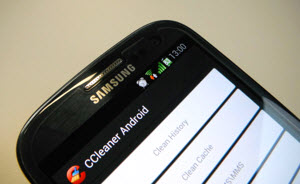
    Although there are many free system cleaners available for Windows and Mac OS X, CCleaner is one of the most popular, and for good reason. It’s thorough, trustworthy and very easy to use. It’s among the first programs I always install on a new system.

    The good news for Android owners is developer Piriform is working on a new version of its cleanup tool specifically for the mobile platform that will offer one-click cleaning to “help keep your Android devices running like new”.

    Unfortunately there’s no word on when it will be available. Piriform says only that the app is currently a “work in progress” and there’s no firm release date yet. However, the Android cleaner is undergoing internal testing at the moment and the developer says “we’re very happy with how it’s looking” so that sounds promising.

    Will you be installing it on your Android when it becomes available, or are you of the mindset that it’s not really something that’s needed on mobile devices?

  • Whole Foods announces mandatory GMO labeling by 2018; here’s how it happened

    In a huge victory for the alternative media and grassroots activism, Whole Foods announced on Friday that it would require GMO labels on all products by 2018. (Click here for the press release.) This announcement deals a significant blow to Monsanto, DuPont and all the…
  • Rand Paul victory for human rights as President Obama backs away from his desire to kill Americans with drones

    Americans concerned about President Obama’s sustained assault on the Constitution have Sen. Rand Paul, Kentucky Republican, to thank for beating back administration tyranny – at least for the time being. As most Natural News readers already know, Paul took to the…
  • School now offering counseling to kids upset by strawberry-tart gun

    (NaturalNews)It’s called doubling down. First, a teacher at the Park Elementary School in Baltimore flips out, because 7-year-old Josh Welch bites his strawberry tart, trying to make it look like a mountain—but it ends up looking (sort of) like a gun. The teacher reports Josh…

  • Organic Consumer’s Association Political Director arrested outside White House over GMO labeling

    Alexis Badden Mayer of the Organic Consumers Association was arrested March 2 outside the White House, when she attempted to deliver a DVD petition including over 200,000 names. The petition asked Michelle Obama to ask her husband to fulfill a campaign promise to label…
  • AT&T (vaguely) elaborates on their device unlocking policy

    att_logo

    Unless you’ve been avoiding the internet lately, you’ve no doubt heard a few details about that new law that makes unlocking your cell phone illegal. AT&T, in what was probably an attempt to avoid any negative PR, has attempted to clear up their device unlocking policy. In theory, it’s a good move, as it lets consumers know where their cell provider stands on device unlocking. Unfortunately, AT&T left a few details more than a little hazy.

    AT&T’s VP of Federal Regulatory Joan Marsh released a statement about the company’s unlocking policy, stating “if we have the unlock code or can reasonably get it from the manufacturer, AT&T currently will unlock a device for any customer whose account has been active for at least sixty days; whose account is in good standing and has no unpaid balance; and who has fulfilled his or her service agreement commitment. If the conditions are met we will unlock up to five devices per account per year.”

    So, cool, right? As long as I pay my bill, AT&T will unlock my device! Theoretically, yes, but there are a few ifs in that statement. If AT&T has the unlock code for your specific device, you’ll be fine. Otherwise… good luck. “Being in good standing” is also decided at AT&T’s discretion. You’ll at least have to have no unpaid balance on your bill and will have to have completed your two year service agreement, but there’s no clear definition if there’s anything else to that. Hopefully we’ll see AT&T clear some of this up in the future.

    source: AT&T

    via: Engadget

    Come comment on this article: AT&T (vaguely) elaborates on their device unlocking policy

  • Google files patent for back-panel smartphone touch controls

    Google Back Panel Touch
    Touch displays are obviously terrific, but there are times when it would be great to have an alternative way to navigate on our smartphones, especially if we don’t want to muck up our screens with greasy fingerprints. Patent Bolt has found that Google (GOOG) is apparently following Apple’s (AAPL) lead by working on a technology that provides smartphone touch controls on the back panel of the device instead of on the front display. Patent Bolt notes that the back-panel controls would obviously perform simple tasks since it would be difficult to type words if you can see a keypad. However, Patent Bolt says that the controls could allow you to “turn a page of an ebook, article on the web or flip to ‘next’ or ‘previous’ views of photos,” among other things. The technology outlined in Google’s patent is similar to technology outlined in a patent filed by Apple in 2006, although so far Apple hasn’t developed any sort of back-panel controls for either the iPhone or the iPad.

  • Google Play Brings More Deals as the Birthday Celebration Continues

    Google Play Store Birthday

    Google continues to celebrate the 1st birthday of the Play Store in a week long bonanza of savings and deals. From $0.99 movie rentals to various in-game deals, Google is showering us in savings. So without further hesitation, hit the break to check out the various deals in each department. Keep it locked here as we continue to bring the highlights of this birthday bash to you. Enjoy!


    Come comment on this article: Google Play Brings More Deals as the Birthday Celebration Continues

  • BlackBerry Z10 getting WhatsApp starting next week

    BlackBerry Z10 WhatsApp
    BlackBerry’s (BBRY) app problem is about to get a little less severe. BlackBerry social media manager Alex Kinsella on Thursday posted an update to his Twitter account “predicting” that BlackBerry Z10 users will “be downloading WhatsApp” within the next week. Having WhatsApp on BlackBerry 10 is an important win for the new BlackBerry platform both because of its popularity in emerging markets and because it may help offset the impending loss of unlimited BlackBerry Messenger services in certain key markets. All that said, BlackBerry still has a long way to go when it comes to attracting top apps to its platform, especially in light of Netflix’s (NFLX) confirmation this week that it has no plans to make an app for BlackBerry 10.

  • Geeks rejoice! Windows Phone 8 welcomes Newegg app

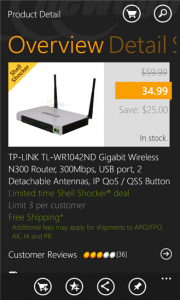
    For many of you this may not sound like a very big deal — an app that allows you to buy computer parts from your phone may sound ho-hum. But, when that app comes from Newegg then it may get your attention. The retailer is perhaps one of the favorites on the web for those looking for everything from hard drives to RAM to all sorts of Radio Shack-style accessories.

    Today, the company rolled out its official, fully-supported Windows Phone 8 app. Version 1.4 is the first to offer full support for the new Microsoft mobile operating system — “This is the Newegg.com mobile application. The app allows Windows Phone users to search, shop, read reviews and make purchases”, right from the retail giant. This is not the first Newegg app for Windows Phone and there are still a few missing pieces in the puzzle. Sadly, it still lacks some features. For instance, Lockscreen notifications and even a double-wide tile are both lacking. Then again, the new app does bring fast-app resume and it is super quick on loading, per early tests.

    Needless to say the app is free — Newegg expects to make up development costs with no problem, thanks to the ease of making tech purchases. And I am sure they will — without the app I have spent more than $100 there in the past couple of weeks. Who knows what will happen now.

  • What I really think about Google Chromebook Pixel

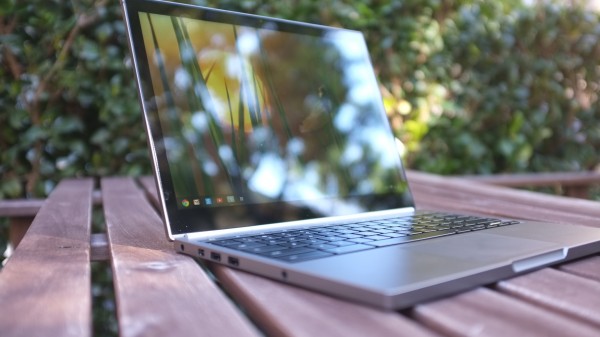
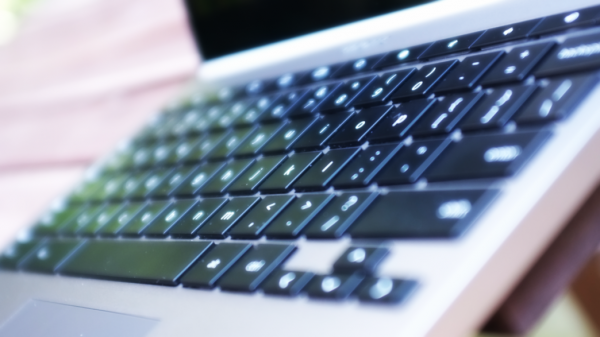
    Second in a series. Fourteen days using Google’s first computer, my decision is made: I would buy one and will someday (taxes are brutal, so my options are limited short-term). I firmly believe that most buyers willing to spend $1,299 (32GB WiFi) or $1,449 (64GB 4G LTE) will be satisfied with Chromebook Pixel. That’s because I presume they wouldn’t dole out that much without really examining how the computer would fit their lifestyle; also, Google seeks the same people coming from Windows who might buy MacBook Pro 13-inch.

    Seven days ago, in my first-impressions review, I looked at the overall experience and price benefits from the perspective of hardware. Here, I start to answer larger question: Can Pixel be your main and only machine? For most people, the answer is an unequivocal “No”. But “most people” isn’t Google’s target market.

    Pay to Play

    I’m amused by the mixed reactions to Chromebook Pixel. Price is a barrier for many reviewers, but clearly not for the brave geeks who buy one.

    People perplexed by Pixel pricing (say that three times fast) need to understand something. The $1,200-plus draws a line that leaves behind the majority of computer buyers. By pricing high but packing in hardware that justifies the cost, Google assures that a smaller, more-enthusiast crowd will buy Chromebook Pixel — and a group more likely to be passionate and vocal about their experiences. These are people willing to be different — to live another computing lifestyle — and don’t mind paying to field test a new platform.

    Chrome OS at $249 on Samsung’s ARM Chromebook is one platform. Chrome OS for $1,050 more, with high-resolution touchscreen, is an altogether different platform. Touch and 2560 x 1700 resolution change everything. A $199 Acer Chromebook could replace a primary PC but most people won’t use it that way. Pixel is meant to replace, rather than displace, the computer you’ve already got. The usage scenarios are different.

    But there’s more: High-resolution and touch change the overall usage experience and how people interact with Chrome OS. But that’s all a work in progress. Not all the touch-enabled apps are there — actually very few that take full advantage of the screen’s capabilities. Chromebook Pixel is really only ready for people willing to take the challenge — living in the cloud and adapting to change. Google makes them pay for the privilege.

    That’s one reason I call them field testers rather than beta testers. There’s nothing beta about Chromebook Pixel and Chrome OS 25. Hardware and software experience is rock-solid. Simply, the usage scenarios will expand as more apps support the resolution and touch capabilities. Google should want a vocal, enthusiast crowd buying the machine before the apps ecosystem is mature.
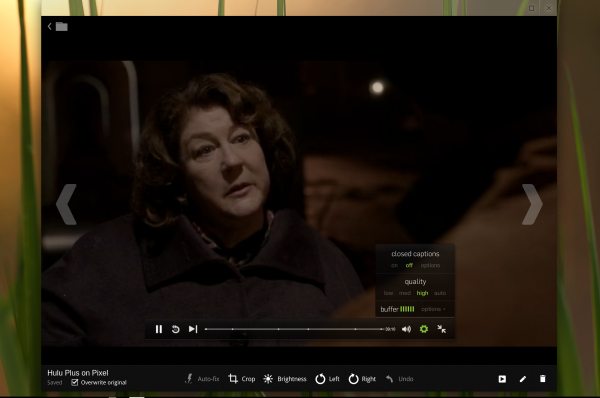
    Chromebook Pixel owners pay to play. Some people will balk and accuse Google of exploiting customers, but I assume most who do wouldn’t spend $1,200-plus for a laptop anyway. So don’t gripe, if you wouldn’t buy one. But the approach makes sense. Think about it. Who is more likely to show off a new car and boast about it? The guy or gal buying a $3,000 used clunker or someone plunking down six figures for a finicky euro sports car? Chromebook Pixel is that pretty machine with somewhat eccentric character, like the euro car.

    Juxtaposed Opinions

    From reading reviews over the past week, clearly many professional reviewers don’t get the Pixel concept, so they don’t recommend the computer. The tone from one to the next is similar: The hardware is great kit, but there’s no software. By stark contrast, I see nothing short of praise from the people who buy the laptop. Satisfaction runs high and from some unexpected adopters.

    Users. Uglydoll creator David Horvath gives one of the best responses to naysayers: “I run our company on Pixel now”. So much for creatives-and-Mac stereotypes. He is living proof of what I’ve expressed repeatedly for the past two weeks — here and on Google+, about the target market. Google sees would-be MacBook Pro 13-inch buyers as potential pixel purchasers (that’s easier to say three times). Best candidates are moving from Windows.

    Another Pixel user makes similar observation. Don MacAskill, SmugMug CEO:

    Wow. Blown away by how much I’m liking my Chromebook Pixel. I even had momentary frustration when I went back to my MacBook Pro Retina. That’s a first. Summary: Screen gorgeous. Touch awesome (finally!). Great trackpad (a first on a Chromebook!). Very fast. Solid & well-machined.

    There are things I won’t be able to do on it (my IDE comes to mind, as does git) but this is a major leap in the right direction. This is the single Apple competitive laptop on the market. I wonder what the gang over in Cupertino thinks about it?

    You need to understand the context. SmugMug is a huge shop of Mac users, and its apps support Apple platforms before any other. Google doesn’t want to sell Chromebook Pixel to the masses, but people like Horvath and MacAskill, creatives who either use or are predisposed to Macs.
    Linux creator Linus Torvalds also extols the computer’s benefits:

    I’ve joined all the cool kids in having one of the new Google ‘Pixel’ laptops (aka Chromebooks) — and it is a beautiful screen, to the point where I suspect I’ll make this my primary laptop. I tend to like my laptops slightly smaller, but I think I can lug around this 1.5 kg monster despite feeling fairly strongly that a laptop should weigh 1 kg or less. Because the screen really is that nice.

    Not surprisingly, Torvalds sees Linux in his Pixel’s future.

    Software developer Jerry Daniels received his Chromebook Pixel yesterday: “OK, been using my Pixel out of the box for over three hours on a 50 percent charge. I just now plugged in the power supply. Two things happened: 1) The power plug went into that socket on the side of the unit in a very sexual way (not kidding)…2) The screen just went to a whole other level of operation (brighter, clearer, wow). This whole thing’s getting like 2001 a Space Odyssey. Did Kubrick design this thing?”

    Reviewers. Professional reviewers don’t share these buyers’ enthusiasm. Writing for ArsTechnica, Andrew Cunningham quips: “Hardware is worth $1,299, but Chrome OS isn’t”. I disagree but do agree that the “Pixel seems better positioned as a means to an end rather than as a product that is itself intended to reach a mass-market audience”. Which is my main point in this post and its predecessor.

    For Mashable, writing about the “agony and the ecstasy of the Chromebook Pixel“, Chris Taylor concludes: “As lovely as the device is, I’m not quite ready to recommend it”. Bloomberg columnist Rich Jaroslovsky calls Pixel “upscale overkill“.

    I could go on, but most of the reviews are similar ilk and strongly contrast to people paying for Chromebook Pixel rather than using a Google loaner. There’s a big difference between someone choosing to spend money on something versus someone who doesn’t.

    The Big Question

    Who is Chromebook Pixel for? Probably not you, if you’re most people.

    Scenarios. Originally, I planned to make this second part about usage scenarios, but I changed my plan. That’s now more for part three, and primarily intended for people strongly considering Chromebook Pixel and wondering what apps they can use. I’ve given many usage scenarios related to Chrome OS in previous posts and want to spend more time working with the best apps. Usage scenarios for Pixel aren’t yet that different from lower-cost Chromebooks, but that will change as more apps are fine-tuned to take full advantage of the gorgeous touchscreen.
    Some posts for reference:

    Touch. Before continuing, little has changed in my second week with Chromebook Pixel, other than I like the computer all the more and use it as my primary PC without reservation or hesitation. I love this computer. Because I started using a Chrome OS computer as my main machine starting in May, the transition is easy for me. I already live in the cloud, which experience is remarkably better because of the high-res touchscreen. But that lifestyle isn’t typical, which is one reason part three will look at Pixel as daily machine and what limitations or opportunities cloud apps present on the gorgeous touchscreen.

    Then there is sense the touchscreen is too far ahead of the operating system and apps, which is one reason I regard Pixel for field testers who love change and the bleeding edge or creative-types who see potential that others don’t readily.

    I recently reviewed Surface Pro, which also features a high-resolution touchscreen, although lower than Pixel. The usability experience between the two user interfaces is shockingly different. Google presents Chrome as the major motif. Windows 8’s Modern UI is a full-screen motif that licks the display’s edges and presents big, bold elements that are easy to touch.

    For example, I find the experience using Internet Explorer 10 to be visually and tactfully more satisfying on Surface Pro than Chrome on Google’s laptop. Microsoft smartly places the navigation controls at the bottom of the screen, which diminishes Gorilla arm and puts them closer to the fingers for when people use keyboard and touch — which is the idea for Surface Pro. Additionally, going back or forward to webpages is easier. Just swipe your finger left or right. Somebody really thought-out this user interface.

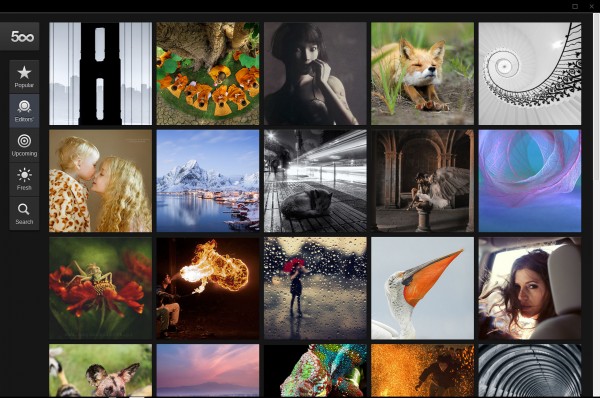
    Chrome OS responds to touch but doesn’t love the finger. That matters less if the apps are. The 500px photo-sharing app is fully-tuned to Pixel and foreshadows just how transforming and exciting the user experience could be.

    Legacy. Related, I must agree with Cunningham, who writes:

    The problem with Chrome OS isn’t that you can’t do most of your day-to-day tasks in a web browser, but if you’ve spent any time getting used to a certain set of tools, you’ll probably need to trade them in for web-based ones. And the real sticking points are those applications that have no easy web-based replacements. If you rely on even one piece of desktop software to get your work done, the absence of that client in Chrome OS will make the Pixel that much less plausible as a primary computing device.

    I’ve found nearly all needed web apps and had no major software dependency before using Chromebook Pixel. Actually, because of the Core i5 processor and high resolution, I have better choices on Pixel than other Chromebooks, and my general productivity is hugely improved. More importantly, I enjoy working on this computer. It’s the joy factor missing among the reviewers compared to the users above.
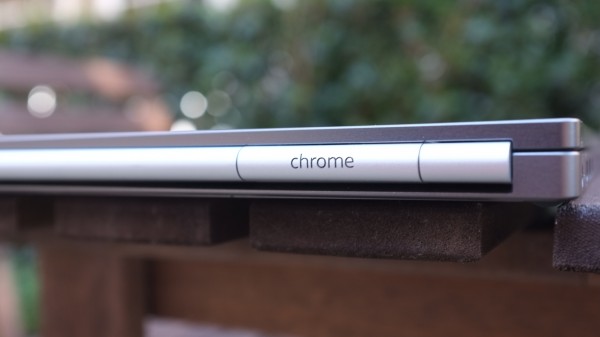
    Specs. This is a good place to recap specs: 12.85-inch touchscreen, 2560 x 1700 resolution, 239 pixels per inch; 1.8GHz Core i5 processor; Intel HD graphics 4000; 4GB DDR3 RAM; 32GB or 64GB of storage; HD WebCam; backlit keyboard; dual-band WiFi 802.11 a/b/g/n 2×2; 4G LTE (on one model); Bluetooth 3.0; mini-display port; two USB ports; Chrome OS. Measures: 297.7 x 224.6 x 16.2 mm. Weighs: 1.52 kg (3.35 pounds). Cost: $1,299 (32GB WiFi); $1,449 (64GB WiFi/4G LTE). 1TB Google Drive storage is included free, for three years.

    Storage. “The three-year terabyte was a major factor in my going for the Pixel”, Daniels says. “The Pixel might be the perfect laptop for CIOs or CTOs who may well find themselves under circumstances not unlike my own. I’m speaking purely from the storage point of view. The great OS and device are candy”.

    Security. I feel safe using Chromebook, and I’m not alone. “The thing I think I’m most excited about Chrome OS as a platform is security”, MacAskill says. “No real OS or storage to worry about, cloud-managed auto-updates, cloud monitoring for exploits, etc”. Remember, a Mac user says this, and Apple’s OS is considered to be much freer from malware than Windows.

    The Answer

    Chromebook Pixel isn’t for most people, with price being major reason and inertia another. For example, if:

    • You never under any circumstances would spend more than $1,200 on a personal computer.
    • You are attached to using some desktop application, or recently purchased expensive software.
    • You depend on macros, templates or other customizations that are directly tied to an application.

    Chromebook Pixel is for anyone willing to spend $1,200 or more on a computer and who:

    • Primarily writes
    • Is truly creative
    • Lives the Google lifestyle
    • Wants a touchscreen laptop
    • Primarily uses Chrome for everything
    • Wants to run Linux alongside Chrome OS
    • Loves being on the cutting edge of computing
    • Considers buying MacBook Pro 13-inch with Retina Display

    To emphasize:

    1. I am absolutely convinced that creative types will love Chromebook Pixel, and those, who like Horvath or MacAskill, give it a chance will discover in the Chrome Web Store apps they can use to make magic.

    2. Google enthusiasts will find that Pixel is the Chromebook they waited for. The computer is superbly handsome and feels fast in all the right ways. Everything syncs with their existing lifestyle.

    3. Geeks like Torvalds will delight in the high-resolution touchscreen and possibilities, which include dual-booting some other operating systems (can you say Linux). They can have the cloud and legacy apps, too, with touch and beautiful bod.

    That’s a wrap, until part three.

    Photo Credits: Joe Wilcox

  • AT&T reaffirms commitment to unlocking cell phones

    AT&T Cell Phone Unlocking Policy
    The issue of unlocking cell phones has been receiving a lot of press lately. Despite some recent objections from the White House, under the Digital Millennium Copyright Act it is still illegal to unlock a cell phone without prior consent from a wireless carrier. And on Friday, AT&T (T) went on record and reaffirmed its commitment to unlocking smartphones if certain requirements are met.

    Continue reading…

  • YouTube’s Justin Bieber channel gets hacked, then goes back to normal

    Sorry, Justin Bieber, your YouTube got hacked. Again.

    The page was working fine at around 5:30 PT, but a couple of hours earlier, reports surfaced on Twitter about Justin Bieber’s YouTube channel, Kidrauhl, appeared to be hacked, sending fans running to Twitter:

    Other YouTube channels might have been hacked, too, according to some tweets:

    We’ve sent an inquiry to Google and will update this post as soon as we hear back.

    Related research and analysis from GigaOM Pro:
    Subscriber content. Sign up for a free trial.