Blog

  • Alexander Rossi in the Lotus 49 at COTA – Road & Track

    Alexander Rossi

    If you were to ask any professional racing driver if they were afraid of any car, the probability of them saying “Yes” would be very small. Alexander Rossi, the reserve driver for the Caterham F1 Team is no exception. At 22-years old he’s one of the youngest in the sport and looks to have a long, fruitful career ahead of him. However just for shits and giggles Rossi was recently given the opportunity to climb behind the wheel of a machine that was 24 years his senior. The car was Jim Clark’s 1967 Lotus 49, and while new to Rossi, he wasted no time in flogging it around the new Circuit of the America’s in Austin, TX. Check out Road & Track’s video below.

    Source: RoadandTrack.com

  • Last week on Pro: smart meters, smart watches, and more

    It was a busy week for our startup, social, and mobile readers — all eyes were on Palo Alto on Thursday, as the Zuck took to the stage to announce Facebook Home launcher for Android devices, dispelling earlier rumors that the social network would release its own phone – at least, for now. Meanwhile, over on GigaOM Pro, our analysts have been getting smart: this week’s featured research includes a flash analysis on the future of the smart watch, a deep dive into big data and smart grid technologies, and more.

    Note: GigaOM Pro is a subscription-based research service offering in-depth, timely analysis of developing trends and technologies. Visit pro.gigaom.com to learn more about it.

    Cleantech: How energy data will impact the smart grid
    Adam Lesser

    “The time has come for software development to tackle the smart grid,” declares Analyst Adam Lesser in his latest research report. Now that we’re collecting petabytes of energy-use data from millions of connected devices, companies working in home energy management, building energy management, and utilities must leverage new, affordable big data tools to monitor and impact energy usage. As solar has given cleantech investment a bad name, software (and, to a lesser extent) hardware startups are offering a new range of products meant to increase efficiency of a fossil fuel source, as opposed to advancing renewable energy options. Lesser analyzes the risks and opportunities for these companies and highlights the major trends and takeaways from the companies already working in the space, such as Nest, Opower and ENBALA.

    Connected Consumer: Flash analysis: smart watches
    Michael Wolf

    With the success of projects like the Pebble watch on Kickstarter, followed by rumors that Apple might release its own device, the smart watch is no longer a gimmicky sci-fi gadget. Instead, early offerings from startup companies (or recipients of crowd sourced funding) have proven that there is interest and excitement from consumers, investors, and larger consumer products companies. Analyst Michael Wolf looks at the results of a reader survey conducted last month across GigaOM and GigaOM Pro, summarizing responses about smart watch price points, feature requests, and use cases and adoption rates, among other data points. The report also goes on to look at the Pebble’s market position in relation to potential offerings by giants like Apple and Samsung, as well as the company’s prospects in the near term future.

    Social: What is of highest value in today’s business?
    Stowe Boyd

    In his latest weekly update, Analyst Stowe Boyd looks at the changing nature of work in the American economy. Looking at recently-released data from the New York Federal Reserve, Boyd notes that since 1975, major shifts in labor — from manual, routine jobs towards nonroutine, knowledge-based work – has increased by about 20 percent. Boyd looks at how this shift is affecting operations, culture, and structure in the workplace at large.

    Related research and analysis from GigaOM Pro:
    Subscriber content. Sign up for a free trial.


  • Takeaways from The Raven, and other online shorts that went Hollywood

    There’s no one way for a film to get made, or a filmmaker to be discovered — but proving that you know how to direct something, even a short film, seems like a good way to start.

    The latest example of a short film evolving into a feature length project is The Raven, which began life as a 2010 online video directed by Ricardo de Montreuil, and is now in development as a feature film for Universal. The premise: A telekinetic rebel with some sweet parkour skills goes on the run from a futuristic LAPD.

    While the film was originally being developed as a vehicle for producer Mark Wahlberg, Deadline reported this week that The Raven is looking to sign Hunger Games star Liam Helmsworth for the lead — bringing the dystopian sci-fi action project that much closer to multiplexes.

    Here are some key takeaways from The Raven‘s success:

    You never know what will get you some attention

    De Montreuil is an established director on the festival circuit, having already directed three feature films, including the 2008 Mancora, which was screened at both the Sundance and SXSW film festivals. But it’s this $5,000 short, shot in 48 hours, that pushed him towards directing his first big studio picture.

    Sometimes the path of a successful online short film takes you directly to a feature — take the example of Neill Blomkamp, whose short film Alive In Joburg eventually evolved into the Oscar-nominated 2009 film District 9.

    But other times it’s less direct, as with former Totally Rad Show host Dan Trachtenberg, who made a big splash in 2011 with a short inspired by the video game Portal.

    While a Portal feature remains elusive, the buzz that resulted lead Trachtenberg to another project — directing the adaptation of Y The Last Man, an award-winning graphic novel series that has equal fanboy appeal.

    The Raven is more likely on the Blomkamp track than the Trachtenberg track, but even if a feature version is never produced, De Montreuil has gotten his foot inside the door.

    Making movies really does take a long time

    The Raven was originally posted on April 21, 2010, and was picked up by film blogs a few days later.

    But the deal with Universal didn’t come through until July 2010, and between then and now there have been few updates. Even for projects that could technically be considered success stories, the pace of the studio system requires no shortage of patience.

    Put it all out there

    The Raven was released simultaneously on both YouTube and Vimeo, and across both sites the description is simple and to the point — it lays out the project’s logline, the cast and crew, the tools used to create the short, and a contact email for the creator.

    And the most important fact laid out is the budget for the project: $5,000, which is impressive given the level of digital effects involved.

    In addition to the short film, the official Facebook page contains news updates and concept art for the future tech featured in the project, and a short behind the scenes video showcases some of the stunt work that gives the project a human edge.

    All of this leads to a concept of the short film as more than a short film — as a prototype for a much larger project. Which, for filmmakers interested in this approach, is the most valuable takeaway of all.

    Related research and analysis from GigaOM Pro:
    Subscriber content. Sign up for a free trial.


  • Rick Warren’s son’s suicide – What is mental health?

    Suicide. Just the word conjures a dark place that some know all too well, while some can never fathom. Most have glimpsed a place like this, as a part of natural emotion cycles, and been able to let it go and, after a time, re-embrace life. What do you die from when…
  • Samsung Infringes Key Portion of Apple Patent

    samsung_vs_appleApple and Samsung are still going at it!  On the road to innovation and market domination, Samsung has managed to infringe on a piece of an Apple patent. While they skirted the line on an infringement dealing with auto-detection of microphones or other devices plugged into its handset’s microphone jacks, an International Trade Commission (ITC) judge has found Samsung guilty of crossing that line with one of their other “innovations”.

    The decision, issued back on March 26, was released Thursday and revealed that Samsung’s “text-select” feature on its smartphones and tablets is in fact an infringement on a key portion of Apple’s patent. Although the decision is not final, the full commission is expected to make a final decision sometime in August.

    If the ITC judge’s decision is upheld, Samsung will be barred from importing any of the infringing devices to the US.  This would be a crushing blow to Samsung’s bottom line for sure. What items are on the chopping block?  Included in the list of infringing devices are their Transform and Nexus devices, among others. For more information on affected devices, search for ITC case #337-796.

    According to Gartnew Inc., Samsung is the world’s “largest smartphone maker”, while Apple comes in a close second. This, of course, is more than likely the reason Apple has been on the offensive with respect to its patents. Legal battles between Samsung and Apple are nothing new, and have ensued in more than 10 countries over the past few years.

    The old saying, “Don’t bite the hand that feeds you” comes to mind in the case of Apple’s numerous lawsuits against Samsung. Samsung, after all, has always been a main supplier of mico-processors, flat screens, and memory chips for Apple’s infamous iPhones. In retaliation for their shenanigans, Apple has reduced the number of chips and screens they order from their rival…take that Samsung! What do you think, has Apple gone too far with its lawsuits against Samsung, or has Samsung crossed the line with its supposed patent infringements?

    Source: Routers

    Come comment on this article: Samsung Infringes Key Portion of Apple Patent

  • OUYA to Launch in 59 Days, Brings with it Software and Hardware Improvements

    ouya_consoleOUYA has done a great job of listening to early adopters of their developer consoles, and has worked rigorously to address issues and concerns that have been reported. According to OUYA, they have fixed identified issues for their upcoming June roll out. Their promise to consumers, to “continue to obsess over quality and performance“.

    Some of the overall improvements to the final product include both hardware and software improvements.  Here is a list OUYA has for each:

    HARDWARE

    Problem: Battery Covers on front of unit fell off easily during shipping.

    Fix: Add additional magnets to cover plats to improve security.

    SOFTWARE

    Problem: Current software iteration has a few key components issues, such as lack of storage, complicated installation processes, and a lack of controller support for video players.

    Fix: Added numerous software fixes, to include options not necessarily addressed by developers, such as:

    • External storage for games
    • Simpler game install process
    • More metrics for developers
    • Controller support for video players
    • More payment options

    No changes are planned to the UI at this time, as OUYA wants to keep it “simple, easy, and OBVIOUS!” for their users. To date, OUYA supports over 100 games, to include console exclusives, new developers, experienced developers, ports, and more. OUYA’s promise to you, “A world of great games among which you are sure to find new favorites!“. OUYA also promises that more games are in the pipeline and plan to launch them over the coming months.

    To ensure continuous improvement and customer satisfaction, OUYA is asking for feedback from YOU! They are holding a Reddit Ask Me Anything (AMA) event the beginning of May, and welcome feedback through their website.

    Source: OUYA

    Come comment on this article: OUYA to Launch in 59 Days, Brings with it Software and Hardware Improvements

  • Track The Progress Of This 3D-Printed OpenRC Truggy, A Remote Control Car Enthusiast’s Dream

    13 - 1 (2)

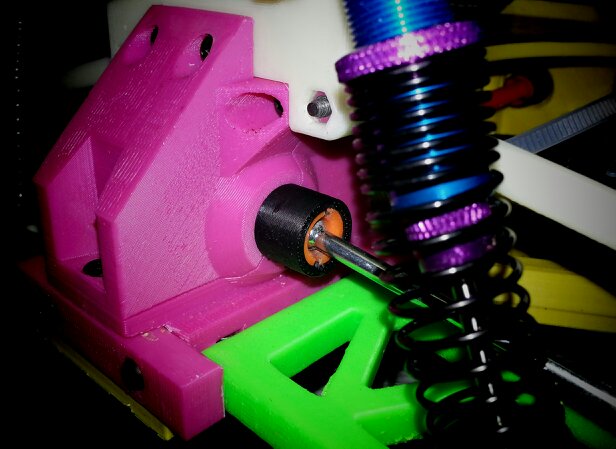
    If you’re into 3D printable stuff, or into remote control cars, then the OpenRC Project is for you. A gentleman in Sweden named Daniel Norée is sharing his progress on a 3D-printed Truggy, as well as sharing the recipe with the OpenRC Project group that he created. A truggy is an off-road vehicle, in case you weren’t sure.

    The cost of 3D printers are dropping both for at-home use and enterprise, so it’s a very real possibility that consumers all over the world could soon have these devices in their living rooms. Crazier things have happened. We’ve seen 3D printed iPhone docks, violins, pottery and even a robotic hand for a child.

    If you can print out your very own customized remote control car with one, count me in. While not all of the parts are printable, such as the wheels, for really die-hard remote control car fans, those are parts that they probably have sitting around in the garage already.

    Here’s a video that Norée uploaded today that showssome of the schematics behind the parts, and the actual 3D printing process using one of those fancy MakerBot Replicators:

    The project has come a long way in the past few months, as here’s a video of an earlier model breaking down:

    I want one.

    While this isn’t the only 3D-printed remote control car out there, the advantage here is that you can follow the progress of the project on Google+ and join the discussion. If you’re ready to print one out, go here.

  • ES File Explorer Hits Build 3, Now Available for Testing Over at XDA

    ESFileExplorer3Title

    ES File Explorer has been on my phone for a long time. I love using it to manipulate and move files to and from various folders and the like. My only complaint was that the UI seemed a bit outdated and didn’t fit with the Holo style that the later versions of Android brought to the table. The devs must have read my mind though because they posted a test build of the newest version of the file manager sporting a new Holo-style theme. While it is marked for testing purposes, the app appears to be pretty solid. I have yet to see a hiccup in the short time that I’ve used it.

    For those that are interested in tinkering with the app, you can download it or read up on it from the source link below. I’ve included a gallery past the break so that you can see the new UI in action. It should hit the Play Store sometime soon barring any major bugs. As far as I can tell though, it’s pretty close to a final product.

    Es1
    es2
    es3
    es4
    es5
    es6
    es7
    es8
    es9

    source: XDA

    Come comment on this article: ES File Explorer Hits Build 3, Now Available for Testing Over at XDA

  • As Austin readies for Google Fiber, here’s why you need a gig: even if you don’t think you do

    I was so excited by the prospect that my newly built home in Austin, Texas might get Google Fiber’s gigabit service, that I couldn’t sleep last night.

    I felt like kid the night before Christmas, running over all the possibilities in my head and generally waking my husband up every few minutes to exclaim ridiculous things like, “This means our bandwidth won’t fluctuate when we’re watching Hulu at night!” or “I bet we could build some kind of video related IM, so I could be in the kitchen and ping you at work. It would just be always on! Hell, it might be streamed at the new higher than high-def, 4K standard or better if we’re doing gigabit service. OMG 4K!”

    It’s no longer a question: Google is bringing its Google Fiber network to Austin. I’ve confirmed it with sources and the brief publication of a post in the middle of the night by Google should assuage anyone else’s doubts. While I have no idea how far Google plans to extend its network, if it plans to model the roll out on Kansas City’s build out I just have to get my neighbors as excited about a gigabit as I am.

    LGs 4K TV. Try to get that past your bandwidth cap.

    LGs 4K TV. Try to get that past your bandwidth cap.

    My husband’s willingness to humor my gigabit suggestions became less enthusiastic after midnight, but he pointed out what many people are no doubt thinking, “We won’t have to deal with Time Warner Cable anymore.” As a customer of Time Warner’s business service, he has had several bitter experiences. On the residential side I’ve been miffed by the price hikes (I’m paying $70 for 30/5 service) but content with the service. But as I sit here writing this post while streaming music via my Sonos and while my child watches Netflix, I’m well aware that even if the executives at Time Warner Cable may say that consumers don’t want a gig, I do.

    And you should too. Heck, in Kansas City I’d pay the same price for a gig as I do now for something 30 times slower.

    Broadband is making your life more fun. And better.

    Broadband has undoubtedly made our lives better in countless small and large ways. Every time someone sends you a goofy YouTube video or animated GIF you’re taking advantage of the ever-increasing speeds ISPs have delivered. When I started accessing the web via dial-up modem, an animated GIF stopped a web page for loading for minutes. Yet, we waited!

    Now people pop nine of them in a news article as a means of telling the story. Favoring visuals instead of text on web sites is a superficial change, but it’s part of an evolution to real-time video connections and maybe even ambient presence. It’s like Skype on steroids.

    But there are more serious benefits. For example, a few years ago when my daughter broke her leg I wrote how awesome it was that the doctors in the ER could just email her X-rays to the pediatric orthopedist on call.

    leg-break-o

    The on-call doc got to stay home and we managed to get answers faster and get my daughter back home. X-rays are big files, and we’re lucky the doctor had the ability to receive them. He’s lucky he didn’t have a data cap that would prevent him from — or charge him extra — for getting multigigabyte files.

    And that’s one of the biggest repercussions of Google’s fiber roll outs. The more people who can pay $70 for gigabit service (or get 5 Mbps for free), the more pressure this puts on the existing providers to upgrade their networks and cut anticonsumer crap like data caps. But that’s exactly why more cities need these networks.

    You don’t need a gig today, but you need one for tomorrow

    You may be wondering why you, in particular, need a gig. The answer is that today you don’t.

    I spend all day thinking and writing about broadband and even I have no idea what I would do with a symmetrical gigabit network inside my home. But we’ve gone far beyond the idea that the internet is just a fad. It’s the underpinning of the information economy. Right now our content is digital, and while next generation video standards like 4K will require 25 Mbps connections, the real reason you need a gig isn’t about video.

    The internet today transfers digital bits, but it’s rapidly moving to the place where it will transfer physical atoms. Thus, it won’t be about information, but about physical goods. Things like Uber or same-day delivery are examples of this. You tell the internet what you want and it delivers it for you in real-time or at least that day. If you consider 3D printers and the evolution of on-demand manufacturing then the internet could bring you physical goods directly. You want a bracelet you see online? If you have a 3D printer, the company will send the file to your Makerbot and it will print it.

    This stool may be the future of on-demand, custom manufacturing.

    This stool may be the future of on-demand, custom manufacturing.

    More likely, the company would ship the design as a file to a manufacturing partner near your home and they would print it. Then they deliver it to you or you pick it up. Take this outside the consumer realm to manufacturing and maybe you get a car part in a few hours as opposed to waiting a few days for it to ship. In medicine, better and faster connectivity opens up the possibility of custom, on-demand drugs. There are startups today offering biological research services via the web. It’s not so far-fetched to imagine your pharmacy stocking the raw materials and then getting a custom drug recipe from your doctor via the web, and having it manufactured on the spot.

    Let’s say goodbye to the information age and embrace what’s next.

    This is the future, or some variation of the future. The point is we don’t know exactly what we will need, but it will need connectivity. And while we have physical resource constraints, legal barriers and a lack of knowledge about how to pull this future together, we shouldn’t have to worry about our connectivity. For us to move beyond the information age we need to be able to take out ability to transfer information reliability and at low cost for granted. Fiber networks offering a gigabit allow us to take data caps, congested networks and service providers that don’t want to lose their triple play revenue out of the equation.

    crystal ball colorful

    Only then does the information age become something that’s a given. Something that’s so much a part of our fabric that we can move on to the next level of innovation. And that is why we need a gig even if we don’t know what we’re going to do with it.

    We need it so we can innovate. So we can move beyond animated GIFs and into the next wave of interactive story telling. So we can take the ability to ship medical records to the best doctor, no matter where she is located, for granted and start working on custom cures that will help that patient.

    With Google Fiber, Austin will get that chance. Every single person who gets the opportunity to sign up should. They should stay up late talking to their spouses what they want to do with unlimited connectivity. The information age was awesome, but now it’s time to see what’s next.

    Related research and analysis from GigaOM Pro:
    Subscriber content. Sign up for a free trial.


  • Wirefly Offers Sprint HTC One Pre-Order for $150

    HTCOneWireFly

    If you’re a Sprint customer and have been salivating over HTC’s newest flagship phone, the HTC One, then you’re in for some good news. The folks over at Wirefly are offering the HTC One for $150 pre-order. Heck even if you’re thinking about switching over to the Now Network this is a good deal. For $50 less than what you’d be paying at Sprint you’ll be able to choose between Stealth Black or Glacial Silver. According to Wirefly it should ship April 19th and be at your door shortly there after. If you’re holding out for a better deal, I’m not sure you’ll find one. Hit the source links below to order yours and you better hurry. There’s no telling on how long this deal will go on.


    sources: HTC One Glacial Silver, HTC One Stealth Black

    Come comment on this article: Wirefly Offers Sprint HTC One Pre-Order for $150

  • New SphereShare.net app provides gallery for Photo Spheres

    sphereshare_banner

    One of the more popular features of Android 4.2 is the Photo Sphere function in the camera app. While many users continue to wait for Android 4.2 to roll out to their device, they can only look on with envy as their friends with Nexus devices post Photo Spheres to Google+ or they stumble upon one on Google Maps. Meanwhile, Nexus owners are only able to share their Photo Spheres with those in their Google+ Circles, which may make it a challenge to compare work with others. Developer Jakub Kinst hopes to address these limitations with a new app, SphereShare.net, which is now available in the Google Play Store.

    SphereShare.net acts similar to photo gallery apps for traditional images, like Flickr or Picasa. Users can post their Photo Spheres to the service, which then makes them available for other users to check out. Even if you don’t have a Photo Sphere capable device, with at least Android 4.0 or better you can still install the app to view Photo Spheres posted by others. Options are available to share to popular social networks.

    Use one of the download links below to grab the free app and start checking out what folks have been able to create with Photo Spheres.

    sphereshare_screen_01
    sphereshare_screen_03
    sphereshare_screen_05
    sphereshare_screen_04
    sphereshare_screen_02

    QR Code generator

    Google Play Download Link

    Come comment on this article: New SphereShare.net app provides gallery for Photo Spheres

  • Official Samsung Galaxy Note 8.0 Accessories Now Available for Pre-Order from GearZap

    samsung_galaxy_note_8

    Now that the Samsung Galaxy Note 8.0 has been announced and since released, at least in the UK, it would only be a matter of time before we saw official accessories come out. Items like cases, screen protectors and even extra S-Pens should be apart of the mix and all we would have to do is sit and wait for that fateful day to come. It looks like that fateful day is today as GearZap, part of Mobile Fun Limited, is the first to offer these official accessories. Right now they’re only available for pre-order but they should be released quite soon.  We see the standard assortment of accessories as well as a few unique ones. Besides the book covers and S-pens we see a car dock and a pouch stand. The pouch keeps your device protected when not in use, while giving you the ability to prop up the tablet for hands free use.  Hit the break to check them out.

    Samsung Book Cover £37.99 ($58.27)

    samsungnote8coverSamsung Pouch Stand £29.99 ($46.00)

    samsungnote8pouchstandSamsung Car Dock £44.99 ($69.00)

    samsungnote8carSamsung Screen Protector £16.99 ($26.06)

    samsungnote8screen

    So there you have it. The S-Pen is up there as well and comes in at £19.99 ($30.66) should you break or lose your original. If you’re interested in checking out the details on these accessories then hit the source below. Now that we’re seeing these in the UK they should hopefully be in the U.S. shortly after the tablet makes its debut here in the States.  Enjoy!

    source: GearZap

    Come comment on this article: Official Samsung Galaxy Note 8.0 Accessories Now Available for Pre-Order from GearZap

  • U.S. Cellular launches unique program to let customers test network

    us_cellular

    One of the big challenges for any consumer buying cellular service is trying to figure out whether the service really is better than what they currently have. Invariably it seems that no matter what network one is on, there is always that friend or family member that seems to have better coverage with their carrier, but researching the matter usually yields conflicting information. Wireless carrier U.S. Cellular hopes to address this problem with a new program that lets potential customers test their coverage for a week with no strings attached.

    In announcing the new program, the U.S. Cellular web site indicates:

    “You deserve to know what to expect from a wireless network before you sign on the dotted line. That’s why, for a limited time, you’re invited to test-drive the U.S. Cellular network for a whole week without signing up for service.”

    There is no cost and no commitment for the “test-drive.” The U.S. Cellular web site indicates the offer is only available at participating locations. You can hit the source link to enter your zip code to see if there is a store near you.

    Would you like to see more carriers offer the ability to test cell service in the places you use your phone and in the ways you use it?

    source: U.S. Cellular

    Come comment on this article: U.S. Cellular launches unique program to let customers test network

  • BMW history. The 02 Series.

    BMW 2002

    The BMW 2002 has always been thought of as the original sports sedan. It combined great looks and performance with daily usability and fun, thus making it an instant hit with consumers and cementing BMW as a true player in the performance market. Click through for the video.

    Source: Youtube.com

  • Why Home won’t move the needle for Facebook

    The big question following this week’s Facebook Home announcement is whether it is going to move the needle. And when one looks at the numbers, it’s a question of reach. At least in the near term, Facebook Home will not achieve the reach needed to move the needle.

    Facebook avoided several traps

    Facebook clearly did many things right. First, it elected not to get into the hardware business by developing its own handset, and thus competing directly with Apple, Samsung, HTC, Motorola, LG and others. Second, it didn’t try to build a new operating system, and compete with Apple’s iOS, Google’s Android and Microsoft’s Windows Phone (which is battling BlackBerry for third spot). And if it had to pick one OS, Android was definitely the right option, both because of the design choices that open source provides and the sheer number of Android devices being activated.

    More importantly, as anyone watching the Facebook Home event yesterday saw, Facebook went big. Facebook Home is ambitious, well designed, stunning and immersive in the experience; Mark Zuckerberg is justifiably proud of what his company has created. But the question remains, will it move the needle?

    The numbers tell the story

    There are 130 million smartphone users in the U.S., as of the end of January (all figures are according to ComScore’s most recent report). Currently 76 percent of U.S. smartphone users, or 98 million people, have the Facebook app installed on their phones. Android currently has 52 percent of the smartphone market, which, barring switching from iPhones or other smartphones, leaves the total available market of U.S. Android users with Facebook installed to 51 million.

    But, crucially, Facebook Home will only work on newer (less than a year old) Android handsets, for now the HTC One X, HTC One X+, Samsung Galaxy S III, Note II, HTC One, Samsung Galaxy S4, and HTC First. (Hey, where’s my Samsung Galaxy Nexus and any number of other, newer Android handsets?) So once we take Android users currently with the Facebook app installed (about 50 million users) and subtract from that those with older and/or lower-end Android handsets, we’re left with some 25 million possible Home users in the U.S.

    But there’s more. Facebook Home is not for everyone. We can assume that casual users who check Facebook infrequently – those who have it installed on their Android handset but aren’t frequent users – aren’t likely to convert to Facebook Home. According to Facebook’s year-end presentation, when comparing the number of Monthly Active Users to Daily Active Users, 59 percent of Facebook’s MAUs are DAUs, which makes sense and provides some insight into casual users who don’t check in daily. Nor can we ignore non-contract (prepaid) mobile users – who account for about 25 percent of the mobile user base, and often pay for data by the KB – who will find Facebook Home “immersion” to be very costly.

    So using the best data available, we see that Facebook’s maximum potential reach is seriously impaired by the realities that three-quarters of Facebook smartphone users have iPhones, Blackberries, Windows Phone, Symbian devices or older or low-end Android handsets. Are Facebook users with iPhones or any competing devices going to switch en masse? Certainly not enough to move the needle.

    Consumer concerns will factor

    For casual users, and those concerned about data consumption, the Facebook mobile app will suffice. Likewise for  those who are justifiably concerned about Facebook Home’s ability to monitor every minute detail of their whereabouts, activities, habits, and so on – even when they’re using other apps.

    And then, there’s battery life, already a big issue for smartphone users, as an endless stream of pictures pops up on their handsets.

    At least for the U.S. market, where revenue per user is highest, Facebook Home will simply not move the needle, and shouldn’t add up to more than 10 million  to 20 million of Facebook’s current 100 million U.S. mobile users.

    Exclusive hardware limits reach

    And what about the HTC First, the Facebook handset to be offered exclusively by AT&T on April 12, the same day Facebook Home is scheduled to become available on Google Play? The HTC First is a mid-range and very well-designed handset with a good price point, four pleasing colors, and a great screen. HTC is clearly a contender, and builds gorgeous handsets. But why is this deal, where reach is critical, an exclusive? It simply further limits reach for Facebook.

    Two years ago, AT&T and HTC offered the first Facebook Phone, the HTC Status with QWERTY keyboard and a dedicated Facebook button that took you right into FB. The phone sold in AT&T stores for half the price of the HTC First, and was pulled within a few months for lack of interest. Again, the HTC First (ironically, HTC’s second Facebook handset) should sell okay, but don’t expect lines around the block, or even out the door. Most AT&T smartphone customers use iPhones, which accounted for 85 percent of smartphone sales last quarter.

    The bigger play, and where this can move the needle for Facebook, in time, is to produce a lower-cost handset with Facebook Home for India and other international markets where revenue per user is very low and upside is considerable.

    Whitey Bluestein is an international strategic advisor and corporate development specialist focused on mobile applications, prepaid, MVNOs, payments and roaming services. He is a GigaOM Pro Analyst and Mobile Industry expert, and frequent commentator on CNBC Fast Money. Visit whiteybluestein.com.

    Related research and analysis from GigaOM Pro:
    Subscriber content. Sign up for a free trial.


  • Facebook talks privacy concerning Facebook Home

    facebook_home_video_screen_cap

    Facebook is rarely on the right side of the fence when it comes to privacy, so it’s natural to be a little cautious when buying a phone that’s completely run by Facebook. Fortunately, Facebook looks to be trying to clear up some of the scary privacy concerns right out of the gate.

    They’ve released a privacy FAQ on Facebook that addresses the major points about the phone, and reassures users that there really isn’t anything to worry about. Basically, Facebook Home can’t get any information from you that the Facebook app can’t. It’s just an application from Google Play, so if you decide you don’t like it anymore, it’s one uninstall button away. While installed, though, it does collect generic Facebook activity, location, Facebook messages, and the apps in your Home app launcher, and that information remains user-identifiable for 90 days. In reality, it really isn’t much different than the Facebook app.

    It does change a bit if you’re using the HTC First, though; Facebook can then track apps that generate notifications, but not the content of the notifications. So it has access to a little more information, but not much.

    Personally, I think Facebook is being pretty transparent with what data they collect, and they aren’t asking for much more than what a social networking app needs, anyway. Ultimately, though, it’s up to the user to decide if that’s too invasive or not. Hit the source below to read the full FAQ.

    source: Facebook

    Come comment on this article: Facebook talks privacy concerning Facebook Home

  • I won’t pay AT&T early-termination fees

    Yesterday T-Mobile started taking orders for iPhone 5, which goes on sale from the carrier on April 12. I ordered one black and one white 16GB iPhone 5, setting me back nearly $293, thanks to California’s outrageously high sales tax (yeah, I know it’s a pittance to many Europeans). I’m in process of ripping all five lines from AT&T’s grubby paws and moving them to T-Mobile. Expect a very public spectacle, as I write about my struggle to get AT&T to reduce early-termination fees.

    My first attempt on the first three lines failed. An AT&T customer rep knocked $100 off my bill, which isn’t nearly enough. He said, and I’ve heard this before, the carrier’s computer system wouldn’t let him reduced ETFs. They’re firm obligations that I don’t feel obligated to pay — well, not fully. I’m ready to make my case in the court of public opinion and in process hopefully raise more discussion about ETFs. T-Mobile does away with them. Why not other US carriers?

    I don’t switch carriers lightly — something long pondered — because of onerous ETFs. But I’ve reached a point where enough is enough and take the risk knowing AT&T may compel me to pay more than $700 extra after the last numbers migrate. AT&T ETF is $325 per smartphone, an amount that reduces monthly through the contract period.

    Piss-poor Service

    My family is switching to T-Mobile for two reasons:

    • Cutting the monthly bill (including ongoing device payments) by about one-third
    • Terrible AT&T service in my area — otherwise I would wait out the contracts and change later

    The latter reason reflects on ETFs. Almost since I moved to San Diego five-and-a-half years ago, AT&T service displeased. Early days, we had frequently-dropped calls, which increased after iPhone 4 and again 4S released. Some of these problems are documented in past BetaNews stories. Eventually, call dropping nearly stopped altogether.

    But a new problem emerged about a year ago. While calls are clear to us, nearly everyone on the other end complains voice is broken up. The problem is much, much worse following iPhone 5’s launch, and it’s chronic.

    Mutual Obligations

    From my perspective, AT&T failed to live up to its end of the contract. Phones are useless as phones if we can’t make calls. Neighbors in the same apartment building complain of reception problems, too, and it’s not unusual to see someone in my family or another tenant walking down the street to make calls. We put up with this situation for a long time. The local corporate AT&T store admitted some years ago that my neighborhood is known for signal problems. Since switching three lines to T-Mobile late last month, calls are clear. Is service like that too much to ask?

    My father-in-law is 91 — he spent three days in hospital at New Years. His life could depend on our receiving a phone call from him. He uses and iPhone, and I really can’t ask him to learn something else. Frankly, I should have switched carriers sooner for his benefit and strongly feel AT&T is owed little to no ETFs on the three lines where phone calls are difficult to next to impossible to make.

    Funny, if I moved from T-Mobile for similar reasons, I would feel differently. Under the new Simple Choice plan, a phone is clearly financed and unlocked free and clear if I want to take it elsewhere. iPhone 5 is $99.99 upfront and $20 monthly for 24 months. AT&T sells the phone for more, upfront ($199.99) with contract or full price without ($649 vs. $579.99 from T-Mobile). But, more importantly there, is the contract, which, I say, obligates both parties — AT&T to provide service and for me to pay for it. Why should I pay for service that isn’t provided? T-Mobile financing is a one-way obligation — that I pay off the phone as promised for the privilege of putting down less upfront and to receive interest-free financing. The “Uncarrier” makes no service objection directly related to the phone’s cost to me.

    Subsidy Madness

    ETFs are the bones holding the whole subsidy model in place. US carriers sell you a smartphone for X-lower dollars, hiding the device’s real price, and on smartphones obligating you to pay for data service for 24 months. My father-in-law doesn’t need data at all on his iPhone 4 — home WiFi is more than enough. But as part of the subsidy-obligated contract, data plan is required. Twenty bucks a month for 300MB data. Last year I moved the whole family to a shared plan, trying to waste less paying for nothing.

    If AT&T provided adequate phone service, I would wait out the contracts and move them one by one. That’s what I did with T-Mobile years ago, when we switched to AT&T so that my daughter and father-in-law could have iPhones.

    I’m ready to pay half the ETFs, and AT&T is welcome to the subsidized phones. I don’t expect to pay nothing. But if I’m contractually bound to pay, AT&T is obligated to provide adequate service, which it never has to our apartment since the family moved here in late 2007. We put up with poor cellular service — from frequently dropped calls to garbled ones — for more time than is reasonable. AT&T can’t win back my cellular business, but could keep me for U-verse, for which I’ve been a customer since February 2008.

    I’ll do the right thing and pay something. Will AT&T do the right thing, too, and make fees reasonable for the service provided? A future post will answer that question.

    Photo Credit: Christina Henningstad/Shutterstock

  • How to build your own Adobe Creative Suite with cheaper Mac app alternatives

    Though Adobe’s Creative Suite is still the top choice in creative software by professionals, for individuals and smaller businesses Creative Suite may not be affordable, especially if they only need one or two tools included in the set. CS6′s Design Standard suite costs $1,299, and is composed of Photoshop, Illustrator, Indesign and Acrobat but will cost you roughly $500 each if you buy them individually. Luckily, much of the core functionality you will find in each of Adobe’s products is available in alternative products for a much lower price.

    Adobe Creative Suite Priced Individually

    Through apps mostly available via the Mac App Store, you can decide which components of the software set matter most to you and build up your own custom suite over time to meet your creative needs.  Here are the best alternatives I’ve found that offer similar functionality to what is available in each of Adobe’s products.

    Acrobat to SmileOnMyMac’s PDFPenAcrobat to SmileOnMyMac’s PDFPen ($59.99, Mac) Possibly one of the best apps on the Mac is PDFPen. Like Apple’s Preview application that comes with OS X, you can annotate and add signatures to your PDF documents. Looking beyond annotations, you can scan documents directly into PDFPen and use its OCR feature on the scanned in text to make the scanned document editable. Being able to edit a PDF document directly, not just annotate it, and saving changes to it as a PDF document is another important feature PDFPen has. Exporting the document to Microsoft Word is a recently added feature that is also very useful. There is a Pro version ($99.99, Mac) that adds the ability to create interactive PDF forms, which allows you to add text fields, check boxes and radio buttons, as well as add submit buttons to your forms.  It is also one of the few apps on this list that has an iOS companion app ($4.99 iPhone, $14.99 iPad) with which you can share your PDF files with your iPad and iPhone via iCloud.

    Photoshop to PixelmatorPhotoshop to Pixelmator ($14.99, Mac) By now it’s no secret that Pixelmator is one of the favorite apps on OS X for many. When you think of Photoshop, you think more than just applying filters to your images; you want to edit them. With its multilayered support, you can easily touch up and enhance your images with Pixelmator.  Many of the same tools that Photoshop users have become accustomed too are here too, like the smudge, sponge and brush tools.  Pixelmator also comes with some basic vector tools that may be all that you need from a full-featured vector editing tool like Illustrator.  For most of your day-to-day image editing needs, and at the current low price point of $15, it is hard to beat Pixelmator.

    Illustrator to Indeeo’s iDrawIllustrator to Indeeo’s iDraw ($24.99, Mac) If you have not worked with a true vector drawing tool then you have been missing out on being able to make some really crisp and sharp graphics. Indeeo’s iDraw comes with a decent library of shapes to choose from and supports PDF and SVG import/export.  This means that you can import professional shapes from sites like VectorStock and iStockphoto and tailor them to your needs.  For shapes that are not included in iDraw’s library, you will find the pen tool up to the task of drawing your own set of custom shapes.  The gradient editor is more than adequate and you can edit and modify your paths with ease.  About the only feature that is great to have in Illustrator is the ability to automatically trace a path around an existing graphic — an important feature if you happen to inherit a library of graphics that you need to modify and resize to a higher resolution.  iDraw also has an iOS companion app ($8.99 iPad) that can be a useful as well.

    InDesign to Belight’s Swift PublisherInDesign to Belight’s Swift Publisher ($19.99, Mac) When it comes to page layout editors, what you are looking for is one that comes with plenty of pre-defined templates to choose from; this one has 180 different templates.  It also has the ability to create additional templates.  With Swift Publisher, you can create professional-looking brochures, fliers and newsletters.  It has a large clip art library, many different shapes to work with and a decent layer editor that allows you to work with multiple layers within your documents.  It also has some convenient features like the ability to quickly center objects on the page with the touch of a button — something that makes Swift Publisher a better choice as a layout editor over alternatives in the App Store like Apple’s own Pages app.

    Premier to TechSmith’s CamtasiaPremiere to TechSmith’s Camtasia ($99.99, Mac) If you are looking for a quick and easy movie editor, then look no further than iMovie (free, Mac). If you want something a little more full-featured, then consider stepping up to Final Cut Pro X ($299.99 Mac). But if you are looking for a tool that will help you create screen captures then Camtasia is the best tool that will deliver everything you need to make a professional-looking video.  Some of the included features with Camtasia, like the tilt and restore animations, will bring a level of professionalism to your online screencasts.  Besides being a great screen-capturing tool, its included video editing tool is also easy to use.  Definitely consider this one if you are not splicing together a feature film.

    Audition to Amadeus LiteAudition to Amadeus Lite ($24.99, Mac) Of course there is Garageband (free, Mac) and LogicPro ($199, Mac), but if you are looking for a something with a simpler user interface for dealing directly with an audio file, then Amadeus is what you need. Zooming in and out and scrolling through an audio file is straightforward.  It even comes with full support for Apple’s Audio Units,  plug-ins that can be used to process audio.  There is a Pro version ($59.99, Mac) that adds multi-track editing, batch processing and some audio repairing features that enable you to remove some of the background noise from your recordings. As a free alternative, you may also and to try out Audacity (free, Mac).

    DreamWeaver to Realmac’s RapidWeaverDreamWeaver to Realmac’s RapidWeaver ($79.99, Mac) With the dawn of technologies like WordPress, Drupal and online hosting providers like SquareSpace, the need to create a website from the ground up for many has almost become a forgotten art form.  RapidWeaver includes 45 different themes that you can use to help kickstart your website development without having to learn how to code HTML and CSS.  RapidWeaver has more of a traditional WYSIWYG document editor feel to it than a traditional HTML low-level development tool.  It really picks up where Apple’s now-abandoned iWeb application left off.  Another great alternative to consider when editing HTML and CSS files on the Mac is Tumilt’s HyperEdit ($9.99 Mac) if you are looking for an editor more appealing to developers.

    Flash to Aquafadas’ MotionComposerFlash to Aquafadas’ MotionComposer ($149, Mac) While MotionComposer is not available on the Mac App Store, I was able to pick up a license as part of a bundle from MacUpdate and I’m glad I did. This tool brings the same animation effects that you’d get in Apple’s Keynote and helps you publish them on your website.  MotionComposer will create both Flash and HTML5 animations from the same project.  You get to decide which format you want to publish on your site.  It can also integrate your animations into your iBooks Author document.  If you are just looking to add a little animation to your website, then this is the tool to get.  An alternative to Flash in the Mac App Store that you may also want to consider is Tumult’s Hype ($59.99 Mac), it too can output your animations as HTML5.

    Provided you have a clear idea of what you are looking for, shopping for individual apps may be a much more economical route to go.  There are times when you are participating as part of a creative team that you must support the input and output formats of the tools your teammates are using.  This is especially true when you must hand off your artwork to a publisher or printer that requires a specific file format. When this is the case, you must purchase the tools that your team supports.

    None of these apps listed are complete replacements for such development shops, but these alternatives will get the job done in smaller or one-person creative teams.  And at these prices, each one of these great software titles are definitely worth the investment.

    Related research and analysis from GigaOM Pro:
    Subscriber content. Sign up for a free trial.


  • PC Hunter finds what ails your PC

    Task Manager, Regedit and Explorer are fine for basic Windows troubleshooting, but if your system is having real problems, or you’re trying to manually remove a virus, say, then stronger medicine will be required.

    And it would be difficult to find anything quite as strong as PC Hunter.

    At first glance the program seems much like many similar system information tools. There’s a tab listing your running processes, for instance. A second covers your Windows startup programs, while others detail your Windows services, file associations,

    Look a little closer, though, and you’ll find many tabs have several sections. So “Startup Info” lists services and scheduled tags along with the regular startup programs, while the “Network” tab covers open network connections, IE plugins, HOSTS file, and more.

    There are also many sections aimed squarely at experts: Ring 0 hooks, Ring 3 hooks, filter drivers, DPC timers, HAL callbacks, file system filters and callbacks and a whole lot more. (Fortunately you don’t have to explore any of those unless you really want to.)

    PC Hunter has built-in file and Registry browsers, too. And that could very useful if, say, a virus has disabled Regedit, or Explorer is unstable and won’t work properly.

    And most important of all, PC Hunter isn’t just producing static text reports. It can also carry out useful functions on the various objects it identifies.

    For example, if you’re having malware problems then you might want to delete several programs at once. No problem: click Process, select the offending items, right-click one of them, and there are options to kill all the processes, “force kill” if they’re stubborn, even delete the process executable after it’s been terminated.

    If you’re the technical type then there are all sorts of powerful tools at your disposal. You don’t only get to view suspect system hooks, for instance – the program can even run a disassembler at the relevant address to get a clearer look at what’s happening.

    But again, you don’t have to explore these technicalities, and the program has plenty of more straightforward options available. So if you’re wondering which processes have a particular file open, for instance, just click File, right-click the file and select “View Handle” for a list. While other right-click options allow you to search for a file online, upload it to check for malware, verify its process signature, repair a file association, delete a user account and more.

    One issue we did notice here was a performance lag in some windows. Expand a folder tree in the File browser, for instance, and there was a noticeable delay. And this can lead to some initial confusion if you click something, see there’s no instant response and click it again. But you’ll figure it out within a few minutes.

    There are some minor interface irritations. The File Handles window opens at too small a size, for instance, and it can’t be resized, only maximised. Not a big deal at all, but it is annoying.

    And the layout of the program as a whole means it’s not quite as comfortable to use as, say, Process Hacker or Process Explorer. If you just need an expanded Task Manager then they’re still your best option.

    PC Hunter is still an excellent tool, though, packed with functionality, and if you’re ever likely to go hunting malware manually then you need a copy to hand. Give it a try.

    Photo Credit: cbeniel/Shutterstock