Author: Darrell Etherington

  • GamePop Subscription-Based Android Gaming Console To Cost $129, COM2US Joins Developer List

    GamePop Cube

    The latest product from BlueStacks, the GamePop Android-powered gaming console, will retail for $129 once it exists its free pre-order offer, which is ongoing and will continue through the end of June, the company announced today. And it will launch with a solid line-up of paid gaming titles for the all-you-can-eat subscription fee of $6.99 per month, thanks to newly announced partnerships with COM2US, Korea’s largest game developer, which will have its own dedicated channel in the GamePop menu.

    Other newly announced partners included Intellijoy, and education developers that boasts three of the top 10 spots in the education app category of Google Play, which will be adding around $30 worth of software to the subscription package on offer from GamePop. At launch, GamePop plans to have 500 top paid gaming titles available to subscribers, with revenue split 50/50 between itself and those game developers chosen to be included in the roster.

    GamePop also shared sparse details about its controller system, which will feature dedicated hardware as well as other mobile devices. I spoke with BlueStacks’ John Gargiulo about the new GamePop announcements, and about the controller in particular.

    “It is not what people will expect, it’s much better, we will ensure that the experience is high quality game-by-game,” he said. GamePop will also support using Android or iPhone devices as controllers, via a virtual gamepad interface, and also using “new control paradigms that have recently been made possible,” he teased, though he couldn’t go into more detail about what exactly we’d be seeing in terms of unique control schemes. Most likely gesture-based controls that leverage the accelerometer in those devices will be in play, perhaps providing a Wii-style gaming experience. These will also be tailored to titles game-by-game.

    Overall, the game-by-game approach is a key competitive advantage for GamePop, Gargiulo argues. Whereas others like OUYA have put the impetus on developers to bring their software to their platform and tweak it to make sure it fits, GamePop is doing the opposite, and making sure that developers can bring their software untouched to its device. That means devoting more resources from its own team to ensuring the experience is a good one on the console, but it’s a necessary step when you’re asking developers to embrace a new business model, and it’s something that will ultimately help lower the barrier of entry and ensure that Bluestacks can offer as strong a library as possible.

    That library needs to include games that people already know and love, Gargiulo believes, and delivering that will be the difference between success or failure in this space according to him.

    “What’s really helping us win developers is the fact that we’re using our resources, our funding, our engineering to build all of the IP around their apps and games working on GamePop,” he said. “Whereas, the old school console model, and what others are doing in this space, is asking quite a lot of developers. Developers don’t have a lot of bandwidth, and people are asking them to integrate SDKs, special controls, build special menus and that’s not something we’re asking for.”

    Instead, developers are helping cross-promote the console through in-app advertising and other channels, which requires relatively no effort, and, depending on subscriber base, they stand to make a lot more money than they can by offering their titles on a pay-per-install basis. Gargiulo also says that in-app purchase mechanics will remain untouched, and that all proceeds from those sales will go direct to developers (minus the standard Google Play store cut), without BlueStacks taking any cut of the action.

    The GamePop is still on track for a Winter 2013 release, the company says, and it arrived at the $129 pricing based on a desire to make sure that it has powerful enough hardware to support the most demanding mobile games, and provide some degree of future-proofing. Its 500-game selection may be subject to future expansion, since they company has seen tremendous developer interest, but will also feature a rotating crop of titles, with under performing games being dropped to ensure players always have access to the top titles.
  • Apple Adds A New iPod Touch With 16GB Of Storage And No Rear Camera For $229

    ipod touch

    Apple today dropped a mid-cycle refresh of the iPod touch, its iOS-based iPod, with 16GB of storage on board and without a rear camera, for $229. This slots in its existing lineup between the refreshed, fifth-generation iPod touch, which has a rear camera (and a loop for attaching a wristband), and the iPod nano.

    The new iPod still has the same 4-inch Retina display you’ll find on the existing iPod touch and the iPhone, but it only comes in one color, black and silver, and it replaces the 16GB fourth generation leftover which Apple had offered since introducing the fifth-generation touch, presumably to fill the price gap between it and the 32GB $299 model of that lineup. The fourth gen models had been available for $199 for 16GB, and $249 for 32 GB, so this threads the needle between those two options in terms of price point.

    You’ll still get the front-facing FaceTime camera, with 720p HD video recording on this device, the same A5 processor, and the same battery life. The new iPod touch variant is actually .06 ounces lighter than the existing versions, however, which is probably the weight of the rear camera module component. It also boasts the same Bluetooth 4.0 and Wi-Fi capabilities as the fifth-gen device.

    As MacRumors points out, this refresh was actually predicted by KGI Securities’ analyst Ming-Chi Kuo, who has an impressive track record on products so far, though he also predicted an 8GB model, too. Still, the fact that he nailed the lack of a camera and the price point on the 16GB model is impressive.

    Apple has seemed more open to making changes that go beyond internal specs on products mid-update cycle, including the iMac, which got a VESA-compatible variant earlier this year. I suspect that Apple needed its component and manufacturing costs to get to a point where this version would become viable in terms of its margin expectations, and also that it probably benefitted from clearing the supply lines of the fourth generation model by waiting this long to introduce this variant, but it still might be indicative of a new way Apple is thinking about product releases.

  • Don’t Expect To See New iPhone Or iPad Hardware At WWDC, The Loop Advises, But New Macs Possible

    wwdc13-about-main

    The Loop’s Jim Dalrymple is probably the best-connected Apple blogger on the planet at the moment, so when he posts an entry called “WWDC Expectations,” the entire community’s ears perk up. The annual Apple developer conference is only a couple of weeks away, and there’s been lots of speculation about what we might see. Dalrymple brings us back to earth, outlining pretty clearly what we will or won’t see.

    WWDC, otherwise known as the Worldwide Developers Conference, is for developers, Dalrymple rightly reminds us, and that’s where we’ll see the bulk of the keynote focused. Those hoping for a new iPhone or iPad will have to wait a while longer, according to his report, but we won’t see a complete lack of new hardware.

    The Loop says to look to the Mac family as a source of some fresh products at WWDC. That makes sense, given recent reports that MacBook Air stock at retail outlets in particular is dwindling, and given that we haven’t seen an update on that front since June last year. Apple also introduced the 15-inch Retina MacBook Pro at WWDC last June, so that’s another area where we might see an update, though it did just receive some mid-cycle changes back in February.

    Other sources have said that we will see new MacBook Pro and Retina MacBook Pro refreshes at WWDC, and that Mac notebook refreshes will be the key focus in terms of hardware developments at the event.

    Dalrymple quickly changes gears to what he believes will be the highlight of the show, which is on the software side. iOS and OS X will definitely be a highlight, he suggests, though he does caution that the changes on the iOS 7 side, which are rumored to be guided by Apple design lead Jony Ive and are said to be quite considerable, might not be as extreme as they are being characterized by some early reports.

    The report closes by flagging deeper service integration between iOS and OS X, as bridged by things like iCloud that tie the two platforms together. Apple has definitely been moving in that direction in recent iterations of both its mobile and desktop OS, so that would not come as a surprise.

    Apple has already done its best to manage expectations for this event without giving anything away, with CEO Tim Cook setting sights squarely on the fall and 2014 for new product launches during a recent conference call. Short of an official press release detailing its agenda, it doesn’t get much better than a post from The Loop in terms of giving us an even more accurate picture of what’s on the docket for the WWDC keynote.

  • Microsoft’s Surface Pro Gets A 256GB Storage Option When It Hits The Japanese Market In June

    surfaceproright

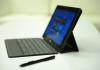
    Microsoft’s Surface Pro, the tablet/laptop amalgam device designed to perfectly showcase Windows 8, is getting a 256 SSD internal storage option, the biggest yet for the device. Previously, Microsoft has shipped the Surface Pro with either a 64GB or 128GB internal drive, but when it arrives in Japan June 7, it’ll come in 128GB and for the first time, 256GB flavors (via Engadget).

    The 128GB model will retail for just about $1,175 U.S. in Japan, or just under $200 more than the 128GB version’s current retail price. The beefier version should help address some of the criticism levied at the Surface Pro for actually reserving a big chunk of on-board storage for OS components, which was particularly harmful in the 64GB capacity.

    A 256GB option not only makes the Surface Pro more generally useful, it also gives Microsoft another way to compete with devices that consumers might look to instead, like the iPad, which introduced a high-capacity 128GB version shortly after the Surface Pro’s launch, and the MacBook Air, which offers up to 512GB of storage through customization options.

    The Surface Pro spec bump will likely make its way to the U.S. and other markets eventually, as it seems like something that Microsoft could use to boost interest in its Windows 8 flagship slate. But there are also rumors of an entirely new Surface to ship in June, with a possible introduction at Build. I’d say it’s more likely we’ll see this spec bump touted at that conference, as the first-gen Surface is barely out of the oven as it is.

    The Surface Pro reportedly hasn’t been selling at that well, with figures from March showing it hadn’t even broken 500,000 devices shipped at that point, based on sources close to Microsoft’s supply chain. That’s obviously not good by really any relative measure, so it wasn’t entirely clear that Microsoft would do much with the line in the future. This new storage option is proof that for now at least, Microsoft is still investing resources in the Surface Pro, even if it isn’t on the verge of releasing all-new hardware under the brand.

  • The Mood Ring Gets Its Quantified-Self Update With The W/Me Wristband

    008e721aebd5a93b20a835da77b82cf2_large

    A lot of the gadgets that help people monitor and track their physical health focus on providing feedback related to physical activity for use with tracking workout data and energy expenditure during the day. Now, a new Kickstarter projected called the W/Me band wants to leverage similar data sources, but with the goal of providing a more holistic picture of wellness.

    The W/Me wristband is based around a sensor that monitors your body’s automatic nervous system, providing feedback on body activity that you may not be at all aware of, including breathing patterns and heart rate, to let you know about automatic reactions you may be having that are detrimental to your state of health or physical wellbeing. Then, with rhythmic breathing exercises, the idea is that you’ll be able to correct these negative patterns and improve your general health and mood for the better.

    The W/Me project is different from most activity tracking in that it takes a very specific goal of managing breathing and describing a user’s mental state. It provides readings for agility score and ANS (autonomic nervous system) age in addition to a general description of your mental state, which provides information that tells you both how good you might be at dealing with stress, and how old your nervous system is, independent of your actual biological age.

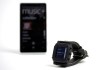
    The wristband will have Bluetooth 4.0 connectivity, as well as an LED readout that can provide information independent from an attached smartphone. It advertises a full week’s worth of use on a full battery charge, and also has a built-in USB connector for charging. It uses a built-in heart rate variability sensor, combined with the company’s own algorithms to arrive at its various readings, which can be displayed either on the band itself or on a companion app.

    Whether or not you believe in the science behind this, this is a clear growth market for quantified-self devices. There’s plenty of opportunity to explore the intersection of these devices and alternative theories of medicine and wellness, so it’ll be interesting to see if these kinds of gadgets can help bring health- and self-monitoring tech into the mainstream.


  • Will The Xbox One Rule The Living Room? Price Will Determine The Size Of Its Kingdom

    XboxD_Logo_Consle_Sensr_controller_F_GreenBG_RGB_2013

    The Xbox One is more or less a known quantity now, but its price has yet to be revealed by Microsoft. Price and ship date are always the biggest concerns when new gadgets or hardware hits the market, but in the case of the Xbox One, it’s likely to help determine whether the “home entertainment system,” as Microsoft is characterizing it, becomes the category-busting, revolutionary multi-purpose living room command center it’s being billed as, or ends up just another console with niche appeal that makes it a target of lust for core gamers, but few outside that circle.

    The Xbox One continues what Microsoft started with the Xbox 360, building in plenty of non-gaming services, apps and tools that could appeal to a broad range of audiences, including sports fans, and people who just generally enjoy media content of all stripes. The Kinect interaction potential looks to be able to provide pretty extensive feedback for athletes and people training, and its new voice recognition tricks offer a chance at a completely revamped way of interacting with the television. Microsoft also looks to be courting partners for a la carte TV content delivery, which is a huge potential alternative market to traditional cable and satellite providers.

    New features of the Xbox One are clearly designed to cast a wider net and rope in people who might not care all that much about games, but price will determine whether Microsoft actually lands those customers, or whether the Xbox One remains a gaming machine first, which just happens to provide gamers with a number of other benefits besides.

    Rumors have pegged the new Xbox One pricing at anywhere from less than the initial cost of the Xbox 360 and PS3 (each was around $350 U.S.), to $770 (likely a high guess to prevent sticker shock later on) as it has been listed on Amazon Germany, to anything in between. A gap of just a couple hundred dollars could make all the difference here: users who aren’t so interested in the gaming aspects have plenty of options now for over-the-top services from providers including Apple, Google and Roku, all of which offers similar access to custom content, if not the unique interaction methods and Snap multi-information streams of the Xbox One. And most of those are available for around $100 or less, which will have a significant impact on buyer choice.

    It’s possible that what Microsoft wants is to append a layer on top of live TV, similar to what Google initially attempted with Google TV, as our columnist Tadhg Kelly suggested in his column earlier today. But I think Microsoft is doing much more feeling out with the Xbox One, with a variety of services and a focus that could easily shift depending on where consumers take it. But getting them there in the first place involves either pricing the console right, or demonstrating irrefutably that the value added by the console and its services make up for a steep premium over other alternatives.

    I’m not convinced Microsoft has the guts to price the Xbox One where it needs to be to truly start breaking down device category walls, but we’ll see if they surprise us when they talk price, which could happen as early as E3 next month.

  • Laptop Week Review: Google Chromebook Pixel

    IMG_8887

    Features:

    • Ships with Chrome OS (generally requires an update to get to latest build)
    • 2560 x 1700, 239 PPI display
    • 32GB SSD
    • 1.8GHz Intel Core i5 Processor
    • MSRP: $1,299

    Pros:

    • Hardware is incredibly well-designed
    • Fast boot, right into Chrome-based workflow
    • Touch is nice when actually needed

    Cons:

    • Seems to leech battery quickly in sleep mode
    • Still just Chrome
    • Expensive
    • Battery life could be better

    The Chromebook Pixel is the Chromebook I’d pick as my personal Chromebook – if money was no option, and if I felt I really needed a Chromebook. It’s an impressive beast, like a Bird of Paradise, but in the end a trained falcon would be a way better winged thing to own, since it could catch you some wild game, instead of just prancing around with its mesmerizing but fairly useless mating displays.

    Aspirational

    While not comparable to a bird of prey, the Chromebook Pixel is a very impressive piece of hardware. The construction, which includes an anodized aluminum shell that has a dark slate finish, corners that are just slightly rounded for a more angular look than say a MacBook Pro, and clear attention to detail paid to the overall fit and finish that results in a final product you feel like putting on display in your home. The computer is solid, and it bears a pleasing weight to remind you, tipping the scales at 3.35 lbs (which is actually lighter than the 13.3-inch Retina MacBook Pro but feels more substantial somehow, perhaps owing to the smaller screen size.

    The Chromebook Pixel also has a touch-sensitive, high-resolution display that beats the Retina MacBooks in terms of pixel density (which may have something to do with Google’s naming choice here). The screen is admittedly gorgeous in ideal conditions, but ideal conditions are fewer and farther between for the Pixel’s screen than for the Apple one. The color spectrum was skewed slightly yellow on my unit, and viewed at lower brightness legibility suffers. Also, if you think glare is a problem on your MacBook Pro or iMac, you’re going to be amazed at how much worse it can get with the Pixel in bright lighting.

    The touch aspect works well, and surprisingly I haven’t had trouble with greasy mitts mucking up the screen so far. That’s probably because I seldom actually reach out and touch it though. The movement is awkward from a typing position, and of limited use value in my opinion. But for those few times you do get the impulse to tap something, it’s a very nice-to-have feature, if not a killer one. Speaking of touch, the Chromebook Pixel has one of the best trackpads currently available on a laptop, on par with Apple’s extremely solid input pads.


    Hardware aside, the Chromebook Pixel’s main attribute is that it runs Google’s Chrome OS. If you’ve not used Chrome OS before, you’re probably not alone. But you also don’t need to worry about a learning curve; this is just like using the Chrome browser on your Mac or Windows computer. Web apps are treated a little more like proper desktop apps, perhaps, but the extensions, the experience and pretty much everything else about it is just like using Chrome. Which is both a good and a bad thing.

    It’s good because it’s simple, easy, and for a good chunk of people, it probably actually satisfies the majority of their needs. If you’re a light computer user, making the browser the focus of an OS experience makes sense. But unfortunately for Chrome OS, tablets make almost as much, if not more sense for those users. Once you start requiring more than a tablet demands, your needs likely ramp up quickly, and then you’ll feel the lack of dedicated apps like Skype and Adobe’s Creative Suite products on the Chromebook pretty quickly. In other words, the Chromebook Pixel occupies a very thin sliver in terms of potential buyer needs, and there’s likely massive demand on either side.

    Google didn’t make a mass market device with the Pixel, in the end. It made something that can stand as a shining example of what a Chromebook can be. That means that the Pixel is, in the end, something of a precious beauty, an exotic shape that won’t likely fit either a round, square or triangle-shaped hole.

    Who is it for?

    Designers

    No. If you’re a designer and you’re using a Chromebook Pixel, you must be not very good at your job… or so good that I’m mystified at your abilities and you’ve evolved beyond the limitations of any physical tool. There are photo editing tools available for Chrome OS, and there’s even an SD card slot (but don’t try using ultra-high capacity ones like the 128GB I use as one of part of my go-to photography kit, it can’t read those), but if you’re a serious designer you’ll sorely feel the lack of better, more mature tools. It can output to other screens, too with a Mini DisplayPort, but that just gives you double the browser space, and still limits you in terms of design software.

    A lot of effort seems to be going into putting more design tools in the hands of web-based editors and creators, but we’re not there yet. Maybe that’s next after Adobe has moved to its Creative Cloud subscription-based model, but for right now, designers steer clear.

    Founders

    No. The Chromebook Pixel might be perfect for a founder who’s building products based on the Google ecosystem and wants to kiss some extra ass, but really it isn’t a great tool for an entrepreneur on the move. The main reason being that some absolutely crucial conferencing tools like Skype are still not in place on Chrome OS.

    The other conceivable situation where this might work is if you’re a web startup that’s betting big on HTML5 and you want to really eat your own dogfood. But other laptops also offer Chrome, and a lot more besides, so why not have your dogfood and eat it, too? Not sure that metaphor actually works here but it reads well, so go with it.

    Programmers

    No. This is a situation where it probably depends on what exactly it is you’re programming. If you’re building IFTTT recipes, for instance, a Chromebook Pixel is pretty exceptional. And if you’re working on tweaking WordPress themes, then you can do everything you want to on the Pixel. But for anything beyond straightforward and simple text-based coding, you’ll probably want to look elsewhere. I wouldn’t, for instance, recommend coding iOS apps on a Chromebook Pixel. I probably wouldn’t even recommend developing Chrome OS apps on a Chromebook, though you can apparently hack the computer to make it operate better as an everyday coding device.

    Bottom Line

    This is a very good Chromebook. But the fact remains that it still feels like devices running Google’s still-nascent Chrome OS need to be considered separately from other notebooks running OS X, Windows and even Ubuntu. The Pixel puts on an excellent show, has dazzling good looks and a stunning mating display, but it’s far from an apex predator.

  • The Fairphone, World’s First Ethically Sourced Smartphone, Opens Pre-Sales To General Public

    Screen Shot 2013-05-24 at 8.12.51 AM

    Netherlands-based hardware initiative Fairphone began around three years ago as a project designed to highlight the use of conflict minerals in the construction of consumer electronics, and then evolved three years later into a full-fledged hardware startup, with the aim of turning its knowledge into action with the building of an ethically sourced, built and distributed smartphone. Now, it’s opening up pre-orders to the general public, beginning with customers in Europe.

    The Fairphone needs 5,000 pre-orders in order to begin production, and retails for a total of €325 ($436). That price included taxes, however and what you get for that is an unlocked, 4.3-inch smartphone running Android 4.2, powered by a quad core processor. It has an 8 megapixel rear camera, and a 1.3 megapixel front facing shooter, with dual-SIM trays for easy carrier switching and international travel.

    As a smartphone, the Fairphone seems capable enough, but it’s the manufacturing process that’s really core to the concept of the device. The phone itself is made using materials from a completely transparent supply chain – Fairphone is looking at the provenance of each mineral used to make each component, the people who build each part and the processes evolved and their social and ecological impact, and will make all of that information available to buyers and the general public. The idea is to flag stuff that’s being done poorly, highlight ways to make changes, in both the short and long term, and also build a collection of best practices that can be shared with the rest of the industry.

    Fairphone initially had opened sales only to the over 16,000 people who signed up to express interest when it initially announced the project, giving them first crack at the initial pre-order run. It seems like the percentage of those that were actually willing to put their money down on a device and contribute to the initial fund was much lower, however, which has prompted the expansion of sales to anyone in Europe who might want to contribute.

    The Fairphone is being transparent about the sales process, too; thus far, it has managed to sell 2,333 phones through pre-orders, with 20 days left in its campaign. Hopefully broadening the buyer pool will spark more interest, because the project stands to be able to shed a lot of light on what for many is a completely invisible or poorly understood process.

  • Microsoft’s Cheap Shot At The iPad Actually Points Out Exactly Why Windows 8 Tabs Suck

    ipadvsurface

    Being behind in a market sucks, and it’s understandable to want to lash out at the top dog, as Microsoft has shown it’s willing to do with Google in search and email, and now with Apple in tablet computers. A brand new Windows 8 ad pits the iPad against Microsoft’s Windows 8 tablet, in an attempt to show how much more versatile the Asus VivoTab is vs. the iOS device.

    Microsoft uses Siri’s voice (which isn’t difficult, given that it’s a fairly generic computer-generated female tone) to highlight what the Windows 8 tablet can do that the iPad can’t, including things like live tiles (it took me a couple views to figure out what “I don’t update like that” even meant), Windows Snap multitasking, and… PowerPoint. Then finally we get a price comparison, showing the much cheaper price tag for the Asus.

    The problem is that not only is the Siri construct weak and her actual lines poorly written, but the abilities Microsoft chooses to highlight show exactly why it doesn’t “get” the tablet market. People aren’t looking for multitasking PowerPoint slide deck-creating machines; they have computers for that.

    The closing bit here is maybe the worst part; showing that Apple’s iPad can easily provide a remarkably realistic experience for playing Chopsticks on the screen is not the way to trash your competition, especially if you noticeably can’t offer up an equivalent experience on your own hardware. Apple uses that in its own ads for a reason, and that’s to highlight the magical, delightful experiences users can have on its device. Countering that with a bunch of sober (though admittedly useful) features isn’t the way to turn the tide back in your favor.

    An earlier version of this post mistakenly identified the Asus VivoTab in this ad as a Surface.

  • Sensors Are Everywhere, And A New Project Wants To Bring Them To The Classroom For Cheap

    cabc002508f8cafd75035ac99fb0ff02_large

    One interesting element of Google I/O this year were the sensors laid out everywhere around Moscone tracking environmental data throughout the event. Those types of sensors are now all around us, including in our phones and in various smart home devices, and now a new Kickstarter project from ManyLabs wants to help kids get familiar with them very early on.

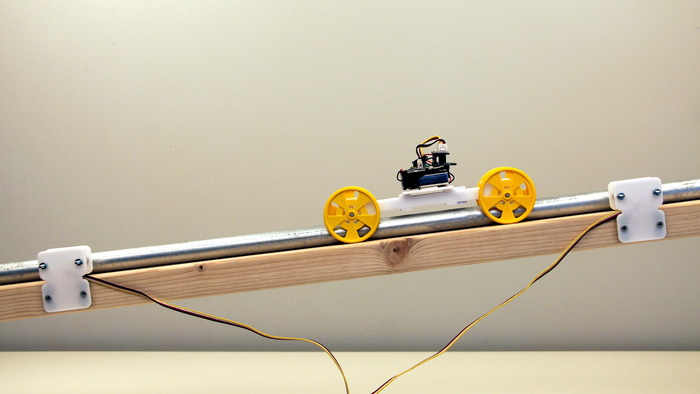
    The project is called Sensors for Students, and it wants to build a sensor collection kit that includes a plate for an open-source Arduino board and Grove shield combo, along with one of a variety of parts for a number of different types of sensors, including accelerometers, electromagnetic field detectors, a color sensor, a plant watering kit (similar to one component of the Bitponics automated hydroponic garden), and many more.

    The team behind ManyLabs consists of Peter Sand and Elliot Dicus, who formed the nonprofit with the ultimate intent of spreading low-cost hands-on tools for teaching science and math to the classroom. Sand has a Ph.D. in Computer Science from MIT, and has focused his work and research on computer vision, robotics and education.

    Sand and Dicus wanted to make it possible to get kids learning data literacy and experimenting with open source hardware early on in life. Their goals sound similar to those of Adafruit, the NY-based hardware company that’s also trying to make people more comfortable with concepts around electrical engineering and DIY maker culture, beginning early on in life.

    ManyLabs isn’t just supplying hardware, though, it’s also very clearly marketing a curriculum, with lessons and content being offered alongside each type of kit available to backers, along with online resources that will be made available on a yearly subscription basis. There’s no soldering required in the kits that are on offer, so these are suitable for a range of ages and skill levels, and ManyLabs hopes to put them in the hands of backers as soon as August this year, with kits beginning at $40. The most expensive individual kit is $75, and while ManyLabs requires you to supply your own Arduino, it’s still very affordable, a key value add for educational markets.


  • Laptop Week Review: The 13-Inch MacBook Pro With Retina Display

    IMG_8879

    Features:

    • Ships with OS X 10.8 Mountain Lion
    • 2560 x 1600 13.3-inch at 227 PPI
    • 128GB SSD
    • 2.5GHz Intel Core i5 Processor
    • MSRP: $1,499

    Pros:

    • Portability combined with high-quality display
    • Super speedy sleep and resume
    • Good battery life

    Cons:

    • Just two USB ports
    • Non-upgradeable RAM

    If I could only have one MacBook (which is usually the case for your average laptop-buyer), this is the one I’d pick without hesitation. Fewer issues than its 15-inch cousin, which pioneered the Retina line, combined with a much lighter design with a smaller desktop footprint for a display that can still give you crazy amounts of screen real estate all add up to a sure-fire winner.

    The Most Flexible Mac

    I’ve owned a lot of Macs. To find myself so ready to claim any single one a clear “winner” seems crazy, but the 13-inch MacBook Pro with Retina Display is it. The smaller Retina notebook has proven itself through trial by fire and continues to be the Mac I pick for nearly every situation.

    For example it’s my constant companion at every travel event I ever go to. The 15-inch is just a hair too heavy and unwieldy, but the 13-inch Retina hits the sweet spot. It slides easily into any bag, takes up an amount of desk space that’s better for your peripherals and for those seated around you, and yet can stil provide you with one of the best screens in the business.

    True Retina-quality graphics isn’t the reason to own this notebook. Apple’s “Best for Retina display” radial button in the Displays settings menu is something you can go ahead and forget about right now; instead, select “scaled” and crank that sucker up to the “More Space” maximum. But if that’s not enough, go grab DisplayMode from the Mac App Store and enjoy up to 2560 x 1280 resolution, which is beyond that supported by Apple’s official settings. My eyes suffer after 2048 x 1280, so that’s where I keep it, but even there you get so much screen real estate it feels positively sinful. If you’re used to a Cinema display or two at home, there’s nothing else that compares.

    The hardware is up to Apple expectations, and while I’ve experienced case creak on the 15-inch version (a widely reported issue), I’ve never had a problem with the 13 inch’s fit and finish. It feels as sturdy as a laptop can (with the possible exception of Google’s leaden Chromebook Pixel) and it withstands rough treatment with gusto, as a busy blogger can attest.

    In terms of Geekbench, the base Core i5 13-inch, which is the version I’m reviewing here, consistently scores between 6,000 and 7,000. That’s not a chart-topping number, but the machine hardly stutters, even under fairly demanding conditions. I thought I’d miss the dedicated graphics card or upgraded RAM from my 15-inch model, but I don’t, at least not for anything short of using Final Cut Pro X.

    Another nice win for the 13-inch is battery life. The Pro can stretch itself to around seven and a half hours if I need it to, but even with my incredibly sloppy, multi-app setup with tons of things going on in the background and about a thousand Chrome tabs open, it seems to average around five.

    Who is it for?

    Designers

    Yes. The one complaint that designers might have with the Retina MacBook Pro is that its screen is still glossy and that the color rendering and contrast are a little exaggerated to make photos pop. But if you need a device for running Photoshop or Illustrator, the Retina scratches that itch, even with the minimum specs at the $1,499 level.

    Plus, you can always power up to three external displays via Thunderbolt and HDMI out, but I’d only recommend doing this if you’re very cold and also enjoy the sound of a fan operating at maximum power. Still, in a pinch the Retina Pro becomes a solid companion for a 27-inch Cinema Display, giving designers even more flexibility.

    Founders

    Yes. John pointed out that entrepreneurs love MacBook Airs in his review of the Dell XPS Developer’s Edition, but that’s actually outmoded. If you’re a modern entrepreneur, and keeping a close watch on your company’s design and suitability for the future of HiDPI devices and displays, you’ll want the 13-inch Retina. It’s still light enough to carry with you everywhere, plus you can pile on the open applications thanks to the screen real estate benefits I mentioned above.

    The 13-inch Retina is pretty much exactly like the successful entrepreneur: flexible where it needs to be, rigid when it doesn’t; equally comfortable doing their thing in the boardroom or working out of the small local coffee shop; equipped with enough endurance to keep producing through the day.

    Programmers

    Yes. Programmers love Macs, and this is a Mac that’s easy to fall in love with. You want to run Xcode next to the iOS Simulator and still have room to keep a team chat window open? You can do that with the 13-inch Retina Pro, so long as you’re okay with squinting. You can build websites and watch them output and tweak on the fly without squishing anything inordinately. If there’s a development flaw on the Pro, it’s not an apparent one.

    Bottom Line

    MG said this laptop was near perfect back when he reviewed it at launch, and it’s pretty hard to disagree. There are support threads filled with growing pains and other issues experienced by the inaugural 15-inch Retina Pro, but Apple seems to have worked out any kinks with this one, and the added portability is a big benefit besides. It’s still a pricey beast, but the use value to cost ratio is through the roof regardless.

  • Meet Agent, A Smartwatch With A Second Processor For Minimizing Power Consumption And Wireless Charging

    d077ee7030305ec8e20d8b32fc3d221c_large

    Smartwatches are all the rage, and judging by the turnout and level of enthusiasm at the recent year one meetup for Pebble Kickstarter backers in San Francisco, there’s at least a passionate niche audience for the things. So it isn’t surprising to see them continue to pop up on Kickstarter. A new one called Agent has a few unique tricks, however, which its creators believe set it above the competition.

    What the Agent has that others don’t is a combination of power management features and wireless charging. It has not one but two processors, for instance, one with higher performance capabilities and one extremely low-power variant to handle simple background tasks. There’s a new Sharp Memory Display that combines the advantages of both a traditional LCD and e-ink black and white, which is very power conscious, as well as wireless Qi induction charging with an included pad. Since it’s based on the widely-accepted Qi standard, however, it should work with charging pads from a variety of manufacturers.

    The Agent is a refreshing change from other Kickstarter smartwatches in that it actually offers something new in terms of technical aspirations. The watch should get up to 7 days of battery life with its smart functions activated, or up to 30 days of standby in ‘watchface-only” mode. Even if that misses the mark by a bit, it should still beat the stated and actual battery life of existing devices like the Pebble. The gadget also features a 120HMz ARM Cortex-M4 processor, a 1.28-inch display, Bluetooth 4.0 (aka “Low Energy”), onboard motion and light sensors and an OS that allows developers to write apps for it using C# and Microsoft Visual Studio. It uses a Microsoft .NET runtime environment that Agent’s creators say will maximize memory and power efficiency, unlike with other smartwatches. The team says you’ll be able to start writing and emulating apps on the desktop as soon as the funding campaign is complete, which would be faster than the staged rollout of the Pebble SDK.

    The creators of the Agent are Secret Labs, a team of engineers that has been building open-source products under the brand name Netduino since 2010, as well as smart home technologies, and House of Horology, a custom timepiece manufacturer that brings some real watch cred to the game. Early bird pledges get a pre-order for $129, where the final price is expected to come in at around $249 when the product ships late this year.

  • NVIDIA’s Shield Mobile Gaming System Feels Like The Way Android Games Should Be Played

    IMG_8796

    NVIDIA brought its new Shield handheld gaming system to Google I/O this year and showed off a near-production device. The Shield made its debut at CES this year, surprising most since it’s a consumer handheld device from a company that generally makes internal components. But it has some neat tricks up its sleeve, including a Tegra 4 chipset, 2GB of RAM, a 5-inch 720p display and 16GB of internal storage.

    The Shield units available at I/O this week were all running Android and showing off Android games with hardware controller support, and none were demoing the PC game streaming that NVIDIA said would be coming to Shield as a beta when it comes to retail in June.

    My experience with the NVIDIA was limited to just a few games, including the Epic Citadel demo that always gets trotted out to demonstrate amazing graphics capabilities on mobile devices. There were also a couple of playable cart racers in action, and all of the above performed well and really showed that the hardware is capable of rendering high-quality video smoothly and without any apparent effort. For a device that’s essentially a smartphone without the actual phone powers, but with more physical buttons for $349, that’s an important achievement to be able to claim.


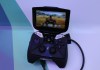
    Shield does its Android job well, and the hardware feels great to these gamers’ hands. Buttons are slightly clicky and the ergonomics are solid, and the thing doesn’t take up too much more space than an Xbox controller when the screen is folded down and it’s in travel mode. There’s mini-HDMI, which was outputting gameplay to a small HD television, and a micro-USB slot for charging. The onboard screen boasts “retinal” quality 294 PPI pixel density, which means video and games look silky smooth.

    Maybe the best part is that NVIDIA has gone for a pretty near stock Android Jelly Bean experience, which a rep from the company told me was a conscious choice they made after first trying a more involved widget overlay that ended up making for a much less pleasant experience. Navigating the stock Android with hardware controls (you can also always use the touchscreen) is also surprisingly intuitive.

    All that said, this is a strange device with a market that’s probably going to be pretty niche. Really, it almost seems like a reference device designed to show off the power of Tegra, but NVIDIA is actually shipping the thing, so those of us like me who actually have a hankering for this kind of hardware will really be able to buy it even if it doesn’t become a runaway success.

  • Leap Motion Talks New Beta, We Go Hands On With Motion-Controlled Google Earth

    leap-motion-google-earth

    Leap Motion was showing off its still unreleased gesture motion controller for computers at Google I/O 2013. The demo unit allowed you to use the controller to navigate Google Earth, and the functionality felt ready for prime time to me, as this was the first time I’d ever used the Leap Motion. The controls seemed intuitive, and within a few minutes I was flying around the globe pretty handily, though I did have some trouble finding San Francisco.

    I asked about Leap Motion’s recent announcement that it would delay launch in order to further beta test Leap, and as you can see in the video the company is keen to note that the hardware is solid, but there’s a need for more testing around the consumer experience. Leap seems very confident they can deliver by their new anticipated ship date of late July, however.

    The tech is impressive regardless of whether it hits a little later than anticipated, but it’ll be interesting to see if the extended beta has an effect on how it’s eventually received by consumers.

  • Google To Begin Offering Unlocked Samsung Galaxy S4 With Stock Android For $649 On June 26

    38

    Google is offering a version of the Samsung Galaxy S4, arguably one of the top current Android devices, with Jelly Bean 4.2 unlocked on Google Play beginning June 26, the company revealed at I/O today. The news is big because it’s the first non-Nexus device to get blessed with this opportunity, and Google says it will be updated in time with all other Nexus devices.

    The Galaxy S4 will cost $649 with no contract, and will be usable on both AT&T and T-Mobile in the U.S., Google said today. At that price it isn’t exactly cheap, but people are probably willing to pay for an untouched Android experience on some of the most powerful smartphone hardware available.

    The S4 is not only carrier unlocked, but it also has a fully unlocked bootloader. That means that owners of the device can load their own software on to the device, including things like CyanogenMod, which allows for extremely deep device software customization options. In other words, this new unlocked S4 will essentially be the ultimate developer plaything, but again it’s likely to have more or less niche appeal because of the high price tag.

    What’s interesting about this is that Samsung emphasized all its software additions to the stock Android experience at the Galaxy S4 launch event, and this is basically stripping all that away. Reviewers seemed more or less overwhelmed by Samsung’s software smorgasbord, so this might result in a much better device overall.

  • Google I/O 2013: What’s On Tap For Nexus Smartphone And Tablet Hardware

    nexus4-8

    Google’s big annual developer conference kicks off on Wednesday, and while Android lead Sundar Pichai has downplayed big new announcements at Google I/O this year, we’ve also seen reports that suggest the Nexus line of Google-branded hardware won’t go completely untouched.

    Nexus Phones

    The rumors suggest that we won’t see a brand new Nexus phone at Google I/O this year, but what we could see instead is a mid-cycle upgrade for the Nexus 4. In fact, the existing version seems tailor-made for a couple quick internal hardware upgrades to inject some fresh life into sales and activate some new buzz around the product, which by most accounts has been selling fairly well, especially when compared to previous Nexus flagship phones.

    What we’ve heard indicates that the Google Nexus 4 will appear at I/O boasting a 32GB internal memory upgrade, along with built-in LTE support. There’s an LTE-capable wireless radio built into the current Nexus 4, but it lacks a proper signal amplifier and as such remains officially disabled. Nearer the Nexus 4′s launch, you could activate it with a backdoor hack, but Google quickly shut that down.

    Both these spec bumps would be easy enough to accomplish, and are both considered the most noteworthy obvious flaws on an otherwise very impressive device. And a new spy shot making the rounds today backs up earlier claims we might see a white version of the Nexus 4, which so far only ships in black, which could be another factor in convincing new buyers to take the plunge.

    It’s not clear how exactly Motorola’s devices will fit into the Nexus line, but it’s also worth mentioning that a new device labeled the “Motorola XT1058″ has just been spotted making its way through the FCC, which suggests it might arrive very soon. What precious little info the filing contains suggests that this could be the fabled XFON we’ve been hearing Motorola is working on for Google, and it could theoretically make an I/O appearance, but this could also be yet another smartphone already on Motorola’s roadmap pre-acquisition, and there’s no guarantee we’ll see it at the show either way.

    Nexus Tablets

    There’s less buzz around new Nexus tablet hardware making an appearance at I/O, but there are some indications we could see some upgrades there, too. KGI Securities analyst Mingchi Kuo says there’s a brand new Nexus 7 coming, with a high-res, 1920×1200 display, an improved processor and a decent rear camera.

    Reuters also reported earlier that a next-gen Nexus 7 would arrive, powered by a Qualcomm chip just like Kuo reports, but they’ve pegged that tablet for a release in July, which suggests we might not see it at I/O after all, except maybe in a preview capacity. Google demoed the original Nexus 7 at I/O in 2012, however, before bringing the device to market in mid-July 2012, so we could see a similar pattern repeat itself here.

    I’d hesitate to suggest we’ll hear about much more beyond the Nexus 7 in the tablet category. Sales of the Nexus 10 have reportedly been quite low so far, and that device was only introduced in partnership with Samsung late last year. Google will likely want to give it a bit more time to try to pick up sales, or might focus its Nexus tablet efforts on the apparently more popular 7-inch market instead.

    Earlier rumors suggested we might see a Nexus 11 make its initial appearance at I/O, too, but while it reportedly sits on Samsung’s roadmap for the year, there’s been nothing so far to indicate we’ll see it at I/O.

    Nexus Q (LOL)

    We won’t see Google’s bizarre boondoggle make an appearance at this year’s conference, and we didn’t really need AllThingsD’s reported confirmation of that fact to predict its absence, but it’s nice to have it.

    The Nexus Q was Google’s attempt at answering the Apple TV and AirPlay if you recall, but it was an overpriced, precious gadget that essentially screamed “niche,” and a small one at that. Kuo said in the same report that detailed updated Nexus hardware that we’d see Google come back up to the plate with a stronger Apple TV-type device later this year, but it doesn’t look like we’ll see that at I/O.

    Pichai said in his Wired interview this morning that Google doesn’t have “much in the way of launches of new products” at the moment, but that leaves wiggle room. It sounds like he’s trying to manage expectations, and a couple of upgrades to existing product lines would be right in line with something Google hopes will impress, but not on the scale of something like a new smart watch or the original Google Glass reveal.

  • Samsung’s Galaxy S4 Active Rugged Smartphone Hits Bluetooth SIG As All-Terrain Phone Battle Heats Up

    galaxy-s4

    Samsung is moving quickly to diversify its phone line, with variants of the S4 popping out of the woodwork left and right, including the Galaxy S4 Zoom, which features a rumored 10x optical zoom on its rear camera. Today the Galaxy S4 Active, a ruggedized, smaller version of the flagship S4 has hit the Bluetooth Special Interest Group for certification, which means it could be coming along shortly, too.

    The S4 Active is supposedly a water- and dust-resistant phone designed for use with an active lifestyle, or in outdoor conditions where generally phones don’t fare very well. The S4 Active would compete head-to-head with Sony’s latest lineup of phones, including the Xperia ZR announced today, which is a smaller version of the Xperia Z with slightly less impressive specs. It’s submersible in water for up to 1.5 meters, however, which pits it against the Active’s rumored feature set.

    Both the Active and the Zoom S4 variants remind me of how companies are diversifying in another crowded, near saturated market: point-and-shoot cameras. Manufacturers regularly highlight the long zoom and rugged versions of their devices, as these are areas where consumers feel they need more than what’s available to them on the smartphone devices they carry around every day.

    Manufacturers like Sony and Samsung moving in this direction with their devices marks an attempt to broaden their lineup’s appeal vs. other similar competitors, but also encroaches on the territory of single-purpose devices like the camera. And the market is likely to get more crowded, not less, as Google has been teasing devices that can withstand harsh environmental forces coming from its Motorola acquisition, through executive statements.

    I said previously that Samsung is essentially preparing a phone for every feature to compete with any unique advantage its rivals may try, and the S4 Active is definitely that. But these variant devices also have the potential to act as advance market research for tech that can be adopted back into a flagship device: if any is particularly successful, it provides a roadmap for Samsung about what will draw customers to the S5 or beyond.

    The S4 Active getting its Bluetooth certification means it’s likely to get a consumer reveal before too long, so we should see exactly how far Samsung has taken the rugged phone concept soon.

  • Home Console Gaming May Suffer Death By A Thousand Cuts, Rather Than A Major Revolution

    Screen Shot 2013-05-11 at 2.01.37 PM

    The Ouya is making its way out to backers even now (though my shipping notification still hasn’t arrived. Grrr.) and judging by early impressions, it’s no silver bullet to take down behemoths like Sony and Microsoft. The $99, Android powered console still isn’t fully formed exactly, but it’s doubtful that between now and June 25 it’ll take on giant-killer proportions. Likewise the recently-announced BlueStacks Android gaming console, which features a subscription-based pricing model, probably won’t alone topple the giants.

    But combined, these and a slew of other devices including the GameStick, smart TVs from manufacturers, Steam Boxes, and even Google and Apple hardware are eating away at what was once a fairly exclusive field. It seems a lot of people are waiting for a watershed moment to signal a significant shift away from traditional console gaming to a new paradigm, but increasingly, it looks likely that what we’ll see instead is an erosion that more closely resembles glacial shift, but on a less geological time scale.

    There’s evidence to suggest that console gaming is already losing significant ground, like quarterly results from Nintendo that show a dramatic decline in consumer interest in the recently-launched Wii U console. And while Sony saw its first full-year profit in half a decade, most of the good news was on the smartphone side, and PlayStation sales fell for the year. Microsoft is still doing fairly well with the Xbox 360, but growth of key accessories like the Kinect have slowed with time.

    Slower Kinect sales are a good bellwether for the industry’s overall health, if only because it and devices like it are where console makers are turning to try to inject some fresh life into a market that had recently started to look fairly stale. To some extent, Kinect, Move and other gimmicks like the screen of the 3DS are an answer to incursions by mobile gaming and other alternatives. Just like point-and-shoot cameras needed differentiating features like long zooms to prove themselves relative to smartphone cameras, video games needed something new to reel in new buyers.

    The new crop of challengers to the console gaming market, including Ouya and the new BlueStacks GamePop console, risks getting discounted by critics as just another round of devices like the GP2X Wiz or the Gizmondo, which had limited appeal and then faded into the background of video games history as little more than a minor footnote. But that’s taking too short-term and dismissive a view on what’s currently happening in the video game space. It’s true that, as ardent console gamers continually remind me, there will always be a demand for that type of content.

    Increasingly, however, there’s a growing contingent of players that are fine saying, “if I can get it on my phone, why do I need it anywhere else?” and that’s a market that’s ripe for a living room transition like the ones being attempted by Ouya and BlueStack. It’s easy to discount these ahead of their full consumer launch, and I don’t expect them to have an immediate impact on console sales, but they are signs of a sure shift, and one that won’t go away, even if doesn’t provide the sort of bomb shock disruption that we’re so fond of identifying and championing.

  • Falling iPad Mini Demand Claims Show Why Watching Suppliers For Apple Success Misses The Point

    ipad-mini-white

    This week, Bloomberg sparked a number of headlines with reports that iPad mini demand was failing based on supplier Pegatron’s earnings numbers as revealed at an investor conference. Those claims were later refuted by Pegatron CEO Jason Cheng, who argued that Bloomberg’s Tim Culpan had misquoted him to reach his conclusion about iPad mini numbers.

    The problem here is one that comes up repeatedly for Apple watchers, namely that of trying to divine from scattered sources what the future holds for the iPhone maker. Reports of slowdowns, layoffs or weak fiscal results from any number of supplier companies, including Pegatron, Foxconn and Sharp have bloggers feverishly pounding keys, predicting dire straits for Apple to come. The problem is, these have never been a very strong indicator of what’s actually going on with Cupertino and its products, and for good reason.

    As Fortune’s Phillip Elmer-DeWitt learned from Cheng via email, Pegatron has a wide customer base and never breaks out how each of those are affecting its bottom line or its quarterly financial outlook. Pegatron has its fingers in all kinds of pies, including home video game consoles and e-readers, both of which are currently suffering badly in terms of consumer sales.

    Here’s a look back at some equally dire reports from recent memory that also turned out not to have any relation whatsoever to anything Apple was doing, performance-wise.

    In the best of cases, supply chain reports offers some vague insight into the larger picture of Apple’s inventory channels, but when looked to for solid indicators of performance, they’re about as dependable as using a magic 8 ball. The iPad mini, by all reasonable accounts, looks to be a very strong performer for Apple, and it’s very likely we’ll see that trend continue.

  • Nokia Lumia 928 Windows Phone With 8.7-Megapixel PureView Camera Available May 16 For $99.99 On Contract

    Nokia-Lumia-928-366x251

    Nokia has officially pulled back the curtain on the Lumia 928 Windows Phone 8 device, which advertises its PureView camera as its marquee feature. The new flagship phone offers an 8.7-megapixel front-facing camera, which boasts optical image stabilization for better low-light photography and more stable pics overall.

    The new phone has wireless charging and NFC, as did its predecessor, and comes with a 4.5-inch OLED display, which has a 1280 x 768 display with 334PPI, the same as the Lumia 920. Overall, the phone looks to be fairly similar to that device, with Nokia emphasizing the camera difference as its major selling point.

    Other stats include the same touch-sensitive tech that can work through gloves and with long fingernails that was introduced with the 920, a 1.5GHz dual core Qualcomm processor, a 1.2 megapixel front-facing camera, 1GB of RAM and 32GB of internal storage. It’s also sleeker than the 920, which should be a good way to convince buyers its an upgrade from the last one. The fact remains that Nokia is essentially just re-skinning an existing phone, however, so it’s not likely to upset the cart too much in terms of mobile industry composition.

    Nokis is likely pushing the camera tech as the big difference here as a way to help highlight why the 928 might appeal to Android and iPhone customers, as the tactic of playing up the Windows Phone 8 angle hasn’t done much in terms of attracting customers so far. But overall this launch feels a little off-key, as the official reveal came by way of a simple press release, wedged between Nokia events for the new Asha 501 (in Delhi) which Elop attended, and one next week, which is definitely a Lumia event but about which not much else is known for sure so far.

    Nokia is probably going to be rolling out a number of announcements next week, which could include tablet or phablet hardware, according to recent speculation. They’ll still have time to hype the 928, too, but it is unusual to see a pre-announcement like this ahead of a big splashy press event like the one next week. The Lumia 928 goes on sale at Verizon for just $99.99 on a two-year agreement just two days after Nokia’s event on May 16.