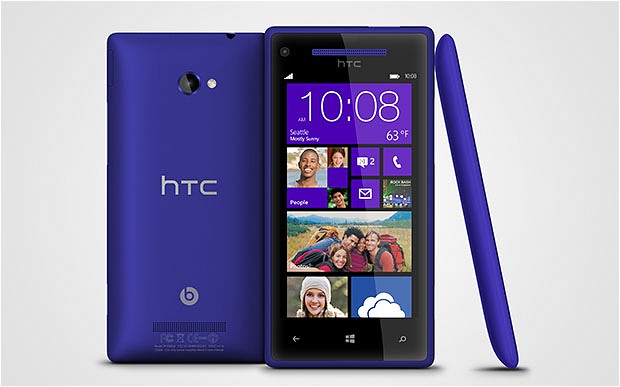
The HTC Windows Phone 8X is a smartphone that you will either love or not want to touch even with a 10 foot pole. Part of the arguments for and against it stem from the operating system of choice, Microsoft’s latest (and greatest) Windows Phone iteration. Sure, the device has good build quality and the software is fluid and responsive, but the app selection is currently lacking compared to rivals like Android and iOS. So where does one draw the line between success and failure?
I’ve been using the Windows Phone 8X for almost two weeks and the early impressions are still on the positive side. In my initial review I touched on a number of points that I found revealing for my brief time with it, but the real test is how the Windows Phone 8X fares over a longer period of time. My main and initial gripes concern the limited app selection and general usability issues of Windows Phone 8 when coming from the stock flavor of Android 4.2 Jelly Bean. The real question is this: Is it good enough?
The Specs
The HTC Windows Phone 8X features a 4.3-inch Super LCD 2 display with a resolution of 1280 by 720. The handset is powered by a 1.5GHz dual-core Qualcomm Snapdragon S4 processor, 1GB of RAM and an 1,800mAh battery. There is 16GB of non-expandable internal storage onboard, or 8GB of internal storage depending on the carrier variant. My Windows Phone 8X is the California Blue international variant, and comes with the former option.
The Windows Phone 8X sports HSPA+ cellular connectivity (LTE is available depending on the market); Wi-Fi 802.11 a/b/g/n; Bluetooth 3.1; NFC (Near Field Communication); GPS with Glonass support as well as the common plethora of sensors. The device ships with an 8MP back-facing camera and a 2.1MP shooter on the front, both capable of 1080p video recording. Other specs include Beats Audio support and a 3.5mm headphone jack.
The Windows Phone 8X measures 132.35 x 66.2 x 10.12 mm. Weight comes in at 130 grams.
Great Social Integration, but not Perfect
 I’ll kick off with the social element. Windows Phone 8 places social (or human if you will) interaction at the forefront, be it through the Me tile and People app pinned on the homescreen or through the social network integration. Users can post straight to Facebook, LinkedIn and Twitter right after pressing their own live tile, view social notifications and check on what other connected folks are doing. Social, social, social. But not that social.
As you may expect the main gripe with Windows Phone 8 in terms of social integration is Google+, or the lack thereof. For me that’s a deal breaker when it comes to any mobile device, more so with a smartphone as it’s the only one that I carry around with me. That would be relatively fine had Google bothered to release an official app but, sadly, the only ones available are third party offerings that display a mobile view. Not modern, not modern at all.
It’s one of the worst parts in dealing with Windows Phone 8 on a day-to-day basis, and really puts a dent in enjoying the operating system. That’s a shame as Microsoft managed to deliver an impressive package in this regard — the unified social notifications in the Me tile is great, the People app is really useful in finding out what your buddies are doing, and the Rooms and Groups features for private chats and sharing are nice as well.
Users can also expect an official Foursquare app and third party Pinterest and Reddit clients, among others. For those roaming around interwebs forums, Board Express is a nice and free Tapatalk alternative, although like most third party apps it’s supported by ads. So far, I have found a working replacement for almost every social app that I use on Android and iOS.
Let’s Talk Mail
What’s a smartphone operating system without a competent email client? Thankfully Windows Phone 8 includes support for Gmail, Hotmail, Outlook.com, Yahoo! Mail, generic POP and IMAP accounts, as well as Exchange ActiveSync support, among other types of supported accounts such as Facebook, LinkedIn, Twitter or Sina Weibo.
I will not bore you with generic details, but suffice to say that it works as expected — you get emails, they show up. There are some issues though which I struggle with on a day to day basis, ones which a Gmail user on Android will undoubtedly find annoying to deal with (and likely others as well). As a point of reference I have set up Outlook using the Microsoft-preferred method and Gmail as an Exchange ActiveSync account in order to take advantage of push email as well as calendar and contacts synchronization.
With both types of accounts I have noticed that marking an email as read does not necessarily mean that it will be listed as read when checking the web app. This is a nuisance that reminds me of just how trouble-free the Gmail and Email apps on Android really are. Furthermore, after applying a batch action the previously selected emails will be unticked and you have to start over ticking them again as to perform another batch action.
The third issue comes from using Gmail. Unlike with the Android counterpart, on Windows Phone 8 there is no Archive button as to immediately move emails straight to All Mail. I have to do that by hand, which is time-consuming and bothersome when dealing with a ton of emails each day. The fourth issue, and the most frustrating, is yet again with Gmail — emails cannot be sent using aliases from a single account. I have to add each and every single one in order to get that functionality.
Great Phone
 The Windows Phone 8X (and Windows Phone 8 by implication) is great at making calls and sending texts. The sound through the headpiece is loud and clear, sometimes too loud with the volume raised all the way up. I have noticed a few dropped calls, although I cannot really fault the device for any of those since although I had a decent signal the person at the other end of the line did not.
This is not a Windows Phone 8 fault per se, but I’d like to have a dedicated contact list just for making calls. By default, and this applies to Android as well, the operating system uses a unified contacts list for all corresponding apps, which is overkill when looking up someone to call. I doubt this will be implemented, but it would be nice to have for someone like me that makes plenty of calls each day.
In the texting department, I do really have to commend Microsoft for the extensive dictionary selection. Unlike Google, which doesn’t bother with stock Jelly Bean, the Redmond, Wash.-based software corporation admits to the existence of more than a couple of languages. I count more than 60 dictionaries for a variety of languages, which really comes in handy when writing texts (but applies to other areas as well).
The keyboard itself is quite nice to use, without any of the swiping gimmickry, and provides decent word predictions. The keys are rather tall and narrow, but even with my big thumbs I can write without making too many mistakes while typing. It’s worth noting that the space bar, at least on the Windows Phone 8X, is quite narrow and too close to the “,” sign, making accidental presses a common occurrence.
Maps
Straight off the bat I do have to point out that I do not find much use for a maps app. Most of the time I know where I am and how to get to where I want, although I can understand why others may feel the need for navigation and similar features. Where I live functionality is rather limited when it comes to discovering nearby shops, restaurants and movie theatres to name a few. They’re there but don’t show up on maps, hence my rare, online and offline, use of Maps.
The Maps app on Windows Phone 8 implements Bing Maps as one might expect, but with some features supported by Nokia, and as far as I can tell only works in portrait mode. That’s a real bummer, and something to consider when using the Windows Phone 8X with car mounts. I have no doubt that the recently introduced Nokia Drive+ is a more suited alternative for navigation, but since it only works with US, UK and Canadian SIM cards it’s pointless for billions of people on the globe. Whoever took charge and decided to offer Drive+ in just three locations is clearly short-sighted, to put it kindly.
Within the Maps app users can also find a navigation feature, dubbed “directions” which works as expected at a first glance, but again only in portrait mode. There is also an option to display traffic, view favorite locations and display an aerial view. By comparison, and I have only tested this in my location, Google Maps, through the gMaps app, displays more detailed maps and allows to zoom in more compared to Windows Phone 8’s Maps app.
That said, users can download maps of entire countries and update them if needed. As a point of reference the entire map of the United States of America take up in excess of 2,556MB, with states like California and Delaware needing 208MB and 40MB, respectively.
Through the Maps app Windows Phone 8 users can also use the Scout feature, which displays nearby “eat+drink”, “see+do”, “shop” and “for you” places on the map. It’s a similar feature to Google Now for instance, and I can only assume that it works as expected for other regions other than mine. Again, I appear to live in the desert or a remotely isolated area with Internet connectivity.
Office, Baby!
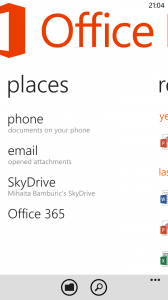 Call me an Office fan, I really don’t mind. Although it does not live up to the features of its desktop counterpart, the Office app on Windows Phone is a welcome addition. It comes with Office 365 integration, can add SharePoint locations, integrates with SkyDrive (which as a SkyDrive user I can certainly appreciate), handles opened email attachments, and can also open and edit locally stored documents.
I have covered the important details in the “Microsoft details Office on Windows Phone 8” article but suffice to say that it works well, even on the 4.3-inch display of the Windows Phone 8X. I mostly like the Excel and Word editing features, which come in handy while on the go and ensure compatibility with every modern office suite.
Undoubtedly, Office on Windows Phone 8 is one of the most important features of the smartphone operating system. It works well for editing and viewing large documents and spreadsheets (from a physical dimensions point of view) as well as presentations and neatly integrates with other Microsoft services. I do have to mention that the Samsung ATIV S or even the Nokia Lumia 920 might be better suited for Office use, due to larger displays, compared to the Windows Phone 8X.
The App Store Conundrum
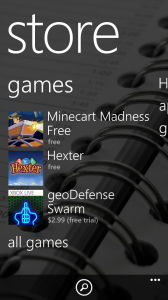 One of the first issues that I have to overcome in order to use the Windows Phone 8X is the lack of official apps. Mostly everything that is Google-related comes from third party developers, except a frankly pointless Google Search app from the Mountain View, Calif.-based corporation, and a YouTube app made by Microsoft which displays a mobile view of the popular video sharing website.
That said, there are working third party alternatives to Google+, Google Docs, Google Drive, Google Maps, Google Play Music, Google Reader, Google Talk, Google Voice, Picasa and YouTube. I’ve used a bunch of them, and while they may not come from the search giant, each of the ones I’ve tried so far works as intended. Keep that in mind if you’re a Google user planning to buy a Windows Phone 8 device soon and are afraid of leaving the comfort of Android or iOS.
There are plenty of official apps available ranging from Kindle and Amazon Mobile, Bank of America, Box, eBay, Endomondo Sports Tracker, Evernote, Fandango, Flixster, Glympse, Groupon, IMDb, Last.fm, Newegg, Nike+ Kinect Training, OpenTable, PayPal, Shazam, SoundHound, Speedtest.net, TopGear News (for much needed car news), TuneIn Radio, Vevo, Vimeo to The Weather Channel, for instance.
There are third party Instagram clients, however neither is a replacement for the official Instagram app which must come to Windows Phone as soon as possible. Same goes for Google+. There are millions of people who rely on such apps on their smartphones, so why not cater to that significant audience? Microsoft made the official Facebook app, so why not do the same with Instagram? I’m sure Facebook wouldn’t mind.
Generally speaking I have found that if there is no official corresponding Windows Phone 8 app, a suitable third party alternative can be installed instead. That’s not good enough though.
The Bummers
Moving on from the software onto the hardware and I do have to point a couple of weaker traits, which affect either Windows Phone 8 or the Windows Phone 8X, or both.
Seeing as my new smartphone has NFC I decided to give it a go and pair it with my Google Galaxy Nexus. So I touch their back covers one to another (in an appropriate manner that is) and wait for something to happen. Guess what? It doesn’t work, as the Windows Phone 8X and the Galaxy Nexus cannot pair, with the latter requesting Android Beam to send files to the former (although I did get a link to Google Play on the Windows Phone 8X). Oh, the joy of having NFC and be unable to use it between different phones. This is an issue that plagues many devices on major platforms.
The Windows Phone 8X features an LED indicator, but it only lights up to display charging status. It’s green when the battery is completely charged and red while it’s charging and that’s it. Coming from the Galaxy Nexus I expected HTC’s device to feature a more usable LED indicator which lights up for missed calls, new emails, Facebook notifications and such, but sadly it does not. I hope that this feature will come with a future software upgrade, as it’s disappointing to let it go to waste.
One thing which I am not used to is the inconsistent implementation of the disappearing status bar throughout apps. By default Windows Phone 8 only shows the time within the status bar and in order to display the carrier network or Wi-Fi signal strength one has to swipe down from the top of the screen. It’s not a bad implementation as it cleans up the look, but the gesture has no effect within certain apps. FeedWorm is a good example where the app is not maximized and there is a black bar on top which fails to display the status indicators after swiping down.
The Camera
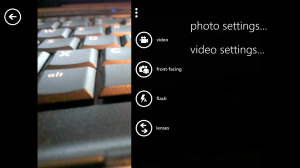 The Windows Phone 8X features an 8MP back-facing camera with an F2.0 aperture, 28mm lens, LED flash and a BSI sensor for low-light use. That suggests that it’s capable of capturing some great pics in poorly lit conditions, but sadly it is unable to deliver spectacular results. I often notice that flash is not always needed even though it’s used and that color reproduction is not entirely accurate.
Colors tend to have a blueish tint when the flash is used and noise is present from up close (without zoom) in low-lighting conditions, whereas in well-lit scenarios the camera on the Windows Phone 8X shoots fairly decent pictures, which are better than the ones produced by the Galaxy Nexus. The latter is not exactly a professional shooter in disguise, but it’s adequate for brief use.
That said, I have not noticed a single scenario where the Windows Phone 8X can shoot pictures with accurate color reproduction. I am much more impressed by the video camera, with manages to shoot decent videos with flash as well as without it, although it could use better autofocus when pointing it around in different directions. By contrast the front-facing camera is rather poor, which is to be expected considering that it’s just a 2.1MP unit.
Battery Life
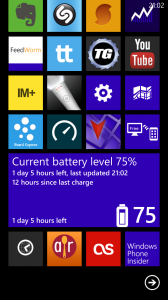 Battery life is difficult to quantify as usage scenarios differ from one person to another. I use my phone most when I’m heading out and then I mostly check email and browse the web, among other things like playing games for instance. With the software up to date, including the much-needed “Keep WiFi on when screen times out” option, the Windows Phone 8X gets me even through a heavy day of use.
Generally speaking battery performance is similar to the Galaxy Nexus throughout a day of use, although the Windows Phone 8X sips less when displaying web pages, something that I’ve come to appreciate when switching from the former.
I do rely on a bunch of apps to sync in the background, including the dedicated email app, Facebook, Foursquare, LinkedIn, Twitter, People, Associated Press, CNN, The New York Times and The Wall Street Journal, among others. Depending on what’s actively syncing the battery might suffer a lighter or heavier hit, so your performance will definitely vary.
The Verdict
It’s my personal opinion that every operating system comes with its own caveats, more so in the app store. Android provides a more raw experience where the user interacts with the device in a more analogue kind of way — the software is not designed to mask itself through fancy transition effects or animations and generally feels unadulterated. iOS on the other hand is more fluid and provides a more artificial experience where the operating system is merely a bridge between the user and the apps.
However, both Android and iOS cannot really be faulted for the available app selection. Windows Phone 8 on the other hand is the perfect example of how an operating system can strike a balance between raw and artificial, but fail to carry over the common denominator — the vast app store offering. No matter how many third-party apps are available, people like me that have a craving for the official variety will often be disappointed.
At the same time the Windows Phone 8X is not really an Apple iPhone 5 nor a Samsung Galaxy S III when it comes to the camera performance. It’s average and really does not work as well in low-light conditions as HTC may lead everyone to believe — the quality is just not there. So the back and front-facing shooters rule out the Windows Phone 8X for camera aficionados.
I have said that the battery gets me through a heavy day of use, but is that really impressive? No, I don’t think so, at least not when comparing it with smartphones like the Motorola Droid Razr Maxx HD and Samsung Galaxy Note II, both of which come with batteries larger than 3,000mAh and, therefore, with better performance in this regard.
A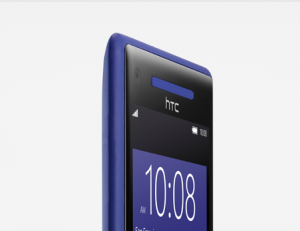 fter using the Windows Phone 8X for a couple of weeks I’ve grown fond of it. It’s not designed to take on Android flagships in terms of raw performance, but it’s enjoyable. The form-factor makes it easy to hold, the operating system is refreshing compared to the bigger players and, something that I really came to appreciate, the design is, frankly, amazing in this California Blue (which is really purple) color. At the end of the day the Windows Phone 8X can only be summed up as this — the all-rounder.

 Do you really care about security on the interwebs? According to the latest Microsoft Computing Safety Index (MCSI), most of us don’t. Of the 10,000+ PC, smartphone and tablet users surveyed, 55 percent experienced multiple online risks, but only 16 percent took proactive safety measures.
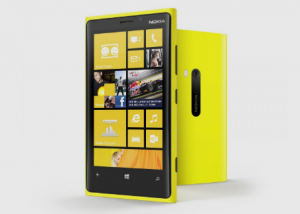 On Monday, the United Kingdom arm of the global telecommunications company Vodafone revealed that, starting February 6, it will carry a
  In the camera department, Windows Phone 8 is an interesting piece of kit — users have access to a high number of customizable options and there is even support for add-ons, or lenses, as Microsoft likes to call them. But one major feature is still missing to nail that perfect picture, namely burst-shot mode.
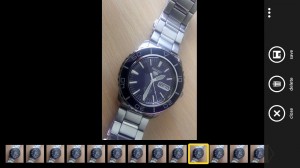 Basically Blink gives the impression of a technical exercise with the sole aim to prove that burst-shot is available for Windows Phone 8 devices. The app could use more features, some of which I mentioned above. Blink would undoubtedly be much more useful as a built-in feature, readily available from the default camera software, not as a lens or individual app.
 Little more than two weeks after
 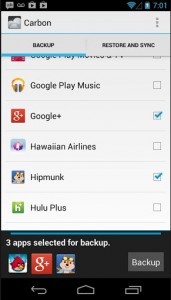 So what about Carbon’s options? Upon opening the backup tool, users can select the apps by going through the list and ticking individual items. They can also add them into groups for easier handling and choose whether to include the app within backups (by default only the data is backed up). Carbon can also be used to transfer apps with data between devices and restore items from the USB storage.
 In mid-December, as part of the “Winter cleaning” operation, Google announced plans to drop support for Exchange ActiveSync effective January 31.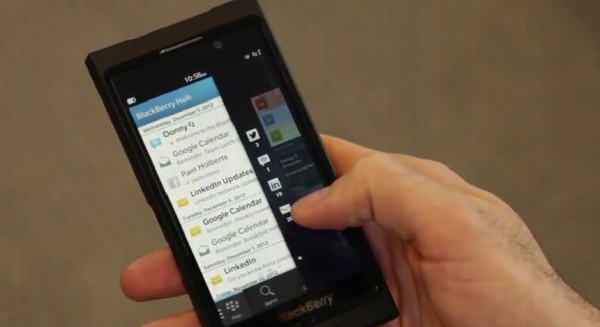


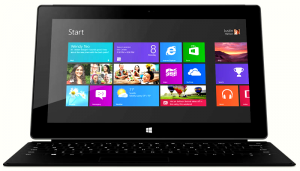 Microsoft is no stranger to controversy, even attracting negative attention when it comes to the advertised storage of its own
 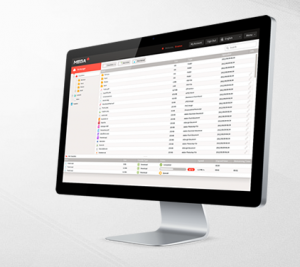 Right after Kim Dotcom
 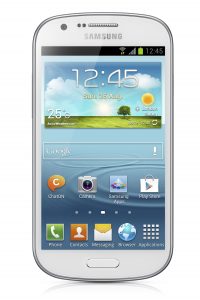 Another day, another Galaxy smartphone. On Tuesday, Samsung unveiled a new handset as part of the company’s ever expanding Galaxy lineup, this one dubbed the Galaxy Express.
 After
After 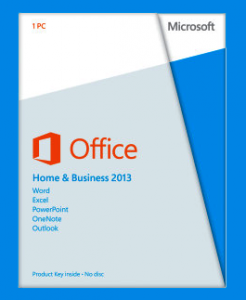 Microsoft also offers Outlook 2013, Publisher 2013 and Access 2013 for $109.99, Visio Standard 2013 runs for $299.99, Visio Professional 2013 and Project Standard 2013 go for $589.99, with Project Professional 2013 topping the charts at $1,159.99.
 To be frank, acronyms like “SAFE” and “
 In a move that aims to consolidate the company’s branded app selection on