Author: Mihaita Bamburic

  • ASUS unveils Fonepad and PadFone Infinity Android tablets

    Today the festivities at Mobile World Congress in Barcelona, Spain kicked off. Nokia announced the new Lumia 520 and Lumia 720 Windows Phone 8 devices aimed at the entry-level and mid-range smartphone market and earlier ASUS unveiled two Android tablets dubbed Fonepad and PadFone Infinity.

    The Fonepad is a 7-inch tablet that features built-in 3G support for cellular voice and data. The device sports a 7-inch 10-point multitouch IPS display with a resolution of 1280 by 800 and at a first glance it’s quite similar to the Nexus 7, which is also manufactured by ASUS, bar the phone functionality.

    The Fonepad, however, is powered by Intel’s Z2420 processor and runs Android 4.1 Jelly Bean. Other specs include a microSD card slot, which can extend the storage capacity by 32GB on top of the 8GB or 16GB built-in storage, 1.2-megapixel front-facing camera capable of 720p video recording as well as a 3MP back-facing shooter. The tablet sports a “metallic design”, which usually implies plastic, that keeps the weight down to 340 grams. ASUS did not provide exact measurements, but says that thickness comes in at 10.4mm.

    As usual the Taiwanese manufacturer also bundles its own branded app suite, including Floating App, SuperNote and WebStorage Office Online. With the purchase of the Fonepad users will receive 5GB of “free lifetime” cloud storage via ASUS WebStorage.

    The Fonepad will be available from March with price starting from EUR219 for the 8GB version. ASUS also offers two accessories, a VersaSleeve 7 cover that features a folding design and a Turn Case hardshell case with a soft interior designed to clean the surface of the screen and provide a built-in stand. The former runs for EUR19.99 while the latter goes for EUR39.99 (MSRP pricing).

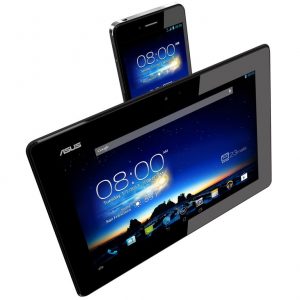
    The PadFone Infinity is touted as a Swiss Army Knife, when coupled with the PadFone Infinity Station. The former is a 5-inch smartphone, but when docked to the latter it becomes a 10.1-inch tablet. The heart of this all-in-one solution is the PadFone Infinity — it features a 5-inch display with a resolution of 1920 by 1080 and runs Android 4.2 Jelly Bean.

    Power comes from a 1.7GHz quad-core Qualcomm Snapdragon 600 processor. In this regard the PadFone Infinity is similar to the HTC One and the LG Optimus G Pro, both of which also feature 2GB of RAM. The ASUS-made device also sports 64GB of built-in storage, a 13MP back-facing camera with a f/2 lens that can capture 100 sequential photos and shoot 1080p video. Battery life is quoted at up to 19 hours of 3G talk time, with the docking station capable of fully-recharging the smartphone up to three times.

    Like with the Fonepad, ASUS also adds its own app suite which includes SuperNote 3.1, Story and ASUS Echo. Combined, the PadFone Infinity and the PadFone Infinity Station will run for EUR999 (MSRP).

  • Nokia brings the new Here apps — Drive Beta, Maps and Transit — to other Windows Phone 8 devices

    Nokia’s augmented reality, map and navigation apps for Windows Phone just went through a name change, and now bear the HERE branding. As interesting as that may sound (which it doesn’t, really) there is an even bigger announcement. HERE Drive Beta, HERE Maps and HERE Transit, which were formerly exclusive to Nokia devices, are now available for “any Windows Phone 8 smartphone”.
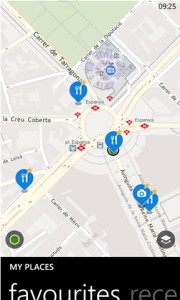
    Well, not for any Windows Phone 8 smartphone — the three apps are only available for users in Canada, France, Germany, Italy, Mexico, Spain, UK and US. That said, I have installed HERE Maps outside of a supported location and it works fine, without any apparent limitation. HERE Drive Beta and HERE Transit report an unsupported location and as a result neither works for me.

    HERE Maps is similar to the built-in Windows Phone 8 Maps application. It uses the Nokia maps and features online and offline services and turn-by-turn navigation, the latter in over 90 countries according to the Finnish manufacturer. Where the two offerings, from Nokia and Microsoft, mostly differ is in nearby locations (Nokia calls them “places”) such as hotels, restaurants, pubs (or bars depending on which side of pond you live) and shopping centers to name a few. Where Maps would show no results, HERE Maps provides a generous POI list (Point of Interest) in the close proximity to my location.

    HERE Drive Beta features turn-by-turn voice navigation, with support for offline guidance. There is also support for POIs, speed limits and other features. Nokia’s maps apps (HERE Drive Beta and HERE Maps) can save maps of entire countries, regions or states (depending on the location) for offline use.

    HERE Transit is designed for (let’s say) eco folks who want to avoid personal (and modern) transportation (also known as cars) and choose to go down the bus, train, tram or ferry route. The app displays nearby stations and stops as well as departure times. All HERE apps are synced, allowing users to switch between them for the best results.

    Moving back to the HERE branding, John Jackson, Research VP, Mobile & Connected Platforms, IDC says that: “These announcements firmly establishes HERE as a horizontal brand and thoughtfully-tiered service offering. It should benefit broad developer communities, generate significant new value for Nokia, and let Nokia retain the ability to differentiate its Lumia products with unique experiences”.

    With that in mind, his standing appears somewhat influenced by half of the HERE announcement. If Nokia keeps up the pace and continues to reinforce its support for the Windows Phone 8 ecosystem by offering more branded apps to non-Lumias the advantage of owning a Nokia smartphone fades, at least in terms of software.

    Currently three out of four HERE branded apps are available for other Windows Phone 8 devices, including HTC’s Windows Phone 8X and Windows Phone 8S and Samsung’s ATIV S.

    HERE Drive Beta, HERE Maps and HERE Transit are available to download from the Windows Phone store.

    Photo Credits: Andy Dean Photography/Shutterstock

  • Samsung fortifies BYOD with Knox for Galaxy devices

    On Monday, South Korean electronics manufacturer Samsung unveiled a new “end-to-end secure solution” aimed at boosting the company’s BYOD (Bring Your own Device) credentials among businesses. Called Knox, the product beefs up the Samsung For Enterprise (also known as SAFE) program by adding improved security and increased manageability into the mix.

    This time around Samsung forgoes the acronyms. Unlikely to be just a simple coincidence, Knox bears a military connotation as it hints at the iconic Fort Knox US Army post in Kentucky. Luckily, Samsung’s Knox only deals with defense. The enterprise solution packs Security Enhanced (SE) Android, which is developed by the NSA (United States National Security Agency) to improve security within green droid land, and integrity management services that are implemented in the Android framework and the hardware alike.

    Knox is similar to the Balance feature found in BlackBerry 10 in the way that it can separate work and personal use of a smartphone or tablet, through a container solution at the application layer. This suggests that users will be able to better compartmentalize personal and business accounts, which should aid the BYOD trend. SE Android and the file system-level encryption enforce the separation, touted by Samsung as increased security within the workspace.

    Samsung says that Knox is compatible with existing enterprise infrastructures, including directory services, MDM (Master Data Management) and VPN (Virtual Private Network), and is easily-available to use from the home-screen icon. It offers a variety of applications such as email, browser, calendars, collaboration, contacts, CRM (Custom Relations Management), and file sharing apps. Existing Android apps, without modification, can be enterprise-integrated and validated and become more secure as well, according to Samsung.

    Samsung says that Knox will be available in select Galaxy devices starting in the second quarter of 2013.

    Photo Credits: Slavoljub Pantelic/Shutterstock

  • AOKP Jelly Bean MR1 Build 4 is available

    Call me crazy, but I love Mondays. Why? Because there is a new AOKP build coming just in time to kick off my week. The team behind the popular custom distribution Android Open Kang Project did not disappoint this time around either. Jelly Bean MR1 Build 4 made its way onto our modding hands with support for new devices and a much-awaited Android 4.2.2 base.
    Jelly Bean MR1 Build 4 is the first release based on Android 4.2.2, the latter of which incorporates a number of new features including improved security as well as bug fixes for Bluetooth and other areas. The latest AOKP build touts minor changes, however, compared to its predecessor. The team behind the project says that the focus was on bugfixes, a “flawless AOSP merge” and the expansion of the lunch table (the lunch table is comprised of build configurations that can be compiled into per-device ROMs).

    Support for new devices comes courtesy of new AOKP maintainers and includes the HTC One XL for AT&T (codename “evita”), Motorola Droid 3 XT862 (codename “solana”), Motorola Droid 4 XT894 (codename “maserati”), Motorola Droid Bionic XT875 (codename “targa”), Motorola Droid RAZR in both Verizon and international trim (codename “spyder” and “umts_spyder”, respectively) and the Samsung Galaxy Nexus for Sprint (codename “toroplus”).

    It is recommended, as usual, to wipe data before switching from another custom distribution or AOKP distribution, the latter based on previous major Android iterations such as Ice Cream Sandwich or the first Jelly Bean version.

    AOKP Jelly Bean MR1 Build 4 is available to download from AndroTransfer and Goo.im.

  • You can run legacy apps on jailbroken Windows RT and will be able to use a third-party app store (soon)

    Starting out as a rookie among veterans, in a matter of months Windows RT has transformed into an exciting and intriguing alternative to established tablet operating systems. The trigger for the frankly unexpected makeover is the jailbreak which allows enthusiasts to run unsigned apps on their Windows RT-based devices — there’s even an automated tool which makes modding a breeze. If you think that is not good enough and you still need or want your old apps, a developer has released a tool that allows legacy programs to run on Windows RT.
    The tool, however, does not support every Windows-compatible legacy app known to mankind. It comes with some limitations as resource-hogging, complex, .NET-based, modern, 16-bit and 64-bit apps, among others, cannot run. The reasoning, judging by the developer’s input on the matter, is to deliver a solid user experience across the board without major compromises when running legacy programs.

    In its current state, the tool features an installer with a GUI (Graphical User Interface) launcher, “speed” and, considering the manpower behind the project, a decent number of emulated Windows API (Application Programming Interface) functions. The developer plans to expand the number of emulated Windows API functions even further in a future release; at the moment it can be considered work in progress.

    As you might imagine, the tool has to be installed on the jailbroken Windows RT and cannot be run on the untouched version of Microsoft’s tablet operating system. Users then have to open the “Launch x86 program” entry from the start menu, browse and select the executable of the legacy program, and just press the OK button to power it up.

    The developer says that WinRAR, 3D Pinball “Space Cadet” (without sound), Heroes of Might and Magic 3 (with a 32-bit patch, but no music), the 7Zip benchmark and “lots of tiny simple progs” work using the tool. That said, launching one legacy app from another is as yet unsupported. The developer also plans to add support for all version of Age of Empires, Command and Conquer, Jagged Alliance 2 and uTorrent 2.x and warns that some programs might require specific registry entries in order to open.

    Another benefit of jailbreaking Windows RT is the ability to use a third-party app store, similar in concept to Cydia on iPads, iPhones and iPod Touch devices. One was released in January, but the developer retired it because the source code contained “too many kludge fixes on kludge fixes”. But that will change “soon”.

    The same developer released a suite of suite of apps meant to enable running unsigned ARM-compatible apps and legacy programs on Windows RT, that would lay the groundwork towards the release of RTD Store V2. The latter is a “work in progress version” of the former third-party app store, but much simpler and more stable, according to the developer.

  • LG, wake up! The Optimus G arrives too late in Europe

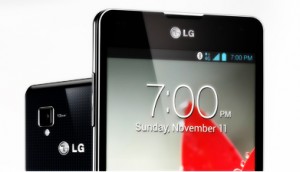
    There’s a great saying that applies to new products — get it while it’s hot. Or shall I say, give it while it’s hot. LG, sadly, is not familiar with either expression as the South Korean manufacturer has only now finally released the Optimus G on European soil. That’s a whopping six months (well, nearly) after the smartphone’s unveiling in late August, last year.
    LG is its own worst enemy right now. The main problem with the late Optimus G release, apart from the obvious waning of initial interest, is the smartphone’s bigger brother — the Optimus G Pro — and the plethora of new devices that were released after the Optimus G, with better specs and time advantage on their side. And we haven’t yet reached MWC (Mobile World Congress) frenzy yet, where manufacturers are known to release or announce even more products.

    The Limited European Endeavor

    I got a kick from reading LG’s announcement. The South Korean manufacturer releases the Optimus G in Europe, starting this month, but only mentions four major markets — Sweden, France, Germany and Italy. Heck, that’s not even a small part of the European Union let alone the whole continent. Will it be available in Spain, or Switzerland, or Belgium? LG doesn’t say, which is not reassuring.

    Trying to make up for the late release, LG says that the Optimus G launches with “enhanced” features, and I quote: “The European Optimus G will feature Google’s latest Android Operating System, Jelly Bean 4.1.2”, alongside QSlide, Safety Care and Privacy Keeper among others. Say what? Android 4.1.2 is the latest version available?

    LG must be joking as quite a lot of people have been using Android 4.2 for months now on their Nexus devices, one of which — the Nexus 4 — is even manufactured by LG itself. Talk about not knowing its own products.

    Great, but Last Year

    To be honest, the Optimus G sounded great at the time — a super fast quad-core processor, 2GB of RAM, a large IPS display, 32GB of internal storage and 4G LTE really grabbed my attention, six months ago. But all that, and more, can be had nowadays in a newer device that will not be surpassed by a bigger brother in a few months and still has that novelty ring to it.

    Imagine going to a retailer or carrier to choose a new phone sometime this month. Which one would you choose, honestly? A six month-old smartphone or a brand new one like, let’s say, the Sony Xperia Z? Or, if you wait a little longer, you can get a great looking HTC One.

    Android 4.1 Jelly Bean is last year’s news and so are most of the specs. Qualcomm released two high-end processors, the Snapdragon 600 and the Snapdragon 800, that outshine the older Snapdragon S4 Pro. We’re starting to see even more 1080p displays, with HTC packing a 1920 by 1080 resolution in a 4.7-inch panel — same screen size as the Optimus G — and promises of Android 4.2 Jelly Bean upgrades from Sony for the Xperia Z and Xperia ZL. Generally speaking we’re seeing the future of smartphones, not the past.

    I’m a European and I wouldn’t touch the Optimus G, not even with a ten foot pole right now. LG, you can keep it.

  • LG expands Optimus smartphone lineup with the new F5 and F7

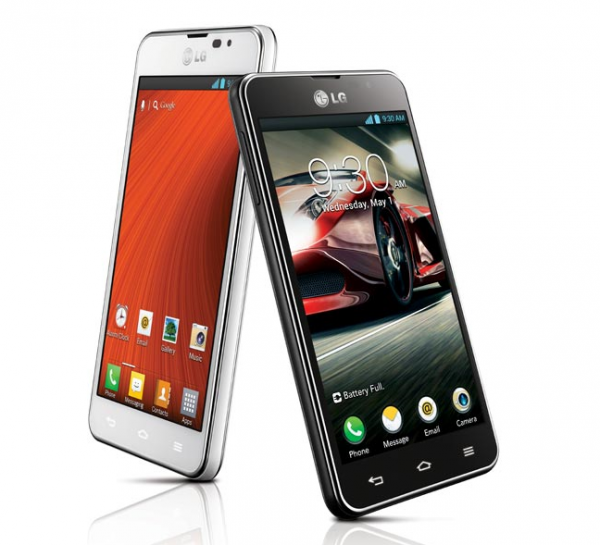
    On Thursday, South Korean mobile device manufacturer LG unveiled the new Optimus F series, comprised of two smartphones, the Optimus F5 and the Optimus F7, that will debut at MWC (Mobile World Congress) in Barcelona, next week.

    The Optimus F series slots under the Optimus G lineup, the latter of which includes the Optimus G and Optimus G Pro Android flagship smartphones, sporting smaller displays and less powerful processors. Both the Optimus F7 and the Optimus F5 ship with Android 4.1.2 Jelly Bean out-of-the-box and 4G LTE cellular connectivity. But what separates the two?

    The Optimus F7 comes with a 4.7-inch True HD IPS display with resolution of 1280 by 720 and a 312 pixels-per-inch density. The smartphone is powered by a 1.2GHz dual-core processor (likely a Qualcomm Snapdragon S4), 2GB of RAM and a 2540 mAh battery.

    The Optimus F7 features 8GB of internal storage and a microSD card slot, the latter of which can accommodate up to 32GB of extra storage. Other specs include 8MP back-facing camera with autofocus and a 1.3MP front-facing shooter. The handset comes in at 131.7 x 86.2 x 9.6 mm.

    The Optimus F5 features a smaller display, a 4.3-inch IPS panel with a resolution of 960 by 540 and a 256 ppi density. Power comes from a 1.2GHz dual-core processor, 1GB of RAM and a 2,150mAh battery.

    The smartphone also sports 8GB of internal storage and a microSD card slot, similar to the Optimus F7. Other specs include a 5MP back-facing camera with autofocus and a 1.3MP front-facing shotter. The Optimus F5 measures 126.0 x 64.5 x 9.3 mm.

    On the new Optimus F5 and Optimus F7, Jong-seok Park, president and CEO of LG Electronics Mobile Communications Company says: “With adoption of LTE expected to explode in 2013, we are sending a clear message to consumers with the Optimus F Series that LTE isn’t just for heavy content users and techies anymore. It’s for everyone”.

    On both devices LG adds its traditional “UX features”, which include QSlide, allowing the user to view two apps at the same time, and Live Zooming, that can be used to zoom into a certain area while watching a video. Other software features are QuickMemo, QTranslator, Video Wiz and Safety Care, among others.

    The Optimus F5 will be available in Europe in the second quarter of 2013. The Optimus F7 will follow in “selected markets”. Obviously, LG will provide more details as to the availability and price of the two smartphones “at a later date”.

  • Qualcomm details the Snapdragon 200 and 400 processors for entry level and mid-range devices

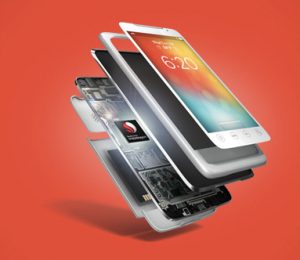
    After unveiling the Snapdragon 600 and Snapdragon 800 at CES 2013, American mobile giant Qualcomm has on Wednesday taken the wraps off two new processors. The Snapdragon 200 and Snapdragon 400 join the company’s latest lineup for smartphones and tablets, targeting the low-end and mid-range mobile market.

    The Snapdragon 400 is the mid-range mobile processor and, to some extent, resembles the now-traditional Snapdragon S4 found in a number of currently-available smartphones such as the HTC Windows Phone 8X, Nokia Lumia 920 or Samsung Galaxy S III (US variants). The Snapdragon 400 features dual-core Krait CPUs with speeds of up to 1.7GHz per core or quad-core ARM Cortex-A7 CPUs with speeds of up to 1.4GHz per core.

    The GPU of choice is the Adreno 305, which comes under the Adreno 320 found in the Snapdragon 600 and Snapdragon S4 Pro. There is support for “key modem technologies”, including HSPA+, TDSCDMA and W+G CDMA as well as multi-SIM capabilities. The Snapdragon 400 features LPDDR2 or LPDDR3 RAM and support for up to 13.5MP cameras as well as Miracast for wireless content streaming.

    The least impressive of the two, for power-hungry users that is, is the Snapdragon 200. Qualcomm’s processor features quad-core ARM Cortex-A5 CPUs with speeds of up to 1.4GHz per core, an Adreno 203 GPU, LPDDR2 RAM, GPS, multi-SIM capability and support for up to 8MP cameras, HD video playback and CDMA or UMTS modems. Nothing shouts high-tech there, but seeing as the Snapdragon 200 aims to conquer the entry-level smartphone market that’s to be expected.

    Qualcomm did not provide any details as to when we can expect to see the new Snapdragon processors inside new smartphones and tablets.

  • ZTE will launch Nvidia Tegra 4-based smartphones, but not soon

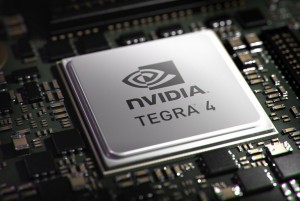
    Qualcomm’s new Snapdragon processor lineup has cast a shadow over Nvidia’s Tegra 4 ever since its CES 2013 unveiling in Las Vegas. Especially thanks to new smartphone releases such as LG’s Optimus G Pro and HTC’s One flagship, which both feature Qualcomm’s Snapdragon 600 processor. So where does Nvidia fit in the new mobile scene?

    Accustomed to having its Tegra products used in flagship Android devices generally unveiled with much fanfare, Nvidia’s latest partnership with Chinese telecommunications company ZTE seems bland by comparison, and almost flew under the radar. On Thursday, ZTE announced that it will release “the first super phones powered by the Nvidia Tegra 4 mobile processor”, without going into too much detail as to what prospective customers can expect.

    The first smartphones to hit the market using the Tegra 4 processor will be released in China before the second half of 2012. He Shiyou, ZTE EVP and Head of the Terminal Division says: “This is a clear demonstration of ZTE’s ability to quickly develop, and bring to market, market-leading devices running the industry’s latest technologies”. However “quickly” is not that quick — it will take up to five months to release a Tegra 4-based device on the market.

    Qualcomm unveiled the Snapdragon 600 at the same trade show as Nvidia and already there are two smartphones coming based on that processor. The LG-made Optimus G Pro launches this week in South Korea and the HTC-made One hits the market starting in March. Before the second half of 2013 sounds later than March.

    ZTE also revealed that not all of its Tegra-4 based smartphones will feature the optional Icera i500 chipset, which delivers 4G LTE voice and data. The Chinese company announced that only one such device is in store, suggesting that the majority of Tegra 4-based smartphones will be part of a 3G-only affair.

  • Updated evasi0n jailbreak tool available for iOS 6.1.2

    Yesterday Apple rolled out iOS 6.1.2 for compatible iPads, iPhones and iPod Touch devices, touting the fix of an Exchange calendar bug that might boost network activity and decrease battery life. And, as customary with a new iteration of iOS 6, there’s also a new version of the popular evasi0n jailbreak tool. Evad3rs, the team responsible for the first iOS 6 jailbreak tool, released evasi0n 1.4 shortly after iOS 6.1.2 rolled out.

    The latest version, according to the “evasi0n 6.0-6.1 Unthether” package in Cydia, touts the same bug fixes as two weeks ago when I reported on the first evasi0n update. It appears that the fruit company did not put the lid on modding attempts just yet. First-time jailbreakers running iOS 6.1.2 simply have to connect their iPads, iPhones or iPod Touch devices to a compatible PC running Windows, MacOS X or Linux and run evasi0n to unleash the modding gates on their smartphone or tablet.

    Since evasi0n disables OTA (Over The Air) updates, those that have already used evasi0n are advised to factory restore their fruit logo-branded devices and manually update to iOS 6.1.2 using iTunes. Afterwards, the jailbreak tool can be used in similar fashion as before.

    Evasi0n 1.4 is available to download from evad3rs’ website.

    Photo Credit: Lim Yong Hian/Shutterstock

  • CyanogenMod 10.1 now features HDR mode

    The team behind CyanogenMod 10.1 announced a new camera feature for “(almost) everyone” running the popular custom Android distribution on their smartphone or tablet — support for HDR mode.

    The CyanogenMod 10.1 implementation for HDR mode “captures multiple pictures, and then renders them together to form one HDR image”, similar to the functionality currently available on the LG-made Google Nexus 4. The software snaps three photos, at minimal, neutral and maximum exposure, and displays a single image at the end of the process, through “some fancy algorithms”.

    The developers behind CyanogenMod 10.1 warn that results using HDR mode may vary depending on the physical camera module and may deliver “some oddities” due to the software rendering. As a result it is recommended to hold the device steady, by using a tripod or stand, for the best possible results.

    Likewise, snapping pics of moving targets will not be of the highest possible quality, more so on devices with slow camera shutters. Same goes for long capture times, which also result in photos of inadequate quality. That said, this should not effect Android smartphones and tablets with zero shutter lag cameras and “decent sensor and optics”.

    Even though the software snaps three pictures the user will only see the final result, with the in-between shots being deleted. On older devices, such as Samsung Galaxy S, using HDR mode will result in an out-of memory type of error, which the team behind CyanogenMod 10.1 says will be fixed in an upcoming release.

    CyanogenMod 10.1 nightly builds are available to download from CyanogenMod Downloads page.

    Photo Credit: Imageman/Shutterstock

  • Meet SwiftKey 4 — a top keyboard for Android

    I have to be completely honest — I am not a fan of the default Android keyboard. For people like me who write in languages other than English on a day-to-day basis, it misses the mark entirely, and does not adapt to my writing style either. Ever since I bought my Galaxy Nexus only one Android keyboard has lived up to my expectations — SwiftKey. And now there’s a new version, and it’s even better than ever.
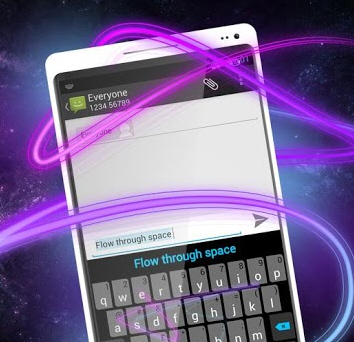
    On Wednesday, after a couple beta versions, SwiftKey 4 made its way onto Google’s Play Store in both smartphone and tablet form. The popular third-party keyboard introduces a plethora of new features, including support for swipe input through Flow and revamped predictions.

    SwiftKey 4 also adds “Flow Through Space”, a feature that allows users to “gesture multiple words without lifting a finger”, improved learning of language and typing style by adapting to the Facebook, Gmail, Twitter, RSS feed and SMS writing style. With Flow enabled, however, SwiftKey 4 does not allow the user to swipe backwards to delete the word or swipe down to hide the keyboard.

    When it comes to predictions, the keyboard touts an enhanced language engine as well as predictions in a higher number of text fields. There is also support for 60 languages, with new entries such as Albanian, Bosnian, Japanese, Sundanese, Thai and Vietnamese, as well as easier corrections.

    SwiftKey 4 now touts the ability to tap anywhere on a word in order to choose a suitable alternative. A new theme, dubbed Berry, is available for a total of nine options. In landscape mode SwiftKey 4 can now be used in split layout mode.

    SwiftKey 4 is available to download from Google Play for smartphones and tablets.

  • Nvidia unveils the Tegra 4i, with integrated 4G LTE processor

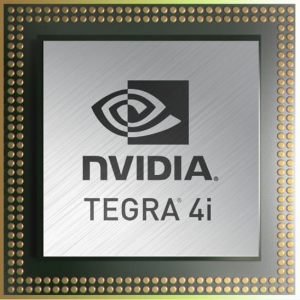
    On Tuesday, Santa Clara, Calif.-based technology company Nvidia took the wraps off a new mobile processor part of its Tegra lineup, named Tegra 4i. The latest product comes with “fully integrated 4G LTE” connectivity, a first for Nvidia, and it is designed to fend off attack from similar solutions, like Qualcomm’s newest Snapdragon lineup.
    The new Tegra 4i sports 60 custom GPU cores and a 2.3GHz quad-core CPU that is based on the “newest and most efficient” ARM R4 Cortex-A9 architecture. The traditional Tegra battery-saver core is also present. The Tegra 4i, however, comes in slightly under the Tegra 4 processor unveiled at CES 2013 in Las Vegas, the latter of which features 12 more GPU cores and is based on the faster ARM Cortex-A15 architecture.

    The 2.3GHz is a joint effort between Nvidia and ARM, with the former touting it as the “most efficient, highest performance CPU core on the market”. Tom Cronk, executive vice president and general manager, processor division, ARM says: “ARM and Nvidia worked closely to further optimize the Cortex-A9 processor to drive performance and efficiency in areas such as streaming and responsiveness. This is an example of the collaboration and innovation that enables ARM technology-based solutions to be market drivers through multiple generations of SoC solutions”.

    The Tegra 4i delivers five times the number of GPU cores compared to the older Tegra 3 and the i500 “software-defined” radio modem which sports 4G LTE functionality. In the camera department the processor features Nvidia’s Chimera Computational Photography Architecture which was introduced alongside the Tegra 4.

    On Tegra 4i’s integrated LTE chip, Stuart Robinson, director, Handset Component Technologies Program at Strategy Analytics says: “[…] appears to outperform the leading integrated LTE chip significantly, and also benefits from an integrated ‘soft-modem’ that can be re-programmed over-the-air to support new frequencies and air interfaces — something other modem vendors can only dream of”.

    Basically what we’re looking at is a slightly underpowered variant of the Tegra 4 that features a more battery-friendly CPU and a less powerful GPU. Nvidia will showcase the Tegra 4i at MWC (Mobile World Congress) in Barcelona.

  • Meet the HTC One

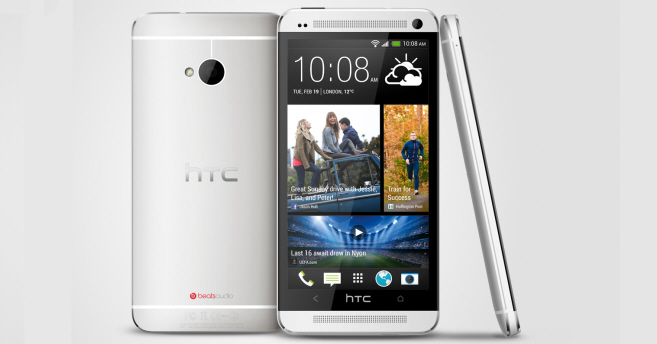
    On Tuesday, after numerous leaks and rumors, Taiwanese mobile device manufacturer HTC unveiled a new flagship Android smartphone tastefully named One. With One the company has jumped off the ever increasing display size bandwagon and decided to stick to a more tried and true 4.7-inch panel, while packing a high-end quad-core processor.

    The international One comes in silver and black and, depending on the market, other colors such as red might be available as well. The front of the handset is dominated by rounded corners and symmetrical speakers while the back features the now traditional tapered edges that HTC previously introduced with smartphones such as the Windows Phone 8X or DROID DNA. It’s simply striking to look at.

    The One’s 4.7-inch display offers a resolution of 1920 by 1080 and a whopping 468ppi (pixels per inch) density. HTC does not specify which type of panel is used, however judging by past releases it’s fair to assume that we’re looking at an LCD3 IPS display.

    Power comes from a 1.7GHz quad-core Qualcomm Snapdragon 600 processor, similar to the LG Optimus G Pro, 2GB of DDR2 RAM and a 2,300mAh non-removable battery. The One comes with two storage options, in 32GB and 64GB trim and features the typical connectivity options including Wi-Fi 802.11 a/ac/b/g/n; NFC (Near Field Communication); Bluetooth 4.0; DLNA; microUSB 2.0 and the usual array of sensors (gyro; accelerometer; proximity and ambient light sensors).

    The handset is among the first to feature support for the Wi-Fi 802.11 ac standard. Depending on the market the One also comes with HSPA+ or 4G LTE cellular connectivity.

    Interestingly enough HTC steers clear from revealing the megapixel count on the back-facing camera, which bears the UltraPixel moniker, only revealing that it features a BSI sensor with F2.0 aperture and 28mm lens, optical imagine stabilization, five levels of flash as well as the in-house ImageChip 2 technology. The front-facing camera is a 2.1MP unit with support for HDR mode in both pictures and videos. Both shooters are capable of 1080p video recording.

    HTC also bundles a number of branded features such as Zoe, which can shoot up to 20 photos and a 3-second video when pressing the shutter button, BoomSound, which is designed to improve the music and video experience and BlinkFeed, which provides social networking and media updates, among others. The operating system of choice is “the latest Android Jelly Bean” (meaning Android 4.2), backed by the Sense user interface.

    The One comes in at 137.4 x 68.2 x 9.3 mm and 143 grams. The dimensions are on par with currently available smartphones, although both the thickness and weight are a bit on the larger side.

    The One will be globally available at more than 185 carriers in more than 80 regions and countries starting in March. HTC says that in the US AT&T, Sprint, T-Mobile, Cincinnati Bell and Best Buy will offer the handset, while north of the border in Canada, Bell, Rogers Communications, Telus and Virgin Mobile Canada will carry the One.

    In Europe, Middle East and Africa, One will be available at various carriers and retailers including Orange, Vodafone, T-Mobile, EE (Everything Everywhere), Carphone Warehouse UK, Cosmote, O2 and others.

    The handset will also hit the Chinese market through China Mobile, China Unicom and China Telecom, Latin America as well as the Asia-Pacific area.

  • HTC DROID DNA, One S and XL receive S-Off treatment

    Great news for Android enthusiasts rocking an HTC One S, One XL or DROID DNA! A team of developers has revealed an S-Off hack that fully unleashes the modding potential of the three smartphones by allowing users to flash a custom recovery or distribution straight from hboot.
    In order to achieve S-Off nirvana, One S, One XL and DROID DNA users must enable root and have superCID, the latter of which allows for the installation of custom distributions independent of the country identifier (CID). Afterwards, the process is fairly simple to carry out with users only needing to download a patcher file and input a number of commands inside a terminal.

    Users have to extract the patcher in the working directory, find the model ID in adb mode, download the zip file that matches the One S, One XL or DROID DNA model ID, reboot the bootloader in adb mode, reboot the RUU in fastboot mode, flash the corresponding zip file in fastboot mode, boot in fastboot mode, insert three commands via adb mode and finally reboot the bootloader, again in adb mode.

    Afterwards “Facepalm” S-Off is enabled on the One S, One XL and DROID DNA. The method has been confirmed to work by a number of users, on all three HTC-made devices.

  • Sony Xperia Z receives root and joins the modding ranks

    With Sony’s efforts to support the Android modding and developer community, it really should come as no surprise that the recently-unveiled Xperia Z smartphone is now bestowed with root. The noteworthy achievement is facilitated by the CF-Auto-Root solution available for the LG-made Google Nexus 4, a device which shares most of the underpinnings of the Xperia Z.

    The two devices share the same 1.5GHz quad-core Qualcomm Snapdragon S4 Pro chipset and because of it the developer has only slightly modified the Nexus 4 ramdisk from CF-Auto-Root to unleash elevated privileges on the Xperia Z. The app chosen to manage rooting requests is the traditional SuperSU.

    The Xperia Z must sport an unlocked bootloder in order to enable root, as well as firmware version 10.1.A.1.350. The fastboot tool is also needed as to upload files onto the device. Users have to reboot into bootloader mode, flash a modded kernel, reboot, disconnect the USB cable and perform a hard shut down, before reconnecting the Xperia Z in fastboot mode, flashing the stock kernel and rebooting the device.

    In order to fully take advantage of apps that require root it is also recommended to install a BusyBox from Google Play. BusyBox by Stephen (Stericson) comes highly recommended by members of the modding community. The app installs a number of files (the recommended path to install them is /system/xbin/) which can be used by apps that require elevated privileges to run certain commands.

    The root method has been tested on an Xperia Z model C6603, but according to the developer it should work on the C6602 variant as well.

  • Samsung announces the Wi-Fi Galaxy Camera

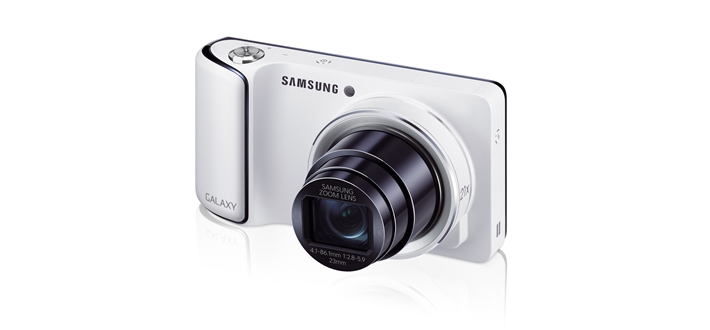
    On Tuesday, Samsung unveiled a new Galaxy Camera model featuring Wi-Fi-only connectivity. The South Korean manufacturer spares no expense, pairing the device with a quad-core processor and the first Jelly Bean iteration, among other noteworthy features.

    With the Wi-Fi-only Galaxy Camera. Samsung drops support for 3G/4G LTE connectivity but maintains most of the specs from the original version. The new model features a 4.8-inch HD display with a resolution of 1280 by 720 and 308ppi density. The camera is powered by a 1.4GHz quad-core processor and a 1,650mAh battery, with the display and processor combination similar to the one found in the company’s flagship Android smartphone, the Galaxy S III.

    The highlight of the Wi-Fi Galaxy Camera is the 16.3MP shooter which comes with a 23mm wide angle lens capable of 21x optical zoom. Available ISO settings include Auto, 100, 200, 400, 800, 1600 and 3200. As you might expect, the camera features 1080p video recording capability. To store all created content and the Android operating system, Samsung throws in 8GB of internal storage as well as a microSD card slot. There is also HDMI 1.4 video output.

    Samsung also adds a number of software features to back-up the hardware offering, namely Smart Mode which comes with 19 different “modes”, such as Best photo or Best face, Share shot, Auto Upload, Remote Viewfinder, Smart Content manager, Paper Artist, Photo Wizard, Video Editor, Voice Control, Slow Motion Video, S Planner, S Suggest, AllShare Play, as well as Dropbox support.

    The operating system of choice is Android 4.1 Jelly Bean coupled with Samsung’s TouchWiz user interface. Galaxy Camera users have access to the typical software features provided by the former, including Google Now, resizable widgets and expandable notifications, among others.

    The Wi-Fi Galaxy Camera comes with Wi-Fi 802.11 a/b/g/n connectivity with support for HT40; GPS with Glonass support, and Bluetooth 4.0. The device measures 128.7 x 70.8 x 19.1 mm and weighs 300 grams.

  • Vic Gundotra hints at better camera for future Nexus smartphones

    Google Nexus smartphones are known for a few good things — they tout the latest unadulterated version of Android, the hardware inside is decently fast, the build quality is surprisingly good, and the price doesn’t burn a hole in the pocket. But if there’s one area where no Nexus smartphone shines, it’s definitely in the camera department.

    As a Galaxy Nexus owner I have often faced a camera dilemma — do I shoot bad pics just to have them, or stick with taking a mental snapshot. More often than not the latter seems to be the way to go. It’s not that the cameras are overly bad, it’s just that in order to take a remotely-decent picture I’d have to fiddle around with the software and by the time I found the good setup the perfect moment will have already passed. And don’t get me started on noise or clarity. But it appears that will soon change as Google is finally making the camera a priority.

    After engaging with his followers on Google+ on a camera-related topic, Vic Gundotra, Senior Vice President of Engineering for Google, revealed an interesting tidbit relating to future Nexus devices. In response to a comment about the quality of Nexus smartphone cameras, Gundotra says: “We are committed to making Nexus phones insanely great cameras. Just you wait and see.”

    Whether that means better software or better hardware it’s definitely left to our imagination at this point. Android 4.2 Jelly Bean could certainly use some improvement in the former department, as the camera software only contains a few user-configurable options and does not even marginally rival the setup found in some flagship droids currently on the market.

    That said, considering Google’s commitment to AOSP (Android Open Source Project), any new features and overhauls would have to be open-sourced for a large part of the community to perpetuate the success of custom distributions. Proprietary bits are not out of the question either, seeing as Google does not embed Photo Sphere into AOSP at the moment, leaving developers to “borrow” the necessary files from factory images.

    Improved software is unlikely to drive up costs, but better camera modules likely will. This raises the question on whether Google will continue with the same budget-friendly philosophy with future Nexus smartphones, seeing as the “great cameras”, hardware-wise, are mostly exclusively-associated with expensive devices.

    Speculation aside, it’s great to see Google taking an interest in developing more rounded Nexus smartphones, be it software or hardware-wise.

  • LG finally details the ‘second and different’ Optimus G Pro

    Unveiling a smartphone without specs is like announcing a movie without releasing a trailer and only showing the poster to get everyone excited. That’s exactly what LG did, little less than a week ago, with the ‘second and different’ Optimus G Pro. It got us confused, and worked up, and took the South Korean manufacturer until Monday to finally give in and spill the beans.

    Last week LG revealed very little about the Optimus G Pro, only focusing on two major areas — the display and the processor. The former is known to feature a “2.5D” effect, similar to the faux-3D virtual geometric model used in games, for instance. The panel is a 5.5-inch unit backed by a resolution of 1920 by 1080. LG gave even less away when it came to the processor, only mentioning that it is of quad-core origin. But let’s stop looking at the poster and watch the trailer instead.

    The Optimus G Pro comes with a 5.5-inch IPS display with a resolution of 1920 by 1080 and a 400ppi (pixels per inch) density. Power comes from a quad-core 1.7GHz Qualcomm Snapdragon 600 processor, 2GB of RAM and a large 3,140mAh removable battery.

    The Snapdragon 600 is known to feature an Adreno 320 graphics card, a Krait 300 CPU and LPDDR3 RAM, basically an evolution from the Snapdragon S4 Pro found in current high-end smartphones. The chipset includes support for 4G LTE connectivity, which the Optimus G Pro also features.

    The handset comes packing 32GB of internal storage including support for expandable memory though a microSD card slot. The latter can accommodate cards up to 32GB in size. The Optimus G Pro ships with a 13MP back-facing camera with LED flash and a 2.1MP front-facing shooter.

    Unsurprisingly the smartphone runs Android 4.1 Jelly Bean, version number 4.1.2, and includes typical LG software add-ons such as QSlide, Live Zooming and Quick Memo. The handset even allows users to shoot video simultaneously with both cameras through the Dual Recording feature.

    The Optimus G Pro comes in at 150.2 x 76.1 x 9.4 mm which is a bit on the larger side. It’s in “phablet” territory. By comparison the obvious rival, the Samsung Galaxy Note II, comes in at 151.1 x 80.5 x 9.4 mm which is slightly taller and wider.

    LG says that the Optimus G Pro “launches this week in Korea” but there is no mention at the moment of a global availability. The South Korean manufacturer will showcase the Optimus G Pro at MWC in Barcelona.

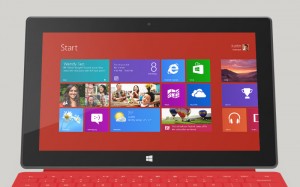
  • Microsoft Surface RT now available in 13 more European countries

    After Microsoft cancelled the Surface Pro launch event in New York City due to bad weather, the software giant announced that starting Valentine’s Day it would be expanding the Surface RT availability in 13 more European countries. And, as promised, the Windows RT-powered tablet has made its way onto the old continent, likely disrupting a few romantic plans in the process.

    Surface RT fans in Austria, Belgium, Denmark, Finland, Ireland, Italy, Luxembourg, the Netherlands, Norway, Portugal, Spain, Sweden and Switzerland can now purchase the tablet from various local retailers or directly from Microsoft Store, depending on the market. Pricing is consistent among countries where Euro is used, ranging between EUR479 and EUR487 for the entry-level Surface RT in 32GB trim (without the Touch Cover keyboard).

    The 32GB Surface RT with Touch Cover runs for EUR100 more, depending on the market or currency. The 64GB Surface RT without Touch Cover runs, yet again, for EUR100 more on top of the base price while the version with a Touch Cover keyboard is available for EUR200 over the base price.

    It is worth noting that Surface RT in 64GB trim is not available for purchase in all 13 new countries. For instance in Austria, Finland or Spain only Surface RT in 32GB trim can be acquired from Microsoft Store.

    The Surface RT tablet ships with a 10.6-inch, 5-point multitouch, ClearType HD Display with a resolution of 1366 by 768 and a 16:9 aspect ratio. Power comes from an nVidia T30 chipset and 2GB of RAM. Other specs include: Wi-Fi 802.11 a/b/g/n; Bluetooth 4.0; full-size USB 2.0 port, microSDXC card reader; HD video out port; front and back 720p cameras as well as the usual array of sensors.

    Microsoft quotes 8 hours of battery life and between 7 and 15 days of idle time. The tablet weighs less than 680 grams, and comes in at 27.46 x 17.20 x 0.94 cm, without a keyboard. Depending on the country, Surface RT is supplied with a two-year hardware warranty, as well as the usual 90-days of free technical support.