Category: News

  • Reuters – Springer Science Set to Attract Five Bids from PE

    Five private equity groups are set to bid for Springer Science+Business Media, owned by private equity firm EQT and sovereign wealth fund GIC, writes Reuters. While EQT and GIC are hoping to reap as much as 4 billion euros ($5.2 billion) for the German speciality publisher of scientific journals, the prospective buyers are unlikely to offer much more than a price tag of slightly over 3 billion euros, writes Reuters.

    Reuters – Five private equity groups are set to bid for Springer Science+Business Media, owned by private equity firm EQT and sovereign wealth fund GIC, several people close to the process told Reuters.

    While EQT and GIC are hoping to reap as much as 4 billion euros ($5.2 billion) for the German speciality publisher of scientific journals, the prospective buyers are unlikely to offer much more than a price tag of slightly over 3 billion euros, the sources said.

    Those due to hand in bids later this week are Carlyle , Providence, BC Partners, KKR and Hellman & Friedman, the sources said, adding second-round bids are due in June.

    EQT and Carlyle, BC Partners, KKR declined to comment. GIC – the investment vehicle of the government of Singapore – Providence and Hellman & Friedman were not immediately available for comment.

    German media group Bertelsmann has already said it was not considering buying Springer Science. No other strategic bidders emerged, the sources said.

    Springer Science’s owners are simultaneously still working on the preparations for an initial public offering (IPO), which would likely take place early July if the sellers conclude they would reap a higher price in a listing than in an outright sale.

    EQT and GIC bought Springer Science in 2009 for 2.3 billion euros.

    The post Reuters – Springer Science Set to Attract Five Bids from PE appeared first on peHUB.

  • Reuters – Sweden’s Altor Sells Stake in Euro Cater

    Swedish private equity firm Altor said on Wednesday it had agreed to sell its stake in Danish food services firm Euro Cater to a group of reinvesting employees that have partnered with investment firm Intermediate Capital Group PLC, writes Reuters. Altor said in a statement it expected to finalise the deal, which was subject to approval from competition authorities, in the second quarter.

    Reuters – Swedish private equity firm Altor said on Wednesday it had agreed to sell its stake in Danish food services firm Euro Cater to a group of reinvesting employees that have partnered with investment firm Intermediate Capital Group PLC.

    Altor said in a statement it expected to finalise the deal, which was subject to approval from competition authorities, in the second quarter.

    J.P. Morgan acted as financial adviser and Bech-Bruun as legal advisor for the seller of Euro Cater, which has sales of about 7.2 billion Danish crowns ($1.26 billion).

    Euro Cater is a food services company with operations in Denmark and Sweden and sales of 7.2 billion Danish crowns ($1.26 billion).

    ($1 = 5.7278 Danish crowns) ($1 = 5.7278 Danish crowns)

    PRIVATE CAPITALFINANCIALS

    The post Reuters – Sweden’s Altor Sells Stake in Euro Cater appeared first on peHUB.

  • Reuters – Evonik Owners Say to Place More Shares Ahead of Listing

    Investment banks Deutsche Bank and Mainfirst are placing up to 2 percent in German chemical company Evonik at a fixed price of 32.20 per share, writes Reuters. The shares will be sold exclusively to institutional investors ahead of a public listing planned for Thursday in a private placement on behalf of the RAG foundation, a public-sector trust that will bear the liabilities of Germany’s wound-down coal mines, and private equity group CVC.

    Reuters – Investment banks Deutsche Bank and Mainfirst are placing up to 2 percent in German chemical company Evonik at a fixed price of 32.20 per share, Deutsche Bank said in a statement on Wednesday.

    The shares will be sold exclusively to institutional investors ahead of a public listing planned for Thursday in a private placement on behalf of the RAG foundation, a public-sector trust that will bear the liabilities of Germany’s wound-down coal mines, and private equity group CVC.

    Earlier this year, RAG and CVC placed a total of 12 percent of Evonik’s shares with investors.

    The post Reuters – Evonik Owners Say to Place More Shares Ahead of Listing appeared first on peHUB.

  • Reuters – Cathay Fortune Proposes New Bid for Discovery Metals

    Chinese firm Cathay Fortune Corp, the top shareholder and a former suitor of Australia’s Discovery Metals Ltd, has proposed a fresh offer to buy the copper miner as long as Discovery halts a planned equity raising, writes Reuters. The private equity firm founded by Chinese billionaire Yu Yong is targeting Discovery for its Boseto project in Botswana, which is within the Kalahari copper belt region that has attracted billions of dollars in takeovers in the past two years.

    Reuters – Chinese firm Cathay Fortune Corp, the top shareholder and a former suitor of Australia’s Discovery Metals Ltd, has proposed a fresh offer to buy the copper miner as long as Discovery halts a planned equity raising.

    The private equity firm founded by Chinese billionaire Yu Yong is targeting Discovery for its Boseto project in Botswana, which is within the Kalahari copper belt region that has attracted billions of dollars in takeovers in the past two years.

    The Chinese firm said the Brisbane-based miner was at risk of going into receivership and expressed deep misgivings about the competence of Discovery’s board.

    “CFC is willing to put a binding cash proposal to the Board to acquire Discovery subject to the proposed equity raising not proceeding,” Cathay Fortune said in a letter to shareholders on Wednesday.

    A Cathay Fortune spokesman said the firm was not in a position to put a price on the offer before it had completed its due diligence.

    “The reason is that Cathay has lost confidence in the board and their public disclosures, and wants to do a short period of due diligence ahead of putting a more formal proposal to the company,” he said.

    Cathay Fortune said they believed Discovery’s current financing plan was a “serious mistake”.

    “We are of the opinion that if Discovery progresses with the current financing arrangements, it is likely that it may be forced into receivership in the near future,” the firm said.

    Instead, Cathay Fortune asked the Discovery board to allow bidders including itself to conduct due diligence “in no more than 10 days” and put a binding cash proposal on the table.

    Discovery Metals’ representatives were not immediately available to comment.

    The miner’s shares have not been traded since the company requested a halt on Friday. They last traded at 34 cents, one-fifth of the A$1.70 that Cathay Fortune and its partner had originally offered.

    Cathay Fortune scrapped a joint A$824 million ($849 million) bid for Discovery Metals in February over concerns about the target’s Botswana copper project, but it remains Discovery’s top shareholder with a 13.7 percent stake, according to Thomson Reuters data.

    (Reporting by Maggie Lu Yueyang; Editing by Stephen Coates)

    The post Reuters – Cathay Fortune Proposes New Bid for Discovery Metals appeared first on peHUB.

  • New Members Join Tallwave Board of Directors

    Retired Intel chairman of the board and CEO Craig Barrett and retired Avnet chairman of the board and CEO Roy Vallee, have been elected to Tallwave‘s board of directors. Both senior executives previously held positions on Tallwave’s advisory board. Launched in 2010, Tallwave describes itself as a “commercializor”.

    PRESS RELEASE

    In a move that punctuates the quality and commitment of its leadership, Tallwave announced retired Intel Chairman of the Board and CEO Craig Barrett, Ph.D. and retired Avnet Chairman of the Board and CEO Roy Vallee, were elected to Tallwave’s board of directors at their meeting held April 17. Both senior executives previously held positions on Tallwave’s advisory board.
    Launched in 2010, Tallwave — a self-described “commercializor” — is disrupting the traditional incubator / accelerator model with a proprietary and unique approach to the commercialization of startups and early-stage ventures. Since launch, the company has vetted more than 300 entrepreneurs and their startups, and has taken more than 65 of those companies through its lean business Venture Services programs. Today, the company manages a portfolio of a half dozen early-stage ventures; delivers proprietary lean startup education and training to entrepreneurs across the country through its Tallwave Labs™ program, and hosts one of the most innovative startup competitions in the U.S. — “High Tide.”
    “Craig and Roy’s commitment to join the board of directors is further validation that Tallwave is rapidly changing the startup community landscape,” said Jeffrey Pruitt, CEO of Tallwave. “Roy’s knowledge and ingenious leadership will be tremendous assets as we build out our infrastructure, and Craig’s strategic insights into entrepreneurial ecosystems from other parts of the world will help drive our global expansion plans.”
    Dr. Barrett joined Intel in 1974 and rose through the engineering ranks to become Intel’s fourth president in 1997, chief executive officer in 1998 and chairman of the board in 2005. He is a leading advocate for business and education around the world and has served on numerous influential task forces and boards. Barrett holds a bachelor’s, master’s and doctorate in materials science from Stanford University, where he was on the faculty for 10 years.
    Among numerous appointments in education and commerce several are particularly relevant to Tallwave’s global vision for lean business entrepreneurship. Chief among these are Dr. Barrett’s appointments by the President of the Russian Federation as International co-chairman of the Skolkovo Foundation Council; the Council for Foreign Relations Task Force on U.S. Education Reform and National Security, and the faculty of Thunderbird School of Global Management. Dr. Barrett is also Chair of the Irish Technology Leadership Group which supports commercialization of work by Irish entrepreneurs.
    “Tallwave plays a critical role in solving a key challenge the U.S. faces as we compete globally for innovation,” said Barrett. “The first two ingredients are world-class research and an educated workforce. The third is commercialization — marrying research and innovation with talent and capital to move to market aggressively and efficiently. In my time spent looking at entrepreneurial ecosystems around the world, I’ve yet to find a commercialization engine like Tallwave and I welcome the opportunity to be part of such a stellar team.”
    While serving as chairman and chief executive at Avnet from July 1998 until July 2011, Vallee accelerated its success as an industry consolidator and was instrumental in Avnet’s acquisition of 47 companies to increase geographic coverage, scale and scope, and shareholder value. He also introduced value-based management which emphasizes return on capital employed, and economic profit growth.
    In January 2013, Vallee was named deputy chairman of the Federal Reserve Bank of San Francisco’s board of directors, a position he still holds. He served on the bank’s Economic Advisory Council from 2010 to 2012.
    In addition to Avnet, Vallee is a member of the boards of directors of three private companies and two publicly held companies: Teradyne, a leading automated testing company for the semiconductor industry and Synopsys, Inc., the leading supplier of electronic design automation software.
    “Tallwave has the opportunity to be ‘the next big thing’ for building sustainable entrepreneurial ecosystems, globally,” said Vallee. “Tallwave provides startup companies with subject matter expertise across a wide range of industries as well as access to investors. Most importantly, Tallwave’s experienced entrepreneurs and executive leadership actually help do the hard work these startups need in order to succeed. This is a scalable engine that will serve as a model of innovation, and I’m excited to help drive it forward.”
    About Tallwave
    Tallwave is a commercializor.
    The company creates commercial success and shareholder value for entrepreneurs and investors by validating, scaling and managing early-stage and growth ventures with a hands-on approach.
    What separates Tallwave from the limitations of Incubator, Accelerator and traditional Venture Capital firm business models is its proprietary Tallwave Way™ closed-loop commercialization engine. The combination of Tallwave’s lean Business Blueprint™ for product and company validation, its Operator Model™ for resource deployment and the access to pre-seed through Series A capital its networks provide, has been used to vet over 300 entrepreneurs and their concepts, validate more than 65 startups, and build a portfolio of half a dozen early-stage companies.
    Founded and led by former iCrossing, Google, Yahoo!, Microsoft, GoDaddy and Marketwire executives, Tallwave is headquartered in Scottsdale, AZ with offices in Los Angeles and San Francisco. Twice a year, Tallwave hosts High Tide™, one of the most innovative startup competitions in the U.S.

    Contact Information
    Media Contact:
    Linda Capcara
    TechTHiNQ
    [email protected]
    480-229-7090

    The post New Members Join Tallwave Board of Directors appeared first on peHUB.

  • Skyline Secures Senior Loan

    Integrated Asset Management and its private corporate debt group, Integrated Private Debt Corp have closed a $15 million senior loan with Skyline Blue Mountain Village Inc. The capital raised by Skyline will be used to assist with the acquisition from Intrawest ULC of retail property located within Blue Mountain Resort Village.

    PRESS RELEASE

    Integrated Asset Management Corp. (“IAM”) (TSX:IAM) and its private corporate debt group, Integrated Private Debt Corp. (“IPD”), announce the closing on April 15, 2013 of a $15 million senior loan to Skyline Blue Mountain Village Inc. (“Skyline”).
    The capital raised by Skyline will be used to assist with the acquisition from Intrawest ULC of retail property located within Blue Mountain Resort Village.
    Skyline is owned by Skyline International Development Inc., a private Canadian investment and management company incorporated in 1998, specializing in the purchase, renovation and development of Ontario-based development and destination communities as well as hotels and resorts. Its portfolio includes Deerhurst Resort in Huntsville, ON, Horseshoe Valley Resort in Barrie, ON, as well as The King Edward Hotel, Cosmopolitan Hotel and Pantages Hotel, all located in Toronto, ON.
    Philip Robson, President of IPD said, “We welcome this opportunity to provide Skyline with long term fixed rate financing. IPD is pleased to have been invited by Skyline to assist it with the acquisition of assets within the Blue Mountain Resort, Ontario’s biggest ski and golf resort. We are especially pleased to include Skyline in our portfolio, recognizing it to be one of Canada’s leading creators of lifestyle-enhancing environments and experiences.”
    IPD manages and provides funding from the $1.1 billion Integrated Private Debt Fund LPs on behalf of a number of Canadian pension funds and other institutional investors. IPD offers fixed rate, investment grade term loans to mid-market companies for such purposes as refinancing existing debt, acquisitions, plant expansion or modernization, project financing and management buyouts.
    IAM is one of Canada’s leading alternative asset management companies, with approximately $1.9 billion in assets and committed capital under management in private corporate debt, real estate, managed futures, private equity and retail alternative investments.
    Contact Information
    Integrated Private Debt Corp.
    Michael LeClair
    Managing Director
    416-367-9627
    [email protected]

    Integrated Private Debt Corp.
    Philip S. Robson
    President
    416-367-3972
    [email protected]
    www.iamgroup.ca

    The post Skyline Secures Senior Loan appeared first on peHUB.

  • Zhong Lun Law Firm Opens New York Office

    Chinese law firm Zhong Lun Law Firm is opening a New York office. The firm is celebrating its 20 year anniversary.

    PRESS RELEASE

    Zhong Lun Law Firm, one of China’s top private law firms, with over 700 lawyers in six offices across China and international offices in London, Tokyo and Hong Kong, announces the opening of its New York office, on the occasion of its 20th anniversary celebration.
    Located in the heart of Midtown Manhattan, the new office is led by Philip Zhang and T.K. Chang, two senior lawyers who have cumulatively over 50 years of private practice experience with leading international law firms. The office is also supported by over 40 partners in Zhong Lun’s worldwide offices who hold U.S. law degrees, and who would be able to provide clients with seamless round-the-clock legal service.
    Zhong Lun Law Firm was founded as a private partnership in 1993 as one of the very first private law firms in China to be approved by the Chinese Ministry of Justice. Zhong Lun currently has over 700 licensed lawyers, of whom over 160 are partners.
    Philip Zhang is dual licensed to practice law both in China and in the U.S., and holds a JD degree from Columbia and a LLB degree from the China University of Political Science & Law. He has been practicing law in China since 1990, and worked for two years for a top Singapore law firm before enrolling at Columbia. He was one of the first Chinese lawyers to receive a JD degree from a leading U.S. law school, and he was also one of the first China-qualified lawyers to make partner at a major New York law firm. In 2008, Mr. Zhang received the “Outstanding 50 Asian American in Business Award” from the Asian American Business Development Center in New York. He is also the General Counsel of the China Chamber of Commerce in the USA, which is comprised of the U.S. subsidiaries of major Chinese companies.
    T.K. Chang holds BA, JD and MBA degrees from Harvard and MA degree from Yale, and has been practicing law for over 30 years in New York, Greenwich, Hong Kong and Beijing. Mr. Chang has been doing business in China since1981, when he signed one of the first fast-food agreements in China with the Beijing City government. He also taught one of the first courses in U.S. law to officials of the then-new Shenzhen Special Economic Zone in 1982.
    Mr. Chang has negotiated many other first-of-its-kind transactions in China, including the loan of the two panda bears to the New York Bronx Zoo, the first international hotel management contract in Lhasa Tibet, one of the first international real estate development projects in Beijing and one of the first acquisitions by a PRC enterprise of a U.S. company.
    Mr. Zhang stated: “As a licensed Chinese lawyer based in New York, I am in an unique position to be a bridge between U.S. companies and entrepreneurs and their counterparts in China.”
    Mr. Chang stated: “We will try to be a problem solver for U.S. companies doing business or investing China, and for Chinese companies doing business or investing in the U.S.”
    Xuebing Zhang, the founding partner of Zhong Lun Law Firm and its Managing Partner stated, “We welcome Philip and T.K. to our partnership, and together, we hope to build a firm that will become one of the best international law firms in the world.”
    Zhong Lun Law Firm is a full-service international law firm based in China, with offices in Beijing, Shanghai, Shenzhen, Guangzhou, Chengdu, Wuhan, Hong Kong, Tokyo, London and New York.
    Chambers & Partners, the leading directory of the legal profession, ranked Zhong Lun in 2012 as a top law firm in 23 categories, with the highest Band One ranking in 14 categories, in each case more than any other Chinese law firms. Chambers also ranked 46 lawyers at Zhong Lun as leading lawyers in China, again the most of any Chinese law firm.
    Chambers ranked Zhong Lun in the highest Band One in numerous practice areas, including M&A, capital markets and finance, China real estate, environmental law, antitrust and merger clearance, technology-media-telecommunications, international trade, private equity and workouts and bankruptcy.

    The post Zhong Lun Law Firm Opens New York Office appeared first on peHUB.

  • Nokia Puts WhatsApp Hard Key On $72 Asha 210 For Asia, Africa; Qwerty S40 Handset Gets Facebook Button In Europe, Latam

    asha-210-both

    Nokia has announced another handset in its Series 40-based Asha portfolio of low end mobiles which compete with the budget end of Android and cheap BlackBerrys. The 2G-plus-Wi-Fi Asha 210, due to ship before the end of Q2, packs a physical Qwerty keyboard and comes painted in Nokia’s now trademark eye-popping colours (yellow, cyan, magenta), plus black and white. But the most notable addition to this BlackBerry-esque device is a hardware key on the front that short-cuts to messaging app WhatsApp — which, extending the BlackBerry comparison, is the phone’s BBM replacement.

    As well as the ability to fire up WhatsApp by long pressing on this dedicated key, Nokia said Asha 210 buyers will get a free subscription to the messaging service for the lifetime of the device. On the Series 40 platform, WhatsApp normally charges a $0.99 annual fee after a first year of free use. Last week the messaging service said it now has north of 200 million monthly active users (this compares to BBM’s more modest 60 million). Tapping into the hugely popular social messaging craze is clearly Nokia’s aim here.

    Nokia describes the Asha 210′s WhatsApp hardware key as a “world first”, although we’ve seen the mobile maker (and othersstick a Facebook button on a phone before. But before you start wondering how displeased Facebook is going to be with Nokia for two-timing it with a deadly messaging rival, the handset actually comes in two social messaging flavours, with a second variant having a dedicated Facebook key (shown below, on the black handset) instead of a WhatsApp button.


    The two Asha 210 social flavours — which also each come in single SIM/dual SIM variants – won’t be offered together in the same market but will rather be region specific, presumably corresponding to where the respective services are most popular. Neil Broadley, marketing director for Nokia’s mobile phones division, told TechCrunch the WhatsApp device will generally target Asia-Pac and Middle East & Africa, while the Facebook flavour will mostly be heading to Europe and Latin America. He also confirmed that neither device will be sold in North American.

    Both of our partners are hugely successful around the world.

    “On a market by market basis we will have either WhatsApp or Facebook,” said Broadley. “Both of our partners are hugely successful around the world and as we go on a market by market basis, some of our market teams would like to have the WhatsApp variant, some would like to have the Facebook variant. And of course we already have the Nokia Asha 205 on a global basis with the Facebook hard key there as well.”

    Broadley added that Nokia is looking at the possibility of making a third variant of the Asha 210 — specifically targeting the Chinese market — with another, as yet undetermined social service loaded on the hard key (China has a variety of homegrown social services that outstrip the popularity of global offerings, such as microblogging service Sina Weibo vs Twitter). Nokia certainly has work to do to win back buyers in China. In its Q1 results last week, China saw the biggest drop of any of Nokia’s regions in terms of sales by value and volume, with $334 million in sales in Greater China, down 56% on the year ago quarter.

    Low end hardware + social software

    Aside from differing social shortcuts, the Asha 210 variants have identical hardware and software, with a sub-1Ghz chip; 2 megapixel rear camera plus a dedicated camera key on the front of the device (in addition to the WhatsApp/Facebook key plus standard nav/call keys); Nokia’s Slam Bluetooth-sharing data transfer tech and its hot-swap SIM system; plus a rubberised full Qwerty keyboard which recycles the pillowed keys of 2008′s Nokia E71. The keyboard also includes shortcut keys for turning on/off Wi-Fi and Bluetooth.

    On the software front, the device comes with WhatsApp, Facebook and Twitter preloaded; support for YouTube streaming and web apps; a ‘Games Gift’ of 15 free downloadable “premium” games & apps from the Nokia Store; plus Nokia’s neat voice-guided self-portrait feature, which gets around the lack of a front-facing lens by helping users align a self-portrait when they can’t see the screen.

    Nokia’s earlier Facebook-button-packing phone, the full Qwerty Asha 205, was announced in November last year. At the time, the company’s decision to introduce a phone with a dedicated Fb button revived a 2011 trend which, for the majority of last year, appeared to have run its course — without, apparently, covering any of the device maker particpants (including HTC, Orange and Vodafone) in huge heaps of gold.

    Asked about sales of the Asha 205, Nokia said it has not broken out any numbers for the model but added that the number of Facebook activations for the device is “significantly higher” than for the average Asha family device. Whatever the sales figures, Nokia clearly believes there is more gold to be mined from  low end mobiles by associating its hardware with the biggest brands of the social messaging space.

    Asha vs Android: Show me the money

    The Asha 210 — along with the entire Nokia Asha range — targets developing markets and cost-conscious consumers, which explains its focus on seeking ways to reduce not just the initial outlay but also the total cost of ownership, while simultaneously amping up its core social offering by making sure it can provide access to big name apps and allow for easy social photo-sharing, as Android does.

    The Asha 210 will have a $72 price-tag (before taxes and subsidies). The price-tag puts it in touching distance of budget Androids and while the S40 platform is not as user friendly, flexible or as app-rich as Android, Nokia has been working to strength its competitiveness against Android’s low end with additions such as its cloud-based data-compressing Xpress Browser, which ekes out up to three times as much data as non-compression browsers to help keep the user’s data costs down, plus offers such as ‘Games Gift’ and the free WhatsApp subscription.

    As with other Asha devices, the 210 also boasts a long battery life — of up to 46 days on standby, and around 12 hours talk time. Nokia noted that it is using push notification technology to reduce battery drain caused by the Asha 210 checking for WhatsApp/Facebook updates. Update checking is done by Nokia in the cloud, with any new info pushed out to the user’s phone when it arrives.

    One more thing… 

    Nokia and WhatsApp are about to hold an online Q&A about the launch of the Asha 2010 so we’ll be checking for any interesting tidbits that come out of the discussion to add as an update below. Currently, around the world, there is still plenty of regional diversity across messaging and social services – messaging apps are especially fragmented. Many of these apps inevitably compete with and come into conflict with social networking giant Facebook, which wants to own all the world’s chatter. And with Facebook having just launched its app-sidelining Android skin, social challengers such as WhatsApp are likely to be keen to find ways to increase their own visibility on mobile. Having your brand stamped on the outside of a phone sounds like a great place to start.

    Updates from the Q&A, with Nokia’s Broadley and Neeraj Arora, business development, at WhatsApp:

    On whose idea the WhatsApp hard key was, Nokia’s or WhatsApp’s… Broadley: “We have an ongoing relationship with WhatsApp that spans a range of Nokia Asha and other Nokia products. We are both really excited about this opportunity.”

    On whether the WhatsApp hard key will be exclusive to Nokia devices… Arora & Broadley: “We are very excited to bring a dedicated WhatsApp button to Asha 210 and we will take consumer feedback for future consideration.”

    On whether Nokia will bundle WhatsApp’s software with all Asha devices… Broadley: “We already bundle WhatsApp with many Nokia Asha family devices and are working on extending it to as many Nokia phones as possible.”

    On what evidence there is consumers want social messaging hard keys on phones, or whether they just want easy access to lots of apps & services… Broadley: “With the Nokia Asha 210 we’ve worked hard to give people the best of both worlds. People have access to a dedicated hardware button, preloaded social networks ready to go right out of the box, and access to the Nokia Store to download and install more.”

    On WhatsApp’s support for dual SIM devices… Arora: “The launch of Asha 210 does signify WhatsApp’s availability on Dual SIM devices. We are working on extending it to other Dual SIM devices.”

    On the differences between the Asha 210 and Nokia’s earlier Facebook button phone, the Asha 205…  Arora & Broadley: “There is WhatsApp deep linking into social share gallery and there is more to come.”

    On the Asha 210′s battery performance… Broadley: “We have a really high quality Nokia 1200 mAh battery in the Nokia Asha 210. The software really helps get great battery life — for example we have something called Nokia Notifications which works in the cloud to check for your social network updates, then pushes them to the phone. This stops the individual apps having to continually check for updates — saving battery.”

    On Nokia’s approach to phone design… Broadley: ”Starting with the Nokia 206 announced just before Christmas we’ve been progressively uniting the Nokia portfolio under a single, coherent design language… We have one stunning design approach across the Nokia range.”

    On whether Nokia could introduce a Lumia product with a physical Qwerty to differentiate its smartphones from rivals’…  Broadley: “We don’t comment on future plans.”

  • Reuters – Parole for Henry Morris, Player in NY Pension Fund Scandal

    (Reuters) – Henry “Hank” Morris, once chief political adviser to disgraced ex-New York State Comptroller Alan Hevesi, will be out of prison by June 3 after serving more than two years for his role in a “pay-to-play” scheme at the state pension fund. A board granted Morris parole after a hearing on Monday. What did he do with his time in prison? He said he had written a pilot for a television show, a screenplay and a “large chunk of a book.”

    (Reuters) Henry “Hank” Morris, once chief political adviser to disgraced ex-New York State Comptroller Alan Hevesi, will be out of prison by June 3 after serving more than two years for his role in a “pay-to-play” scheme at the state pension fund.

    A board granted Morris parole after a hearing on Monday, about four months after Hevesi was released from prison.

    The scandal revealed how politics and placement fees resulted in favored treatment by pension funds nationwide.

    Eight people pleaded guilty in the New York scheme. Others, including Steve Rattner, co-founder of private equity firm Quadrangle Group LLC, agreed to civil settlements.

    Morris, 59, was sentenced in February 2011 to up to four years behind bars for his role at the heart of the scheme. He acted as a middleman for investment firms who wanted access to the New York State Common Retirement Fund, valued last year at $150 billion.

    Morris forfeited $19 million in fees he received as part of his guilty plea.

    As state comptroller, Hevesi ran the pension fund from 2003 to 2006. He resigned as comptroller after pleading guilty to using state employees to drive his wife around, and went to prison in 2011 in connection with the pension fund corruption.

    Morris, who was granted the parole after being rejected three times, will remain under community supervision until February 2015. He cannot work on the campaign of any public official without permission of his parole officer.

    Morris told the parole board the biggest thing he learned from his crime is, “You don’t go over the line,” according to a transcript of the hearing. “You don’t even go to the line.”

    He said he had written a pilot for a television show, a screenplay and a “large chunk of a book” while behind bars. He did not say what they were about.

    “Maybe I have one campaign left in me, I doubt it,” he said.

    He said he could earn “several hundred thousand” dollars at a business, the details of which were redacted in the transcript.

    He is being held at Hudson Correctional Facility, a medium-security prison in upstate New York.

    By Karen Freifeld, Reuters

    The post Reuters – Parole for Henry Morris, Player in NY Pension Fund Scandal appeared first on peHUB.

  • How to set up and use Air View and Air Gestures on the Samsung Galaxy S 4

    Samsung_Galaxy_S_4_Air_View

    Samsung introduced a slew of new features as part of TouchWiz (based on Android 4.2.2) on the Samsung Galaxy S 4. This guide will discuss Air View and Air Gestures, which are all about using your finger or hand to be more productive. Air View was first seen on the Galaxy Note II, but you needed an S Pen. Now you can hover your finger over emails to read the text without actually opening it, and you can see the pictures in a folder without actually tapping it. You can even use your finger as a magnifying glass in the stock browser.

    Air Gestures will let you navigate by just the use of your hand. Instead of swiping your finger from picture to picture in your gallery, you can wave your hand instead. You can even answer your phone without picking it up. You will find quick on/off toggles for both Air View and Air Gestures in your notification pull down, but you might need to fine tune the settings a little. Just hit the break for our video showing you how to set them up and how to use them.

    Click here to view the embedded video.

    Come comment on this article: How to set up and use Air View and Air Gestures on the Samsung Galaxy S 4

  • Scary new H7N9 bird flu strain leaps from China to Taiwan; human transmission already achieved?

    The H7N9 bird flu strain is on the rise, having already killed 22 people in China while infecting 108. That’s a kill rate of 20% — among the highest ever witnessed in a bird flu strain. It has also spread outside of China, infecting a Taiwan national who brought the…
  • Massive, uncontained leak at Fukushima is pouring over 710 billion becquerels of radioactive materials into atmosphere

    The tsunami-caused nuclear accident at the Fukushima power station in Japan is the disaster that never ends, as new reports indicate that a wealth of new radioactive materials have been spewed into the atmosphere. According to Singapore-based news outlet AsiaOne,…
  • Government-funded medical experiments on babies risked blindness and death, over 23 prestigious universities involved

    In a sick experiment on humans that eerily resembles the horrors of the infamous Tuskegee syphilis study, which involved deliberately infecting hundreds of black men with sexually-transmitted diseases between 1932 and 1972, a cohort of researchers from at least 23 prestigious…
  • Samsung Galaxy S4 review

    Samsung Galaxy S4 review
    What company is rolling out an iterative update to its best-selling smartphone in the world? One that builds upon the success of the previous model, yet for the most part retains the same shape, design, and form of last year’s phone? If you guessed Apple, you’d be wrong. The brand new Samsung Galaxy S4 improves upon the Galaxy S III in almost every way, but with HTC’s One already winning on materials and even user interface design, can Samsung build on its current momentum without reinventing the home button?

    Continue reading…

  • Samsung Galaxy S 4 reviewed: Too many features or just right?

    The fourth iteration of Samsung’s Galaxy S arrives soon in the U.S, starting at $149 down (T-Mobile), $199 (AT&T), $249 (Sprint) and Verizon (Price TBD). The smartphone looks much like its predecessor on the outside, but make no mistake about it: The Galaxy S 4 is Samsung’s most advanced smartphone yet.

    That’s good for power users, of course. Too many features, however, can confuse the masses, leaving people with a complicated experience. Has Samsung delivered something for everyone? I spent a week with the Galaxy S 4 to found out.

    To be sure, there are more software functions in the Galaxy S 4 than any smartphone I’ve used yet. That includes the new HTC One, which is feature-packed in its own right. When Samsung launched the phone, this should have been obvious: At the launch event that I live-blogged, my fingers couldn’t keep up with the presentation. That’s because most of the innovation is in Samsung’s software, although the hardware shows improvement from last year’s phone.

    Hardware

    If I were to hand you a Samsung Galaxy S 4, you might actually mistake it for a Galaxy S 3. That’s not a bad thing if you liked the prior design. The phone is still mostly plastic and has a removable cover. Samsung told me that customers want the flexibility of an SD card slot and replaceable battery; the polycarbonate plastic allows for this.

    The dimensions of the Galaxy S 4 are also very similar to last year’s phone. It’s actually the same length and width, but slightly thinner, and yet it has a larger display: 5-inches compared to 4.8. Still, the phone weighs 0.1 ounces less this year.

    The biggest noticeable difference is the screen. Not because it’s 0.2-inches bigger, but because it’s a full-HD (1920 x 1080) display with 441 pixels per inch. The clarity is stunning, particularly for images and videos, although text is crisp as well. Samsung’s Super AMOLED technology has improved also. Colors don’t appear over-saturated as they did in prior Samsung handsets.

    Samsung chose to use the same button layout on the Galaxy S 4 as it has with recent Samsung devices. As the owner of Galaxy Note 2, for example, I’m already used to the volume rocker on the right side of the phone with the power button on the right. A headphone jack and microphone input are on the top of the Galaxy S 4, while another microphone and micro USB port are on the bottom. A hardware home button and two touch areas for Menu and Back are below the screen.

    Galaxy S 4 White

    A 13 megapixel camera with LED flash sits in the center of the phone’s upper back area — the front has a 2 megapixel sensor — and a speaker is at the bottom left of the back. Pulling off the removable cover provides access to the 2600 mAh battery, micro SD card slot and SIM card. The phone could potentially support wireless charging in the future but that feature hasn’t been announced for the U.S. I was able to routinely get through a full day on a single charge with the device.

    Here in the U.S., Samsung is using Qualcomm’s quad-core Snapdragon 600 chip clocked to 1.9 GHz, paired with 2 GB of memory. It’s a potent combination and the handset never exhibited any lag in my testing; even with several apps running in the background. I’ll leave benchmarking to others. Suffice it to say, if there’s a faster Android phone on the market, I haven’t seen it.

    There aren’t any missing connectivity options here either: Samsung has loaded the Galaxy S 4 with just about every type of radio you could want. The LTE handset includes 802.11 a/b/g/n/ac support, Bluetooth 4.0, NFC, and GPS. Files can be sent wirelessly through NFC and Wi-Fi Direct — just tap the Galaxy S 4 to another compatible phone — while media can be streamed over Wi-Fi to an HDTV. You can even play a song on multiple Galaxy S 4 handsets, using each phone as an independent speaker with Samsung’s Group Play app.

    Phone calls on my Sprint review unit were clear, both in the hand and on speakerphone. I don’t live in a Sprint LTE area, so I couldn’t test that service. (Note: That could have affected my battery life tests as LTE handsets can use more power than 3G devices.) Instead, I was relegated to a much slower 3G experience. I do have an 802.11ac Wi-Fi router, however, and was able to get full wireless speeds from my home broadband, which is a 75 Mbps FiOS connection.

    Software…

    Galaxy S 4 setting buttons

    I can’t stress enough that while the hardware is nice, the Galaxy S 4 is chock full of software features that push the experience in a positive direction. Android 4.2.2 is the base operating system that Samsung builds its TouchWiz user interface upon.

    Simply put, TouchWiz has evolved as a powerful software environment that contains so much functionality that Samsung has had to put a tabbed interface in the Settings. In fact, if you enabled all of the buttons in the Notification panel — think one-touch buttons for Wi-Fi, Sound, Bluetooth, etc. — you’d have 19 options to choose from. That’s because of the Samsung-specific features.

    Rather than drone on about these, here’s a rundown of some of the major ones, along with a brief description:

    • Smart stay — Using facial recognition technology, this keeps the display active while you look at it; helpful when reading or consuming content so that the screen doesn’t turn off
    • Smart scroll — When the phone detects your eyes, you can tilt your head or the device to scroll. It took me a few minutes to get used to this function, but after a short while, I was able to get it working well.
    • Multiwindow — Just like on my Galaxy Note 2, this lets me run two apps at one time. The choice of supported applications is limited, however.
    • Screen mirroring — This lets you mirror your smartphone screen with another device, such as a television
    • S Beam — A function that’s not new to Samsung phones, but can be handy. Tap your phone to another NFC handset and you can transfer files wirelessly.

    I’m calling special attention to two specific features because they’re truly innovative and unique to the Galaxy S 4: Air View and Air Gesture.

    If you’ve ever used a tablet with digital pen, you’ve seen an on-screen cursor when hovering the pen over the display. Air View is akin to that except no pen is needed. Instead, you simply use your finger over the screen for the same functionality. This “magic” is thanks to the Synaptics ClearPad and its “3D-Touch” feature.

    Air Touch on Galaxy S 4Using your finger up to 2 centimeters from the screen then, you can hover over an app and drill down to see more information. Hover over a day in Samsung’s S Calendar, for example, and instead of seeing just part of your appointments, all events pop up until you move your finger. You can also use this to preview the contents of email without actually opening the mail. It’s quite handy, not to mention impressive.

    Air Gestures are a related feature. When enabled, you can swipe through information simply by waving your hand over the phone. I used it extensively to navigate through my photo gallery without ever touching the phone. In Samsung’s browser, you can also swipe or scroll up and down on a web page with gestures. Since the phone uses infrared sensors for this feature, your hand can be several inches from the phone. Unfortunately, both of these features are limited to the Samsung apps with the exception of Flipboard: You can hover over a topic to see the top three stories related to it.

    Samsung said it will be working with additional software partners to enable the gestures. I’d love to see Amazon get on board so I could turn the pages of my Kindle book without touching the phone.

    … And more software

    Also new to the Galaxy S 4 is the new Samsung Hub — a one-stop digital store for music, video content, ebooks and games. The store is nicely done and ties to a Samsung ID, similar to how Apple runs the iTunes store. Samsung Link makes it easier to share content across tablets and televisions while also acting as a cloud storage service. Story Album is another new addition: With it you can make small photo albums and order hard copies for a fee.

    S Translate does exactly what you’d expect, helping to translate languages in Samsung’s communication apps; it even speaks aloud the translation. An Optical Reader app uses the camera to scan in text from a picture and smartly saves the information in the appropriate format. Snap a pic of a business card, for example, and the software creates a contact record from the data.

    S HealthSamsung calls the Galaxy S 4 a “life companion” and part of the reason is a new S Health application. It’s software that tracks your exercise, weight, health goals and nutritional habits. Samsung will also be selling accessories to supplement the S Health app: Look for an optional heart rate monitor and pedometer band. The software is nice, but I think there are more robust third-party options available.

    WatchOn, powered by Peel, is also included. With it you can control a television set or set top box — the phone has an IR blaster — and the content guide is quite good. It’s easy to find out what’s on television through the phone and immediately see the content.

    On select Samsung televisions, the software also allows you to watch the television programming on the phone itself; handy if you have to leave the viewing area while others are watching. Don’t go too far though: The content is streamed over your local Wi-Fi network.

    Camera thoughts

    I’ve broken out the camera experience into a separate area because there’s so many scenes, modes and functions. Overall, I found the Galaxy S 4 camera to be quite good for both stills and HD videos in nearly every situation. Some HDR shots were marginal and low-light capture is good but not great. As an “all arounder”, most will be happy with the camera, which uses the same interface as Samsung’s digital cameras.

    Galaxy S 4 Drama

    Aside from the standard Auto, Sports, Panorama and HDR functions, some of the modes include:

    • Best photo — A quick burst of 8 photos is taken and the camera suggests which is the best. You can choose a different one if you want but the Galaxy S 4 is quite good at picking the best image.
    • Best face — A 5 image burst that lets you mix and match the best face from each of the subjects, which works really well.
    • Sound & shot — I don’t think I’d use this often, but it allows for a brief capture of sound to pair with an image.
    • Drama — This mode is impressive. You have to hold the camera very steady to use it because it captures a moving subject. With a static background, the image shows the subject several times in the same photo. Think of capturing a diver in motion as he falls from the cliff: One picture of the cliff but the diver can be seen at various points in the dive.
    • Animated photo — You can turn a standard photo into an animated .gif, controlling what part of the photo is moving.
    • Eraser — Another nifty feature. The camera takes five images and then detects if anything is moving. If so, you can choose to “erase” the object in motion. That’s handy in case someone walks in front of or behind your subject. Since the camera has the image background through the five photos, you can remove objects in front of it and the camera will seamless stitch in the background. Good bye photo-bombers!
    • Dual camera — This feature uses both the front and rear camera at the same time, allowing you to insert your own face into a photo. You can customize the frame around your face or move it around your photo so you don’t block the main subjects.

    Too many features?

    If it’s not yet clear that the Galaxy S 4 is feature packed, let me assure you: I’ve only briefly touched upon most of the major features. You’ll likely find more if you take your own look at the phone. So is this a problem to the casual phone user? Perhaps, but Samsung has an improved Easy Mode for these folks.

    Easy Mode is what it sounds like: A simpler interface with larger buttons that show the most likely used apps and features. In fact, some of the advanced functions aren’t even accessible in Easy Mode. At first, I didn’t like that idea, but I’ve come around to appreciate it. Why? It gives new smartphone users a way to “graduate” to the full-featured Samsung experience without them having to buy a new Samsung phone. Many of the advanced features have useful pop-up descriptions as well; all of the camera modes have them, for example. You can always tell the phone to stop showing these once you’ve learned the functionality.

    Conclusion

    Would I recommend the Samsung Galaxy S 4? Yes, without hesitation. It’s speedy, runs all day on a single charge, and has a wonderful display. It also offers a removable battery and expandable memory, which not every phone does.

    Galaxy S 4 S-View cover

    I’d like to see a little more innovation in the hardware design, but it’s a design that actually works well, so it’s difficult to complain about. Samsung does have an innovative cover accessory though. It’s called the S View Cover and I love it. It protects the display but has a cut-out window that shows information from the phone; you can even take a phone call without opening it.

    Even though the Galaxy S 4 looks much like the model it replaces, this phone is a big step up thanks to the innovative software features and functions that Samsung has integrated. No phone is perfect for everyone, of course. I think most people, however, would be happy to have this device in their pocket.

    Last year, I called the Galaxy S 3 “Android’s defining phone.” This year, I’m calling the Galaxy S 4 “Samsung’s defining phone” due to the Samsung-specific software features that differentiate this model.

    Related research and analysis from GigaOM Pro:
    Subscriber content. Sign up for a free trial.


  • Swype takes SwiftKey head on, debuting on Google Play

    Swype and SwiftKey have long competed for Android users’ attention, each proffering their own version of an intelligent touchscreen keyboards. But SwiftKey has always had a big advantage: easy availability. Anyone can go to Google Play and download the SwiftKey software onto their Android smartphones or tablets.

    Swype’s maker Nuance Communications has traditionally distributed its smart keyboard through handset makers, though it has made new releases of the software available to anyone through a registered beta program. But Nuance has decided to change up its distribution model, likely to expand its presence beyond the Motorola, Samsung and HTC handsets on which it ships. On Wednesday Nuance will begin offering Swype in Google Play.

    Like SwiftKey, Swype will be a paid app, but Nuance is selling its keyboard of a $1 — at least for the time being — while SwiftKey charges $4. And as with SwiftKey you can download a free version of the fully functioning Swype keyboard for a month trial period.

    My colleague Kevin Tofel is a big fan of SwiftKey and its predictive text algorithms and recommends it over all other third-party keyboards (and there are numerous keyboards). Myself, I’ve always used Swype, at first because the Android handsets I’ve owned came with the smart keyboard pre-installed, but I later got hooked, installing new beta versions as they became available.

    Regardless of which keyboard offers the superior experience, there are likely many smartphone users like me who cut their teeth on Android using a smartphone preloaded with Swype. They might welcome the Nuance software on their newer Android handsets – especially if it can gotten for a quarter of SwiftKey’s price.

    Related research and analysis from GigaOM Pro:
    Subscriber content. Sign up for a free trial.


  • Samsung Galaxy S 4 initial setup and changes to TouchWiz

    Samsung_Galaxy_S_4_Initial_Setup

    When you first turn on any Android phone, there are always a few things to set up like your Gmail account and location settings. The Samsung Galaxy S 4 is a little different since there are so many new features with the latest version of TouchWiz. To help users, Samsung added a quick settings menu that will appear during your initial setup of the device. This is where you will be able to turn on or off specific things like Air View, Air Gesture, Smart Scrolling, and so on. You will also have the opportunity to learn about each feature as well.

    This video guide we will show you the initial setup process as well as tell you about the major changes with TouchWiz. Most of what you have been used to in the past will be the same, but Samsung added some enhancements like an improved power toggle menu, a newer look to the settings menu, a brand new sidebar for multitasking, and a new quick launch menu as part of the stock Browser. We won’t get into the major software features in this guide, just the changes to the TouchWiz user interface for now. Don’t worry, we have plenty of guides planned, so keep an eye out. Hit the break for the full video walkthrough.

    Click here to view the embedded video.


    Come comment on this article: Samsung Galaxy S 4 initial setup and changes to TouchWiz

  • HTC One Review: The Competition Is Fierce, But HTC’s New Flagship Rises To The Challenge

    htc-one-review01

    Look, it’s no secret that HTC knows how to put together a nice phone. Despite the quality of its wares though, HTC spent most of 2012 releasing disappointing earnings statements and being outflanked by much larger rivals — what’s a company to do in a situation like that? The answer, according to CEO Peter Chou, was to double down on innovation and design in hopes of creating a device that would truly resonate with consumers that were already up to their necks in Android phones. That device was the HTC One.

    Even so, plenty of questions remain. Is it really all that it’s cracked up to be? Does the One really have a chance at changing HTC’s fortunes?

    To answer all of the above: yes. If you’re in a rush you can skip to my final thoughts here but make no mistake: the HTC One is the sort of device that deserves to be talked about.

    • 4.7-inch, 1080p Super LCD3 display
    • 1.7GHz Quad-core Qualcomm Snapdragon 600 chipset with 2GB of RAM
    • “Ultrapixel” rear camera, 2.1-megapixel front-facing camera
    • Available with either 32GB or 64GB of internal storage, no memory card slot
    • NFC
    • Sealed 2,300 mAh battery
    • 32GB model available for $199 with a two-year contract with AT&T and Sprint, while T-Mobile offers it sans contract for $579. The $299 64GB version is an AT&T exclusive.

    Test notes: Sprint has provided me with a pre-release version of the One to review, and HTC has given me an unlocked international model to play with. They’re nearly identical, but I’ll point out any pertinent differences as they come up.

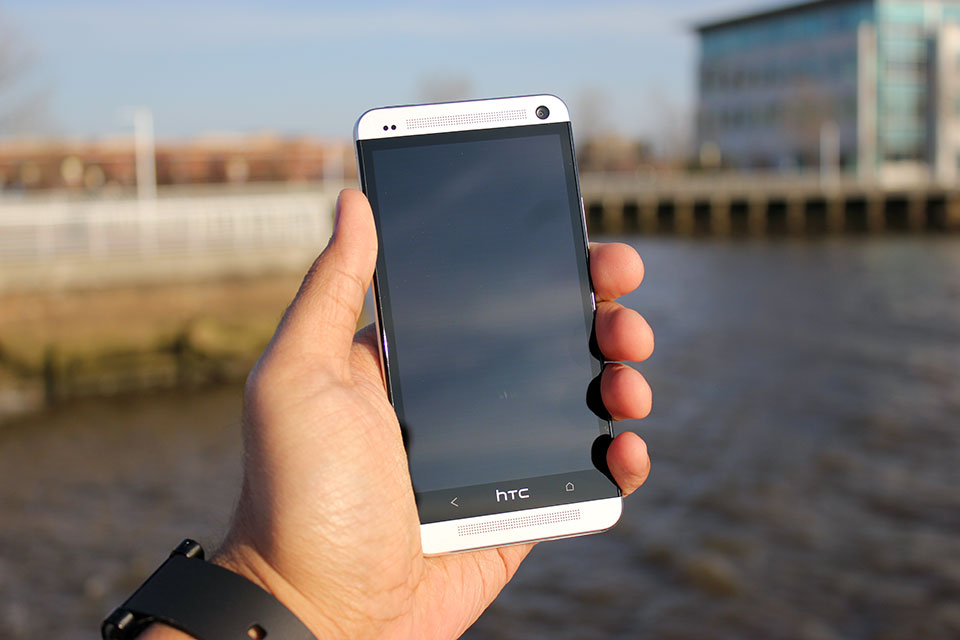
    I was smitten with the One’s design from the moment I first manhandled the thing back in February, and that feeling has never really gone away — the One is a truly stunning device both to hold and to look at. Samsung could really learn a thing or two from these guys.

    Before I get too effusive with my praise, let’s take a quick tour around the device itself. The One’s face is dominated by a 4.7-inch 1080p Super LCD3 display that’s flanked on all sides by a thin black bezel. Sitting directly above and below the display are the One’s unfortunately named Boomsound stereo speakers (a small notification LED will occasionally blink at from the top grille), and the 2-megapixel wide-angle front-facing camera rests on the top-right corner of the device’s visage.

    The One’s sides and bottom are fairly nondescript — the volume rocker, microUSB port, and SIM slot are nestled along the right, bottom, and left edges respectively, while the top edge hosts a headphone jack and a sleep/wake button that doubles as an IR blaster for controlling your television.

    Phew. Now that I’ve run through the laundry list, permit me to gush a bit about how the One looks.

    To say that the One is understated in its design would be putting it mildly; the thing is terribly handsome in a stark, minimal sort of way. It’s worth pointing out, though, that the One isn’t actually that big a step forward from some of its predecessors when it comes to physical design. If anything, it represents the refinement of a design formula that HTC has been working on for the past 9 or 10 months with devices like the Butterfly and its American cousin the Droid DNA. Familiar elements like elongated speaker grilles, textured volume rockers, gently sloping backs, and highlighted camera pods seen in those earlier devices all make appearances on the One, but HTC has clearly upped the ante in terms of quality and construction this time around.


    The first thing you notice as you pick it up is how light it is — at 143 grams it’s only a hair heavier than the Droid DNA, and (thankfully) the One’s minimal heft belies just how sturdy it feels. That’s all thanks to the device’s unibody aluminum chassis, which HTC says takes somewhere around 200 minutes for a CNC machine to carve out the One’s frame from a single block of aluminum.

    That’s a considerable chunk of time for HTC to spend while some of its rivals spit out handsets like it’s nothing, but the end result is a device that feels as reassuring in your hand as HTC’s would-be savior should. That said, you still won’t want to toss the One around all willy-nilly. The white plastic polycarbonate that runs around the device is flanked on both sides by polished, chamfered aluminum edges that are prone to picking up scuffs and dings, though some people won’t care nearly as much about that as others.

    Samsung could really learn a thing or two from these guys.

    The One isn’t without its share of question marks, though. If you’ve used pretty much any popular Android device before spending some time with HTC One, then one little omission will probably stick out like a sore thumb. I’m talking of course about the lack of a third soft key — the company opted to stick solely with Back and Home keys separated by an HTC logo.

    If you go by the company line, the choice was made in an attempt to simplify how users interact with the One. I’d actually argue that dropping that extra button is more counterintuitive than anything else since most current Android users are likely familiar with the three-button layout, but it doesn’t take too long to readjust to the two-button lifestyle.

    And of course, HTC has once again seen fit to exclude a microSD card slot in its latest flagship handset. I can’t really be surprised at this point considering this is a recurring theme for HTC, and it’s not as big an issue as it was in other devices since HTC offers 32GB and 64GB versions of the One, but I’ve often looked to expandable memory as a hallmark feature of an Android device, and I’m sad to see HTC skipping them completely on its top-tier handsets.

    Both versions of the One I’ve played with come loaded with Android 4.1.2, but as always, HTC has done its level best to paint over the stock UI with its custom Sense interface. The Taiwanese company has been diligently trying to trim the fat from Sense for months now with largely positive results; Sense isn’t the kludgy, overwrought beast it used to be, and Sense 5 represents HTC’s biggest leap forward to date.

    Put very simply, Sense 5 looks great. Stock icons and the once-bubbly default keyboard and dialer have been designed to look flatter and less skeuomorphic, and HTC has dumped its usual font in favor of Roboto Condensed, which imbues the UI with a much cleaner vibe. The app launcher has gotten quite a facelift, too — a persistent time and weather widget lives at the top of the screen, and right out of the box you’re treated with a spacious 3×4 grid of applications. Tinkerers can easily fiddle with those particulars should they prefer a more densely packed grid like I do, and you can easily switch between ordering apps by name, recency of use, or whatever other convoluted scheme you can dream up.


    Of course, some changes are more drastic than others. Take BlinkFeed for instance — in one fell swoop, HTC has decided to try and reinvent the Android homescreen. The concept is simple: the way HTC looks at it, smartphones are content-consumption devices so BlinkFeed was designed to surface content based on your interests and your social connections with as few steps as possible.

    Getting Blinkfeed set up is painless enough — you can tailor your feed by selecting from some broad areas of interest (think gaming, music, politics, etc.), and by opting to receive content from your social networks, apps, and a handful of featured sources like ESPN, Vice, and Reuters (disclosure: some of Aol’s media properties are featured sources). From there, all of that stuff gets splayed out into a vaguely Flipboard-y grid for your immediate perusal, and all it takes to refresh your feed is a downward swipe.

    It all makes sense on paper, but Blinkfeed in practice leaves much to be desired. Why can’t I add my own content sources? Why can’t I just turn it off rather than manually disable each content feed and switching its default homescreen status off? The likely answer to both of these questions is a familiar one: it’s all about simplicity.

    BlinkFeed wasn’t necessarily designed with the power user in mind — we spoke to HTC’s Jeff Gordon just prior to the One’s launch, and he made the feature out to be a consummate time-waster, something people use when they find themselves stuck in a queue somewhere. That’s about the only time I bothered to use it to be quite honest; the rest of the time I would just fire up Flipboard or Twitter and get my content straight from the sources I wanted it from. Fortunately for me, more traditional Android homescreens are but a single swipe away, but you can only have up to four of them.

    The unlocked international model doesn’t have much in the way of bloatware — just a few preloaded apps like TuneIn Radio and a Kid Mode courtesy of the folks at Zoodles — but the Sprint variant doesn’t fare quite as well. Expect oodles of carrier-loaded apps that range in quality from mildly useful (Lookout Security is nice to have around) to the nearly pointless (do we really need the Sprint Music Plus store when Google Play is right there?). Most of them can be uninstalled without much trouble at all, and those that you’re stuck with (I’m looking at you, Sprint Zone) can be easily hidden thanks to the revamped app launcher.

    As you’d expect from a device that sports a cleverly-hidden IR blaster, the One also comes pre-loaded with a remote control app developed in partnership with Peel. I’ll be the first to admit that I’m no TV buff, so my experience with the remote control feature was short and sweet — the setup process was over in a matter of moments, and the One succeeded in turning my television on and changing the channel and volume a few times. After popping in my zip code and selecting my cable provider, the app also provided guide data for all the shows I don’t watch. While it’s unlikely to replace your actual remote, it works like a charm and that’s frankly a lot more than I was expecting.

    With the One, HTC has officially bowed out of the megapixel race. It’s easy enough to write off the word “ultrapixel” as a spurious bit of marketing fluff, but the One’s camera manages to prove that pixel size really does make a difference.

    Photos taken with the One look phenomenal when viewed on the phone’s crisp 1080p display — they’re nicely detailed and colors were vivid (perhaps a little too much so, more on that later). Sadly, a bit of that impact is lost when you transfer them to PCs or televisions. The shift towards fewer larger pixels instead of more smaller ones sounds like a good idea, and it mostly is, but there’s a sort of fuzziness apparent in some of the One’s photos that keeps my support from being full-throated. I suspect it’s an issue that won’t matter to a majority of users — the results are definitely more than adequate for [insert social network name here], and I’ve found the shots the One takes are still more pleasing than many of its competitors. If anything videos seem to fare little better; my test clips were all crisp and bright, and to my surprise the microphones blocked out plenty of background noise.

    Speaking of competitors, the camera sensors in most of them struggle in low light but the One manages to dodge those issues rather nicely. It’s surprisingly good at capturing light even when it’s in short supply and manages to do so without introducing much grain into the situation. It’s worth noting that the ability for the One’s sensor to pick up as much light as it does has an impact on color reproduction. Consider the comparison shot with the iPhone 5 above — the One captures more of the scene, but some details (like the tree branches in the bottom left corner of the photo) are lost because of overexposure.


    As far as the Camera app itself is concerned, it remains remarkbly clean and easy to operate. Switching between the front and rear cameras takes a single swipe, popping into Zoe mode takes a single touch, you see where I’m going. Beyond the simplistic interface though is an impressing array of settings — you can muck around with ISO, white balance, timer, scene modes, face detection, and even the review duration for recently snapped photos. Honestly, I find the idea of layering filters on top of perfectly good photos to be a little ridiculous, but the One has plenty of them for you Instagram-types to fiddle around with too.

    And then there are the aforementioned Zoes, those peculiar little three second video clips that HTC has started to push with the One. When I first played with the One, I was downright dismissive of the concept. I’m still not entirely sold on them, but I’ve grown just a little more appreciative of the notion. My biggest issue with them is how you’re supposed to manage the things. It’s simple enough on the One itself — the short clips are accessible from the Gallery app and you can use the HTC Share service to post them online for 180 days, but the real problem emerges when you try to pull them off the device through USB. Zoes are locally stored as very brief video snippets but as a series of stills as well, so pulling them off the One en masse feels a bit more labor-intensive than it should.


    Goodness, it seems like just yesterday that finding a 1080p display on a smartphone was a rare and wondrous event. These days nearly all the major Android players have worked those sorts of high-resolution panels into their new flagship phones — just look at the Optimus G Pro, Xperia Z, or Galaxy S4 to name a few.

    Even with such notable rivals to consider, the One’s 4.7-inch Super LCD3 panel is perhaps the best smartphone display I’ve ever seen. Text and high-res images were remarkably crisp (not a surprise considering the display sports a pixel density of about 474 ppi), and the colors are bright and accurately reproduced. While some displays pump up color saturation to lurid levels and others exhibit a pale cast, the One strikes a thoughtful balance between those extremes.

    I haven’t noticed any distortion or discoloration despite seeking out some of the most awkward viewing angles — in short, the One’s display is a real pleasure to ogle.

    One of my biggest issues with the 5-inch 1080p panel found on the Droid DNA was that it just wasn’t all that bright compared to the competition — it was perhaps the most notable miss for an otherwise impressive display. Thankfully, HTC has addressed that issue with the One. When screen brightness is cranked all the way up on both devices, the One’s display is noticeably more luminescent than its cousin and shines on the level of devices like the Nexus 4 and the iPhone 5. It may seem like a trivial upgrade, but the weather’s getting nicer and that bump in brightness has definitely helped outdoor visibility, too.

    Let’s just get it out of the way now: with a Snapdragon 600 chipset and 2GB tucked away in its handsome frame, the One was able to handle every task I threw at it with aplomb. Swiping back and forth between BlinkFeed and my more traditional homescreens were utterly seamless, as was scrolling down long webpages, and crafting ornate rococo structures in Minecraft Pocket Edition. If you’re the type that prefers numbers to anecdotes, the One’s five-run Quadrant average topped out in the low to mid 12,000s, handily blowing away devices like the Nexus 4 and the Droid DNA. Running Geekbench on the thing yielded similar results: the lowest of three trials was a 2728, which puts it on top of the performance heap again… for now anyway. It won’t be long at all before other devices start to catch up in terms of pure power, but there’s little question that the One will be able to handle nearly anything you load onto it and that’s really all that matters.

    All that power comes at a cost though. The One managed to stick it out for four hours and 21 minutes of our standard battery test, in which the device is made to run through an endless cycle of Google image searches over the wireless data connection with the screen lock turned off and display brightness set to 50%. Granted, less than 4.5 hours doesn’t sound all that great, but bear in mind that’s nonstop usage — in my experience, the One always managed to make it through a full work day’s worth of checking emails, firing off text messages, playing music through the Boomsound speakers, and playing the occasional game with at least a little juice left over.

    I won’t dwell too much on network performance for two reasons: your mileage will almost certainly vary from mine, and Sprint can be frustratingly sketchy in my particular corner of New Jersey. In case you were itching for a dose of Schadenfreude for the day, I was never able to pull speeds greater than 2 Mbps down and my upload speeds topped out at 3.5 Mbps — that’s not really the One’s fault but man, that really hurt. On the upside, call quality was just peachy on both version of the device I tested (you know, in case you actually wanted to use this thing as a phone).

    I need to take a minute here and touch on one of the most impressive features HTC has baked into the One, and it may not be what you expected. I’ve reviewed my fair share of phones during my tenure here at TechCrunch, and with few exceptions they’ve all mostly let me down when it came to sound reproduction and quality. The One simply doesn’t — it’s got the best speakers on any smartphone I’ve ever used. Granted, that’s not really saying much since most smartphone speakers are downright wimpy, but the One’s BoomSound speakers managed to pump out crisp, loud audio along with a surprising amount of bass too. The jaunty bassline in Paul Simon’s You Can Call Me Al was bright and easily discerned, and not once during my testing did the One fall prey to the dreaded muddy audio syndrome.

    I can boil the preceding 3,000 or so words into a few brief sentiments for you to chew on: the HTC One is easily the best device that the company has ever crafted, and it’s perhaps the single nicest Android phone I’ve ever used. Despite some minor faults, I haven’t so much as picked up any of the other Android smartphones scattered around my office during my time with the One unless I absolutely had to. It’s really that good.

    And yet, after releasing a smartphone to near-universal acclaim, HTC’s future is still unclear. As Matt pointed out a little while back, building the perfect phone just isn’t enough anymore. These days it seems like technical expertise and the achievements that stem from them can often be overshadowed by lavish ad campaigns and the ability to churn out devices at a breakneck pace. That said, the mobile industry has never really been what you could consider meritocratic — the market is fast and unforgiving, and there aren’t many companies that have learned that lesson as clearly as HTC has.

    There’s no question that the One will be facing some very serious competition in short order, but if you’re looking to pick up a new phone in the weeks or months to come it’s definitely worth your consideration. Trust me, you’ll find plenty to like here.

  • Inside BlackBerry Feature: Designing the new BlackBerry Q10

    BlackBerry Q10 Sketches

    BlackBerry Q10 availability is just around the corner and soon you’ll be able to get your hands on this much-anticipated smartphone. There’s a lot to be said about the attention to detail that has been put in to crafting this premium smartphone. With a rich heritage of building what some have called the best physical keyboard experience in the industry – the task of taking that experience to the next level for BlackBerry 10 was a welcomed challenge. Over the past few months, I’ve been working with the design team at BlackBerry to understand what goes into building the next iconic BlackBerry smartphone. Here’s what they have to say about designing the gorgeous new BlackBerry Q10.

    Feature post from the design team at BlackBerry:
    Designing the first physical keyboard smartphone powered by BlackBerry 10 presented us with an interesting design challenge. How do you evolve such an iconic design; one loved by millions upon millions of users around the world?

    The gesture based user experience that is core to BlackBerry 10 meant there was no longer a need for dedicated menu keys and the track pad. This allowed us to increase both the size of both the display (30 per cent larger) and the keypad while keeping the overall product approximately the same dimensions.

    The gesture based user experience that is core to BlackBerry 10 meant there was no longer a need for dedicated menu keys and the track pad. This allowed us to increase both the size of both the display (30 per cent larger) and the keypad while keeping the overall product approximately the same dimensions.

    The frets you see between the keys on the BlackBerry Q10 are thicker than those found on the Bold 9900. These thicker frets separate the keys and allow more room for precise key strikes and helping to build muscle memory, making the right keys easy to find.

    The white font feature on black keys is Slate Pro, and is part of the humanist genre which is simply the most legible sans serif style for processing information quickly. The open shapes, varying proportions, subtle stroke differences aid the reader and lend an organic, approachable feel to our User Interface (UI) design.

    Slate Pro is the work of Rod McDonald, a Canadian award-winning typeface designer and lettering artist. McDonald designed Slate Pro with the intent to have the typeface function well in print as on-screen.

    BlackBerry Q10 Keyboard

    We’ve heard incredibly positive feedback from our users in testing telling us they prefer this new keypad because it allows them to type faster with added comfort.

    In keeping with our premium products, meticulous attention has been paid to every detail of the design, the selection of each materials and processes used to build each unit. Here are some examples:

    • The stainless steel fret found across the back of the BlackBerry Q10 helps preserve the finish of the back cover by holding the phone off the surface it is resting on.
    • The glass-weave and soft touch coating used on the back cover is exclusive to the BlackBerry Q10 and have been years in development. By forming the glass weave in to a 3D shape, we have made it incredibly strong. The soft touch finish makes the BlackBerry Q10 easy to hold and feels beautiful in your hand while minimizing fingerprints.
    • Screen Shot 2013-04-23 at 10.47.48 PM

    • The keyboard frets have been designed with a chamfered edge so that they connect with the frame with incredible precision and accuracy
    • Screen Shot 2013-04-23 at 10.47.57 PM

    • The frame is carved out of solid block of forged, 304 stainless steel to make the BlackBerry Q10 strong and durable. Each frame takes 20 minutes to produce through a multi-step computer controlled machining process. The black PVD finish has been chosen to keep the frame from scratching as you keep moving with the BlackBerry Q10.

    Screen Shot 2013-04-23 at 10.48.05 PM

    There you have it an Inside BlackBerry look at designing the new BlackBerry Q10 smartphone. Is this the BlackBerry 10 smartphone you’ve been waiting for? Show your love for the design team by giving them a shout out in the comments below. Also if you have any questions about the design, we’ll try to get them answered.