Blog

  • iHeartRadio update adds “Perfect For” and alarm clock functions

    iheartradio_banner

    Fans of online music and radio streaming service iHeartRadio may have noticed an update was available this week. Clear Channel Radio added a couple new features to help keep pace with other popular music service apps. The first of these is a “Perfect For” function that lets users pick a mood or activity and get suggestions from a list of curated stations. iHeartRadio will provide four stations to select from based on choices like “A Traffic Jam” or “Drinking Coffee” or “Chilling Out.”

    The second new feature is an alarm function. In its traditional function, the app’s alarm clock works just like a clock radio, enabling users to have their favorite station awaken them from their slumber. The alarm clock is smarter than that though. It can also be programed to turn on when specific shows on certain radio stations start. One use for that function could include turning on the app when a particular call-in contest is running so as not to miss your chance.

    If you want to give iHeartRadio a try, use one of the download links below to grab the free app.

    iheartradio_perfect_for_screen
    iheartradio_alarm_clock_screen

    QR Code generator

    Google Play Download Link

    Come comment on this article: iHeartRadio update adds “Perfect For” and alarm clock functions

  • Bloomberg adds Twitter feeds to financial platfrom on heels of new SEC rules

    Bloomberg LLC’s terminals, used by financial analysts and traders around the world, will now integrate Twitter feeds to help investors watch for market-moving information.

    The new feature, which Bloomberg announced on Tuesday, comes after the Securities and Exchange Commission updated its disclosure rules to say that public companies can now reveal important news on social media platforms like Twitter and Facebook.

    For practical purposes, Bloomberg’s decision means traders will not have to monitor a separate screen to watch for companies or executives that announce news on Twitter. While most market-moving news still arrives by way of traditional news wire agencies or official websites, social media sites are becoming an increasingly important tool for distributing such information.

    The SEC’s rule to allow social media disclosures comes after an investigation into Netflix CEO Reed Hastings’ decision to share relevant corporate information through a Facebook post.

    Under the new rule, public companies that want to use social media platforms for market-moving news must first tell investors that they are doing so.

    Related research and analysis from GigaOM Pro:
    Subscriber content. Sign up for a free trial.


    • Caves, ships and aging gasometers: 3 unlikely homes for data centers

      Add gasometers to the list of strange places for data centers.

      A gasometer — a place to store different kinds of gases — in Stockholm has sat unused for decades, and now a Swedish cloud service provider has put forth a couple of proposals for turn the facility into a data center, the Royal Pingdom blog reported Thursday.

      The structure was built in 1893 as part of a coal gas plant. Another gasometer was built right next to it 1900. The city of Stockholm is requesting that the public have access to at least part of the data center that’s being proposed for the 1893 gasometer. One proposal would make the data center look a bit like a panopticon, except instead of people the building has floors and rows chock server racks. The other proposal puts forward barracks-like structures to store the server racks, alongside lots of open space.

      Gasometer data center proposal from industrial design firm Splitvision

      Gasometer data center proposal from industrial design firm Splitvision

      Gasometer proposal from architect Albert France-Lanord

      Gasometer proposal from architect Albert France-Lanord

      Aging 19th-century buildings aren’t the only odd places to get a 21st century makeover. Data center providers in Hong Kong are going underground in their hunt for space. Just a couple of weeks ago came news of the Hong Kong government’s apparent interest in building out rock caverns for data centers. Earlier, Wikileaks went underground when it located its servers in an nuclear weapon-proof bunker in Stockholm. Incidentally, the company Wikileaks worked with to get its data center going, Bahnhof, is the same one that’s proposing the gasometer data center.

      Then there was Google’s plan to build out floating data centers and use waves as an energy source. As far as we know, the concept has not led to an actual floating data center yet.

      Other places where site selectors might want to look: abandoned coal mines, mountains, chapels and outer space. And don’t forget about our houses.

      While the United States government is consolidating its IT footprint to become more efficient, companies are moving more toward cloud computing. And as that happens, more companies will want to run data centers to host those services. It can be cheaper to set up data centers in existing structures, and that’s why it shouldn’t be surprising to see people dreaming up data centers inside more and more places, all weirdness aside.

      Related research and analysis from GigaOM Pro:
      Subscriber content. Sign up for a free trial.


    • Congress Doesn’t Want You Listening In On The CISPA Debate

      It was revealed in mid-February that CISPA would be back. The dreaded cybersecurity bill is now ready to make its way through Congress, but our elected representatives apparently think that the public doesn’t have the right to know what’s going to go into it.

      The Hill reports that the media and public will not be allowed to watch the House Intelligence Committee’s markup on CISPA next week. A spokesperson for the committee says that the secrecy is because the CISPA discussions will include confidential material that must be kept secret.

      “Sometimes they’ll need to bounce into classified information and go closed for a period of time to talk. In order to keep the flow of the mark-up continuing forward, you can’t stop in the middle of an open hearing, move everyone to another location for a portion of it, and then move back.”

      It’s heavily speculated that the committee is shutting out the media and public to keep both in the dark. Sure, the committee says it will release information on amendments offered, and lawmakers can discuss what happened; but it doesn’t give us the whole picture.

      If you buy into the rhetoric of lawmakers, cybersecurity is incredibly important. If it’s so important, why isn’t the public invited to add their voice to the ongoing deliberations over what was already a bad bill? Most likely, it’s just another excuse to eliminate scrutiny. Unfortunately for the committee, they will only invite more scrutiny on themselves and the bill as it nears a vote in the House.

      It will be interesting to see what the White House says about all of this as the anti-CISPA petition on the We the People Web site has reached the necessary 100,000 signatures for an official response. It’s been almost a month, however, and there’s been no response yet. Here’s hoping the White House still retains its CISPA position from last year.

    • Get notified about Windows 8 updates

      It’s no secret that Windows 8 has seen some controversial changes, in particular the removal of the Start menu. But with all the focus on these larger issues, you might have missed some smaller, but also significant design decisions. Like, for example, that there’s no longer any desktop alert when Windows updates are available.

      There is a new alert on the logon screen, of course. And you can always set up Windows to install updates automatically. But, if you don’t reboot often (or you bypass the logon screen), and you want to keep tighter control over your updates, then you’ll need to look elsewhere for a little extra assistance. And Windows Update Notifier is the perfect candidate.

      The program is very lightweight, for instance, arriving in the form of a 90KB download.

      And it keeps any hassles to a minimum. So on first launch, you won’t see a splash screen, or a wizard, or a settings dialog, or anything at all. The program will just take a few seconds to scan for updates; a desktop alert then lets you know if you’re missing something, and clicking this opens the regular Windows Update window, ready for installation.

      Windows Update Notifier is so unobtrusive, in fact, that it won’t even set itself up to run when Windows starts. If you’d like to change this, call up the program’s settings box (right-click its system tray icon, select “Settings”) and check the relevant box.

      The options dialog also allows you to decide how often the program will check for updates. By default this is every 60 minutes, but the process isn’t always quick, so you might want to increase the interval a little.

      And if you’re using Windows Defender then the program also has an option to install Defender updates automatically. You’ll have to set up Windows Update Notifier to run as an administrator for this to work, but there are instructions on how to set everything up, if you need them.

      On balance, dropping the alert seems like another Windows 8 oddity. Changing default behaviour is one thing, but why remove the option entirely? Still, if you care about the issue then Windows Update Notifier does at least make it easy to resolve. Just grab a copy and normal service will be restored within seconds.

    • Samsung introduces the Galaxy Trend II and Galaxy Trend II Duos smartphones

      Samsung_Galaxy_Trend_Duos_II


      Samsung has officially taken the wraps off its two newest additions to the Galaxy family today by announcing the Galaxy Trend II and Galaxy Trend II Duos smartphones. Each device are on the fringe of being a low-end device featuring a 1.2GHz dual-core chip, 4-inch WVGA display, 3MP camera, Wi-Fi, Bluetooth 3.0, microSD card slot and 1500mAh battery— all in a Jelly Bean package. There’s no word yet on how much the device will cost or when it will arrive in stores, but we suspect Samsung will have all those deets for us sooner than later.

      source: Samsung Galaxy Trend II | Samsung Galaxy Trend Duos II

      Come comment on this article: Samsung introduces the Galaxy Trend II and Galaxy Trend II Duos smartphones

    • Gartner says the PC has no future

      Today, Gartner offers grim prognostications for the PC’s future, which is not surprising. That the analyst firm took so long disturbs and reveals much about how all these consultants seek to preserve client contracts before anything else. I’ve warned for years that connected-devices would diminish the personal computer’s relevance, much like the mainframe’s decline three decades ago. The PC era is over, as I asserted here 26 months ago. On Halloween 2008, I asked in a Microsoft Watch post: “Will your next PC be a smartphone?” What took Gartner so long? The “new device religion” analysis still misses the mark, too.

      Following IDC’s lead, Gartner now combines PCs, smartphones and tablets into a single forecast. By that measure, in 2012, Android worldwide device shipments (497 million) exceeded Windows (346.5 million) and will more than double (to 1.07 billion) by 2014. Analysts warn the operating system that defined the PC era will struggle with Apple iOS and OS X to be the second dominant platform. By many measures, the circumstance looks grim for Microsoft and Windows, and that’s already the popular sentiment today among blog posts and news stories about Gartner’s forecast. Don’t believe them.

      Two Trends

      “While there will be some individuals who retain both a personal PC and a tablet, especially those who use either or both for work and play, most will be satisfied with the experience they get from a tablet as their main computing device”, Carolina Milanesi, Gartner research vice president, asserts. “As consumers shift their time away from their PC to tablets and smartphones, they will no longer see their PC as a device that they need to replace on a regular basis”. Tell us something new.

      Larger businesses hold onto PCs longer, rather than upgrading, because they can; what they’ve got is good enough. Meanwhile, they allow more employees to bring their own devices to work but don’t pay for them. Weak global economies are major factors driving both trends.

      According to “Good Technology’s 2nd Annual State of BYOD Report”, 76 percent of enterprises with more than 2,000 employees have programs in place, and the total is expected to reach 88 percent this year. However, in half the companies with BYOD programs, employees pay for devices and supporting services, such as cellular data for cell phones, tablets and some laptops. You want a new laptop, or to use smartphone or tablet — “bring your own” is the new trend. The devices are cheaper to manage than to buy.

      There’s nothing new in this trend. Analysts suddenly shift their “tablets won’t replace PCs positions” because of something else they can no longer deny to clients. PC shipments in emerging markets erode faster than many analysts previously predicted. “In emerging markets, consumer spending typically starts with mobile phones and, in many cases, moves to tablets before PCs”, Megha Saini, IDC research analyst, says. “The pressure on the PC market is significantly increasing and we can see longer replacement cycles coming into effect very soon and that, too, will put downward pressure on PC sales”.

      Ranjit Atwal, Gartner research director, agrees: “Growth in the tablet segment will not be limited to mature markets alone. Users in emerging markets who are looking for a companion to their mobile phone will increasingly choose a tablet as their first computing device and not a PC”. This isn’t a new trend, just one accelerating — as often is the case when one thing replaces or displaces something else. Gartner, IDC and other analyst firms are just too slow making public prognostications.

      Worldwide Devices Shipments by Segment (Thousands of Units)

      Device Type

      2012

      2013

      2014

      2017

      PC (Desk-Based and Notebook)

      341,263

      315,229

      302,315

      271,612

      Ultramobile

      9,822

      23,592

      38,687

      96,350

      Tablet

      116,113

      197,202

      265,731

      467,951

      Mobile Phone

      1,746,176

      1,875,774

      1,949,722

      2,128,871

      Total

      2,213,373

      2,411,796

      2,556,455

      2,964,783

      Problem is this: Most analyst firms count things, which data they can sell clients and around which they offer consulting services (I know having worked in the industry). But numbers deceive, and as we’ve seen from repeatedly revised forecasts, the major consultants do a piss-poor job counting smartphone and tablet shipments. Look how many times IDC revised tablet forecasts, for example. The numbers aren’t trustworthy, and they mislead about future trends.

      Context is King

      What matters more: How all these devices are used, and there Gartner and IDC combining counts could someday shed something meaningful. For now, counting is insufficient, because the so-called post-PC era is a fiction, as I explained here in November. We’ve entered the contextual cloud computing era. The companies that succeed will transcend platforms, because all devices connecting to cloud services are relevant. During the PC era, the personal computer acted as the hub connecting devices. Its role shifts to one of many with cloud services as the hub.

      The early inference being taken by some people writing about Gartner’s data is that the PC, Microsoft and Windows are doomed. The analyst firm feeds this by calling out new category, ultramobile, into which Surface Pro is placed. The PC isn’t dead, nor will Android be the platform sweeping developers away from Windows, as is the interference emerging among some bloggers and couch-chair analysts today. History and current events tell a different story.

      Worldwide Devices Shipments by Operating System (Millions of Units)

      Operating System

      2012

      2013

      2014

      2017

      Android

      497,082

      860,937

      1,069,503

      1,468,619

      Windows

      346,457

      354,410

      397,533

      570,937

      iOS/MacOS

      212,899

      293,428

      359,483

      504,147

      RIM

      34,722

      31,253

      27,150

      24,121

      Others

      1,122,213

      871,718

      702,786

      396,959

      Total

      2,213,373

      2,411,796

      2,556,455

      2,964,783

      In the 1980s computing and informational relevance shifted from the mainframe to the personal computer in part because of lower costs and greater availability. PCs cost much less than mainframes and made information more available, essentially more mobile, to more people. Similar transition is happening today, as cloud-connected mobile devices make more information available to more people in more places than do PCs. Computing and informational relevance shifts once again. The mainframe didn’t go away because of the PC era, the mainframe’s relevancy simply declined. The PC won’t go away, but its relevance is declining.

      Cheaper tablets accelerate the trend. “Lower prices, form factor variety, cloud update and consumers’ addiction to apps will be the key drivers in the tablet market”, Atwal asserts. But, again, that statement ignores context and how businesses and consumers will use different devices in many ways depending on where and when and what for.

      As early as tomorrow, I’ll follow up with an analysis explaining why Microsoft can maintain computing relevance in the next computing era, even while IBM couldn’t with mainframes.

      Photo Credit: Fer Gregory/Shutterstock

    • First entry-level BlackBerry 10 smartphone possibly revealed in new leak

      BlackBerry R10 Release Date
      Preliminary specs for BlackBerry’s (BBRY) first entry-level BlackBerry 10 smartphone may have just been revealed. BlackBerry blog BlackBerry Empire points to multiple unnamed sources in claiming knowledge of the upcoming “R-Series” BlackBerry phone, which will reportedly resemble a smaller BlackBerry Q10. Apart from the QWERTY keypad, the site claims BlackBerry’s first low-end BB10 phone will feature 8GB of internal storage, an SD card slot, 1,800 mAh battery and a price tag between $300 and $400 before taxes and subsidies. The phone will reportedly launch in the late summer or early fall and a sketch of the back of the R-Series handset follows below.

      Continue reading…

    • Being Biden Vol. 4: Vital Voices

      In the fourth installment of "Being Biden," the Vice President tells the story behind a photo taken with former Secretary of State Hillary Clinton backstage at the Vital Voices Global Leadership Awards. The two discussed their shared commitment to reduce violence against women and their call for all Americans to continue to speak out on this issue.

      VP Biden at Vital Voices

      Vice President Joe Biden talks with former Secretary of State Hillary Clinton backstage during the Vital Voices Global Leadership Awards, at the Kennedy Center in Washington, DC, April 2, 2013.

      (Official White House Photo by David Lienemann)

      Learn more about the Administration's efforts to end violence against women at wh.gov/1is2many. Read our strategy to prevent and respond to violence against women and girls globally here.

      You can listen to the full series at whitehouse.gov/beingbiden, and also sign up to receive an email update when new stories are posted.

    • Chinese HTC One smartphone to feature dual-SIM support and microSD slot

      china-htc-one-microsd-dualsim-700x370


      Sure the world is certainly counting down to the awesome HTC One smartphone’s imminent release, but it appears the Chinese variant will be slightly different than the other variants. A new image and accompanying specs have surfaced regarding the 802w variant of the One smartphone that’s headed for Chinese mobile providers. The information highlights this variant of the device will come arrive with dual-SIM support and an expandable microSD-out slot. Additionally, the device will not feature the zero-gap aluminum build that makes the device so appealing– but rather another cheaper quality material instead (aka plastic).

      Now while many of you may be upset at this notion that the Chinese variants will be slightly different, there are some potential theories for why this is. While China is by far and away the largest country in the world, many parts of the country are considered to be “emerging markets”—- meaning $600 premium devices are almost certainly inaccessible to folks living out in that market. With that in mind, HTC may be realizing that China is a key market to sell the device in, but must do so at a cost-effective price, so it reduced the on-board storage size and changed the build of the device— thus making it much more affordable and appealing to folks out in China.

      As cool as it is seeing this device in its real form, those of us out in the States or Europe shouldn’t expect a similar variant to hit our shores anytime soon.

      source: HTC Source

      Come comment on this article: Chinese HTC One smartphone to feature dual-SIM support and microSD slot

    • Don’t Let Your Strengths Become Your Weaknesses

      Perhaps the biggest fad to sweep through management in the last decade was the strengths movement. Its message was that you should build on natural talent to maximize strengths rather than try to improve weaknesses. It was the brainchild of Donald Clifton, the late grandfather of Positive Psychology, but is associated in the popular culture with Marcus Buckingham, Clifton’s coauthor of Now, Discover Your Strengths (2001).

      Like any successful movement, the strengths movement drove a single issue and inevitably left out a lot. Although several important things got overlooked, we want to call attention to a very real danger: Strengths can become weaknesses when overused.

      Our new book, Fear Your Strengths (2013), is a cautionary tale based on 50 years of combined experience assessing thousands of leaders and coaching hundreds of executives. We’ve seen virtually every strength taken too far: confidence to the point of hubris, and humility to the point of diminishing oneself. We’ve seen vision drift into aimless dreaming, and focus narrow down to tunnel vision. Show us a strength and we’ll give you an example where its overuse has compromised performance and probably even derailed a career.

      We’ve studied the extent of the problem with an innovative assessment tool, the Leadership Versatility Index. The tool uses the 360 method of gathering ratings from bosses, peers, and subordinates, but instead of the typical five-point rating scale that assumes “more is better” it has a unique scale that ranges from “too little” to “the right amount” to “too much.” Coworkers can therefore indicate if a manager overdoes it on four dimensions of behavior: forceful, enabling, strategic, and operational. Most executives are rated “too much” on at least one of these dimensions [PDF].

      Further, the more pronounced your natural talent and the stronger your strengths, the graver the risk of taking them to counterproductive extremes. In one study, we compared coworker ratings on the Leadership Versatility Index to leaders’ strengths as identified by the Clifton StrengthsFinder, a questionnaire that managers fill out themselves to identify their natural talent. There was a clear correlation between having talent in certain areas and overdoing behaviors associated with those talents. For instance, leaders whose StrengthsFinder results indicated such talents as “Achiever,” “Activator,” or “Command” were more often rated as doing “too much” forceful leadership. Similarly, those who had the talents “Developer,” “Harmony,” or “Includer” were more often rated as doing “too much” enabling leadership. Overall, leaders were five times more likely to overdo behaviors related to their areas of natural talent than areas in which they were less gifted.

      Taking these strengths too far has consequences. Across thousands of managers ranging from middle management to CEOs and spanning the US, Latin America, Europe, and Asia, we find a curvilinear relationship between leader behavior and employee engagement, team productivity, and effectiveness. In every case, these outcomes are lower for managers rated “too little” on the leader behaviors, peak for those rated “the right amount,” and drop back down for those rated “too much.” Overdoing it is just as ineffective as underdoing it.

      One of the more counterintuitive things we have discovered is that not only do many leaders not know what their strengths are, but they also downplay and deflect feedback about their strengths. It takes extra effort to get the strengths to sink in, but doing so is prerequisite to fine-tuning how you use them. Fine-tuning is an art that requires an exquisite blend of both self-awareness and situational awareness.

      Be aware of yourself. To handle the challenges that come your way, you must be able to read and respond adeptly. This requires knowing your default tendencies — for instance if you are more achievement-oriented and commanding, then you may be biased to respond too forcefully. Self-awareness allows you to respond mindfully to the needs before you, rather than out of habit. As one executive exclaimed upon making the connection, “I don’t have to give up my fastball; I just don’t have to throw it all the time!”

      Be aware of the situation. We find it helpful for leaders to think of adjusting their strengths like a volume control [PDF]. The trick is to get the setting just right for the situation — from soft music for a quiet, intimate exchange, to a louder and lively level for a dance party. Knowing how much passion to put in a speech, how seriously to stress a concern, how long to let a discussion go on, how deep to get into the details, how fast to drive a change initiative — all of this requires a deft touch, equal parts knowing your own strength and knowing your audience.

      It is neglectful if not irresponsible to emphasize strengths without warning leaders that the stronger the strength, the greater the danger of taking it too far. Toning down overused strengths requires a different approach from the skill development needed to improve upon a weakness, where the challenge is adding to a repertoire with basic skill building. Getting a strength under control is about refining a skill you already have. It requires learning to be more selective about what situations call for that strength and calibrating how much is enough, versus too much.

    • Obama: 5% of Salary to Be Given to the U.S. Treasury

      The U.S. has been suffering from an economic lull for years now, and workers have been feeling the pinch.

      This year, congress delayed budget measures until the recent sequester resulted. That means that now even government employees will begin to be affected by the economic situation. If the government cuts laid out by the sequester are not covered in the near future, some government employees may be forced to take furloughs, less politely known as extended unpaid leave.

      According to an Associated Press report, The White House this week has announced that President Obama will be making a gesture to show his solidarity with government employees who are facing the prospect of furloughs. The president will be returning 5% of his yearly salary to the U.S. Treasury.

      Since 2001, U.S. Presidents have been paid an annual salary of $400,000. President Obama‘s symbolic contribution to the treasury amounts to $20,000.

      Other U.S. politicians are also announcing that they will be giving up money in response to the sequester. According to the AP report, Secretary of Defense Chuck Hagel will return 14 days’ worth of salary to the U.S. Treasury, which is symbolic of the two-week cut in pay Defense Department employees could end up taking. Alaska Senator Mark Begich has also announced he will return part of his salary to the treasury.

    • Asthmapolis raises $5M to fight asthma with sensors and smartphones

      For people with asthma, the basic inhaler has long been the best weapon against attacks, but some companies are beginning to arm patients with even higher tech tools.

      On Thursday, one those companies, Madison, Wisc.-based Asthmapolis, said it had raised $5 million from The Social+Capital Partnership for its system that combines sensor technology, smartphones and personalized support. The Series A funding follows an undisclosed amount raised in a seed round and a $1.9 convertible note.

      Co-founder and CEO David Van Sickle, a medical anthropologist who has spent his career studying asthma, said he started experimenting with the use of electronics and inhalers in 2006.

      The basic concept behind the Asthmapolis technology is that patients are given a re-attachable Bluetooth-enabled sensor to affix to the top of their inhaler.  Each time a patient uses the inhaler, the sensor records when and where it was used and then wirelessly transmits that information to the patient’s smartphone.

      Asthmapolis_Sensor_inuse-1“The idea was if we could track how and when [inhalers] were used, we’d get a rich and valuable perspective on where, when and among whom asthma was a problem,” he said. “That would let physicians do a better job figuring out who needed more help [and] we could use that information to help patients [with] guidance and personalized feedback.” It could also help public health officials identify and map patterns, he added.

      In 2010, Van Sickle teamed up with co-founders Mark Gehring and Greg Tracy to commercialize the product. Since then, it’s received FDA clearance and has closed deals with health plans like Amerigroup Florida/WellPoint and providers like New York’s Wyckoff Heights Medical Center.

      Data-driven insights for managing symptoms

      From Asthmapolis iOS and Android apps, as well as online, patients — and their physicians — can see logs of their own inhaler use, as well as view where other nearby Asthmapolis users seem to be having symptoms. The data is intended to help patients get a sense of where environmental triggers may be, as well inform ways of avoiding or managing them.

      Asthmapolis_Sensor_handVan Sickle said the system also starts to learn from users’ data and sends notifications and updates with suggestions and feedback. For example, if it notices that a patient continues to experience symptoms at his office, the app will send an alert with a list of ways to avoid them.

      For patients without a smartphone, Asthmapolis has partnered with Qualcomm Life so that sensor information can be sent to a base station and reports and notifications can be received via email, text and phone support.

      In a pilot study evaluating the system’s effectiveness, the company said 60 percent of the participating asthma patients started the program with an uncontrolled condition.  After three months, 50 percent of those patients were able to control their asthma and 70 percent of all participants were able to improve their level of control.

      A $50 billion problem

      Considering that about 26 million people in the U.S. have asthma, according to the CDC, and that the condition costs the country about $3,300 per person in medical expenses, missed school and work days and early deaths, savings from a system like Asthmapolis could add up. In total, the annual health care cost of asthma is estimated to be about $50 billion.

      Asthmapolis’ system is one of the most comprehensive asthma solutions available, but other companies are also experimenting with sensor technology and inhalers. For example, researchers at AT&T Labs are working on a wireless asthma sensor that scans the air for volatile organic compounds (VOCs) that may exacerbate asthma symptoms and then alerts patients via smartphone and other devices. A device from Siemens aims to warn patients about impending attacks by measuring nitric oxide in a patient’s breath, which can be an early sign of airway inflammation. And startup Geckocap targets kids with a colorful sensor-based inhaler attachment that helps kids remember when to use their inhaler and helps parents monitor their child’s usage.

      Related research and analysis from GigaOM Pro:
      Subscriber content. Sign up for a free trial.


    • Ocappi Brings the Home Try-On Model to Engagement Rings

      If you’re looking to propose to your significant other, you’re going to need a ring. And there are three basic ways that you can go about picking out that perfect diamond.

      First, you can do the searching yourself and pick out a ring that you think your partner would like. Second, you can propose with the promise of a ring – to be decided upon at a future date. Lastly, you can simply decide as a couple that the time has come and go about picking out the ring together.

      If your inclinations lead you to option #2 or #3, online service Ocappi thinks you should be able to try that ring on at home.

      Ocappi offers an exclusive home try-on service for engagement rings. Yep, you heard that right.

      “With the creation of our exclusive One&Only Try-On Service, for the first time ever, you can try on rings from the luxury of home. This intimate experience gives you the unique opportunity to consider your favorite styles over a period of days. Our more personal approach will allow you to take your time, see how a ring fits in with your lifestyle, and be sure that it’s really the one.”

      Ocappi says that this process “transforms the selection of an engagement ring into the intimate and joyous experience that it should be.”

      The model is obviously based on the popularity of the Warby Parker model, which offers free home try-ons for eyewear.

      All you have to do it pick out a maximum of 6 rings that you want to try, and Ocappi will ship them via UPA 2nd day shipping. When the rings arrive, you have 5 days to think it over. When you’re done, simply send them back with a pre-paid return label and make your purchase online.

      Before you think about ordering up 6 rings, pawning them, and making your way to Mexico, you should know that the replica rings are set with cubic zirconium stones. What did you think they were? Stupid?

      [via PSFK]

    • Chrome OS file manager could get integration with Dropbox, other cloud drives

      Are you interested in seeing Dropbox, SugarSync, SkyDrive or other cloud storage services integrated in the Chrome OS file manager? As a heavy cloud user, I know I am. It appears someone on the Chromium project is too, because eagle-eyed Craig Tumblison, noticed a Chromium feature enhancement was filed to add this type of integration in Chrome OS.

      Here’s the full request description, which is an API to allow for extensions to integrate directly in the Chrome OS file manager:

      The basic idea is to allow an extension behave as a ‘drive’ in the file manager app in ChromeOS. Currently the file manager has “Downloads” and “Drive” in the left column, and additional USB flash drives and temporary zip archives will appear. The extension will appear here and provide the list of files through the new API.

      I’m already using Dropbox and Amazon’s Cloud Drive on the Chromebook Pixel, but it’s not an integrated experience. The Dropbox extension for example, is simply a link to the Dropbox website where I can then download, upload or modify files through the browser page. Sending files to Dropbox isn’t done through the Chrome OS file manager, making for a clunky experience.

      If the request is approved and developed, however, the native file manager in Chrome OS would look something like this image found on the OMG!Chrome! enthusiast site.

      Chrome OS cloud integration

      Will Google’s Chromium team open up the Chrome OS file manager to other competing cloud storage services? From a business standpoint, it could shy away from such a request, but if it wants Chrome OS to be a serious competitor to traditional operating systems, I think it has to allow for this. I’ll be keeping an eye on the request going forward in hopes of an approval.

      Related research and analysis from GigaOM Pro:
      Subscriber content. Sign up for a free trial.


    • Mike Rice Video (The Taiwanese Animation Version)

      Rutgers basketball coach Mike Rice was fired this week after a video of him kicking and shoving players (and using gay slurs) during practice was made public.

      And where there’s scandal, there’s Taiwanese animation studio Next Media Animation, which always offers an entertaining slant on current events. Here’s NMA’s take on the Mike Rice firing:

      According to Fox News, Rice is due a $100,000 bonus.

    • Apple’s massive Jobs-designed future headquarters project is $2B over budget

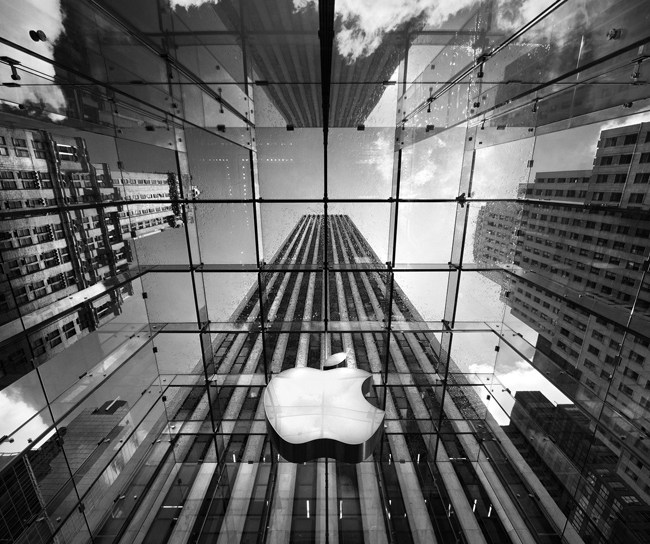
      Apple’s enormous, modern multibillion dollar new headquarters is running behind schedule and way over budget. Bloomberg Businessweek has the details in a story published Thursday about why the Steve Jobs’ dream campus may turn out to be the most expensive — and fussiest — office building in the world.

      From gigantic pieces of curved glass produced in Europe and flown to Cupertino, to prefabbed supply closets and bathrooms trucked in, as well as 15 acres of trees to be planted and underground roads, the building looks to reflect Apple’s famous attention to detail. But what was supposed to cost $3 billion is now reportedly approaching $5 billion.

      The building will be green and energy efficient, but, Businessweek reports, it’s the “fit and finish” — the extra visual and structural flair — that Jobs’ design calls for that are ballooning the price. Some of the budget-busting stuff stems from typical Jobsian perfectionism: one anecdote involves the decision to bypass the standard (but imperfect) construction method used for concrete ceilings; instead Apple will cast ceiling molds that will be lifted into place, “a far more expensive approach that left one person involved in the project speechless.”

      The opening of the building has been delayed two years until 2016 because the company is said to be working to shave a billion off of the budget. But some investors still aren’t pleased; particularly with the idea of Apple spending on a new building when they could be funneling the money (where else?!) back to shareholders. Says one Apple stock owner quoted in the piece:

      “It would take some convincing for me to understand why $5 billion is the right number for a project like this,” said Keith Goddard, the chief executive of Tulsa-based Capital Advisors, which owns 30,537 shares of Apple. “This is rubbing salt in the wound, to spend at a level that most anyone would say is extravagant, at a time when they’re being so stingy on dividends.”

      Related research and analysis from GigaOM Pro:
      Subscriber content. Sign up for a free trial.


    • Apple is preparing to go where Samsung can’t follow

      Apple iWatch Analysis
      Whether or not you subscribe to the school of thought suggesting Samsung’s (005930) meteoric rise has been fueled in large part by unabashed copying of Apple (AAPL) products, there is certainly evidence to support the idea that Apple’s iPhone and iPad have inspired Samsung’s most popular devices. Count TheStreet’s Ernie Varitimos among those who believe Samsung’s success is due in large part to mobile devices that are “direct knock-offs” of Apple products, but he thinks Apple is now getting ready to make a move that Samsung will find impossible to copy.

      Continue reading…

    • Toki Tori 2 Is The Highlight Of This Week’s Nintendo Download

      In 2001, relatively unknown developer Two Tribes published their first game on the Game Boy Color – Toki Tori. The puzzle game, starring a little yellow bird, became somewhat of a cult hit that never received much attention at the time as it came out near the end of the Game Boy Color’s life. After numerous remakes on modern systems, Two Tribes is back with the first official sequel in over 10 years.

      In this week’s Nintendo Download, Toki Tori 2 for the Wii U eShop is definitely the star of the show. The game is the same puzzle solving adventure as before, but with expanded play mechanics. The game sells for $14.99, but will be 10 percent off until April 19.

      The Nintendo 3DS eShop will also be getting plenty of new content this week with an update to the virtual console being the highlight. The original Castlevania for NES is now available for download on the service. If you’re looking for a punishing, but fair, NES action-platformer, this is your game.

      Other games hitting the 3DS eShop incude Real Heroes: Firefighter 3D, Gabrielle’s Ghostly Grove 3D, and update to Colors! 3D. As for the weekly 3DS sale, hardcore action game escapeVektor is on sale for $4.99 this week.

      Finally, the Wii Virtual Console gets a single update in the form of NAM-1975, a shooter released by SNK in 1990.

    • Five top live wallpapers for Android [April 2013]

       Insert_Wallpaper_Menu_Live_Wallpapers

      Live wallpapers are one of the most unique features to Android, and for good reason. Sometimes still pictures get a little boring, so why not spice your home screen up with something flashy and interactive? We’re going to go over a few of the best live wallpapers available for your device in this guide.

      As a disclaimer, live wallpapers will likely drain your battery a bit more than a static wallpaper, and some phones can get a bit bogged down by the more intense wallpapers. It’s best to experiment and see which ones work for you to give you a nice balance between form and function. Lets get started.

      nexus-live-wallpaper

      The Nexus live wallpaper was one of the first live wallpapers introduced by Google. It’s not too over the top, but it’s definitely eye-catching and shows off what the inside of your Android device looks like. Unfortunately, the Nexus live wallpaper doesn’t come preloaded on too many devices anymore, but that’s where this app comes in.

      The Nexus Revamped wallpaper stays true to the original Nexus neural network but throws in a ton of extra customization options. You can change the colors and speed of the particles, the color or image of the background, set different reactions for when you touch the wallpaper, etc. Just about anything you want to change about this wallpaper, you can. There’s even a few performance options you can tweak to make it work on just about any phone. The pro version, which is only $1.50 in the Play Store, adds in a few other tweaks, such as turning the live wallpaper static when your battery drops past a certain level, changing particle custom colors, and changing the particle behavior based on your phone’s battery level. If you’re a fan of tweaking your device, this live wallpaper should be right up your alley.

      QR Code generator

      Play Store Download Link

      QR Code generator

      Play Store Download Link (Paid)

      nexus-4-live-wallpaper

      The Nexus 4 Dot live wallpaper is a modernized version of the original Nexus LW. It comes preloaded on the Nexus 4, but that doesn’t mean the rest of us shouldn’t be able to enjoy it, right? The wallpaper is made to mimic the glassy finish on the attractive Nexus 4, and does a pretty good job.

      Like the Nexus Revamped wallpaper, this app also offers quite a few customization options to make sure your wallpaper matches whatever setup you’re currently using on your home screens. The default black/grey/white color screen looks fantastic, but if you’re in the mood for something a little more colorful, there are plenty of options to pick from. You can also change the speed of the twinkling effect of the shapes, and you can even change the glistening squares to circles. And, if you really want to get into nitty gritty controls, there are options for controlling the FPS of the live wallpaper. Plenty of options make this a great live wallpaper.

      The app is free in the Play Store, but has some ads in the settings menus. You won’t have to worry about the ads leaking onto your homescreens, but if they really get in your way, you can use an in-app purchase to permanently remove the ads.

      QR Code generator

      Play Store Download Link

      anipet aquarium live wallpaper

      The aniPet Aquarium Live Wallpaper is definitely one of the busier live wallpapers you can use, but if you like eye candy, you’ll definitely want to give this one a go. This wallpaper lets you manage your own virtual aquarium behind your app shortcuts and widgets and is probably the best conversation starter on this list.

      The app supports up to 20 fish in your aquarium, with the full version offering 180 different species across 20 categories of fish. There are even customization options for controlling the size of each individual fish, which is some pretty incredible attention to detail. In the paid version of the app, which only costs $2, feeding the fish (which is done by tapping the screen to disperse some fish food, a very neat feature) will cause them to slowly mature and grow up and get larger. Mature fish can even have baby fish, and there’s an option you can turn on where the fish will die if you don’t feed them often enough. If you’ve been wondering if you’re responsible enough to take care of a pet at home, that option is a great way to find out.

      This live wallpaper blurs the line between wallpaper and game, but that’s definitely not a bad thing. If you’re itching for something ridiculously customizable and interactive, this LW should be at the top of your list.

      QR Code generator

      Play Store Download Link

      QR Code generator

      Play Store Download Link (Paid)

      bubbles-live-wallpaper

      Sometimes, you don’t want something too flashy on your homescreen. Simplicity can be a good thing, and the Bubble Live Wallpaper fits that category nicely. This live wallpaper features a handful of floating bubbles on the screen (surprise, surprise) which you can tap to pop, or just watch them float around behind your widgets.

      Of course, no Android app worth its salt isn’t without a few customization options. Bubble lets you change the theme of your entire wallpaper, from the colors of the background to the colors of the bubbles. If you’re in a really creative mood, you can select a specific picture to put inside your bubbles. You can  even enable rotation to speed up or slow down the bubbles floating on screen, and there’s a few battery saving tweaks, including 3D hardware rendering and adjusting the amount of bubbles on screen.

      If you want some wallpaper that’s a bit more serene, I’d suggest giving this app a whirl. It’s ad-supported, so it won’t cost you anything.

      QR Code generator

      Play Store Download Link

      photo-fx-live-wallpaper

      Maybe you like the thought of live wallpapers, but you like to keep a personal touch on your homescreens with pictures of your friends, family, or possibly your favorite cat. This is the internet age, and we completely understand the importance of cat pictures, so we’re here to show you Photo FX Live Wallpaper. The developer has also made popular apps like Color Splash FX and Camera Zoom FX, so they’ve had quite a bit of experience with creating quality applications that focus on your photos.

      As the name suggests, this live wallpaper consists of displaying slideshows of your personal pictures as your background, complete with different animations, frames, and slideshow options. The pro version of the app adds in 100′s of effects to filter over your photos in the slideshow, as well as different photo slideshow appearances, like collages and photo grids, and even some custom gestures for the wallpaper. Best of all, the pro version of the app only sets you back $2. It’s a pretty nifty, flexible app that consumes surprisingly little battery.

      QR Code generator

      Play Store Download Link

      QR Code generator

      Play Store Download Link (Paid)

      The Play Store is full of live wallpapers, so there’s plenty more to pick from than just these. These are just a few that top my list. Are there any of your personal favorites that didn’t make the list? Let us know.

      Come comment on this article: Five top live wallpapers for Android [April 2013]