Blog

  • Morning Advantage: Some Old But Refreshing Rules for Success

    Everyone seems to be selling some form of success potion these days. Want to be successful? Network. Prioritize. Lead like Steve Jobs. Fake it until you make it. Tired of it? Check out this refreshing and totally quote-worthy piece at Brain Pickings about British-born novelist Amelia Barr. Her rules, which date back to 1901, are less about making it to the top than persevering, and quelling your fears — good stuff, all.

    The best bits:

    No opposition must be taken to heart. Our enemies often help us more than our friends. Besides, a head-wind is better than no wind. Who ever got anywhere in a dead calm?”

    “Everything good needs time. Don’t do work in a hurry. Go into details; it pays in every way. Time means power for your work. Mediocrity is always in a rush; but whatever is worth doing at all is worth doing with consideration. For genius is nothing more nor less than doing well what anyone can do badly.”

    MAYBE?

    Is Car-Sharing in Your Future? (Christian Science Monitor)

    Services like Zip Car are a godsend for car-less city dwellers because they are a cheap and easy way to run a quick errand. And because fewer and fewer young people are buying cars, the market has opened up for other services as well. RelayRides, for example, helps cars owners loan out their wheels to renters for an hourly fee. Rachel Botsman, an expert in collaborative consumption, thinks there’s a shift taking place. Many of us, she says, prefer to “pay to access goods, whether that’s books, music, films, or cars, versus physically needing to own them outright. We don’t want more stuff, but we want the experiences it [allows].”

    THE HOUSE DOESN’T ALWAYS WIN

    Peer Effects at the Casino (Ross School of Business)

    Casinos are masters at separating us from our cash, but their insights about our decision making get a bit more clouded when we bring some friends along. According to new research, our friends can reduce our spending in subtle yet dramatic ways — which is good for us, but bad for casinos. Say a friend receives a random promotion, but you don’t. If this happens, you’re likely to spend significantly less money than you would have normally. Even more problematic for casinos? People like me who tag along with friends, but don’t gamble.

    BONUS BITS:

    Dawn of a New Man

    I’m a Dude, And I’m a Homemaker Too (Slate)
    Viral Marketing is a Myth (Sloan Management Review)
    Should Sports Arenas Buy Back Scalped Tickets? (Time)

  • Liberty Global acquires Virgin Media for $23.3 billion

    International television and telecommunications company Liberty Global has announced the acquisition of the Virgin Media for $23.3 billion in cash and stock, creating the UK’s second largest pay-TV business after BskyB.

    Virgin Media will retain its name and logo, for the time being at least, and the company’s 4.9 million subscribers are unlikely to notice any major changes.

    “Adding Virgin Media to our large and growing European operations is a natural extension of the value creation strategy we’ve been successfully using for over seven years,” Liberty Global CEO Mike Fries said. “Virgin Media will add significant scale and a first-class management team in Europe’s largest and most dynamic media and communications market. After the deal, roughly 80 percent of Liberty Global’s revenue will come from just five attractive and strong countries — the UK, Germany, Belgium, Switzerland and the Netherlands”.

    Virgin Media CEO Neil Berkett commented: “Over the past six years, Virgin Media has transformed the digital experience of millions of customers, catalyzed a deep-rooted change in the UK’s digital landscape and delivered impressive growth and returns for our shareholders. I’m confident that this deal will help us to build on this legacy. Virgin Media and Liberty Global have a shared ambition, focus on operational excellence and commitment to driving shareholder value. The combined company will be able to grow faster and deliver enhanced returns by capitalizing on the exciting opportunities that the digital revolution presents, both in the UK and across Europe”.

    The combined reach of Liberty Global and Virgin Media will cover 47 million homes, and serve 25 million customers across 14 countries.

  • New From NAP 2013-02-06 00:00:00

    Final Book Now Available

    To effectively treat patients diagnosed with drug-resistant (DR) tuberculosis (TB) and protect the population from further transmission of this infectious disease, an uninterrupted supply of quality-assured (QA), second-line anti-TB drugs (SLDs) is necessary. Patients diagnosed with multidrug-resistant tuberculosis (MDR TB)—a disease caused by strains of Mycobacterium tuberculosis (M.tb.) resistant to two primary TB drugs (isoniazid and rifampicin)—face lengthy treatment regimens of 2 years or more with daily, directly observed treatment (DOT) with SLDs that are less potent, more toxic, and more expensive than those used to treat drug-susceptible TB. From 2000 to 2009, only 0.2-0.5 percent of the estimated 5 million MDR TB cases globally were treated with drugs of known quality and in programs capable of delivering appropriate care (Keshavjee, 2012). The vast majority of MDR TB patients either died from lack of treatment or contributed to the spread of MDR TB in their communities. A strengthened global supply chain for SLDs could save lives by consistently delivering high quality medicines to more of the people who need them.

    This public workshop explored innovative solutions to the problem of how to get the right SLDs for MDR TB to people who critically need them. More specifically, the workshop examined current problems and potential opportunities for coordinated international efforts to ensure that a reliable and affordable supply of high-quality SLDs is available. Developing and Strengthening the Global Supply Chain for Second-Line Drugs for Multidrug-Resistant Tuberculosis: Workshop Summary covers the objectives of the workshop, which were to review:

    -To what extent and in what ways current mechanisms are or are not effectively accomplishing what is needed, including consideration of bottlenecks.
    -The advantages and disadvantages of centralization in the management of the global drug supply chain, and potential decentralized approaches to improve operations of the supply chain.
    -What can be learned from case studies and examples from other diseases (e.g., the Affordable Medicines Facility-malaria (AMFm) and the U.S. President’s Emergency Plan for AIDS Relief [PEPFAR])
    – The current allocation of responsibilities and roles of the private (including industry and nonprofit public health organizations) and public sectors, and examination of opportunities for enhancing and optimizing collaboration
    -Identification of potential innovative solutions to the problem

    [Read the full report]

    Topics: Health and Medicine

  • Microsoft announces five new retail locations

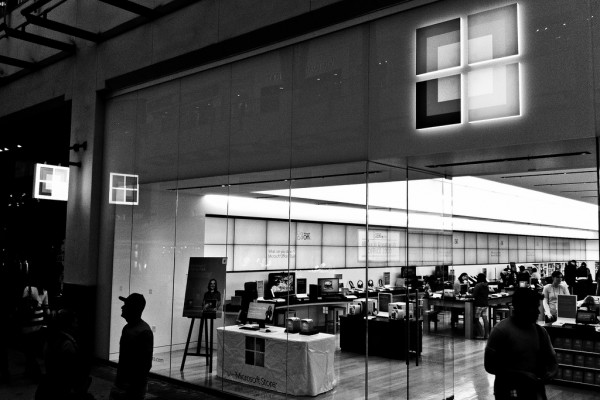
    The family grows quickly. Microsoft has been beefing up its retail offerings for the past year, trying to get into as many markets as possible in an effort to sell products and compete with the retail juggernaut that is Apple. In fact, the company chose to keep nearly all its popup stores opened from the past holiday season. Now the company has announced five new brick and mortar locations.

    Taking into account those popup stores, the company currently operates about 65 retail outlets, but the number is about to expand with today’s announcement. New stores will be coming soon to the following list of locations.

    • Natick Mall, Natick, Massachusetts
    • Ala Moana Center, Honolulu, Hawaii
    • Pioneer Place, Portland, Oregon
    • The Somerset Collection, Troy, Michigan
    • Woodfield Mall, Schaumburg, Illinois

    Microsoft’s Jonathan Adashek states that “Our customers continue to tell us that they value our stores for connecting them to the best of Microsoft”. He doesn’t now, however, give any details on when these stores will open, but Microsoft generally posts such information to its Facebook page. For now, that page only states “Get ready to celebrate our new stores opening across the nation”.

    The company also tends to make each grand opening a spectacle with big name artists playing a concert, local athletes on hand to challenge customers to Xbox Kinect games and even some product giveaways.

    Photo Credit: Joe Wilcox

  • Redbox Instant coming exclusively to Xbox

    Redbox Instant by Verizon has been in private beta for sometime now. In fact, a while back BetaNews brought you an exclusive first look at how the service will work. It is expected to be released sometime in early 2013 and today we learned some of the details thanks to Xbox Live’s Larry Hryb, better known as Major Nelson.

    Hryb announced that Redbox Instant will be coming to the gaming console “in the very near future”. He went on to explain that “if you are currently a Redbox Instant beta participant, you’ll receive an email with a unique code to access the app on Xbox 360 in the coming days”.

    Moreover, Microsoft has landed an exclusive deal to carry the new streaming service. The exclusivity concerns gaming and entertainment consoles, which likely means the service may still land on set-top boxes like Google TV and Roku. The deal also includes the ability for Xbox customers to rent or buy movies from Redbox without paying for the $9 per month subscription — a pay-per-view type of deal.

    There is still no word on the official release date, but when I spoke with a Redbox rep last month I was told “early spring”. Having used the service for more than a month now I can confirm that it seems a solid competitor for Netflix, but it will certainly need to add more content.

  • Surface Pro first-impressions review

    Surface Pro is magnificent. A classic. It’s the Windows experience you longed for but were denied. The tablet is a reference design for what — and what not — Microsoft OEM partners should achieve. The device is the past and future, pure personal computer and post-PC. Simply put: Surface Pro is jack of all trades, both master of many, and (gulp) none. Capabilities astound, yet quirks abound. But even they are endearing, giving Windows 8 Pro personality and dimension.

    For the past five days, I’ve had the privilege of using Surface Pro, which goes on sale February 9, as my primary PC. That’s not enough time to fairly evaluate the tablet, which is why I write a first-impressions review. I’ll add much more as my month with the device progresses. For now, I will share my early reactions, while offering context about Microsoft’s objectives for the product and how well it achieves them. Unquestionably, Surface Pro isn’t for everyone. But it could be for you.

    Before We Start

    I should begin by giving some personal context. For June 2012, I planned to spend the month using an Android tablet — ASUS Pad 300 — as my primary PC. Then, unexpectedly, as May closed, Google and Samsung announced the Series 5 550 Chromebook. I spent the next month on that computer and never looked back.

    For February, I prepped for the Android experiment again, this time with Google Nexus 10. But, again, a surprise switch; I got Surface Pro for review on January 31. So the grand tablet as primary PC is on again with different device and one likely to darkly color any future Android adventure.

    I come to Surface Pro from a perspective probably unique to most other reviewers — Chrome OS and working solely in a browser for the past seven months. I’m also new to Windows 8, which will get separate review in a few weeks. My experience with the operating system was brief — the Consumer Preview on an 11.6-inch Samsung slate for a few weeks in April 2012.

    So I bring fresh eyes to hardware and software but with muscle-memory experience using Windows the way we all remember it. Hopefully my unusual starting place brings fresh perspective. I believe so, but you tell me after reading the review.

    Which? Pro or RT?

    Surface is not one but two tablets, selling at juxtaposed prices, aimed at different market segments and using distinct system architectures. Anyone considering Surface should ask which is better choice, hence why my review starts with question: Which one? Surface Pro stands out from RT in three distinctive ways: Speed, screen and software. I’ll explain how in this section and the next.

    Surface RT competes with iPad and costlier Androids and like them uses ARM architecture. The operating system, Windows RT, looks like 8 Pro but appearances deceive. Both present two motifs — the more traditional Desktop and newer Modern UI. But only on Surface Pro can users expect to install and use legacy applications coded for x86 chips. If you have need to run any Windows software, Pro is the only choice. RT users can expect to get apps from the built-in Windows Store — some of which run in Desktop mode, Office 2013 being one of them.
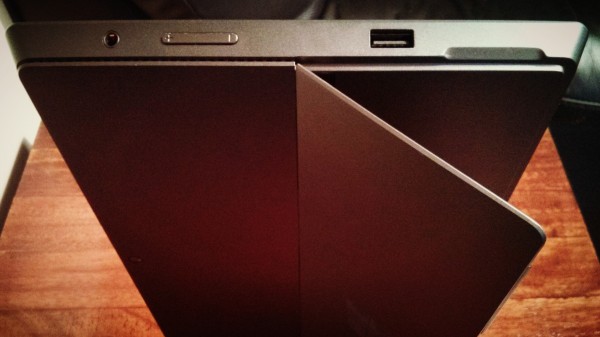
    Pricing matters. The two tablets look similar at first glance, but Surface RT is considerably slimmer and lighter — about the same as iPad or Nexus 10. Price starts at $499 versus $899 for Surface Pro. Microsoft prices the thinner tablet against iPad and the other meets MacBook Air and Windows ultrabooks. Contrary to FUD spewed by the Apple Fanclub of analysts, bloggers, journalists and other writers, Surface Pro is not overpriced and doesn’t compete with iPad. Stated correctly: iPad can’t compete with Surface Pro. Performance and broader capabilities simply aren’t comparable, which is one among many reasons why the new 128GB iPad, which went on sale today for as much as $929, is overpriced compared to Microsoft’s flagship tablet.

    Surface Pro specs. 10.6-inch ClearType HD Display with 1920 by 1080 resolution; 1.7GHz Intel Core i5 processor and HD 4000 graphics; 4GB RAM; 64GB or 128GB storage; 720p front- and rear-facing cameras (meaning they’re for video more than photos); accelerometer; ambient-light sensor; compass; gyroscope; Wi-Fi A/N; Bluetooth 4; USB 3; Windows Pro 8. Dimensions and weight: 10.81 x 6.81 x 0.53 inches and just under 2 pounds. Price: $899 (64GB); $999 (128GB).

    Surface RT specs. 10.6-inch ClearType HD Display with 1366 by 768 resolution; Nvidia T30 processor; 2GB RAM; 32GB or 64GB storage; 720p front- and rear-facing cameras; accelerometer; ambient-light sensor; barometer; magnetometer; Wi-Fi A/N; Bluetooth 4; Windows RT. Dimensions and weight: 10.81 x 6.77 x 0.37 inches and just under 1.5 pounds. Price: $499 (32GB); $599 (32GB with keyboard cover); $599 (64GB); $699 (64GB with keyboard cover).

    Keyboards. Microsoft offers two different keyboard covers, Touch and Type, which retail separately for $129.99. Type keys are more traditional and physically prominent. Touch Keyboard is more recessed and my preference.

    Value proposition. RT comes with Office 2013 Home and Student, while Pro, which uses digitized display, has a stylus. From that vantage point, Surface RT is hybrid device — touch and keyboard, tablet and notebook alternative — while the costlier model is more tribrid, by adding the stylus.

    For anyone looking for value, the lighter model makes sense. Everyone else, particularly those wanting benefits of touch, keyboard and existing software, should chose Pro.

    For those buyers wanting better battery life, Microsoft claims 9 hours (or more) for RT and 4 to 5 hours for Pro.
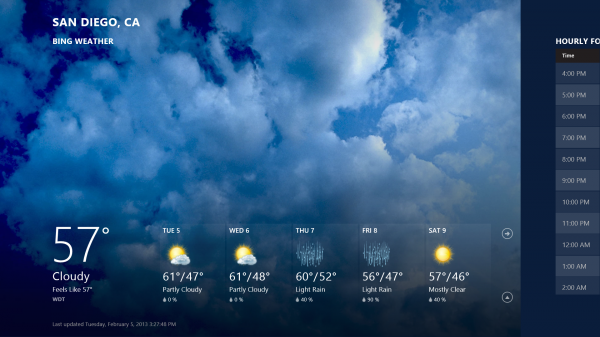
    In retrospect, Microsoft chose wrongly by releasing Surface RT first, October 26 concurrently with Windows 8. Particularly looking at the tepid computer lineup from partners, Surface Pro would have really stood out and sold better than RT — or so I believe. Also, the market better accepts perceived price cut than increase. Surface RT released now would look like a bargain compared to the costlier tablet.

    Scratching the Surface

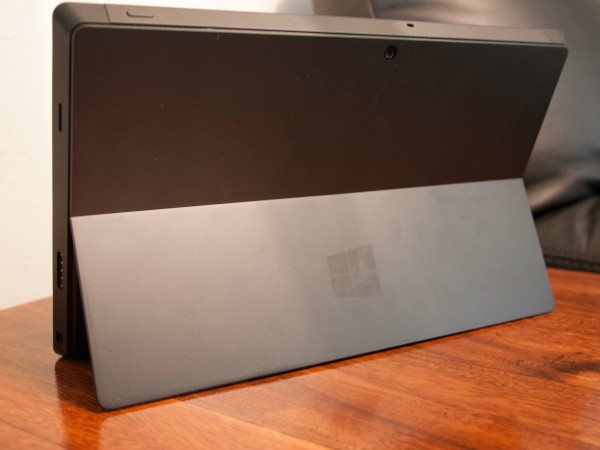
    Hours after unboxing Surface Pro, I handed it to my wife. She spoke the words I had thought in first reaction: “Heavy” and “fast”. They stuck with me for the past five days, as I adapted to the tablet’s heft and its speed spoiled me. The slate weighs 907 gram — that’s the aforementioned 2 pounds, Americans and Brits. Nexus 10 is 603 grams (1.33 pounds). But the VaporMg chasis gives extra sense of heft and also ruggedness. The case is considerably thicker than most other tablets, but tapered such it seems to disappear. The design approach reminds of some Lenovo ThinkPads.

    In the hand. The tablet’s weight and heft will trouble some users. My concerns dispatched within a few hours. But the real test is to come. Prolonged use over several weeks will reveal much.

    Heft is well-packaged. Surface Pro is a luxury car, a classic sportster with defined lines and metal exterior. By comparison, my ARM Chromebook looks and feels like a fiber-glass Ford. Better: Yugo to Aston Martin. There’s something Euro-car about the smoky exterior and boxy, slanted sides. Surface Pro’s handsome, rugged design is a Siren’s call to the hands. To touch, to feel, to caress.

    Fast setup. The tablet sets up in seconds if you’re a fast typist. Process is little more than powering up, connecting to WiFi, entering in Microsoft Account ID and choosing default or advanced setup (former for me). The process is similar to other portables running Windows 8 Pro. But from there, Microsoft’s tablet pulls ahead.

    Stunning screen. The display is beautiful — exceptional for the size class, and that conceding iPad 4 and Nexus 10 have higher resolution; but they aren’t digitized. Microsoft maximizes the enjoyment by providing beautifully designed stock Start screen apps. I haven’t seen them look better on any other Windows slates (Hey, I hang out at Microsoft Store doing some Windows shopping).

    The screen is 400 nit, but feels brighter. That’s comparable to MacBook Air (hint, hint again about the competing product).

    Performance. Then there is the speed. The beast roars and runs fast. Windows Experience rating is 5.6, held back by the graphics processor. The sold-state drive is 8.1 and 1.7GHz Intel Core i5 processor is 6.9 — on a scale of 9.9. But overall responsiveness feels like a 10. For sense of speed in the real world, which is the best benchmark: Adobe Photoshop Lightroom 4 installed in less than 60 seconds (before the required reboot).
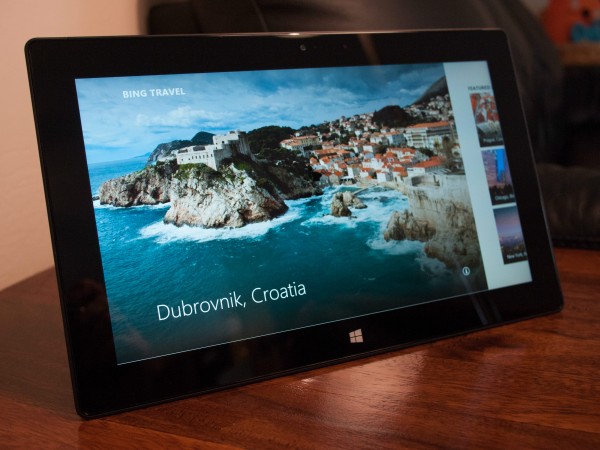
    Real storage space. My Surface is the 128GB model, and I received it with about 90GB free space. I recommend using it for apps and storing data in the cloud. Microsoft SkyDrive is easily accessible from the Start screen. The 64GB model only has 23GB of free space, which won’t be enough for data and the demanding apps I expect most users will install. Pay the extra $100.

    Big benefits. There’s something to be said for maturity. Youngsters tend to believe they know better, that they’re more modern. But Android and iOS, even Chrome OS, are new kids in town. By comparison, you can feel the maturity in Windows 8, on Surface Pro with Intel Core. Performance is smooth, software responsive and feeling of solidness everywhere. Software, hardware and services integration is tight — the best I’ve seen on anything. Yes, more than Mac laptops or tablets.

    Simple example of maturity related to usability: The Start screen presents different options for my Epson Artisan 730 WiFi printer — including driver update. Windows 8 Pro found the networked peripheral and provides what I need to use it, unprompted.

    Surface Pro is the computer you waited for and proves that Microsoft should have designed and sold its own PCs long ago, and leaves me feeling something strongly: Microsoft CEO Steve Ballmer is indebted to former Windows & Windows Live president Steven Sinofsky and should be careful about who’s fired next.

    You Need to Read This

    Surface Pro is the most important platform product to come out of Microsoft since Windows NT 4. The operating system was foundational for what followed, Windows 2000 and XP, particularly. NT 4 represented in-house developers’ thinking about what a modern OS should be and the capabilities that should extend to developers. The same could be said of Windows 8 and RT, but more. Microsoft seeks tighter integration between software, hardware and services. Surface Pro culminates all three, providing existing customers a lifeline to the past while extending forward to new digital lifestyle — anytime, anywhere computing.

    Like Windows NT 4, Surface Pro is a transitional product. Microsoft’s platform goals are more about Modern UI and doing away with the Desktop motif. But the company has a longstanding tradition, unlike Apple, of ensuring backward compatibility for older apps — and to a fault. This approach has often held back future Windows development. Surface Pro runs older apps via the Desktop, while offering the familiar keyboard experience many longstanding PC users demand. But tablet size, touchscreen, Modern UI, cloud service integration and other attributes push forward. Windows 8 Pro and this tablet together seek to be the best of the past, present and future. It is a haughty ambition.

    Windows 8 and RT fulfill design ambitions Microsoft tried to bring to market in the 1990s. Modern UI derives heritage from the Active Desktop, which the software giant released before its time. Internet pipes reaching businesses, or even consumers, weren’t fat enough in the late 1990s, and there wasn’t enough quality content. But Microsoft had the right idea. Live titles transform the desktop into a living, breathing thing. It responds to you, anticipates you. I simply cannot express the sheer value, when set alongside aspects of the overall user interface.

    The best user interfaces make products more human, more approachable and responsive. The human body doesn’t have one UI, but many working together, giving dimension to living — sight, sound and touch, primarily. The best products are similar. Visuals are important because they appeal to sight, and the eyes are the main tool by which we take in the world around us. Modern UI is beautiful, as are many of the active — seemingly living — cues it provides. There, Live titles add richness and movement to Surface Pro running Windows 8 Pro.
    But humans are primarily tool users. We look and then touch. Keyboard and mouse are unnatural constructions, even though they are so familiar to a generation of PC users. But touch is more natural and extension of you. There’s more intimacy involved with touching something on the screen than interacting with it via keyboard and mouse.

    Surface Pro’s screen is the most accurate I’ve ever used. Even touching text in this document hits the right spot every time. Cutting and pasting is easiest on any touch device tested. The little circle that marks the finger’s touch looks good and works even better. Dragging it with my finger highlights text. Accurately.

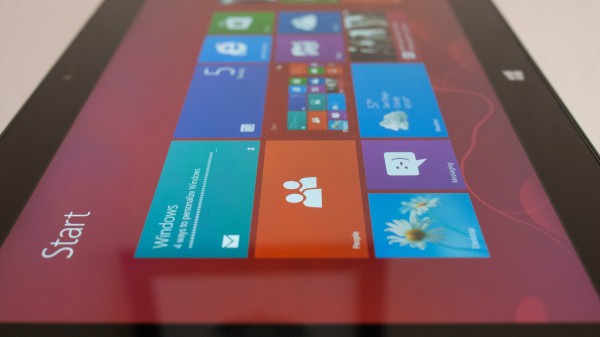
    But where touch brings Surface Pro alive is the Start screen chock full of tiles with content in motion. The user experience is far superior to Android or iOS. The desktop looks so alive, so quickly responds to touch, I could swear that it breathes.

    Beneath the Surface

    More than Surface RT, Pro users will spend time in Desktop mode. Apps and usability across motifs matter much, but more function of software than hardware.

    Windows 8 reviews. My colleague  posted a lengthy Windows 8 review in October, while developer Robert Johnson delivered a compelling series:

    I highly recommend these four for getting a good sense of what to expect from Windows 8 Pro. My perspective here is more about usability on Microsoft’s tablet and how it matches up to the design goals laid out in the previous section.

    Apps availability. Microsoft is with Windows 8 where Apple was with OS X in 2001 — presenting developers and users with dual-motif. But integration between Desktop and Modern UI is much tighter and moving between them smoother than was the Mac environments.

    Apple struggled to get developers to create apps — thanks largely to Windows XP, which released the same year. Microsoft sees similar developer distraction from Android and iOS. If it’s any measure, major apps took nearly four years migrating to OS X. Windows has an advantage — a built-in app store that promises developers payments rather than piracy.

    Tragically, the app selection isn’t sufficient and won’t be for some time. That makes the software you have now all the more important and another reason why Surface Pro is better choice than RT. My colleague Martin Brinkman writes regular column “Best Windows 8 apps this week”. On Friday, he reported 27,282 apps available from Windows Store — the majority of which won’t matter much to hardcore Pro users. They’ll want productivity apps and real PC games.

    I hope that with Surface Pro’s actual release more apps will go native. But it’s hard to imagine developer enthusiasm when Microsoft misses with Office 2013, which can be accessed from Modern UI Start screen but runs in Desktop mode. The company sets a terrible example for developers and does deep disservice to customers. Office, as the primary productivity program I expect Pro’s target market will use, should be fully usable from the new motif. The few native Windows apps Microsoft provides are simply exquisite and demonstrate what Office could have been as Modern UI flagship application.

    Some of the Desktop apps turn the stomach. Chrome is butt ugly. I blame Google developers for making no real effort to support Surface Pro, and I understand there is some bad blood because of third-party browser restriction on Windows RT. Surface Pro’s magnificent display makes Chrome look all the worse, while Internet Explorer is a gem. Fonts are major reason.

    Generally, Google is a lost cause on Surface Pro. The search giant develops beautiful apps for competing iOS but largely ignores newest Windows. How strange is that? I resort to accessing Gmail and Google+ in Internet Explorer 10 on Modern UI. The services stun, they look so good on Surface Pro’s screen.

    Desktop Mode. Functionally, the two motifs demonstrate fine workmanship — they so seamlessly mesh. Usability is another matter. Moving from one motif to another is jarring, in part because the one is so exquisite and expansive. Where Modern UI feels alive, Desktop is dead — dull, uninviting. It’s a graveyard, by comparison. I don’t want to work there.

    While the more familiar motif, Desktop doesn’t respond to the user the way Start screen does. Touch is often rejected, rather than welcomed. The touch accuracy I praised earlier is for Modern UI. In the other motif I sometimes struggle to get even the close button to respond. From that perspective, Surface Pro disappoints, particularly since the whole point is backward compatibility to existing apps. Which run where? In the graveyard.
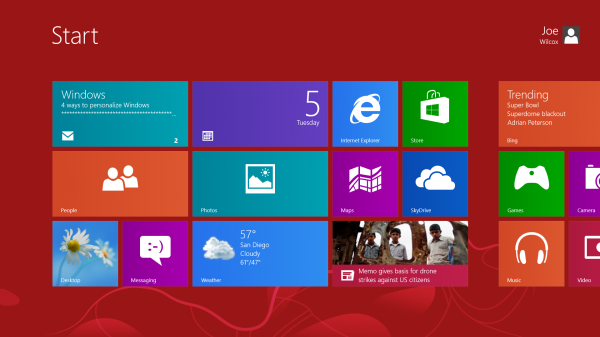
    While Microsoft reaches for the future, Desktop can’t escape Windows’ past. On February 1, I received the Nexus 4 ordered from Google Play for my wife. On Groundhog Day, I prepared her Galaxy Nexus for sale and used it as opportunity to look at Surface Pro media transfer capabilities. Windows 8 Pro easily detected the handset and offered several tools via Desktop mode. I dragged the DCIM folder with photos to the desktop. While looking over pics, I wanted to post one to Google+. The file manager presents “Share” as one default option in the menu bar. Excellent! But the Share feature is for enabling access to other users, not posting to social networks or emailing, which is what I intended. Surely some commenters will bark: “What did you expect? This is how Windows works”. Yes, but sharing now means something quite different to many people.

    There are reasons then why in the previous section I refer to Surface Pro as a transitional product and allude to Windows NT 4. Microsoft’s tablet offers many compelling features and represents a vision for the future, which likely is Windows 9 running on the device. For the present, users must contend with two motifs and sometimes conflicting (and confusing) ways of working. That said, the shortcoming — quirks, if you will — give the product personality and dimension. iPad and iOS are flat, manicured landscapes by comparison. Surface Pro and Windows Pro are together the jungle — rich and lush throughout but not free of barren areas.

    The point: I much prefer working on Surface Pro, and even the Desktop graveyard has its charms. But do bring along a keyboard.

    How I Surface

    Microsoft’s tablet challenges me, because I come from a different place than the target customer. As mentioned about 2,500 words ago, I moved from Chromebook, working in a browser for about seven months. Google’s motif is fairly contained, with most mouse movement restricted to tabs across the top of the screen. Surface Pro demands more work with fingers going every which way, such as pulling down a thumbnails of open web pages rather than simple tabs.

    Modern UI. To my surprise, I find all the movement kind of refreshing, even fun, like using more of my senses — and fingers as tools — to get work done. Additionally, I find Modern UI absolute joy to use — on this machine. Yes, the motif demands more work, such as seemingly endless scrolling left or right. But the design appeals and draws me in. It’s immersive and as previously expressed alive.

    There is something about Modern UI that is different on this computer. I’ve spent some time at my local Microsoft Store using Windows 8 or RT on various PCs or tablets. My reaction, like when using the Samsung slate last year, was ho-hum. But Modern UI enthralls here, and I largely credit Surface Pro’s bright, crisp display and smooth, speedy performance.

    Touch and type. I interact with Surface Pro using fingers on screen or keyboard in both motifs. The tablet has a kickstand that tilts the display back at a satisfying angle. I attach the Touch Keyboard, which gives audible electronically-generated sound when tapped. I adapted to the keyboard in less than an hour of typing this review, which I started writing on WordPress in IE10 almost immediately.

    During the workday, Surface Pro rarely leaves the desk, although over the month will go on jaunts to the coffee shop to see what shakes up. At night, I sometimes sit the slate on my lap and work. While the default on-screen keyboard is too large for my tastes, typing more than satisfies. Here we go with another benefit of the screen. I can type just about as well on-screen as off, Microsoft’s keyboard is so responsive. No Android tablet or iPad that I’ve used compares.
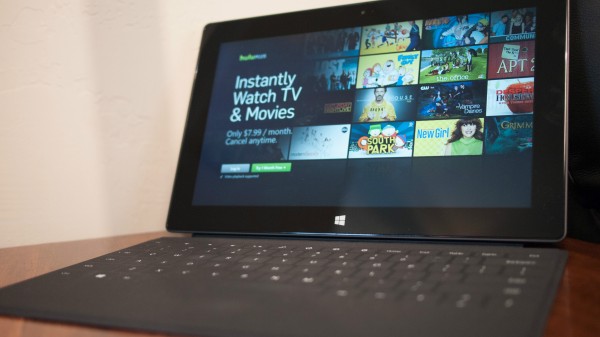
    I simply can’t express the importance of this benefit, which works in concert with another: Surface Pro’s screen is viewable from pretty much an angle — clear and crisp, with no distortion. As a hybrid device meant as tablet and laptop, the latter concerns. Kickstand and Touch Keyboard aren’t lap friendly. But Surface laid in the lap is highly functional with touch keys and brilliant display. I can work this way, and so can you. It’s superior to iPad or, say, Nexus 10 similarly used.

    I interchangeably use trackpad and touchscreen. Microsoft makes a Surface mouse, but I don’t need it, and neither should you if you really give touch a chance.

    Battery life. I can’t get give comprehensive report on battery life. Several discharges in different usage situations will be necessary. That said, while writing this review, I unplugged the power cord at 9 am PST today. Ninety minutes later, set to “balanced mode”, Windows 8 Pro reported 55 percent charge left, or 3 hours 5 minutes. At 12:30, 36 percent and 90 minutes remaining. At 1:30, a message flashed across the screen warning just 10 percent charge remained. Fifteen minutes later, with 8-percent warning, and Windows claiming 23 minutes usage time left, I plugged in. Likely then, charge would have gone 5 hours. That’s on par with marketed battery life.

    Challenges. Being fresh to Windows 8, I don’t know fully where usability ends and my ignorance begins. For example, the group chat service we use at work doesn’t have a Windows 8 app. So I use IE10. Problem: I get no notifications, and the service disconnects when I work in other tabs. Same can be said for Gmail or Google+. Now matters would be much better if I lived a Microsoft lifestyle connected to more of the company’s services and other devices. Start screen would display much of what I need.

    Users spending more time in the Desktop graveyard can expect typical third-party apps and services support. As for Metro UI, Surface Pro isn’t the problem but application maturity, which will come over time.

    Wrapping up, potential users will want to weigh applications against everything else, what’s needed or wanted. Surface Pro demands changes to longstanding habits and will jar some users traversing the two motifs. Adapt if you can and be rewarded but expect some usability penalty along the way.

    Surface Pro is Jack of all trades, attempting to be many things and doing some better than others. Imperfections glare because the broader experience is so clean — and fun. There are shortcomings, but returning to the auto analogy they are easily overlooked. Idiosyncratic is the word sometimes used to describe the best, classic cars, which are appreciated more for their beauty and handling.

    Surface Pro’s shortcomings, like those of classic cars, add character. In a sea of sameness, where so many PCs or tablets are hard to tell apart, Microsoft’s slate stands out. If only other device manufacturers made as much effort as Microsoft to truly innovate. By that measure, Surface Pro achieves greatness, faults and all.

    Photo Credits: Joe Wilcox

  • Fly Or Die: Microsoft Surface Pro

    Screen Shot 2013-02-05 at 1.12.31 PM

    The gap between a full-fledged PC and a touchscreen tablet has finally found a bridge in the Microsoft Surface Pro. The Windows 8 device will be available for purchase on February 9, but we got a sneak peek with the Surface Pro and took it for a test spin in the Fly Or Die studios.

    So what’s the verdict?

    Well, both John and I agree that this is some of the best work we’ve ever seen out of Microsoft. The company sent some mixed messages with the Surface RT, which was more of a web-browsing, email tablet with a cute keyboard than a full-fledged computer.

    But the Surface Pro steps up where the RT fell short, letting users load up any programs they want. It’s the difference between a working, usable computer and a pet project by Microsoft engineers.

    As it stands, we’re both very excited about the prospect of a real and powerful Win8 machine to finally stand alongside similarly powerful OS X devices.

    We’re both still a bit hesitant towards Windows 8. The Surface Pro rides the line between old, Classic Windows and the new “Metro” UI. The developer base needs time to figure out the Metro side of Windows 8, and having the desktop model as a backup helps ease the transition.

    Will it be the most popular consumer gadget on the market this year? No.

    But does it prove that Microsoft can be a powerhouse in the hardware realm? Absolutely.

    Two flies.

  • Apple Calls For New Siri UI Engineer, Suggests Digital Assistant Could Soon Grace The Desktop

    Screen Shot 2013-02-05 at 7.33.25 PM

    With all the time, money, and embarrassment Apple has offered up on the altar of Siri, it’s only a logical next step to see the virtual personal assistant migrate over to Mac OS X.

    The question is not if, but when?

    And we may be getting closer, as Apple has listed a job posting looking for a Siri UI Engineer with a few hints at OS X integration.

    This isn’t the first we’re hearing of a potential Siri rollout on the desktop level. In November, 9to5mac reported that Siri and Apple maps would be present in the next version of OS X.

    The job listing calls for an engineer “responsible for implementing the content that appears within the conversational view.”

    They call it a “broad-ranging task,” considering all the various applications Siri must interact with to be useful, and all while conserving the limited resources of mobile devices.

    “We take every application that Siri interacts with, distill it down to fundamentals, and implement that application’s UI in a theme fitting with Siri. Consider it an entire miniature OS within the OS, and you get a good idea of the scope!” the listing reads.

    Yet, nowhere in the job posting is there mention of iOS specifically. There is, however, mention of Mac OS X. Under key requirements, Apple asks for knowledge of all of Apple’s development APIs (both iOS and Mac OS X), as well as “familiarity with Unix, especially Mac OS X.”

    Obviously, the listing is still very ambiguous, but it signals that Apple is beefing up Siri for something new. And as AppleInsider astutely notes, Dictation has already found its way onto the desktop (just like it did on the iPad before Siri showed up in tablet-form).

    It all adds up, but we’ll have to wait on Apple’s word before we know for sure.

  • Incipio Announces Colorful Protective BlackBerry Z10 Cases

    Accessory maker Incipio has announced the creation of a line of protective cases for the BlackBerry Z10. Though BlackBerry devices are regarded as being tough and durable, screens as large as the Z10 are generally prone to breaking when dropped from pocket or head height.

    Eventually rolling out 5 different models of BlackBerry Z10 cases, Incipio has also made them available in some very bright colors.

    As of the writing of this article only the “feather” model is available but they will be rolling out their feather SHINE, DualPro, DualPro SHINE and OVRMLD models later in the week.

    Click here to check out the $24.99 feather series, now available in 5 colors.


  • Facebook Co-Founder’s Husband Set to Run for Congress

    Democratic activist and same-sex marriage proponent Sean Eldridge has just filed forms with the Federal Elections Commission announcing his intent to run for Congress. Eldridge, who will run for the House of Representatives as a Democrat, has a major Facebook connection.

    In fact, he’s married to Facebook co-founder Chris Hughes.

    Hughes and Eldridge married last July in a ceremony attended by other Facebook notables Mark Zuckerberg and Sean Parker. It was also attended by some members of Congress, including House Minority Leader Nancy Pelosi.

    Eldridge is the President of Hudson River Ventures, a small investment firm, and is a senior advisor at the Freedom to Marry campaign. In 2012, he served as a delegate to the Democratic National Convention.

    He would be seeking New York’s 19th District, which lies north of NYC and south of the capital, Albany. Its seat is currently held by Republican Chris Gibson, a retired Army Colonel who won reelection in 2012 by a six point percent margin. However, the district has voted for President Obama twice now – the latest in 2012 by a six point margin (52 to 46 over Mitt Romney).

    [via Bloomberg]

  • Capcom is Polling Fans on Their Favorite Street Fighter Characters

    Capcom is serious about its fighting games. Not a week goes by that minor changes and tweaks aren’t made to its games to make them more (or less, in some cases) balanced. So, when the publisher asks fighter fans for their opinion, it’s not likely to be just a simple Facebook popularity poll.

    Today Capcom began polling fighting game fans on who their favorite Street Fighter characters are. The publisher claims that the results of the poll will influence games, marketing, and licensing opportunities (such as Sanrio plushies, no doubt).

    “Please be honest in your answers,” states Capcom, and the company seems to be pretty serious about getting only opinions from fighting game fans. The poll ends early if the question “Have you purchased any fighting games for consoles, dedicated gaming handhelds or PC in the last five years (2008 – present)?” is answered with a “no.” Those who have bought a fighting game recently get to go on to choose their five favorite Street Fighter characters from the 67 fighters featured throughout the series’ history.

    Future Street Fighter games will certainly feature new characters, and there may not be room for some of the less popular characters in the series. Sure, popular and classic characters such as Ryu, Chun-Li, and Akuma aren’t likely to go anywhere, but if you’re a fan of Rufus you might want to make sure your voice is heard in this poll.

  • Chris Brown Lied? New Report Doubts Community Service Claims

    Chris Brown, who is now famously back in a relationship with ex-girlfriend Rihanna after a violent altercation between them left her beaten and bloody in 2009, may not have actually completed his court-ordered community service after his arrest for the incident.

    The District Attorney in L.A. has submitted legal documents claiming that Brown lied about the amount of hours he completed while working at Tappahannock Children’s Center in Virgina, also alleging that Brown was jetting around the world during some of the time he claimed he was serving at Tappahannock.

    The police department in Richmond, Virginia have allegedly admitted that there was not always a member of the force supervising Brown during his scheduled work time and that on some occasions, there was no one supervising him at all. After the D.A. did some digging, he discovered that Brown couldn’t have been working on some of the reported dates, because he was performing at shows. He says that Brown’s documentation was “at best sloppy … and at worst fraudulent reporting.” Included in the documents filed is a request for Brown to be ordered to finish out his community service sentence.

  • Bing Launches Video Results In Windows 8 App

    Bing announced today that it has released an update to its Windows 8 app that includes touch-friendly video results, in addition to web and image results. The update is available in 12 countries.

    The video results, of course, feature infinite scroll.

    Infinite Scroll

    “Scrolling through one giant page of video results is a nice start, but we don’t stop there,” says Bing senior product manager Sara Borthwick. “Who wants to wait for a video to load before finding out if tit’s worth watching? We don’t that’s why this update includes our exclusive Smart Motion Thumbnails that let you watch a preview of results without having to wait for the video to load. Simply tap a video result thumbnail with a play icon in the lower right hand corner, or mouse over the thumbnail image, to start the video preview. Tap again or mouse away to stop the preview video. Click on the text description to the right to go to the full video.”

    “If the search results aren’t exactly what you were looking for, Bing has made finding related searches even easier,” adds Borthwick.k “Just place two fingers on the search results screen and pinch to get related search queries. This feature is called Semantic Zoom and is also available for the web and image results.”

    Frankly, I find it a little odd that this wasn’t included with the app to begin with. Windows 8 is, after all, Microsoft’s creation. Better late than never, I suppose. There was always Bing.com anyway.

  • Zynga Announces Q4 And Year End Results, Will Bring More Games To Mobile In 2013

    After the beating Zynga took in 2012, nobody was really looking forward to its year end results. It was assumed that everything would be doom and gloom for the troubled social game developer. The good news is that revenue and DAUs/MAUs are up. Everything else is just kind of middling.

    Starting off with revenue, Zynga reported that full year 2012 revenue of $1.28 billion, which is an increase of 12 percent year-over-year. Quarter four revenue was at $311 million, which is pretty much flat year-over-year. Bookings in both full year and quarter four were down 1 percent and 15 percent respectively.

    “The biggest highlight of the quarter was seeing our team deliver a successful sequel in FarmVille2, a next generation social game that offers cutting edge 3-D experiences loved by millions of FarmVille fans,” said Mark Pincus, CEO and Founder, Zynga. “In 2013 we’re excited to bring this new class of social games to mobile phones and tablets and build a network that offers an easier, better way for people to play together.”

    On a year-over-year basis, DAUs and MAUs were up for Zynga. DAUs increased from 54 million in Q4 2011 to 56 million in Q4 2012. MAUs increased from 240 million in Q4 2011 to 298 million in Q4 2012. On a consecutive quarter basis, however, DAUs and MAUs were down 6 percent and 4 percent respectively.

    Even if its quarterly users were down, Zynga still had some of the top performing games on Web-based platforms. It also had five of top the 10 games on Facebook in December of last year. That’s just one month, however, and data from App Center showed Zynga had none of its games in the top five Facebook games of 2012.

    “Our team executed well in the fourth quarter and made important progress in building sustainable new revenue streams and further aligning our company around our best growth opportunities,” said David Ko, Chief Operations Officer, Zynga. “2013 will be a pivotal transition year and we are focused on achieving three strategic objectives: growing our franchises on mobile and web, expanding our network and maintaining profitability on an adjusted EBITDA basis. With 298 million monthly average users, including 72 million on mobile alone, Zynga already has the largest social gaming audience and remains the best positioned company to lead in building the future of social gaming.”

    Here’s a breakdown of the annual and fourth quarter results:

    2012 Annual Financial Summary

  • Revenue: Revenue was $1.28 billion in 2012, an increase of 12% on a year-over-year basis. Online game revenue was $1.14 billion, an increase of 7% on a year-over-year basis. Advertising revenue was $137 million, an increase of 84% on a year- over-year basis.
  • Bookings: Bookings were $1.15 billion in 2012, a decrease of 1% on a year-over-year basis.
  • Net loss: GAAP net loss was $209.4 million in 2012, which included $282.0 million of stock-based expense and $49.9 million of income tax expense driven by a $53.8 million charge related to accelerating the implementation of Zynga’s international structure.
  • Adjusted EBITDA: Adjusted EBITDA was $213.2 million in 2012, a decrease of 30% year-over-year, primarily due to increased cash investment in research and development, datacenters and infrastructure.
  • Non-GAAP net income: Non-GAAP net income was $58.2 million in 2012, a decrease of 68% year-over-year, primarily due to increased investment in research and development.
  • EPS: Diluted EPS was ($0.28) for the full year 2012, compared to ($1.40) for the full year 2011.
  • Non-GAAP EPS: Non-GAAP EPSwas $0.07 for the full year 2012, compared to $0.24 for the full year 2011.
  • Cash and Cash flow: As of December 31, 2012, cash, cash equivalents and marketable securities were approximately $1.65 billion, compared to $1.92 billion as of December 31, 2011. Cash flow from operations was $195.8 million for the year ended December 31, 2012, compared to $389.2 million for the year ended December 31, 2011. Free cash flow was ($114.3) million for the year ended December 31, 2012 as reported, or $119.4 million excluding the purchase of the company’s headquarters, compared to $137.3 million for the year ended December 31, 2011.
  • Fourth Quarter 2012 Financial Summary

  • Revenue: Revenue was $311.2 million for the fourth quarter of 2012, flat compared to the fourth quarter of 2011 and a decrease of 2% compared to the third quarter of 2012. Online game revenue was $274.3 million, a decrease of 3% compared to the fourth quarter of 2011 and a decrease of 4% compared to the third quarter of 2012. Advertising revenue was $36.8 million, an increase of 35% compared to the fourth quarter of 2011 and an increase of 19% compared to the third quarter of 2012.
  • Bookings: Bookings were $261.3 million for the fourth quarter of 2012, a decrease of 15% compared to the fourth quarter of 2011 and an increase of 2% compared to the third quarter of 2012.
  • Net loss: Net loss was $48.6 million for the fourth quarter of 2012 compared to a net loss of $435.0 million for the fourth quarter of 2011. Net loss for the fourth quarter of 2012 included $86.3 million of income tax expense driven by a $53.8 million charge related to accelerating the implementation of Zynga’s international structure and $14.9 million of stock- based expense compared to $530.0 million of stock-based expense included in the fourth quarter of 2011.
  • Adjusted EBITDA: Adjusted EBITDA was $45.0 million for the fourth quarter of 2012 compared to $67.8 million for the fourth quarter of 2011 and $16.2 million in the third quarter of 2012.
  • Non-GAAP net income: Non-GAAP net income was $6.9 million for the fourth quarter of 2012, down from non-GAAP net income of $37.2 million in the fourth quarter of 2011 and up from a non-GAAP net loss of $0.4 million in the third quarter of 2012.
  • EPS: Diluted EPS was ($0.06) for the fourth quarter of 2012 compared to ($1.22) for the fourth quarter of 2011 and ($0.07) for the third quarter of 2012.
  • Non-GAAP EPS: Non-GAAP EPS was $0.01 for the fourth quarter of 2012 compared to $0.05 for the fourth quarter of 2011 and $0.00 for the third quarter of 2012.
  • Cash and cash flow: As of December 31, 2012, cash, cash equivalents and marketable securities were approximately $1.65 billion, compared to $1.65 billion as of September 30, 2012. Cash flow from operations was $19.8 million for the fourth quarter of 2012, compared to $164.0 million for the fourth quarter of 2011. Free cash flow was $29.5 million for the fourth quarter of 2012 compared to $101.9 million for the fourth quarter of 2011.
  • Share Repurchase Program: As of December 31, 2012, Zynga repurchased approximately 5 million shares of common stock under its stock repurchase program. The remaining authorized amount of stock repurchases that may be made under this plan was approximately $188 million as of December 31, 2012.
  • I think we all expected this result. Zynga started off 2012 doing pretty well for itself, but it made a few bad decisions in investments early on, including the acquisition of OMGPOP for $200 million. The company was also forced to shut down a few studios, lay off over 100 employees and stop hosting numerous games, including the hotly anticipated, but ultimately ignored Mafia Wars 2.

    Zynga’s results may not have been great, but investors are somewhat pleased with its performance. The company’s stock was trading 7 percent higher at $2.74 at closing. It’s still rising in after-hours trading with the company’s share price currently at $2.88.

  • Meet the Translator: Alberto Pagani, who brings you TED Talks in Italian

    Alberto-Pagani-1TED Talks are available in 94 languages, from Albanian to Vietnamese, thanks to the tireless work of our translators. So far, more than 8,500 volunteers have created nearly 34,000 translated talks. To celebrate this huge accomplishment, every week the TED Blog will be bringing you a Q&A with one of our most prolific translators. Today, meet Alberto Pagani.

    Where do you live? And what do you do by day?

    I’m from Bologna, Italy — yes, the place where the ham-like thing comes from. I’m trying to make photography my full-time job, and am sort of a little more than halfway there. I also teach English, translate, volunteer for an NGO, have fun and listen to a lot of music.

    What drew you to TED?

    Random internet browsing in late 2008 or early 2009, I think. All I can remember is that I was doing some research online and I stumbled on a video from TED.com and, after watching A LOT of videos — one after the other — I realized I was hooked. Then I read about the conferences, the Open Translation Project and the TEDx program. I started translating and have gotten the chance to meet a lot of wonderful and inspiring people. Here we are five years later.

    David Deutsch: A new way to explain explanationDavid Deutsch: A new way to explain explanation

    What was the first talk you translated and how did you pick it?

    The one I stumbled on about five years ago: David Deutsch’s “A new way to explain explanation.” Halfway through watching it, I thought of some friends who would love it as well — but they didn’t speak English. So I actually started writing down the text and translating it on my own. Then I noticed a link on the page referring to translations, I clicked there and discovered the Open Translation Project. I signed up immediately and started translating all the talks I could get my hands on.

    What have been your favorite talks to translate? Why?

    I like the challenging ones — the ones that make me work hard and learn things in the process. Sometimes the things I learn are related to the topic, but more often they are related to transferring the talks into Italian — the mood, the concepts, the humor and the cultural references that are found in the talks. That being said, there is a special place in my heart for the final bit of the first talk I translated: “Take two stone tablets. On one of them carve ‘Problems are solvable,’ on the other one carve ‘Problems are inevitable.’”

    Which talk was the most difficult for you to translate and why?

    Jokes are the hardest things to translate, in my opinion, and cultural-specific references are a very close second. We need to find an equivalent in the target language that maintains the tone, the general sense and often the specific meaning of the joke. Trust me on this: from a translator’s point of view, stand-up comedy is much, much harder than rocket science.

    What’s a phrase in your language that you wish would catch on globally?

    “Let’s talk about this over coffee/lunch/dinner.”

    The idea is that to properly address important issues, people require a comfortable and relaxed environment, something a large number of Italians would not find in formal settings like an office or a meeting. I think you could roughly translate that phrase as: “I think the issue is important and I value your opinion, so it will be worthwhile to invest our free time in discussing this where we can both feel comfortable and speak our minds freely.”

    Meet more of our TED translators »

    Alberto-Pagani-TED

    Pagani snaps a photo on the TEDGlobal 2012 stage.

  • Harvard Professor Says Google’s Ads Are Racially Discriminating

    Harvard professor Latanya Sweeney has put together a report saying that Google is racially discriminating with some of its ads. Google, of course, says this is not the case.

    Still, it’s an interesting, if incomplete study. Here’s the abstract:

    A Google search for a person’s name, such as “Trevon Jones”, may yield a personalized ad for public records about Trevon that may be neutral, such as “Looking for Trevon Jones? …” or may be suggestive of an arrest record, such as “Trevon Jones, Arrested?…”. This writing investigates the delivery of these kinds of ads by Google AdSense using a sample of racially associated names and finds statistically significant discrimination in ad delivery based on searches of 2184 racially associated personal names across two websites. First names, previously identified by others as being assigned at birth to more black or white babies, are found predictive of race (88% black, 96% white), and those assigned primarily to black babies, such as DeShawn, Darnell and Jermaine, generated ads suggestive of an arrest in 81 to 86% of name searches on one website and 92 to 95 percent on the other, while those assigned at birth primarily to whites, such as Geoffrey, Jill and Emma, generated more neutral copy: the word “arrest” appeared in 23 to 29 percent of name searches on one site and 0 to 60 percent on the other.

    On the more ad trafficked website, a black-identifying name was 25% more likely to get an ad suggestive of an arrest record. A few names did not follow these patterns: Dustin, a name predominantly given to white babies, generated an ad suggestive of arrest 81 and 100 percent of the time. All Ads return results for actual individuals and ads appear regardless of whether the name has an arrest record in the company’s database. Notwithstanding these findings, the company maintains Google received the same ad text for groups of last names (not first names), raising questions as to whether Google’s advertising technology exposes racial bias in society and how ad and search technology can develop to assure racial fairness

    Racial discrmination?

    It goes pretty in depth. You can read the full report here (pdf).

    The Huffington Post picked up the story, and shares a statement from a Google spokesperson:

    “AdWords does not conduct any racial profiling,” the spokesman wrote in an email. “We also have an ‘anti’ and violence policy which states that we will not allow ads that advocate against an organization, person or group of people. It is up to individual advertisers to decide which keywords they want to choose to trigger their ads.”

    Sweeney acknowledges in the report that the study ultimately raises more questions than it answers, and says that the paper is just a start, and that more research is needed. However, after all of her research, she concludes the paper saying, “There is discrimination in delivery of these ads.”

  • People Are Checking Your Facebook Page Before Dates, and Other Fun Facts on Single People and Tech

    Match.com has just put out their third-annual “Singles in America” study and it contains some pretty interesting information on how people are using social media and the internet in their dating/sex lives.

    Probably the most telling piece of data collected in the study is that nearly half (48%) of all women surveyed do some Facebook digging on their date partner before the date begins. Only 38% of men copped to doing pre-date Facebook research and 49% said that the practice was “unacceptable.”

    Women are also more likely to be turned off by what they find. 49% said they would cancel a date based solely on information unearthed by their Facebook research. Only 27% of men said that they would cancel.

    Both women and men are aware of the need to “clean up” their Facebook profiles in order to put their best online foot forward (26% and 27%, respectively).

    Other interesting stats from the study:

    • Over half of single men (57%) and 45% of single women have received a sext (sexy photo or explicit text), and 23% of these singles have shared them with others. Of that 23%, a whopping 42% of men and 28% of women said they shared the sext with three or more people
    • 42% of single men reported they would not be offended if a recipient shared their sext with others, vs. 13% of women.
    • 77% of women would not date someone who was secretive with their texts vs. 53% of men.

  • BlackBerry Z10 is Now Available in Canada

    Today is a day that many Canadians, especially members of Team BlackBerry, will never forget: The BlackBerry Z10 is now available in Canada. To celebrate this exciting day, Thorsten Heins, CEO of BlackBerry, and Nadir Mohamed, President and CEO of Rogers Communications, sold one of the first BlackBerry Z10 smartphones in North America.

    Lucky number one on the Rogers Reservation System, Mr. Harp Dhonsi was among the first Canadians to get his BlackBerry Z10 smartphone today, and he is the only one to purchase his BlackBerry Z10 from the two CEOs.

    Rogers Communications isn’t the only Canadian carrier sharing in the BlackBerry Z10 excitement: Bell and Telus have also seen BlackBerry 10 excitement in their stores, as they have also introduced BlackBerry 10 to their customers.

    We know there are lots of questions from our friends south of the border and around the world about when they can expect to see the BlackBerry Z10 hit the shelves in their stores. For more information on your country’s availability, be sure to check out Donny’s blog post on BlackBerry 10 pricing and availability.

    Will you be among the first in your country to get a BlackBerry Z10? Let us know in the comments.

  • Eric Schmidt Ties Search Rankings To Verified Profiles In Upcoming Book

    It’s become pretty obvious that Google is looking to put user identity at the forefront of a number of its products, and that includes search. Nothing new there.

    Eric Schmidt apparently talks about this in his upcoming book, and notes flat out that profile verification will be directly tied to search engine rankings. The Wall Street Journal has a few quotes from the book (hat tip to Search Engine Watch), including this one:

    “Within search results, information tied to verified online profiles will be ranked higher than content without such verification, which will result in most users naturally clicking on the top (verified) results. The true cost of remaining anonymous, then, might be irrelevance.”

    Seems pretty clear cut. Google, as you may know, has been pushing authorship for quite some time now, and Google’s Matt Cutts recently made comments indicating that this will be a much more significant signal going forward. Here are some quotes from a webmaster hangout he participated in:

    “In the short term, we’re still going to have to study and see how good the signal is, so right now, there’s not really a direct effect where if you have a lot of +1s, you’ll rank higher. But there are things like, we have an authorship proposal, where you can use nice standards to markup your webpage, and you’ll actually see a picture of the author right there, and it turns out that if you see a picture of the author, sometimes you’ll have higher click through, and people will say, ‘oh, that looks like a trusted resource.’ So there are ways that you can participate and sort of get ready for the longer term trend of getting to know not just that something was said, but who said it and how reputable they were.”

    “I think if you look further out in the future and look at something that we call social signals or authorship or whatever you want to call it, in ten years, I think knowing that a really reputable guy – if Dan has written an article, whether it’s a comment on a forum or on a blog – I would still want to see that. So that’s the long-term trend.”

    “It’s just the case that that picture is just more likely to attract attention. It’s just a little more likely to get the clicks, and you now, it’s almost like an indicator of trust.”

    “The idea is you want to have something that everybody can participate in and just make these sort of links, and then over time, as we start to learn more about who the high quality authors are, you could imagine that starting to affect rankings.”

    Schmidt’s book, which he co-authored with Jared Cohen comes in April. It looks like he just gave SEOs and webmasters a reason to read it.

  • Cute Baby Cutely Awakens and Cutely Freaks out over Gangnam Style

    Hey, it’s another video of a cute baby dancing cutely to Gangnam Style. Although the Gangnam Style craze has died down and we’re all hesitant to listen to the PSY hit (lest we get the wretched thing stuck in our heads again) – this is just too good to ignore.

    It wouldn’t really matter what song awoke our slumbering tot. It’s not Gangnam Style that makes this worthy of a watch. It’s her surprise and elation. It’s also her sister’s reaction.

    I must stop before I get too gushy over all the cute. What is happening to me?

    [sat ireland via reddit]