Blog

  • Alicia Keys Becomes Official Creative Director for BlackBerry

    Alicia Keys Becomes Official Creative Director for BlackBerry

    We have an exciting new addition to Team BlackBerry. In a true collaboration, Alicia Keys is now an official partner to BlackBerry, acting as Global Creative Director. Working closely with app developers, content creators, retailers, carriers and entertainers, Keys will be an active member of the BlackBerry community.

    “Alicia Keys has come to BlackBerry because she believes in the product and technology, and subscribes to our overriding philosophy to ‘Keep Moving’: to empower people through mobile computing and communications,” said BlackBerry President and CEO Thorsten Heins. “We are excited she will be bringing to us her enormous capabilities, as well as a vast network of relationships in the entertainment, social media and business communities, to help shape our brand and grow our business.”

    From music to books, to film, to apps, Keys will lead the charge of enhancing entertainment consumption and distribution, through the power of BlackBerry 10.

    Keys then introduced this video about the “Keep Moving Project” to attendees at the global launch event:

    [ YouTube link for mobile viewing ]

    For more information on the partnership between BlackBerry and 14-time Grammy® Award winning artist Alicia Keys, please check out the official Press Release.

    Share your thoughts on our new Global Creative Director in the comments below and welcome Alicia Keys to the team!

  • Data Center Jobs: 451 Research

    At the Data Center Jobs Board, we have a new job listing from 451 Research, which is seeking a Senior Analyst: Datacenter Technologies in New York, New York.

    The Senior Analyst: Datacenter Technologies should have at least 5 years working experience in the area of data centers and/or IT or a closely related field (such as research analyst, management role in a datacenter related capacity in industry, marketing for datacenter supplier), proven ability to write and speak in clear English, an understanding of the infrastructure and engineering of datacenters (cooling, power distribution, availability etc), some knowledge of IT infrastructure (servers, virtual machines, networks etc), and ability to conceive, plan and write reports for publication, and present ideas in presentations and webinars. To view full details and apply, see job listing details.

    Are you hiring for your data center? You can list your company’s job openings on the Data Center Jobs Board, and also track new openings via our jobs RSS feed.

  • BlackBerry Bluetooth Mini Stereo Speaker Gives You A Speakerphone That Goes Anywhere For $79.99

    bb-speaker

    BlackBerry’s accessories are almost as interesting as its first BB10 shipping hardware, and in addition to an external battery charger, they’ve also got a Bluetooth Mini Stereo Speaker/speakerphone that’s extremely portable, delivers decent sound and won’t cost you an arm and a leg at $79.99. Plus, the unique design means it clips onto your sun visor in the car for hands-free communication.

    The sound quality from the speaker is decent, much better than a lot of more expensive devices (though I’d still prefer a Jambox for audio fidelity), and it can actually go quite loud. Not room-filling or anything, but plenty loud for private listening. But the main advantages are the fact that it acts as a very good Bluetooth speakerphone, charges via micro USB (and can be charged with your external Z10 charger), can go weeks without a charge and has a 3.5mm headset jack, which essentially makes it a Bluetooth receiver for use with a stereo or headphones.


    The hardware accessory market is a place where it’s hard to compete with platforms like iOS and Android, and that’s likely why BlackBerry is taking an early interest in doing things itself. And they’re off to a good start in that regard, if my experience with this speaker is any indication.

  • BlackBerry External Battery Charger Bundle Means The Z10 Can Live Longer Away From Outlets For $49.99

    IMG_6396

    BlackBerry didn’t only unveil the Z10 today, it also introduced a couple of accessories, including the Battery Charger Bundle for the LS1, the Z10′s 1800 mAh battery. The external charger is extremely slim and portable, and houses a covered slot for a spare battery (which is included in the bundle), as well an integrated micro USB cable that slides nicely into the case when not in use, all of which will run you $49.99.

    Honestly, the charger is one of may favorite things about the new BlackBerry announcements today. It daisy-chains with the Z10 itself so that you can charge both at once, with power directing to the phone first and backup battery second, and it has a light that blinks yellow while depleted and charging, green while more full and charging, and solid green when completely topped off. It can also be used as an external charger for any micro USB device, so if you’ve got an Android tablet as well as the Z10, you’re set.

    It also effectively doubles the battery life of the Z10 itself, which is good considering that I found that wasn’t one of the Z10′s strongest suits in my comprehensive review of the new BlackBerry smartphone. It’s available [DATE] for $49.99, and if you’re getting a Z10, it’s basically a necessity.

  • The First BlackBerry 10 Device To Make U.S. Debut In March, Coming To All Four Major Carriers

    availability

    We’re right in the thick of RIM’s big BlackBerry 10 announcement in New York, and it’s been nothing if not eventful so far. CEO Thorsten Heins just recently unveiled the new BlackBerry Z10 (full review here) a little while ago, and now the topic of conversation has turned to something else: availability. RIM’s first BlackBerry 10-powered device will first appear in the UK and Canada, with sales beginning tomorrow across the pond and Feb. 5 in the Great White North for $149.99 on a 3-year contract.

    It’ll arrive in the U.S. in March, with pre-orders starting at the four major carriers, including Verizon, AT&T, Sprint and T-Mobile today, according to BlackBerry’s Alec Saunders. Pricing in the U.S. has yet to be announced for all carriers, but Verizon has said it will provide the Z10 at $199 on a two-year term for new agreements. And while on stage BlackBerry said that the Z10 will come to the U.K. tomorrow, on through all major UK channels, including EE, Phones4u, CPW, Vodafone, O2, Three UK, and BT.

    BlackBerry 10 first started undergoing carrier testing back in October, and by the end of the month Heins announced that more than 50 carriers had begun testing the veteran smartphone maker’s new mobile OS. Heins said that the delay in U.S. launch of the Z10 was due to American carriers taking longer to test new devices than those in other countries. That’s not exactly wonderful for BlackBerry, since the devices will go to market in the U.S. well after the company’s splashy Super Bowl marketing campaign launches.

    The Z10 has already made some progress getting its regulatory approval, which could suggest we’ll see it on AT&T’s network first, but that will depend on more factors than just government sign-off.

    As for the keyboard-toting Q10, it’ll be available in an “April timeframe,” Heins said at the event. That’s a global expected launch date, and there are no details yet on where it will launch first.

    Additional reporting by Darrell Etherington

  • BlackBerry 10 Launches, RIM now called BlackBerry

    RIM CFO Brian Bidulka and Managing Director Andrew MacLeod take the stage to kick off the Toronto launch event.

    Their intro speech touched on a few points important to Toronto, when Brian introduced himself as “a proud Canadian” he was greeted with lots of cheers. They start off with lots of thanks and the Canadian pride is evident.

    “Not crossing the finish line but rather crossing the starting line.”

    6 city simultaneous launch, all video connected. When the cities were announced and Toronto came up, everybody cheered and shouted. I’m glad to be at one of the livelier events packed with RIM staffers.

    They’ve put together a lot of BlackBerry testimonial videos. Even though these are mostly about people praising the legacy platform, they are mostly praising the BlackBerry lifestyle.

    Via New York, Thorsten Heins talks about the next step in mobile computing. Thanks customers, enterprise and gives a big thanks to the RIM employees, 12000 in 36 countries.

    He begins by talking about the needs of the BlackBerry client revolve around maximum productivity through organization, multitasking and simplicity.

    He then announces that Research In Motion is now called BlackBerry worldwide. Lots of re-branding happening as of late, looks to be an overall strategy of being clear with product lines and services. It also show what is now very clear is that this is a bold new chapter for BlackBerry.

    Stay tuned.

  • Brilliant! RIM’s name is now BlackBerry

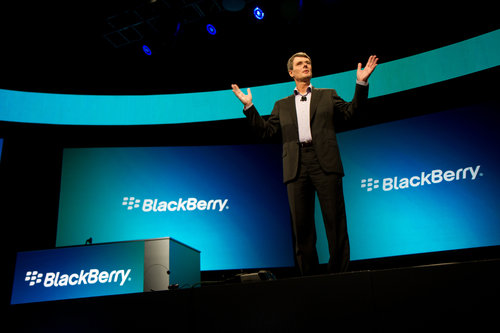
    Maybe one head really is better than two. Today during the BlackBerry World keynote, Research in Motion CEO Thorsten Heins made a startling, and quite unexpected, announcement. There’s a new name, adopted from the flagship product — BlackBerry.

    Heins replaced co-CEOs Mike Lazaridis and Jim Balsillie a year-ago this month, promising to aright the badly listing RIM. Today, BlackBerry 10 operating system and new devices officially launch, as Heins seeks to deliver on the promise. Apparently, the name change is part of that.

    BlackBerry makes much more sense than RIM, for many reasons, brand awareness being high among them. Then there is what BlackBerry represents: Many people identify the name with RIM, and the product line is the company’s future — or failure — particularly products rolling out today. As a writer, there are headlines I wish to have written. CNN Money’s “Inside BlackBerry’s last stand” is dead on appropriate.

    BlackBerry has fallen hard. In fourth quarter 2009, the device (and now company) commanded 19.6 percent smartphone market share, putting it ahead of Apple (16 percent) and behind category leader Nokia (38.2 percent), according to IDC. Three years later, BlackBerry didn’t even make the top 5, with Apple in second place. Nokia didn’t place among the leaders, either. Oh, have times changed in so short a time.

    Times are as bleak as the weather in Waterloo, Ontario, Canada. Today really marks BlackBerry’s last stand.

    From a marketing perspective, the company has more than a new name and platform. U.S. President Barack Obama is still BlackBerry-in-Chief. Leader of the free world is by far the most-prominent BlackBerry user. Nine days ago, I asked you if Obama should keep his device. The majority of respondents, 35 percent, answered: “He should upgrade to BlackBerry 10”.

    Now there’s someone Heins really should want on the platform as soon as possible.

  • BlackBerry 10 Pricing and Availability

    BlackBerry Z10 in white

    Since we’ve shown off the new BlackBerry Z10 and BlackBerry Q10 devices, we know you’re all wondering, “When can I get my hands on them?” I’ve collected all the official details for you below.

    Worldwide, we have several key markets that are revealing pricing and availability today, including the UK, Canada and UAE:

    • In the UK, the BlackBerry Z10 will be available beginning tomorrow on pay monthly contracts and pre-pay plans from EE, O2, Vodafone, Phones 4u, BT, 3UK and the Carphone Warehouse. BlackBerry Z10 smartphones will be available fully subsidized on competitive monthly pay contracts. Price points will vary according to carriers and retail partners.
    • In Canada, the BlackBerry Z10 will be available on February 5th. Pricing will vary by carrier partner, but it will retail for around $149.99 on a 3-year contract.
    • In the UAE, the BlackBerry Z10 will be available on February 10th. Pricing will vary by carrier partner, but unsubsidized it will retail for AED 2,599.
    • In the U.S. market, we expect availability with most carriers for the BlackBerry Z10 to be in March. Today, U.S. carriers will start announcing pre-registration and price plans.

    Many of our global partners have already launched or will be launching pre-registration and pre-order sites today.

    We expect the first global carriers to launch the BlackBerry Q10 in April. We will announce new pricing and availability information as carriers roll out around the world.

    Be sure to let us know when you’re picking up your new BlackBerry 10 device and how much you love it in the comments below.

  • BlackBerry 10 to Launch with 70,000 Apps – More than any First Generation Operating System

    BlackBerry Z10 in black

    Apps are an important part of any mobile ecosystem, and we’ve been working with partners and developers from around the globe to help ensure that no one will feel lacking in apps and content on BlackBerry 10. I’m happy to say the we’ll be launching with 70,000 apps in BlackBerry World as well as content from some of the world’s leading entertainment partners.

    Marty Mallick, VP Global Alliance and Business Development, BlackBerry, took the stage at the BlackBerry 10 global launch event to address the crowd.

    “Thank you for your passion your partnership and your commitment,” he said to our developers. “Their belief in BlackBerry 10 is amazing and has helped us make this launch a huge success – right out of the gate! We already have 70,000 applications available for BlackBerry 10 and with the momentum we have built…we will continue to see thousands of apps added to BlackBerry World each and every week.”

    Marty then aired this video of just how excited developers are for BlackBerry 10:

    [ YouTube link for mobile viewing ]

    BlackBerry World has over one thousand of the top apps from around the world for BlackBerry 10, and one of the most robust music and video catalogs in mobile today – with most movies coming to the store the same day they are released on DVD. And for all you social media addicts out there, Facebook, Twitter, LinkedIn and Foursquare apps are preloaded for BlackBerry 10. We’ve worked hard to deliver what you’re looking for on BlackBerry 10, and leading application providers including Disney, Cisco, Foursquare, Skype and Rovio have committed to the platform.

    In total, we’ve got those apps and many more to come. Stay tuned to the Inside BlackBerry Blog in the coming weeks and months as more and more apps become available for BlackBerry 10.

  • CiRBA Targets ‘Licensing Sprawl’ in Data Centers

    The rise of the virtual machine has added a layer of complexity to software licensing, a headache that is made worse in a cloudy world where virtualization decouples virtual machines from physical servers. Data center management software has helped data center operators optimize their use of server capacity. One provider believes it can now help customers save money by optimizing their spending on software licenses.

    CiRBA, a provider of capacity management software, has added a new software license control system that delivers optimal virtual machine (VM) placements for processor-based licensing models. The idea is that targeting virtual machine sprawl can reduce “licensing sprawl” as well. Like playing Tetris with an environment, CiRBA moves the blocks (VMs) around so that they’re optimally placed to make the best use of server capacity. It now offers similar optimization for software licenses, with an add-on module that targets capacity-based licensing models.

    “Licensing optimization is now becoming a capacity management challenge,” said Andrew Hillier, CTO of CiRBA. “By cleverly placing workloads on licensed servers in such a way that the overall footprint is minimized, license costs can be reduced by 40 to 70 percent.  It is a showcase example of how the right analytics can save millions of dollars in unnecessary spend.

    Reducing License Purchases and Renewals

    Through the Software License Control module, CiRBA optimizes placement of licensed software on machines, which it says has saved customers an average of 55 percent on data center software licensing costs on average. The savings are realized through lower expenditures for renewals, deferral of new software license purchases, and reduced yearly maintenance. Savings can reach into the millions of dollars for expensive operating system, database, and middleware platforms. “Database optimization analysis saves 10x savings (compared to OS) on maintenance alone,” said Hillier.

    “In the past, licensing has been more of a bean counting exercise,” said Hillier. “The shift to virtual and cloud has led to a much more dynamic picture. Now we can actively manage these environments, minimizing their footprints.”

    Through analytics, CiRBA conducts a “defrag” in which, for example, it can consolidate the Windows components onto the minimum safe footprint. “Within constraints, we’ll minimize the footprint,” said Hillier. “We’re not overdriving those hosts. Too many SQL servers and you’ll blow up the IO, so we limit that, as one example.”

    Aligning Licenses with Physical Servers

    The CiRBA Software License Control module optimizes VM placements in virtual and cloud infrastructure, reducing the number of processors/hosts requiring licenses. It also determines optimized VM placements to both maximize the density of licensed components on physical hosts and isolate these licensed VMs from those not requiring the licenses. It then contains the licensed VMs on the licensed physical servers.

    Since virtual environments are dynamic and always changing, CiRBA also enables organizations to profile software licensing, configuration, policy and utilization requirements as new VMs come into an environment, routing these VMs to appropriately licensed physical servers, and reserving capacity for the new VMs through its Bookings Management System.

    This is essential when managing dynamic virtual and cloud environments, and also provides visibility into requirements to grow or modify license pools based on upcoming demand. Through this booking and reservation process, CiRBA ensures that density remains optimized by considering both the bookings and organic growth in the environment, and using this to forecast the impact on capacity and licensing.

    CiRBA is a transformation and control system built to optimize virtual and cloud infrastructure, driving up efficiency while driving down costs.  It’s been known in the market for its migration capabilities, moving machines from point A to B; physical to virtual, migration to cloud, and data center consolidation. It optimizes density and increases utilization, “kind of like a hotel reservation system for virtual environments,” said Hillier. It’s all policy based.

    The service is available on a subscription basis. Here’s a 2-minute video from CiRBA providing an overview:


  • How Intelligent Constraints Drive Creativity

    Not long ago, Teresa Amabile revealed in an HBR blog post that while she had spent much of her career as a research psychologist showing how constraints can undermine creativity, she had discovered that the right sort of constraints can in fact “stoke the innovation fire.”

    Yahoo! CEO Marissa Mayer offered the same opinion writing for Businessweek in 2006: “Constraints shape and focus problems, and provide clear challenges to overcome as well as inspiration. Creativity loves constraints, but they must be balanced with a healthy disregard for the impossible.”

    The idea that boundaries and limits can produce boundless and limitless thinking seems counterintuitive and paradoxical. But if we further examine the mechanisms at work when we face constraints, perhaps we can identify which kinds best promote, rather than diminish, creativity.

    A starting point is to acknowledge that although many activities traditionally considered creative, from the arts to design to athletics, all seem to be free-form in nature, in reality they are anything but. Each has its own set of limits that governs the performance.

    Take comedy improvisation. It is the audience that sets the initial limits by throwing out suggestions (often surprising and contradictory ones) to the performers. The actors then perform with no further planning, and the skit emerges with help from a new, simple rule: accept without question what is given to you by your fellow performers. Every line you produce must build on one that came before, and you can never second-guess that line.

    This is a daunting constraint, because you cannot plan, prepare or in any way rehearse. Your only choice is to remain focused and attuned to everything that is happening on stage, ready to react. But this limit makes for nearly infinite possibility and actually frees the performer to be even more imaginative.

    That’s anecdotal evidence that well-designed constraints lead to creative success. But there’s academic research data on this phenomenon too. For example, a study conducted at the University of Amsterdam’s Department of Social Psychology proved that tough obstacles can prompt people to open their minds, look at the “big picture,” and make connections between things that are not obviously connected. This is an ability is called “global processing,” which is the hallmark of creativity.

    Participants in the study played a computer maze game. One group played a version that had an obstacle blocking one of the routes, which significantly limited options and made it much harder to discover an escape. A second group had an easier maze with no obstacles. Both groups were then given a standard creativity test containing what psychologists call remote associates puzzles. Three words appeared on the screen (for example, “plate,” “shot,” and “broken”) and the subjects were asked to find a fourth word that connected them all.

    Those who had played the harder maze game solved 40 percent more of the remote associates puzzles than those whose mazes had not contained obstacles. The constraint had forced members of the former group into a more creative mindset; their imaginations benefited from struggling in the first task. (The answer, by the way, is “glass.”)

    An intelligent obstacle or constraint is one laden with creative tension, whether stated in the form of a well-defined problem (“How might we simultaneously decrease both inventory and backorders?”) or a challenging goal (NASA’s 1990s mission to land a rover on Mars in half the time and a tenth the budget of the previous mission). An intelligent constraint informs creative action by outlining the “sandbox” within which people can play and guides that action not just by pointing out what to pursue but perhaps more importantly what to ignore.

    The pressing question for managers here is this: Are constraints preventing or propelling your innovation efforts? There is only one right answer.

  • License will lead to faster-charging batteries for phones, electric vehicles

    An enhanced battery technology that can potentially reduce the time it takes to charge cell phones, electric vehicles and other battery-powered devices from hours to minutes is the subject of a commercial license agreement between Battelle and Vorbeck Materials Corp. of Jessup, Md.  Battelle operates the Department of Energy’s Pacific Northwest National Laboratory in Richland, Wash. 

    The agreement will allow Vorbeck to bring lithium batteries incorporating Vor-X® graphene technology to market for use in consumer portable electronic and medical devices, tools and electric vehicles. Lithium-ion batteries are rechargeable and are widely used in electronic devices such as laptops and smartphones, and to power electric cars and trucks.

    “Today, a typical cell phone battery takes between two and five hours to fully recharge, and an electric vehicle has to be plugged in most of the night to recharge,” explained John Lettow, president of Vorbeck Materials. “The pioneering work done by Vorbeck, Princeton University, and PNNL is leading to the development of batteries that recharge quickly, reducing the time it takes to charge a smartphone to minutes and an electric vehicle to just a couple of hours.” 

    Lettow noted the research effort also could lead to the development of batteries that are more stable, have a longer life and store larger amounts of energy.

    “We are very pleased to add this substantial portfolio of graphene-based battery technologies, developed with PNNL and Princeton, to our already very strong graphene patent portfolios in conductive inks, printed electronics, composite materials, and energy storage,” added Lettow.

    “This license is the culmination of a substantial investment of laboratory-directed research and development funds, innovative work by our researchers and a proactive patenting strategy recently deployed at PNNL,” said Cheryl Cejka, the national laboratory’s director of technology commercialization. “PNNL is a leader in linking research to real-world impact, so we are thrilled to see a company like Vorbeck bring our technology to US consumers.”

    Electronics and auto manufacturers would like to develop the next generation of batteries using low-cost materials such as titanium dioxide to replace the more expensive materials used today. But titanium dioxide on its own doesn’t perform well enough to serve as a replacement.

    Recently, PNNL researchers collaborated with Vorbeck to develop a method for building tiny titanium oxide and carbon structures and then demonstrated that small quantities of Vor-X® graphene — a good electronic conductor made from ultra-thin sheets of carbon atoms — can dramatically improve the performance of the batteries, especially with respect to how rapidly the batteries can be charged. 

    Structural analysis studies of the material were conducted with scientists at EMSL, the Environmental Molecular Sciences Laboratory, a DOE national user facility located at PNNL. When they compared how well the new combination of electrode materials charged and discharged electric current, the electrodes containing graphene outperformed the standard titanium dioxide by up to three times. 

    Lettow noted the Vorbeck-PNNL team recently received a grant from the Advanced Research Projects Agency-Energy, or ARPA-E, to develop advanced battery chemistries, and has contracts with major manufacturers for graphene-based printed electronics and battery systems. “As a result, Vorbeck anticipates continued breakthroughs, new patents and rapid commercialization of the new technology in consumer goods,” he said. “Prototypes of Vorbeck’s battery technologies were already on display earlier this month at the 2013 Consumer Electronics Show in Las Vegas.”

  • The Blackberry Z10 Is A Solid First Offering For BB10 Hardware, But The App Gap Looms Large

    z10-13

    This is either beginning or the end for BlackBerry (formerly known as RIM). This is BB1o day, when BlackBerry debuts its smartphone running its latest software. The company’s hopes are resting on this bold new device, and to some extent, a nation’s as well. I’ve been using the BlackBerry Z10, RIM’s flagship BB10 handset, for a week now, and in that time I’ve been putting this new smartphone through its paces.

    I can safely report that based on my experience, BlackBerry has come a long way, but BlackBerry still has a very long way to go, and whether or not users will continue to stick around for the remainder of that journey will depend a lot on how fast the app ecosystem can grow.

    • 4.2-inch, 1280 x 768 display with 356 ppi
    • Dual core 1.5 GHz processor, with 2GB of RAM
    • 16GB internal storage, expandable with MicroSD cards up to 32 GB in size
    • User-replaceable 1800 mAh battery
    • 8MP rear camera with 1080p video recording, 2MP front camera with 720p video recording
    • Runs BlackBerry 10 OS

    The Z10 hardware is a departure from BlackBerry devices of old, and actually inherits very little design language from anything RIM has put out before, except the BlackBerry PlayBook. That’s a good thing, in my opinion – the hardware feels fresh, and also manages to come across as noticeably distinct from Android OEM devices or the iPhone.

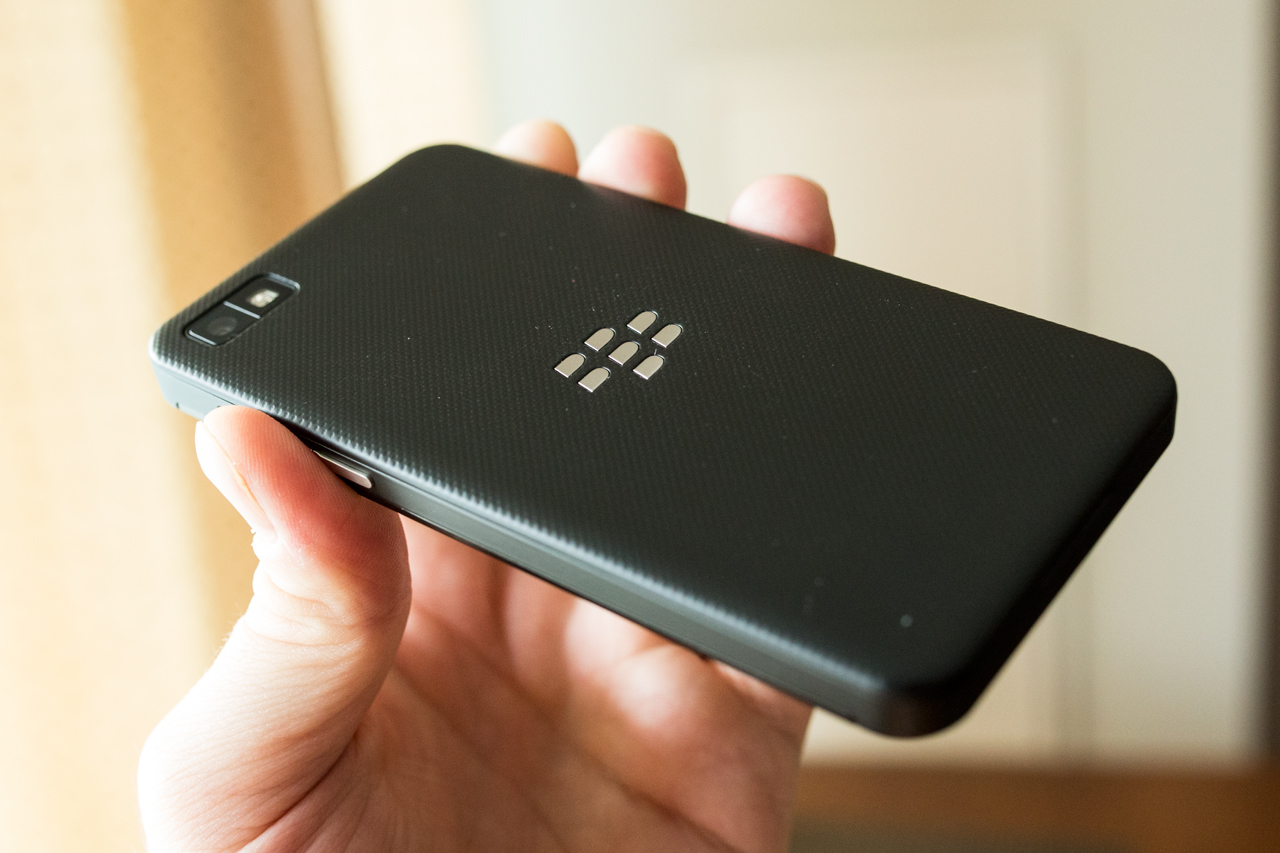
    As for the actual look and feel, the Z10 definitely impresses overall. It doesn’t feel overly big at 130mm by 65.6mm by 9mm, which makes it slightly thicker and larger in surface area than the iPhone 5, and pretty close to the Nexus 4. It’s a light device, since it’s mostly made of plastic, but it doesn’t feel cheap; the pebbled back cover has a pleasant feel in the hand, and it’s practical too, since it’s slightly grippy. That also means that when you set it down on a smooth surface, it won’t slowly edge its way off, something both the iPhone 5 and Nexus 4 are guilty of in my experience.


    The Z10 lacks any physical buttons on its front, owing to the gesture-based nature of the BB10 operating system, and has a wake/sleep/power button located on the top center of the device, as well as volume up/down buttons on the right side (which also both double as hardware shutter triggers for the camera) and a play/pause button between those. There are three ports on the device: a micro HDMI slot for A/V out, a micro USB port for data transfer and charging, and a 3.5mm headphone jack on the top left, just next to the sleep/wake button.

    Other hardware features include the trademark BlackBerry notification LED, which flashes a dire red to indicate there’s something new to check out in terms of messages, updates, etc., and a micro SD slot and micro SIM card slot under the back cover, which pops on and off easily but doesn’t feel at all loose when attached. The supplied 1800 mAh battery doesn’t last very long under normal usage conditions, but more on that later.

    BlackBerry 10 is a completely new mobile OS, and that means there’s a lot of new ground to cover when reviewing its software. But it’s possible to break down what’s new into a few key areas that will make the most difference to the average user.

    Gesture-based Navigation System

    BB10 is all about swiping to navigate. You swipe up to wake the devices, swipe right to check out BlackBerry Hub and view your notifications, swipe left to access your currently running apps and the home screen, and swipe down to check out both system-wide and app-specific settings. It’s different from what most users will be used to on either iOS or Android, but some aspects will be familiar to webOS users. Overall, while it’s different, it’s a surprisingly intuitive experience, and one that exceeds the tacked-on touch experience of BB OS 7 and earlier.


    Gesture controls took me virtually no time to get used to, and in fact, I found that going back to Android and iOS devices after extended use, I was trying to use the same gestures to do things like unlock devices. The so-called “Peek”, which lets you swipe and hold to view notifications and then quickly dismiss them was likewise something that quickly became second nature.

    It wasn’t all good, though. I found it was easier to accidentally activate the screen and even unlock it (without password protection) with the touch sensitive screen than with a hardware unlocking button. I also wasn’t crazy about the fact that swiping up to return from the notification hub brings you to the active apps screen, meaning you always have to swipe left one more time to get to apps. This is made somewhat better by the fact that you can tap a line of dots at the bottom to access specific pages of apps directly, as well as Hub and your active apps screen, something which you can’t do on stock Android or iOS.

    Accounts & Sharing

    One of the best parts of BlackBerry 10 is the fact that you can share directly to a number of different services thanks to account integration. Sign in at the system level with your Facebook, Twitter and Foursquare credentials, and set up Evernote to share and access notes content directly from that service. BBM sharing is also present throughout, as well as Bluetooth (the Z10 has low-power Bluetooth 4.0 on board) and NFC. Sharing options in BB10 are one of BlackBerry’s strong suits with this new product, and I’m sure they’ll add more services as users express a need for them, too.

    BlackBerry Hub

    I mentioned it already above, and users of other BlackBerry devices and the PlayBook will likely be familiar with the basic concept already, but Hub is technically new to BB10 and it works well as an aggregated inbox displaying all new activity from your phone, including new emails, texts BBMs, @ mentions on Twitter, third-party app notifications and more. It’s definitely useful, but is it more useful than Notification Center or Android’s pull down notification area? That’s debatable. It’s more of an actual destination within your phone, something you can live in and work from, but that can actually be counter-intuitive at times, like when you’re looking at a Twitter mention, and the back button takes you to Hub, not the Twitter home stream. But it also comes in handy, like when it provides contextual info on meetings, including information on attendees.


    Keyboard

    BlackBerry went with a touchscreen device as the first to market for BB10, but the software keyboard they created is designed to help convince hardware keyboard fanatics that there might be a better way. It features a unique prediction engine that lets you swipe up as you type to autocomplete words, and predicts the next term based on probability. In practice, that sounds very cool, but practically speaking, I found little use for it. It took more time to verify that a word was indeed what I wanted to type than it would have to just complete it myself, and when I would try to let go and trust it, often it would require that I go back, delete and replace owing to a mistaken prediction. When you enter your social media and email credentials, BB10 digs through your content to try to learn your typing style for better predictions, but that didn’t improve things noticeably for me.

    Luckily, you lose little by ignoring that feature and typing as you might be used to on an iPhone or Android device. And that’s when the keyboard really shines. It’s fast, responsive, and less prone to errors and typos thanks to wide virtual keys and a learning feature that detects when you’re repeatedly hitting one letter when you mean to hit the one next to it and remaps the key to stop that mistake from happening. This may well be the best stock software keyboard in the business, to make a long story short.

    Active Frames

    BB10 does true multitasking, which in itself is impressive (though that might contribute to the sub-par battery performance I experienced), but Active Frames are its real unique contribution. These provide reformatted info for native BB10 apps when they’re active but minimized, sort of like a cross between live tiles and Android’s widgets. They might show your latest checkin, for instance, for the Foursquare app, or display recent status updates for BBM. Active Frames are great when they’re available and well-implemented, which unfortunately isn’t often. BlackBerry needs to somehow make sure that third-party developers are making good use of Active Frames, since I found most apps didn’t provide any info when pinned to the multitasking screen, which is likely due at least in part to the fact that apps ported from Android through one of two methods can’t even offer Active Frame functionality.


    BBM

    BBM recently got voice chat, and now it has video chat, too. Both of these work over Wi-Fi and cellular, and both worked quite well in my testing, on both kinds of connections. Overall, BBM is still the single best messaging platform integrated into a mobile OS, easily beating iMessage in terms of reliability, but voice and video are huge steps towards modernizing the service, and very welcome additions.


    One of the most impressive features also comes via BlackBerry Voice: OS-wide screensharing. You can actually tap a button to let the person you’re video-chatting with see everything you’re doing on your own device, not just media or pictures. It’s like having the full power of a desktop Skype call on your mobile, but for free and built into the OS at the system level. Easily one of my favorite features of BB10 and the Z10.

    Camera

    BlackBerry has talked up BB10′s camera features, and the Z10 packs a camera with table stakes specs for the current smartphone market. It performs well, and provides images comparable to a lot of the devices out there currently, though they might not be quite up to par with iPhone 5 images. But the real story is the software, anyway, which includes the much-vaunted TimeShift feature for selecting faces independently from the rest of the shot.


    TimeShift works very well, and seems like magic when it does. Basically your phone takes a rapid series of photos, then auto-detects faces in the picture series (be warned, this doesn’t work reliably in very low light conditions), and then lets you select which face to use. The interface for using it is excellent and intuitive, and it does a great job of handling even changed head positions without making the final photo look bizarre. TimeShift is awesome, but it’s also a feature developed by an outside company that has since been purchased by Nokia, which means we likely won’t see it evolve much on BlackBerry’s mobile platform. Even as-is, it’s impressive, but I’m not sure how much I’d end up using it in practice: mobile photography is useful because it’s quick and casual, and I’m not generally inclined to fuss that much over editing those pics after the fact.

    On the video side, HD video recording is great, and there’s a neat feature called Story Maker that arrives as a new standalone app for BB10 which lets you basically create quick movies (complete with video clips, still shots, transitions, titles and soundtracks) about as easily as you can modify photos on Instagram. It’s a neat trick, but once again, perhaps of limited daily usefulness.

    Browser

    BlackBerry is proud of the BB10 browser, which does score very high on the HTML5 test. That’s impressive, and this is definitely the best web browsing experience I’ve ever had on a BlackBerry device. Note that the default search engine is Bing, but you can also set it to Yahoo or Google if you prefer. The browser renders websites very quickly, there’s a “Reader” mode that quickly reformats text-heavy pages, and the omnibar approach that combines search and URL fields into one is my preferred way to do it on mobile devices. Solid all around, in other words.

    BlackBerry Bridge & BlackBerry Link

    BlackBerry has released a couple of pieces of software that help the Z10 connect to other devices, including its own PlayBook and desktop computers. Bridge, if you have a PlayBook, works as it did in previous versions, providing remote control and network sharing. Link on the desktop is an improvement over previous BlackBerry syncing software, but it’s still not a complete smooth experience, but arguably desktop syncing isn’t as important as it once was for mobile devices.

    Voice Control

    The Z10 manages a trick that has been mostly Siri’s territory, offering built-in voice commands for tasks like texting, BBM, sending an email, calling and posting social network statuses or updates. It does this with around as much effectiveness and accuracy as Siri, if not more, but it lacks the ability to go deeper to search for local hotspots, make reservations or more. This is another area where BlackBerry’s efforts look like playing catch-up, but don’t quite go far enough to match what’s already available elsewhere.

    Maps

    BlackBerry Maps are powered by TomTom, the GPS navigation hardware and software company. And that’s probably why they offer turn-by-turn voice guided driving directions, but they don’t offer much beyond that. Points of interest are fairly limited compared to the competitor’s offerings, there’s no walking directions or any kind of public transit, and the maps themselves aren’t all that nice to look at. Maps may be a sore spot for Apple right now, but BlackBerry’s offering is worse, and that’s not good. Third-party apps could make up this deficiency, but as it stands, there’s very little out there to improve the situation.

    And so we come to BlackBerry World, which is a crucial area for consumers looking at BB10 as a real contender to the existing mobile platforms out there. And unfortunately, this is where BB10 shows its weakness. The platform is otherwise solid, and an impressive effort for a company that until now lagged considerably with its smartphone devices, but the app gap can’t be denied by even the most steadfast BlackBerry supporter.

    Even given launch partners whose apps weren’t available while I was conducting my review, there’s simply very little to work with here. The top charts are still littered with apps that are either naked in their cash grab attempts, weak clones of successful titles on other platforms, or just plain underwhelming. BlackBerry has done a lot to encourage developers to come to BB10, but I think this might simply have been a bridge too far. And that’s unfortunate, because all else being equal, it’s going to make the decision for a lot of consumers.

    Some of the apps that are there are good, and BlackBerry has clearly done their best to launch with as many quality, big-name partners as they could manage. But it’s the same situation that Windows Phone faces, yet potentially even worse: BlackBerry may have attracted a fair number of apps to the platform through their portathon and other efforts, but if the App Store and Google Play have proven anything, it’s that you have to crack millions of eggs to make a decent omelette in the mobile software game. Numbers are one thing, but the quality gap is what strikes you when you navigate to the apps section of BlackBerry World.


    The Z10′s display is strong, with resolution and pixel density right up there with the best in iOS and Android competitors (and exceeding most). It does seem a tad washed out and muted in terms of its color rendering compared to the best in iOS and Android displays to my eye, however, but that’s a very minor quibble. Brightness also isn’t the best, and I found I had to turn it up completely to get it where whites didn’t seem too dim, plus there’s no option to disable auto-brightness at all, which is likely in the interest of drawing out battery life, but frustrating nonetheless. Another place where a lack of user control shows: you can’t disable screen lock, instead maxing out at a 5 minute window after which it turns off automatically.

    The display itself is an achievement, however, for BlackBerry, which has been nowhere near the top of the market in this regard for years. Text renders very crisply, as you can see from the screens above, and it has very good touch response. I did notice the screen felt a tad gritty faster than my other touchscreen devices, however, and had to be wiped down more frequently with an eyeglasses cloth.

    This is the part that BlackBerry users aren’t going to like; battery life on the Z10 isn’t anywhere close to what you’d get on your BB7 or earlier hardware, which is likely the price BlackBerry had to pay to get everything up to snuff with the competition. In my testing, I found that playing locally stored video on a constant loop, while connected to a cellular network and running a few apps in the background, the Z10 managed an impressive 9 hours of battery life, and while doing a browser test that performed a loop of random Google image searches on Wi-Fi (made more difficult by the fact that I couldn’t turn off screen lock), it managed 5 hours and 45 minutes.

    But in real-world use, I found it hard to get through a standard day without the Z10 running dry. Left untouched, the smartphone seems to sip battery, but once you start using it for any length of time, it gets quite warm (warmer than my iPhone 5 or Nexus 4 by a long shot) and mows down battery quickly. Keeping track of how much it’s using isn’t easy, either; there’s no way to monitor battery performance beyond a basic visual icon, and no detailed battery info in system settings.

    With the Z10, BlackBerry has created a smartphone that’s worthy of being mentioned in the same conversation as the latest Android devices and the iPhone. That alone is an accomplishment for a company that has seemed on the verge of extinction for quite a while now. But a lot of what they’ve provided with this flagship device is narrowing, or at best, eliminating the feature and hardware gap between it and the two mobile platforms that have legions of users already, including a number who have already migrated away from BlackBerry devices.

    BlackBerry 10, and by extension the Z10, need to be Cinderella stories to bring BlackBerry back from where it is now, and while extremely solid and with a few very impressive features, I’d be hard-pressed to say there’s anything here that will necessarily convince an Android-loving BlackBerry convert to come back to the platform. Thanks to BlackBerry Balance, the BlackBerry Enterprise Server-dependent feature that I wasn’t able to test but that silos work and personal life on one account, I imagine a number of enterprise IT departments will embrace it. And it’s still a good mobile OS, good enough that it should also slow the tide of users flowing away from BlackBerry. But based on my testing, it’s not yet close to being a conversion experience for those already on other platforms, and that’s exactly what BlackBerry needs.

    More than RIM’s name changed when they launched this phone. However, even more needs to change – app availability and batter life being tantamount – before this can truly right BB’s sinking ship.

  • BlackBerry Story Maker – Make Your Own Movies On The Go with BlackBerry 10

    BlackBerry Story Maker lets you make your own movies on the go

    It has been a whirlwind of news and new features at the BlackBerry 10 global launch event. By now you’ve seen the stunning new BlackBerry Z10 and BlackBerry Q10 devices, and you know they are ideal for creating, viewing and sharing rich photo and video content. BlackBerry Story Maker lets you create your own mini movies in a few easy steps, then share them with your social networks.

    All you have to do is select the photos, videos and music you’d like featured in your movie, add a few titles (perfect for giving it a funky name), then choose from the premade filters and effects to give it that professional polish. It’s designed to make you feel like the director of your own Hollywood flick.

    Vivek walks us through how you can make your own films on the fly:

    [ YouTube link for mobile viewing ]

    When will you make your silver screen debut? What will you call your first feature film?

  • BlackBerry Officially Launches BlackBerry 10 Smartphones

    During its big BlackBerry launch event, the newly renamed BlackBerry company officially unveiled its new BlackBerry 10 phones. BlackBerry CEO Thorsten Heins took the stage this morning to show off the BlackBerry Z10 and BlackBerry Q10.

    The BlackBerry Q10 stays true to classic BlackBerry devices by having a physical keyboard. The Z10 is more of a standard modern smartphone, and heavily resembles an iPhone.

    Where the phones really differentiate themselvesHeins and BlackBerry executives heavily emphasized the multitasking available using the BlackBerry 10 operating system. Many of the mobile OS’ features, such as the calendar and other updates, are heavily integrated into its interface through the “BlackBerry Hub.”

    The company also claims to have the “best typing experience” on any smartphone device, even on the Z10. The touch keyboard in the BlackBerry operating system features a system where most-used words can be placed into a text box by flicking the first letter of the words.

    The devices also feature quick account switching that moves between “Work” and “Personal” modes. Certain apps can be designated as work-only or personal, supposedly maintaining a user’s privacy while also allowing IT to control the work portion of the device.

    The company formerly known as RIM has designed its new operating system to entice business to move back onto BlackBerry’s famously secure device ecosystem. The upcoming months will tell whether businesses are still loyal to BlackBerry, or whether BlackBerry 10 is too little, too late.

  • Capture the Perfect Moment with BlackBerry Picture Editor

    Presenting BlackBerry 10

    With the new Time Shift Camera on the BlackBerry Z10 and BlackBerry Q10, you’re bound to capture some amazing shots. With BlackBerry 10, we built in BlackBerry Picture Editor, so personalizing the moment is simple and easy.

    In Picture Editor you can enhance, add filters, crop, transform, and give your photos your own personal touch. When you’re done, it’s easy to share that moment with your friends and social networks. It’s all at your fingertips and built right in to BlackBerry 10.

    I caught up Vivek for a quick demo. Check it out for yourself in this video:

    [ YouTube link for mobile viewing ]

    BlackBerry Picture Editor – making that perfect moment that much better. All you budding photographers out there – what will be the first picture you take using your BlackBerry 10 device? Share it with us in the comments below.

  • RIM Changes Its Name To BlackBerry As Part Of Rebranding Effort

    It’s been a long time in the making, but BlackBerry 10 is finally here. RIM CEO Thorsten Heins took the stage in New York to announce the new line of handsets and mobile OS platform that the company is hoping will restore it to relevancy.

    Before all of that, however, RIM announced that its rebranding itself for the future. The first part of that change was renaming itself to simply BlackBerry. The company uses the slogan – “One brand. One promise.” – to show that it is focusing solely on the BlackBerry brand going into the future.

    The rebranding comes as a surprise, but it’s not exactly shocking. BlackBerry has been RIM’s flagship product for years so it makes sense to name itself after said product. Not to mention, people never really say RIM, but rather just say BlackBerry. The move will help the company consolidate itself under one united brand going forward into the launch of BlackBerry 10.

    The rebranding is only one small part of the BlackBerry 10 launch event today. The star of the show will be the two new handsets that run BlackBerry 10. We already know one will be the BlackBerry Z10, but the other is still veiled in relative secrecy. The only thing we know is that it will feature a physical keyboard.

    Follow more of our BlackBerry 10 coverage here.

    UPDATE: BlackBerry announces the BlackBerry Z10 and Q10. The latter has the physical keyboard. Check out our coverage for more details.

  • BlackBerry Remember Keeps You Organized as You Keep Moving

    BlackBerry Remember on BlackBerry 10

    We’re showing off some very cool, never-before-seen BlackBerry 10 software features live at the global launch event in New York City. BlackBerry Remember is a place for you to keep on top of all your files, tasks and notes – and the best part it is integrated right into the BlackBerry Hub. You can flag messages, assign due dates, take voice notes, add attachments, and pull in contacts. It also integrates with your Evernote account to bring all your notes into one simple BlackBerry Remember app.

    As a blogger, this is my dream app. I’ve got everything I need at my fingertips, and it helps me stay on top of interviews, stories and projects.

    Here’s Vivek to show it off to you:

    [ YouTube link for mobile viewing ]

    Are you someone who could use a built-in app to keep you on top of your information? Let us know how you will be using BlackBerry Remember.

  • First Look: BBM Video Chat on BlackBerry 10 featuring Screenshare

    Vivek and Thorsten present BlackBerry 10

    The BlackBerry 10 launch event has already brought some amazing news. Now we’re looking at the new BBM Video Chat featuring Screenshare technology. This brings BBM, or BlackBerry Messenger, to the next level and highlights the essence of BlackBerry 10 – real-time communication. Here at the event, Vivek made the first public BBM Video Chat live from New York City to London, England, meeting face-to-face with Andrew Bocking, SVP, Software Product Management at BlackBerry.

    Imagine also being able to share your screen with friends and family as you walk them through a photo album – or with colleagues as you walk through a document or presentation – all while still staying on the call. Sounds amazing, doesn’t it?

    To see it in action for yourself, checkout this walkthrough with Vivek:

    [ YouTube link for mobile viewing ]

    What do you think about BBM Video Chat featuring Screenshare? Who will be the first person you video chat with?

  • Melissa Gilbert Engaged To “Revenge Of The Nerds” Actor

    Melissa Gilbert, who got her start in the business playing Half Pint on “Little House On The Prairie” and most recently had a stint on “Dancing With The Stars”, is now engaged to fellow actor Timothy Busfield. This will be the third marriage for both.

    Gilbert went through a painful divorce from her second husband, actor Bruce Boxleitner, in 2011 and said the hardest part was knowing what it did to their children.

    “It’s been hard on the kids and that’s been hard to watch but ultimately everyone’s going to be fine,” said Gilbert. “Everything takes time.”

    Gilbert and Busfield have known each other for several years and have maintained a friendship, but recently decided to pursue something more. The couple reportedly got engaged over the holidays. Let’s hope she knows about this little gem, because no marriage to Timothy Busfield would be complete without multiple references to that time he played an electric violin with a gaggle of Nerds.