Author: Alan Buckingham

  • Amazon picks up the slack — attacks Apple in new TV commerical

    The past few months have been a bit rough for Apple. Samsung attacked the company in a series of amusing ads that portrayed a line of people waiting to buy iPhone as losers. While the ads never specifically mentioned Apple, the implications were certainly clear enough. Combine those attacks with declining stock prices and other nagging battles, such as those in court, and you have a recipe for tough times.

    While Samsung largely lets its rival be in the latest ads, Amazon picks up the slack — and, unlike Samsung, is quite clear. The 30-second second clip compares the new Amazon Kindle Fire HD 8.9-inch against Apple iPad with Retina Display and lets the viewer know that, while both devices show “stunning HD”, there is a major difference. Then it proceeds to place the devices side-by-side and let you know that, while you may not be able to tell the difference in the screens, “your wallet definitely can”.

    The last part of the ad continues to display the devices in split-screen, but with the prices — $499 versus $299. Amazon clearly hopes this is the lasting image for viewers as the commercial ends.

    The question: Is it enough to sway the Apple lover? The two devices are clearly comparable, but the operating systems are vastly different, as are the prices. Likely this may help those on the fence make up their minds, but the battle will rage on and come down to the platform each individual is more comfortable with using. What do you think?

  • Microsoft touts SkyDrive numbers, announces new features

    Microsoft announced the new Office 2013 / Office 365 release on January 29th and the new suite, no matter which version of it you choose, comes with tight integration with the company’s cloud storage service, SkyDrive. You do not have to use it — you can still store your files locally, but it makes for easier work when a document can easily be accessed from everywhere and shared with co-workers.

    However, apparently a lot of people are taking advantage of the feature, because today Microsoft’s Sarah Filman, lead program manager for SkyDrive, announces that the service now stores a lot of files — “Recently we reached a big milestone; our customers are now storing over a billion Office documents on SkyDrive.

    While the number sounds impressive, it was not the thrust of Filman’s announcement. She wants to alert everyone that SkyDrive adds some new features to make sharing and collaborating on those documents a bit easier.

    The cloud service has added the ability to edit and share documents without being required to sign in. “One piece of feedback we’ve consistently heard, especially from students, is that our current SkyDrive edit links can be frustrating for recipients when they find that they need to sign in or sign up for a Microsoft account just to make a quick edit to the document”.

    The new feature will certainly make plenty of users happy and, no doubt, come in handy. As for the “billion” part of the announcement I am less impressed. As I said prior, it sounds good, but many of us create multiple documents per day and many of us have been storing those documents in SkyDrive since the service was introduced — long before the latest Office came along.

    Photo Credit: NinaMalyna/Shutterstock

  • Microsoft sends Live Mesh execution-date reminders

    Perhaps it is just me, but Microsoft’s decision to take Live Mesh off of life-support has hit especially hard. We knew this was coming of course, but still, I like having my files synced between multiple computers and, while I love SkyDrive, I do not need the cloud as an intermediary within my own home — that is ridiculous overkill and would cost me money as well.

    Today the company dispatched email reminders that began “Dear Mesh customer, Recently we released the latest version of SkyDrive, which you can use to…” Yes, thanks a lot. I know what I can use it for, but syncing between computers in my home is not something I should be compelled to use it for.

    At any rate, regardless of my rant or your complaints, the outcome is clear and Live Mesh is dead on February 13th — a bit less than one week from now. (How ironic if Microsoft then used Valentine’s Day as marketing ploy to fall in love with SkyDrive.) Your emails and my humble post here are not going to change the direction of one of the biggest companies in the world.

    However, there are alternatives. First, if you have less than 7GB of files to sync then you can certainly use SkyDrive — it really does work well. However, if you have more than that, and do not need the cloud as a middle-man, take a look at the free alternatives. SyncBack SE works great, and I recently learned that, ironically enough, SyncToy is still available.

    There are also countless other alternatives. In other words, let us not allow Microsoft to dictate the direction of our computing lives.

    Photo Credit: Dmitry Vinogradov/Shutterstock

  • What happens when Lego meets Android?

    Nothing says geek quite like Lego. Come on — you know you secretly still love those tiny multi-colored bricks from your youth. Except now they are not just bricks, and the simple projects of our youth have become the incredibly complex projects of our children’s youth…that we still love to “help out” with.

    Lego Cuusoo is a “Labs” type of project where customers can suggest future kits and if the item gets at least 10,000 supporters then Lego pledges to consider producing it. And now the company is faced with an Android project that easily passed that requirement yesterday evening.

    “Bugdroid” was created by GLHTurbo using “205 pieces of (mostly) Lime Green bricks. Using the approximate price per brick of $0.15 puts this kit around $30”. He also claims the design is “not 100 percent finalized”.

    This is not just a statue either — the little figure can move. It has 360 degrees of head rotation and both arms have the same range of motion. The antennae can also move across a variety of positions.

    The project hit 1,714 supporters within the first 24 hours and surpassed the required 10,000 supporters yesterday. The support button is now grayed out as the projects on Lego Cuusoo close when the goal is reached. We can only wait and see if the company responds with a pre-made kit for the child in all of us.

    Photo credit: GLHTurbo

  • Microsoft shouldn’t block Xbox 720 from playing used games

    Earlier today a story popped up on the popular gaming website Edge Magazine that cites “sources with first-hand experience of Microsoft’s next generation console”. That, of course, immediately raises red flags, but it has not stopped many news sites and blogs from running with the information contained in the “leak”. There is a lot of information in the post, but one particular piece caught big attention and is viral.

    That is a claim that “Microsoft’s next console will require an Internet connection in order to function, ruling out a second-hand game market for the platform”. If true, that would be a disaster for customers and cause the company a public relations nightmare on a massive scale.

    Currently customers, when tiring of a game, have the option to sell or trade it for store credit at multiple game stores around the country and the internet. This is not a black market either, but a legitimate source of revenue for retail outlets like Amazon, Game Stop, Best Buy and more. Not only would such restriction hurt customers but businesses as well.

    Trading in albums, CDs, DVDs and games that are no longer wanted is a time-honored tradition. It is a win-win for two people — the one tired of the content and the one hungry to get it and looking for a deal. The practice is a source of entertainment for students who in many cases cannot afford the much higher price of buying new.

    Of course we have absolutely no way of knowing if any of this is true. For now it remains in the wait-and-see category. However, if Microsoft chooses to implement the plan then here are two things I expect.

    1. The company feels pressured by gaming studios that, like the MPAA and RIAA, live in fear of losing revenue to piracy or, in this case, two people being able to play one copy of a game. This is a bit ridiculous given that piracy will continue to take place and my friends can still stop by to play Call of Duty.

    2. Microsoft will face a full-fledged revolt. And that uprising will not come from just its customers but also from retailers that profit from this market.

    Let me stress one more time that we really do not know if this development will come to pass, but if it turns out to be true then it would likely be a nightmare for Microsoft, retailers and customers alike. Only time will tell.

    BetaNews rarely jumps on rumor stories, but understands such restriction would affect many of our readers, who by voicing their opinions now could change Microsoft’s plans (if there are any).

    Photo Credit: Joe Wilcox

  • BusyFlow releases Android and iOS cloud collaboration apps

    Thanks to the internet, the cloud, smartphones and services like Skype, a business no longer needs employees in-house or even in similar locations. BetaNews itself employs writers located in various places around the world who can easily communicate and share with one another.

    Now team collaboration company BusyFlow, already a web app, has launched its services for both Android and iOS, further pushing the boundaries for cloud sharing and communications.

    BusyFlow incorporates a number of services into one app — Dropbox, Google Calendar, Google Drive and Docs, Pivotal Tracker, Google Tasks, Github, Basecamp and Trello. The idea is to create an account and log in and then create a “Hive” that co-workers can also log into. From there you begin sharing new activities, comments and changes. You can add any of the previously mentioned services to the mix — you will, of course, need an account with each one of them.

    The free apps were just released and only at version 1.0. In my brief test I had no problem creating an account, accessing Dropbox and creating a share with my wife. Plus you can use the web app to access your workspace as well, once it is created. The service is still in beta and all features are available for free. However, upon launch, a free plan will only be available for up to three users and two paid tiers will be implemented.

    Photo Credits:  James Thew/Shutterstock

  • Microsoft announces five new retail locations

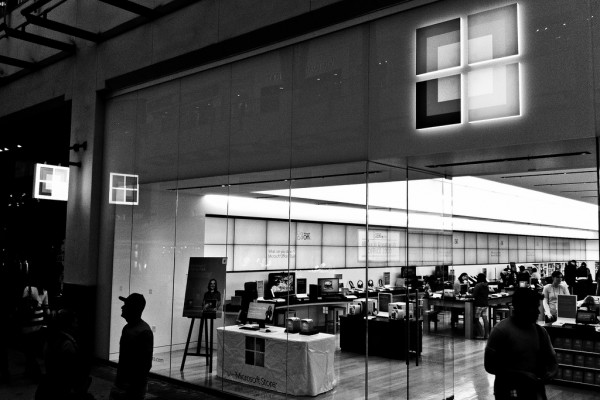
    The family grows quickly. Microsoft has been beefing up its retail offerings for the past year, trying to get into as many markets as possible in an effort to sell products and compete with the retail juggernaut that is Apple. In fact, the company chose to keep nearly all its popup stores opened from the past holiday season. Now the company has announced five new brick and mortar locations.

    Taking into account those popup stores, the company currently operates about 65 retail outlets, but the number is about to expand with today’s announcement. New stores will be coming soon to the following list of locations.

    • Natick Mall, Natick, Massachusetts
    • Ala Moana Center, Honolulu, Hawaii
    • Pioneer Place, Portland, Oregon
    • The Somerset Collection, Troy, Michigan
    • Woodfield Mall, Schaumburg, Illinois

    Microsoft’s Jonathan Adashek states that “Our customers continue to tell us that they value our stores for connecting them to the best of Microsoft”. He doesn’t now, however, give any details on when these stores will open, but Microsoft generally posts such information to its Facebook page. For now, that page only states “Get ready to celebrate our new stores opening across the nation”.

    The company also tends to make each grand opening a spectacle with big name artists playing a concert, local athletes on hand to challenge customers to Xbox Kinect games and even some product giveaways.

    Photo Credit: Joe Wilcox

  • Redbox Instant coming exclusively to Xbox

    Redbox Instant by Verizon has been in private beta for sometime now. In fact, a while back BetaNews brought you an exclusive first look at how the service will work. It is expected to be released sometime in early 2013 and today we learned some of the details thanks to Xbox Live’s Larry Hryb, better known as Major Nelson.

    Hryb announced that Redbox Instant will be coming to the gaming console “in the very near future”. He went on to explain that “if you are currently a Redbox Instant beta participant, you’ll receive an email with a unique code to access the app on Xbox 360 in the coming days”.

    Moreover, Microsoft has landed an exclusive deal to carry the new streaming service. The exclusivity concerns gaming and entertainment consoles, which likely means the service may still land on set-top boxes like Google TV and Roku. The deal also includes the ability for Xbox customers to rent or buy movies from Redbox without paying for the $9 per month subscription — a pay-per-view type of deal.

    There is still no word on the official release date, but when I spoke with a Redbox rep last month I was told “early spring”. Having used the service for more than a month now I can confirm that it seems a solid competitor for Netflix, but it will certainly need to add more content.

  • Grab your wallet, iPad 128GB is for sale

    We recently learned that Apple would release a 128GB tablet. Well, that day has finally arrived — two versions of the new, mega storage, iPad are up for sale now in the Apple store online and, likely, in the company’s retail locations as well.

    There are two flavors of this apple available — a WiFi-only that retails for $799 and a version with WiFi plus cellular connectivity. The latter will lighten your wallet by $929. The cellular version can work with either Sprint, AT&T or Verizon. You will need to choose your network during the purchase process. You can also choose a financing plan of six, 12 or 18 months. Given the price, you may need one of those plans. All models are available to ship in “1-3 business days”.

    I am not sure why a person would need 128GB of storage on an iPad, but if you plan to store a lot of media on the device and don’t mind spending $1,000 (after tax) then this is the ideal model for you. It is also likely in response to the upcoming release of the Microsoft Surface Pro, which is also available in a 128GB model and will be on sale next week. The good news is, that this new iPad will almost certainly have more storage available than that upcoming Microsoft tablet.

  • Getting the new Office? Grab a quick start guide from Microsoft

    Last week was the launch of the new Office 2013…ah Office 365…well, you get the message. Not everyone will make the move, but for those who do, they will find a product similar in many ways to Office 2010, but also different in other ways. For instance, the cloud is built-in via SkyDrive integration, there is a new Start screen and a bit more.

    Thankfully, Microsoft is attempting to make the transition as simple as possible. You can head out to the local bookstore, or over to Amazon, and buy a guide — there are doubtless plenty of good ones already available. But, if you want something free and easy to get then the company has made a series of “Quick Start Guides” available for you.

    Microsoft announced that “to help ease the transition, we’ve put together nine handy Quick Start Guides that introduce you to the newest versions of Microsoft Word, Excel, PowerPoint, OneNote, Outlook, Publisher, Access, Project, and Visio”.

    The guides are in PDF format and will open right in your web browser, but you can also save them to your computer for future reference. You can also zoom into screenshots to get a better look.

    Office 2013/365 is not tremendously different from the 2010 version, but there are new features like the “Reader” mode. The company is, of course, encouraging upgrades as it would be expected to do. In this case, it may make sense to follow that advice — the Office 365 Home Premium five license deal makes it a good deal for families, but it is up to each of you to make your own decision.

  • Do you want Aero in Windows 8? Fight for it

    Microsoft introduced its “Aero Glass” interface back with Windows Vista and continued the feature in Windows 7. However, after supporting the motif in early builds of the latest operating system, the company elected to pull the plug. Former Windows exectutive Steven Sinofsky explained the reasons behind the decision in an 11,000 word blog post back in May of 2012.

    Sinofsky laid out a number of valid reasons for the decision, including battery life, speed and the new feature set included with Windows 8. However, those are not enough for some customers and that group has found a voice.

    Now, if you still happen to be a bit angry over the decision, you have a chance to let Microsoft know about it. A petition has appeared on the web site change.org that implores Microsoft to bring back the interface.

    The petition is new, and support so far light, but growing — 38 signatures at the time of this writing. However, judging by the comments, Aero had some staunch and vocal supporters.

    G D of France, for instance, posts that “It [Aero] is one of the things that made me love Windows 7. I will not upgrade to Windows 8 for as long as it does not have Aero Glass, the Start Button and the Start Menu”. Hassan Timite states emphatically that “Because AERO was much prettier than this abomination called Metro”.

    Microsoft is probably unlikely to bring back the feature and, honestly, after using Windows 8 for about a year, I can not say that I personally miss it. However, like Windows Media Center, there is always a core group of users for a product who can be very vocal when threatened with the prospect of losing said feature. I know — that is Media Center for me. And heck, the company may be prompted to make Aero an option for those who want it.

    Photo Credit:  tankist276/Shutterstock

  • ‘Infinite’ cloud storage service Bitcasa set to leave beta

    There are no shortage of services that can backup your data to the cloud, but now the likes of Carbonite and Crashplan have a bit more competition in the market.

    Over the weekend, Bitcasa, which has generated a lot of buzz recently, sent out an email to its early testers to alert them that the service would be leaving beta on Tuesday February 5th.

    “Thank you for participating in the Bitcasa beta!” the email begins. “We have amazing product updates coming on Tuesday, and exclusive pricing for our faithful testers. Stay tuned for details in your inbox next week, but rest assured, we heard your feedback, and you will be handsomely rewarded for helping us out!”

    The service will offer 10 GB of free storage or unlimited space — “infinite” as Bitcasa prefers to call it — for $10 per month. However, as you saw above, beta testers will be getting a “bonus”. The app is available for Windows, Mac, Linux and Android. There’s also a modern UI version for Windows 8 customers.

    I have been testing Bitcasa for sometime now and have found it to be pretty simple. A folder is added to the Explorer window and the program can be set up to mirror your entire computer or just individual folders of your choosing.

    Bitcasa is just one more player in a sea of competition, but its functionality and pricing should make it competitive. The beta is still open to the public so, if you want to take advantage of whatever deal the company plans to offer to early users, you may want to sign up for an account today.

  • You can steal — ah, still get — Windows 8 Pro cheap

    I owe a commenter an apology. Let me explain. Two months ago I wrote about a Microsoft error that allowed anyone the Windows 8 Pro upgrade for $14.99, which is supposed to only be available to those who have purchased a Windows 7 PC after June 2, 2012. I took a lot of heat from our kind readers for pointing out the flaw. Microsoft also contacted me and assured me that the loophole would be fixed.

    It is an easy fix, honestly. Require the user to enter a Windows 7 key and then check against the database to ensure that it was activated after the required date. It is really that simple. But, Microsoft didn’t close the loophole.

    Yesterday Microsoft ended promotional pricing for Windows 8. You can no longer upgrade to Windows 8 Pro for $39.99, but if you purchased a Windows 7 computer within the required dates then you have until the end of this month to grab that $14.99 upgrade.

    After being told by “Ilev” in the comments yesterday that customers could still use the deal without worry, I disagreed. I assumed that Microsoft had fixed the flaw as I had been told. Uh-oh, I checked, and guess what? The loophole is still wide open.

    In other words, you do not need to pay $199.99 for Windows 8 Pro just yet. Microsoft has left the ability to grab it for $14.99. You can enter any computer make and model, any purchase date and any retailer name. No questions asked.

    It is unclear at this point whether or not Microsoft will leave this option open until the promotion expires. How much will it cost the company given few customers will stumble upon the opportunity? Heck, it is even good business to drum up a few extra sales from the tech crowd who will find this offer or read this article.

  • Microsoft attempts to woo developers with modern.ie

    Microsoft has started paying much closer attention to Internet Explorer recently. The company pushed out both IE9 and IE10 in fast succession and has been trying to entice back past users with its retro ad and The Browser You Loved To Hate campaign.

    Now it wants to try and lure developers to the platform and has rolled out modern.ie, a new service to help make sure websites display as they should. The .ie extension, in case you are wondering, is Ireland’s top-level domain.

    The service, according to Microsoft’s Ryan Gavin, is designed to “make it easier for developers to ensure their sites work beautifully across Internet Explorer as well as other modern browsers”. Gavin goes on to state that “we want to help. We want the web to move forward. And we genuinely want web developers to spend more time innovating and less time testing. That is where modern.ie comes in”.

    If you are a web designer you can head over there and enter the URL of your site to have the service scan it and produce a full report using its “code detection wizard”. This will identify problems that can result from supporting older IE versions and provide help with making your site work across today’s diverse range of platforms, such as mobile, desktop, tablets, and even large-screen TVs. In addition, the new service provides some tips on building for Windows 8 and the Modern UI, as well as virtual testing using Browser Stack.

    The site additionally provides information about coding and best practices. Microsoft says that “while this list of tech tips doesn’t include every insight shared by developers, it represents some of the most common patterns and practices to make coding for the web easier”.

    Of course, Microsoft also provides a tour of Internet Explorer 10 and a link to download it — you know, just in case you want to move on from a different browser.

  • Today is last chance to get Windows 8 Pro cheap, tomorrow prices rise 400%

    Last day. Windows 8 Pro is $39.99 direct download from Microsoft Store online, or $69.99 for box with DVD. Tomorrow you’ll pay $199.99. That’s a 400 percent price increase. If you purchased a Windows 7 PC between June 2 and today, you are entitled to the OS for a mere $14.99 and have until the end of February to redeem the upgrade.

    Windows Media Center add-on is free today, $9.99 tomorrow. In other words January 31 can be summed up using a phrase that should ring familiar to Microsoft — Zero Day.

    The new pricing is in line with Windows 7 at launch. Microsoft merely brought out the big promotion to jump start Windows 8 sales.

    Of course, you do not have to upgrade. Microsoft plans to offer Windows 7 mainstream support through January 13, 2015 and extended for five years beyond that. But given the number of extensions granted to XP, you could conceivably use Windows 7 for much longer. Heck, you can keep using Vista for several more years, although personally I do not know why you would have ever started using it, let alone continue.

    But, if you want Windows 8 Pro then grab it now. Time is running out.

  • Office 2013 and 365 make inauspicious Windows Store debuts

    In case you have not yet had your fill of Microsoft Office news then here is one more tidbit for you. The productivity suite, which launched yesterday, is now available in the Windows Store, which is really the Windows 8 Store, since it is not available on any other platform. Before you get too excited, let me temper your enthusiasm.

    Yes, we already knew there was not going to be a “Modern UI” version of the latest Office — known collectively, and confusingly, as Office 2013/Office 365/Office 15. Still, the debut in the Windows Store strikes one as an especially lame attempt. You see, FINDING the app in the store, does not mean you can GET it in the store.

    Once you actually locate the app (not any easy process), you are rewarded with a link that auto-switches you to the Desktop and opens a browser tab to the Office purchase page. Seriously. These days it is all about ease of use, and this is NOT it. Clicking a link and expecting to get an app, only to be suddenly whisked away to another location on your computer is not my idea of user-friendly. Microsoft did not think this one through, and the price is a bad experience for customers.

    Well, I suppose the good news is that the suite is listed in the Store. However, the company could not have made the process of getting it any crazier if it tried. Yesterday, all of this looked promising. I thought that Microsoft had done Office right. But I was too quick to judge, because it was only a matter of time before it would flub something.

  • The new Office has launched — let the advertising blitz begin

    We spent a lot of time dissecting Microsoft’s Office launch yesterday and one thing was clear.  The software giant wants you to move away from the desktop and into the cloud with Office 365 Home Premium. Something which I for one do not think is a bad idea. To prove where its priorities lie, Microsoft has unveiled its very first video ad for the new suites and predictably it’s all about Office 365.

    The 30-second length of the clip indicates that it is likely headed for TV, although I personally have not seen it there yet. It does nothing to show customers the actual apps like Word, Excel, and the rest. Instead it focuses on more of the Metro Modern UI aspects, and the suite’s ability to be available for users at all times, wherever they are.

    It is not flashy, like the Surface ads. There are no dancing hipsters here. Instead, the commercial is more family oriented, focusing on how the suite can be used on devices like tablets and notebooks, and in locations such as at home, in the car, and in the library.

    The ad also makes sure to let users know that 365 contains the entire Office suite of apps and that the price is reasonable — just $99 per year for use on five PC’s.

    This ad, the first of many no doubt, is much less in-your-face than the Surface and Windows 8 commercials, but that does not necessarily mean that Microsoft won’t make some like those. However, given that Office is thought of as more of a “business” tool, the overall tone will probably remain more sober and appropriate.

  • Microsoft and I agree — Office 365 is the future

    This doesn’t happen every day. Microsoft, which serves as both my daily computing platform and bane of my existence, does something I completely agree with. It is not the first time — I am an unashamed Windows 8 lover. I also love Office, and the product has steadily improved and become easier to use with each iteration. But desktop software is quickly becoming old-school. I find myself using more and more web apps and storing more data in the cloud.

    Today, Microsoft officially launched Office 2013…sort of. Yes, the software suite is out there, available to everyone, as we knew it would be. What we didn’t realize was that the actual software suite would be downplayed. A lot.

    In fact the official announcement, and all of the subsequent stories on sites around the web, hardly mention Office 2013. Instead they focused on Office 365 Home Premium. That is the real product release today. Visiting the official Office site even displays a link to Office 365 and calls it “recommended”.

    Microsoft wants Office to be a service and not a software suite. To that end, the pricing has been set to show customers the direction in which they should head. If you want that 2013 version then you can expect to pay between $139.99 and $399.99 — for one PC.

    However, if you prefer to go the 365 route then you get that $399.99 equivalent suite for $99 per year or $9.99 per month. Sound like a lot? The next Office will probably be coming in three years, which means less cost in the long run. But the cost was known and I am telling you nothing new. My colleague Joe Wilcox has already outlined this.

    Here is the real meat of the matter. The new Office 365 Home Premium comes with a license for five computers, 20GB of SkyDrive storage and 60 minutes of Skype credit. That is where the real value here is at. Most of us use Skype and cloud storage. Getting extra storage and the ability to make PC to cell or landline calls, plus the endless updates — no more Office installations needed. That is the silver lining in what many are calling a cloud.

    Those points may not sound like much, but fast-forward a few years. This is your future and you will be taken there, kicking and screaming in necessary.

    This certainly is not for everyone, but for a family the subscription service is a better bargain than any previous version desktop suite. I will install Office 365 Home Premium on three computers, and I would have previously needed that $399.99 Professional version because my wife uses Publisher. Publisher, along with the rest of “Pro”, is part of 365.

    It is a big change and I fully expect to hear grumbling, but here is my personal opinion — finally Microsoft gets Office just right. Of course it is just a part of a sea of changes underway — I don’t expect the desktop to be anywhere in “Windows 9”. I also do not expect the next Office to be available as a desktop app. Change happens, and sometimes it is actually good.

    Sorry, folks, but this is where Microsoft is headed. The train is leaving the station so it is best to climb on board.

    Photo Credit: Dudarev Mikhail/Shutterstock

  • Microsoft joins the party, warns users against Java

    Oracle has had no shortage of headaches recently, thanks to Java. The exploits have been running wild lately, making attempts to fix the problems resemble a game of whack-a-mole. In fact, the troubles even resulted in the United States Department of Homeland Security being forced to post a warning against using the platform.
    In a post to the government website, the DHS warned that “by convincing a user to load a malicious Java applet or Java Network Launching Protocol (JNLP) file, an attacker could execute arbitrary code on a vulnerable system with the privileges of the Java plug-in process”.

    Now Microsoft has joined this sad party. Eve Blakemore posted a warning via MSDN,  that malicious Java updates are now being circulated on the internet. “In the case of the fake Java updates, cybercriminals are taking advantage of news about security vulnerabilities in Java and recommendations to update Java immediately. We agree that if you use Java on your device you should update it directly from the Oracle website”. She goes on to warn users that if they do not get the update directly from Oracle, then they should either use an older version or simply disable Java in their web browser.

    This does not come as a big surprise. Pop-up security alerts and fake Flash updates have been circulating for sometime now. Thanks to the warnings, Java has become the latest target to be taken advantage of. The fear factor is an easy way to compromise unsuspecting users.

  • Google invites you to hack Chrome OS

    Google is moving forward with Chrome, both the web browser and the operating system, quickly and seems to be gaining traction. Sure, the browser is popular, but the OS struggled early on, but new notebooks, err…Chromebooks, have been getting a lot of attention, including TV ads in the United States.

    However, the search giant has learned that security is pretty important to the end-user, and probably more so to those looking at these computers, because buyers probably tend to be more on the “techie” side. That is why Google has annually invited people to “hack” Chrome in an effort to find and fix flaws.

    Today the Mountain View, Calf.-based company announced this year’s “hackathon”, titled “Pwnium 3”. Hackers and security researchers are invited to attend the CanSecWest conference and take their best shots.

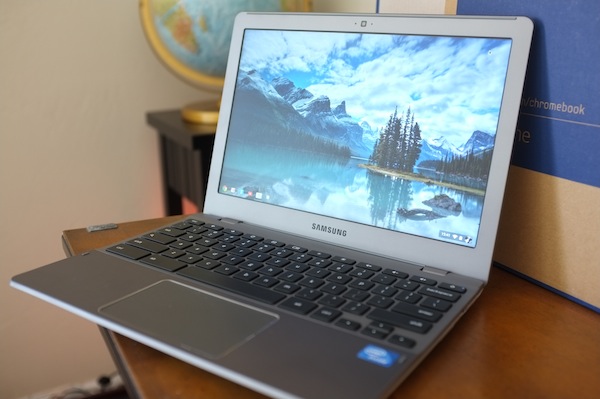
    Chris Evans of the Google security team announces today that the “attack must be demonstrated against a base (WiFi) model of the Samsung Series 5 550 Chromebook, running the latest stable version of Chrome OS. Any installed software (including the kernel and drivers, etc.) may be used to attempt the attack”.

    So, why would you be inclined to try this, aside from the obvious bragging rights? There are some pretty good reasons, and they involve financial gain for the successful “hack”. Evans outlines those details as well.

    • $110,000: browser or system level compromise in guest mode or as a logged-in user, delivered via a web page.
    • $150,000: compromise with device persistence — guest to guest with interim reboot, delivered via a web page.

    That should be more than enough incentive to pack up your bags and fly to Vancouver, British Columbia. CanSecWest will take place March 6-8 of this year.

    Photo Credit: Joe Wilcox