Author: Alan Buckingham

  • Bing makes it easier, perhaps scarier, to discover photos

    Bing’s “Friends Photos” is not new, but today Microsoft’s search engine rolled out a major update to the service that MK Li, program manager of Bing Social, termed as an “experience which makes it easier to scan, discover and explore your friends’ photos”.

    So what has Microsoft added? For one, a new look and interface. The service now displays in the “Modern UI” type of format, much the same way as Windows 8 and Windows Phone. The search results in a tiled interface that, according to Li, “marries design and performance, making it faster and more seamless to browse your friends’ photos”.

    Second, Bing announced a brand new slideshow mode. Users can click on an individual image and begin a slideshow of the search results. This allows you to easily view all of the photos returned by your inquiry, hopefully making it easier to find what you are looking for. You can also browse from this interface.

    The Friends Photos originally rolled out last year as a way to search through your friends Facebook photos via the Microsoft search engine. Before the privacy advocates get worked up, let me point out that Scott McNealy, formerly CEO of Sun Microsystems, before it was purchased by Oracle, famously told us all that “You have zero privacy anyway. Get over it.”

    As it turns out, we have taken his advice. According to a 2012 survey from Pew, which points out that “46 percet of adult internet users post original photos or videos online that they themselves have created”. It goes on to tell us that 41 percent share images and video found online and, in fact, 12 percent are on Instagram — a service made to share your photos. In other words, McNeally may have been ahead of his time.

    Bing has considered those implications as well. Li was sure to mention that “Bing respects your Facebook privacy settings. Your Facebook friends will only be able to see the photos you have made viewable and your photos will never be shared with the public”. Are you relived by that or worried about the implications nonetheless?

  • Is nowhere safe from Google Maps? See Colts stadium

    I swear I fully expect to awaken one morning to find someone with a large camera strapped to his or her back standing at the foot of my bed. At this point my home may be the only place the Google Maps team has not gone. Give credit where it is due — the Google Maps team is nothing if not intrepid and has gone down the trails of national parks and under the waves in places like the Great Barrier Reef, as well as covering the standard road-fare.

    Now the team has ventured into the NFL arena, starting with Lucas Oil Stadium, home of number-one overall draft pick Andrew Luck and his Indianapolis Colts team.

    Today Evan Rapoport, manger of the Google Maps team announces that his team has produced “the first imagery of inside an NFL stadium in Google Maps”. He also tips off of plans to build “the most comprehensive, accurate and usable map of the world — complete with imagery from inside your favorite sporting venues”.

    The new addition contains 360-degree images depicting, not only the field itself, but the Colts’ locker room and the view the players have as they march down the tunnel before kickoff.

    Although I am a bit put off that Rapoport refers to the locker room as the site where “coach Chuck Pagano gave his memorable post-game locker room speech on November 4, after an inspirational win against the Miami Dolphins”. Easy there Evan — those are my Dolphins you are referring to. I need no reminders of that fateful day.

    Still, it is a neat trip into the bowels of yet another location that most of us will never see in person. You can view the images by searching for “Lucas Oil Stadium” or “Colts Stadium” in Google Maps on your browser or mobile device. Or, you could just head straight to Lucas Oil Stadium in Google Maps Street View.

  • Microsoft to unveil new Office 365 for Business features

    The big day continues for Microsoft’s Office 365 division. Earlier we learned that the service will be deployed in the state of Texas, adding 100,000 new government employees to the list of users. Now, Microsoft informs about an upcoming launch event, although few details are available.

    In a very brief post, Kirk Gregersen, Office 365 general manager explains: “Virtual Launch Event on Wednesday, Feb. 27” to “celebrate the availability of a major new release coming to Office 365 for businesses”.

    Gregersen describes the update as being for productivity, enterprise social and the cloud. The event will be hosted by Microsoft Office division president, Kurt DelBene.

    Photo Credit: T. L. Furrer/Shutterstock

  • BitTorrent launches SoShare for sharing large files

    BitTorrent has launched an app for sharing large files, but this time it is not the latest Hollywood release. Yes, I know the service is famous for being a source of piracy, but the peer-to-peer service is also a good way to share and distribute legitimate files — Linux distros, for instance. Now the distribution service wants to add a bit more legitimacy to the resume by adding a way for users to share large files in the course of everyday work life.

    Today BitTorrent announced the beta release of SoShare, a service that users can access to share files with one another that are larger than those that the typical email service would permit. Quite a bit larger as a matter of fact. Catherince Meek says users can “send up to a terabyte of data in one transfer”.

    She also explains that “Recipients get an email saying that the bundle is waiting for them. Don’t worry, they don’t need to create an account to access the file. You can also create a public link, if you want to share via chat, Twitter, or Facebook”.

    Users will be able to pause and resume transfers and files will remain available online for 30 days. That is, of course, a way of BitTorrent keeping the storage space to a manageable level.

    This is the very early stages of the service. Those interested can create a free account and begin testing it out as of right now. You will need to install a browser plugin to get started. My quick test with Chrome resulted in no problems, but I will warn you here and now — my last BitTorrent test, using the new Sync service, while being initially successful, resulted in a tremendously slower computer and eventuality in my uninstalling the app entirely.

    Photo Credit: olly/Shutterstock

  • Office 365 raises flag over the Lone Star State

    In a stunning win for Microsoft, Texas will deploy Office 365 to more than 100,000 state employees.

    Today’s news comes on the heels of a recent win by the company when it nabbed the government of the city of Chicago. Now, in a joint statement, the two entities wanted to proclaim love for one another.

    “No other solution provides the rich capabilities of Office 365, including webconferencing, real-time collaboration, and document and calendar sharing,” stated Todd Kimbriel, who is the director of E-Government for the Texas Department of Information Resources.

    Michael Donlan, vice president for Microsoft’s State and Local Government business adds that “The familiarity of Office backed by deep investments in cloud security, privacy and compliance play an important role in how Microsoft is enabling city, state and federal agencies to move to the cloud”.

    According to the “Devices and Services” company, the installation will cover the “Health and Human Services System, Department of Transportation, Department of Motor Vehicles, Department of Information Resources, and Department of Insurance, with the Department of Criminal Justice and Alcoholic Beverage Commission coming on board soon”.

    This will be the largest single deployment of Office 365 services in the United States and also puts another feather in Microsoft’s cap. As for real details, like when this migration will take place or the length of the contract, that information has not yet been provided.

    Photo Credit: Ufuk ZIVANA/Shutterstock

  • Skype officially announces it’s engaged to Messenger

    Microsoft announced last year that it would be killing off its Windows Live Messenger service — part of a complete overhaul of the Live suite that also included the recent death of my beloved Live Mesh. We also knew that the cause of death for Messenger would be ruled “purchase of Skype”. Now, today, all of this has become just a bit clearer.

    Microsoft’s Parri Munsell has elaborated on a few details — the biggest one being that “the upgrade from Messenger to Skype on Windows desktop will start on April 8”. The statement comes with an asterisk though and that caveat reads “with the exception of mainland China where Messenger will continue to be available”.

    The process will not be instantaneous. In fact, Microsoft claims it will be rather gradual and take a few weeks to complete. The “upgrade” will begin with the English version of the cloud-based communication service and then roll out to other languages, finishing up with Brazilian Portuguese sometime around the end of April or perhaps early in May.

    Customers are already able to log into Skype using a Microsoft account (again, a former Live platform) and those who have installed the latest Essentials suite have already been stripped of Messenger and the Live Mesh service. This is just the final bit of the process being set into motion.

    If you are not happy with these developments then Microsoft likely will not care enough to change its mind, but the company still “welcomes” your opinions according to Munsell — “We would love to hear your feedback–select the “Give Feedback” link in the Skype Help menu to tell us what you think”.

  • Want a Nexus 4? Google tells you where to go

    Google, in conjunction with LG, released the Nexus 4 on November 13 2012 and it has largely been difficult to get ever since. At the time of writing the Google Play store claims the device will ship in “1-2 weeks”. However, Google would like to help out potential customers who are looking to get the handset a bit sooner and, to that end, the company has created a way to get a Nexus 4 today.

    The search giant has launched a finder web site to aid you in locating a Nexus 4 close to home. Of course, this means the locations of T-Mobile stores around you, but at least you learn where the device is actually in stock. Customers can choose from distances ranging from five to fifty miles, depending on how far you wish to drive to grab your new phone.

    Purchasers will also get a bonus now as Android 4.2.2 rolled out to the device this week, meaning you will already be several steps ahead of Galaxy Nexus customers who languish on the Verizon network.

    The site uses Google Maps to pinpoint the locations of stores that have the Nexus 4 in stock. Of course, you will have to do the leg work — or driving work in this case. But, the result will be a shiny new phone that runs that latest and greatest Android mobile operating system.

  • Overhauling a home network, Part 1 — Making decisions

    Over the years the little network within my humble abode has grown. It started as a way to connect a laptop and a desktop, but has since become a conglomeration of multiple devices — a desktop, three laptops, an HTPC, a home server and even three smartphones. Not to mention that the Blu-ray player, DirecTV DVR and Netgear NeoTV are networked. It all comes together in a combination of ethernet and WiFi connections that are controlled through a router in the home office on the third floor of our old restored Victorian, an extender which resides in the entertainment cabinet in the living room — sorry, “parlor” since it is a Victorian — on the first floor and a network switch in the basement.

    Parts are getting old however — in the past year I had to buy a new router and replace my daughter’s laptop. Recently, more things have become unreliable. My home server, which ran FreeNAS died recently. It was housed in an old tower PC that had once been our desktop. Our HTPC has grown old, despite having been upgraded with new video and audio cards and additional RAM. The Netgear NeoTV is not as reliable as it once was.

    Decisions had to be made and money had to be spent. This week both of those things were done. It was not cheap, but I took the lowest budget approach I could.

    The HTPC

    I have been agonizing over this decision for some time. I was sorely tempted to build my own again. There are some absolutely beautiful cases on the market and each one would look great in our cabinet.

    I also like Windows Media Center, though I have threatened to move on many times. I originally used Media Portal and then, briefly tried XBMC, before landing on WMC. I have even taken a long, hard look at Linux solutions and found that Linux MCE is a very intriguing option.

    However, my days of building my own PC from scratch are likely over. It just isn’t cost-effective in this market of dirt-cheap hardware that solid OEM’s like Dell must sell on razor-thin margins. Dell, in fact, was the first place I looked. I came close to purchasing a bottom-of-the-line tower that would be more than enough for my family’s purposes.

    Then I looked at other options — I had requirements, most notably playing DVD rips in ISO and having a web browser. No set top box fulfilled all of them — Roku, Google TV, Boxee…nothing.

    In the end I settled on a Micca EP350 G2 networked digital media player. Haven’t heard of it? Join the club because I had not either. The jury is out for now, but the reviews were good and the device contained the functions I required. One caveat — you will need to supply your own HDD, but internal drives are cheap and I didn’t require much space since our media is on the home server anyway.

    The Home Server

    Again I was budget-conscious here. I purchased a Dell Optiplex server from a local business that was upgrading. Rather than reinstalling FreeNAS I will be moving to Windows Server 2012 Essentials. Yes, the operating system is not cheap, but at least I got a deal on the server and I had the hard drives from the old box.

    The installation will take place this weekend and hopefully go smoothly. I sorely wish Microsoft would continue Windows Home Server, but the company is not doing so and if it is moving on then so will I. There is virtually no point in installing a dead operating system.

    Set Top Box

    Okay, here is where it gets a bit weird — well that is not quite the right word, but I don’t know how else to explain it. I wanted to replace two devices with one. I only began using the NeoTV because the HTPC was getting old and slow and I wanted to go back to those good old one-device-to-rule-them-all days.

    I honestly think the Micca box may have allowed that, but this is where I went off-budget and risked the ire of my wife. That Google TV was too much temptation to ignore. If only it could play ISO then it would have been my one device — hint to Google. In short, I ordered a Vizio Co-Star.

    Now We Wait

    Every part has now been ordered. Both boxes will be here within a few days, as will the hard drive. The Home Server will be up and running this weekend — unless something goes horribly wrong. So for now, I am clueless, but hopeful, how all of this will work. That is where we will pick this up next time around.

    Photo Credits: Norebbo/Shutterstock

  • Microsoft reminds us Windows 7 RTM support soon ends

    Microsoft has killed off a bunch of products lately, moving forward to new and “improved” platforms, even making changes to company logos. The concept isn’t foreign in the tech industry — everything changes, almost daily. Yesterday Live Mesh died, soon Messenger will follow it to the grave. Today Microsoft reminds us that Windows 7 RTM’s days are numbered.

    It is not that we didn’t know this day was coming — the company gives plenty of notice about these things. The irony here is that many businesses are just now moving to the platform from XP. Hopefully most had the foresight to move all the way to Windows 7 Service Pack 1, or later. That version of the operating system will enjoy much more life before being shut off. Microsoft’s Stephen Rose points out “mainstream support continuing until January 13, 2015, and extended support continuing until January 14, 2020”.

    However, as for the RTM, or non-SP 1 version, the date is fast approaching — April 9, 2013. That is just under two months to get your things in order.

    This is not to say your computer will suddenly fail to boot that day. It simply means that Microsoft will no longer issue updates and that you could soon become vulnerable to attacks and malware. If you care to risk it then you can continue running the OS for as long as you wish. Heck, you can still install and run Windows 95 if you would like — I have an install disc I will sell you cheap.

    Photo Credit: Adriano Castelli/Shutterstock.com

  • Modern Firefox for Windows 8 hits Nightly builds

    Mozilla announced back in October that it would release a Metro Modern UI version of Firefox. At the time, the company released a “preview” version that was code named “Elm” which was an offshoot of the Nightly builds that the company produces for those users who wish to live on the bleeding edge of technology.
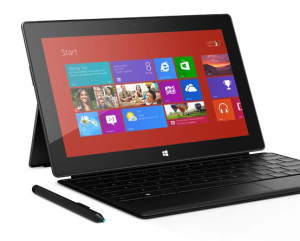
    The day has finally arrived where that test build has graduated to an actual Nightly build. Yesterday evening Mozilla’s Asa Dotzler announced that “preliminary Metro Firefox development work arrived at mozilla-central, the source code repository that feeds the Firefox Nightly channel”.

    The first Metro version did indeed roll out last night for those who subscribe to the Nightly channel, which generally provides a stable version of the browser, but is certainly a more dicey build than those provided from the Stable, Beta and Aurora channels. “There’s plenty of work still to do, but it’s stable enough that we’re ready for more and more regular testing” Dotzler states.

    You can grab the new Firefox in either an Express or Standard download. There are versions for Windows, Mac, Linux and Android. The build is labeled as “21.0a1” and it will run along side your current version of Firefox, so no need to worry that it will overwrite your nice, stable browser.

    While there is a Metro version of the new web browser, it is difficult to get. You will need to set Firefox as your default browser and set “http” to open within the Mozilla browser. Even then you may have trouble accessing the new interface, as I did. It clearly is not yet ready for prime time. Firefox Metro lags behind Chrome Metro in its development, but is also in “day one”.

  • Microsoft promises more Surface Pros in stores this week

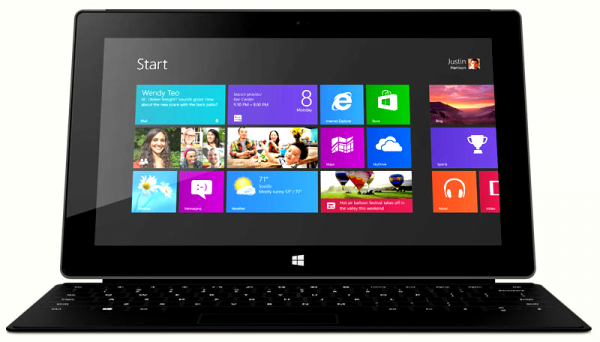
    It’s a wild week for Microsoft’s Surface Pro team. There was the big release, with lines forming at Microsoft stores, reviews being posted all over the web and then news the tablet sold out at all locations. Not too much can be read into the latter at this point — we do not know how much stock was actually available.

    More are coming. In an overnight announcement, the Surface team lets everyone know that Microsoft is “shipping additional units of the 64GB SKU to Best Buy, Staples and Microsoft Store now. We are shipping 128GB SKU later this week to retailers, with some units available by the end of the week. Our priority (and that of our retail partners) is to fulfill orders from customers who made a reservation first. Canada is following a similar timeline but may take an extra few days to start arriving”.

    Again, we do not know any real numbers here — how many have been sold, how many are now being shipped? Microsoft and analysts will sooner or later let us know if this “success” is artificial or real.

    For now, Microsoft wants us to know that “demand is high and we’re working as quickly as we can to get Surface Pro in market. If your local retailer does not have stock immediately, they should have it soon”.

    Did you get one? Are you anxiously waiting for stock to return or awaiting your reservation unit to be shipped? Or could you not care less?

  • Opera announces 300 million users, move to Webkit

    As far as web browsers go, Opera never seems to get enough love. But it has a dedicated following of avid users who seem suddenly to appear whenever you say something bad about the software. Now that following has grown, and Opera plans to reward them with a new engine.
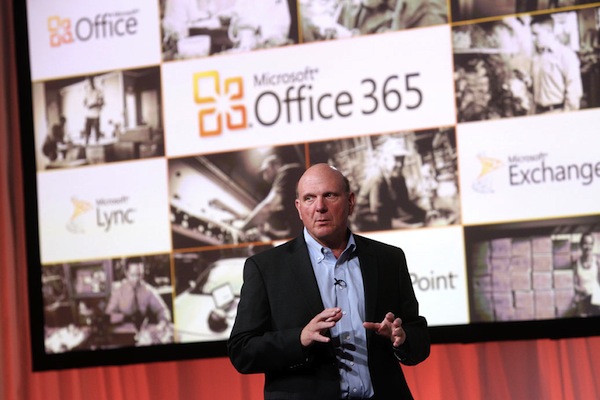

    Today CEO Lars Boilesen proclaims a milestone: “On the final stretch up to 300 million users, we have experienced the fastest acceleration in user growth we have ever seen”. While that is certainly a big step for the company, and worthy of a pat on the back, Opera browser still remains far behind its competitors.

    But the news is much bigger: Transition to the Webkit engine, which already powers Apple’s Safari and Google’s Chrome browsers, among others. That means that all of those people who seem to be buying a Chromebook are running Webkit, and that is the allure for Opera.

    In fact, Hakon Wium Lie, CTO of Opera, states that “It makes more sense to have our experts working with the open-source communities to further improve WebKit and Chromium, rather than developing our own rendering engine further. Opera will contribute to the WebKit and Chromium projects, and we have already submitted our first set of patches: to improve multi-column layout”. In other words, Opera wants in on what it senses may be a revolution.

    The company also promises that everyone will get their first look at its new browser for Android at the upcoming Mobile World Congress, which kicks off February 25th in Barcelona, Spain.

    The move to Webkit will be gradual, but is likely the best chance Opera has to move forward with the latest technology and continue to grow its user-base.

  • Microsoft pushes Office 365 with ‘Quick Start’ video series

    Microsoft has made no real secret that it prefers you to buy an annual license for software, as opposed to purchasing a non-expiring version. Office 2013/365 is the first real example of that, but will surely not be the last. Since the products’ release, the company has pushed out PDF guides to help guide you along.

    Now the push continues with a video version of those “Quick Start” guides. Earlier today the Office team announced the release of five videos in a new series that will give users a head-start on the new app suite.

    “If you have just six minutes to spare, you can get acquainted with the new Office by watching the five videos below”, according to Microsoft.

    The five videos cover very brief information on what is included in Office 365 Home Premium, how to get started, using Office everywhere, how to set up Office 365 on five computers and adding family members to your subscription.

    To help lure you in, the company makes it as painless as possible with PDF and video guides to get you started, varied pricing that can be either monthly or annually — warning: monthly costs more in the long run, and the ability to use one license on multiple home computers. Oh, and the company is also offering an additional 20 GB of SkyDrive storage and 60 minutes of Skype credit.

    Is there really any question left about which direction customers are being steered? Still, regardless of that, it probably is the best deal for most households. To check out the videos, one only needs to visit the Office blog for links to each and every one of the the five.

  • Dropbox for Teams targets the enterprise

    I love my Dropbox account. Or, I should say that I love the idea of my Dropbox account. I will be the first to admit that I honestly do not use it very much. I work from home and rarely have reason to share files. My wife, however, uses that account on an almost daily basis. She shares school files with her students via Dropbox. In other words, it is a business tool — even for someone who simply teaches Spanish to grade school kids one day per week. Now, the company has made it an even more useful business tool with a host of new features announced today.

    In prefacing the announcement, Dropbox representative Emil Ibrishimov takes a second to brag about the fact that “people at over two million businesses and 95 percent of Fortune 500 companies are using Dropbox — from law firms working with their clients to international businesses staying in sync across the world”.

    Ibrishimov goes on to explain that the company has been “working with our customers to design features that give them the insight and tools their businesses need, while keeping the simplicity that makes Dropbox so easy to use”.

    The new features are for the “Dropbox for Teams” service and offer better control for administrators. These include the ability to view recent activity, third-party apps that have been added, activity between all team members, sharing controls and more. Admins can even download reports that display all of that data, meaning those folks in the cubicles need to be even more careful about what they are sharing.

    Dropbox for Teams is available on a scaled platform depending on the size of your business. Accounts start at $795 per year for five users and additional users will cost $125. Storage is also scaled based on this. The new features announced today are available immediately and all of this is controlled through a brand new Admin Console.

    Photo Credit: T. L. Furrer/Shutterstock

  • Bluestacks brings 750,000 Android apps to Surface Pro

    There has been a lot of news recently about Surface Pro. The new tablet made quite a splash over the weekend, but the jury still is out about the real success of the launch. However, Bluestacks is interested enough to bring its wares to the new platform and carry 750,000 Android apps along.

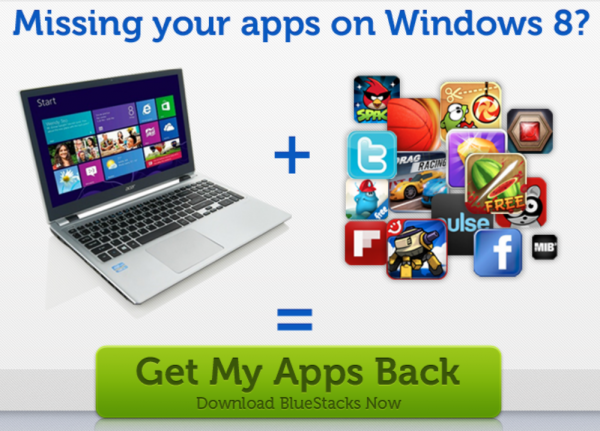
    That may sound like a nice gesture towards Microsoft, but it also represents somewhat of a dig at the company. In fact, the website launched by Bluestacks is titled Get your Apps Back. The site even has a headline — Missing your apps on Windows 8? While a dig at the lack of apps proliferating the new Windows Store, it is also a nice little bonus for Surface Pro early-adopters and other Windows 8 users.

    For those of us who run Windows 8 in our computing environment, but prefer our mobile devices to be of an Android-persuasion, this is a big win. After all, we have invested money in our mobile apps and we want to be able to use those apps everywhere, including on our PC’s and Surface tablets.

    While this is touted as being “optimized for Surface” the new Bluestacks will run just fine on any Windows 8 device and add a lot of new options for any user, including thousands of free games. At first glance, a niche item, it really is more like a second app store for customers and is a win-win proposal for everyone.

  • Making the case for the smart watch

    With all apologies to my colleague Joe Wilcox, who bashed the Apple rumor of an “iWatch”, I must respectfully disagree. I get his point, don’t get me wrong. Most people of the “modern” generation do not even wear watches. In fact, they may not even own them. The cell phone has become the time piece of choice in today’s world. I also understand that a watch is not the ideal place to check your email.  The screen is simply too small.

    However, there are uses for these devices for some of us. Not all of us, but some. I am a runner. Have been since middle school — more years ago than I care to mention. Those of us who ran cross country and track, and later moved to road races, care about time and smartphones don’t cover it. Sure there are apps for that — Map My Run, Run Keeper, Nike…they all do the job. My colleague Wayne Williams loves Zombies, Run! But, who wants to strap a 4.5-inch screen to their arm and go for a run?

    I am not saying the rumored Apple “iWatch” is a good idea. What I am saying is that smart watches in general have a future, although it is certainly a niche one. Sure, if Apple releases a watch then the sheep will form lines around its store waiting to hand over their money, but it will be mostly be for a status symbol.

    However, real smart watches, like the recently released Pebble, have a function for some of us. That particular item contains both GPS and Run Keeper, an app that can track your run, preventing the necessity of the old practice of driving a course before running it. Yes, some of us do that — we are obsessed with distance and time, pace must be calculated. there are watches for that already, but what is wrong with a bit more functionality?

    No, I don’t need Dick Tracy-type software for a watch. I honestly do not need to know who is calling via my watch, although glancing at wrist, as opposed to fishing Galaxy Nexus from its home in my right front pocket would be handy. My Timex Ironman has worked just fine. But, devices like the Pebble could save me time and gas. I personally think this revolution can work, but it will be a small one. It is a niche product, but one that certainly has a home.

  • Security firm Bit9 gets ‘bit’ after failing to install its own software

    The anti-virus and security business is a tough one, fraught with competition and cutting-edge technology designed to not only stop current threats, but predict future ones via heuristics. It is also a place where minor errors can become high-profile issues. Like last year when Sophos detected its own files as a virus and began systematically deleting them, rendering its software useless to customers.

    The latest blow below the waist for a security firm involves Bit9. In what can only be termed as “embarrassing”, the company failed to install its very own security software on computers within its corporate network. The vulnerable systems were soon compromised.

    The incident was explained by Bit9’s Patrick Morley in a statement that read, in part, “Due to an operational oversight within Bit9, we failed to install our own product on a handful of computers within our network. As a result, a malicious third party was able to illegally gain temporary access to one of our digital code-signing certificates that they then used to illegitimately sign malware. There is no indication that this was the result of an issue with our product. Our investigation also shows that our product was not compromised”.

    In the company’s defense, it did send out a warning to its customers before publishing this information, in case the attack had actually breached its security software. Then, after discovering the problem, it made the embarrassing information public as a warning to users — almost like a PR-stunt of what can happen if you do not use its products, although I will give the firm the benefit of the doubt here, and this is why…

    The company also had a security certificate compromised, allowing attackers to digitally sign malware. That is where things get really bad, really fast. Fortunately Bit9 claims that it has found only three customers who fell victim to the “verified” malware and Morely goes on to explain that “we have been working closely with all of our customers to ensure they are no longer vulnerable to malware associated with the affected certificate”.

    If the company is accurate in its reporting of only three customers being affected then it is very lucky to have dodged a bullet this time around. Bit9, along with Sophos, should stand as examples to other security firms of what can easily go wrong. Perhaps though, this field will never be exactly right — it is an imperfect science and human error is always in play.

    Photo credit: dohtoor/Shutterstock

  • Amazon teams up with CBS and Stephen King for new TV series

    Amazon works hard to position Prime streaming against Netflix and the new Redbox Instant. Uh-oh, the retail giant muscles Hulu, too. Amazon has struck a deal with TV network CBS for exclusive rights to the upcoming Stephen King TV show, based on his novel “Under the Dome”.

    The show, produced by Steven Spielberg’s Amblin Television, will debut this summer — June 24th to be precise. Amazon Prime will be “establishing an in-season, online subscription-video-on-demand (SVOD) window for the show on Amazon’s Prime Instant Video service. Prime Instant Video will be the exclusive online subscription home for “Under the Dome”, according to the company.

    Amazon Prime video service is not only available via your computer, but also on Kindle Fire HD, iPad, iPhone, iPod touch, Roku, Xbox 360, PlayStation 3 and the Wii U, among other devices.

    Episodes will be available to Prime customers free-of-charge four days after each airs on network TV. Those who are not Prime customers can still get in on the action by purchasing individual episodes, although the price was not mentioned in Amazon’s announcement.

    If you are not an avid King reader the company offers a brief synopsis of what to expect — “Under the Dome tells the story of a small New England town that is suddenly and inexplicably sealed off from the rest of the world by an enormous transparent dome”. Amazon also boasts its Prime library now sports more than 36,000 choices.

    Photo Credit: Mikael Damkier/Shutterstock

  • Microsoft announces Surface Pro availability while apologizing that you can’t get it

    Last weekend was a big one for the sports world — the Super Bowl is a day when even non-NFL fans suddenly watch football. This weekend turned out to be an exciting one for the tech world with Microsoft’s launch of the Surface Pro tablet, which resulted in lines and a sellout.

    In an ironic blog post yesterday Microsoft’s Panos Panay, Surface chief, both announced the availability while simultaneously apologizing that customers could not actually buy one. A post titled “Surface Pro: Available Now” begins with “We’re working with our retail partners who are currently out of stock of the 128GB Surface Pro to replenish supplies as quickly as possible. Our priority is to ensure that every customer gets their new Surface Pro as soon as possible”. If you are confused then apparently you are not the only one.

    Panay went on to sing the praises of the new tablet and ironically ended by letting everyone know to “get yourself a Limited Edition Touch Cover before they’re all gone”. I am not exactly sure what he expects customers to use it on, since the tablet it is made for is out of stock.

    As of this morning the 64 GB version is still in stock, at least on Microsoft’s online store. The big brother remains unavailable. But hey, at least you can get your Touch Cover now!

  • Listen up! Spotify is now on Windows Phone 8

    The timing could not be better. Yesterday my wife received her shiny new Nokia Lumia 822 and today she can now use it to play music from the streaming service Spotify. Oh, she probably will not because, not her thing, but she could, and that is the important thing because the option was not available to her, or any other Windows Phone 8 customers, yesterday.

    Today Microsoft’s Michael Stroh proudly announces that Spotify has now found a home in the Windows Phone Store. The app is still in beta, which means users may experience a bit of a hiccup here and there, but customers can “instantly increases the size of your music library by millions of tracks, making it easy to discover new songs and artists. You can create your own playlists, or browse and indulge in the ones your friends put together”. It also features the ability to download playlists to your handset for listening at times when you are not within range of a connection. Tracks added from the phone app also show on your computer.

    The app is free. The service, however, will only be free during your 30-day trial. After that, you will need to cough up $9.99 per month to continue using it. If not, then your feature set will be limited, as it is for other mobile platforms.

    Spotify, however, is on par with rival services price-wise — in fact, the same exact price that Microsoft charged for its own Zune service, which is now Xbox Music. Others, like rdio, also charge that $9.99 fee — it seems to be the sweet spot. However, given its popularity, many customers may already pay for a premium Spotify account on their PC, making this a good deal for when moving from the desktop to the mobile environment.

    Photo Credit: Regissercom/Shutterstock