Author: Wayne Williams

  • Apple reveals the 50 billionth app download winner

    It’s been a while coming. Two weeks ago my colleague Alan Buckingham wrote that Apple was fast closing in on a remarkable milestone — 50 billion unique downloads (excluding re-downloads and updates) from the App Store — and said the “big event seems destined to take place within the next 24 hours”.

    It actually took around 14 days from that point for the 50 billionth download to happen (or be announced at least), and for the winner of the $10,000 App Store gift card Apple put up as a prize to be revealed.

    The lucky downloader was Brandon Ashmore from Mentor, Ohio who claimed his spot in Apple’s record book by downloading Say the Same Thing by Space Inch (personally I was hoping it would be the Condom Size penis-measuring app).

    In making the announcement, Apple revealed the usual amazing statistics, including that App Store customers are now downloading more than 800 apps per second at a rate of over two billion apps per month.

    Eddy Cue, Apple’s senior vice president of Internet Software and Services said, “Apple would like to thank our incredible customers and developers for topping 50 billion apps downloaded. The App Store completely transformed how people use their mobile devices and created a thriving app ecosystem that has paid out over nine billion dollars to developers. We’re absolutely floored to cross this milestone in less than five years”.

  • Google launches Google Play Music All Access

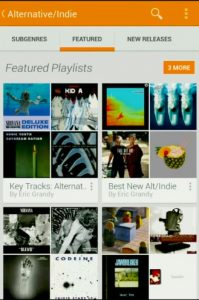
    Google has just announced a new on-demand subscription music service called Google Play Music All Access. The service, which is available on Android and the web, gives users access to a massive library of millions of tracks. Google’s Chris Yerga calls it “radio without rules”.

    It allows you to explore songs from all of the major record labels, listen to it like a radio station, provides Google-powered recommendations, charts and playlists, and blends your personal library with Google’s. Everything from your Google Music locker is pulled into the new service.

    All Access is launching in the US today, and will be arriving in other countries shortly. It will cost $9.99 a month, but there’s a free 30-day trial available so you can try it out before tying yourself into a regular subscription. Start a trial by June 30 and Google will give you a discount and just bill you $7.99 a month. A sweet incentive.

    Apple has been rumored to be considering a similar service for a while now, but clearly Google has beaten the fruit-logo company to the punch.

    What do you think of the new service? Will you be signing up?

  • Watch the Google I/O 2013: Day 1 Keynote and Android Sessions live here

    Google is holding its Google I/O day 1 keynote at 9am PT and you can watch it right here on BetaNews.

    We will of course be bringing you stories covering all the big announcements as they happen.
    Rumors of what to expect include a revamped Google Maps, Android 4.3, a new music service set to rival Spotify, and even a Google branded Galaxy S4. Let’s see which of those comes true.

    Sit back and enjoy the fun. And feel free to comment as the keynote unfolds.

  • Microsoft UK offering a free cover with all Surface RT purchases

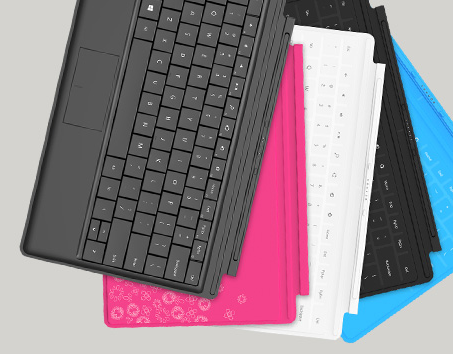
    If you live in the UK and are thinking of purchasing Microsoft’s Surface RT tablet, now is the time. Pick up one through the Microsoft Store or a participating retailer (which in terms of brick and mortar sellers means John Lewis) and you’ll get a Touch or Type Cover thrown in for free.

    It’s a very good deal, as you’d be looking to pay around £100 if you were to buy a cover separately. You can pick up the 32GB tablet-only version of Surface for £399 at the moment.

    The offer, which is only available for residents of the United Kingdom, is valid on all Surface RT purchases made between now and 30 June.

    John Lewis offers the Type Cover in black, and the Touch covers in white or blue. Buy from Microsoft however, and you get a much wider selection, including limited edition covers (Skulls, Flowers, and Year of the Snake).

    Of course before you rush off and place your order, it’s worth remembering that the more powerful Surface Pro will be arriving in the UK sometime at the end of this month.

  • Microsoft confirms Windows 8.1 name, will give it away for free

    On Monday I said Windows 8’s ‘failure’ is still a win for Microsoft and talked about the upcoming update — codenamed Windows Blue — speculating that it would be priced cheaply like a Mac OS-style upgrade, rather than be given away for free.

    Turns out I was wrong. Today Tami Reller, Windows division CFO announced at the JP Morgan Technology, Media & Telecom Conference in Boston that the update will be called Windows 8.1 and be entirely free for existing Windows 8 users, as a download through the Windows Store.

    The official name comes as no surprise. Windows Blue was only ever a codename (and far too much of a reminder of the infamous Blue Screen of Death) and as my colleague Alan Buckingham pointed out at the time, the leaked Windows Blue build 9374 referred to itself as Windows 8.1 in the Computer Properties window.

    As well as sharing these two nuggets of information about the highly anticipated update to the divisive OS, Tami says that Windows 8.1 will help Microsoft to “deliver the next generation of PCs and tablets with our OEM partners and to deliver the experiences customers — both consumers and businesses alike — need and will just expect moving forward”. She didn’t say whether the update would include a Start button, Start menu, or the option to skip the Modern UI altogether, but it’s a fair bet we’ll see at least some changes in that direction.

    A public preview of Windows 8.1 will be released on June 26, timed to coincide with the Build developer conference in San Francisco, and be available for both Windows 8 and Windows RT.

    The fact that Windows 8.1 will be a free upgrade is interesting. Is it a move designed to help overcome much of the negativity that exists regarding Windows 8, or will all future Windows 8x/9x updates be available for free, as System Packs have been in the past? Time will tell.

    What are you hoping to see in Windows 8.1?

  • Outlook.com now lets you chat with friends ‘stuck using Gmail’

    After nearly two months of using Microsoft’s services almost exclusively, I made the painful decision to switch back to Google for most of my web needs. I say “most” because I’m still using, and enjoying, Outlook.com.

    My decision to stick with Microsoft’s webmail service seems well founded, as the company is adding more features all the time. It introduced Skype support two weeks ago, and from today is rolling out the ability to directly message your Gmail-using contacts. Or “friends stuck on Gmail” as Microsoft amusingly phrases it.

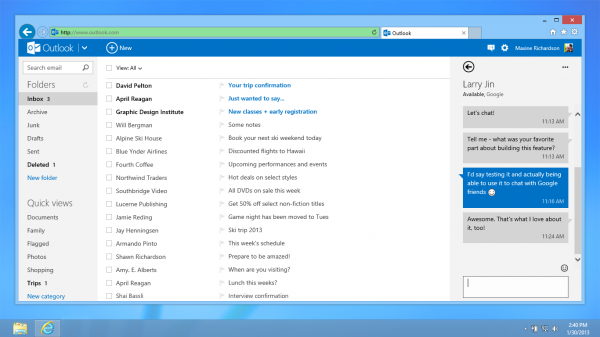
    When you receive an email from someone with a Gmail address, you’ll soon be able to reply by starting a chat. You’ll also be able to initiate a conversation through the contact list. The new addition is not exclusive to Outlook.com either. You’ll also be able to IM your Google contacts directly through SkyDrive — handy when collaborating on an Office document for example.

    Douglas Pearce, Group Program Manager, Connected Services at Microsoft says Google chat integration will be available to everyone worldwide in the next few days but warns that while it’s rolling out, you “might notice a few quirks if you’re jumping around between SkyDrive and Outlook.com, but that will be resolved as soon as the rollout is complete”.

    The service will likely appear first in SkyDrive and then your inbox and People page shortly afterwards.

    Photo credit: A1Stock/Shutterstock

  • Raspberry Pi’s camera board now available

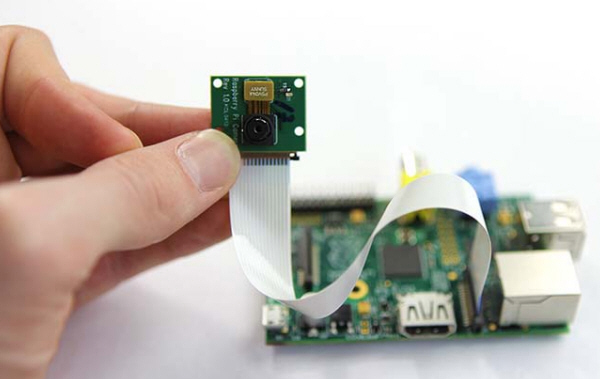
    Raspberry Pi, the popular credit card-sized ARM GNU/Linux computer, now has a camera add-on. A year in the making, the camera board consists of a small lens on a chip around the size of a postage stamp, attached to a flex cable.

    Connecting the module is just a matter of opening the camera port on the Raspberry Pi (it’s situated between the Ethernet and HDMI ports) and inserting the flex. The process is a little fiddly, but easy enough.

    The camera module is very sensitive to static electricity so you’ll need to be careful when getting it out of the box and handling it in general.

    Once connected, fire up the Pi, make sure you’re running the latest firmware, and access the configuration settings by entering: “sudo raspi-config”.

    Navigate to “Camera” in the menu and enable the board.

    Naturally, taking shots with the camera isn’t as easy as simply pressing a button. There are three applications provided: raspistill, raspivid and raspistillyuv and to use them you have to enter some commands. For example, “raspistill -o image.jpg” will capture an image, while “raspivid -o video.h264 -t 10000” will record a ten second video (without sound).

    The camera can stream video over a network on Linux, Windows and OS X.

    Although the module is a 5-megapixel camera capable of capturing 1080p video, the quality of the shots generally aren’t amazing, but you can improve the results by tweaking elements like sharpness, contrast, brightness, saturation, and ISO, all using commands. You can also turn off the Automatic White Balance and choose a mode like Sun (for shooting on sunny days), Cloud, Shade, and Fluorescent.

    There are various effects available too, such as Posterize, Watercolor, Oilpaint and Sketch.

    To encourage creativity, and show other users what’s possible, there’s a Photography Competition available to enter now.

    You can order the board from RS Components or Premier Farnell/Element14 in the UK, and it’s priced at £16.56 plus postage. At the moment it’s showing as out of stock, but more should be arriving soon. US customers should keep an eye on the Allied Electronics site.

    If you own a Raspberry Pi do you plan on getting the new camera module?

  • Windows 8’s ‘failure’ is still a win for Microsoft

    I was in Dubrovnik, Croatia (or King’s Landing for Game of Thrones fans) when Tami Reller, Windows division CFO announced that Windows 8 had sold 100 million licenses. Since I’ve been back in the UK I’ve had a chance to catch up on what the internet thinks, and it’s fair to say Windows 8’s accomplishments continue to divide opinion.

    Some pundits claim the big number proves the doubters wrong, and shows Windows 8 is a roaring success. Others, like my colleague Joe Wilcox, argue 100 million is nothing. I have my own view, and it’s somewhere in-between.

    100 million licenses sold to date means Windows 8 is a success. But it’s a success for Microsoft’s bean counters, rather than Windows 8. It’s money in the bank for an operating system that a lot of consumers and a fair few PC builders don’t want.

    100 million sales is also a number I would expect Microsoft could now comfortably achieve with any operating system — good or bad.

    Windows has been the OS of choice for PCs since the early 90s. The vast majority of PCs from every manufacturer (and by “PC” I use the modern definition, meaning desktop systems, laptops, tablets and hybrids) run on Windows, and to stay relevant most system builders have to offer the latest version, whether they want to or not. They have to follow Microsoft’s lead.

    So Microsoft brings out Windows 8 and every PC manufacturer that wants to compete in a tough, stagnant market has to buy licenses for the new OS. They can’t afford not to (sure, they could hold on to Windows 7, but then their systems would appear outdated. They could go with Ubuntu, but most average consumers have never heard of it, nor Linux).

    Provided whatever OS Microsoft comes up with works and doesn’t trash the systems it’s installed on, those PC manufacturers are going to buy licenses for it.

    It’s like owning a gas station with one supplier. If you want to stay in business, you have to buy your gas from that supplier, even if they change the formula to benefit motorbikes, and car drivers buy less of it (a rubbish analogy, but you get the idea).

    The problem with the much discussed 100 million licenses is, of course, that they aren’t actual sales to users. If Windows 8 was a true hit across the board, Microsoft could dazzle us by announcing how many activations it has processed and silence the naysayers. But it can’t do that, because Windows 8 isn’t a hit — or at least not a big enough one.

    By stating it’s sold 100 million licenses (and 60 million before that), Microsoft has made a rod for its own back. By following that up with an activation number that’s less than stellar (my guess would be a still-respectable 30-40 million users), the scope of the operating system’s “failure” will appear greatly magnified.

    Oh Blue

    By not making them public, Microsoft can’t be thrilled with user numbers, and all of those companies failing to shift PCs with Windows 8 on them can’t be happy either. But that’s OK, because Windows 8.1 (codename Blue) is around the corner ready to save the day.

    By switching to a yearly update release schedule Microsoft can make some quick course corrections to appease hardware makers and consumers alike (“we’re listening”) while sticking to its guns and keeping touch and the Modern UI as priorities.

    Of course the big question is, when Microsoft brings out Windows 8.1 is it going to be a free upgrade? A lot of tech writers and analysts say yes. And certainly if Microsoft wants to overcome much of the negativity that exists regarding Windows 8, that price point is perfect. But no one at Microsoft has confirmed this yet, and personally I think it will be priced cheaply like a Mac OS-style upgrade, which will bring in yet more money for the software giant.

    Win!

    Windows 8 was always a gamble for Microsoft. It’s an operating system with a foot in the past and a foot in the future. There are elements about it that touch fans don’t love, and elements that traditional PC owners don’t want or need. It’s trying to appease — and appeal to — two different user bases at the same time. Which was always going to be a tricky feat to pull off successfully at the first attempt.

    But the perceived failure of Windows 8 doesn’t, ultimately, matter all that much to Microsoft. What matters is the financial bottom line. Windows 8 has sold 100 million licenses, meaning the operating system will still be viewed as a win on the balance sheet, and a good foundation to build on.

    Photo Credit: NinaMalyna/Shutterstock

  • Say no to Skype and bring Messenger back from the dead

    Four weeks ago, Microsoft flicked the switch and officially merged Windows Live Messenger with Skype. Users of the popular IM tool were greeted with a message stating “A newer version is available. You must install the newer version in order to continue.  Would you like to do this now?”

    Although Skype is a great tool, many fans of Messenger were up in arms about the forced change, and I know people who still pine for the old chat application. Fortunately, there’s a very simple way to get it back.

    Messenger Reviver 2 automatically installs, repairs and/or modifies Windows Live Messenger 2012, 2011, 2009, and 2008 (as well as Windows Messenger) so you can continue using and signing in to the old service.

    Run the program and it will detect installed versions of Messenger and let you revive them. It will also offer links so you can download and install a fresh copy of the chat tool.

    You’ll then be able to sign in and use Messenger as if Skype never happened.

    Messenger is set to be fully discontinued at some point (March 2014 is the current estimate), so this isn’t a permanent fix, but it will buy you at least ten months of respite, and give you the chance to say your goodbyes properly.

  • So what’s next for Microsoft’s Bing? [Q&A]

    I’ve been using Bing as my primary search engine for nearly two months now, and I like it. While I personally think it still lags behind Google in some areas, it’s definitely improving. It delivers decent results, offers some great features and does an excellent job of integrating social sources like Facebook and Twitter.

    I chatted with Bill Hankes, a director at Bing, to find out more about the service and the division’s future plans, and also asked him about that divisive Scroogled campaign…

    BN: How does Microsoft see Bing as different from Google? What do you think you do better?

    BH: Bing was designed to help people go from searching and finding to searching and doing. This focus on “getting things done” means that we’re investing heavily in three key areas: relevance of traditional search results, e.g., ten blue links; adding information beyond ten blue links to help people understand the world around them; and then bringing search results to life across different interaction modalities appropriate for different devices and platforms, like phones and tablets.

    • More relevant and organized web results: The bedrock of modern search remains core algorithmic relevance, and beautiful, relevant “algo” results should be the first thing people see. We’ve tuned Bing to make the entire page easier to scan, removing unnecessary distractions, and making the overall experience more predictable and useful. This refreshed design helps people do more with search. We’ve also made significant strides in relevance; in fact, our research shows Bing results are as good or better than the competition.
    • Understand the world around you: Bing helps you understand the people, places and things around you, all of which have unique attributes and relationships to each other. In Bing’s center “snapshot” column, we present a view of these entities so that people gain the understanding they are looking for at a glance, rather than having to jump in and out of blue links to assemble the requisite knowledge.
    • Cross-device. How you execute searches can and should vary across different kinds of devices that aren’t traditional PCs. It’s just not practical, or safe in some cases, to type or use a keyboard when you’re sitting in the living room, or driving or walking down the street. That’s why Bing has been working to advance the state of the art in understanding voice, gestures, touch and images — essentially the inputs that represent intent to help with query understanding. Things we traditionally might otherwise try and type into a search box. One of the best demonstrations of this new interface thinking is the voice technology used with Xbox and Kinect. Voice commands are used as the equivalent of search box queries to access data: information about music, movies and more. Today, using Bing’s technology, Xbox users can ask for a list of action movies, or Woody Allen movies, or music by artist or genre. This same voice technology, by the way, is available on Windows Phones to help people not only access search information, but also access information on their phones like contact information or applications, e.g., “start Netflix”. Just as important is contextual understanding — understanding what people likely want based on location and their friends’ interests. Windows Phone’s “Local Scout” and “For You” features allow people to find food and drink, shopping, and things to do based on where a person is on the map and what their friends like. Similarly, Bing is the underlying service for a set of pre-installed apps on Windows 8 that let users gain access to rich data on travel, weather, news, finance and other common interest areas. In the touch and tablet world, typing isn’t always as easy, so the means by which people ask for information and then interact with it has been built in to provide a graphically rich and touch optimized experience.

    BN: What features are you most proud or excited about?

    BH: The two areas I’m most excited about are Social Search and Mobile Search. We all know how family and friends help us make decisions on everything from restaurant recommendations to camera purchases. Bing has started to infuse that same knowledge from your Facebook friends, and other social networks like Foursquare and Quora, directly into the search results page. This is a relatively new area in search, but given the sheer volume of data being created on social networks today, we feel compelled to help people tap into this information for the benefit of their Bing searches. On the mobile front, or rather the non-PC front, we are entering an era of search that more closely resembles Star Trek than our traditional means of engaging a search box. We can now ask our phones and Xboxes for directions and information. We can use our tablets and phones to scan book titles and barcodes. We can engage in serendipitous search experiences with apps that are focused on rich travel and maps experiences, for example. The pace of innovation in this area of search is amazing.

    BN: Bing does a great job of integrating social sites. What services do you include, and any future plans you can reveal?

    BH: As I’ve said before, Bing is partnering with industry leaders such as Facebook, Twitter, Quora, Klout, Foursquare, and LinkedIn to help personalize results and make search more of a two-way conversation through the sidebar. We really think Social is increasingly important because for every search query there is someone who can be helpful. Naturally, we’ll keep you posted on any future updates.

    BN: Bing recently updated the Windows 8 app, adding lots of welcome improvements. Was the feeds addition in response to Google Reader’s imminent closure (and will we see a Bing Reader?)

    BH: No, the Bing News app RSS feeds were well into development by the time Google made its announcement. The addition of feeds were a natural extension of what we set out to do with the News app, which was to deliver a visually immersive, information rich app that makes it easy for people to stay up-to-date on what’s happening in the world.

    BN: Will Bing introduce a similar feature to Google’s Authorship program which recognizes writers for stories in search?

    BH: We already have. Bing’s Author pages offer consumers additional information on news experts and include rich content from their Twitter feed, and news articles from that author in the search results. To find an author, you can go to Bing News and then enter “Author:” in the search bar, followed by the name of the author you’re searching. Additionally, News Experts show up in the Sidebar so when you search for a topic which they are considered an expert about, you can tap in to their knowledge by easily seeing their social activity and with one click go to their Author page on Bing News.

    BN: What’s the biggest obstacle in getting users of other search engines to switch to Bing?

    BH: It takes more than just better search results to compel a change in consumers’ habits; it requires a truly different approach. From the outset, our goal with Bing has been to create a product that reflects the needs of today’s searchers. We feel our unique approach will be attractive to consumers because it provides social context to search without compromising the organic results — ultimately helping people do more. We have seen some success already, but we have a lot more work to do.

    BN: Bing generally delivers far fewer results than Google. For example, a search for Game of Thrones on Google brings up about 858,000,000 results. In Bing there’s “just” 23,200,000. Does this impact on your ability to present users with the best results?

    BH: This doesn’t impact our ability to provide the best results. We’ve made significant strides in relevance and have conducted research studies, which show we are every bit as good, if not better, than our competition. Bing views search as more than ten or even a million blue links, which is why we’ve introduced things like snapshot to give people a quick, at a glance view so they can actually take action instead of wading through more results. And frankly, if you don’t find what you’re looking for in the first 23 million results, there is something wrong.

    BN: Why are certain features — like the ability to sort results by time period — only available in the US (and will that particular feature be coming to the UK)?

    BH: We hope to expand our offerings globally and will announce more details when available.

    BN: What do you think of the recent report that Bing searches throw up more malware sites than Google?

    BH: As we made clear in our blog post on the matter, AV-TEST’s study doesn’t represent the true Bing experience. The conclusions many have drawn from the study are wrong because AV-TEST didn’t actually do any searching on bing.com. They used a Bing API to execute a number of queries and downloaded the result to their system for further analysis. By using the API instead of the user interface, AV-TEST bypassed our warning system designed to keep customers from being harmed by malware. Bing does prevent customers from clicking on malware infected sites by disabling the link on the results page and showing a message to stop people from going to the site.

    BN: When will there be Bing Now and meaningful voice search?

    BH: We have a meaningful voice search experience already. Voice recognition is an important space we’re focusing on, both within the Bing team and across Microsoft, as exemplified by Bing Voice search on Windows Phone and Bing on Xbox. But, voice is just one interesting area. We’re also investing in areas like gesture and touch, but we don’t have any additional new details to share at this time.

    BN: Who came up with Scroogled and how successful is it?
    BH: The Scroogled campaigns are a team effort. The goal of Scroogled is to spark a conversation and raise awareness of Google’s practices with regard to consumer privacy, what they do with the information they get from people, and to ensure consumers know what’s happening to their privacy when using Google’s services. Consumers and advocacy groups have made it clear they have concerns, and millions of people have visited the Scroogled website. We’ve been pleased with the response so far.

    BN: What’s next for Bing?

    BH: The world is changing and people expect search to keep up. People aren’t simply sitting at their desks, typing queries into a search box — they’re on their phones, in applications and on the go. They are constantly looking for data and information to help them get things done. Today we’re at the tip of the iceberg of what will be possible with search, and we believe Microsoft is the company best equipped to deliver a long term solution.

  • Sorry Microsoft, I’m switching back to Google (but not entirely)

    Fifth in a series. Nearly two months ago I gave up Google and switched to Microsoft. Although I tried not to have any preconceptions, I’ll be honest and say I thought (based on past experience), I’d be swapping a set of mostly superb products and services for a collection of inferior alternatives and hate every moment I was away from Google.

    That turned out not to be the case. Now my experiment is over, I find myself impressed with some elements of Microsoft’s offerings, but frustrated with others. So here’s a summary of my overall experience.

    Configuring everything took a little while, and there were hiccups along the way, but that’s to be expected — I’ve been using Google’s services for years and while Microsoft’s versions are understandably similar, they aren’t (for the most part) exact clones.

    I’ve covered my experience with Bing previously, and while I like Microsoft’s search site, it’s too much of a compromise for me to use permanently. In order to get the most from it I need to change my country from the UK (where I live) to the US (where I don’t). I don’t understand why Microsoft has decided to create a pretty decent search site with lots of cool features, and then only made a fraction of those features available outside of America. I assume it’s a money thing — the company wants to put all of the available resources into its largest market — but even so it’s frustrating.

    So as much as I like Bing, I have no real choice but to switch back to Google. For now at least.

    I say “for now” because that could well change in the future. I recently chatted with Bill Hankes, Director of Bing Public Relations at Microsoft (you’ll be able to read the full interview on Monday) and he told me that Bing is looking to expand its offerings globally and will announce more details when available. Which all sounds very positive.

    Goodbye Gmail

    I’ve written about my experience with Outlook.com, and I’m still enjoying using the service, so I’m going to stick with it for now. But I’ll be honest, there are some things about it that frustrate me.

    While I still get the occasional piece of spam in my inbox, far worse is when clearly genuine mail — filtered by Gmail beforehand — gets junked. SmartScreen still seems pretty dumb at times, but it has got better over the two months I’ve been using it and I’m confident it will eventually get as good as Google’s spam detection. Or nearly as good anyway.

    Even though I’m not a massive Skype user, the integration of the chat service into Outlook.com gives me a further incentive to stay. (As an aside, I find it interesting that while most of Bing’s best features are currently American-only, Skype for Outlook.com was rolled out in the UK first).

    IE10 — Better Than Expected

    Internet Explorer has a reputation for being the best browser… for downloading other browsers with. That’s unfair. Once you’ve configured it how you like it, it’s actually not a bad program. There are some elements I really like, such as the tab implementation, and security and privacy tools. Its HTML5 and CSS3 support is very good, and the browser is obviously integral to Windows 8. But IE is simply not for me. Although I appreciate the ability to pin sites to the Windows 8 Start screen, I can’t use the Modern UI version because that’s not how I work. I’ve currently got 15 browser tabs open at the moment, and that’s very light for me. I usually have a crazy amount of tabs on the go.

    Although I had no real problems with using the desktop version of IE on a daily basis, the truth is I miss the extensions I take for granted on Chrome so I’m switching back to Google’s browser.

    Summing Up

    My experience over these past months has taught me that Microsoft’s services aren’t bad. In fact they are mostly pretty good, and you could easily switch to using them full time if you’re prepared to overlook a few problems here and there. My swap was never about boycotting Google as part of some grand gesture, so I have no problem with going back to using its browser and search services once more.

    Although Google’s recent actions, like closing Reader and making all roads lead to Google+, are irritating as hell, the search giant gets away with it because it produces mostly excellent products and services for free.

    I’d certainly understand if any readers did decide that enough was enough and choose to make the break away from Google. To those people I’d say the transition is easier than you might think. Outlook.com and Bing are good straight trades and Internet Explorer is a decent browser — provided you use Windows 8 and don’t require any extensions that aren’t available (although you could just use Firefox).

    The interesting thing for me now will be whether, once I’ve gone back to Google, I start missing Microsoft…

    Photo Credit: Pixotico /Shutterstock

  • Google’s self-driving cars gather nearly 1GB of sensor data every second — would you trust them?

    While all the press attention is focused on Google Glass, there’s another even more life-changing invention continuing to be developed and refined at Google. The company’s self-driving cars have already driven more than 400,000 miles without an accident (there have been two crashes — in the first the Google car was rear-ended at a stop light, and in the second it was being driven by a human).

    Although they won’t likely become commonplace on our roads for another 15 to 20 years, make no mistake, driver-less cars are the future, and will have lots of benefits. Aside from reducing accidents, they’ll be able to travel much faster — no need for speed limits — and give passengers (and we’ll all be passengers) time to do other things. Forget working from home, you’ll be able to work from your car.

    Eventually it will also mean driving under the influence will be a thing of the past, as will road traffic cops.

    Of course it all depends on how well, and how quickly, our governments embrace the idea. Will we see secondary super-fast roads just for driverless cars? Will self-driving vehicles be allowed to drive on regular roads alongside human drivers (certainly that’s the goal)? And will human drivers eventually be outlawed?

    It still seems very much like a science fiction story, but it’s very real, and at the weekend Google dropped an interesting snippet of information. In order to intelligently make decisions, its self-driving cars gather some 750MB of sensor data every second.

    In a LinkedIn post today, Bill Gross, founder and CEO of Idealab shared an image of what Google’s self-driving car “sees” while it is about to make a left turn. He says:

    It is capturing every single thing that it sees moving — cars, trucks, birds, rolling balls, dropped cigarette butts, and fusing all that together to make its decisions while driving. If it sees a cigarette butt, it knows a person might be creeping out from between cars. If it sees a rolling ball it knows a child might run out from a driveway. I am truly stunned by how impressive an achievement this is. I believe that this is an UNDER-hyped revolution in the making.

    He also posted another image from the same set.

    There’s no question Bill Gross is right. This is an under-hyped revolution in the making, but is it one that drivers will embrace? Maybe in 15-20 years we’ll be so plugged in that we won’t think twice about handing over the keys to a computer chauffeur. But at the moment I think certainly outside of the real gridlocked cities, people like to drive and trust in their own abilities behind the wheel.

    If you’re in a car, and you suddenly see an accident up ahead, would you trust a computer — with all its high-tech data gathering sensors — to make the right choice to avoid it, or would you prefer to be the one taking action?

    I’d love to know your thoughts on this subject, so leave your comments below.

  • Google brings its Web Fonts to the desktop

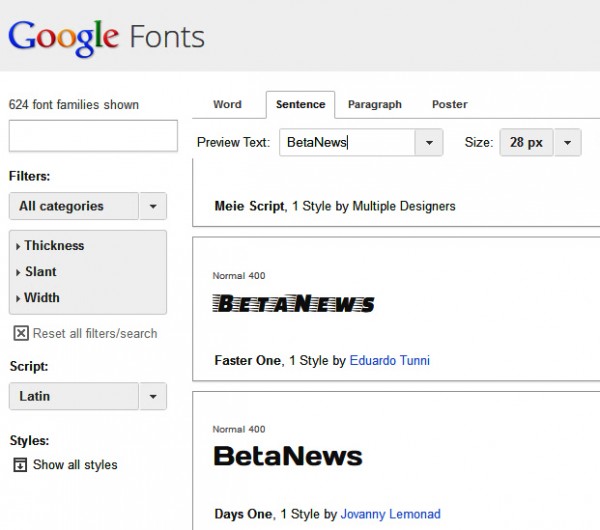
    Google Fonts is a collection of open-source typefaces designed to make websites look more appealing. The set includes fonts with names like Caesar Dressing, Faster One, and Oleo Script Swash Caps.

    Starting from today the web giant is making these fonts available for use on the desktop (Windows and Mac). You can use them in your own creations, but just as importantly by having them stored locally on your system, your browser won’t have to download them, which will save a little time. And we all know how important speeding up the web is to Google.

    You’ll be able to install and sync all of the typefaces from the directory through SkyFonts, a Monotype tool which automatically updates installed fonts, ensuring you always have the latest versions at hand.

    However, if you’d rather download the source files to edit the font data directly, you can do so at the Google Code project.

  • Yahoo launches new Summly-powered app for Android — reviewers say it sucks

    Under Marissa Mayer, Yahoo has started to really embrace mobile, rolling out a succession of apps. That run continues today, with the launch of a new Yahoo app for Android.

    Available now, the app delivers a stream of short news summaries with images, to give you the gist of something. If you have the time you can then read the full article at your leisure. You can personalize the content you see by scrolling to the end of each story, and ticking the topics you like, and removing those you’re not interested in. Your preferences are maintained across all of the devices you use. Yahoo says: “The more you use the app, the more relevant stories you’ll start to see”.

    The web, image and video search tabs have been revamped in the new app and, as you’d expect, you can share stories via email, Facebook and Twitter. I’d give you my personal thoughts on the app, but it’s not currently available to install in the UK, which is a tad ironic given it’s powered by Summly, an app created by a British teenager.

    Reviews of the new app added today haven’t been very kind so far. Matt Johnson says:

    Ever since the update this app just gets worse and worse. It’s slow, hard to use and half the news is irrelevant…

    A Google User comments:

    This app continues to amaze me for how difficult it is to maintain a consistent format. One day it does one thing, the next another. The worst thing you can do with this app is download an update. The latest one removed the ability to check your email and has a visually awful news display. The creative types at Yahoo seem to have no regard for what the viewer might actually want. You people aren’t artists. You’re hacks who think you have an ounce of creativity. You don’t. Goodbye Yahoo.

    Mark Edwards agrees:

    Yahoo seems to have this problem with their new apps. Just like their mail app, this one looks pretty and is visually more comfortable to use than the previous app, however it just doesn’t work well. It’s missing the ability to resize text, it displays things that are clearly not asked for in the Preferences, and it does a terrible, I mean really terrible, job of sharing. Yahoo has very little chance of regaining its former glory if they keep releasing second rate apps.

    There are some positive reviews though, but not many. If you’ve tried it out, let me know your experience in the comments below.

    You can download Yahoo for Android from Google Play.

  • Skype for Outlook.com launches in UK today, United States and Germany next

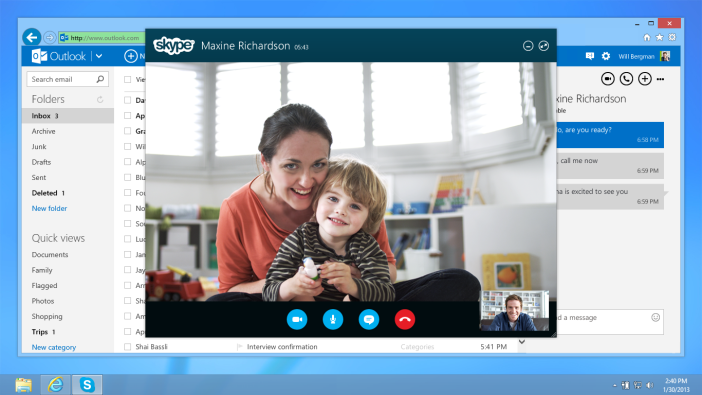
    Microsoft has announced that it is rolling out a preview version of Skype for Outlook.com in the United Kingdom that will allow users to make audio and video calls directly from their inbox.

    Available from today, Skype for Outlook.com requires a one-time download of a browser plugin for Internet Explorer, Firefox or Chrome. Once installed, users simply connect Skype to Outlook.com and merge their contacts.

    You can then launch a Skype window by hovering your mouse over a contact’s picture and clicking on the audio or video call buttons that appear. There are also call buttons that show during an IM conversation.

    “With Skype for Outlook.com, you can choose the right medium for your message, whether it is an email, call, video call or instant message,” Simon Longbottom, Senior Director, Product Marketing Skype said.

    The service will be arriving in the United States and Germany in the coming weeks, with worldwide availability expected in the coming months.

  • Submit your questions for the Internet Explorer team

    Usually when I do a Q&A session with tech firms like IBM, The Raspberry Pi Foundation, and Vonage, I come up with the questions myself, picking topics I think will be of most interest to our readers. However, for my forthcoming interview with the Internet Explorer team I want to shake things up a bit.

    So instead of compiling the list of questions myself, I’d like your help and input. If you’ve a burning question you’d like the IE team to answer, post it in the comments below.

    Questions can be about anything — as long as they’re Internet Explorer related, obviously. If you want to know if the team has any plans to implement a currently missing feature, or are wondering about possible changes to the Modern UI version in Windows 8.1, ask away. The IE team can also answer marketing questions, such as who came up with The Browser You Love to Hate campaign, and how it’s doing.

    I’ll pick the best selection to put to the team, and share their answers in a future post. You can ask as many questions as you’d like.

    Over to you.

    Photo credit: Franck Boston/Shutterstock

  • ZoomBoard is a clever QWERTY keyboard for smartwatches

    If the rumors are to be believed, every company in the tech world is currently working on a smartwatch. Apple was among the first to be linked to a wrist device, but since then we’ve heard similar development stories concerning Samsung, Microsoft, Google, and LG, to name just a few.

    Assuming at least some of those rumored watches come to fruition, the developers are going to have to find a way around the issue of typing on a tiny smartwatch face, but researchers from Carnegie Mellon University, Pittsburgh, Pennsylvania, have come up with what they think is an ideal solution.

    ZoomBoard is a tiny QWERTY-based keyboard that lets you zoom into the key you want with a single tap, making it easier to accurately select each letter. The number of zoom levels can be adjusted, depending on how large your fingers are. Spaces can be inserted by tapping on the space bar or by swiping right. Deletions are achieved by swiping left, while swiping upwards will reveal symbols.

    The developers ran a text entry study on a 16 x 6mm keyboard (smaller than a US penny) and report that “after eight practice trials, users achieved an average of 9.3 words per minute, with accuracy comparable to a full-sized physical keyboard. This compares favorably to existing mobile text input methods”.

    You can watch a video of ZoomBoard in action here, or if you prefer a more hands-on approach, you can try it out for yourself. The simulation works fine on Chrome and Internet Explorer, but didn’t seem to function properly on Firefox, for some reason.

    I found ZoomBoard makes typing pretty easy. Let me know what you think of it in the comments below.

  • Samsung unifies its PC line under the ATIV brand, rolls out two new Book models and SideSync software

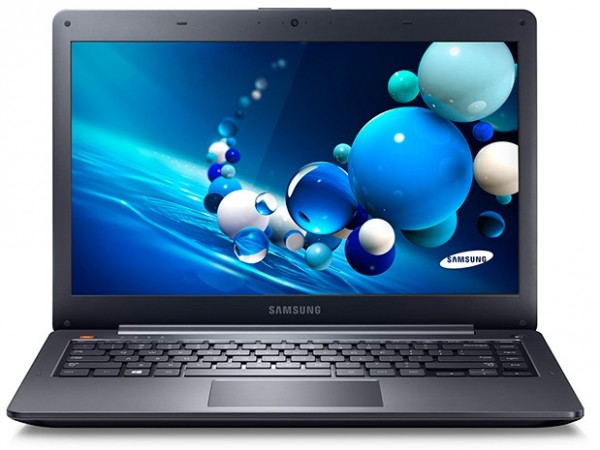
    Samsung has announced it will be expanding its ATIV brand name to cover all of its Windows PCs, not just its convertible PC devices. The aim is to create a single cohesive brand for all its Windows 8 products, in a similar way to how the Galaxy brand unifies all of its Android smartphones.

    In addition to the rebranding, Samsung has rolled out two new ATIV Book models — the ATIV Book 5 and ATIV Book 6.

    Described as the “next generation of Samsung Ultrabook”, the Book 5 comes with a 14-inch touchscreen with a resolution of 1366 by 768, Intel Core i5-3337U processor, Intel HD Graphics 4000 GPU, 4GB of RAM, 500GB of storage and 24GB of ExpressCache. It’s available for pre-order now, priced from $899.99. The Book 6 has a 15.6-inch touchscreen with a resolution of 1920 by 1080, Intel Core i7-3635QM processor, AMD Radeon HD 8770M GPU,  8GB of RAM and 1TB of storage. It will set you back from $1199.99.

    As if that wasn’t enough, Samsung is also adding a new feature to bring the ATIV and Galaxy lines closer together. Called SideSync, it is designed to make it easier for customers to switch from working on a PC to their smartphone by connecting the two devices via a USB cable. According to the South Korean firm, when connected, users can “respond to a text on a mobile phone from their PC keyboard; view maps, photos and multimedia from their phone on their PC screen; make edits to files on their phone via their ATIV PC; and even drag and drop files from one unit to another”.

    SideSync will come pre-loaded as a desktop app on Windows 8 ATIV PCs and be compatible with all of Samsung’s Android-based devices.

    “Samsung has been the fastest growing PC brand for the past three years, in part because of our commitment to developing solutions that meet and exceed the ever-evolving needs of our customers,” Mike Abary, senior vice president of consumer IT product marketing at Samsung Electronics America explains. “Our expanded ATIV brand and the introduction of solutions like SideSync create the necessary synergy between our mobile and PC lines to create real ease of use for consumers. These synergies enable us to maintain our momentum and continue to offer our customers innovations that enhance the way they live and work”.

  • ‘Child of the 90s’ ad watched 28 million times, but has it changed people’s views on Internet Explorer?

    Microsoft gets a lot of press coverage for its Scroogled campaign, but little of it positive. Fortunately, the software giant has other advertising strategies that people do like, one of the better ones being The Browser You Love to Hate for Internet Explorer 10.

    As part of that campaign, Column Five, a creative agency in Newport Beach, California was tasked with coming up with an internet commercial and the result was a nostalgic romp through 1990s that hit 28 million views in just three months and earned it a Webby nomination (voting for that ends today).

    To celebrate racking up an impressive number views in such a short time span, Column Five has posted a behind the scenes look at the creation of its Child of the 90s video which explains the strategy, how it was put into practice, and why it worked.

    To sum up, the agency wanted to come up with an ad that was appealing, newsworthy and share-worthy — which it certainly is.

    Explaining how it helped the brand, Column Five says:

    If all we cared about was getting content noticed, we would film cats roaming around the office all day and slap a logo at the end of the video. But this wouldn’t help Microsoft — and our goal is always to be impactful for the brand. With Internet Explorer, we wanted to change how Gen Y felt about the browser. We wanted the video to be a walk down memory lane, to feel conversational and familiar. We wanted the audience to think, “Maybe Internet Explorer can relate to me better than I thought; the new browser could exceed my expectations”.

    We certainly wanted to drive viewers to the site to rediscover Internet Explorer. But even if they didn’t, by sharing the video, they were sharing the story — a story inextricably connected to Internet Explorer, a story that might not lead everyone to switch browsers that day, but that would linger and grow in a generation’s mind. That story has been told more than 27 million times to date, and that’s the impact we wanted more than anything: a reframing of IE’s relationship with Gen Y.

    Sadly the video has the comments disabled on YouTube. It would have been good to read viewers’ nostalgic recollections, but seeing as any online commercial for Microsoft and/or Internet Explorer usually brings out the trolls — and not the crazy-haired plastic variety featured in the video either — it’s easy to understand why the IE team made that decision.

    I personally have something of a love/hate relationship with nostalgia — I created Retro Gamer magazine in the UK, but also co-authored The Crap Old Days — and although I loved the video, it didn’t make me want to try out Internet Explorer (even though, ironically, I ended up doing so anyway).

    What did you think of the ad? Did it make you think “Maybe Internet Explorer can relate to me better than I thought; the new browser could exceed my expectations”?

  • Symantec: Majority of businesses believe BYOD is ‘worth the risks’

    Not every business embraces BYOD (Bring Your Own Device). The reasons for rejecting it are usually down to security concerns — firms are understandably worried about their data falling into the wrong hands if the device gets lost or stolen once it leaves the building.

    Security specialist Symantec surveyed 236 attendees at this year’s Symantec Vision, its annual user and technical conference held at the MGM Grand in Las Vegas, to find out how companies were handling BYOD, and despite the small sample size the results were interesting:

    59 percent of respondents report that while their employers encourage BYOD, they don’t allow them to run the same productivity apps used on corporate-owned devices.

    42 percent of employees use a personally owned mobile device for business, regardless of company policy.

    83 percent of organizations still allow employees to use personally owned devices (such as mobile phones) for business use.

    While 80 percent of organizations enforce their policies, only 68 percent use technology to do so and 11 percent rely on Human Resources, using an honor system or information supplied by other employees.

    The majority of organizations reported at least one security incident within the past 12 months, including:

    • Lost or stolen devices (60 percent)
    • Spam (60 percent)
    • Malware infections (43 percent)
    • Phishing attacks (40 percent)
    • Exposure of confidential information (19 percent)

    Despite this, Symantec says 70 percent of organizations felt that the benefits of mobility remain “equal to or greater than the risks and challenges associated with having mobile devices”.

    Photo Credit: olly/Shutterstock