Author: Darrell Etherington

  • CamBoard Pico Demos What Kind Of Gesture Control Your Next Computer Could Have Built-In

    Screen Shot 2013-03-26 at 7.55.35 AM

    CamBoard Pico is German firm pmdtec’s next-generation gesture input reference device. We showed you before what it could potentially do to change the computer interface, and now there are a couple of new videos from the company showing how it’s working with middleware makers and what it can truly accomplish in practice in actual shipping products.

    The gesture detection in these videos is impressive, and shows a solution that’s not only small enough to be incorporated into devices like notebooks, but also works at a sufficient distance that it’s actually usable, accurately, when you’re up close and working with said devices as you would normally.

    Individual finger detection and the ability to use the CamBoard Pico tech to accomplish simple, practical things like switching between open apps. Unlike Kinect, it looks like you can use the CamBoard pico even from your standard typing position on a notebook computer, just by raising a finger while typing. That’s much, much more useful than gesture tech that requires a user to adjust themselves back from the screen, or even worse, stand up to interact with a computer, and much more likely to gain wide adoption, rather than acting as a sort of novelty.

    The second demo video, which shows pmdtec working with Metrilus middleware, demonstrates more the general gesture sort of control we’ve come to expect from Kinect and similar technologies, but again, the distance and flexibility are impressive. I’m excited to see what the forthcoming Leap Motion controller can accomplish when it ships later this year (it seems to offer similar functionality and working distance), but pmdtec’s goals and sales strategy are very different.

    It’s targeting original design manufacturers (ODMs), who in term will sell through to OEMs. That means that together with its middleware partners, pmdtec can sell these things directly to computer manufacturers, meaning when you buy a future Acer, Asus or Sony laptop, it’ll come with accurate gesture recognition tech onboard if this product catches on. With these new practical demonstrations of how that might be of use even with current operating systems and interfaces, that’s a pretty exciting prospect.

  • Apple Patents Battery-Saving Multi-Touch Displays That Don’t Need To Be Active To Work

    Screen Shot 2013-03-26 at 7.25.16 AM

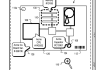
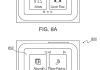
    Apple was granted a patent Tuesday by the USPTO (via AppleInsider) that describes a system for implementing multi-touch in a mobile device even when there the display itself isn’t actively showing any images. It’s a neat trick, and one that could help portable gadgets save battery life by not invoking the most battery-hungry element in their construction nearly as frequently.

    The patent also notes that the screen doesn’t have to be off for these no-look commands to work; a user could do things like swipe a finger in circle to change volume or tracks, for instance, even while a display is active. That adds new control options, but also makes it possible to both remove external buttons should a design benefit from that, and also make the device easier to use when in a pocket or clipped to an armband or waist during a workout.

    While the display is inactive, the patent describes that it could use gestures that mirror the button press actions on current iPod and iPhone headphone remotes. So, a single click could play/pause, a double click could skip tracks, and a long press could call up Siri, for instance.

    In terms of recognizing when touch is and is not wanted, the patent suggests implementing a special mode that would allow it to both keep the screen dark but also receive touch inputs. This might involve a way to activate a mode between a full lock and a completely on and active device, which can be selected specifically for when a user is commuting or using the device while working out, but disabled when there’s risk of accidental touch.

    It’s an interesting patent, and one which Apple has shown off as working with its previous iPod nano design, which essentially featured a square display and little else in terms of physical buttons. The trick might be making this work in such a way that it still completely eliminates any chance of accidental input – the lock screen concept is synonymous with touchscreen devices for a reason, after all.

    Not activating the screen as much as possible is the key to prolonging device battery life, though, so it’s good to see Apple looking at ways to deal with that primary limiting factor. It’s no e-ink display built into the back of a smartphone, but it’s something.

  • Looks Like Those 1M Mystery BlackBerry 10 Devices Went To A Verizon Distributor

    blackberry logo

    BlackBerry delivered one of the world’s most mysterious press releases a short time ago when it revealed that it had sold a cool 1 million BB10 devices to an unnamed partner, but now it looks like some sleuthing has turned up the real client. AllThingsD and Detwiler Fenton both report that the likely source of the order was Brightstar, an international distribution company that counts Verizon, along with carriers around the world as its partners.

    Brightstar is an established BlackBerry customer, and distributes handsets from the Waterloo manufacturer in some of its strongest markets, including in countries like Malaysia where BlackBerry retains very high popularity. Brightstar’s order (if indeed this is the client in question) would indeed be the largest ever single order of BlackBerry devices, but it’s also potentially a way for companies like Verizon to make a sizable bet on the company’s brand new OS and hardware, without taking on all the risk for such an order itself.

    Detwiler Fenton says that the move indicates “Verizon doesn’t believe this well be a strong seller since it normally tries to allocate hot product on its own,” and that using Brightstar means it will spread out some of the responsibility and potential reward that comes with placing inventory in big-box retail locations like Best Buy, in exchange for the security of not being left solely on the hook should things go south. The U.S. launch of BlackBerry 10 happened last Friday, and while not all the cards are on the table, there’s still some early reason to believe things didn’t go amazingly well.

    BlackBerry has its earnings coming up this week on Thursday, but sales of BB10 devices in the U.S. won’t be included in or influence the results. Still, stock price is down today after last weekend’s launch failed to garner the kind of high-profile success and buzz associated with new hardware from Apple or Samsung.

    That million is still a big number, and a sizable order. But if Detwiler Fenton is accurate in its report and this involved carriers like Verizon placing an order through their distribution partner, it’s a lot less significant than were it to go to a single buyer. We’ve contacted RIM for comment, but they did not respond by time of publication.

  • Thermodo Reveals New Stretch Goals, Outside Developer Support And Backer Reward Levels

    thermodo_red

    Tiny smartphone thermometer accessory Thermodo is on a funding roll, and it hopes to keep things going with new backer levels that it has shared exclusively with TechCrunch. Two new colorways are in development for funding milestones, as well as Windows Phone app support, and now third-party developer are revealing that they will be working with some specific third-party apps.

    Thermodo will debut new stretch rewards at the $250,000, $300,000 and $400,000 funding levels, including a limited edition red and green version of the Thermodo itself, as well as a commitment to Windows Phone support. Robocat, the startup behind Thermodo, also announced three new backer levels today, which include a variety of different combinations of existing rewards, all of which is clearly designed to further propel backer interest and help it continue to raise its total funds ahead of the project end date, which is 15 days away now.

    Developer interest is the most important piece of the puzzle from the perspective of making Thermodo a device with wide appeal. It has an admittedly limited feature set after all: it tells the temperature, and that’s it. But with broad developer and platform support, it starts to become much more than just a simple weather app accessory, since it can be used with apps that incorporate a wide set of data to serve different kinds of purposes.

    Thermodo is working on partnerships with a number of developers are a result of the Kickstarter success they’ve had so far, Robocat founder and lead developer Willi Wu explained via email. “Many developers have expressed great interests in integrating Thermodo in their existing apps or make new apps, including Jake Marsh of Conditions app, David Smith of Check the Weather app and Moshen Chan of Living Clock app,” he said. “We are also looking into collaborations with developers on Android and Windows Phone.”

    Robocat is trying to rack up the big bucks for Thermodo, and doing a good job so far. That’ll mean it will face a bigger challenge when it comes time to ship, but the company seems confident in its ability to do so.

  • Who Needs Original Content? OUYA To Launch With Nintendo 64, SNES And NES Emulation Support

    Ouya_Family_1024x1024 (1)

    The OUYA Android-based gaming console is getting ready for its debut: the stated beginning shipping date for Kickstarter backers is March 28. At launch, it sill isn’t clear exactly how many software titles the console will offer, but a new report suggests that at the very least, early backers will have emulators to play with on the small, inexpensive console.

    OUYA forum admin and owner Ed Krassenstein said in a post on his site that EMUya, a NES emulator, has been submitted to OUYA for review and should definitely be available at launch, and a couple of SNES emulation options are confirmed, including the SuperGNES and the Mupen64Plus Nintendo 64 emulators. The Mupen64Plus project is also said to be available at launch, with the developer behind it posting that it has already been approved by OUYA for inclusion in the official store.

    Emulators on OUYA aren’t new in and of themselves. Back in January, footage surfaced of the developer kits of the console running Nintendo 64 games, as well as SNES titles. Emulation support appears to even be sanctioned at the top: the N64 emulator’s inclusion in the actual OUYA store proper means users shouldn’t even have to sideload the titles themselves to get access. We’ve reached out to OUYA to see if it has an official stance on emulation and its acceptability on the OUYA platform, and will update if they respond.

    Whether or not it gets the “official” nod, emulators coming to OUYA is a good thing for the upstart. A lot of the apprehension around the console’s upcoming launch centers around how much content it will be able to offer at launch, and the quality of that content. OUYA has been making a point of announcing as many software partners as possible, but it still isn’t exactly clear what the launch lineup will look like when it first becomes widely available for consumers.

    Emulators mean that at least early adopters will have a rich selection of software to choose from, even if that content isn’t exactly “legal” to use. But emulators are freely available for virtually every platform out there, including Android smartphones and media center PCs. OUYA might succeed by finally making the tech truly plug-and-play, by integrating it into a set-top device designed to be used from a couch with a gamepad. The appeal will still be limited, but it might be enough to keep user attention as OUYA ramps up for its big splashy retail and wide consumer market launch later on this year.

  • HTC Will Start Being More Vocal About Its Brilliance, Confirms Camera Supply Is Behind HTC One Delay

    HTC-ONE-M7-Noir-Blanc

    HTC has revealed that it will finally drop the frankly stupid “Quietly Brilliant” tagline it has been using for the past few years, the WSJ reports, with company marketing chief Benjamin Ho saying they “haven’t been loud enough” with marketing to date. The first fruits of that change in strategy are already apparent, with HTC handing out snacks at the Galaxy S4 launch event in NYC, and the use of the hashtag #theNextBigFlop to directly take down the S4 on Twitter.

    Ho also explained in an interview with the Wall Street Journal that supply shortage, specifically involving camera components (which are unique to the HTC One and use a new “Ultrapixel” layered sensor technology), is what’s behind the continued delay in launching the HTC One in the U.S. That’s acting as a choke point preventing the speedy ramp up of production, Ho told the WSJ.

    While HTC is being more vocal in terms of both being aggressive with the competition and its products, and with informing the public about the real reason behind its slow global rollout of the flagship HTC One device, it has a lot of ground to make up. Q4 sales were down 41 percent year over year, and recently, HTC CEO Peter Chou said recently he’ll resign if the One fails to succeed with consumers.

    The Taiwanese company will also be dumping funds into marketing, meaning that this change from the “Quiet” company of old isn’t just about optics. Ho said in the WSJ interview that it will be increasing its digital marketing spend by 250 percent this year compared with last, and that print and traditional media ads will get a 100 percent budget bump in 2013.

    It’s unclear how much of that budget will be dedicated to smack talk, but HTC is already actively banging that drum. In addition to the Twitter campaign mentioned above, there’s also recent comments made by HTC North America President Mike Woodward, who told Business Insider that his company was “pleased to see no innovation in the design itself” with the S4, noting that he thought “Samsung is trying to overwhelm us with money and marketing.” In the interview he noted that while HTC couldn’t match the Samsung marketing giant in terms of available cash, it will amp up its efforts.

    HTC doesn’t need to spend a lot of money, but it does need to stop pretending that making good hardware and then sitting back and being mostly quiet about it is the way to compete in the smartphone game. Luckily, it looks like the company has finally realized that too. Now it just needs to ship.

  • Wacom Cintiq 22HD Vs. Modbook Pro: Screen Real Estate Takes On Portability For The Digital Artist

    modbookpro-vs-cintiq22hd

    Tablets are everywhere these days thanks to the iPad, but they lack a certain finesse necessary for fine digital arts work. That’s where longtime players like Wacom and Modbook still excel. Recently, I’ve had both a Wacom Cintiq 22HD and a new Modbook Pro in the studio for testing, and both have proven immensely handy for digital drawing, painting and photo editing.

    One’s clearly a desktop affair, while the other’s much more portable, but if you’ve only got the budget for one (it’s $2,000 for the Cintiq and around $3,200 for the Modbook), which to choose?

    The Modbook Pro is a modified MacBook Pro, from a company that has been hacking Apple’s notebooks together with Wacom pressure sensitive screens and turning out Frankenstein Apple tablets since long before the days of the iPad. The latest Modbook Pro is based on the mid-2012 version of the non-Retina MacBook Pro, with some amazing specs to boot. Some highlights (as tested):

    • 2.9GHz Intel Core i7
    • 16GB 1600MHz DDR3 RAM
    • Intel HD Graphics 4000 512MB
    • 480GB SSD
    • $4519 price as tested
    • Product info page

    The Modbook also retains most of the ports of the MacBook Pro, with one Ethernet, one Firewire 800, a Thunderbolt port and one USB 3.0, plus the SD and audio in/out ports. The other USB 3.0 on a standard MBP is used to power the Wacom digitizer built into the Modbook’s display, which offers 1024 levels of pressure sensitivity with the included stylus, which slides into a holster built right into the case.

    You also get a slot-loading Superdrive on the Modbook Pro, along with a power button and sync button, which you press to make sure the pen is properly calibrated with the display whenever you power it on. The display itself is a matte, 13.3-inch 1280 x 800 pixel LCD, which has a textured feel that resembles paper when drawing with the included stylus.


    The hardware is impressive, and feels sturdy and durable. Very sturdy, in fact, which accounts for one of its biggest drawbacks: it’s very, very heavy. At 5.4 pounds, it’s almost a pound heavier than a 13-inch MBP on its own, and since it’s a tablet designed for portability you quickly notice how hefty it actually is. Despite what you may think, it manages to not get too hot when in use, which is a huge bonus for a device that you’ll want to lie flat on your lap most of the time.

    Weight issues aside, the Modbook Pro delivers as a drawing tablet. It feels very natural, and mimics the experience of paper well. With the caveat that you’re writing on that paper on top of a stone tablet from biblical times. But it meets the definition of portable, if only just, and gives you access to full Mac and Windows (through Boot Camp) programs, including Sketchbook Pro, Photoshop, Manga Studio and many other industry stand-bys. The problem is that you often want to use it on desks and other flat surfaces, and there’s no good way to change the angle.

    It meets the definition of portable, if only just, and gives you access to full Mac and Windows programs.

    Another issue is the on-screen keyboard. It’s the default one built into OS X, which many may not even know exists. It’s clunky, it only works with the stylus (no touchscreen input here), and it quickly has you diving for a Bluetooth keyboard if you’re doing anything other than opening and closing a drawing program. A good thing for comfort is that you can rotate the screen from the menu bar easily for portrait use.

    This Wacom drawing tablet is the latest in the Cintiq line (though the 13HD will soon change that, when it hits retail). Unlike the Modbook, it isn’t a self-contained computer and must be connected to a Mac or Windows machine to work. It does have a much larger display, however, capable of true HD 1920×1080 resolution. Here’s a bit more about this bad boy:

    • Features 16 customizable ExpressKeys and 2 touch strips
    • 2048 levels of pressure sensitivity
    • Built-in adjustable stand
    • $1,999
    • Product info page

    The Cintiq 22HD has two big differences from the Modbook, but in a way, they actually act as pretty equal trade-offs. The Modbook Pro costs a lot more, but that price difference is about the same as you’d pay for a MacBook Pro on its own, which is exactly what you’ll need to already own if you want the Cintiq 22HD to actually do anything, since it needs to plug into a computer.


    There’s also the portability factor: the Cintiq simply isn’t. It’s like any 20+ inch display, but slightly bigger on account of the adjustable angle stand and the built-in ExpressKey and touch strip controls. Plus it’s tethered to your computer via a DVI cable (and whatever adapter you require, perhaps to Thunderbolt or HDMI) and a USB cable that handles the pressure sensitivity duties. But, you can actually slide the Cintiq 22HD off its stand, should you want to lay it in your lap for comfort’s sake, though you’d better have a pretty wide and accommodating lap to use it this way.

    That said, the Cintiq 22HD is a dedicated drawing tablet and its dedication to that task shows. Despite the fact that both devices use the excellent Wacom pen tech, the 22HD has double the pressure sensitivity, so it picks up more subtle changes in pen pressure, ships with a much better and more comfortable drawing stylus, and has a better, brighter display that also hase a much better viewing angle. Like the Modbook, it supports display rotation, and on its handy swivel stand, is actually easier to manhandle when used on flat surfaces.

    the 22HD has double the pressure sensitivity, so it picks up more subtle changes in pen pressure.

    The Cintiq is also easier to use without a keyboard, thanks to the programmable ExpressKeys. You can assign them and the touch panels to zoom, pan, scroll, undo, delete, select all, or perform virtually any function you can do with a keystroke combination. That means a lot less cause to resort to keying in commands, which ultimately saves a lot of frustration.

    In some ways, comparing these two devices is like comparing an iMac to a MacBook Pro; if you need portability, you’re going to go with the latter regardless of the relative virtues of either. And the Modbook Pro is an excellent choice for demanding graphics professionals who need a portable device that has none of the trade-offs in terms of performance or software compatibility of something like an iPad or Galaxy Note 10.1.

    But if you fall within a broader group of pros and prosumers who are looking at either the entry-level Cintiq or the Modbook as a standalone solution, I’d have to go with the Cintiq. The Modbook’s portability is actually a hindrance in terms of making it comfortable for long-term use, and the Cintiq is just a better performer with more advanced, more nuanced tech on board for digital drawing and photo manipulation. Coming from the older Cintiq 12WX, the 22HD is a massive improvement, and that’s saying a lot considering how thrilled I was with the 12WX.

    The Modbook Pro is a remarkable achievement and perfect for those who demand portability, but it’s much more of a niche device. The Cintiq 22HD will disappoint no one who’s in the market for this sort of thing and has the budget to buy it. The main question that remains for that group of people is whether the just-announced 13HD can suit their needs instead, and I’ll let you know the answer to that in our upcoming review.
  • BlackBerry CEO Talks Testing Smartphone-Powered Notebooks and Tablets, Will Share More Info In May

    playbook_z10-hybrid

    BlackBerry is launching the Z10 today in the U.S., but it’s already looking ahead to what comes next, according to an interview between ABC’s Joanna Stern and BlackBerry CEO Thorsten Heins. The company is working on ways that BlackBerry software can power your laptop or tablet, too, and all from your smartphone. Heins sounds like he’s describing an Asus PadFone, and revealed a dream of a personal computing world focused on just a single device.

    Heins said, referring to the new BlackBerry smartphones, that we’ve now reached the point where you’re now carrying around a full-fledged computer in your pocket with “the power of a laptop.” He emphasized that BlackBerry wants to be the one to finally figure out how to truly consolidate all of a user’s computing devices into one, though when asked directly whether this would take the form of a laptop or tablet that supports and is powered by a docked smartphone, Heins told Stern that the company is working with a number of different options.

    We’ll know more about BlackBerry’s unification plans at BlackBerry World in May, Heins said, when he plans to “talk about a few of those concepts” the company is working on. Another subject up for discussion at the event will be additional BB10 phones beyond the currently announced Z10 and Q10 handsets, he told ABC.

    Hybrid tablet/PC/smartphone devices have a bit of a checkered past. The Asus PadFone has seen success in some international markets, but failed to make a splash in the U.S. And Samsung launched a Smart Dock for the Galaxy Note II that supposedly converts your smartphone into a mini desktop computer, but we’ve heard relatively little about that device and nothing about its popularity since its launch.

    Another reason for skepticism is BlackBerry’s track record with the Playbook tablet. The Playbook was the first BlackBerry device to ship with a QNIX-based operating system, a clear precursor to BB10. It didn’t fare well: facing extremely low consumer demand, BlackBerry ran a number of fire sales and eventually stuck with a permanent, drastic price drop to get people buying.

    Does that mean BlackBerry can’t pull off a tablet/notebook/smartphone unification? Not necessarily, but it also doesn’t necessarily instill courage. Still, it’s good to see the company aim for the kind of solution that’s seemed so promising in the past, even if it might be the proverbial Fountain of Youth of the tech industry – eminently desirable but ultimately mythical.

  • LG Is Also Said To Be Building A Smartwatch And Google Glass Competitor, As Is Everyone

    medium02

    If you’re looking for a smartwatch in the next few years, you likely won’t want for choice. A new report pegs LG as developing its own take on the new category, according to The Korea Times on Friday. LG is supposedly working on a smartwatch as well as a product “similar to Internet giant’s Google Glass,” according to the paper’s sources, as part of a strategy to remain competitive long-term.

    The LG smartwatch is in development alongside the Glass-like product as a “non-commercialized” R&D project, which essentially means it isn’t ready to ship. LG, like Samsung and a number of other handset makers, is no stranger to combining mobile phone technology with watch-based designs. The LG-GD910, for instance, was demoed at CES 2009 and featured a touchscreen and built-in 3G.

    LG joins Samsung (which confirmed earlier this week that it was working on a smartwatch), Apple (which hasn’t confirmed anything, but which is reported to be working on it from various sources), and now Google (a new FT report claims it’s in on the action just this morning) as companies reportedly developing smartwatches. And of course Sony already actually shipped one, plus there are offerings available from Pebble and MetaWatch, among others.

    In short, everyone has or is working on a smartwatch. And while the list is shorter for Google Glass, at this “non-commercialized” stage described in the Korea Times report today, you can bet your britches everyone else is working on that, too. We’ve already seen rumors about Microsoft, Sony and Apple developing Glass-type devices too, and now LG adds to that list.

    The thing is this: if you’re a major electronics manufacturer, and at this point you haven’t assigned at least one guy with a lab coat or an engineering degree to look into both wrist- and head-mounted wearable tech, you’re already out of touch. For better or for worse, these wearables are happening, and at this point I’m more surprised not to hear that a company is working on those areas. I’m looking at you HTC and BlackBerry: where are your reports of clandestine research projects? This doesn’t count:

  • LIFX Smart Bulb Opens Up Second Batch Of 100K Pre-Orders, Demos Gesture-Based Dimming

    lifx-bulb

    Australian hardware startup and Kickstarter success story LIFX has good news for people who missed out on backing the initial project: it’s opening up a second round of pre-orders, with a new production run of 100,000 units, sold directly through its website. LIFX sold out its pre-order allotment on Kickstarter in just six days, blowing past $1M, which is 10 times its original funding target.

    LIFX’s original ship date was slated for March of 2013, but as of today co-founder Andrew Birt says the first 500 units should be rolling off the line in about four weeks time with a May/June Kickstarter shipping timeframe in mind, which isn’t that much of a delay in Kickstarter time. That’s why the company has now released the video above, which shows the production prototype in action, connecting to Wi-Fi, being controlled by the remote app with light color changing features and a demo of gesture-based dimming in action.

    The new second batch of LIFX bulbs is set for a September 2013 delivery date, so they’ll come after the startup fulfills its Kickstarter pledge pre-orders. All bulb types, including Edison screw, Bayonet and Downlight mounts, start at $79 (just $10 more than the original Kickstarter single-bulb price), and all have price breaks for bulk orders.

    Unlike Philips Hue, LIFX bulbs don’t require a base to connect to your network, and the Edison screw and Bayonet types are rated at 900 lumens on the LIFX (around 80w), while max brightness on the Hue is just 600 lumens (roughly 50w). Philips Hue bulbs cost $20 less per unit, but you also have to buy the starter kit which includes the base to get up and running, a $199 initial investment. Of course, the ultimate test will be in performance, so we’ll have to see how LIFX compares to the generally very positive reviews the Philips Hue is garnering.


  • Canon Unveils World’s Smallest DSLR, The SL1, Along With Barely Updated T5i Entry-Level Rebel

    20130321_thumbL_eossl1_toplens

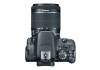
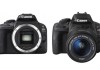
    Canon has indeed introduced a new, very small DSLR as rumored earlier in the week. The SL1 (as it’s known in the U.S.) is “world’s smallest and lightest DSLR camera,” the company says, with a body that’s around 25 percent smaller and 28 percent lighter than the Rebel T4i. It packs a new 18 megapixel APS-C sensor, Digic 5 processor, and 9-point AF system with a single center cross-type.

    The AF system also boasts a brand new Hybrid CMOS AF II sensor, which makes the focus area wider for shooting in Live View with either still photos or video, and what Canon advertises as improved AF speed vs. existing EOS cameras when tracking moving subjects. The SL1 is available in a kit with a new EF-S 18-55mm f/3.5-5.6 IS STM lens, which has a smoother, quieter onboard AF motor designed specifically for video shooters.

    On the back there’s a 3-inch touchscreen display, which doesn’t articulate the way the one built into the T4i does, but still people have been very impressed by Canon’s implementation of touch screens on cameras and multi-touch support. The SL1 has a native ISO range of 100-12800 for stills, and 100-6400 for video, and can shoot continuously at up to four frames per second.

    The SL1 will live or die on its size and weight, however, all other specs aside. Canon is clearly marketing it as an option for consumers looking for something more portable to bring with them on vacation or on sightseeing excursions. The problem is, that’s a market neatly addressed by competitor mirrorless camera lines, like the Olympus OM series and Sony’s NEX shooters. Canon’s own EOS M was criticized for flaws like AF performance, and this seems to be an attempt to make up for that deficiency.

    The Canon SL1 will ship sometime in April, with a price tag of $649 for body only, or $799 for body and lens kit.


    Canon also unveiled an update to its entry-level regular-sized Rebel with the T5i. The T5i has an 18 megapixel sensor, as well as a Digic 5 processor. It has a 9-point AF system, but with all cross-type points, 5 frames per second continuous shooting rate, and a Hybrid CMOS AF system, (though not the new one that’s in the SL1, judging by the release). It’s available in a kit with the new 18-55 STM lens, too, just like the SL1.

    The new T5i is in virtually all ways the same as its predecessor the T4i, at least on paper. It also features a vari-angle 3-inch touchscreen display, and in fact any changes look to be in the design of the casing and slight changes to dials. Canon’s “iteration” this time around seems to not really be one at all, so if you’re a current T4i owner you’d be best to stay clear. If you can’t find a T4i for less, at least you’re still getting a great (if apparently unimproved) camera with the T5i.

    The Canon T5i retails for $749 for body-only, and $899 bundles with the new 18-55mm STM kit lens. It’s also said to be shipping sometime in April.


  • Apple Patents iPhone Drop Protection Mechanisms That Are Built Right Into The Device

    Image (1) brokeniphoneyes.jpg for post 363749

    A new Apple patent filing describes a variety of methods to protect a dropped iPhone during a fall, lessening damage through a number of clever systems. The USPTO filing, spotted by AppleInsider, includes a rotational mechanism to change the orientation of a falling iPhone, for instance, as well as on-device thrusters, and a way to clamp down on inserted cables when a fall is detected.

    The patent describes a number of ways Apple might be able to make a device that can change direction mid-flight, which would allow it to put its most impact-resistant surface forward to meet the ground. These include an internal gadget for shifting mass to one end of the iPhone, an actual “thrust mechanism” that could even include a “gas canister,” an air foil that activates in free fall, a way to contract external bits like switches within the case for protection, and a gripping system that can clamp down on charing and headphone cables to ensure those catch the falling phone.


    Another aspect of the patent is a sort of on-board black box that would gather and store data about the fall and the impact, which Apple says in the patent would be used by the device manufacturer to help gather info about how devices fall, so that they can use that info in future designs. But of course such an on-board tool could also be used by technicians determining warranty repair status.

    This patent contains pretty intense, innovation-heavy tech, a lot of which doesn’t have any real precedence out there on the market yet, so I wouldn’t expect to see it in any shipping devices soon. But it is a good look at how Apple is thinking about common issues such as damage to mobile device from accidental drops. And who knows? One day, this stuff could become actually practical – even positional thrusters built into your iPhone.

  • Pebble Firmware Update 1.9 Delivers A Non-Watchface App – The Classic Game Of Snake

    pebble4

    Pebble has just updated its smart watch, complete with a much-improved interface and new watchfaces. But the exciting thing here is the addition of a game you likely remember from the days when your cell phone’s screen wasn’t much different from the Pebble’s itself – Snake.

    The interface changes include a menu that now puts your selected watchface at the end of a sequence of pushes of the back button no matter where you are, and the up and down buttons on the right-hand side now switch between watch faces, so you don’t have to dig through a menu to find them. Pebble also revealed in a Kickstarter update last week that it has made improvements behind the scenes to improve the text rendering engine with this firmware, laying the groundwork for its upcoming SDK.

    Pebble has also improved ambient light detection on the smart watch, which is good news since the auto-backlighting feature has been one of the device’s major flaws since launch. Hard to tell so far just how much of an improvement firmware 1.9 provides in that area, but it would be hard not to improve at this point.

    The Snake game is the highlight of the show, since it’s our first hint of how apps other than watches might work on the Pebble. Controls are fiddly as you might expect, but it is most definitely Snake, running on your wrist, and it’s meant more as a tech demo of what kind of limited capabilities will be available to developers in the first version of the SDK. I’m not likely to sink great hunks of time into playing it, but I’m glad it’s there. The Snake game sits in the Pebble’s main menu, and installs from the Watchfaces section of the iOS/Android app, so it’s clear the company will have to do yet more interface optimization when it’s ready to ship a proper app library.

  • Health Tracking Gets More Up-Close And Personal With Tiny Blood Monitor Implant

    Screen Shot 2013-03-20 at 10.11.59 AM

    I thought it was impressive that Withings now offers an affordable home scale that tracks your body fat percentage and heart rate, but scientists have developed a tiny Bluetooth-capable blood monitoring device that resides comfortably under the skin, according to the BBC this morning. It’s likely to go into testing with intensive care patients soon, but it’s an example of how intense home health monitoring could get over the course of the next few years.

    The device was created by a team of Swiss medical scientists, and is designed to be installed (that really is the most appropriate term here) in a patient’s abdomen, leg or arm skin, using only a needle. It can last for months, and reports back information about blood glucose and cholesterol levels, so as you might imagine it would be extremely useful for patients with chronic conditions like diabetes who are used to having to draw blood on a much more regular basis.

    It’s not a new idea, but the Swiss team’s design is unique in that it can track a number of different markers at once. In other words, it’s the ultimately quantified self device for real internal cues. The immediate benefit of this tech is obviously for those with serious conditions, and that’s likely who will see the benefits in the immediate future. The team hopes to have it generally available to patients in need within the next four years.

    But beyond that, it’s easy to see similar unobtrusive sub-dermal implants gaining traction with the growing number of people who seem to want to keep close tabs on their bodies and health. Cholesterol levels and other indicators that can be found by this type of close monitoring will also probably become even more interesting to current advocates of the Quantified Self movement as the population ages.

    It may seem far-fetched to imagine a future where the general desire to know and track more information about ourselves in real-time extends to devices we wear beneath the skin, but ten years ago who could’ve predicted the rise of successful startups like Withings who have built a brand on home health tracking, or the advent of a device like the Basis wristband? Devices like this one might just be the next wave of health monitoring tech ripe for consumerization.

  • Withings Smart Body Analyzer Now Available For $149.95, Here’s How It Performs

    WS-50-front-lb-app

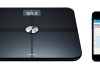
    Withings has built quite a name for itself since launching its first Wi-Fi Body Scale in 2009, and the new Withings Smart Body Scale is perhaps the biggest update yet released for its original connected scale tech. The new hardware monitors and tracks not only weight, but also body fat percentage, blood pressure and environmental air quality. I tested the Smart Body Analyzer over the course of the past week, so if you’re looking to invest in one of the newly available scales, here’s how it performs.

    The Withings Smart Body Analyser (or WS-50, as it’s known more technically) is a very attractive piece of hardware as far as scales go, which is good because Withings wants you to keep it in the bedroom for maximum effectiveness. That’s because of the new air quality monitor, which works best when it’s placed somewhere where you actually spend a lot of time. The air quality meter, combined with the body fat and heart rate measurement are the big selling points here, since they provide the reasons to spend $50 more vs. the standard WS-30 Withings wireless scale.


    As mentioned, it’s a good looking scale. It’s glass-topped, which is also necessary for the sensors to connect with your bare feet to deliver accurate readings. But it also feels very solidly constructed, and the readout is legible and bright, opting for low-res output that’s probably easier on battery life (the scale should get a full year on just four AAA alkalines) and on the eyes from the distance you’ll be viewing it at when standing. The bottom line is that the Withings Smart Body Analyzer inspires confidence with its construction, and looks like the type of scale Apple might make were it to produce such a gadget.

    The Smart Analyzer is pretty simple to set up. There’s a button on the back (actually more like a pressure sensitive groove) and you hold that down to pair it with your smart phone. A second button controls what units your weight is displayed in on the scale itself (settings within an app control readouts there). The pairing process went smoothly for me on an iPhone 5, and I was then able to transfer Wi-Fi network settings for my home network from the phone, meaning I didn’t have to reenter (or even remember) my complicated password.

    The pairing process will also prompt you to install the Withings Health Mate app on your device. It’s here that you’ll create a profile to track your statistics from the scale (and any other Withings devices associated with your account). You can very quickly get up and running with the app, after entering your initial height, weight and age, and you can also set up multiple people to track under a single account if you’re sharing the scale in the household.

    The Withings Analyzer does a great job measuring weight, and communicates with the app seamlessly via Wi-Fi (the Bluetooth connection isn’t required after your initial setup). And air quality tracking appears to be fairly accurate, in so far as it definitely saw marked increases in CO2 levels when the room was occupied versus when it wasn’t, and a lot less when no one was home versus when they were.

    With body fat percentage and heart rate tracking, I saw some variances since I was lucky enough to be able to test against outside measures. The Withings Smart Analyzer reported both as high compared to tests done on professional measurement tools owned by my local gym. The higher numbers were, however, consistently higher, which means that although they might not have been as accurate as expensive pro-grade hardware, they’re still very useful as a relative measure over time, which is really the important thing from a home health monitoring device like this anyways. And the convenience of having it right there in your own home for daily measurement outweighs the downsides of it delivering slightly inflated readings.

    The Smart Body Analyzer is an impressive piece of hardware, and builds on the already useful Withings line. Its data can be used by an increasing pool of apps (now at over 80, according to Withings) in addition to the company’s own, and at $150, you’re not paying too much of a premium for the added metrics of body fat percentage, resting heart rate and air quality. Data reported may not be 100 percent accurate, but I feel it’s plenty accurate enough to meet the needs of the vast majority of consumers.

  • Amazon Debuts Bulk Kindle Fire App Distribution For Schools And Enterprise Via Whispercast

    whispercast

    Amazon introduced Whispercast for Kindle back in October of 2012, and now the service is getting an update that allows it to deploy not just books and documents, but also apps. that means organizations like schools and businesses can now widely deploy apps across a number of Kindle Fire devices quickly and easily.

    The service improves on the previous way of getting the same app onto a number of different Kindle Fire tablets owned by a single group, which actually required a manual install using everyone’s individual user account. Now, they can not only push out apps from the Amazon Appstore to all of their target devices, but they can also use Whispercast to send an invite to employees who have their own BYOD Kindle Fires. Once those employees join up with the program, they can be gifted the relevant Fire apps direct to their existing accounts.

    It’s a pretty convenient feature, and free to use, which makes it all the more attractive. Back when Amazon first debuted Whispercast, it was pretty clear they were trying to make the decision about which platform to choose for broad device deployment easier. Schools benefit immensely from this kind of wide deployment, which, partnered with the Kindle Fire’s lower cost of entry, might help it become a more attractive option for organizations who might otherwise be leaning towards iPads.

    Apple offers centralized app distribution to a range of deployed iPads via third-party MDM solutions, but now with Whispercast’s expansion into app territory it can offer some of those same functions without requiring third-party software or solutions, though it is less flexible and extensible than many MDM offerings. It was a natural next step for Amazon to introduce app deployment to Whispercast, so now that it’s here it’ll be interesting to watch if this moves the needle on institutional Kindle Fire adoption.

  • Canon’s New, Much Smaller Entry-Level DSLR Gets Pictured And Detailed In New Leak

    eos_kiss_x7_1

    Canon is said to be working on a new smaller DSLR called the EOS-b (or Kiss X7 in Asia), according to a series of recent reports, including one today from Japanese blog Digicame-info (via Canon Rumors). The new much smaller entry-level body will also come with a new kit lens, a version of the EF-S 18-55 f/3.5-5.6 complete with STM, Canon’s new AF motor that’s designed to reduce or eliminate AF noise when shooting video, as well as produce smoother incremental zoom.

    The camera will have an 18 million pixel APS-C sensor with a Digic 5 processor, as well as a fixed 1.04 million dot 3-inch LCD display. The camera overall seems to borrow a lot from the recently released Canon T4i, but it has a much smaller physical footprint, as you can see from the side-by-side comparison pic below.

    Some advantages the camera will have include what looks like a new hybrid CMOS AF system with a wider range than the one introduced on the T4i, and it also looks to use the LP-E12 battery pack Canon introduced for the EOS-M mirrorless interchangeable lens camera system it introduced last year.

    The big advantages are the extremely small body size, which also weighs around 30 percent less than the T4i in addition to taking up less space. At only 370g body-only, the so-called EOS-b would be a small carry-anywhere camera without the compromises of a mirrorless compact (slower AF, manual focus-by-wire, lack of a true optical viewfinder, etc.).

    Canon Rumors says this new DSLR will retail for around $799 for the kit when it debuts in the U.S., which could happen sometime in May. If true, it might be a very attractive option for anyone looking for a cheap and portable entry point into DSLR photography, though Canon’s decision to keep introducing new products into its lineup without really removing any does seem a bit perplexing. Lackluster performance of the too-compromised EOS M might be behind the development of the EOS-b, but it’ll be interesting to see if a super-small DSLR entices them more than a strong ILC competitor.

  • Vavuud Wind Meter For Smartphones Contains No Electronics, Delivers Accurate Ground Wind Speed Readings

    Vaavud-wireless_indoor

    Smartphones have a lot of on-board sensors, but do they really have enough? No way, say a slew of recent hardware startups, of which Danish Vavuud is only the most recent. Vavuud is turning to Kickstarter to help build a smartphone-compatible wind meter, one that miraculously contains no electronics and yet still can communicate accurate wind speed measurements wirelessly to iPhones and Galaxy devices.

    The Vavuud wind meter provides an easy way to measure wind speed exactly where you are, with a device that’s remarkably inexpensive and deceptively simple. It plugs into the headphone jack of your device, but that’s to give it a stable base; it actually uses two magnets in the rotor, which generate a magnetic field that the smartphone can pick up and process using algorithms normally used for sound processing to translate it to wind speed data. Vavuud co-founder Thomas P. Helms says it’s been tested with iPhone 4, 4S, and 5, as well as Galaxy SII and SIII so far, and it has been calibrated in a wind tunnel at the University of Denmark to ensure accuracy.

    “To our knowledge we are the first to use the magnetometer in smartphones in this way, so we of course think the technology itself is kind of cool,” Helms explained via email. “It’s also cool because on a mechanical level it appears quite simple, but there is some relatively complex math behind it .”

    It’s likely that Vavuud will be able to work with any modern advanced smartphone with built-in magnetic field sensors (which is pretty much all of them), so the limited existing test pool shouldn’t frighten away potential backers. The Vavuud is designed to be used by anyone who might find accurate current windspeed readings useful – a potential group of users that includes windsurfers, sailors, paragliders, model plane pilots and more.

    “Surfers, sailors, paragliders etc. have needed an online anemometer for ages to be able to create and share crowd-sourced wind information,” Helms explained. “Because conditions at your favorite spots may depend on very local factors like mountains, could be affected by thermal conditions, and on and on.”

    Vavuud is looking to ship the Wind Meter by June of this year, with pre-orders beginning at the £15 level. iOS and Android apps from Vavuud itself are expected to become available at the same time, but it’s easy to imagine how, as with the Thermodo, the developer community might embrace another means of collecting information about the world around you and integrate Vavuud into their own apps.

  • Apple Patents An Augmented Reality System That Turns The World Into A Shareable ‘Pop-Up Video’

    Screen Shot 2013-03-19 at 7.50.17 AM

    Apple has been awarded a patent today (via AppleInsider) that describes an augmented reality (AR) system that can tag real-world items in a live video stream and display information about them in a HUD overlay. It sounds exactly like Pop-Up video in practice: turn your device to focus on Rick Astley, for instance, and get a pop-up picture of the singer belting out “Never Gonna Give You Up.”

    The patent describes an AR system for iOS devices, which can be used in a variety of different ways. At its most basic, it works by labeling elements of an image in a live video feed, as when it names the parts of a circuit board being shot with the rear-facing camera on an iPad-like device in Apple’s patent. But it has more advanced features, too: Apple describes a user being able to edit the supplied data in case of inaccuracies or incorrect matches, and also includes various means for sharing the information between users and devices.

    Apple’s system involves a collaboration aspect, as one user can annotate or edit the information being presented on their own view, and send it to a second user’s device. The iOS device employing the AR tech is also described as being able to show both the straight image itself, and the version with overlaid information at once in windows side-by-side, allowing both an unobstructed view and one with all the contextual information. In Apple’s provided example, a real-world view of San Francisco is paired with a computer-generated model of the same. The user can interact with the CG model to navigate through streets, and modify points of interest in case they’re traveling, something which sounds like it would add considerably to the current iOS Maps experience.

    This type of dual-view could then be shared live with a second user, Apple says in the patent. So one user could build a virtual map and highlight important POIs, and then sync that with a second user’s device to help them navigate. It could also be used to collaborate in various professions, including doctors comparing x-rays or other medical imaging.

    This AR system is mostly unique because of its sharing and collaboration features, but it also includes techniques that could easily be at home in a wearable AR display like Google Glass. But even as just a simple extension to Maps, it has value, and as an API built into iOS, the possibilities really start to take off. AR is getting more advanced, but we’ve seen players like Layar pivot away from similar products. Still, Apple would have different goals with such an invention, so it’s still possible this could make its way to shipping product.

  • Samsung Confirms It Will Build A Smart Watch As Speculation About Apple’s iWatch Continues

    20090721_01M

    Samsung is indeed working on a smart watch, the company’s Executive Vice President of Mobile told Bloomberg in an interview today. “We are preparing products for the future, and the watch is definitely one of them,,” Hee told the publication in no uncertain terms, adding that between itself and Apple, the “issue here is who will first commercialize it so consumers can use it meaningfully.”

    Hee provided no further details about what a Samsung smart watch would look like, what features it would offer consumers or when it would go on sale, but he did say that the South Korean company has been working on a watch product for “so long,” and patents back up that assertion. Samsung has patents related to wrist watch tech spanning nearly a decade, as Unwired View notes, covering various types of wearable phone designs.

    In fact, Samsung has even produced some of its creations, including the S9110, a smartphone in the shape of a watch it actually shipped in 2009. In fact, Samsung created the first-even watch phone back in 1999, when it created the SPH-WP10. That predated the smartphone, of course, but it did indeed ship.

    Bloomberg also reiterated that Apple plans to introduce its own smart watch design as early as this year, citing an anonymous source in what is likely a reference to an earlier report that said the same. The report also included information about what Apple’s watch might do, which includes displaying caller information and map data, as well as being able to make calls and track health-related information.

    Samsung has created smart watch tech in the past, but this might be another case where Apple takes the tech and leads the way in terms of building a device that actually works with a user’s existing workflow, popularizing the concept before Samsung and others move to follow its lead. At any rate it’s definitely an area of renewed interest for the Korean electronics manufacturer.