Author: Mihaita Bamburic

  • Microsoft beefs up Windows Azure with Android support in Mobile Services

    On Tuesday, Microsoft detailed another update addressed to Windows Azure, the software giant’s cloud platform, aimed at fending off the attack from Amazon S3, Google Cloud Platform and other major competitors. One of the most noteworthy new features is support for developing native Android Apps in Windows Azure Mobile Services.

    Microsoft has released the Android Client SDK (Software Development Kit) through GitHub, under the Apache 2.0 license. Windows Azure Mobile Services also features support for Android push notifications, which can be enabled by registering for Google Cloud Messaging, getting the API key and pasting it in the corresponding “Push” tab.

    Android support is available for green droid devices running Android 2.2 (Froyo) and newer, and also features authentication using Google, Facebook, Microsoft or Twitter credentials. Microsoft has additionally announced that it welcomes contributions via GitHub from members of the community.

    Windows Azure can now be used to create and manage SQL Reporting Services through the management portal and monitor cloud and mobile services, websites and virtual machines. Microsoft touts improvements for Service Bus, storage (users can download blog storage files), Media Services (which touts improved content and samples and can be used to monitor metrics for on-demand streaming) and cloud service.

    The software giant has also increased the localization support to include five new languages (Chinese Simplified, Chinese Traditional, Korean, Portuguese and Russian), and expanded the availability of Mobile Services in the East-Asia region, which Microsoft describes as a measure “to reduce latency for applications with customers in Asia”.

    Photo Credit: Novelo/Shutterstock

  • Spoiler alert: Microsoft says that piracy is bad and dangerous for you!

    We all know the dangers of living on the darker side (or the wrong side) of the InterWebs — malware is waiting at every corner to ruin the “joy” that some may have by saving some money through pirated software. We know that. The real question is whether that is brainwashing caused by large software corporations or a real threat to our safety that people knowingly ignore?

    Microsoft, one of the most popular companies around when it comes to having its software pirated shortly after or even before a product is released, has commissioned a new study to inform consumers and businesses of the dangers involved in using pirated software. The study is conducted by IDC which has analyzed 270 websites, P2P (Peer-to-Peer) networks, 108 software downloads and 155 CDs or DVDs, and interviewed 268 IT managers or CIOs (Chief Information Officer) and 2,077 respondents (1,104 consumers and 973 businesses) from various locations around the globe.

    Those various locations around the globe involve some high-profile countries including Brazil, China, Germany, India, Mexico, Poland, Russia, Thailand, United Kingdom and United States.

    So what’s the damage? The study says that consumers will practically waste 1.5 billion hours and shell out $22 billion to identify, repair and recover from the side-effects of pirated software with malware onboard. The same study also says that enterprises around the globe pay $114 billion just to deal with the aftermath of a malware-induced cyberattack. It all sounds very scary so far.

    The chances of malware infection via pirated software are way less imposing than the sheer numbers mentioned above. Businesses are the most safe, with a three in ten chance of being infected, while consumers are the most likely to be affected with a one in three chance. The distinction is small between the two categories, but exists nonetheless.

    On the remaining businesses and consumers that are unaffected, IDC’s chief researcher John Gantz says: “Our research is unequivocal: Inherent dangers lurk for consumers and businesses that take a chance on counterfeit software. Some people choose counterfeit to save money, but this ‘ride-along’ malware ends up putting a financial and emotional strain on both the enterprise and casual computer users alike”.

    There are some numbers that back up Gantz’s statement. According to the study 64 percent of the consumer respondents know that pirated software involves security threats. In 45 percent of the cases the pirated software involved slowdowns of PCs and uninstalling of the software because of it. Data loss is of the greatest concern for 48 percent of respondents, while only 29 percent are most concerned with having their identity stolen.

    So where does all the malware come from? Well, 45 percent of the pirated software comes from the InterWebs. Not a big surprise, as you may have expected that. A significant part of the respective pirated software, 78 percent according to the study, comes from websites or P2P networks and sports spyware while a smaller part, 36 percent, comes with Trojans and adware.

    On the matter of software piracy and the dangers lurking behind it, Microsoft Cybercrime Center associate general counsel David Finn says: “The cybercrime reality is that counterfeiters are tampering with the software code and lacing it with malware. Some of this malware records a person’s every keystroke — allowing cybercriminals to steal a victim’s personal and financial information — or remotely switches on an infected computer’s microphone and video camera, giving cybercriminals eyes and ears in boardrooms and living rooms. The best way to secure yourself and your property from these malware threats when you buy a computer is to demand genuine software.”

    Photo Credit: Mila Atkovska/Shutterstock

  • Life in the Windows Phone 8 shanty town

    Switching from Android to Windows Phone 8 seems just about the worst decision that I have ever taken in my entire tech life. It’s sort of like trading a boring but solid marriage for a great one-night stand that has turned into a bad relationship not much further down the road. Granted, it all boils down to personal choice but right now I’d much rather have a spouse that I can rely on (Android) rather than someone that I can’t stand anymore (Windows Phone 8).

    Windows Phone 8 is all about trying to silence every voice in my head that says “You miss Android” and replace it with the “I can make it work if I try hard enough” broken record instead. Hope and blind faith is what keeps me going as I place my trust in Microsoft and developers to improve upon the operating system and its ecosystem in an update or app that never seems to come. Sadly, this mindset has failure written all over it. And I’ve reached the boiling point as every day there has to be something off with the Windows Phone 8 endeavor that makes me think “Why did I buy the HTC Windows Phone 8X in the first place?”

    Bathroom-break Design

    The Taiwanese manufacturer has put little to no effort in creating an attractive exclusive app selection, similar to Nokia’s Collection. HTC’s suite, apart from the HTC, Flashlight and Photo Enhancer apps, is frankly pathetic by any standards and it looks thought-out in a bathroom break. I bet most of the resources go towards making Sense great on Android rather than sprucing app HTC Apps on Windows Phone 8. Clearly, I chose wrong as I should have sampled the Nokia Lumia 920 first.

    One of the most frustrating aspects that I deal with on a daily basis is the frankly idiotic way in which Microsoft’s smartphone operating system deals with Exchange ActiveSync email accounts. This applies to both Gmail and Outlook — I get a new email, I open it but instead of having it marked as read on my smartphone as well as on the server, Windows Phone 8 only does it on my end. When I look online the email is still unread.

    Isn’t Exchange ActiveSync supposed to be all about sync? It’s in the name after all. The implementation might save a little battery but at the cost of annoying me and a bunch of other users as well. Android does not share the same shortcoming. The solution is to manually sync after performing any change to emails, which is not convenient at all.

    You aren’t HERE

    Out-of-the-box Windows Phone 8 comes with a fairly basic Maps app that I don’t find much of an issue when I don’t need it (which is most of the time) but when I want voice-guided navigation or great map quality it just can’t deliver. I had to install Nokia’s HERE Maps just to have something a tad more usable, although in my area Google Maps still tops the charts in terms of quality. Suffice to say, where I live, Google Maps combined with Navigation on Android bests the little I get on Windows Phone 8 from either Microsoft or the Finnish manufacturer (only HERE Maps works in my location).

    I’m not going to play the customization card, as that is not what this article is about. Android does, however, have some pretty thought-out features that may sound silly for some but nice to have for me, like changing snooze and dismiss alarm intervals, a stopwatch or the ability to display multiple time zones. These are things I’ve come to expect from any mobile operating system, let alone one released in late-2012. Sure there are third-party apps but why would I have to look for something this basic myself? I might just as well look for an app to make calls with while I’m at it.

    I’d also like to select the volume level in a similar fashion as I can with Android. Even though I have Windows Phone 8 set on mute, the same setting does not apply to games where I have to continuously press the volume buttons or go through the menu to silence the darn thing. Why can’t there be a panel where I can choose the volume depending on the type of app? Surely it’s not too much to ask.

    Twitter 2.0 for Windows Phone came along almost a week ago. Naturally, I updated the app expecting to take advantage of the newly-introduced features only to find out that I couldn’t receive toast notifications. Later on, after I went on to reset Windows Phone 8, I figured out that there must have been a glitch in the update process that was causing this issue. Seeing as Microsoft has some problems with Windows Phone 7.8 updates and Live Tiles, that does not sound surprising at all.

    Speaking of updates, I constantly wonder why it takes Windows Phone 8 so much time to display an update count under Store. Sometimex more than a day goes by to receive the update notification, forcing me to manually do it every time there is something new that I must have. Why the compromise? Is there something we should know, which affects the greater good for the few of us running Windows Phone 8? I doubt it and frankly I don’t want to hear an excuse for something that shouldn’t be a problem in the first place.

    App Poverty

    Then there are the apps, supposedly exceeding 130,000 in number, according to Microsoft’s count. Admittedly, there are some great ones out there, which I plan on tackling in future articles, but some major and important titles are still missing from the store. For instance Pandora was promised for “early 2013” in late-October, but it’s still MIA. Dropbox is missing, too, as so are other apps or games.

    I don’t fall on the hipster side of things, not at all, but I do sometimes have a craving for Instagram — whether for connecting with some folks or looking at some great car pics (Audi does a smashing job at it). This usually happens when I’m away and, obviously, with no app at my fingertips. I could use Internet Explorer, as it is possible as long as you don’t want to upload content, but it’s gets tiresome to revert to a browser after using apps for so long on Android. It’s like I’m rocking a feature phone — this is not progress.

    My main gripe, in the social department at least, is the lack of a proper Google+ app. The only ones out there just render a mobile view of the website, an experience that is suitable for a tablet but very frustrating to use on a smartphone because everything (including the buttons) is very tiny. I blame Google for it, but it’s Windows Phone 8 that loses out in my eyes and in favor of Android as well.

    It’s a chicken-and-egg kind of problem, but one nonetheless for users that just want something that works decently enough. The sad thing is that I’m back to hoping that Windows Phone 8 and its ecosystem will improve over time, as no one wants to buy my Windows Phone 8X so far.

    Photo Credit: arindambanerjee/Shutterstock

  • Scroogled isn’t dead, it’s just beginning

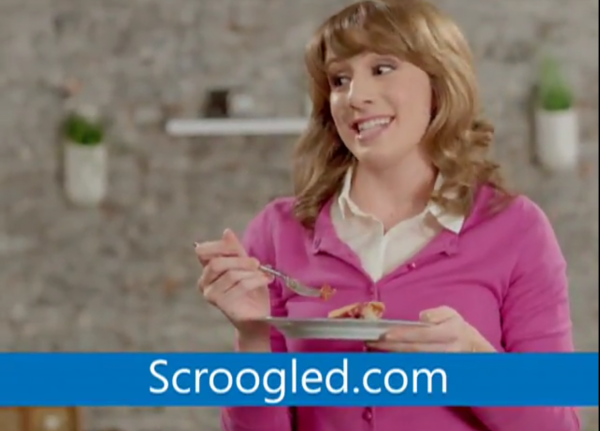
    Contrary to rumors yesterday, Microsoft has not abandoned its “Scroogled” marketing campaign, despite sharp criticisms. My colleague Wayne Williams calls the attacks against Google a “sad and frankly pathetic strategy“.

    If the statement a Microsoft spokesperson has given to BetaNews is any indication, the campaign will get more aggressive than it is today: “Scroogled will go on as long as Google keeps Scroogling people. We know Google doesn’t like it when the facts come out. Chapter two of the consumer education campaign has shown people care about their privacy. More than 3.5 million people visited scroogled.com, and nearly 115,000 people signed a petition asking Google to stop going through their Gmail. Stay tuned for the next chapter”.

    Scroogled can be summed up in two words: Google lies. Microsoft launched the campaign in late November, accusing Google Shopping of misleading searchers. A month ago, Microsoft followed up with an attack on Gmail, and since started airing TV commericals.

    Microsoft boldly claims that Google reads Gmail users’ messages. But Scroogled is nothing more than a marketing ploy to get people to switch from Google services.

    What Microsoft seems to fail to acknowledge is that being a Gmail or Google search user is both a choice and a necessity. Like Windows.

    In my case I use various other Google services connected to my Gmail account, and I’m quite sure millions of other people are in a similar position. If I were to, hypothetically, switch to Outlook.com I’d still have to use my Gmail account to log into Google+ and check for notification emails, for instance. At the same time, using Gmail with all the targeted ads is a personal choice, one that I favor over Outlook.com when it comes to features and adjacent functionality.

    I can also chat with my Google+ friends straight from Gmail, whereas I’d be stuck with Facebook Messenger on Outlook.com. By implication I’d be an even more active Facebook user and we all know how much Zuckerberg’s social network values our privacy. To me that’s a huge no-go.

    Many other people might be fooled into thinking Google is evil, or Scroogled would play into their existing suspicions that Google’s claims “you can make money without doing evil” is just a ruse. In one TV commercial for Outlook.com, a couple discusses financial services ads appearing in Gmail. The man says, “So I get Scroogled. Why do you think we’re having financial troubles”. The insinuation is that somehow it’s Google’s fault.

    In the early 2000s, Microsoft put Linux in its sights, with the “Get the Facts” campaign, which used similar tactics to create fear, uncertainty and doubt about the open-source OS.

    My colleague Wayne believes that “whoever came up with the Scroogled campaign, is doing its best to turn the Redmond, Wash.-based technology giant into a petty, whining child, complaining about a rival rather than championing its own products”. If I read the Microsoft spokesperson’s statement right, there is much more whining to come.

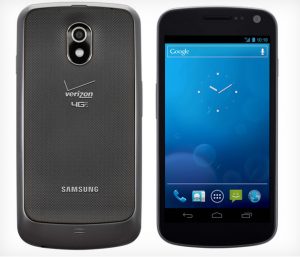
  • Verizon Samsung Galaxy Nexus, meet Android 4.2.2 Jelly Bean

    Little less than a week ago, after replying to tweets from disgruntled users, Verizon revealed that the Galaxy Nexus will “soon” receive a software update. The big red did not provide any specifics and, judging by its past track record, “soon” means “months down the road” as updates usually roll out with the speed of a snail cruising down the highway in rush-hour traffic.

    But great news! Well, sort of. Less than a month after Google rolled out Android 4.2.2 Jelly Bean for the other Nexus devices, the Verizon-branded Galaxy Nexus has also received the latest iteration of the green droid operating system albeit via an OTA (Over-The-Air) update file. The OTA update was uncovered by enthusiasts, but comes straight from Google’s servers which means that it might hit all devices “soon” (as Verizon likes to say).

    As a result, at the time of writing this article, the only way to upgrade to Android 4.2.2 Jelly Bean is to manually flash the OTA update file, which comes in at 88.8MB in size, in the default or a custom Android recovery such as ClockworkMod or TWRP. Galaxy Nexus owners on Verizon will have to wait a tad longer for the big red to deploy the update in the traditional fashion and for Google to post the corresponding factory image.

    For those who only wish to flash the radios there is a zip file available, which includes a new LTE radio version as well as a normal one . For enthusiasts there is also a modded OTA file which will deliver Android 4.2.2 with root, busybox, insecure kernel and init.d support in deodexed and zipaligned trim. . Either of the two has to be installed using a compatible recovery.

  • Opera launches WebKit-based browser beta for Android

    Three weeks ago, Norwegian browser maker Opera Software announced a major change in the company’s philosophy, moving from the in-house Presto rendering engine to the open-source WebKit for all future Opera releases. The transition will be gradual but on Tuesday Opera took the first steps towards a Presto-free era.

    The developer demoed a preview version at Mobile World Congress (MWC) in Barcelona in late-February, and days after the convention finished Opera browser beta (not a very catchy name) made its way onto Google Play rocking that shiny WebKit engine. Judging by initial user feedback, the company appears to have hit a home run, as the app now has more than 190 five-star ratings out of a total of 275 and an average mark of 4.5. Not bad for an early-development build.

    Opera browser beta claims a more intimate and powerful connection with the user. Opera Software calls the WebKit-powered iteration its “fastest browser for Android”, capable of loading webpages “almost instantly”.

    In order to ensure decent browsing speeds in areas without 3G or 4G coverage, Opera browser beta sports an Off-Road Mode which compresses the webpage content in order to require as little bandwidth as possible (like Turbo Mode in the desktop browser). This should also help with lowering the cost of cellular data over time.

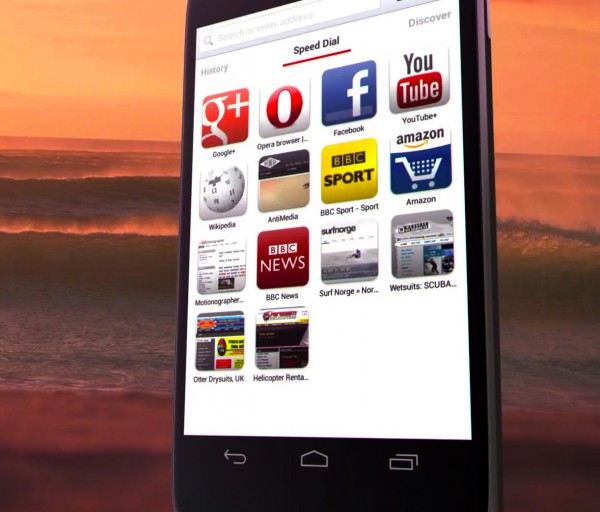
    The browser also comes with a Discover feature which is designed to “find out what’s happening” through personal news feeds. Users can use Speed Dial for easy-access to websites straight from the start, and take advantage of playback controls — start, stop and resume — and a download manager which allows for saving and renaming media files.

    Interestingly enough, with the transition from Presto to WebKit, Opera now also touts “a whole new level of site compatibility” and a native UI (User Interface) which “delivers a superior user experience” on smartphones.

    Users, however, continue to report some bugs but the general first-impressions appear to favor Opera browser beta. Have you given it a go?

  • CyanogenMod 10.1 M2 — second monthly release — is available

    We’ve had to wait a tad longer than expected, but it’s finally here. The team behind the popular custom Android distribution CyanogenMod unveiled the second monthly release based on Android 4.2 Jelly Bean, more than a month after the last build.

    Like it usually happens with monthly builds, with CyanogenMod 10.1 M2 the focus is on stability improvements rather than introducing numerous new features that have yet to pass rigorous testing. As a result some of the latest features found in nightly builds may be left behind for future monthly releases in order to provide a custom Android distribution suited for daily-driver use.

    Furthermore, the team behind the project has not rushed into supporting all possible devices, only making CyanogenMod 10.1 M2, which is now based on Android 4.2.2 Jelly Bean, available for a select number of smartphones and tablets.

    The second monthly build currently supports the Google Nexus lineup (Nexus S, Galaxy NexusNexus 7 including the HSPA+ variantNexus 4Nexus 10 as well as the now-forgotten Nexus Q), the US variants of the Samsung Galaxy S III (codename “d2att”, “d2cri”, “d2mtr”, “d2spr”, “d2tmo”, “d2vzw”), the Samsung Galaxy S (codename “captivatemtd”, “epicmtd”, “galaxysmtd” and “galaxysbmtd”), the Samsung Galaxy Note (codename “quincytmo” and “quincyatt”) the Samsung Galaxy Tab 2 7.0 (versions P3100 and P3110), the Samsung Galaxy Tab 10.1 (versions P5100 and P5110), as well as other devices such as the Acer Iconia A700, the HTC One S (codename “ville”) and the HTC One X (codename “evita”).

    The team behind the project has also announced that bug reports for nightly builds “will get summarily dismissed”. The same measure does not, however, apply to monthly releases, for which submitting bug reports is still encouraged and welcomed.

    In the upcoming period CyanogenMod 10.1 M2 will be available for the Amazon Kindle Fire, recently-supported Motorola devices, and the Samsung Galaxy R when “they are ready”.

    The CyanogenMod 10.1 M2 builds can be downloaded from the CyanogenMod downloads page.

  • Team Win Recovery Project releases TWRP 2.4.3.0

    Little less than a week after the last build, Team Win Recovery Project has released a new version of the popular custom Android recovery TWRP. The newest iteration features a number of bug fixes and general improvements.

    TWRP 2.4.3.0 touts fixing the persistence of the 24 hour time setting, which was introduced alongside TWRP 2.4.2.0, the loading of the screen timeout setting during start-up, the file selector crash (which is attributed to the multi-threaded design of TWRP), as well as two bugs related to restores. For users who have encountered issues with restoring backups, the functionality should work as intended with the latest version.

    File selectors and listboxes now feature a scroll bar for easier navigation, libblkid is used for a more accurate file system detection, and a screen dim effect has been added two seconds before the screen turns off. The third feature is only available for a limited number of devices. There are also bug fixes and improvements relating to the screen timeout functionality.

    TWRP 2.4.3.0 is available to download from the Team Win Recovery Project site.

  • Official Superuser app available for rooted Android devices

    Koushik Dutta, the developer behind Android apps like Carbon, ROM Manager and the popular ClockworkMod custom recovery, has released a new open-source root access management app called Superuser.

    Explaining the reason for making it open-source, Dutta says that in his opinion a root access management app should be open to “independent security analysis” and that “obscurity (closed source) is not security”. He also places a great deal of value on making the app “AOSP buildable” so that developers can include it in custom Android distributions.

    But let’s see what the new player can do. Superuser is designed as an alternative to SuperSU (which is closed-source ) and offers a range of interesting features. The app comes with multiple user support, pin protection, root request timeout, notifications and an UI (User Interface) suited for tablets, among its main features.

    Superuser also includes support for manifest permission, logging and per-app configuration. Users coming from previous, unofficial, versions of the app will benefit from a higher number of translations, notification after boot for an incompatible su binary, and fixes for “embarrassing spelling mistakes”.

    Superuser is available to download from Google Play. The app requires a rooted Android device in order to function.

  • Android 4.2 Jelly Bean comes to ASUS Transformer Pad TF300

    ASUS Transformer Pad owners are in for a treat, the latest treat in the candy jar in fact — the Taiwanese manufacturer has announced that it will upgrade the popular tablet to Android 4.2 Jelly Bean.

    On its Facebook page, ASUS revealed that the Transformer Pad, in TF300 trim, is set to receive an update to Android 4.2 Jelly Bean this month, although there’s no exact date as to when the roll-out will begin. According to the company, the Transformer Pad is the first non-Nexus device to receive the upgrade to the newest iteration of the popular green droid operating system.

    ASUS has also yet to provide specific details as to what is included alongside the base Android 4.2 flavor, but it’s safe to assume that the usual branded apps will make an appearance. Transformer Pad owners will also have access to lockscreen widgets, multiple user support, and swipe gestures for the keyboard, as well as other features.

  • Verizon Samsung Galaxy Nexus to receive a software update ‘soon’

    Two weeks ago my colleague Alan Buckingham expressed his disappointment for the lack of software updates on the Verizon-branded Samsung Galaxy Nexus. Because of it, he even suggests that “Google should NEVER let Verizon sell another Nexus device”. Is all hope lost?

    On its Twitter account, replying to the post of a disgruntled user, the big red has confirmed that the Galaxy Nexus will receive a software update, presumably to Android 4.1.2 Jelly Bean or newer. The carrier did not provide an exact release date and only suggested a rough estimate — “soon”.

    On the big red the Galaxy Nexus is four software iterations behind the latest version of Android, 4.2.2 Jelly Bean. At the moment the smartphone runs the older Android 4.1.1, ironically enough behind devices that don’t promise the latest and greatest variant of the popular green droid operating system.

    Another Twitter user, Barry Karschner, calls Verizon “a disgrace” because of it, while Justin Phillips chimes in with an interesting analogy. Phillips says: “You are like a neglectful parent promising that NEXT year we will go to Disney Land. We never do.”

    Verizon admits that the current situation is “shameful” and promises that Samsung (yes, Samsung and not the big red) “will send the update directly to your device”. With all the users blaming Verizon for not pushing the latest Android version available, the reply certainly passes the ball onto Samsung’s court.

    The South Korean manufacturer shortly after replies, saying that: “we do not have any information on an update at this time. Please stay tuned!” and further builds on the previous reply with: “We’re not able to speculate on future updates, so please stay tuned for news. Thanks!”. Interesting turn of events, isn’t it?

    Verizon, trying to diffuse the now-confusing situation, says that: “updates need to be tested prior to release. Once avail, will be pushed out”. So we’re basically back to square one, aren’t we? The big red says that an update is coming soon, which will be made available by Samsung, and Samsung replies that it has no information available to share at the moment.

    But wait, because Verizon has not ended the reply streak just yet. The big red, teasing the “benefits of the update”, which are “endless”, added a link to the Galaxy Nexus software update page which now shows that an upgrade is indeed “coming soon”. At the time of writing this article the two PDF files, the “Benefits of Software Upgrade” and “Software Update Instructions” make no mention of a new version of Android, suggesting that they will be updated “soon” with extra information.

    So there you have it — the Verizon-branded Samsung Galaxy Nexus has not been left out from the upgrade game.

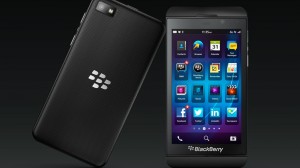
  • BlackBerry rolls out a software update for BB10

    On Friday, Canadian mobile device manufacturer BlackBerry (the company formerly known as RIM) rolled out an update for the BlackBerry 10 operating system. The latest software iteration touts significant improvements across the board while also delivering a number of bug fixes.

    The software update is a bit of a heavyweight, coming in at 150MB in size which is why BlackBerry recommends using a Wi-Fi connection for the download. The OTA (Over-The-Air) update is currently rolling out across the globe, but depending on the carrier it may take up to a couple of weeks to receive it on your Z10 smartphone. But let’s see what’s in store first.

    BlackBerry claims the update offers better performance for third-party apps. The Canadian manufacturer also teases that WhatsApp will be one of the “fresh new app launches” coming this month.

    The latest software update introduces fixes for Gmail calendars and improvements in the BlackBerry Hub for call logging and conversation handling. BB10 now features better importing of contacts from online sources.

    The camera has also undergone improvements, with BlackBerry claiming better photo quality under low-light conditions. Users running the Time Shift Camera functionality should notice the difference when the flash isn’t used.

    The browser was not left untouched either as it now delivers better video playback. However, one of the most important changes for heavy users comes in the form of battery optimization. BlackBerry claims the update contains “60 battery saving improvements”.

  • Microsoft says you should switch from Galaxy S III to Lumia 920. Delusional?

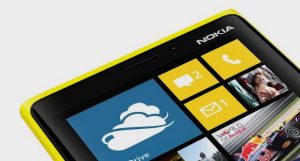
    No matter what you think about it, Microsoft sure knows how to make a splash with “Meet Your Match“. Just as the campaign was slowly fading away in our memories, Windows Phone evangelist Ben Rudolph brings it back to public attention by pitting the Nokia Lumia 920 against Android heavyweight Samsung Galaxy S III. Talk about being bold.

    Unlike the previous challenges where Windows Phone 8 won against some older devices, this time around a handset running Microsoft’s latest smartphone operating system — the Lumia 920 — finds itself in a pickle with the Galaxy S III. Trying to sway “real people” and “not actors” from their beloved green droids, Ben Rudolph proposes a challenge of finding “a good Mexican place”. If he loses, he gives the folks $100.

    I’m going to spoil the surprise right now — he won. Rudolph takes advantage of the built-in Local Scout feature in Windows Phone 8 to find the designated location (it can also show “see+do”, “shop” and “for you” places), whereas Galaxy S III owners resort to using the built-in search functionality.

    Microsoft, obviously, wants to portray Windows Phone 8 as delivering results faster than any other smartphone operating system and, judging by my own experience with it, if configured right (as in having the necessary tiles pinned on the homescreen) it’s perfectly reasonable to trust the outcome.

    However I’m inclined to believe that an Android evangelist, Rudolph’s counterpart if you will, can beat a Windows Phone 8 device in a similar scenario. Heading out prepared gives a great advantage over the “opposition”. I can only imagine the outcome of a Galaxy S III user challenging Rudolph to post on Google+ or use voice search to pull up local places on the Nokia Lumia 920, or any other Windows Phone 8 device for that matter.

    In fact, I have used Google Now to pull up search results for local carrier shops and it delivered them, alongside the option to use Google Maps for directions. And, I can only assume (since Local Scout brings up zero entries in my location) that it’s just as fast.

  • How to make space fans jealous — send the Google Nexus One into orbit

    Forget about the boring Apple iPhone 5 and Samsung Galaxy S III for a moment, because while they may be impressive in their own right, both handsets now pale in comparison to the HTC-built Google Nexus One. The three year-old smartphone is the first to reach outer space and is circling around the Earth right now — a feat that easily tops any other hardware or software feature.

    HTC claims the Nexus One is the “world’s first smartpho-naut” after the Android-powered device skyrocketed onto orbit from India, aboard the STRaND-1 nanosatellite. And that’s not the best part. The STRaND-1 features WARP DRiVE (Water Alcohol Resistojet Propulsion Deorbit Re-entry Velocity Experiment) and electric PPTs (Pulsed Plasma Thrusters). How cool does that sound?

    The Surrey Space Centre ground station at the University of Surrey commissions and operates the STRaND-1, which can also be tracked by amateur radio operators. Furthermore, the nanosatellite will switch from onboard systems to the Nexus One and adjacent apps, after the necessary testing has been carried out. Surrey Satellite Technology Limited informs us that the apps (“some serious and some just for fun”) were developed by winners of a Facebook competition that was held in 2012. Interesting, isn’t it?

    NASA’s (National Aeronautics and Space Administration) previous announcement about strapping the Nexus One onto a rocket in 2010 is really dull by comparison — it did not involve plasma thrusters nor a water-alcohol propulsion system. That said, the two projects share a similar concept — the Nexus One is used to take pictures or shoot videos, among other purposes.

    Thanks to the 360app, “gravity-bound folks” can “play big brother and request snapshots” immortalized with the smartphone. You can also follow up on the activity of STRaND-1 via 360app’s Facebook page or Surrey Nanosats’ Twitter account where both teams share new details every day.

  • Windows Azure Store is now available in 25 more markets

    On Wednesday, Microsoft announced a new update for Windows Azure, the company’s cloud platform. Windows Azure Store now comes with expanded availability within 25 new locations across all major regions. This brings the tally up to 36 markets, a significant increase over the previous 11 from little over two months ago when the software giant announced a similar update.

    The Windows Azure Store is designed to allow users to discover, purchase and manage services and data straight from the cloud platform’s management portal. The feature was previously only available in Canada, Denmark, France, Germany, Ireland, Italy, Japan, South Korea, Spain, United Kingdom and United States.

    The newest supported locations for Windows Azure Store include Australia, Belgium, Brazil, Chile, Colombia, Costa Rica, Czech Republic, Finland, Greece, Hong Kong SAR (SAR stands for Special Administrative Region), Hungary, Israel, Luxembourg, Malaysia, Mexico, Netherlands, New Zealand, Peru, Poland, Portugal, Romania, Singapore, Sweden, Switzerland, and Trinidad and Tobago. As you may observe, difference is night and day in terms of worldwide availability and reach for users of the cloud platform.

    Microsoft also touts four new add-ons to go along with the recent update. Bitline is designed for online image processing, Cloudinary promises delivery of images from the cloud to users, PubNub is a messaging system for the InterWebs and mobile apps and VS Anywhere allows Visual Studio users to take advantage of real-time collaboration.

    Photo Credit: nokhoog_buchachon/Shutterstock

  • Sony experiments with Firefox OS on the Xperia E

    Japanese device manufacturer Sony and global telecommunications company Telefonica have announced their support for Firefox OS, Mozilla’s endeavor in the mobile market. To show its commitment for the operating system, Sony has also released an experimental build of Firefox OS for the Xperia E smartphone, that provides a glimpse into the future.

    “At Sony Mobile, we continue to evaluate innovative technologies that can help deliver the premium user experiences that Sony’s consumers expect,” Bob Ishida, Deputy Chief Executive Officer and Head of Products Business Group at Sony Mobile Communications says. “Our engineers are now working with Firefox OS Mobile and HTML5, evolving technologies which show great potential”. Normally, the Xperia E is a low-end Android smartphone similar in specifications to Keon, the base development phone for Firefox OS made available by Geeksphone, but now it’s been given a shot at worldwide recognition among enthusiasts.

    Firefox OS on Xperia E comes with a few caveats, however, as it’s an experimental version of the operating system. Users cannot take advantage of radio connectivity, meaning both cellular calls and Wi-Fi are not available, the SD card functionality is unstable and the sensitivity of the touch interface is not precisely calibrated.

    Users will have to unlock the bootloader on the Xperia E, which Sony warns may be restricted by operators, download and install the flash tool for Xperia devices, then start the tool, connect the smartphone and install the experimental Firefox OS ROM. Sony also provides a stock Android firmware for users who wish to revert to the green robot afterwards.

    Sony demoed Firefox OS on the Xperia E through a video which shows the operating system running quite well on the smartphone, albeit with some glitches. The touchscreen needs a firm press as to power up an app, which is not surprising seeing as Sony mentioned the calibration issue. The camera software can be used to snap pics and zoom in to photos. Firefox OS comes with Nokia’s HERE Maps app preinstalled.

  • Nokia releases NFC Writer app for Windows Phone 8

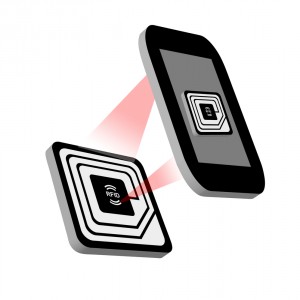
    Finnish phone manufacturer Nokia has launched a new app called NFC Writer, for Lumia devices running Microsoft’s new mobile operating system. The app is designed to take advantage of the built-in NFC (Near Field Communication) chip by automating various tasks through the use of tags.

    Nokia yet again leaves other Windows Phone 8 devices — such as my HTC Windows Phone 8X — outside of the playing field as the Nokia NFC Writer comes as part of its exclusive Nokia Collection suite. The app is available for the Lumia 620, Lumia 720, Lumia 820 and Lumia 920 and nothing else. Which is a shame because there are some pretty nifty little features.

    Nokia NFC Writer is, by and large, designed to read and write standard NFC tags. It can launch apps, check-in to various places, update social statuses, make phone calls or send SMS messages by simply tapping the phone on a written NFC tag. Nokia says that tags created with the app can also be read by “any operating system” which includes the necessary hardware.

    The social network functionality has great potential to automate otherwise boring Facebook or Twitter statuses. “I’m at work” can become a breeze to post simply by tapping an NFC tile. I am unsure as to how it eases the “burden” of making calls, as I don’t suspect that Nokia NFC Writer can also speak on the user’s behalf and explain why there are no groceries.

    Nokia NFC Writer is available to download from the Windows Phone Store.

    Photo Credit: Roger Wissmann/Shutterstock

  • Team Win Recovery Project releases TWRP 2.4.2.0

    Team Win Recovery Project, the group of developers behind the popular custom Android distribution TWRP, is at it again with a new version. The latest iteration sports a significant number of changes, bug fixes and improvements over the previous release.

    TWRP 2.4.2.0 adds a screen timeout feature which will automatically turn off the display after 60 seconds of inactivity, in order to save precious battery life and prevent screen burn-in, the latter feature designed “especially” for AMOLED panels. The popular custom recovery also introduces a brightness setting, a feature available for specific setups and with support only for “some devices”.

    The biggest improvement is, however, the ability to verify for root access and install the SuperSU root management app on devices that cannot run apps with elevated privileges. TWRP 2.4.2.0 can also verify and fix root permissions, if broken. Other new features include a 24 hour clock, changed from the old setup with AM/PM indicators, a write buffer for libtar backups which touts speed improvements for exFAT and minor benefits aimed at other file systems, support for “some MTK6xxx devices” and a “clicked” animation for the majority of buttons, file selector and listbox.

    Some settings have been removed from TWRP 2.4.2.0, including forced MD5 sum on Zip files and size checking for image backups, and there are some minor bug fixes and changes as well. The new version brings vfork instead of libtar to “help prevent memory problems”, stock recovery reflash check after the reboot cycle, and improvements for timezone listbox, which is now “more like file selector” with per pixel kinetic scrolling, among other things.

    TWRP 2.4 is available to download from the Team Win Recovery Project site.

    Photo Credit: Kirill__M/Shutterstock

  • Dell unveils the Latitude 10 Enhanced Security tablet

    Dell has rolled out a new, more secure iteration of the 10-inch, business-oriented Windows 8 tablet it originally launched five months ago.

    The Latitude 10 in stock trim, retails from $449 as an “essentials” model, but the American computer manufacturer has government agencies, financial institutions and healthcare organizations in its sights with the more expensive Enhanced Security model, which is available for $779, a not so insignificant difference.

    The Dell Latitude 10 Enhanced Security packs a 10.1-inch, 5-point multitouch, IPS LCD display with Corning Gorilla Glass and a resolution of 1366 by 768. The tablet is powered by an Intel Atom Z2760 processor running at 1.8GHz maximum frequency, 2GB of RAM, an Intel Graphics Media Accelerator graphics card and a 30Whr replaceable battery. Other specs include 64GB of solid state internal storage, 2MP front-facing HD camera and an 8MP back-facing shooter. The Dell Latitude 10 Enhanced Security runs Windows 8 Pro in 32-bit trim.

    The Enhanced Security model features an integrated smart card and fingerprint reader. Dell touts it as “the only dual-authentication Windows 8 tablet” that has both. It also includes Microsoft BitLocker Drive Encryption, Computrace Support for stealth tracking software and a Noble Lock slot for additional hardware security.

  • Ubuntu Touch — interesting concept that needs work (preview)

    The concept of Canonical taking a stab at the mobile market eludes me. Unless we want to split hairs, which I know will happen, Android already is the Linux ambassador across the globe, so why would the world need Ubuntu Touch? Furthermore, any new player starts out with a clean slate, which means many consumers will be skeptical at purchasing devices running the new operating system and therefore developer interest does not surpass a low threshold.

    The PC market is not what it used to be a couple of years ago when people rushed out to buy new computers, rather than tablets or smartphones first. In some ways Canonical right now is Microsoft before Windows Phone and Windows 8 — an important player further heading into obscurity down the road unless the boat steers in the right direction. Ubuntu Touch is supposed to give the world a breath of fresh air, the X factor that would sway enough people into switching from Android, iOS, Windows Phone or a feature phone, even.

    Truth be told Canonical’s preview for Ubuntu Touch is one of the most basic I have ever laid my eyes upon. Nothing really works in the sense that it only paints (literally I should say) the bigger picture without allowing users to run most of the preinstalled or listed apps. Basically Canonical delivers a cool new gadget that cannot be used for anything except a paperweight.

    Normally when you buy a new mobile device, the operating system comes preinstalled. Most people don’t want to install Android, iOS, Windows Phone or Windows 8 on their smartphone or tablet anyway. Canonical’s product, however, cannot be added to the same list, at the moment, as there are no devices running Ubuntu Touch out-of-the-box; instead one has to download the operating system manually and install it on a Google Galaxy Nexus, Nexus 4, Nexus 7 or Nexus 10. Needless to say any of the four must sport an unlocked bootloader and, to make it easy, a custom recovery such as ClockworkMod or TWRP.

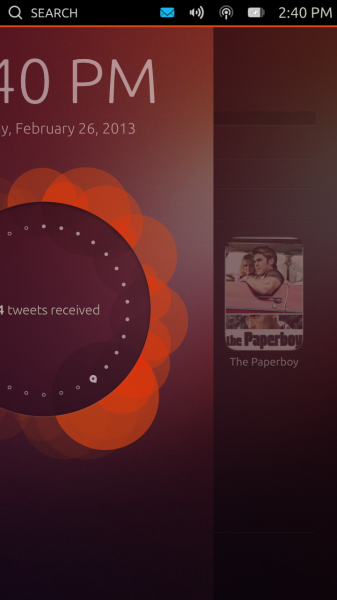
    Fast forward to the boot process, Ubuntu Touch Developer Preview starts quite fast even on my aging Galaxy Nexus and, shortly after, it displays the lockscreen, which sports the usual suspects — date and time, status bar with notifications, Wi-Fi and volume, battery indicator and the time. On top of the aforementioned items, Ubuntu Touch also adds search on the left side of the status bar and a round disc in the middle of the lockscreen, which right now only displays “14 tweets received”. I can only speculate that in the final version users will be able to rotate the disc (like on an old telephone) and it will display other statuses.

    There are no buttons to speak of whatsoever. For someone first using a smartphone running Ubuntu Touch, there is going to be a learning curve involved straight from unlocking the device. It’s done by swiping left from the right edge of the screen — it’s one of the reasons why Canonical must have a pretty explanatory guide on how to use the interface. So it’s unlocked, now what?

    Well, Ubuntu Touch now displays the main homescreen, one of the five available, called Home. No surprises there. The other available ones are, from left to right, Music, People, Apps and Videos with Home bang on in the middle. Switching between them can be done by swiping horizontally. It has to be noted that Ubuntu Touch Developer Preview comes similar to a snapshot of the operating system after it was used, so everything is in a frozen state with contacts, apps, etc.
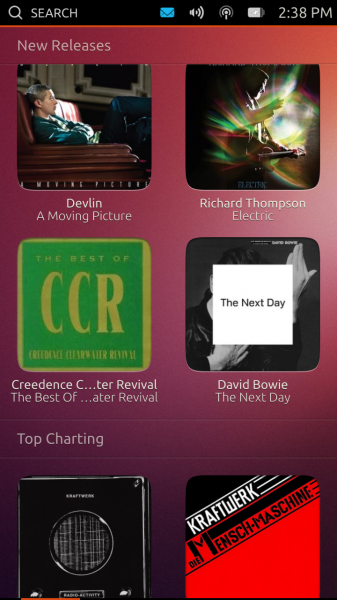
    The Homescreens

    Let’s take them one by one.

    Music, as the name suggests, focuses on music content and, judging by the pictured items on the homescreen, acts as a store similar to iTunes, for instance. Right now it displays Featured, Recent, New Releases and Top Charting categories, all of which contain albums. Users can swipe left and right in the first one to view all the featured content, whereas in the following four Ubuntu Touch only lists four items per each category inside a grid. Needless to say tapping on any album in Music leads nowhere at the moment. There is, however, a basic animation when tapping on an item. It’s just a preview, but I expected more out of it, to be honest.

    People is similar to the People hub in Windows Phone and currently displays Favorites, Recently in touch, New Contacts and the A-Z category, the last of which is a list of all the contacts. The names are pretty self-explanatory. Favorites, like the Featured category in Music, shows a horizontal list of contacts which can be navigated by swiping. Tapping on a contact displays the contact’s picture and, if exists, last status on Facebook, home number, email address and home address. Other fields may also be available. Not all fields are active, but I managed to power up the Phone app after tapping on a contact’s phone number.

    Recently in touch shows recent interactions, although it is not yet clear on which social network without tapping on the listed item, which will power up the contact’s info. Also, it is unclear as to whether the Recently in touch category displays a list of the most recent interactions between the user and his contacts or the latest social network status from most recently-interacted contacts. It’s a nice concept, but I am not certain if it works all that well in real-life because so many of us have hundreds of contacts across various social networks and we do chat with many people each day so I can only imagine how lengthy the Recently in touch category will become. It might be just too much swiping involved without other tabs on top.
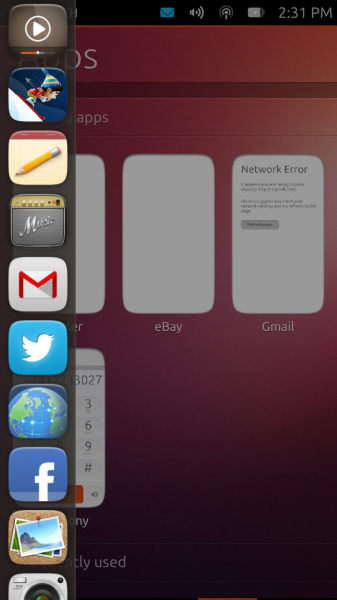
    Apps displays the Running Apps, Frequently used, Installed and Available for download categories. There are some interesting items listed, both as installed and available, including Amazon, eBay, Evernote, Pinterest, SoundCloud, Twitter, Wikipedia and YouTube. Obviously listed does not really imply available as well, so the situation might change over time before Ubuntu Touch is released.

    Videos embodies the same philosophy as the other homescreens and displays Featured, Recent, New Releases and Popular Online categories. Featured displays a horizontal list with movie posters, while Recent and New Releases revert to a grid of movie posters. Users can tap on a title and either buy or rent the item from Amazon or Ubuntu One, respectively. Popular Online displays a grid of videos, likely only from YouTube.

    Home is where people will revert to after navigating the operating system. The homescreen displays Frequent Apps, Favorite People, People Recently in Touch, Recent Music and Videos Popular Online. Basically Ubuntu Touch wants to provide users with the most important features that they use on the device straight from the default homescreen. If there are also plenty of cat videos in the last category Canonical will hit a home-run with Ubuntu Touch for most YouTube aficionados.

    The Same Idea, Just Differently Implemented

    The homescreens display a bunch of condensed information that we have grown accustomed to get from various apps individually. Truth be told, Canonical does not revolutionize operating systems, at least not right now. Ubuntu Touch merely gathers relevant pieces and joins them together in four major categories. It’s a very neat way of dealing with information overload and having what matters nearby at a couple of swipes. This is just a glimpse of what’s to come, indeed, but I can only wish that what’s to come will be improved in a number of areas.

    I like the concept of Ubuntu Touch, I really do, but I can’t get past its looks. All app icons have rounded corners, which I can live with, but the edges appear to be rounded as well giving them a cartoonish feel. The colors are typical Ubuntu as well and, generally speaking, the overall design of the icons is dated or too kitsch. The background looks like it was ported straight from Ubuntu as well, which is to be expected, but it does not look all that great either and neither do the fonts. Canonical should really consider polishing up the interface.
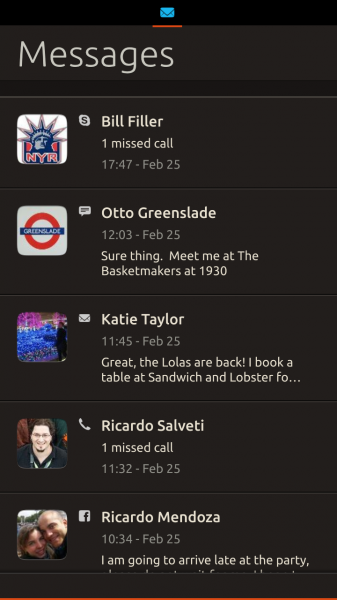
    Then there is the status bar, which is a great concept but difficult to work with nicely on the go. I use my smartphone most of the time when I’m out of the house and then I find it difficult to nail the right swipe to see the battery or volume panel (accessible via status bar). Don’t get me wrong, it’s nice to have different panels for each icon in the status bar but not so great in real-life. I see this as a problem even when stationary for elderly people and people with big thumbs.

    Big thumbs don’t help either when typing on the keyboard, which more than often does not register a press unless slightly tapping on the key. I don’t have a similar issue with Android, iOS or Windows Phone and I don’t like to pinpoint such problems for mobile operating systems in 2013. Hopefully Canonical will fix this issue in upcoming, and more stable, builds of Ubuntu Touch.

    Switching between apps is done by swiping left from the right edge of the screen. Ubuntu Touch switches between them in a certain order and does not currently display a list of running apps without going straight to the Apps homescreen. Another downside of the Developer Preview is that Ubuntu Touch does not deal well with multiple running apps, becoming overly sluggish. Normally the lag exists but it’s made worse in the aforementioned scenario.

    Powering up a menu inside the app is done by swiping up from the bottom edge of the screen. Depending on the app it may display a navigation bar (like in the Browser) or a keyboard or absolutely nothing at all because Ubuntu Touch freezes. But when you want to minimize the app, by swiping right from the left edge of the screen there’s another menu, which weirdly enough shows up as well. I can assume that it can be customized to include only a certain number of apps that users want quick access to, but the Developer Preview build leaves that to our imagination at the moment.

    Refreshing but Needs Work

    Ubuntu Touch is an interesting concept that needs work. That’s the bottom line. Navigating the interface works well through swiping and after using it for a couple of days I have no problem in the lack of on-screen buttons (because this is still a Nexus device that I’m running it on). But when compared to Android, iOS or Windows Phone, Ubuntu Touch lacks polish and, obviously, apps that make smartphones and tablets the mobile devices we know and love. That said…

    I was skeptical and, likely, for all the wrong reasons. The Ubuntu Touch Developer Preview is enlightening as to how Canonical envisions yet another smartphone or tablet operating system. And, to be honest, I quite like that vision as it delivers something new and exciting which, unless you view a mobile device solely and solely as a simple tool that doesn’t have a soul, is what we should get more and more. Needless to say there’s an overdose of early adopter syndrome happening, and I love that feeling.