Author: Mihaita Bamburic

  • Why I’m not impressed by the new Samsung Galaxy S4

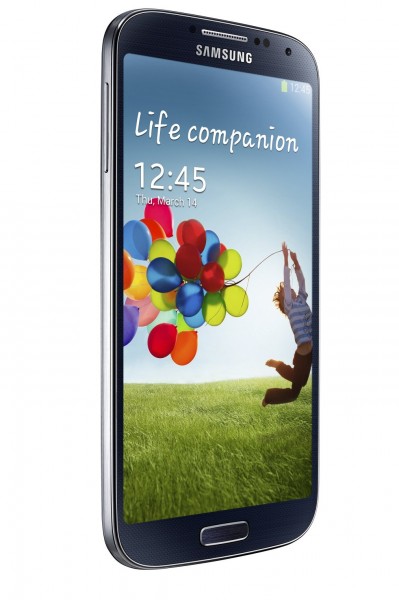
    When I was expecting an exotic dish that would blow my mind just by looking at it, Samsung yesterday served up a plain, simple and frankly overdone spaghetti Bolognese. The new Galaxy S4 might just be the best Android smartphone that Samsung has ever made, but it’s not as “awesome” or “innovative” nor filled with “innovation” as the company would lead us to believe. It’s a wife with some nip and tuck instead of a hot supermodel.

    Instead of being smitten by the Galaxy S4 I was left with a bitter taste in my mouth: Haven’t I seen some of those features already in older smartphones? Admittedly, there are some impressive ones out there — like Dual Camera and Dual Video Call — but generally speaking Samsung appears to have focused more on delivering a huge number of features rather than focusing on fewer truly innovative ones.

    “Borrowed” Features?

    I wouldn’t call some of the features a xerox copy of currently available options, but there are a few in particular that I think (well, I know) that I have seen before.

    The first relates to the touchscreen, which can now be operated using gloves — unless you have thick leather ones like me, which makes taking out the phone rather difficult. It’s a feature aimed at markets where it’s freezing cold. So where have I seen it before?

    Well, the glove-friendly touchscreen is already available on the Nokia Lumia 920 which was unveiled in late-October last year. Admittedly the Lumia 920 does not have a 5.0-inch display, but it’s the same idea nonetheless.

    What about Knox, Samsung’s program for BYOD? In late-January, Canadian smartphone maker BlackBerry unveiled the BlackBerry 10 operating system which comes with Balance, a feature which enables the separation between work and personal content on the company’s Z10 and Q10 smartphones. What does Knox do? By and large, it separates work and personal content.

    S Voice can now also read messages aloud, a feature that is pretty useful when driving like Samsung says or if you want other people to hear your embarrassing attempts at sexting. Guess what? Even the agricultural voice assistant in Windows Phone 8 can read messages.

    Eraser for removing other people from pics? BlackBerry 10 Camera app does it differently by allowing you to choose a difference face, but is similar nonetheless. Smart Switch for moving between devices? Microsoft’s Xbox SmartGlass gets the same job done.

    The Galaxy S III Called. It Wants its Design Back

    In some ways the Galaxy S4 is an evolution from the Galaxy S III just as the iPhone 4S is an evolution from the iPhone 4. Samsung did more than slightly tweak the design, making the new smartphone narrower, thinner and lighter (if you can call a few tenths of millimeter and a couple of grams a big difference) while also increasing the size of the display to 5.0-inches from 4.8-inches. It’s now got a 1920 by 1080 resolution compared to the “old-fashioned” 1280 by 720 (which still works great, but hey innovation calls for bigger).

    The Galaxy S4 comes with rounded corners (too rounded I should say), plastic casing with chintzy looks, wide home button and the still not elegant design. And where have I seen that? That’s right, on the Galaxy S III.

    I’m not suggesting that Samsung should have entirely changed the design just for the sake of it, but how about a more textured finish like HTC does on its smartphone or less rounded corners or, God forbid, a capacitive home button? The Devil is in the details, and I can only imagine he was out the day when Samsung designed the Galaxy S4.

    I will not even mention that on the Galaxy S4, Android 4.2 Jelly Bean looks the same as Android 4.1 Jelly Bean on the Galaxy S III bar a couple of changes, like quick settings. I still believe that Touch Wiz could use some sprucing up in the design department, especially almost one year after the previous iteration.

    What Innovation?

    My colleague  and I had briefly discussed the Galaxy S4 following the launch event, and after posting my first thoughts on Google+. He finds the smartphone impressive from a software and services standpoint, but is it really? Don’t get me wrong, spaghetti Bolognese is fine but not mindblowing.

    S Health for tracking calorie usage is a gimmick, but a gimmick that is already in other apps on Google Play. Group Play, which turns Galaxy S4 owners into a surround sound system, is nice but only if every friend you or I have has a Galaxy S4 and feels like the smartphone has better speakers than a bar, pub or club. Adapt Display can adjust screen settings depending on the scenario, sort of like cheating to make stuff look better when they don’t.

    While bigger is better in this case, a large 2,600mAh battery coupled with a 5.0-inch Super AMOLED display and a power-hungry Qualcomm Snapdragon 600 or an Exynos processor is not there to break any battery life records. Samsung should be commended for slapping in a larger battery (compared to the one in the Galaxy S III), but why not make it a 3,000mAh unit and keep the same thickness as on the Galaxy S III? I’m sure plenty more people could have appreciated that instead, myself included.

    It’s worth noting here that even though Samsung will market the Galaxy S4 with a quad-core Qualcomm processor or a quad core + quad core Exynos processor, there’s no choosing which one will arrive at your local carrier. I’m also not swayed by the Octa-core moniker, because it’s not in fact an 8-core processor in the traditional point of view. Only four cores work at the same time, while the remaining four are cut down — it’s a 4 + 4 design and a misleading one for users who don’t know any better than “eight cores are better than four”.

    I’ll tell you this, though — the Galaxy S4 will sell like crazy. But would I buy one? No.
  • Apple rolls out OS X 10.8.3 with support for Windows 8 in Boot Camp

    On Thursday, Apple rolled out an update for OS X Mountain Lion. The latest iteration, which sports the 10.8.3 version number, delivers a significant number of improvements and bug fixes, among which is support for Windows 8 in Boot Camp as the main highlight.

    OS X Mountain Lion 10.8.3 now comes with Safari 6.0.3, which touts improved scrolling while zoomed in and for Facebook, better performance on websites with plug-in content as well as bug fixes. Users can now redeem iTunes gift cards from the Mac App Store using the built-in camera and use Boot Camp on Mac devices with a 3TB hard-drive onboard.

    Apple has also enhanced the compatibility with IMAP servers in the Notes app, the reliability for Microsoft Exchange accounts in the Mail app and for Xsan as well. Also, the Slideshow screensaver now displays subfolder photos.

    OS X Mountain Lion 10.8.3 includes bug fixes related to URL files (no longer causes app crashes), Logic Pro (more responsive with plug-ins), audio stutter on 2011 iMacs, Contacts (prints cards in order and the addresses in the right location), Messages (display the correct order after resuming from sleep) and Active Directory accounts (keeps accounts locked in and fixes lag when logging on slow networks), among others.

  • BlackBerry wants to fortify Android and iOS devices with Secure Work Space

    On Thursday, Canadian smartphone maker BlackBerry announced plans to secure Android and iOS devices with Secure Work Space for BlackBerry Enterprise Service 10. The company cites evolving needs and “ever-growing variety of devices” that are used within the work space as the main reason for stepping up to fortify the security of the two mobile operating systems.

    BlackBerry targets both smartphones and tablets running Android and iOS through data-at-rest and data-in-transit security capabilities. The company says that administrators will be able to create a “separate and secure work space” which contains corporate apps, calendar, contacts, web email and other features, and configure, interact, secure and wipe the new compatible devices.

    BlackBerry claims that Secure Work Space will waive the need for an “expensive VPN infrastructure” to secure transferred data and MDM (Mobile Device Management) providers and multiple vendors, while also featuring easier deployment and worldwide and “flexible technical support”.

    The Canadian smartphone maker says that Secure Work Space beta testing is underway for both Android and iOS mobile devices with the general availability to happen towards the end of Q2 2013. More details will be shared at BlackBerry Live in May, according to the company.

    Photo Credit: Kheng Guan Toh/Shutterstock

  • Failed update to blame for outage of Microsoft cloud services

    There are plenty of benefits of living in the cloud, but some major downsides too. Nearly five months ago an Amazon Cloud outage took down BetaNews’ group chat service, alongside Heroku, Flipboard, Foursquare and Reddit among others. And, two days ago, Microsoft users went through a similar ordeal which mostly affected Hotmail, Outlook.com and SkyDrive — three of Microsoft’s more essential cloud services.
    Microsoft’s vice president, Arthur de Haan, has chimed in on the matter in a blog post which links the outage to the upgrade process from Hotmail to the new out-of-beta email service Outlook.com. Since 13:35 PM PDT on March 12 until 5:43 AM PDT on March 13, de Haan says that “a small part of the SkyDrive service, but primarily Hotmail.com and Outlook.com” suffered from a service interruption caused by a firmware update which failed “in an unexpected way”.

    The failed firmware update occurred in one of Microsoft’s datacenters, in a “core part” of its physical plant, subsequently leading to a “substantial temperature spike in the datacenter”. The heat was “significant enough” causing the “safeguards to come in to place for a large number of servers in this part of the datacenter”. In that area of the datacenter Microsoft houses “parts of the Hotmail.com, Outlook.com, and SkyDrive infrastructure”.

    So what took the software giant so long to get it fixed? Even though we may assume that real people are behind cloud services and pulling strings like puppeteers to keep them working, as de Haan explains that is not the case. The man says: “there was a mix of infrastructure software and human intervention that was needed to bring the core infrastructure back online. Requiring this kind of human intervention is not the norm for our services and added significant time to the restoration”.

    For some users the outage may have caused irreparable damages, as Hotmail, Outlook.com and SkyDrive are essential services which house emails and cloud-stored files. In the cloud-connected era whatever we store “out there” may not also be backed up on a local drive — not a safe and sound approach — leaving some users without crucial emails or files in likely very important moments.

    Admittedly, Microsoft has mostly fixed the issue overnight (local time) but for users outside of the United States the outage may have caught them with their guard down during work hours. What if someone had lost their job interview or even their job because of it? We want to fully embrace the cloud — often portrayed as the future and only way — but at what cost?

    Photo Credit: Igor Zh /Shutterstock

  • The BlackBerry Z10 is NOW available for pre-order on Verizon

    Two days ago, US carrier AT&T introduced the BlackBerry Z10 into its portfolio, allowing users to pre-order the new smartphone for $199.99 on a two-year contract. And on Thursday, following AT&T’s lead, rival mobile operator Verizon also made the BlackBerry Z10 available for pre-order.

    The big red has chosen to offer the BlackBerry Z10 for the same price as AT&T — $199.99 on a two-year contract. The smartphone will be available in two color options — black and white — and will hit the online and bricks and mortar Verizon stores starting from March 28, a mere two weeks from today.

    Prospective BlackBerry Z10 users hunting the white version have only one carrier option — the big red — as it is a Verizon-exclusive model. On the other hand, for users looking into a one-year contract AT&T is currently the only option, with the carrier offering the BlackBerry Z10 for $449.99.

    Off-contract, on Verizon, the BlackBerry Z10 runs for $599.99 while on AT&T it goes for $50 less at $549.99.

  • Users rally against Google’s plans to shut down Reader

    Expressing his disappointment towards Google killing Reader from July 1, my colleague  said in our newsroom, “I swear I am switching to Firefox, Bing and Outlook.com in protest!”. Other users, however, have resorted to less extreme measures and instead chosen to show their non-acceptance through petitions.

    Less than 24 hours since Google gave us the sad news, there are at least three petitions on change.org with more than 37,000 signatures combined demanding the search giant “Keep Google Reader Running” and “Do not remove Google Reader on July 1, 2013“. One petitioner tried to appeal to Google’s good side with “Please do not shut down Google Reader“. The number of signatures may not appear to be high enough at the moment to reach the goal, but that will undoubtedly change in a matter of days, if not hours.

    On change.org, users like Bob Cagle portray the cloud-based service as the foundation for how they use the InterWebs. Cagle says: “Google Reader is the backbone of my daily web experience” and Kevin Timmerman further supports him: “I use Reader more frequently than ‘The Rest of the Internet’. I use it on PC, tablet and smartphone. Reader is the most important website in the world”.

    Others share a similar point of view as well, while some agree with my colleague’s, Alan Buckingham, assertion. Ryan Lee says: “Google reader is what kept me a loyal droid and Google+ user. Without the reader, I might as well jump ship to other devices and services”.

    On Twitter, for instance, Google Reader is the top trending topic, with related subjects including “google reader feedly”, “google reader petition”, “google reader alternative” and so on. Same goes for Google+ where #reader is the top trending topic yet again.

    As I am writing this article the Keep Google Reader Running petition has reached over 33,000 signatures alone, which suggests — alongside the number of strong responses from users on various social networks — that Google Reader still has a very loyal fan base that is not willing to let go that easily.

    Your move, Google.

    Photo Credit: diez artwork/shutterstock

  • Dell unveils the Windows 8-based XPS 18 all in one

    Just how big is too big? In late-August, last year, I made the case for 15-inch tablets being suited for resource-intensive tasks, as well as lying on the couch to catch up on the newest episode of my favorite show, but somehow I sense that manufacturers have taken things too far.
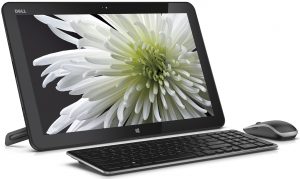
    The latest entry in the mammoth touchscreen genre comes from American company Dell which, on Wednesday, unveiled the XPS 18 AIO (All-In-One). As you might imagine judging by its name, the XPS 18 features an 18-inch touchscreen display, with a resolution of 1920 by 1080, or as Dell likes to call it “twice the screen size of Apple’s iPad” (like the two are in some sort of competition — which they are not).

    Dell pits the XPS 18 as a versatile device capable of media streaming and “gaming for families” in a lightweight package. The company says that weight comes in under 5 lbs (2.3 KG), making it 6 lbs lighter than Sony’s Tap 20 that was unveiled in mid-October, last year. However, that device features a larger 20-inch display.

    The XPS 10 is powered by “third-generation core processors” from Intel (which suggests a Core i5 or Core i7). The AIO sports an aluminium back panel and adjustable stand and Dell’s Wyse PocketCloud app for creating and managing a personal cloud, among the most noteworthy features.

    The Dell XPS 18 will be available from Dell.com in US and select European markets from $899.99, starting April 16.

  • UK mobile giant EE will carry ‘the next Galaxy’ with 4G LTE onboard

    Brace yourselves because tomorrow Samsung unveils the next Galaxy flagship at the Unpacked event held in New York. And, even if there are more than 24 hours until the announcement, UK mobile operator EE (previously known as Everything Everywhere) has joined the pre-show hype bandwagon with an announcement of its own.

    In a Twitter post, featuring the same teaser photo that Samsung released yesterday on its own Twitter account, EE has announced that it will carry the next Galaxy (presumably called Galaxy S IV) but with the added bonus of “superfast” 4G LTE connectivity.

    The UK carrier has also linked to its next Galaxy update page, which lists the smartphone as “coming soon” also on Orange and T-Mobile, the two mobile operators which laid the foundation for EE. However, on Orange and T-Mobile the handset will not feature 4G LTE connectivity.

    Photo credit: Digital Storm/Shutterstock

  • Intel brings Android 4.2.2 Jelly Bean alongside Windows 8

    Intel Open Source Technology Center has released an Android 4.2.2 Jelly Bean developer preview build of “pre-alpha quality”, which is also “buggy and not highly optimized”, albeit one that has a major trick up its sleeve. Unlike the common version of the green droid operating system, which mostly runs solely on the ARM architecture, the aforementioned developer preview build — dubbed Android-IA — is designed to work on Intel’s x86 processor architecture used on Windows-compatible devices.
    So what would you need to run this “buggy and not highly optimized” Android 4.2.2 build? Intel says that Android-IA can only boot with UEFI mode enabled within the BIOS, which straight off the bat narrows down the list of compatible devices and therefore the ability to run this green droid build, and includes support for dual-boot alongside Windows 8. The chip maker also warns that even if your device is theoretically compatible, in order to dual-boot with Windows 8 onboard there are certain aspects to be considered beforehand.

    The installer will “not disturb” Windows 8 on EFI-based devices, but it needs unpartitioned space in order to carry on with the process and you will need to choose to dual-boot alongside Windows 8, because otherwise Intel warns that the installer will erase the entire disk. The company also says that users should back up their personal data beforehand and that the command line interface for the installer is somewhat “crude at the moment” and that it will be improved in the upcoming weeks.

    The Android 4.2.2 developer preview build comes with the Linux 3.8.0 kernel and signed modules, interactive installer, Gummiboot bootloader, Mesa software library that is based on the freedesktop upstream and an unified installer. The unified installer, however, is touted to work for all compatible devices except the Samsung XE700T tablet, which needs a separate one that Intel also provides.

    By and large, Android-IA has to be properly installed on an USB flash drive and the user must set up the device as to boot from the USB flash drive and choose “Install Android to hard disk” from the boot menu, in order to get the green droid distribution up and running. It’s not a complicated process but it requires a methodical approach.

  • HTC unveils One Developer Edition for Android enthusiasts

    Aimed at the Android developer and modding community, Taiwanese company HTC has introduced a new iteration of the One smartphone that was introduced three weeks ago, called One Developer Edition. The two devices share the same underpinnings, except for two major changes in the software department.
    The One Developer Edition is aimed at the US Android enthusiast as it features a carrier unlock and unlocked bootloader out-of-the-box, whereas the One will come without any of the two coveted specifications when purchased from local mobile operators. The price difference, however, may force you to reconsider acquiring the new iteration.

    Although there is no official pricing just yet for the One it’s fair to assume that the handset will be around the $200-$300 mark, the same as with the One X or One X+. The One Developer Edition, on the other hand, is set to arrive in US stores “in limited quantities” for $649, according to HTC.

    Luckily the spec sheet is just as impressive as its pricing. The One Developer Edition comes with a 4.7-inch display with a resolution of 1920 by 1080 and a 468ppi (pixels per inch) density and is powered by a 1.7GHz quad-core Qualcomm Snapdragon 600 processor and 2GB of RAM. The smartphone features 64GB of internal storage (it appears to be the only storage option) and support for 4G LTE on the 700/850/AWS/1900MHz bands within the US.

    For developers, HTC also provides open APIs for “Bluetooth Low Energy, Infrared, and more” which should help towards releasing custom Android distributions for the One Developer Edition, among other things.

  • Thank you, Apple — iPad made me fall in love with Windows 8

    Every once in a while I find myself having to reinstall the operating system from scratch on my laptop. Unlike previous occasions when I would contemplate choosing between Windows 7 and Windows 8 as the default OS, this time around something rather strange has happened. Instead of having to deal with conflicting thoughts, and even remorse, I installed Windows 8 and never looked back. I now wear my “Windows 8 user” tag proudly and not with regret.

    If you asked me whether I really want Windows 8 not much longer than two months ago I would have said that “I love and miss Windows 7” — and for good reasons at the time. My complaints mostly focused around the Modern UI, which was designed with tablet use in mind and not for users like me (and likely you as well) that are accustomed to Microsoft’s operating systems on more traditional devices like full-fledged PCs and laptops. So what changed?

    Blame It on the iPad

    A couple of weeks ago I went on a short trip and instead of carrying around my laptop with me, like I always do, I took iPad 2 instead (because it’s lighter and easier to carry around). The iPad forced me to deal with an app-centric tablet environment for a couple of days and, even though I couldn’t do much real work on it, I managed to successfully carry out most lighter tasks — watching some YouTube videos, chatting with friends, browsing the web, doing some social networking stuff and so on.

    The experience using apps on a tablet compared to a traditional computer is totally different for me, mostly due to the hardware. But the iPad eased that transition. When I got back home and to my beloved laptop, Windows 8 started to look like a familiar face, someone that I never liked before, but after a brief separation we’ve suddenly become best pals.

    Embracing Apps

    By and large, apps on Windows 8 are just like apps on the iPad in the sense that they share a similar philosophy implementing essential functionality except, in my case, on the former there’s no touchscreen for that more intimate connection. I started to organize apps on the Windows 8’s Start screen just like I would on the iPad and to download more useful ones to complement the already available offering.

    Nextgen Reader is one of my favorite apps available on the Windows 8 ecosystem, as it allows me to keep track of all the news that interests me and because the app features a live tile that regularly updates with new entries. I often glance at the start screen at which point I catch up on worldwide events and even weather (something that I’ve grown to like having there before heading out). I can also see the latest interactions from Twitter or Facebook on the People tile and chat with Facebook friends straight from Messaging. Before using the iPad to get my kicks while I was away, none of these things seemed natural to use on a laptop running Windows 8.

    Embrace Functionality

    So I got in bed with apps, but to my surprise I also started to enjoy the search functionality that became second nature after months of awkward use. Press the Windows key, start typing and I’ve got my apps, files and settings right there without having to look for them (which I now find to be an outdated method even on Windows). What’s more, the transition between the Desktop — where I do spend most of my time for multitasking — and the new Start menu doesn’t bother me anymore. To my surprise I even like having notifications for emails (which I don’t know why it’s not on by default).

    After having used Windows 8 for a while even my corner of the screen hunting has much improved. I can’t remember a Microsoft operating system that forced users to keep hitting the corners of the screen so much as Windows 8 does, and this requires some training to turn into a habit. Months later and I’m on board with it up to a point where I’ve mastered the skill of switching between apps or triggering the Charms menu with little to no mishaps in the process. I find myself using the mouse gestures as the sole means of navigation.

    Uniform Design

    Having an HTC Windows Phone 8X, which comes with Windows Phone 8, has helped the falling in love process. The smartphone operating system does come with its limitations, which I still haven’t gotten used to so far, but paves the way towards a smoother transition between two different devices — smartphone and laptop — in a way that I feel like I’m moving from one room to another inside my house rather than from my place to a subpar hotel. The live tiles really work on Windows Phone 8 and I’ve embraced that they do provide a similar, and genuine, benefit on Windows 8 as well.

    I have always liked the design of Windows 8, which is fresh and provides useful functionality, but with more extensive use starts to provide an analogue experience, a natural connection between me and the machine. I now consider getting a Microsoft Surface RT to replace my Apple iPad 2 and even my laptop for writing and documenting articles, something that I couldn’t even grasp a couple of months ago. I suspect that most people that have used a Windows Phone 8 or Windows 8 device will have no trouble in adopting the other after a while.

    I was Wrong

    Admitting defeat, or in this case conceding that Windows 8 is better than anything I have ever used before, does not come lightly. But, as any respected early adopter and most especially traditional computer user I must admit to being wrong about Windows 8.

    So today I join my colleagues Alan Buckingham and Joe Wilcox in saying that “I love Windows 8”.

    Photo Credit: Joe Wilcox

  • The BlackBerry Z10 is NOW available for pre-order on AT&T

    Great news for BlackBerry fans! Just yesterday AT&T announced that it will carry the BlackBerry Z10 in its smartphone portfolio, and today the recently-introduced device is available to pre-order at the US mobile operator.
    On a two-year contract at AT&T, the BlackBerry Z10 goes for $199.99 alongside a qualifying data plan and new activation. The US carrier also offers a one-year contract option at which point the price of the device goes up by $250 to $449.99. And, if you want to pay for the BlackBerry Z10 upfront AT&T charges you $549.99.

    Right after the Canadian manufacturer unveiled the new BlackBerry my colleague Joe Wilcox posted one of his traditional articles asking “Will you buy the BlackBerry Z10?” to gauge the market interest (and that of BetaNews readers) for the new smartphone.

    A whopping 33.43 percent responded that they will buy the BlackBerry Z10 as soon as it is available, while 16.21 percent of respondents have plans to purchase the device in up to six months after sales start.

    The BlackBerry Z10 will be available “through all AT&T channels” beginning from March 22, 10 days after the pre-ordering went live. Will you be or are you one of the proud owners of a new BlackBerry Z10?

  • Samsung teases the next Galaxy (again) with a pic of the GS III

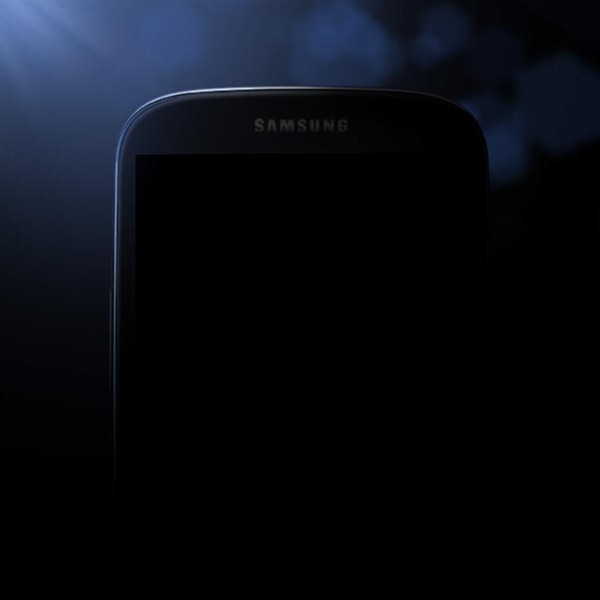
    As if the hype surrounding the next Galaxy flagship was not enough, after a couple of teasers Samsung released yet another one on Tuesday with a picture showing what appears to be the new Galaxy S IV. Well, is it?
    Samsung asked us “Who’s ready for the Global Unpacked Event on March 14?”, but if that’s what “the next big thing” looks like, count me out. All the blogs were raving today with big headlines suggesting that Samsung actually released a teaser showing the Galaxy S IV in a shadowy background, when in fact the device in question is the plain old Galaxy S III bar the headphone grill and likely surrounding sensors and front-facing camera.

    Of course, we don’t really know what the next Galaxy smartphone looks like (yes, there are leaked photos, but being leaked don’t make them real), but judging by the design of previous iterations it’s unlikely that the company will simply slap a different badge on a current flagship and sell it as the successor.

    Samsung could just as well take the Apple route and slightly tweak the Galaxy S IV to look similar to its predecessor, like the fruit logo company did with the iPhone 4 and the iPhone 4S. That would certainly fit in line with the device from the teaser photo, but it seems unlikely that it would be a 1:1 reproduction with the same curvatures and overall look of the top half.

    What we do know for certain is Samsung has got us talking again about a product that has not yet been released. If that’s what the company had in mind, then it certainly succeeded.

  • Updated LinkedIn and Twitter apps come to BlackBerry 10

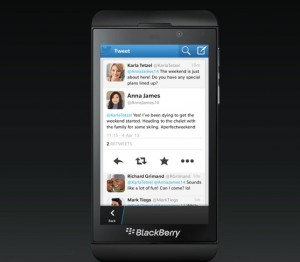
    BlackBerry Z10 owners rejoice! Updated LinkedIn and Twitter apps for BB 10 are now available, touting new features and improvements over previous iterations. The update promises to improve the social experience on BlackBerry’s latest mobile operating system with “an enhanced tweeting experience and helpful business tools”, according to the Canadian device maker.
    Let’s take them one by one. The LinkedIn app, which has seen the least number of improvements and new features of the two, now allows users to view LinkedIn profiles in full screen mode, search, view and save recommended jobs, chat with connections through LinkedIn Messages and filter news by industries through LinkedIn Today.

    Twitter went through a more significant overhaul compared to LinkedIn. Users now have access to an improved compose tweet screen that comes with location support, a shortcut for the “@” sign and provides the ability to add pics either by snapping a new one or choosing an existing one.

    Users can send direct messages from the “Me” tab, edit the profile picture, header and details, view a complete conversation history after tapping on a tweet and delete their own tweets. Other features include the ability to block and report other users as spam, display full screen images, quote tweets after selecting “Retweet” and open the tweet’s details page.

    LinkedIn and Twitter are available to download from the BlackBerry World store.

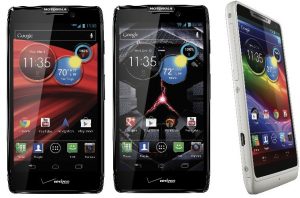
  • Motorola Droid Razr and Maxx, you’re getting Android 4.1.2 Jelly Bean!

    Almost a year and a half ago, Motorola introduced the skinny Droid Razr smartphone which was followed shortly by its Droid Razr Maxx younger brother, thicker but with a beefed-up battery onboard. Originally the two devices came with Android 2.3 Gingerbread but Google’s subsidiary upgraded both to Ice Cream Sandwich in mid-2012.

    And, now, Motorola has another surprise in store for Droid Razr and Droid Razr Maxx owners — Android 4.1.2 is coming. The Verizon-branded handsets will be able to take advantage of a plethora of new features and improvements courtesy of the first Jelly Bean iteration. There are also a number of bug fixes and less branded apps included alongside the coveted software upgrade, which bears the “98.72.16.XT912.Verizon.en.US” moniker.

    On the Droid Razr and Droid Razr Maxx, Android 4.1.2 Jelly Bean delivers the Google Now personal assistant with enhanced voice search capabilities, revamped camera with better picture quality, more accurate dictionaries for the keyboard with word predictions, new Gallery app, revised notification panel with expandable notifications, support for Wi-Fi hotspot and Chrome as the default browser.

    Motorola has also fixed a number of bugs for 3G and 4G connectivity (improved voice and data connection and coverage quality), audio settings (easier to find and edit Audio Effects), contacts (sync will occur more often), global roaming (improved GSM roaming connectivity), Google Maps (faster GPS lock-in times), music playlists (playlists are easier to create), Outlook sync (faster updates for email and calendar) and Quick Office (fixed random closing when displaying documents).

    The software upgrade also removes a number of apps (Alarm and Timer, MOTOACTV, MOTOCAST 2.0, MOTOPRINT, My Gallery, My Music, Social Location and Verizon Video on Demand) and widgets (My Gallary, My MOTOCAST, My Music, Picture Slideshow, Social Location, Sticky Note and Weather & World Clock).

    Motorola advises Droid Razr and Droid Razr Maxx users to only install the update using Wi-Fi and when the battery has more than 50 percent charge left.

  • Microsoft teases Skype integration with Outlook.com

    Little over two weeks ago Microsoft took down the “opening soon” digital cardboard sign and officially introduced Outlook.com into the wild as a stable product. And if you’re already a user or if you have seen the commercials, then you already know that the email service delivers Facebook, LinkedIn and Twitter integration, among other supported cloud services.

    But there’s one that is still missing, and a very important product integration at that — Skype. In mid-May 2011 Microsoft purchased the popular voice, video and text chatting service for $8.5 billion, a not so small chunk of change by any means. Naturally, in the cloud-connected era, integration with the software giant’s cloud products is the next logical step, especially in the midst of heavy competition from Google which, for instance, includes Google Talk integration with Gmail.

    Microsoft has released a new commercial for Outlook.com which takes users through all the important features like the clean design, Office web app and social network integration before taking a surprising turn. When showcasing the Messaging panel, Outlook.com also sports two big buttons underneath the text input box with video camera and phone pictograms. Needless to say that’s video and audio calling, in layman terms, with Skype powering the new functionality straight from Outlook.com.

    The video shows Facebook, LinkedIn and Twitter icons after a big “connected” with the Skype logo ending the video alongside a “coming soon” sign. It is worth noting that Joe Belfiore, Microsoft’s Windows Phone manager, also said that Skype integration will make its way to the People hub in Windows Phone as well, but again with the same “coming soon” estimate.

    Photo Credit: Goodluz /Shutterstock

  • Nokia releases Glam Me app for narcissistic Windows Phone 8 Lumia users

    Nokia targeted hipsters with #2InstaWithLove a couple of days ago, and now the Finnish smartphone manufacturer has shifted its focus onto narcissists. Nokia Glam Me allows users to take enhanced self-portraits for later adulation and, obviously, sharing across various social networks.

    There’s a catch though. In order to take advantage of the benefits that Nokia Glam Me touts, one has to own a compatible Lumia smartphone running Windows Phone 8. And, for the best results, users might want to look towards a higher-spec’d model in the front-facing camera department, like the Lumia 920 or the recently-introduced Lumia 720.

    Self-adulation can be achieved simply by using the default camera software to take self-portraits of course, but that’s not the Nokia way. The Finnish company takes it a step further by allowing users to “lighten up that minor blemish” or spruce up their day by adding automatic enhancements and manual adjustments.

    The app provides tweaks for facial details as well as “cool artistic effects optimized for self-portrait” like a grayscale effect of sorts. There’s even “intelligence inside”, because what’s beauty without brains?

    Nokia Glam Me is available to download from the Windows Phone Store.

  • ASUS ‘launches’ the Transformer AiO for Android and Windows 8 lovers

    If you’re in the market for an all-in-one PC running Windows 8 but you also want an Android tablet to carry about inside the house, Taiwanese manufacturer ASUS has just the thing for you — the new Transformer AiO. Designed as a niche of a niche product, the Transformer AiO appears to have it all figured out.

    The all-in-one aims to give users the power of legacy and Modern UI Windows 8 apps, combined with the vast and mobile-oriented Android ecosystem. On the Windows 8 side, the Transformer AiO brings an 18.4-inch LED-backlit IPS display with 10-point multitouch and a resolution of 1920 by 1080. Power comes from a third generation Intel Core i3, i5 or i7 processor backed by an Nvidia GeForce GT 730M graphics card with 2GB of RAM. Like you’d expect it features the usual array of ports, including HDMI and USB 3.0 ones.

    Other specs include 4GB up to 8GB of RAM; 1TB up to 2TB HDD; DVD-RW; Wi-Fi 802.11 a/b/g/n; Bluetooth 4.0; 1MP front-facing camera and two 3W speakers.

    But how does it provide the two software platforms? Well, the display is the key.

    The 18.4-inch display is actually a detachable tablet — you didn’t expect this, did you? — which features a quad-core Nvidia Tegra 3 processor and Android 4.1 Jelly Bean as the operating system of choice. Other features include 32GB of internal storage; 2GB of RAM and a G-sensor, among others.

    ASUS says that the Transformer AiO can switch between Windows 8 and Android simply by pressing a button. The tablet can also be used as a “wireless Remote Desktop technology” when detached, because it comes with Wi-Fi  802.11 a/b/g/n connectivity and Bluetooth 3.0 with EDR (Enhanced Data Rate).

    The device does not break any battery life records with ASUS giving an estimate of five hours of detached operation for the 38W battery, a performance similar to the Microsoft Surface Pro tablet PC.

    And, to help lug the tablet-side around and make it usable as a tablet, ASUS has also added a carrying handle and a folding stand because it weighs 2.4KG and it measures 466 x 294 x 18 mm.

    The Taiwanese manufacturer has yet to announce official pricing or date of availability.

  • AOKP Jelly Bean MR1 Build 5 is available

    Pink does really make a difference. To most people a unicorn is just an imaginary creature from children’s books but add the color pink into the equation and Android enthusiasts rejoice about AOKP, one of the most popular custom Android distributions. The team behind Android Open Kang Project has released a new build, a week after the last one, sporting bug fixes, new features and support for more devices.

    The AOKP developers have fixed “a really nasty memory leak” which caused the popular custom Android distribution to randomly reboot. A side-effect of squashing the bug is increased speed in navigating the lockscreen. Jelly Bean MR1 Build 5 introduces support for six new devices, for a total of 28 as of the latest release.

    The developers have added the LG Nitro HD for AT&T (codename “p930”), LG Optimus LTE for SKT (codename “su640”), LG Spectrum for Verizon (codename “vs920”), Samsung Galaxy Note II for Sprint and Verizon (codename “I900” and “i605”, respectively) and the international Samsung Galaxy S III (codename “I9300”) to the list of supported devices.

    The new features include notification panel toggles (quick settings is the default option), new configuration menu for the navigation ring, S Pen support for the Samsung Galaxy Note II and a Quiet Hours toggle.

    Users that have had Screenshot set as a navigation ring target or have uninstalled an app which was used as a navigation ring target must go into ROMControl and reset the navigation ring, because SystemUI may cause force closes (crashes).

    AOKP Jelly Bean MR1 Build 5 is available to download from AndroTransfer and Goo.im. There is also a new Google Apps package available to go along with it, based off Android 4.2.2 Jelly Bean.

  • Jelly Bean and Ice Cream Sandwich: Gingerbread, you are toast!

    Just as I predicted in early-February, combined, the new sweets on the block — Jelly Bean and Ice Cream Sandwich — surpassed the mighty Gingerbread in the Android distribution charts for early-March. Based on the number of devices accessing Google Play during the 14 days ending March 4, Gingerbread is still the most popular green droid iteration.

    Almost four months after Google released Android 4.2, the latest treat in the candy jar has reached a 1.6 percent distribution level. The second Jelly Bean iteration continues to grow, if only slightly, by another 0.2 percentage points from 1.4 percent distribution level in early-February. The difference translates into a 14.28 percent increase over the course of a single month.

    A month ago, I called the same 0.2 percentage points growth (over the early-January numbers) a near-stagnant increase caused by stock issues and limited worldwide availability of Google Nexus devices. In March that is, however, no longer the main problem, as the lack of software upgrades for other popular devices plays a more significant part in the whole picture.

    The first Jelly Bean iteration has reached a 14.9 percent distribution level in early-March, a number 2.7 percentage points higher compared to the previous data set which placed it at 12.2 percent distribution. The 22.13 percent increase can be attributed to sales of new smartphones and tablets as well as software upgrades. As with the second Jelly Bean iteration, Android 4.1’s growth is slightly lower month-over-month and, judging by previous data sets, the trend will continue in upcoming months.

    The first member of the Android 4.x family, Ice Cream Sandwich (version 4.0.3 to 4.0.4), now runs of 28.6 percent of all green droid devices. Android 4.0 continues its descending popularity trend which started a month before, losing 0.4 percentage points in the process from the 29 percent distribution in early-February. The difference represents a slight 1.37 percent decrease and can be attributed to sales of new devices which skip Ice Cream Sandwich altogether as well as software upgrades to the newer sweets in the family.

    The tablet-only Honeycomb has reached a distribution level of 1.2 percent, losing 0.1 percentage points since early-February when it managed a 1.5 percent distribution level. The difference translates into a 7.69 percent drop. Honeycomb version 3.1 and 3.2 run on 0.3 percent and 0.9 percent, respectively, of all green droid devices.

    The mighty Gingerbread still runs on 44.2 percent of all Android devices, with versions 2.3 to 2.3.2 and 2.3.3 to 2.3.7 amounting to a 0.2 percent and a 44 percent, respectively, distribution level. Gingerbread has lost 1.4 percentage points compared to the previous data set which placed the older operating system at 45.6 percent distribution level. The difference translates into a 3.07 percent decrease.

    For green droid iterations before Gingerbread’s time it’s all downhill. Froyo, Eclair and Donut have reached a distribution level of 7.6 percent, 1.9 percent and 0.2 percent, respectively. The three combined run on 9.7 percent of all Android devices, 0.8 percentage points lower compared to the previous data set which translates into a 7.61 percent decrease.

    Jelly Bean and Ice Cream Sandwich, even though the latter continues to lose distribution share, have dethroned Gingerbread thanks to a combined 45.1 percent distribution level. The historical data set points out that Jelly Bean will continue to grow over the next couple of months, and help sustain the dominance of newer Android iterations over the older Gingerbread.

    Photo Credit: Bobby Scrivener/Shutterstock