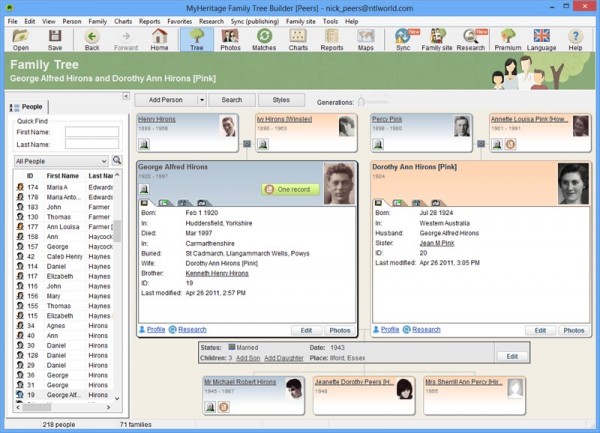
MyHeritage Ltd has released Family Tree Builder 7.0, a major new version of its free Windows app for recording, managing and sharing a family tree. Version 7’s major new features tighten its links with the MyHeritage.com website by introducing two-way sync and providing access to the billions of historic records held at the website, some free, but most requiring a subscription.
Version 7.0 also implements full Unicode support, tweaks the user interface and extends language support to four additional countries in the Mid and Far East.
Family Tree Builder 7.0’s headline new feature is the implementation of two-way sync. Previously users could upload their tree to the MyHeritage.com servers — free account holders are limited to 250 individuals in their tree — but version 7.0 now makes it possible to download trees and tree changes back to the program, allowing users to update their tree using a combination of the website, Windows app and iOS app. All changes are then shared across the different builds when the user next performs a sync.
Practically all information is synced from the app, with the notable exceptions being DNA markers, SSN fields and any fields specifically marked as “private”.
Version 7.0 also replaces the existing Smart Research and WorldVitalRecords Search tools with Record Matching and SuperSearch tools. Both are linked to MyHeritage.com’s growing list of records, numbered in the billions, with the Record Matching tool performing background smart searches based on the information held in the user’s tree. A clickable button next to individuals alerts users to the existence of potential matches.
The new build has also been rewritten to support Unicode, which ensures that data can be entered in any language, allowing for a mix and match between languages in the program. This has led to a new file extension, UZED, being implemented to reflect Unicode projects.
Other changes include a minor facelift of the program interface, plus support for Chinese (both Traditional and Simplified), Japanese, Korean and Farsi languages. Replacing existing personal photos in the tree has been simplified, while support for BCE dates and options to display the husband/father’s first name or initial in his children’s or wife’s name have also been added. The update is rounded off with the usual non-specified bug fixes.
Family Tree Builder 7.0 is available now as a free download for PCs running Windows XP or later. Users will need to sign up with MyHeritage.com to use the program — free accounts are available, with paid-for premium versions extending the program’s functionality as well as providing more storage space online.
 Piriform has released
  Piriform, Inc has released
  Facebook has released
 SugarSync, Inc has released
 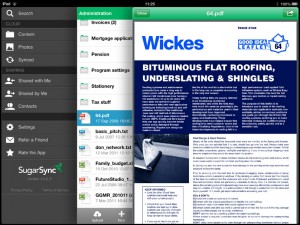 SugarSync now fully supports the iOS “Open in” feature, which allows users to save content to their SugarSync storage from other apps such as Mail or Pages, plus open documents already stored on SugarSync’s servers in compatible apps on the iPad or iPhone.
 If you find Finder frustratingly limited, then you’ll be in the market for a replacement/enhancement tool. There are plenty of paid-for Finder enhancements out there, but over the past year or so they’ve been increasingly put to the shade by a fabulous, and rapidly developing, free tool called
 Oracle has released
 Taiwanese software developer CyberLink has released
 XnSoft has released
  Adobe has refreshed its cross-platform web media playback and runtime tools with the release of
 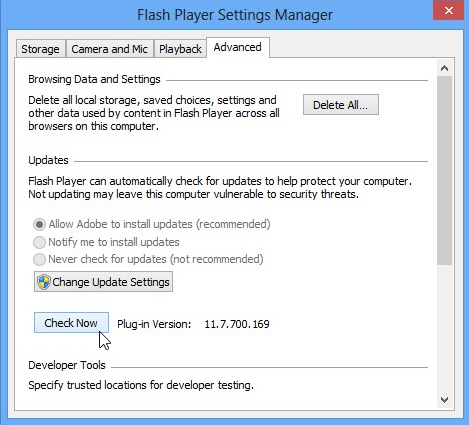 Adobe AIR 3.7 also introduces a number of new iOS-focused features for developers. The first is a new static ‘preventBackup’ property, which prevents local shared object data from being backed up to iCloud. This property is required to comply with recently updated Apple guidelines.
 Incomedia has released
  If you’ve a penchant for typos or having to type the same repetitive phrases day in, day out, you’ll be eternally grateful for Word’s AutoCorrect and AutoText functions. The sad thing is, of course, that once you exit Office they’re inaccessible, which must be frustrating as you read back that horribly misspelled message in your email client or psyche yourself up to enter your address for the umpteenth time into your text editor.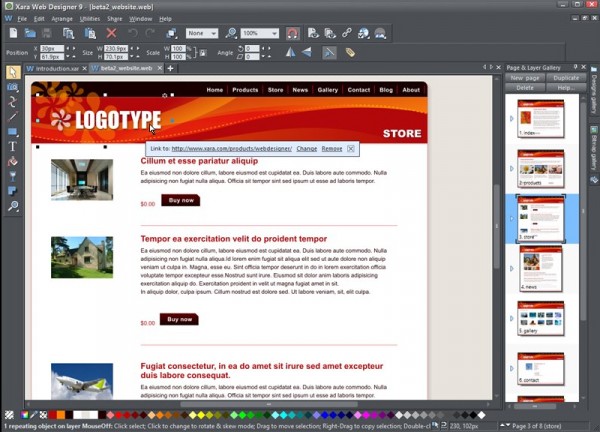
 Piriform has released
 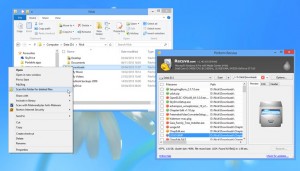 The new folder scan feature is only available in the main Recuva build — it’s not accessible via the portable version. The option is added to the program installer and selected by default — if left in place, users gain the ability to browse to a folder in Explorer, then right-click it and choose “Scan this folder for deleted files”. Recuva will then perform a quick scan and display the results of its search, allowing users to quickly recover files from known locations.
 Here’s the contradiction: you need secure, unique and hard-to-remember passwords to protect your online (and offline) accounts from being hacked. However, remembering those secure, unique and hard-to-remember passwords is another matter entirely. Thankfully there is a solution, and it’s called a password manager.
 Mozilla has released
 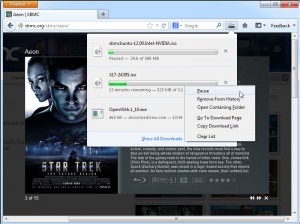 Clicking Show All Downloads opens the new Downloads Manager, which is integrated in the Library window alongside History, Tags and Bookmarks. The same options are displayed here as in the pop-up window, allowing users to manage downloads in the same way.
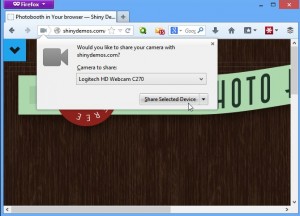 The only disappointment for developers in Firefox 20 is that the new Javascript Profiler tool for tracking the responsiveness of Javascript code is missing, stuck in beta.
 Data loss can take many forms, but one of the most devastating is through physical drive failure. There’s no knowing how long your hard drives will last — one drive might last well beyond its projected five-year lifespan while another identical model fails within six months. But it’s not just bad luck that can shorten a drive’s life — it’s the physical environment it operates in (hotter hard drives die sooner) and how well it’s maintained (a fragmented hard disk works a lot harder, and the physical stress again shortens its life).