Author: Mihaita Bamburic

  • Nokia Lumia 521 comes to T-Mobile in May

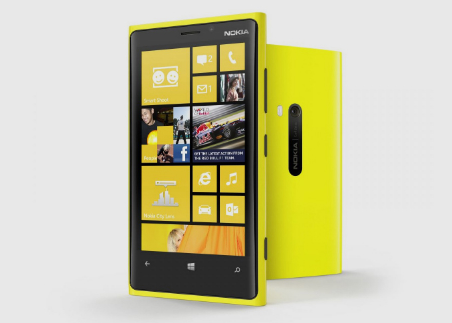
    At Mobile World Congress in Barcelona, Nokia unveiled its entry-level Windows Phone 8 handset — the Lumia 520 — which will run for $185 before any applicable taxes. And today T-Mobile announced that it will carry a branded variant of the smartphone, dubbed the Lumia 521.

    Like its international sibling, the Lumia 521 comes with a 4.0-inch display, which T-Mobile says is “super sensitive, a 5MP back-facing camera with auto-focus and 720p video recording and the usual Nokia software add-ons.

    That means users will get access to Nokia collection in the app store, which features Burton, Cinemagraph, Creative Studio, HERE City Lens, HERE Drive, Here Maps, HERE Transit, Panorama, PhotoBeamer, Smart Shoot and other exclusive software.

    T-Mobile announced that the Lumia 521 will be available starting in May from Microsoft and T-Mobile retail stores and Walmart. The mobile operator says that other details, such as price and exact date of availability, will be announced later on.

  • T-Mobile announces trade-in offer for the iPhone 5

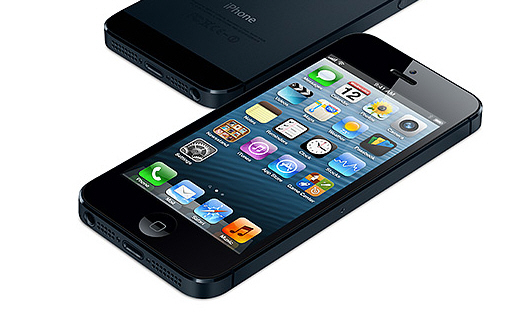
    In just two days, T-Mobile customers will be able to purchase the iPhone 5. The fourth-largest carrier in the US offers the smartphone for $99.99 upfront paired with $20 monthly payments over two years, when purchased alongside the Simple Choice Plan. Also, prospective buyers can pre-order the iPhone 5 today, until April 12 when the device officially goes on sale.

    In order to boost the adoption and initial sales of the iPhone 5, T-mobile is also offering users the option to trade-in another iPhone to lower the overall cost. “Our message to iPhone 4S and iPhone 4 customers is simple: bring in your device and trade up to iPhone 5 on T-Mobile”, says Mike Sievert, chief marketing officer for T-Mobile. So what do you get in return?

    T-Mobile says that “the special trade-in offer, which lasts through Father’s Day on June 16” allows “well-qualified customers” to hand over an iPhone 4S or iPhone 4 and in return they will get the iPhone 5 for no upfront cost alongside monthly payments.

    The mobile operator also says that customers can get up to $120 in credit as well, which can be used to pay the monthly bills, depending on the value of the device that is traded-in.

    T-Mobile has not specifically mentioned which iPhone 5 model this offer extends to, but it’s fair to assume that we’re talking about the 16GB variant. Also, according to T-Mobile the offer might not be available in every location, and certainly not in the District of Columbia.

  • Authenticator for Windows Phone hints two-factor verification will come to Microsoft accounts

    Microsoft has released an app for Windows Phone called Authenticator, which is designed to generate security codes associated with two-factor authentication. Nothing special so far, other than Microsoft’s name being associated with the app. What is noteworthy is that, according to the release notes, you can use Authenticator “to help keep your Microsoft account secure”. Is Microsoft finally taking the user’s security seriously?

    At the time of writing this article two-factor authentication is not avilable for my Outlook.com account. But this suggests that, eventually, Microsoft will enable the extra security measure for its cloud services, presumably sometime soon and likely for Outlook.com first of all. Currently users have to rely on the complexity of their passwords in order to insure the safety of their Microsoft accounts, whereas Google users, for example, have had the option to use two-factor authentication for quite some time.

    Also, according to the release notes, Authenticator “implements industry-standard security code generation and may also work with other services and providers”. Guess what? It really does work with “other services and providers”.

    I have two-factor authentication enabled for my Google account and I can confirm that Authenticator can indeed be used to generated security codes for Currents, Gmail, Google+ or YouTube. In the app’s reviews, user Srikanth also confirms: “This is a very easy to use app. This also works with Google’s 2-step authentication. The QR code scanner works great. Very convenient!”. Currently the app has a five-star rating, which is hardly surprising.

    Using Authenticator, I scanned the QR code generated by Google and shortly after the app provided security codes. No matter whether you choose Android or iPhone for “mobile application” under two-factor authentication in the Google account, the search giant’s cloud services recognize the security code provided by Authenticator.

    This is clearly one of the best app releases coming from Microsoft thus far and will allow Google users to more comfortably use two-factor authentication on Windows Phone. Previously the safest way to do so was to receive security codes via text messaging, a not so modern solution in this day and age. Reviewer Chien-Jon sums it up nicely: “No more texts from Google”.

    Authenticator is available to download from Windows Phone Store.

    Photo Credit: Jirsak/Shutterstock

  • Nokia Lumia 920 is the most popular Windows Phone device

    AdDuplex, which touts itself as the “largest cross-promotion network for Windows Phone and Windows 8 apps”, released a new monthly report which shows the Nokia Lumia 920 as the most popular Windows Phone device currently available. The handset holds a 14 percent market share among devices running Microsoft’s smartphone operating system.

    According to the report, the Lumia 920 dethroned the Lumia 800, “by a very small margin”, for the title of the most popular Windows Phone device. The 920 was released worldwide in November 2012. The latter made its way onto the market one year earlier and also holds approximately a 14 percent market share among Windows Phone handsets, albeit slightly lower when it comes down to actual numbers.

    The report is based on data collected by AdDuplex on April 4 from 494 Windows Phone apps that run the second version of the AdDuplex SDK (Software Development Kit). Even though it may not be as accurate as an official report coming from manufacturers, the data provided by the network does reveal some interesting statistics for users to gorge on.

    AdDuplex also provided an app installations graph for the Lumia 920 which shows “a few bumps”, suggested to be “related to supply problems”. It is worth noting that said bumps occurred in the first half of January, around February 22 and just before March 22. Also, the Lumia 920 is just now starting to be available worldwide, after months when the handset was restricted to a lesser number of markets.

    Market share for other devices is as follows: Lumia 710 — 13 percent, Lumia 610 — 11 percent, Lumia 820 — 8 percent, Lumia 620 — 7 percent, Lumia 900 — 4 percent, HTC Windows Phone 8X — 4 percent, Windows Phone 8S — 4 percent, Lumia 822 (the Verizon-branded version of the Lumia 820 — 3 percent. Other devices make up 18 percent of the Windows Phone market.

    According to AdDuplex, Nokia holds an 80 percent market share among Windows Phone manufacturers, followed by HTC with 14 percent, and Samsung with 5 percent. Other makers such as LG, Huawei or Dell do not pass the 1 percent mark in Windows Phone share.

    The network says that Nokia holds the highest market share in Argentina while the lowest is in Japan, for Windows Phone devices. In the US, the Finnish manufacturer’s devices currently occupy approximately a 65 percent market share in the Windows Phone realm.

    AdDuplex also provided some data as to the adoption of the two major Windows Phone versions. Windows Phone 8 currently runs on 43 percent of all Windows Phone devices, while Windows Phone 7 takes up the remaining 57 percent. It is worth noting that the newer smartphone operating system was released in late-October, 2012.

    Windows Phone 8 is most popular in France with an approximate market share of 70 percent, while Windows Phone 7 is most popular in Mexico with an estimative market share of above 95 percent. For both versions the numbers are compared to Windows Phone as a whole.

    Surprisingly, in the US the most popular Windows Phone device is the Lumia 822 at 22 percent market share, followed by the Lumia 920 at 20 percent market share. The Windows Phone 8X takes third spot with 16 percent market share.

    In the US, Nokia has a 66 percent market share among Windows Phone manufacturers, while HTC and Samsung hold a 26 percent and 7 percent, respectively, in market share. Most Windows Phone devices sold in the US are on AT&T (with 43 percent market share), Verizon (30 percent) and T-Mobile (22 percent).

    AdDuplex also says that it has spotted a number of new devices bearing the RM-860 (which AdDuplex says is the Lumia 928 rumored for Verizon), RM-892, RM-893 and RM-877 (on AT&T) moniker. Those codenames are indicative of Nokia devices, and may suggest that newer models are coming.

  • FairSearch files complaint against ‘Google’s anti-competitive’ mobile strategy, in the EU

    FairSearch, a coalition comprised of 17 global businesses including Expedia, Kayak, Microsoft, Oracle, Nokia and TripAdvisor, has announced that it has filed a complaint with the European Commission (EC) against Google, citing an “anti-competitive strategy” and consolidating “control over consumer Internet data for online advertising” in the mobile space.

    FairSearch uses two reports from Strategy Analytics (SA) and eMarketer to base its claims. According to the coalition, Google exerts its dominance in the mobile operating system space with Android, which held a 68.4 percent market share in 2012 per SA, and in mobile search advertising, which eMarketer says Google dominates with a 96 percent market share.

    “Google is using its Android mobile operating system as a ‘Trojan Horse’ to deceive partners, monopolize the mobile marketplace, and control consumer data”, says Thomas Vinje, a counsel for FairSearch. “We are asking the Commission to move quickly and decisively to protect competition and innovation in this critical market. Failure to act will only embolden Google to repeat its desktop abuses of dominance as consumers increasingly turn to a mobile platform dominated by Google’s Android operating system”.

    According to Google, “the Google apps for Android, such as YouTube, Google Maps and Navigation, Gmail, and so on are Google properties that are not part of Android, and are licensed separately” and “if the device is to include Google Play, Google will typically validate the device for compatibility before agreeing to license the Google Play client software”.

    As a result, FairSearch also says that the search giant “uses deceptive conduct to lockout competition in mobile”. According to the coalition, even though Google gives “Android to device-makers for ‘free’”, the company requires manufacturers to “pre-load an entire suite of Google mobile services and to give them prominent default placement on the phone”, in order to “include must-have Google apps such as Maps, YouTube or Play”.

    Basically the group cries foul at the presence of Google services on Android, which it calls a “predatory distribution” of the green droid operating system. According to FairSearch, the “below-cost” policy “makes it difficult for other providers of operating systems to recoup investments in competing with Google’s dominant mobile platform”.

    The complaint raises issues similar to the ones brought against Microsoft’s Windows in the last decades. At the time the operating system bundled Microsoft services and programs, including Internet Explorer, Windows Media Player and others, and gave competition little room to grow and develop against the pre-installed offerings.

    Now FairSearch seems to think that another major player — Google — is exerting its dominance a bit too much. Considering that Microsoft is part of the coalition the situation is a tad ironic. Nonetheless, the only question is whether the EC agrees with the complaint or not. If it does, any subsequent decision could dramatically change the mobile landscape.

    Photo Credit: Sebastian Duda/Shutterstock

  • LG’s Optimus G Pro lands in Japan at NTT DOCOMO

    On Thursday, LG announced that the Optimus G Pro, the company’s Android flagship smartphone, is now available at Japanese carrier NTT DOCOMO. In mid-January, NTT DOCOMO was the first to reveal the handset, a number of important specifications and its release date — April 2013.

    Unlike its international sibling which sports a 5.5-inch panel, the NTT DOCOMO variant of the Optimus G Pro comes with a smaller 5.0-inch IPS display. The resolution is the same — 1080 by 1920 but the density is higher — 440 ppi (pixels per inch). NTT DOCOMO originally revealed that the Optimus G Pro will ship with a 1.7 GHz quad-core Qualcomm Snapdragon S4 Pro processor, but today LG said that in fact the newer and faster, still Qualcomm-made, 1.7GHz quad-core Snapdragn 600 processor is used instead.

    The same processor is used in the HTC One and the Samsung Galaxy S4, albeit with a higher clock frequency for the latter. The Galaxy S4 will also be available with a Samsung-made Exynos 5 Octa processor.

    Other specs for the Optimus G Pro include 2GB of RAM; 13 MP back-facing camera; 2.1 MP front-facing camera; 32GB of internal storage; microSD card slot and a 3,000 mAh non-removable battery. The Optimus G Pro ships with Android 4.1.2 Jelly Bean. Dimensions come in at 139 x 70 x 9.9 mm.

  • Android 4.2 Jelly Bean comes to ASUS Transformer Pad Infinity

    One month after the company updated the Transformer Pad TF300 to Android 4.2, ASUS has announced that the Transformer Pad Infinity is also poised to receive the second Jelly Bean iteration.

    On its Facebook page, ASUS posted a picture which lists the Android 4.2 update as coming to the Infinity, with the roll-out started yesterday. So what do you get from the upgrade?

    The most important feature that Android 4.2 introduces is the ability to use multiple user accounts, which is currently exclusive to the tablet version of the mobile operating system.

    Other noteworthy features include lockscreen widgets, improved security, the ability to stream content, swipe input using the built-in keyboard and Daydream, among others.

  • Microsoft releases Cumulative Update 1 for Exchange Server 2013

    Microsoft announced the first major update for Exchange Server 2013, the software giant’s server for calendars, contacts and email. Called Cumulative Update 1, it brings along a number of new features and improvements as well as a couple of bug fixes.

    Cumulative Update 1, build number 15.0.620.29, touts improvements for monitoring and high availability, as one of the most noteworthy changes. The update introduces support for auto-reseed for disks encrypted with Bitlocker and Exchange Server 2013 Management Pack for Systems Center Operations Manager (also known as SCOM), Best Copy Selection algorithm compatibility with MaximumActiveDatabases, a streamlined Get-HealthReport cmdlet and refreshed probes, monitors and respondents.

    Microsoft also included an Address book Policy Routing Agent alongside Cumulative Update 1 and the ability to access favorited Public Folders hosted on Exchange Server 2013 from either Outlook or the Outlook Web app.

    Cumulative Update 1 also improves groups support, with users now being able to own groups, and Exchange Admin Center (also known as EAC), which includes management for Unified Messaging, enhancements for the migration UI (User Interface) and general improvements for the overall user experience.

    Cumulative Update 1 for Exchange Server 2013 is available to download from Microsoft’s Download Center.

  • Jelly Bean closes in on Ice Cream Sandwich

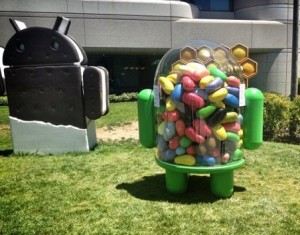
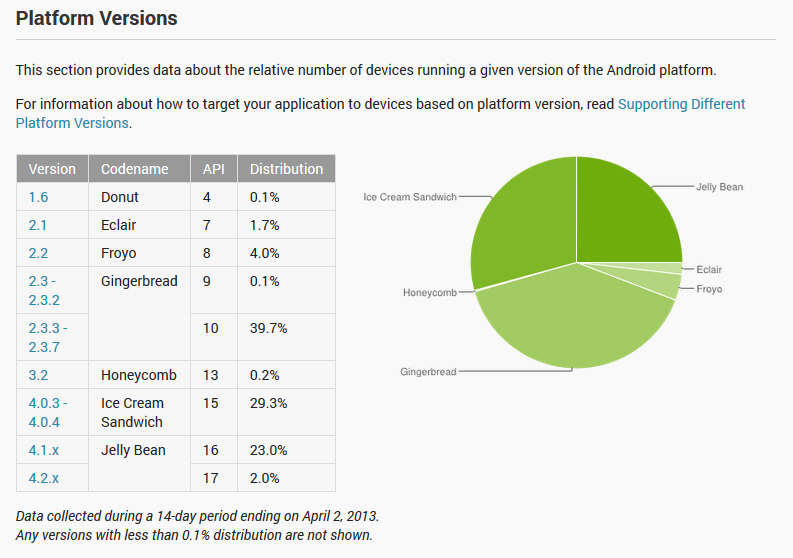
    Jelly Bean may be the newest sweet in the family, but it is steadily gaining ground against its older brothers. Combined, Android 4.1 and Android 4.2 reached a 25 percent distribution level in the green droid realm, based on the number of devices accessing Google Play during the 14 days ending April 2.

    Starting this month, Google has decided to alter how the data is collected. Google says: “Beginning in April, 2013, these charts are now built using data collected from each device when the user visits the Google Play Store. Previously, the data was collected when the device simply checked-in to Google servers”. Why? Because the company considers the new collection method to be more accurate and that it best represents “users who are most engaged in the Android and Google Play ecosystem”.

    The change also has another implication. We simply cannot compare the data set provided by Google in March with the numbers released in April, as there is no longer a direct correlation between the two sets which determines the actual growth or decrease in usage of a certain green droid distribution.

    In April, nearly five months after its release, Android 4.2 reached a 2.0 percent distribution level. The number is mostly influenced by sales of Google-branded devices — Galaxy Nexus, Nexus 7, Nexus 4 and Nexus 10 — and will likely grow once newer smartphones and tablets such as the Samsung Galaxy S4 are released.

    Android 4.1, the first Jelly Bean iteration, runs on 23.0 percent of all green droid devices, nine months after Google released the operating system. It is worth noting that Android 4.1 Jelly Bean will likely grow in the distribution charts over the coming months as older devices receive a software upgrade and newer ones, such as the HTC One, are released.

    Ice Cream Sandwich, version 4.0.3 to 4.0.4, reached a 29.3 percent distribution level in April. The operating system will likely lose ground against its younger siblings, as sales of new devices and even software upgrades skip over Android 4.0 altogether.

    The tablet-only Honeycomb still runs on 0.2 percent of all green droid devices, a number which is practically insignificant per the overall scheme of things. Android 3.2 will likely maintain its distribution level for a couple of months down the road.

    Gingerbread is still the green droid ruler with a combined distribution level of 39.8 percent, for version 2.3 to 2.3.2 and version 2.3.3 to 2.3.7. The former version runs on 0.1 percent of all green droid devices, while the latter takes up the number one spot in the charts with a 39.7 percent distribution level.

    Android distributions older than Gingerbread, Froyo, Eclair and Donut, run on 5.8 percent of all green droid devices. It’s fair to assume that for each of the three sweets the distribution level will decrease over time, more for Froyo and Eclair rather than Donut.

    Judging by the numbers associated with each distribution, the new data collection policy appears to skew the results in the favor of newer sweets. Over the past months Android 4.0 slowly lost ground, something that simply does not reflect anymore in the distribution level for April. The newest distribution level also makes Gingerbread less popular than before and Jelly Bean more popular. The apparent difference is very significant and, from my point of view, unrealistic had Google kept the previous data collection policy in April.

  • HTC One comes to AT&T and Sprint

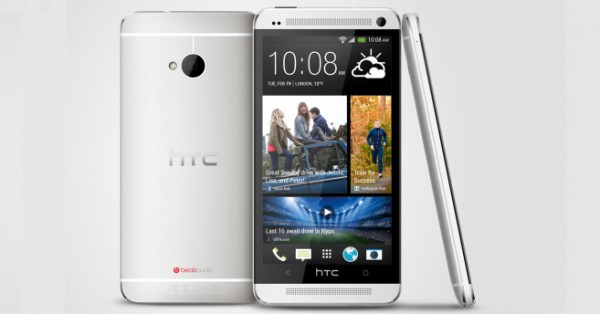
    On Tuesday, U.S. mobile operators AT&T and Sprint revealed important details concerning the availability of the HTC One. Starting Thursday, April 4, the device is offered for pre-order on AT&T, while Sprint subscribers have to wait another day. At both carriers sales start April 19.

    Pricing is conservative, as on a two-year contract the HTC One in 32GB trim runs for $199.99 at both AT&T and Sprint, similar to the BlackBerry Z10 (on AT&T) or the 16GB Apple iPhone 5 — both of which come with half the storage capacity. Available colors for the HTC One include black and silver. On AT&T, customers that pre-order the device also get an HTC Media Link HD wireless HDMI adaptor for free.

    Users looking for even more storage have the option of purchasing the 64GB HTC One, which goes for $299.99 and is an AT&T exclusive model in the United States. For the money, AT&T customers can also purchase a Galaxy Note II or 32GB iPhone 5, neither of which comes with the same storage capacity.

    AT&T’s announcement comes little under a week after the mobile operator revealed that the Samsung Galaxy S4 will be available for pre-order starting April 16, 12 days after the HTC One. Interestingly enough, the Galaxy S4 will be available for $50 more compared to the One, although the carrier did not specify which storage trim will be initially offered (presumably 16GB or 32GB).

    Some of the highlights of the HTC One include a 4.7-inch display with a resolution of 1080 by 1920; 1.7 GHz quad-core Qualcomm Snapdragon 600 processor; 2GB of RAM; 2,300 mAh non-removable battery; Wi-Fi 802.11 a/b/g/n/ac; NFC; Bluetooth 4.0; DLNA and Android 4.1 Jelly Bean as the operating system of choice.

  • What should you do when two-step authentication is not available for your Apple ID?

    When Apple introduced two-step authentication for Apple ID my first thought was “Finally, the fruit company takes security seriously”. But, as I’ve come to learn, that’s not entirely accurate for everyone as the new feature is only available for users living in Australia, Ireland, New Zeeland, United Kingdom and United States. What if you’re living in Canada or Germany? Well, tough luck, you can’t use it. But what can you do?

    Wired’s Mat Honan is probably the best known Apple user to have fallen prey to Apple ID account hacks. Honan tells an alarming story, about habit and comfort (dare I say oversight) leading to having one’s virtual identity shred into pieces. But two-step authentication cannot be forcefully enabled, so what can you do while waiting for Apple to support your region and mobile operator? You can still take some precautions that will secure your Apple ID account.

    First thing you should do is sign in to My Apple ID using your credentials (Apple ID and password). Then let’s tackle a couple of security steps one by one.

    Use a Dedicated Email Address

    This may seem like a no-brainer, but one of the most important steps that you can take to beef up the security of your Apple ID account is to use a dedicated email address. This can be achieved from the “Name, ID and Email Addresses” menu.

    Preferably, the email address that links to your Apple ID account should have two-step authentication enabled (like Gmail currently allows) and must not be used to sign to in to Facebook, Twitter or other cloud services. You should also add an alternate and rescue email address, as a precautionary measure.

    Change the Password

    Even though security experts recommend changing the password for every account on a frequent basis, few users really do it. The reasons why may range from being lazy to not caring, but as some have come to learn the damage can be irreparable.

    So head over to “Password and Security”, input the answers to the two security questions and change your password. Preferably you should use a complex one containing both capital and small letters, numbers and special characters, like “P4$$w0rd” instead of “Password” or “8374N3w$” instead of “BetaNews” (but please choose more difficult words or combinations to break).

    Alternate Security Questions and Answers

    Apple has a thing for security questions. The company wants users to add them when setting up a new account or for existing ones, and for good reason. Security questions are, at least in theory, a safety net against hackers. The only problem is that people tend to use obvious answers and not change or alternate the security questions over time.

    Use “Password and Security” to add answers to security questions that only you would know how to respond to. And alternate the security questions and answers at least once a month. It may take a couple of minutes (maybe 15 minutes tops) but you will have a more secure Apple ID account afterwards.

    Other Security Measures

    Make sure all your contact information is accurate. This includes name, primary and shipping addresses and phone numbers (daytime, evening phone and mobile phone). You should also have it written somewhere else, hidden from prying eyes, in case of emergency (your Apple ID account got hacked for example) in case you can’t remember everything.

    Also, use your Apple ID to only sign in to secure sites such as My Apple ID or to only authenticate yourself on Apple-branded devices such as iPad or iPhone. It’s best to compartmentalize rather than regret the mistake later on.

    Photo Credit: The To/Shutterstock

  • HERE Drive Beta reappears in the Nokia Collection on Windows Phone

    Late last week, HERE Drive Beta disappeared from Nokia’s exclusive app collection for Lumia smartphones, leaving many users stranded in the process. The issue affected new devices, as well as older phones which had been factory reset, with the Store returning a 805a0194 error when users tried to update from Nokia Drive or install HERE Drive Beta.

    But lo and behold, Nokia’s navigation app for Windows Phone is available to download and install from the Store once more. Users will get an updated counter in the app store tile informing them of an upgrade to HERE Drive Beta from Nokia Drive, a service which comes preinstalled on compatible Lumia devices.

    Impatient users who have yet to be informed of the update can head over to the Store, tap on Nokia Collection, scroll down to HERE Drive Beta and select the app. From there on just press the “Update” button to take advantage of the new navigation software. Or simply open this link for HERE Drive Beta on Lumia smartphones.

    Via Twitter, Nokia Care has said the following regarding the app’s availability: “Good to hear that you can see Drive+ Beta from Store, unfortunately we don’t have the info why it happened”.

    I have reached out to Microsoft and Nokia for an official statement as to what was causing the HERE Drive Beta mishap. Neither company has responded at the time of writing this article.

  • HERE Drive Beta disappears from the Nokia Collection on Windows Phone

    HERE Drive Beta, Nokia’s navigation app for Windows Phone, is currently nowhere to be found inside the company’s exclusive app collection for Lumia devices. A number of users report that the problem occurs both for new smartphones or after factory resetting another. HERE Drive Beta is missing, despite the app being previously available.

    I can attest to that latter scenario after performing a factory reset yesterday on my Lumia 920. Heading to the Store to install the app (practically to update Nokia Drive to HERE Drive Beta) now results in very-cryptic error code, 805a0194, whereas performing a manual search lists HERE Maps instead, among other results.

    Moments before displaying the error code, inside the Store the app listed my device, location or settings as being incompatible. After a couple of searches and going through some recommended steps, the same error persists less than a day following the software reset. Scanning the QR (Quick Response) codes for HERE apps indeed provides a link to HERE Drive Beta on the Store, but users still cannot install or update the corresponding software.

    On Nokia Discussions, the manufacturer’s forum, user guestlumia822 describes the problem as following: “Just received a new Lumia 822 that has Nokia Drive. When I open Nokia Drive I receive the landing page that sends me to the marketplace to download HERE Drive Beta. However, I get the 805a0194 error in the marketplace and it will not download. I do have the ability to download other apps including Nokia apps”.

    Similarly, madapo confirms the behavior after restoring the device to its factory default. The user says: “Same problem here. I have resetted my Lumia 920 three times and HERE Drive cannot be installed anymore”.

    The issue affects users worldwide, from the United States, Malaysia, Slovenia as well as other regions.

    Photo Credit: SkillUp/Shutterstock

  • I’m a gadget lover who doesn’t like smartwatches

    If you’re the sort of person that wants to wear a smartwatch every day, then I’m sorry but we can’t be friends. I should likely be polite and say the same overused line, “It’s not you, it’s me”, but frankly I don’t care for such folks to tell a blatant lie. I’m the sort of person that loves gadgets so much that I can’t get enough of them at least 10 hours a day, but I draw the line at wearing one on the wrist. I’m a gadget lover who doesn’t like smartwatches.

    I’m not a fool nor reject the idea. I understand why someone would want to wear a smartwatch, but only on a certain occasion. I certainly wouldn’t take anything but a beater climbing, hiking, playing sports, running and so on. A smartwatch might be useful there, without having the fear of scratching or ruining an expensive timepiece. But aren’t there better tools for the job? And, in real-life, a smartwatch makes even less sense as it’s not a replacement for anything, really, not even a real watch.

    Nature Gets in the Way

    The Pebble is one of the best known smartwatches on the market. The maker says the battery should last around seven days, which is decent compared to mechanical watches but not as good as quartz ones. The case is water-rated at 5 ATM (practically around 50 meters under water), which is rather unimpressive. Don’t be fooled by the depth, because as any watch lover would tell you 50 meters is only good enough for a splash, and not a dive.

    I know the water-proofing is just a bonus, but there are better watches suited for this job if you assume that Pebble can work for diving. As an added bonus, those watches can be better built and have a much longer battery life, like a $50 Casio. You can head into the mountains or some remote place for a week and not worry about battery life or having to carry a USB cable and charger with you. I wonder if Bear Grylls would take aPebble in his adventures, let alone carry a smartphone or tablet for the smartwatch to work.

    Not that Smart

    Fact of the matter is that the Pebble is a companion device that needs a smartphone or tablet to get the best results. And, of course, there’s no support for anything other than Android and iOS. This smartwatch needs another smart device to tell you and me about emails, texts, tweets, weather and other such things. Well, what’s so special about that? I always carry a smartphone or tablet anyway in day-to-day life, the former of which is always as close to me as any smartwatch, and I can also use it to make calls and jot down notes, for instance.

    Another problem is that Pebble and other similar gadgets connect via Bluetooth, which adds to the already poor battery life that some smartphones get. I assume for the best results a tablet should be carried at all times, of course, with a data connection. A spare charger is not out of the question either, you know just to be safe.

    Friends? No, Thanks

    What also bugs me is what smartwatches are marketed for. On its SmartWatch website, Sony says: “At a concert or other similar environment, it is easy to miss a call or notification. SmartWatch vibrates when something comes in. Trust it”. Of course, Sony’s SmartWatch only works with Android. The limited platform compatibility is a nuisance that I just don’t get at this point, and this affects other brands of smartwatches as well.

    Aside from the obvious — smartphones vibrate, too — I don’t really understand why I’m at a concert and want to talk to someone over the phone or look at notifications. Unless that someone is dying — at which point why is he or she calling me when I’m at a concert and not the emergency services? I want to be left alone and enjoy the music. Too much intrusion for my taste, on top of the usual notifications, calls and texts.

    If by smart, manufacturers mean that smartwatches can bug me in smarter ways then they’ve succeeded in making a case for the gadgets but otherwise I’m not sold. I’m continuously trying to cut back on using too much technology in my day-to-day life because I want to function as a sane and healthy human being.

    That means enjoying the music at a concert without any disruptions, talking to friends without me having to check emails on my devices or looking at a movie without having something vibrate on my hand to ruin the experience. For the very same reasons I don’t want any friends with smartwatches. If someone can’t enjoy heading out for a drink without having to look at Facebook messages or some tweets then that person shouldn’t be heading out in the first place to, practically, waste and ruin my time.

    Grandpa, What is This?

    I rejoice at seeing young people like me and especially older folks wearing a good old-fashioned watch. A timepiece tells you something about its owner, be it through the brand, size, looks, movement, strap or bracelet, heritage and even age. A real watch is a powerful thing and gives someone character, even though he or she might not be the most interesting person in the world.

    Don’t get me wrong, a watch has plenty of technology built into it but that technology is of a different sort. We’re talking about the engineering processes that go into molding a piece of metal into something that may live for many decades and be passed along for generations. I like that. I want to give my future children or grandchildren a little piece of history, something to remember me by. Can a smartwatch do that?

    No, they’d think of me as an antiquated nerdy or geeky father or grandfather that gave them 50-year old technology that has no appeal, similar to handing the first Sony PlayStation in 2013 to a youngster. They’re just things we’ll all soon forget and throw inside a box for eternity once new gadgets take their place. On the other hand, a timepiece will still look interesting 50 years down the road from now.

  • Updated Facebook and Twitter apps come to BlackBerry 10

    BlackBerry Z10 social butterflies rejoice! Updated Facebook and Twitter apps are now available for BB10 sporting new features and enhancements over previous iterations. Users should find it easier to “stay connected and do more with social media”, according to the Canadian smartphone maker which detailed the changes.
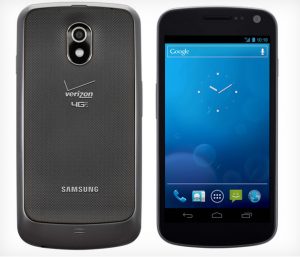
    Twitter was previously updated three weeks ago alongside LinkedIn, and the latest iteration only contains more modest improvements by comparison. Twitter 10.0.2 features a Connect tab where users can view all interactions, similar to the Android, iOS or Windows Phone counterparts, a counter which displays the number of favorites for a tweet and the ability to display photos, summaries and other items straight within tweets.

    By contrast Facebook 10.0.1 now comes with more significant improvements. The app can list the time when friends have checked-in on Facebook in a nearby location, display events, and allow users to respond, invite friends to attend and create and view posts on the event’s wall, post pictures and tag guests. Nothing groundbreaking compared to counterparts on other major platforms, more of a catch-up in terms of features.

    Facebook 10.0.1 now also allows users to tag friends on photos when the files are uploaded onto the interwebs, save pictures onto the device, and share links from the news feed to BBM, email and Twitter, among others.

    Facebook and Twitter are available to download from the BlackBerry World store.

    Photo Credit: ra2 studio/Shutterstock

  • Android 4.2.2 factory images available for Verizon Samsung Galaxy Nexus

    One month after Android 4.2.2 started to roll out into the wild for Nexus devices, the latest treat in the candy jar has also arrived on the Verizon-branded Samsung Galaxy Nexus. To complete the cycle, Google also updated the factory images for the handset to the latest green droid iteration.

    The factory images can be used by Galaxy Nexus users to update their handsets to Android 4.2.2 Jelly Bean, restore the software to the factory default settings, return to the stock green droid flavor after running a custom distribution, or update the radios, among other purposes.

    For the Verizon-branded Galaxy Nexus, the Android 4.2.2 Jelly Bean factory images come with seven img files, three of which have a March 19 time-stamp — the bootloader and the two radios (GSM and CDMA). The other four come with older time-stamps.

    Using the “How to install Jelly Bean on Galaxy Nexus” guide, the Verizon-branded model can be upgraded to Android 4.2.2 Jelly Bean by replacing the filenames from the guide with currently applicable ones found in the corresponding factory image.

    The search giant also released updated binary files for the handset, namely for Wi-Fi and Bluetooth, graphics, orientation sensor, NFC, CDMA and LTE and DRM. The aforementioned files can be used by third-party developers in custom distributions.

  • US and UK carriers announce Samsung Galaxy S4 pre-orders

    Samsung Galaxy S4 fans, be prepared to use your credit cards because it’s pre-order season. A number of UK carriers, including Vodafone, EE and O2 have the new Android smartphone flagship on pre-order today, while in the United States AT&T announced that prospective buyers will have to wait until next month to get their hands on a new Galaxy S4 before it hits online and brick-and-mortar stores.

    AT&T revealed that the Galaxy S4 will be available for pre-order starting with April 16 for $249.99 on a two-year contract. The carrier does not specify which model will be offered, but the 32GB Galaxy S4 is a good guess judging by the price of its predecessor at launch, during pre-orders. If 16GB, the price would be $50 higher than Galaxy S3 at launch and what iPhone 5 sells for today.

    Vodafone UK offers the Galaxy S4 for pre-order, with no upfront cost, starting with GBP42 per month on a two-year plan. For the money customers get unlimited minutes and texts and 2GB of cellular data. The carrier also accepts trading-in a touchscreen phone, which makes the smartphone available, again, with no upfront cost, for GBP37 per month on a two-year plan (without a trade customers have to pay GBP69 instead). The plan comes with unlimited minutes and texts and 1GB of cellular data.

    EE (formerly known as Everything Everywhere) also lists the Galaxy S4 for pre-order. For the smartphone, the lowest upfront cost is GBP19.99 for GBP56 per month on a two-year plan, while the highest upfront cost is GBP269.99 for GBP31 per month for the same contract length. Both plans feature unlimited minutes and texts, but the former comes with 8GB of cellular data while the latter only offers 500MB of cellular data.

    O2 lists the Galaxy S4 for pre-order with an online exclusive offer. Customers have to shell out GBP99.99 in upfront cost and GBP37 per month with a two-year contract. The plan includes unlimited minutes and texts and 2GB of cellular data.

  • Dear Windows Phone, Evernote 3.0 just arrived with a revamped interface and new features

    Whenever I want to jot down a couple of ideas for a new story, write some of my thoughts for posterity, or create a shopping list, Evernote is my favorite cloud-based note-taking app. It looks great and is available across all my devices, so I don’t have to worry about forgetting important personal things when I’m on the go. Everything that I have is there, everywhere.
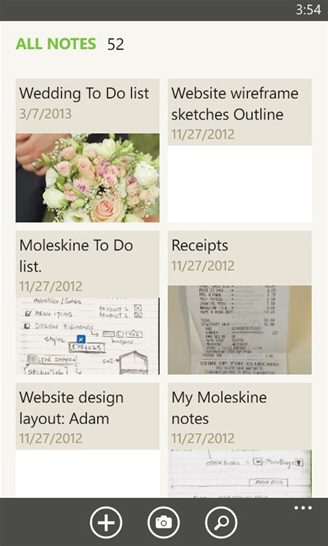
    What I value the most is the cross-platform spread, as Evernote is available on Android, iOS, BlackBerry, Mac OS X, Windows 8/RT and Windows Phone. And, to get me hooked some more, Evernote 3.0 just arrived on Windows Phone with a revamped home screen, improved tag lists and the ability to use shortcuts, among the most noteworthy new features.

    The new home screen is very pleasant to look at, in the typical white and green Evernote tradition with gray status and menu bars. There are big and intuitive buttons that allow users to add a new note, take a picture with the built-in cameras, record a voice note and add a photo from the device’s gallery.

    Evernote 3.0 uses the current camera configuration and does not allow you to change settings, so that’s something to keep in mind for more artistic shots. The app, however, allows users to retake a shot. The remaining two tabs — recent and notebooks — take users to the latest notes and the entire collection, respectively. For tag users there’s a tab for those which shows up before home.

    Evernote 3.0 also adds shortcuts which appear on the home screen after long tapping on a note, notebook or tag and selecting “add to shortcuts” from the drop-down menu. It’s a very nifty little feature which might save some time in the long run, especially for folks with large collections.

    The latest iteration of the note-taking app now touts the tags tab as “significantly more compact” due to a higher number of visible items on the screen. And, borrowing from Windows Phone itself, Evernote 3.0 has implemented the ability to jump straight to a particular letter in the tag list after selecting an item from the alphabetical grid.

    Users who like to tick items now have the ability to use checkboxes inside notes, which can of course be both created and edited. For more organized minds Evernote 3.0 now allows you to “visually group similar notebooks”. Users can open and close stacks simply by tapping and view the notes from a particular stack with a long tap on the item.

    The note-taking app also adds a premium feature — document search — which allows users to search for any attached and indexed iWork, Microsoft Word or OpenOffice file. Results will be displayed for documents, spreadsheets and presentations. The app also brings some performance enhancements, per the usual.

    Evernote 3.0 is available to download from Windows Phone Store.

    Three days ago, Evernote 5.0 arrived on Android with a new multi-shot camera (lets users add multiple pics), page camera (users can align an on-screen rectangle with the page to take photos), and support for Evernote Smart Notebooks by Moleskine.

    There is also support for shortcuts, document search (premium feature), tags (for business users) and tweaked UI (User Interface), as well as the usual performance and bug fixes.

    Evernote 5.0 is available to download from Google Play.

    Considering where Evernote is right now in regard to design, features and availability across multiple platforms I can only wonder what chances Google really has with Keep, its recent attempt to invade Evernote’s turf . It’s not on Windows Phone, Windows 8, Mac OS, BlackBerry, only on Android, iOS and the browser, and it’s way too basic for anything other than simple notes. Like my colleague Alan Buckingham says, “Google can keep Keep, I will stick with Evernote“, that is despite Evernote’s recent security mishap.

  • Flipboard 2.0 for iOS lets YOU create magazines

    If you’re a Flipboard user then you need to read this. On Wednesday, Flipboard 2.0 for iOS made its way onto the App Store bringing along important new features, changes and improvements, among which is the the ability to create magazines.

    Users can “collect and save content” into their own magazines by tapping on the “+” button from any item in Flipboard. To fully personalize the experience, Flipboard 2.0 allows you to name the magazine, add a description and choose whether to let other users view it or keep the new creation private. As the company says, “now everyone can be a reader and an editor”.

    Flipboard users can create as many magazines as they want, according to the company, and pull items from any available source. That includes social networks like Instagram or LinkedIn, cloud music service SoundCloud and micro-blogging platform Tumblr, among others.

    Flipboard 2.0 also allows users to take advantage of the new bookmarklet, which can be pulled from share.flipboard.com, in order to add items to the magazine straight from the browser, email or share magazines to various social networks including Facebook, Google+ or Twitter, personalize recommendations and receive notifications when others comment, like or subscribe to the user’s own magazine.

    The news aggregator app also touts improved search results, faster loading times and flipping performance.

    Flipboard 2.0 is available to download from the App Store.

  • Nook makes ‘free book and magazine offer’ to Windows 8 users

    On Wednesday, Nook Media — Barnes & Noble subsidiary — announced that Windows 8 users can take advantage of a “free book and magazine offer”, available for a limited period of time, after installing the Nook app.

    All that users have to do is download the Nook app — which is available for any Windows 8-based device — and sign in with their Microsoft account. From there on, they can choose up to five popular books and five top magazines (all free) from a specific list that includes titles such as Blue Bloods, Hello, Life of Pi, The Enemy, GQ, HGTV Magazine and Time, among others.

    “With the NOOK app for Windows 8, customers get an incredible reading experience and can choose from over 3 million NOOK Books, including 1 million free titles, as well as magazines, newspapers and comics on any Windows 8 device”, Jamie Iannone, president of Nook Digital Products, says. “Nook is the highest-rated reading and digital bookstore app for Windows 8, and by providing bestselling books and top magazines for free, new NOOK customers can start their digital libraries with some of the best content in the expansive NOOK Store”.

    The 10 titles can be pulled from the “Welcome Offer” category inside Nook, but only after adding a credit card. The app displays a message that informs users that they will not be charged for free content. The eligible magazines are listed as free per month, and as a result users should not be charged for future issues as well.

    Nook is available to download from the Windows Store.