Author: Mihaita Bamburic

  • The next Windows won’t be called Blue

    Microsoft knows something about cool codenames, but little on how to name actual products. Whistler, Longhorn, Cougar, Blackcomb, Vienna and even Blue all sound great, resounding and promising, but that impression goes away fast when Microsoft baptizes its creations: XP, Vista or 7. The guy with the cool names went on a bathroom break, and all the boring suits took over.

    That’s the very same impression I get after reading about Microsoft’s “Looking Back and Springing Ahead” blog post, which touts a number of apparently impressive achievements and future plans that the company has. Lo and behold, there’s even a strategy in place to raise the pace for “updates and innovations” — that’s the “new normal across Microsoft”, according to the company. But then I notice the Windows Blue reference.

    On Windows Blue, Frank X. Shaw, corporate vice president of corporate communications at Microsoft, says: “Chances of products being named thusly are slim to none. And don’t start with the ‘so you’re telling me there’s a chance’ bit”. Blue may not be the most imposing name, but it’s out there with the big boys, and now the software giant is practically telling us that the boring route will be used instead.

    I can only speculate that Windows Blue will be named Windows 9 or something along those lines, after the product is released into public hands (even as a preview). Admittedly, Microsoft may want to avoid future genitalia puns (which I shall not name) but I expected the company to grow a pair and get bold.

    Apple manages to deliver successful operating system releases that users adopt and keep cool, and memorable, nicknames as well. Just think about Mac OS X 10.6 Snow Leopard. Anything is better than boring and when you want to hang around with the cool kids, hip is the way to go. Adapt and conquer.

    But what else is there in that blog post? Microsoft reveals that Windows Azure has twice as many users with revenue growing three fold, while sales of Windows Server 2012 Datacenter licenses increased in excess of 80 percent. Great news comes from Office 365 “paid seats”, which have tripled year over year during the previous quarter. The software giant also quotes an IDC report that places Windows Phone at 10 percent market share “in a number of countries”, surpassing Blackberry and iPhone shipments in 26 and seven markets, respectively.

    This is hardly surprising, but Microsoft also announced that a “unified planning approach” is implemented in order to deliver “devices, apps and services working together wherever [users] are and for whatever [users] are doing”.

    Judging by the title of the blog post and the innuendo at the end, Microsoft did not bury the hatchet after Google killed a couple more services under the now-traditional spring cleaning. “See, spring isn’t just for cleaning/whacking away at things. It’s also a time to plant and get ready for summer. So…get ready!” Shaw says.

  • How to install Windows Blue on VMware Player and Workstation

    New versions of Windows do not come out often, so when Windows Blue leaked onto the Interwebs during the weekend — as an early preview build — it grabbed our immediate attention. There are new and updated apps, new features and a slightly tweaked user interface among the most noticeable changes, some of which my colleague Alan Buckingham has already gone through. But how can you taste the goodies by yourself?

    Surely, looking at a slideshow is simply not good enough. As a result, you have two options. First, you can dual-boot Windows Blue alongside your operating system of choice (or install it as the sole option). Second, you can spare yourself any potential issues and headaches in dealing with an early preview build and install Windows Blue on VMware Player or VMware Workstation — two of the most popular software virtualization products.

    But which one should you choose? VMware Player is free and features a straighfoward wizard that makes it easy to use, while VMware Workstation is designed for more advanced and demanding users that wish to have more control over the virtualization environment. Unlike VMware Player, VMware Workstation is not free and requires users to pay for a license after the 30-day trial runs out.

    There are two prerequisites to install Windows Blue using either product:

    Please be aware that if you plan on downloading the leaked Windows Blue ISO file from BitTorrent you do so at your own risk, so choose wisely.

    Before diving into the actual process, you must have VMware Player or VMware Workstation downloaded and installed on your computer and the Windows Blue ISO downloaded and, ideally, stored in an easily-accessible location.

    Both VMware Player and VMware Workstation will suggest installing VMware Tools, which brings extra features and performance, so press “Install Tools” after the Windows Blue setup is complete and run the setup.

    VMware Player Instructions

    Let’s kick off with VMware Player first. Follow the next steps to install Windows Blue:

    1. Open VMware Player and select “Create a New Virtual Machine”.
    2. Select “Installer disc image file (iso)” and click “Browse” then navigate to the location where the Windows Blue ISO file is located, select it and click “Open”.
    3. Click Next, select Microsoft Windows under “Guest operating system” and Windows 8 under “Version” for the 32-bit variant. If the 64-bit Windows Blue will be available and wish to use it instead select Windows 8 x64. Then click “Next”.
    4. Type a new name for “Virtual machine name” — preferably Windows Blue.
    5. Select the location of the virtual machine and make sure you have at least 16GB for the 32-bit Windows Blue and 20GB for the 64-bit Windows Blue (again, if it will be available) free space in the selected location — 30GB is better to avoid running out of free space.
    6. Select “Store virtual disk as a single file” to keep the virtual HDD in a single file and optimize performance, then click “Next”.
    7. At the next screen click on “Customize Hardware…”, go to “Memory” and select a minimum of 1GB for 32-bit Windows Blue and 2GB for 64-bit Windows Blue. But, you should double the amount for better results.
    8. At the “Processors” dialog box select the “Number of processor cores” available for your CPU. For a single core CPU it is one, for a dual-core CPU it is two, for a quad-core CPU it is four and so on — this is to ensure the virtual machine is running at optimum parameters.
    9. Click “Close” then “Finish” to complete the virtual machine creation process and press “Play virtual machine” to install Windows Blue.

    VMware Workstation Instructions

    What about VMware Workstation? It provides two wizard options — “Typical (recommended)” and “Custom (advanced)”. The former is simpler to use while the latter provides more control but is a bit too complex for inexperienced users. Using “Typical (recommended) in VMware Workstation is identical to using the wizard provided by VMware Player (which I detailed above), so I will explain how to install Windows Blue with the “Custom (advanced)” option.

    To install Windows Blue in VMware Workstation by using “Custom (advanced)” follow the next steps:

    1. Open VMware Workstation and select “Create a New Virtual Machine” — or press CTRL + N in VMware Workstation.
    2. Select “Custom (advanced)” and click “Next”.
    3. Click “Next”, select “Installer disc image (iso)” and click “Browse” then navigate to the location where the Windows Blue ISO file is located, select it and click “Open”.
    4. Click Next, select Microsoft Windows under “Guest operating system” and Windows 8 under “Version” for the 32-bit variant. If the 64-bit Windows Blue will be available and prefer it instead select Windows 8 x64. Then click “Next”.
    5. Type a new name for “Virtual machine name” — preferably Windows Blue.
    6. Select the location of the virtual machine and make sure you have at least 16GB for the 32-bit Windows Blue and 20GB for the 64-bit Windows Blue (again, if it will be available) free space in the selected location — 30GB is better to avoid running out of free space. Then click “Next”.
    7. You have to select “Number of processors” to match the ones installed (typical for a desktop computer to have just one) and “Number of cores per processor” — for a single core CPU it is one, for a dual-core CPU it is two, for a quad-core CPU it is four and so on. This is to ensure the virtual machine is operating at optimum parameters.
    8. Click “Next” and select the RAM memory size that you want to allocate to the virtual machine — select a minimum of 1GB for 32-bit Windows Blue and 2GB for 64-bit Windows Blue, but you should double the amount for a smoother operation. Then click “Next”.
    9. Click “Next”, “Next” and then select “Create a new virtual disk” to set up from scratch — the other two options should be left alone for inexperienced users.
    10. Click “Next”, “Next” and allocate at least the minimum recommended space from step No. 6 under Maximum disk size, then select “Store virtual disk as a single file” for optimum performance.
    11. Click “Next” and type a name for the disk file — preferably “Windows Blue.vmdk”.
    12. Click “Next” then “Finish” and click on “Power on this virtual machine” for the Windows Blue install process to start.

    If you fancy Oracle’s VirtualBox, my colleague Wayne Williams already wrote a how-to guide highlighting the necessary steps, from loading the leaked ISO file to running Windows Blue for the first time in safe, and virtualized, environment.

    Photo Credit: Liv friis-larsen/Shutterstock

  • HTC Windows Phone 8X vs Nokia Lumia 920

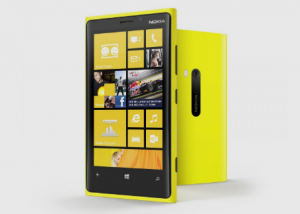
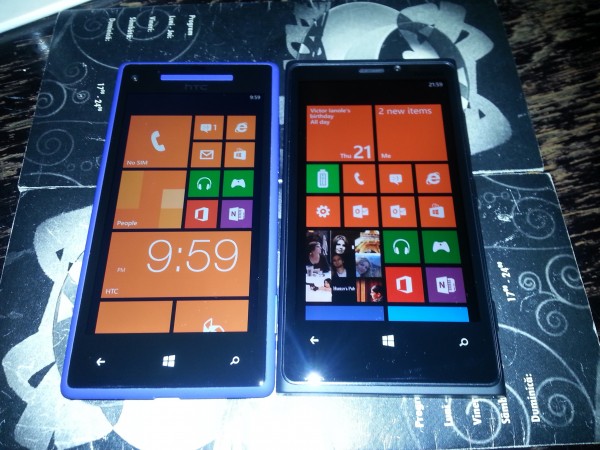
    Born as two flagship devices built on the Windows Phone 8 platform, the HTC Windows Phone 8X and the Nokia Lumia 920 could not be much further apart in delivering two polarizing user experiences. In boxing terms, Windows Phone 8X is the light flyweight and Lumia 920 is the super heavyweight, fighting each other with two different software and hardware skill sets for the “Best Windows Phone 8 smartphone” title.

    But this one is a tough nut to crack as there are many aspects to consider. Price, performance, build quality, software and hardware features, dimensions, weight, look and feel, color trim, among others, are all very important when choosing a device that will likely be alongside you for two years. So without further ado, let’s pit the two against each other and see how they stack up.

    Physical Differences

    First, let’s talk about the dimensions. The Windows Phone 8X comes in at 132.4 x 66.2 x 10.1 mm and 130 grams while the Lumia 920 measures 130.3 x 70.8 x 10.7 mm and weighs 185 grams. At a first glance the two smartphones are similar in footprint, however that impression changes shortly after holding them.

    The Windows Phone 8X feels small in the hand because of its highly-tapered edges and is comfortable to use and hold due to its textured back and low weight. I have never once had the Windows Phone 8X slip from my hand. By comparison, the Lumia 920 tells a different story that highlights the contrast between the two.

    The Nokia has rounded (and not tapered) edges that make it feel big in the hand, something that is easily noticeable after holding the Windows Phone 8X. Furthermore, the handset has a more substantial weight and a very, very smooth back (even with the matte colors, and especially with the glossy ones) that make holding it more difficult and potentially more slippery.

    Overall Windows Phone 8X takes this round.

    Build Quality

    After using the Windows Phone 8X and the Lumia 920 for extended periods of time I have no doubt in saying that the Nokia-branded handset has the better build quality of the two.

    Whereas the area under the volume buttons on the Windows Phone 8X creaks and the back travels a bit under pressure, the Lumia 920 shows no such weak spots. I could definitely see the latter making a dent in the floor and not the other way around. But that’s not the whole story, as there are other differences as well.

    One weak trait of the Lumia 920’s build quality — and the only one I noticed thus far — is the power button, which after a couple of days of use does not require the same firm press as the volume keys or the camera shutter button. By comparison, the buttons on the Windows Phone 8X held up pretty well over time but they are flushed with the case and very difficult to find and press at times, especially the power key which is placed at the top of the handset.

    Looks

    Colors spruce up one’s life. And the Windows Phone 8X and Lumia 920 sure embody this philosophy. The former is available in Black, California Blue, Limelight and Red with a matte finish while the latter can be purchased in Black, Gray, Red, Yellow and White with a glossy or matte finish, depending on the color.

    Looks are always subjective, but from my point of view the Windows Phone 8X features the less mature and futuristic design of the two. It’s not boring, but it’s not great nor impressive either to look at — at least the bolder colors help. On the other hand the Lumia 920 has a more industrial design that looks more professional and high-tech.

    Lumia 920 takes this one.

    The Display

    Let’s talk display differences first. The Windows Phone 8X comes with a 4.3-inch S-LCD2 display while the Lumia 920 features a 4.5-inch IPS LCD screen with PureMotion HD+ and ClearBlack technology. From the two, I prefer the panel on the Lumia 920 because it’s both more lively and bigger. Colors pop more and there’s also less bleeding. As a bonus, the display can also be operated using gloves which is something to consider for folks in colder climates.

    The panel on the Windows Phone 8X, on the other hand, has more real-to-life colors and a higher 342 pixel-per-inch density (compared to the 332 ppi on the Lumia 920’s display). Sadly, it takes the second place because it has plenty of bleeding (black is not quite black) and the viewing angles are not as good as on the Lumia 920.

    Hardware Features

    On the hardware forefront, the Lumia 920 also takes the crown for features such as wireless charging (which is not available on the Windows Phone 8X — except on the Verizon model) and extra storage (32GB of internal memory out-of-the-box). Both are features to consider as wireless charging plates are cheap, while the extra storage is more than welcomed when there is no microSD card slot on either device.

    Lumia 920 takes another round.

    The Cameras

    Windows Phone 8X has a bigger front-facing camera — 2.1-megapixel shooter with 1080p video recording — but from my experience it is not necessarily better than the 1.3MP front-facing camera on the Lumia 920, which can shoot up to 720p video. Both are not good (I shall not call them crap), so comparing is similar to tasting and judging two mediocre apples.

    The best back-facing camera of the two is, undoubtedly, on the Lumia 920. I managed to snap some pretty impressive pictures in pitch-dark conditions with the Nokia, while the HTC only delivered average-looking photos. In good lighting conditions from my own experience the two are closer in terms of quality.

    Overall the Lumia 920 has the better camera.

    Software Differences

    After I got the Lumia 920 I wrote a first-impressions review where I briefly discussed the apps that the Finnish manufacturer provides atop of Windows Phone 8. After using the smartphone for longer I can definitely say that Nokia collection puts HTC’s exclusive app collection to shame.

    There are 58 exclusive games and apps (some can be had from the app store on other devices as well from different publishers) ranging from the HERE suite — City Lens (augmented reality), Drive+ Beta, HERE Maps and HERE Transit — to Accuweather, Bloomberg (news and finance), Burton (skying and snowboarding), Cinemagraph (photos), Draw Something, Express, Glam Me (portraits), Nokia Music, Panorama and Smart Shoot (equivalent to burst shot), among others. HTC only offers weather, data and time apps, a photo enhancer and a couple other basic and not-all-that-valuable additions.

    I like and use the HERE City Lens to find nearby places and get directions via HERE Drive+ Beta. Smart Shoot is great for snapping a couple of pics at once and choosing the best one. Also, Nokia Xpress is a nice and basic browser that compresses websites as to use as little cellular data as possible. I’ve only touched the surface of what these exclusive apps can offer, but suffice to say I’m genuinely impressed by the added benefits. Nokia even adds extra ringtones, alarm sounds and menus in Settings to further customize the experience.

    I have to point out that the I’m running the latest software update on the Lumia 920, which was announced by Nokia in mid-March. The build also allows to clean temporary files, among other improvements, a feature not (yet) available on the Windows Phone 8X. Unquestionably, Nokia is the manufacturer that brings more value to the table, whereas HTC places its faith more on the ecosystem.

    Lumia 920 is the better of the two in the software department.

    Performance and Battery Life

    Both Windows Phone 8X and Lumia 920 are based on the same 1.5 GHz dual-core Qualcomm Snapdragon S4 processor alongside an Adreno 225 GPU (Graphics Processing Unit) and 1 GB of RAM.

    The difference between the two smartphones, therefore, is practically non-existent. Both perform similarly in apps, games and run Windows Phone 8 just as good. What about battery life?

    I use all my smartphones in a similar fashion — answering and making calls, reading and writing texts, surfing the web here and there when I’m away, installing and using apps, etc. From this point of view both Windows Phone 8X and Lumia 920 deliver decent results (to be honest, I didn’t benchmark either).

    The latter has more potential to live through the day than the former because of the larger battery — 2000 mAh vs 1800 mAh for Windows Phone 8X. In one instance I managed to get more than 24 hours of battery life from Lumia 920, with light gaming, browsing, calling, texting and surfing the web. Windows Phone 8X is not that far off, however, managing to post similar results. This, as you might imagine, depends largely on usage patterns.

    There is no winner, only a tie.

    Price

    Depending on where you live, you may find the Windows Phone 8X and the Lumia 920 at two different price points. In Europe, at various mobile operators, the former — available at roughly EUR450 — is significantly less expensive than the latter — available at around EUR600 — when purchased without a contract. Meanwhile, in the United States they are available at the same $99.99 on a two-year contract at AT&T or Verizon, for instance.

    They’re Different

    HTC and Nokia have released two different smartphones that cater to two different kinds of needs. Lumia 920 is for people who want a great camera and build quality while providing more software benefits, meanwhile Windows Phone 8X pits itself as a light and comfortable to hold smartphone for people satisfied with the Windows Phone 8 ecosystem.

    I’ve said this in my initial-impressions review for the Lumia 920 and I say it again now — Windows Phone 8X, to me, feels agricultural by comparison. All the little downsides add up to a point where I regret choosing it, so pick your Windows Phone 8 smartphone carefully.

    Having owned both, I prefer Lumia 920 to Windows Phone 8X. I like the heft of the smartphone, which feels just right in my fairly large hands and appreciate the hardware and software improvements it brings along. The Nokia-branded handset is what I should have bought in the first place, a realization that, sadly, only came to me a little too late.

    Photo Credit: Mihaita Bamburic

  • Microsoft gives a ‘free welcome gift’ to Messenger users who embrace Skype

    In early January, Microsoft announced that starting from March 15, users would no longer be able to sign into the aging, but still popular Messenger service, because Skype would be replacing it. And, to give users an incentive to embrace its replacement, Microsoft is giving away a “free welcome gift”.
    This gift can be redeemed by Messenger users who sign into Skype with their Microsoft account details and promises “calls to landlines and mobiles around the world, group video calling, group screen sharing (and more) absolutely free for a month”. Or at least that’s what the text says.

    The fine-print, however, might dampen any enthusiasm you have for the offer. After the free one-month period ends, Microsoft automatically sets up a recurring payment system which will charge users $9.99 per month, unless they manually cancel the trial within the first 27 days.

    The offer is “available while supplies last” and, in order to qualify, users “must provide valid payment details”. Of course, there are other details in the fine-print such as the implementation of a “fair use policy“, worldwide calls in just 40 countries for landlines and an abysmal seven countries for cell phone calls, etc.

    Microsoft also states that “April 8th is the first day that you may be required to upgrade to Skype”. The use of the word “may” is not particularly reassuring, giving the impression that Messenger may live longer than expected.

    Photo Credit: moneymaker11/Shutterstock

  • Nokia Lumia 920 arrived and I’m thrilled

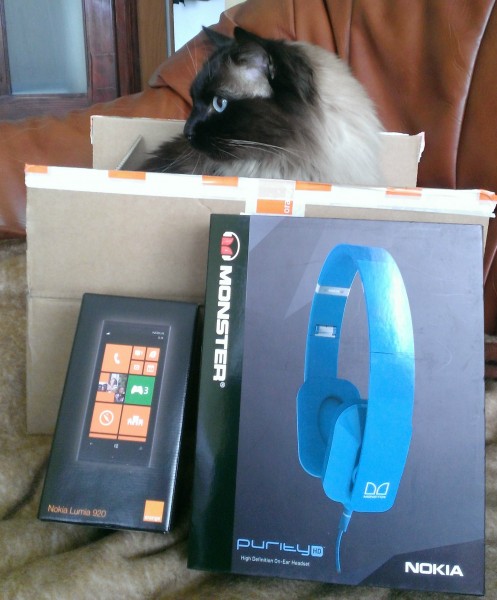
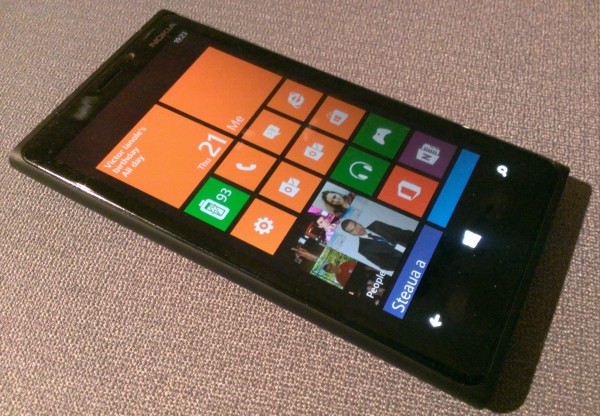
    Not even during my time as a child opening up presents from under the Christmas tree have I ever been so thrilled and pleased about a new toy as I am today. Some of you may call me a fool for trying to mend a close-to-broken relationship, but I gave Windows Phone 8 another try and purchased a Nokia Lumia 920. And, oh boy, do I feel like a fool for buying the HTC Windows Phone 8X two months ago.

    At its core, the Nokia Lumia 920 is still a Windows Phone 8-based smartphone but the overall experience that exudes from using it is totally different compared to what I am used to. The Lumia is bulkier, heavier and better built than most smartphones on the market today, all while telling a different software story than the Windows Phone 8X, which now feels agricultural. Depending on where your preference lies that may either be a desirable trait or big no-no.

    Aesthetics matter, they matter a lot to me because when I pay serious coin to get a device that I will use for a long time to come and especially extended periods of time (calling, browsing, etc.). I want that device to feel special. And the Lumia 920 does feel special. Place it alongside any other smartphone on the market right now, and even in the boring shade of black, this Nokia still stands out.

    The button placement, even though still not ideal, is good. The camera, power and volume keys (which have a ceramic finish) are on the right side of the Lumia 920, within reach to make one-handed use possible (unlike the Windows Phone 8X). The polycarbonate shell feels great in the hand and does not creak under pressure.

    The display, which comes with the PureMotion HD+ and ClearBlack technology, makes colors pop but for AMOLED fans there may be too much bleeding at high brightness (meaning black is not as deep). There’s also more saturation, which makes the display feel closer to AMOLED settings because of the warmer rather than colder color reproduction.

    At a first glance the camera is pretty good, although I’m not convinced just by snapping a few pics here and there (my cat loves to pose) and will reserve the final judgement for a in-depth review. Nokia’s approach to camera (photo and video) settings is also different and embodies a less-is-more approach by delivering fewer customizable options compared to the software on the Windows Phone 8X, so that’s another aspect to consider for customization freaks.

    The Nokia collection inside the app store is the opposite of HTC’s equivalent. There are 58 apps available from the Finnish manufacturer, whereas the Taiwanese counterpart only offers a freaking six. A simple math calculus reveals a difference of 52 apps between the two. For now, I leave you with these numbers and I will come back to them in a future and more comprehensive story comparing the Windows Phone 8X to the Lumia 920.
    There are two things that I’m not a big fan of right now. First is the carrier branding (I ordered the Lumia 920 through a local mobile operator) which even though is subtle, I can’t help but notice that it’s there. Maybe it’s my OCD in keeping things as close to stock as possible, but I want that branding gone. And, second, is that 4G LTE is disabled on my unit likely until Nokia releases an updated firmware to enable the functionality.

    I’m convinced that as time goes by and the initial rush and excitement slowly settles down to the normal parameters I shall find more faults to pick with the Lumia 920, but so far I think that it may just be my last smartphone this year. Of course, I also had the same thought a couple of times before and look where I am now.

    Photo Credit: Mihaita Bamburic

  • Pandora arrives on Windows Phone 8

    Back when Microsoft launched Windows Phone 8, in late-October last year, the company promised that Pandora would arrive on the smartphone operating system sometime in early 2013, bringing along with it a year’s worth of free music with no ads.

    Today, Microsoft has kept its promise and delivered the popular app on the Windows Phone store. On Twitter, Microsoft’s Joe Belfiore announced: “Oh heck, been dying to share PANDORA! Totally free, no ads through 2013. Best Pandora on any phone, IMO”.

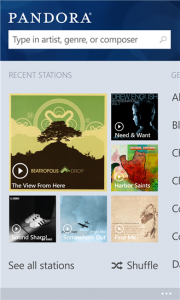
    And the app, indeed, touts “no ads and no monthly streaming limit…for FREE”. On Windows Phone 8, Pandora allows users to pin favorite stations on the homescreen and see what is playing by looking at the Pandora live tile. Other exclusive features include filtering explicit content using Kid’s Corner to keep the youngsters away from sensitive music and the ability to access a recent stations page and look at the current favorites.

    Upon starting the app, Pandora allows users to sign in using an existing account or sign up for a new one, create and manage a maximum of 100 stations, personalize shuffle settings, fine tune stations by moving tracks up and down, buy albums and songs, filter explicit content and listen to high-quality playback content.

    Pandora is available to download from the Windows Phone Store. Market restrictions apply.

  • Microsoft offering Windows Phone 8X, Lumia 920 and 820 for free

    If you are in the market for a Windows Phone 8 smartphone in the US, then the Microsoft Store should be your first stop. Why? Because the software giant is currently offering a number of devices running the mobile operating system for free on a two-year contract.

    The list of devices on offer includes the 8GB HTC Windows Phone 8X (in California Blue and Lime), the Nokia Lumia 920 (in Black, Red and Yellow) and the Lumia 820 on AT&T. And those savings are not to be sniffed at. When purchased from AT&T, the 8GB Windows Phone 8X and Lumia 820 both go for $49.99, while the Lumia 920 runs for $99.99.

    The Nokia Lumia 810, which runs on T-Mobile, is also free from both the Microsoft Store and the US carrier. The offer does not extend to other devices, however, which are currently available on both the software giant’s online store, as well as carriers for a similar price.

  • Apple credits evad3rs for bugfixes in iOS 6.1.3 — the jailbreak is gone

    Apple quietly rolled out iOS 6.1.3 yesterday, which touts “improvements to Maps in Japan” and the fix of a bug “that could allow someone to bypass the passcode and access the Phone app”. Nothing out of the ordinary, really. But buried deep down in the more extensive changelog, almost hidden, the fruit company credits evad3rs — the team of developers that jailbroke iOS 6 — for a number of found bugs.

    The extensive changelog is available in Apple’s mailing list and lists evad3rs as responsible for four bug findings related to the iOS dyld (dynamic link editor), kernel, lockdown and USB. The said bugs affect the way the operating system handles local user requests to “execute unsigned code”, “determine the address of structures in kernel”, “change permissions on arbitrary files” and “execute arbitrary code in the kernel”.

    Even though it took Apple quite some time to wrap its head around the jailbreak, fixing these bugs — which closes the loophole exploited by evad3rs — means that iOS 6 is more secure from unwanted exploits. At the same time it also means that jailbreakers should steer clear from iOS 6.1.3 in case they still wish to have Cydia and adjacent unofficial apps and tweaks up and running. That is until evad3rs finds a way to update its evasi0n jailbreak for iOS 6.1.3.

    Photo Credit: val lawless/Shutterstock

  • Jawbone releases UP wristband companion app for Android

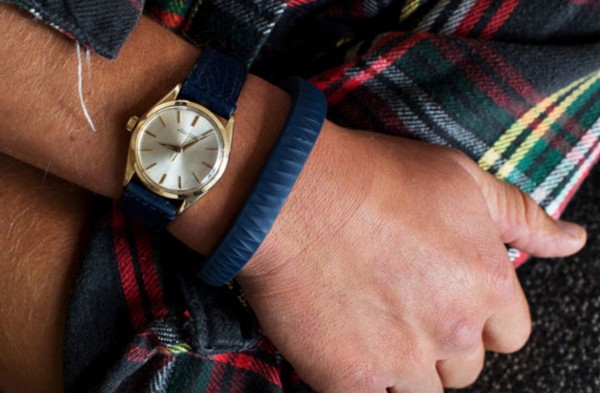
    On Wednesday, Jawbone announced that the companion app for the UP wristband is finally available for Android. Green droid users can now track the way they “sleep, move and eat 24/7” on a number of popular Android smartphones, ranging from the HTC Droid DNA to the Samsung Galaxy Note II.
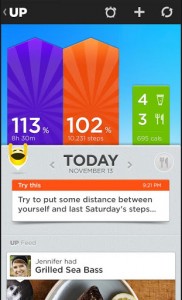
    Alongside the announcement, Jawbone also revealed a couple of interesting statistics related to the UP wristband community. The company says that the community “gets the most sleep on the weekends”, “is most engaged in logging meals on Mondays”, “has shown that activity doesn’t necessarily mean working out: users get the steps on Fridays, but workout most on Mondays, Tuesdays and Wednesdays” and “take the least steps on Saturdays and Sundays”.

    Jawbone says that through the Android companion app, UP users can track their physical and sleep activity, log their drink, food and track nutritional info, set idle alerts to remind them to get some exercise and “Smart Sleep Alarms” to wake up feeling “refreshed”, join friends and receive insights into establishing and completing goals.

    The UP companion app is currently compatible only with a limited number of Android handsets (no tablets to speak of in case you are wondering). For the United States the list includes the LG-made Google Nexus 4 and Optimus G, Motorola Droid Razr Maxx HD, Samsung Galaxy Note II, Galaxy S II and Galaxy S III and Sony Xperia TL. European UP users have to use an LG Nexus 4, Samsung Galaxy Nexus, Galaxy Note II, Galaxy S II Plus or Galaxy S III or the Sony Xperia Acro or Xperia S.
    Jawbone also announced that the UP wristband is available in Europe with Asia, Australia and the Middle East to follow the old continent in April. This brings the tally up to more than 25 additional markets worldwide, a move complemented by introducing support for 11 new languages in the iOS companion app.

    The UP by Jawbone app is available to download from Google Play.

  • Microsoft: ‘Windows Phone 8 is upgradeable’

    Microsoft is under heavy fire from disgruntled folks across the web after revealing that Windows Phone 8 will only be supported for 18 months, with the end date July 8, 2014. The news shocked many, generating debate and speculation about what happens after the deadline passes.

    In a Twitter post that followed shortly to calm the waters, Microsoft tries to reassure users that the end may not be as near as it seems. The software giant states: “As we’ve said, one benefit of moving to the Windows core is that Windows Phone 8 is upgradeable”. Microsoft therefore suggests that current devices running Windows Phone 8 can in fact be upgraded to an upcoming iteration of the smartphone operating system.

    The issue that stems from users’ comments on the matter is that with the end of Windows Phone 8 software support, devices that run it will not be upgraded to a newer version. This, I presume, has something to do with the fact that people make a direct connection between Windows Phone 8 and the devices that run it, considering the two as tightly cuffed one to another.

    Fact of the matter is Microsoft has always slapped an expiration date on each of its own software products, including Windows 7 and Windows 8, but subsequent versions that followed were (or still are) able to run on older devices. That is, as long as the hardware requirements are not bumped up.

  • Skype for Windows Phone 8 now features People Hub integration

    Microsoft is rolling out an updated Skype app for Windows Phone 8 devices featuring integration with the People Hub. The latest move comes nearly two weeks after the software giant teased a similar feature for Outlook.com, which touts Skype integration as “coming soon”.
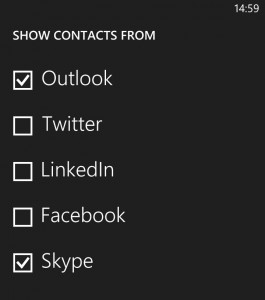
    Skype integration with the People Hub is available for devices running Windows Phone 8 version 8.0.10211.204 and newer and is automatically enabled after installing or updating the app. The new Skype app also brings support for HD video calls, video calls in landscape or portrait mode, and additionally allows users to use both cameras.

    But what does the new Skype integration entail? Windows Phone 8 users can now look up Skype contacts in the People Hub and initiate video and voice calls as well as chats. Users who want Windows Phone 8 to forgo displaying the adjacent contacts should open the People Hub, go to Settings, select “filter my contacts” list and untick “Skype”.
    Skype for Windows Phone 8 is available to download from the Windows Phone Store.

  • Microsoft updates Windows Azure with Hadoop and Dropbox deployment support

    Microsoft’s ongoing process to improve the company’s cloud platform, Windows Azure, has reached a new phase. The software giant has, yet again, introduced a number of new features for Windows Azure, including the HDInsight service for Hadoop clusters, support for Dropbox deployment and Mercurial repositories, as well as enhancements to Mobile Services.
    Windows Azure Mobile Services can now be used as a backend by “pure” HTML5/JavaScript clients, Apache Cordova/PhoneGap apps and Windows Phone 7.5 clients. The feature complements the previously-introduced Android Client SDK (Software Development Kit) and support for iOS, Windows 8 and Windows Phone 8.

    Microsoft has also introduced a new web client library for Mobile Services that supports Internet Explorer 8 and newer, Google Chrome, Mozilla Firefox and Safari, as well as PhoneGap 2.3.0 and newer. There is additionally support for Cross Origin Resource Sharing (CORS) — for cross-domain Ajax requests, portable library as well as Json.Net and HttpClient.

    On top of CodePlex, Git, GitHub and Team Foundation Server, Windows Azure users can now use Mercurial (Hg) repositories when setting up continuous deployment of websites from CodePlex or Bitbucket repositories. Websites/apps can now be deployment from Dropbox to the InterWebs, a feature available from the cloud platform’s management portal.

    Windows Azure now features an improved user interface (UI) for easier deployment from source-control, and  Microsoft has also added the ability to renew the Team Foundation Service certificate for continuous deployment from the management portal and to download a publish profile from the Web Sites dashboard in Windows Azure.

    Available as a public preview at the moment, the newly-introduced HDInsight service allows Windows Azure users to deploy, manage and use Hadoop clusters that run on the cloud platform.

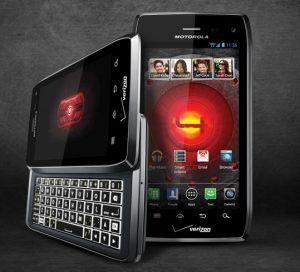
  • Android 4.1 Jelly Bean rolls out for Motorola Droid 4

    US mobile operator Verizon has announced that Android 4.1 Jelly Bean will be rolling out in stages for the Motorola Droid 4, starting Tuesday. The smartphone, which was released in February 2012, originally shipped with Gingerbread and was upgraded to Ice Cream Sandwich in mid-August, last year.

    The Android 4.1 Jelly Bean upgrade bears the “98.72.18.XT894.Verizon.en.US” name and comes in at a massive 356 MB in size. According to the big red, the software update takes between 35 to 60 minutes to download and approximately 15 to 20 minutes to install on the Droid 4. So what can you expect from Google’s first Jelly Bean iteration?

    Android 4.1 features a plethora of improvements over its predecessor, including Google Now with contextual cards and improved voice search capability, revised notification panel with expandable notifications, enhanced keyboard with a higher number of dictionaries and offline voice dictation, among other new features such as Project Butter for improved responsiveness.

    On top of the aforementioned features, Verizon says that the software update also comes with enhanced voice and data connectivity, improved Calendar settings, better connectivity and reliability for Back Up Assistant Plus and Visual Voicemail, improved connectivity for Mobile Hotspot and the removal of the Sling and MOG application “preloads”.

  • You do NOT want Google Reader gone but embrace Feedly anyway

    Dozens of alternative services have popped up to claim that future vacant lot to be cleared on July 1, the day Google Reader closes for good. Unsurprisingly, more than one hundred thousand stubborn users are unwilling to let go, unpersuaded by third-party promises, and still want their beloved RSS feeder to stay.
    A basic “Google Reader” search on change.org now lists eight petitions related to the service that ask or demand the search giant keep the popular RSS feed aggregator alive. Most have less than 7,000 supporters, with one exception. The petition started by New Yorker Dan Lewis, “Google: Keep Google Reader Running“, has more than 126,000 people behind it.

    Four days ago when I wrote the “Users rally against Google’s plans to shut down Reader” story, the same petition had just 37,000 supporters, or 89,000 less than at the time of writing this article. But public interest peaked shortly after. The petition reached 250 signatures on March 14 and 100,000 signatures on March 15, only gathering 26,000 supporters afterwards in around three days.

    Feedly, a long-standing RSS feed aggregator service and alternative to Google Reader, already claims that more than 500,000 Google Reader users have jumped ship in the last two days, with an average rate of 250,000 users per day. Seeing as Feedly is not alone in this game, nor have all interested companies released alternative services, the number of users that have migrated is likely considerably higher.

    Even with a basic math calculus it seems that less users care about their beloved Google Reader to sign petitions than those that rush out to embrace alternative services. That alone may be reason enough for the search giant to bring down the axe on Google Reader starting July 1. With more people making the switch I wonder who’s going to stick around and see how the petitions pan out. It’s time to wave goodbye!

    Photo Credit: Ollyy/Shutterstock

  • Sony unveils Xperia SP and L

    On Monday, Japanese smartphone manufacturer Sony announced two new handsets, the Xperia L and Xperia SP, aimed at the low-end and mid-range smartphone markets, respectively.

    The Xperia L smartphone is Sony’s new low-end offering. The device comes with a 4.3-inch display with an effective resolution of 854 x 480 and is powered by a dual-core 1 GHz Qualcomm Snapdragon S4 Plus (MSM8230) processor, 1GB of RAM and a 1,700 mAh battery. Other specs include: 8-megapixel back-facing camera with 720p video recording; 0.3MP front-facing camera; 8GB of internal storage; microSD card slot; HSPA+ connectivity: NFC (Near Field Communication); as well as the usual array of sensors.

    The Xperia L ships with Android 4.1 Jelly Bean alongside Sony’s branded app suite. The device comes in at 128.7 x 65 x 9.7 mm and 137 grams and will be available in Black, Red and White from Q2 2013.

    Sony pits the Xperia SP at the mid-range smartphone market, delivering decent specs in the process. The handset features a 4.6-inch display with a resolution of 1280 by 720. Power comes from a 1.7 GHz dual-core Qualcomm Snapdragon S4 Pro (MSM8960Pro) processor, Adreno 320 graphics card, 1GB of RAM and 2,300 mAh battery.

    The smartphone also features an 8MP back-facing camera and a 0.3MP front-facing shooter; 8GB of internal storage; microSD card slot; HSPA+ or 4G LTE connectivity; NFC as well as the usual array of sensors including magnetometer and gyroscope.

    As with the Xperia L, the Xperia SP ships with Android 4.1 Jelly Bean out-of-the-box backed by Sony’s branded app suite. The Xperia SP comes in at 130.6 x 67.1 x 9.98 mm and 155 grams and will be available in Q2 2013 in Black, Red and White Silver.

    Sony has yet to reveal the price for the Xperia L or Xperia SP.

  • Verizon details new update for Motorola Droid Razr HD and Maxx

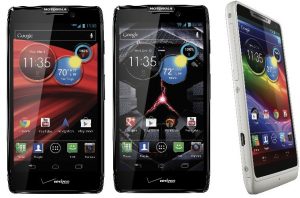
    US mobile operator Verizon has announced a new software update for the Motorola Droid Razr HD and Droid Razr Maxx HD. Bearing the “9.16.6.XT926.Verizon.en.US” moniker, it introduces a number of bug fixes and enhancements for the two Verizon-branded handsets.
    According to the big red, the “9.16.6.XT926.Verizon.en.US” update comes in at 96MB and sports Google Security Patches for increased security, a data roaming fix, improved Wi-Fi connectivity as well as the detection for connection/disconnection with USB. When users select home screen icons, wallpaper options are also displayed.

    The software update additionally brings enhancements for the camera, which touts improved low-light performance, notifications and touch-to-focus operation. There are also improvements for media sync, which should be more stable, and video streaming pixilation.

    Users should also notice improvements for in-call audio, with the software update claiming enhancements when routing to earpiece with the headset connected.

  • AT&T slashes the price of HTC Windows Phone 8X

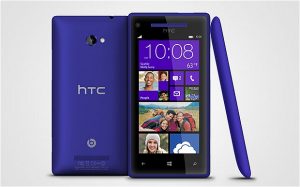
    The price difference on AT&T, between the HTC Windows Phone 8X and the Nokia Lumia 920 has always been somewhat contradictory. The US mobile operator has offered the former in 16GB and 8GB trim for $199.99 and $99.99, respectively, while for the latter AT&T requires users to pay $99.99 in 32GB storage trim.
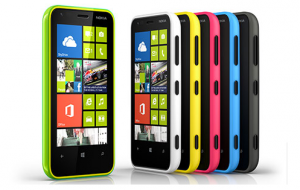
    Considering that both smartphones share the same operating system, Microsoft’s Windows Phone 8, but the Lumia 920 adds more to the equation through an extensive list of exclusive apps and hardware features, like wireless charging, it begs the question: Why is the Windows Phone 8X more expensive? As it turns out, it is not. Well not anymore.

    AT&T has slashed the price of the Windows Phone 8X to $99.99 for the 16GB model and $49.99 for the 8GB model (both available with a two-year contract), bringing the smartphone in line with Nokia’s Lumia 920 and Lumia 820, respectively, in the price department.

    On a one-year contract, the Windows Phone 8X now runs for $349.99 and $299.99 for the 16GB and 8GB model, respectively, $250 more on top of the two-year contract price. Off-contract the smartphone goes for $449.99 and $399.99 for the 16GB and 8GB model, respectively.

    Prospective Windows Phone 8 users now have a tougher choice in the days ahead, with four smartphone models — the two Windows Phone 8X versions, the Lumia 920 and the Lumia 820 — priced competitively against one another, relying solely on their distinguishable attributes to make a difference in the buyer’s eyes.

  • Support for Microsoft’s Windows Phone 8 and 7.5 ends in 2014

    After screwing early adopters from upgrading their devices to Windows Phone 8 and offering the lesser-featured Windows Phone 7.8 instead, Microsoft has revealed that it will provide updates over an 18-month period for WP7.8 users, with support to officially end on September 9, 2014.
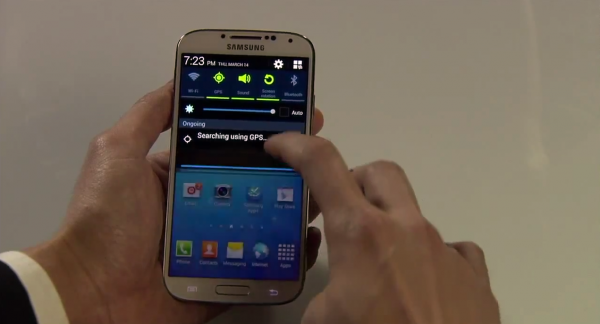
    As Windows Phone 7.8 started to rolled-out earlier this year, with Nokia announcing the upgrade spree in late-January, its lifecycle will be cut out later than Windows Phone 8’s mainstream support. Support for that OS started on December 14, 2012 and ends on July 8, 2014, two months after its lesser sibling.

    Microsoft is the one taking care of issuing updates and security fixes, but the company warns that when (and if) users receive them depends on the mobile operator, smartphone maker, country, region and hardware specifications.

    There is no word at the moment concerning a possible mainstream support end date extension period for either of the two smartphone operating systems alongside a prospective future update.

  • Qualcomm Snapdragon 600 powers the quad-core Samsung Galaxy S IV

    Two days ago, at the Unpacked event held in New York, with much fanfare, South Korean manufacturer Samsung unveiled the new Galaxy S4. As we have come to expect, the company mostly focused on the added software benefits rather than showcasing the hardware underneath, leaving folks puzzled as to what powers the new Android flagship.

    Samsung revealed two processor choices for the Galaxy S4 — quad-core or octa-core solution depending on the market. Considering the scarcity of octa-core processors coming from high-end chip makers, the Exynos 5 Octa, which is scheduled for production in Q2 represents one-half of the equation. And, as Qualcomm has announced, the Snapdragon 600 represents the other half.

    The Snapdragon 600, which Qualcomm announced during Consumer Electronics Show 2013, powers other Android flagships including the LG Optimus G Pro and HTC One. On Galaxy S IV, the Snapdragon 600 processor features a 1.9 GHz quad-core Krait CPU; Adreno 320 GPU (Graphics Processing Unit); 2GB of LPDDR3 RAM and support for LTE Category 3 connectivity, which delivers download speeds up to 100 Mbps and upload speeds up to 50 Mbps.

    With the Galaxy S III, Samsung chose the Qualcomm-made processor for North America and other markets where 4G LTE adoption rates are high, while the Exynos-branded processor is (still) for the most part reserved for 3G networks. And, judging by its older brother’s path, the Galaxy S4 is unlikely to be any different.

  • Nokia announces software updates for the Lumia 920, 820 and 620

    Finnish smartphone maker Nokia has announced new software updates for the company’s Lumia 920, Lumia 820 and Lumia 620 Windows Phone 8 devices, touting improved performance, stability and features as the main highlights.

    Nokia has revealed that the Lumia 920 and Lumia 820 will receive the “1232.5957.1308.00xx” update, which apart from the generic “further performance and stability improvements” includes enhanced adjustment and stability for the the automatic display brightness and display during calls, respectively.

    For the Lumia 620 Nokia has announced the “1030.6407.1308.00xx” update which, on top of the aforementioned benefits, includes enhanced touch operation and picture quality — “corrected camera exposure” for photos taken with flash in brightly-lit conditions — as well as stability improvements.

    Nokia has already started to roll-out the latest software update for new Lumia 920, Lumia 820 and Lumia 620 devices, with existing smartphones set to receive them at a “later” date.